Page 198 of 442

�µ�µ
�µ
�µ
To listen to the XM satellite Radio,
turn the ignition switch to the
ACCESSORY (I) or ON (II) position.
Push the PWR/VOL knob to turn on
the audio system, and press the
button. Adjust the volume by
turning the PWR/VOL knob. The
last channel you listened to will show
on the center display. Each time you press and
release the DISP/MODE button, the
center display changes in the
f ollowing sequence: Channel name,
category, artist name, and music title.
To switch between the
category mode and channel mode,
press and hold the DISP/MODE
button until the mode changes. ‘‘CH
(channel)’’ or ‘‘CAT (category)’’
mode indicator appears on the center
display. When in the satellite radio mode,
you can use any of f our methods to
f ind channels: TUNE, SEEK/SKIP
(CATEGORY), SCAN, and the
preset bars.
Press either side of the SEEK/SKIP
(CATEGORY) bar ( or )
to select another category.Press the TUNE/
FOLDER bar to change channel
selections. Press the side of the
bar to tune to higher numbered
channels, and the side of the
bar to tune to lower numbered
channels. In the category mode, you
can only select channels within that
category.
Operating the XM Radio
DISP
MODE T o Select a Channel
SEEK /SK IP (CA T EGORY) TUNE
Audio System
194
�����—�����—�
���y���������������y���
�(�)� �������y���
�����y
Page 199 of 442

�µ�µThe scan function gives
you a sampling of all channels while
in the channel mode. In the category
mode, only the channels within that
category are scanned. To acti vate
scan, press the SCAN button. The
system plays each channel in
numerical order for a few seconds,
th en selects the next channel. When
you hear a channel you want to
continue listening to, press the
button again. To
store a ch annel: Pick
a preset number for the
ch annel you want to store. Press
and hold the appropriate side of
the preset bar until you hear a
beep.
Repeat steps 2 and 3 to store the
first six channels.
Press the button again.
The oth er XM band will be shown.
Store the next six channels
repeating steps 2 and 3.
Once a channel is sto red, press and
release the proper side of the preset
bar to tune to it.
For information, see page .
For information, see page .
Youcanstoreupto12
preset channels using each side of
the preset bar. Each side of the bar
stores one channel f rom the XM1
band and one channel f rom the XM2
band.
In category mode, only channels
within that category can be selected.
In channel mode, all channels can be
selected. Usethetune,seek,orscan
function to tune to a desired
channel. Press the button. Either
XM1 or XM2 will be shown on the
center display.
4. 3.
5.
2. 1.
196
235
SCAN
XM Satellite Radio Reception Adjusting the Sound
Preset
Audio System
Features
195
�����—�����—�
���y���
�����������y���
�(�)� �������y���������y
Page 204 of 442
On RDX with Technology Package modelTo Play the AM/FM Radio
Audio System
200
U.S. model is shown.AUDIO CONTROL DISPLAY
RADIO BAND
SCAN INDICATOR STEREO
INDICATORA.SEL INDICATOR
PRESET NUMBER
UPPER DISPLAY
�����—�����—�
���y���������������y���
�(�)� �������y���������y
Page 206 of 442

�µ
The
ignition switch must be in the
ACCESSORY (I) or the ON (II)
position. Press the AUDIO button to
vi ew the audio control display. Turn
the system on by pressing the PWR/
VOL knob or the AM/FM button
(AMorFMbuttononCanadian
models). Adjust the volume by
turning the PWR/VOL knob.
To tune with the interface dial, press
the AUDIO button to view the audio
control display, then push the
selector down, and turn the dial to
TUNE. Then press ENTER on the
selector, and turn the dial to the
desired frequency. To exit the
TUNE mode, press ENTER again.
XM satellite radio inf ormation is
available on page .
You can use any of f ive methods to
f ind radio stations on the selected
band: TUNE, SEEK, SCAN, the
preset buttons or icons, and AUTO
SELECT.
Use the TUNE/FOLDER
bar to tune the radio to a desired
f requency. Press the side of the
bar to tune to a higher f requency,
and the side of the bar to tune
to a lower f requency.
If youpressandholdthe or side of the bar, the f requency
will begin to change rapidly. It will
stop when you release it.
The band and f requency the radio
waslasttunedtoareshownonthe
upper display. To change bands,
press the AM/FM button (AM or
FM button). You can also change
bands with the interf ace dial. Press
the AUDIO button to view the audio
control display and the band changes
to FM1, FM2, or AM each time you
push the selector up. On the FM
bands, ‘‘STEREO’’ will be shown on
the audio control display. ‘‘ST’’ will
also appear on the upper display if
the station is broadcasting in stereo.
Stereo reproduction on AM is not
available. 221
On U.S. models
Audio System
To Select a Station
TUNE
202
TUNE ICON
�����—�����—�
���y�
�������������y���
�(�)� �������y���������y
Page 208 of 442
�µ�µ
Each preset button/icon
can store one f requency on AM and
two f requencies on FM. To view the
preset icons on the audio control
display, push the AUDIO button. Select the desired band, AM or
FM. FM1 and FM2 let you store
two f requencies with each preset
button (icon).
UsetheTUNE,SEEK,orSCAN
function to tune the radio to a
desired station.
Pick a preset number (1 6), you
want for that station. Press the
preset button, and hold it until you
hear a beep.
To store the f requency on a preset
icon, turn the interf ace dial to
select a desired preset icon. The
selected preset icon will be
highlighted. Press and hold
ENTER on the selector f or more
than 2 seconds to store the
f requency.
Repeat steps 1 through 3 to store a
total of six stations on AM and
twelve stations on FM.
1.
2.
3.
4.
Audio System
Preset
204
PRESET ICONS
�����—�����—�
���y�
�������������y���
�(�)� �������y���������y
Page 209 of 442

�µTo
activate AUTO SELECT, press
the AUDIO button to view the audio
control display. Push the interface
selector down to scroll down the
display, turn the dial to A. SEL, then
press ENTER on the interface
selector. You will see ‘‘AUTO SEL’’
fl ashing in the audio control display,
and ‘‘A. SEL’’ on the upper display.
Then, the system goes into scan
mode for several seconds.
If you are
traveling far from home and can no
longer receive your preset stations,
you can use the auto select feature to
find stations in the local area. If
you do not like the stations auto
select has stored, you can store
other frequencies on the preset
buttons (icons) as previously
described.
To turn off auto select, press
ENTER on the interface selector
(press the A.SEL button) again. This
restores the presets you originally
set.
For information on AM/FM radio
frequencies and reception, see page
.
For information, see page .
You will see ‘‘0’’ displayed if auto
select cannot f ind a strong station f or
every preset button. Press the A.SEL button. You will see
AUTO SEL on the screen, and the
system goes into scan mode f or
several seconds. The system stores
the f requencies of six AM and
twelve FM stations in the preset
buttons. 227
231
On Canadian models
Audio System
AUTO SELECT
Radio Frequencies and Reception
Adjusting the Sound
Features
205
AUTO SEL INDICATOR
A.SEL ICON
�����—�����—�
���y�
���������
���y���
�(�)� �������y�����
���y
Page 212 of 442
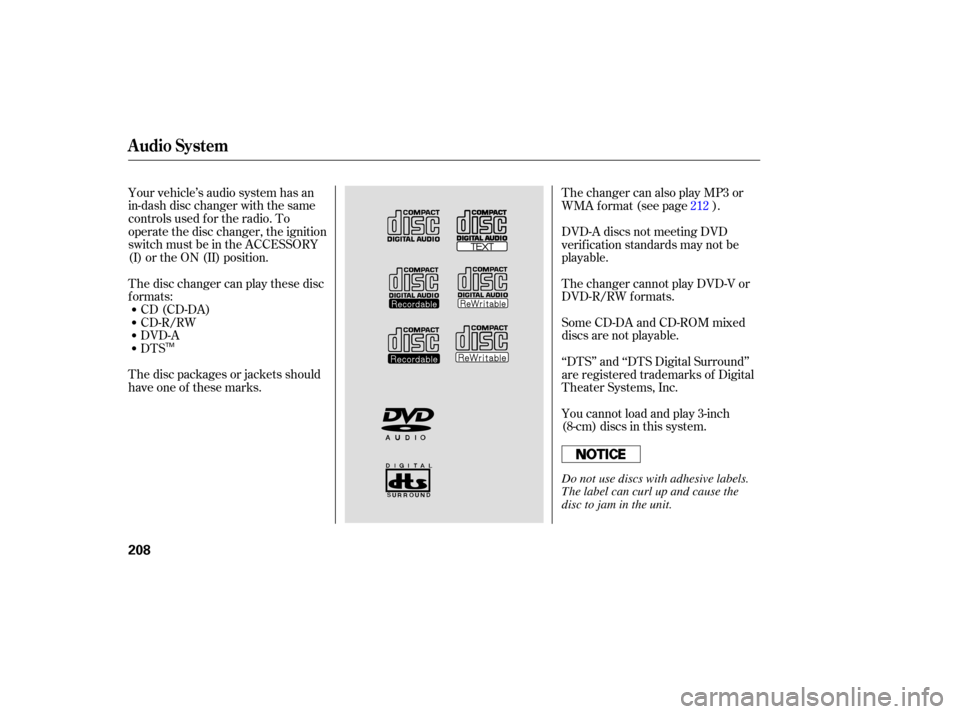
Your vehicle’s audio system has an
in-dash disc changer with the same
controls used for the radio. To
operate the disc changer, the ignition
switch must be in the ACCESSORY
(I) or the ON (II) position.
The disc changer can play these disc
formats: CD (CD-DA)
CD-R/RW
DVD-A
DTS
The disc packages or jackets should
have one of these marks. DVD-A
discs not meeting DVD
verifica tion standards may not be
playable.
The changer cannot play DVD-V or
DVD-R/RW formats.
Some CD-DA and CD-ROM mixed
discs are not playable.
‘‘DTS’’ and ‘‘DTS Digital Surround’’
are registered trademarks of Digital
Theater Systems, Inc.
You cannot load and play 3-inch
(8-cm)discsinthissystem. The changer can also play MP3 or
WMA format (see page ). 212
Audio System
208
TM
Do not use discs with adhesive labels.
The label can curl up and cause the
disc to jam in the unit.
�����—�����—�
���y���
�����������y���
�(�)� �������y�����
���y
Page 214 of 442
You can load a CD into an empty
position while a CD is playing. Press
the AUDIO button to view the audio
control display. Select the empty
position (‘‘No Disc’’ is shown on the
audio control display) by rotating the
interf ace dial. Then press ENTER on
the selector to enter your selection.
The current CD stops playing and
starts the loading sequence. The CD
just loaded will play.You can also select the empty
position by pressing the appropriate
preset button.
You can load a disc(s) in any mode
(AM,FM,XMradio,orAUX)if you
do not select an empty position.
You cannot select the empty position
if there is no disc in the changer.
Audio System
210
EMPTY POSITION
�����—�����—�
���y�
���������
���y���
�(�)� �������y�����
���y