Page 293 of 527
’06 TUNDRA_U (L/O 0508)
281
2006 TUNDRA from Oct. ’06 Prod. (OM 34458U)
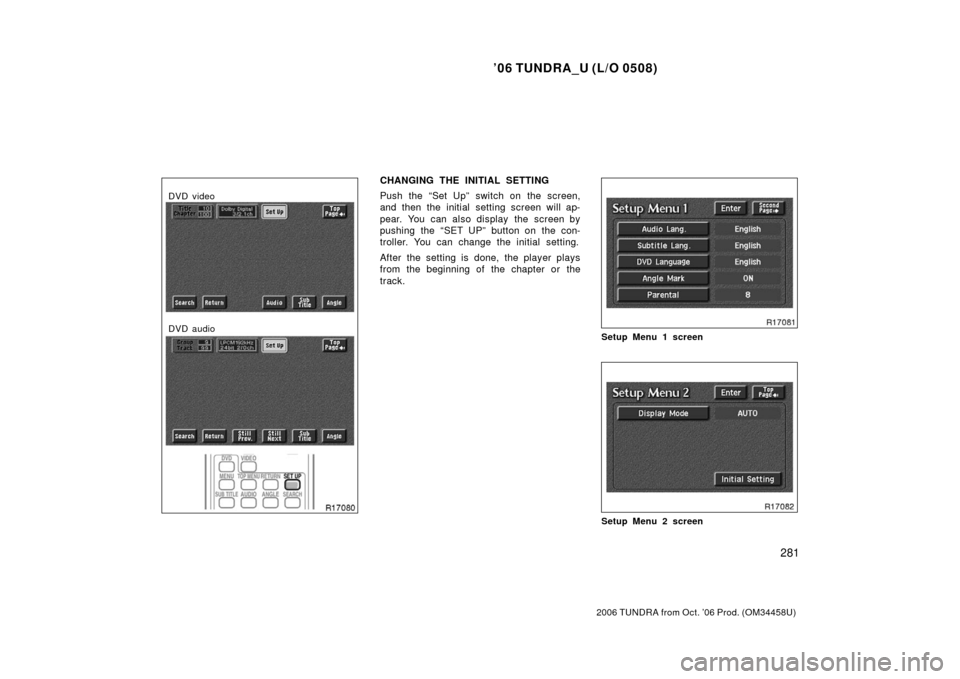
DVD video
DVD audio
CHANGING THE INITIAL SETTING
Push the “Set Up” switch on the screen,
and then the initial setting screen will ap-
pear. You can also display the screen by
pushing the “SET UP” button on the con-
troller. You can change the initial setting.
After the setting is done, the player plays
from the beginning of the chapter or the
track.
Setup Menu 1 screen
Setup Menu 2 screen
Page 301 of 527
’06 TUNDRA_U (L/O 0508)
289
2006 TUNDRA from Oct. ’06 Prod. (OM 34458U)
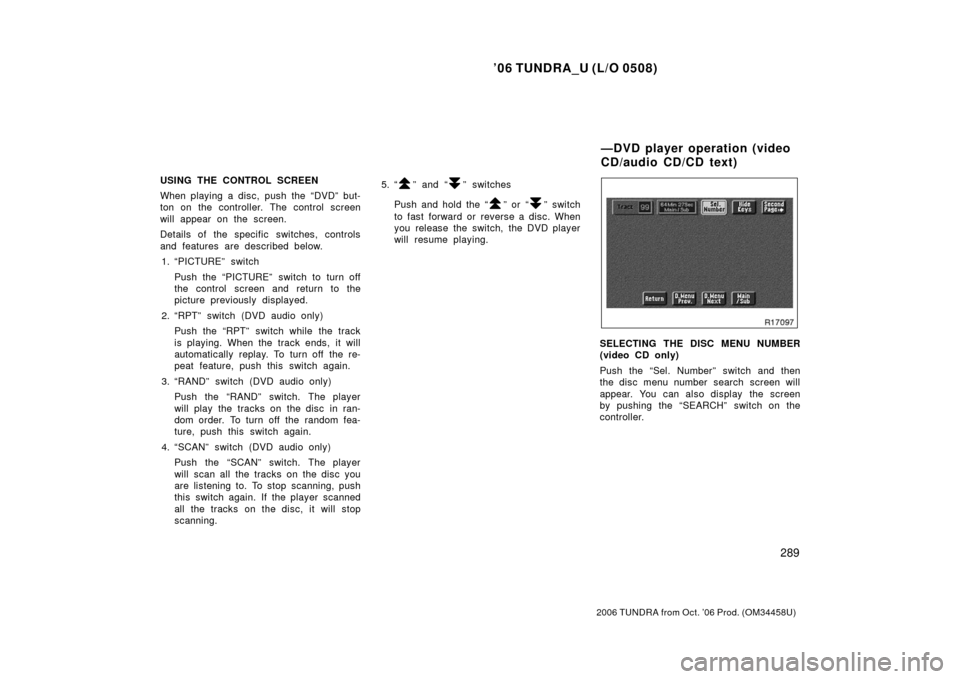
USING THE CONTROL SCREEN
When playing a disc, push the “DVD” but-
ton on the controller. The control screen
will appear on the screen.
Details of the specific switches, controls
and features are described below.
1. “PICTURE” switch
Push the “PICTURE” switch to turn off
the control screen and return to the
picture previously displayed.
2. “RPT” switch (DVD audio only) Push the “RPT” switch while the track
is playing. When the track ends, it will
automatically replay. To turn off the re-
peat feature, push this switch again.
3. “RAND” switch (DVD audio only) Push the “RAND” switch. The player
will play the tracks on the disc in ran-
dom order. To turn off the random fea-
ture, push this switch again.
4. “SCAN” switch (DVD audio only) Push the “SCAN” switch. The player
will scan all the tracks on the disc you
are listening to. To stop scanning, push
this switch again. If the player scanned
all the tracks on the disc, it will stop
scanning. 5. “” and “” switches
Push and hold the “
” or “” switch
to fast forward or reverse a disc. When
you release the switch, the DVD player
will resume playing.
SELECTING THE DISC MENU NUMBER
(video CD only)
Push the “Sel. Number” switch and then
the disc menu number search screen will
appear. You can also display the screen
by pushing the “SEARCH” switch on the
controller.
—DVD player operation (video
CD/audio CD/CD text)
Page 302 of 527
’06 TUNDRA_U (L/O 0508)
290
2006 TUNDRA from Oct. ’06 Prod. (OM 34458U)
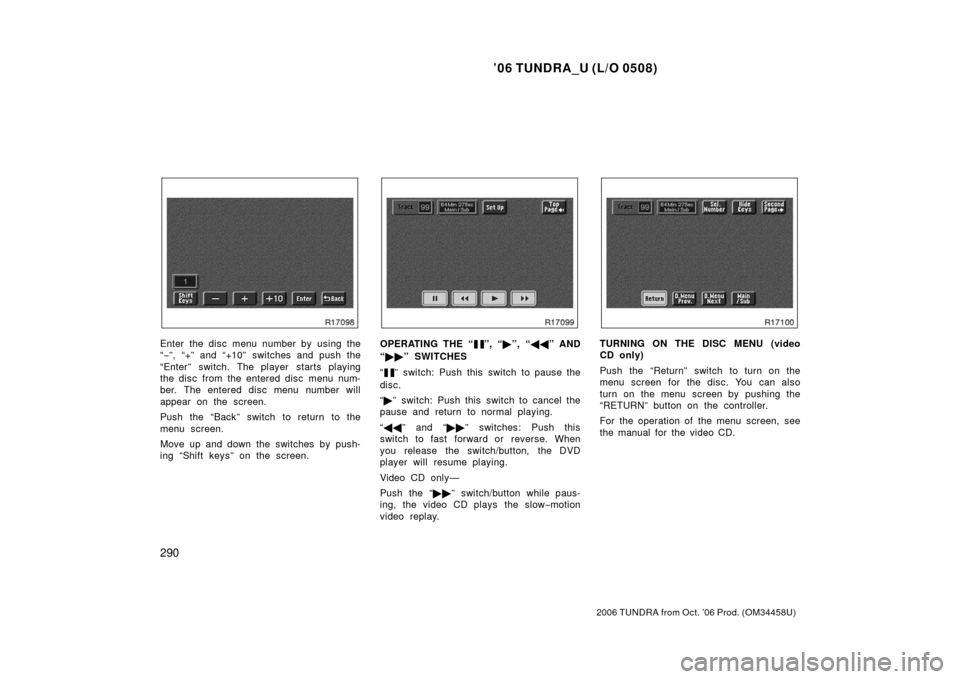
Enter the disc menu number by using the
“− ”, “+” and “+10” switches and push the
“Enter” switch. The player starts playing
the disc from the entered disc menu num-
ber. The entered disc menu number will
appear on the screen.
Push the “Back” switch to return to the
menu screen.
Move up and down the switches by push-
ing “Shift keys” on the screen.OPERATING THE “”, “ �”, “ �� ” AND
“ �� ” SWITCHES
“
” switch: Push this switch to pause the
disc.
“ � ” switch: Push this switch to cancel the
pause and return to normal playing.
“ �� ” and “�� ” switches: Push this
switch to fast forward or reverse. When
you release the switch/button, the DVD
player will resume playing.
Video CD only—
Push the “�� ” switch/button while paus-
ing, the video CD plays the slow −motion
video replay.
TURNING ON THE DISC MENU (video
CD only)
Push the “Return” switch to turn on the
menu screen for the disc. You can also
turn on the menu screen by pushing the
“RETURN” button on the controller.
For the operation of the menu screen, see
the manual for the video CD.
Page 303 of 527
’06 TUNDRA_U (L/O 0508)
291
2006 TUNDRA from Oct. ’06 Prod. (OM 34458U)
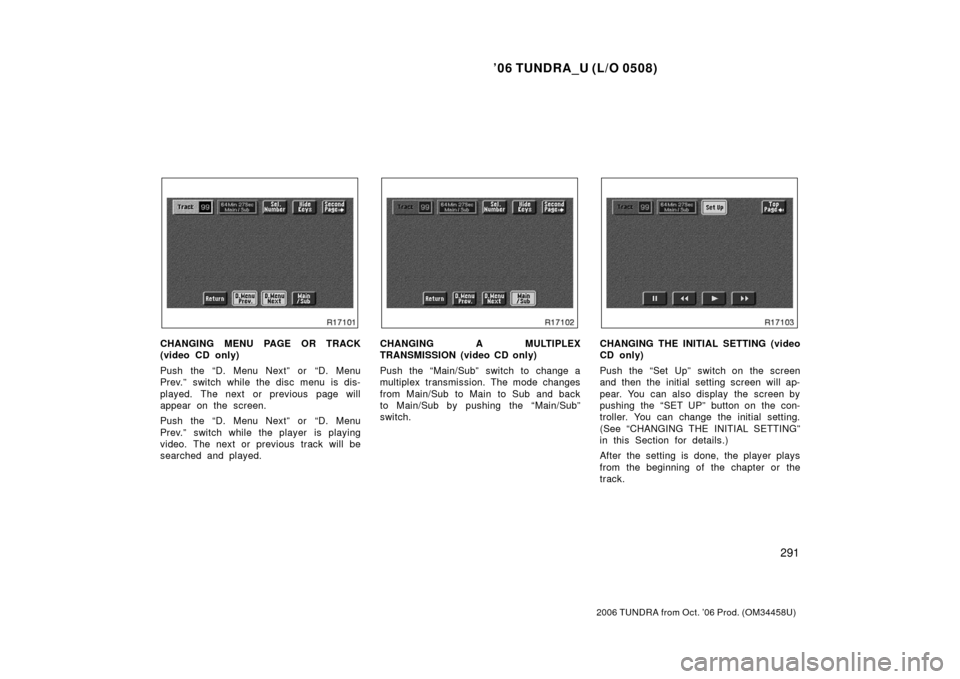
CHANGING MENU PAGE OR TRACK
(video CD only)
Push the “D. Menu Next” or “D. Menu
Prev.” switch while the disc menu is dis-
played. The next or previous page will
appear on the screen.
Push the “D. Menu Next” or “D. Menu
Prev.” switch while the player is playing
video. The next or previous track will be
searched and played.CHANGING A MULTIPLEX
TRANSMISSION (video CD only)
Push the “Main/Sub” switch to change a
multiplex transmission. The mode changes
from Main/Sub to Main to Sub and back
to Main/Sub by pushing the “Main/Sub”
switch.CHANGING THE INITIAL SETTING (video
CD only)
Push the “Set Up” switch on the screen
and then the initial setting screen will ap-
pear. You can also display the screen by
pushing the “SET UP” button on the con-
troller. You can change the initial setting.
(See “CHANGING THE INITIAL SETTING”
in this Section for details.)
After the setting is done, the player plays
from the beginning of the chapter or the
track.
Page 304 of 527
’06 TUNDRA_U (L/O 0508)
292
2006 TUNDRA from Oct. ’06 Prod. (OM 34458U)
Video CD
Audio CD
CD text
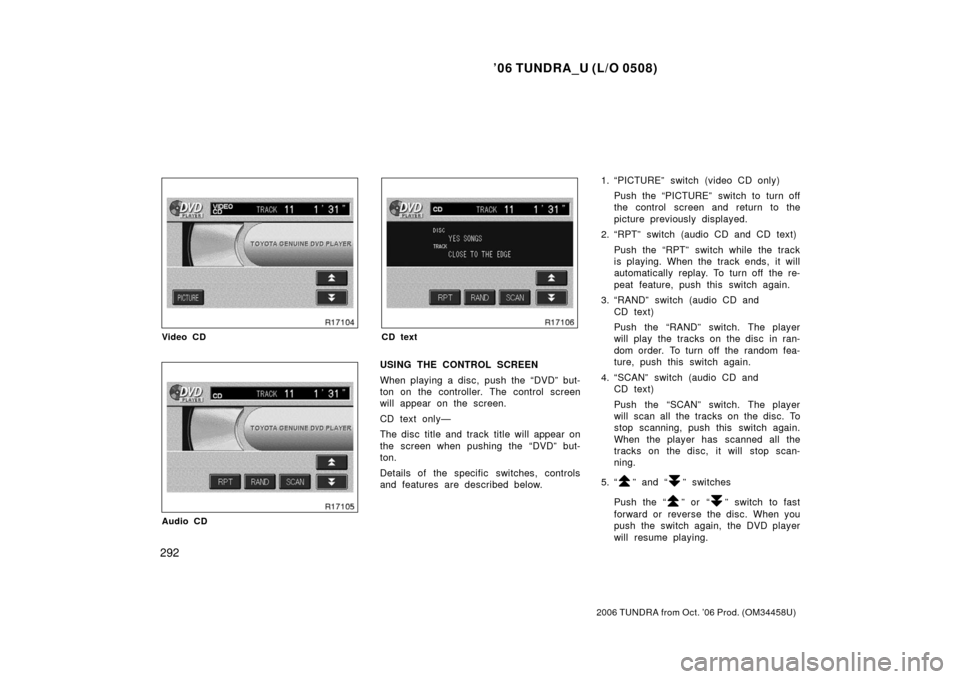
USING THE CONTROL SCREEN
When playing a disc, push the “DVD” but-
ton on the controller. The control screen
will appear on the screen.
CD text only—
The disc title and track title will appear on
the screen when pushing the “DVD” but-
ton.
Details of the specific switches, controls
and features are described below. 1. “PICTURE” switch (video CD only)
Push the “PICTURE” switch to turn off
the control screen and return to the
picture previously displayed.
2. “RPT” switch (audio CD and CD text)
Push the “RPT” switch while the track
is playing. When the track ends, it will
automatically replay. To turn off the re-
peat feature, push this switch again.
3. “RAND” switch (audio CD and CD text)
Push the “RAND” switch. The player
will play the tracks on the disc in ran-
dom order. To turn off the random fea-
ture, push this switch again.
4. “SCAN” switch (audio CD and CD text)
Push the “SCAN” switch. The player
will scan all the tracks on the disc. To
stop scanning, push this switch again.
When the player has scanned all the
tracks on the disc, it will stop scan-
ning.
5. “
” and “” switches
Push the “
” or “” switch to fast
forward or reverse the disc. When you
push the switch again, the DVD player
will resume playing.
Page 306 of 527
’06 TUNDRA_U (L/O 0508)
294
2006 TUNDRA from Oct. ’06 Prod. (OM 34458U)
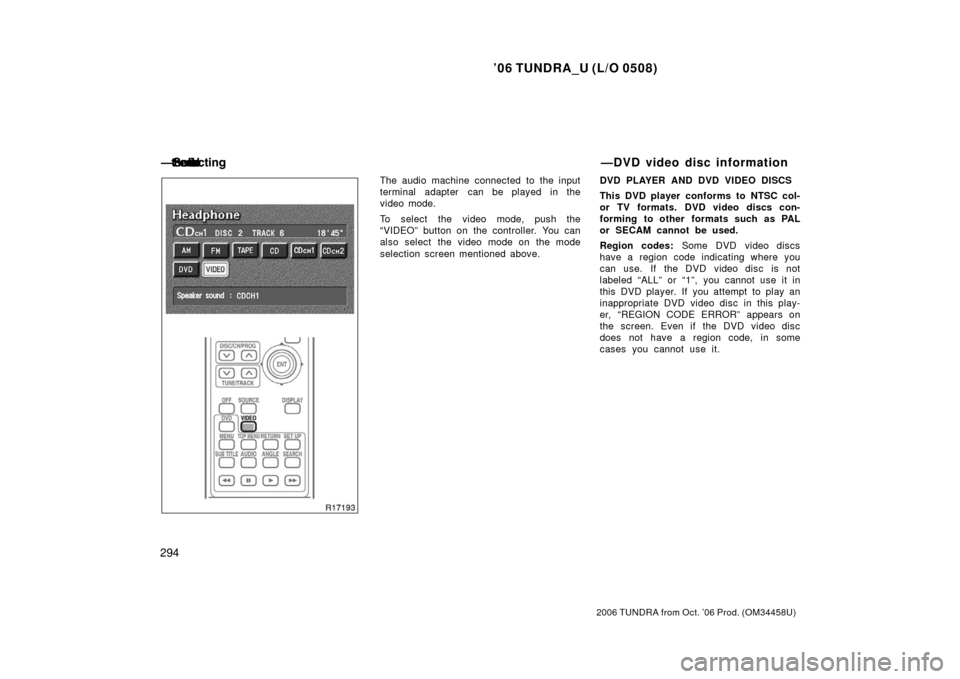
The audio machine connected to the input
terminal adapter can be played in the
video mode.
To select the video mode, push the
“VIDEO” button on the controller. You can
also select the video mode on the mode
selection screen mentioned above. DVD PLAYER AND DVD VIDEO DISCS
This DVD player conforms to NTSC col-
or TV formats. DVD video discs con-
forming to other formats such as PAL
or SECAM cannot be used.
Region codes:
Some DVD video discs
have a region code indicating where you
can use. If the DVD video disc is not
labeled “ALL” or “1”, you cannot use it in
this DVD player. If you attempt to play an
inappropriate DVD video disc in this play-
er, “REGION CODE ERROR” appears on
the screen. Even if the DVD video disc
does not have a region code, in some
cases you cannot use it.
— �
�
��
��
��
v
� ��
—DVD video disc information
Page 307 of 527
’06 TUNDRA_U (L/O 0508)
295
2006 TUNDRA from Oct. ’06 Prod. (OM 34458U)
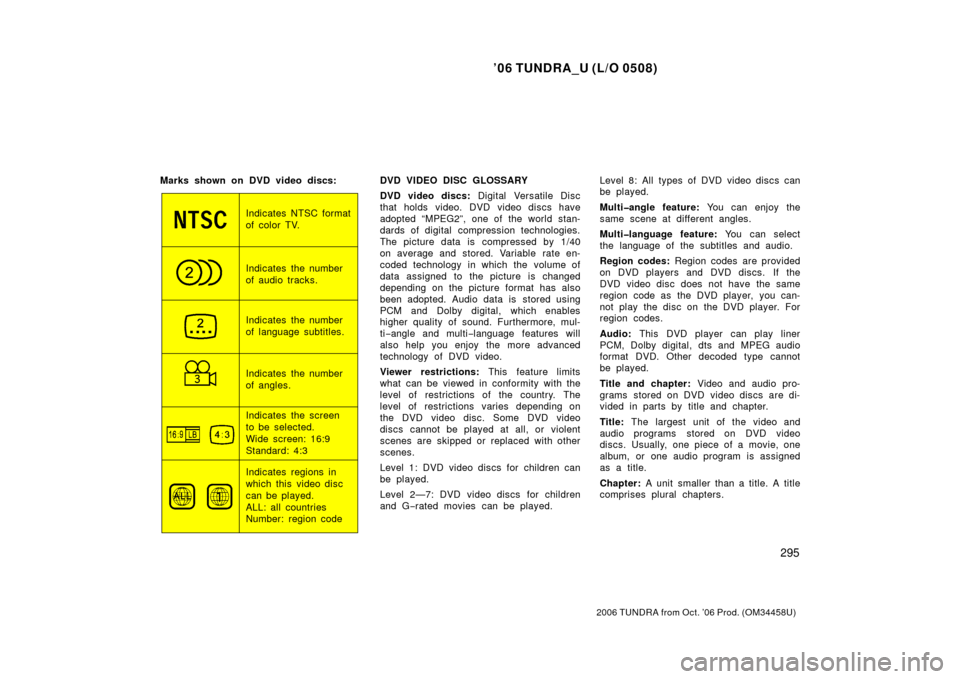
Marks shown on DVD video discs:
Indicates NTSC format
of color TV.
Indicates the number
of audio tracks.
Indicates the number
of language subtitles.
Indicates the number
of angles.
Indicates the screen
to be selected.
Wide screen: 16:9
Standard: 4:3
Indicates regions in
which this video disc
can be played.
ALL: all countries
Number: region codeDVD VIDEO DISC GLOSSARY
DVD video discs:
Digital Versatile Disc
that holds video. DVD video discs have
adopted “MPEG2”, one of the world stan-
dards of digital compression technologies.
The picture data is compressed by 1/40
on average and stored. Variable rate en-
coded technology in which the volume of
data assigned to the picture is changed
depending on the picture format has also
been adopted. Audio data is stored using
PCM and Dolby digital, which enables
higher quality of sound. Furthermore, mul-
ti −angle and multi −language features will
also help you enjoy the more advanced
technology of DVD video.
Viewer restrictions: This feature limits
what can be viewed in conformity with the
level of restrictions of the country. The
level of restrictions varies depending on
the DVD video disc. Some DVD video
discs cannot be played at all, or violent
scenes are skipped or replaced with other
scenes.
Level 1: DVD video discs for children can
be played.
Level 2—7: DVD video discs for children
and G −rated movies can be played. Level 8: All types of DVD video discs can
be played.
Multiangle feature:
You can enjoy the
same scene at different angles.
Multilanguage feature: You can select
the language of the subtitles and audio.
Region codes: Region codes are provided
on DVD players and DVD discs. If the
DVD video disc does not have the same
region code as the DVD player, you can-
not play the disc on the DVD player. For
region codes.
Audio: This DVD player can play liner
PCM, Dolby digital, dts and MPEG audio
format DVD. Other decoded type cannot
be played.
Title and chapter: Video and audio pro-
grams stored on DVD video discs are di-
vided in parts by title and chapter.
Title: The largest unit of the video and
audio programs stored on DVD video
discs. Usually, one piece of a movie, one
album, or one audio program is assigned
as a title.
Chapter: A unit smaller than a title. A title
comprises plural chapters.
Page 311 of 527
’06 TUNDRA_U (L/O 0508)
299
2006 TUNDRA from Oct. ’06 Prod. (OM 34458U)
CAUTION
Adjust the volume when you connect
the headphones to the jack. Loud
sounds may have a significant impact
on the human body.
NOTICE
To ensure correct audio/video system
operations:
�Be careful not to spill beverages
over the audio system.
� Do not put anything other than a
cassette tape or Compact Disc into
the slot.
� Do not put anything other than a
DVD video, DVD audio, video CD,
dtsCD and audio CD into the DVD
player.
� The use of a cellular phone inside
or near the vehicle may cause a
noise from the speakers of the au-
dio system which you are listening
to. However, this does not indicate
a malfunction.
RADIO RECEPTION
Usually, a problem with radio reception
does not mean there is a problem with
your radio—it is just the normal result of
conditions outside the vehicle. For example, nearby buildings and terrain
can interfere with FM reception. Power
lines or telephone wires can interfere with
AM signals. And of course, radio signals
have a limited range. The farther you are
from a station, the weaker its signal will
be. In addition, reception conditions
change constantly as your vehicle moves.
Here are some common reception prob-
lems that probably do not indicate a prob-
lem with your radio:
FM
Fading and drifting stations—Generally, the
effective range of FM is about 40 km (25
miles). Once outside this range, you may
notice fading and drifting, which increase
with the distance from the radio transmit-
ter. They are often accompanied by distor-
tion.
Multi
−path—FM signals are reflective,
making it possible for two signals to reach
your antenna at the same time. If this
happens, the signals will cancel each oth-
er out, causing a momentary flutter or
loss of reception.
Static and fluttering—These occur when
signals are blocked by buildings, trees, or
other large objects. Increasing the bass
level may reduce static and fluttering.
Audio/video system operating
hints