Page 128 of 398
’06 AVALON_U (L/O 0508)
120
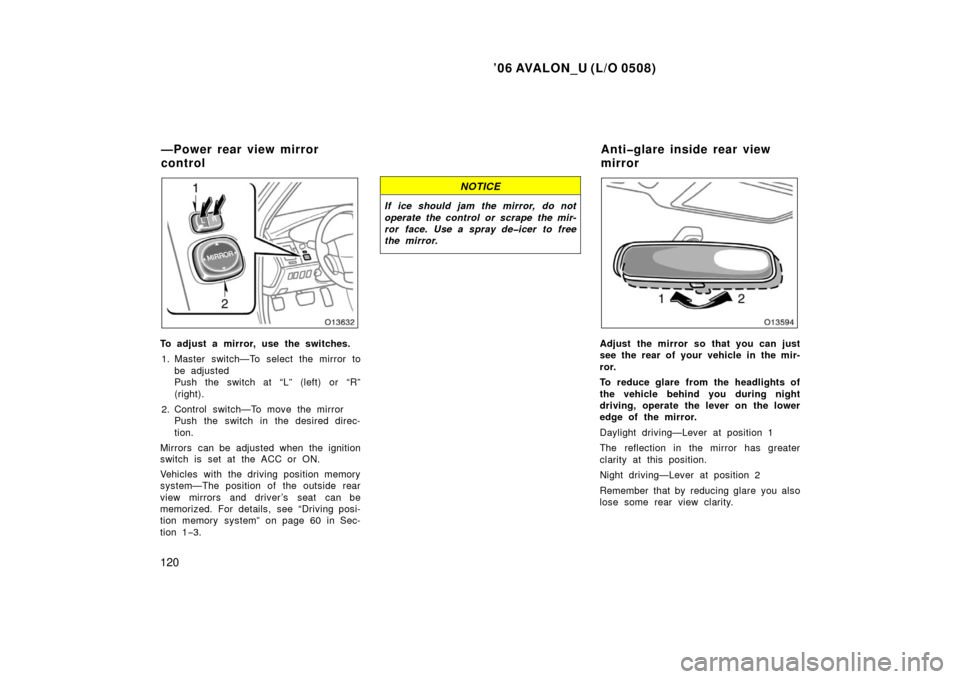
To adjust a mirror, use the switches.1. Master switch—To select the mirror to be adjusted
Push the switch at “L” (left) or “R”
(right).
2. Control switch—To move the mirror Push the switch in the desired direc-
tion.
Mirrors can be adjusted when the ignition
switch is set at the ACC or ON.
Vehicles with the driving position memory
system—The position of the outside rear
view mirrors and driver’s seat can be
memorized. For details, see “Driving posi-
tion memory system” on page 60 in Sec-
tion 1 −3.
NOTICE
If ice should jam the mirror, do not
operate the control or scrape the mir-
ror face. Use a spray deicer to free
the mirror.
Adjust the mirror so that you can just
see the rear of your vehicle in the mir-
ror.
To reduce glare from the headlights of
the vehicle behind you during night
driving, operate the lever on the lower
edge of the mirror.
Daylight driving—Lever at position 1
The reflection in the mirror has greater
clarity at this position.
Night driving—Lever at position 2
Remember that by reducing glare you also
lose some rear view clarity.
—Power rear view mirror
control Antiglare inside rear view
mirror
Page 129 of 398
’06 AVALON_U (L/O 0508)
121
CAUTION
Do not adjust the mirror while the
vehicle is moving. Doing so may
cause the driver to mishandle the ve-
hicle and an accident may occur re-
sulting in death or serious injuries.
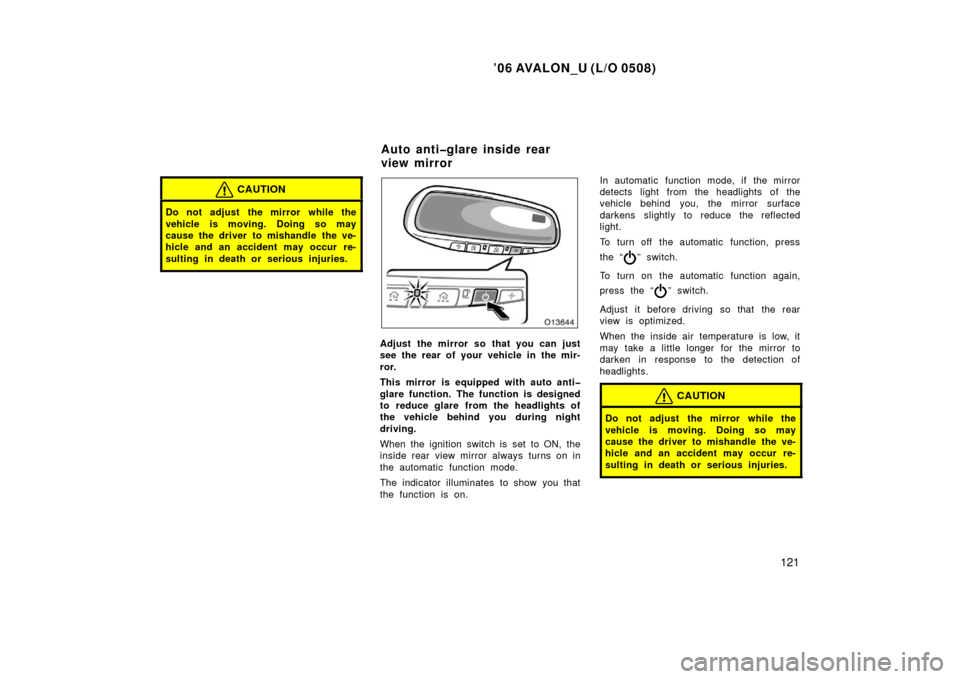
Adjust the mirror so that you can just
see the rear of your vehicle in the mir-
ror.
This mirror is equipped with auto anti
glare function. The function is designed
to reduce glare from the headlights of
the vehicle behind you during night
driving.
When the ignition switch is set to ON, the
inside rear view mirror always turns on in
the automatic function mode.
The indicator illuminates to show you that
the function is on.In automatic function mode, if the mirror
detects light from the headlights of the
vehicle behind you, the mirror surface
darkens slightly to reduce the reflected
light.
To turn off the automatic function, press
the “
” switch.
To turn on the automatic function again,
press the “
” switch.
Adjust it before driving so that the rear
view is optimized.
When the inside air temperature is low, it
may take a little longer for the mirror to
darken in response to the detection of
headlights.
CAUTION
Do not adjust the mirror while the
vehicle is moving. Doing so may
cause the driver to mishandle the ve-
hicle and an accident may occur re-
sulting in death or serious injuries.
Auto antiglare inside rear
view mirror
Page 131 of 398
’06 AVALON_U (L/O 0508)
123
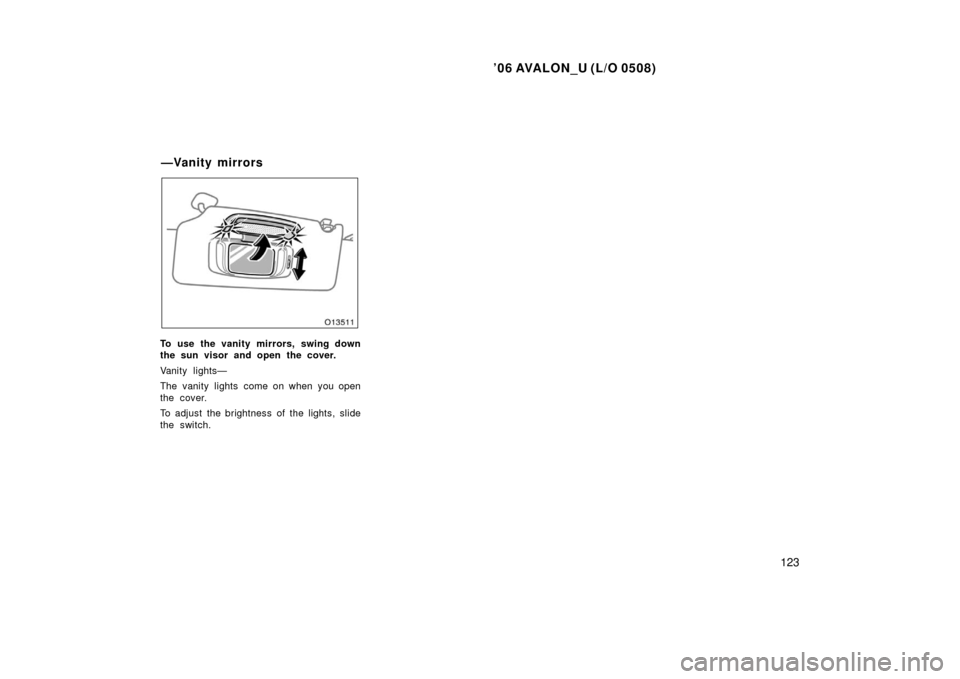
To use the vanity mirrors, swing down
the sun visor and open the cover.
Vanity lights—
The vanity lights come on when you open
the cover.
To adjust the brightness of the lights, slide
the switch.
—Vanity mirrors
Page 133 of 398

’06 AVALON_U (L/O 0508)
125
OPERATION OF INSTRUMENTS AND
CONTROLS
Lights, Wipers and Defogger
Headlights and turn signals126
. . . . . . . . . . . . . . . . . . . . . . . . . . . . . . . . . .
Emergency flashers 132
. . . . . . . . . . . . . . . . . . . . . . . . . . . . . . . . . . . . \
. . . . .
Instrument panel light control 132
. . . . . . . . . . . . . . . . . . . . . . . . . . . . . . . .
Front fog lights 133
. . . . . . . . . . . . . . . . . . . . . . . . . . . . . . . . . . . . \
. . . . . . . . .
Interior light 133
. . . . . . . . . . . . . . . . . . . . . . . . . . . . . . . . . . . . \
. . . . . . . . . . . .
Front personal lights 133
. . . . . . . . . . . . . . . . . . . . . . . . . . . . . . . . . . . . \
. . . .
Rear personal lights 134
. . . . . . . . . . . . . . . . . . . . . . . . . . . . . . . . . . . . \
. . . .
Illuminated entry system 135
. . . . . . . . . . . . . . . . . . . . . . . . . . . . . . . . . . . . \
.
Windshield wipers and washer 136
. . . . . . . . . . . . . . . . . . . . . . . . . . . . . . .
Rear window and outside rear view mirror defoggers 139
. . . . . . . . . . .
SECTION 1 5
Page 134 of 398

’06 AVALON_U (L/O 0508)
126
HEADLIGHTS
Manual operation—
To turn on the following lights: Twist
the headlight/turn signal lever knob.
Position 1—Parking, side marker, tail, li-
cense plate and instrument panel lights
Position 2—Headlights and all of the
above
The headlight low beam indicator light
(green light) on the instrument panel will
tell you that the low beams are on.Automatic operation—
To turn on or off the lights automatical-
ly, twist the headlight/turn signal lever
knob to the “AUTO” position when the
ignition switch is set at ON.
The headlights and/or all of the lights in
position 1 automatically turn on or off de-
pending on the darkness of the surround-
ings.
Manually twist the knob to the position 2
to turn on the headlights if they are need-
ed immediately when entering a dark tun-
nel, parking structure, etc.The automatic light control sensor is on
the top of the center instrument panel.
Do not place anything on the instrument
panel, and/or do not affix anything on the
windshield to block this sensor.
If you feel that the automatic light control
comes into operation too early or too late,
have the sensor adjusted by your Toyota
dealer.
Headlights and turn signals
(for U.S.A.)
Page 135 of 398
’06 AVALON_U (L/O 0508)
127
Automatic light cut off system
Position 1 or “AUTO” position with the
tail lights on—
The lights automatically turn off when the
driver ’s door is opened with the engine is
turned off.
Position 2 or “AUTO” position with the
headlights on—
The lights automatically turn off after 30
seconds when any of the doors or trunk
lid is opened and closed with the engine
is turned off.
The lights can be turned off immediately
by pushing the lock switch on the wireless
remote control transmitter with all the
doors locked and the trunk lid closed.
If any of the doors or trunk lid is kept
open, the lights automatically turn off after
20 minutes.
To turn on the lights again, turn the igni-
tion switch is set at ON or actuate the
headlight switch. If you are going to park
for over one week, make sure the knob
is in the “AUTO” position.NOTICE
To prevent the battery from being dis-
charged, do not leave the lights on
for a long period when the engine is
not running.
Daytime Running Light (DRL) system
The Daytime Running Light (DRL) system
can make it easier for others to see the
front of your vehicle during the day. The
DRL system can be helpful in many differ-
ent driving conditions, but they can be
especially helpful in the short periods after
dawn and before sunset.
The DRL system will make your headlights
come on at a reduced brightness when:
�The engine is running.
�The light switch is in the “AUTO” posi-
tion.
�The parking brake is released.
To turn on the other exterior lights and
instrument panel lights, twist the knob to
position 1.
Twist the knob to position 2 to turn the
headlights to full intensity for night driving.
To turn off the DRL system, twist the knob
to the position 3 (“DRL OFF”) or turn the
ignition switch off.
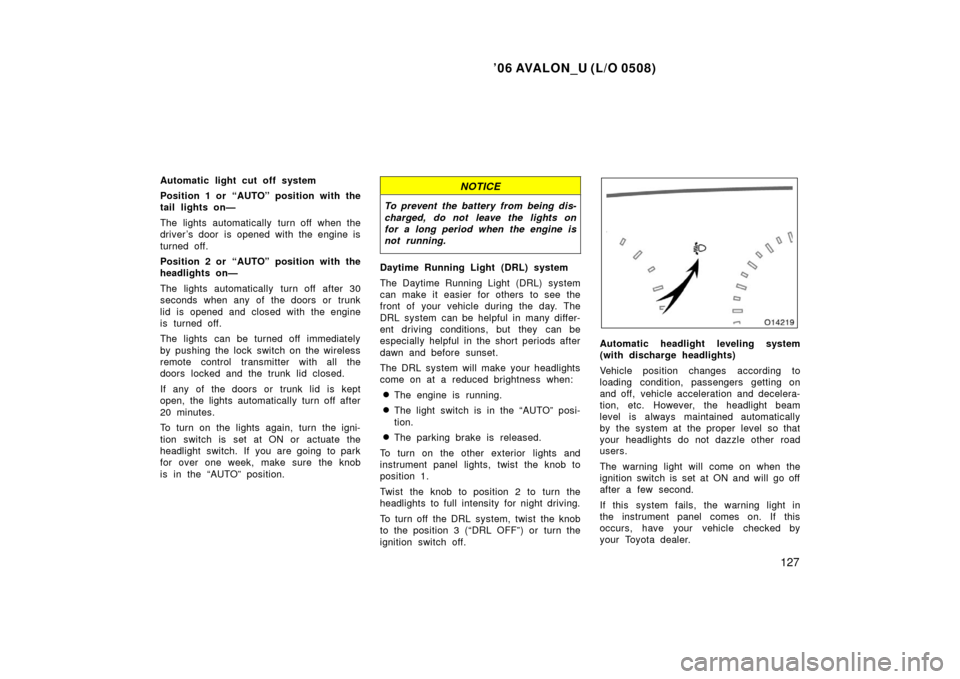
Automatic headlight leveling system
(with discharge headlights)
Vehicle position changes according to
loading condition, passengers getting on
and off, vehicle acceleration and decelera-
tion, etc. However, the headlight beam
level is always maintained automatically
by the system at the proper level so that
your headlights do not dazzle other road
users.
The warning light will come on when the
ignition switch is set at ON and will go off
after a few second.
If this system fails, the warning light in
the instrument panel comes on. If this
occurs, have your vehicle checked by
your Toyota dealer.
Page 136 of 398
’06 AVALON_U (L/O 0508)
128
If you replace the rear suspension and/or
the vehicle height changes, contact your
Toyota dealer to check the automatic
headlight leveling system and headlight
beam level.
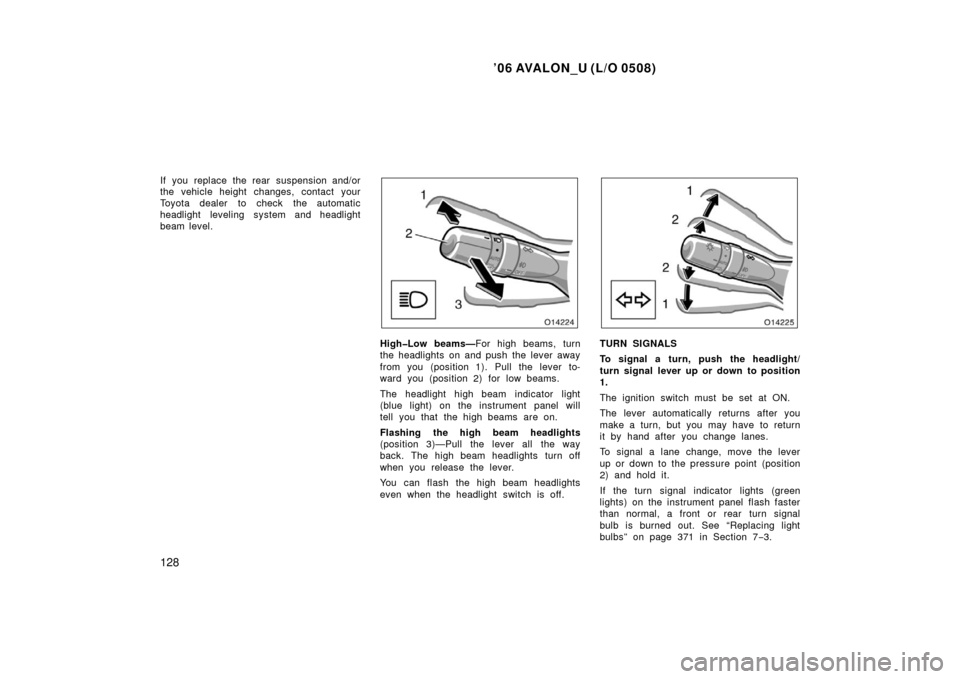
HighLow beams—For high beams, turn
the headlights on and push the lever away
from you (position 1). Pull the lever to-
ward you (position 2) for low beams.
The headlight high beam indicator light
(blue light) on the instrument panel will
tell you that the high beams are on.
Flashing the high beam headlights
(position 3)—Pull the lever all the way
back. The high beam headlights turn off
when you release the lever.
You can flash the high beam headlights
even when the headlight switch is off.TURN SIGNALS
To signal a turn, push the headlight/
turn signal lever up or down to position
1.
The ignition switch must be set at ON.
The lever automatically returns after you
make a turn, but you may have to return
it by hand after you change lanes.
To signal a lane change, move the lever
up or down to the pressure point (position
2) and hold it.
If the turn signal indicator lights (green
lights) on the instrument panel flash faster
than normal, a front or rear turn signal
bulb is burned out. See “Replacing light
bulbs” on page 371 in Section 7 −3.
Page 137 of 398

’06 AVALON_U (L/O 0508)
129
HEADLIGHTS
Manual operation—
To turn on the following lights: Twist
the headlight/turn signal lever knob.
Position 1—Parking, tail, license plate and
instrument panel lights
The tail light indicator (green light) on the
instrument panel will tell you that the tail
lights are on.
Position 2—Headlights and all of the
aboveAutomatic operation—
To turn on or off the lights automatical-
ly, twist the headlight/turn signal lever
knob to the position 3 (“AUTO”) when
the ignition switch is set at ON.
The headlights and/or all of the lights in
position 1 automatically turn on or off de-
pending on the darkness of the surround-
ings.
Manually twist the knob to the position 2
to turn on the headlights if they are need-
ed immediately when entering a dark tun-
nel, parking structure, etc.The automatic light control sensor is on
the top of the center instrument panel.
Do not place anything on the instrument
panel, and/or do not affix anything on the
windshield to block this sensor.
If you feel that the automatic light control
comes into operation too early or too late,
have the sensor adjusted by your Toyota
dealer.
Automatic light cut off system
Position 1 or position 3 with the tail
lights on—
The lights automatically turn off when the
driver ’s door is opened with the engine
off.
Headlights and turn signals
(for Canada)