Page 166 of 398
’06 AVALON_U (L/O 0508)
158
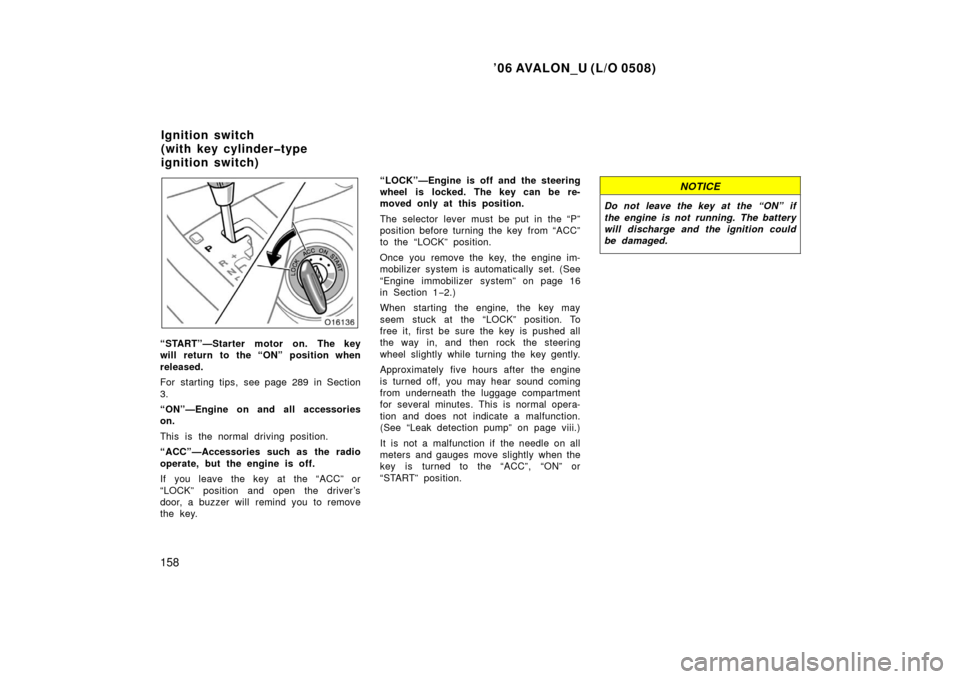
“START”—Starter motor on. The key
will return to the “ON” position when
released.
For starting tips, see page 289 in Section
3.
“ON”—Engine on and all accessories
on.
This is the normal driving position.
“ACC”—Accessories such as the radio
operate, but the engine is off.
If you leave the key at the “ACC” or
“LOCK” position and open the driver’s
door, a buzzer will remind you to remove
the key.“LOCK”—Engine is off and the steering
wheel is locked. The key can be re-
moved only at this position.
The selector lever must be put in the “P”
position before turning the key from “ACC”
to the “LOCK” position.
Once you remove the key, the engine im-
mobilizer system is automatically set. (See
“Engine immobilizer system” on page 16
in Section 1−
2.)
When starting the engine, the key may
seem stuck at the “LOCK” position. To
free it, first be sure the key is pushed all
the way in, and then rock the steering
wheel slightly while turning the key gently.
Approximately five hours after the engine
is turned off, you may hear sound coming
from underneath the luggage compartment
for several minutes. This is normal opera-
tion and does not indicate a malfunction.
(See “Leak detection pump” on page viii.)
It is not a malfunction if the needle on all
meters and gauges move slightly when the
key is turned to the “ACC”, “ON” or
“START” position.
NOTICE
Do not leave the key at the “ON” if
the engine is not running. The battery
will discharge and the ignition could
be damaged.
Ignition switch
(with key cylindertype
ignition switch)
Page 167 of 398
’06 AVALON_U (L/O 0508)
159
When the key is in the vehicle, press-
ing the “ENGINE START STOP” switch
(engine switch) allows you to start and
stop the engine or choose at the ACC,
ON, or ignition switch off.
When the brake pedal is not depressed,
pressing the “ENGINE START STOP”
switch changes the ignition switch mode
as follows. Press the “ENGINE START
STOP” switch slowly and firmly.
First time—ACC (accessory) mode (illu-
minate amber)
Accessories such as the radio operate.
Second time—ON mode (illuminate am-
ber)
Power on and all accessories on. Third time—Power off (indicator light
off)
Pressing the “ENGINE START STOP”
switch again returns the ignition switch to
the ACC.If a buzzer sounds and the smart key
system warning light comes on for 5 sec-
onds when pressing the “ENGINE START
STOP” switch, this indicates that the key
is not in the vehicle.
Ignition switch
(engine switch—with smart
key system)
Page 169 of 398
’06 AVALON_U (L/O 0508)
161
Your automatic transmission has a shift
lock system to minimize the possibility of
incorrect operation. This means you can
only shift out of “P” position when the
brake pedal is depressed (with the ignition
switch is set at ON).
(a) Selector lever
The shift position is also displayed on the
instrument cluster.
P:Parking, engine starting and
key removal
R: Reverse
N: Neutral
D: Normal driving (shifting into overdrive)
Sequential position: “S” mode driving
+: Upshift range
: Downshift range
Automatic transmission
Shift with the brake pedal
depressed.
(The ignition switch must be
set at ON.)
Shift normally.
To select sequential position or
“D”, lean the selector lever
leftward or rightward. “D” position
Sequential
position
Selector lever
Page 178 of 398
’06 AVALON_U (L/O 0508)
170
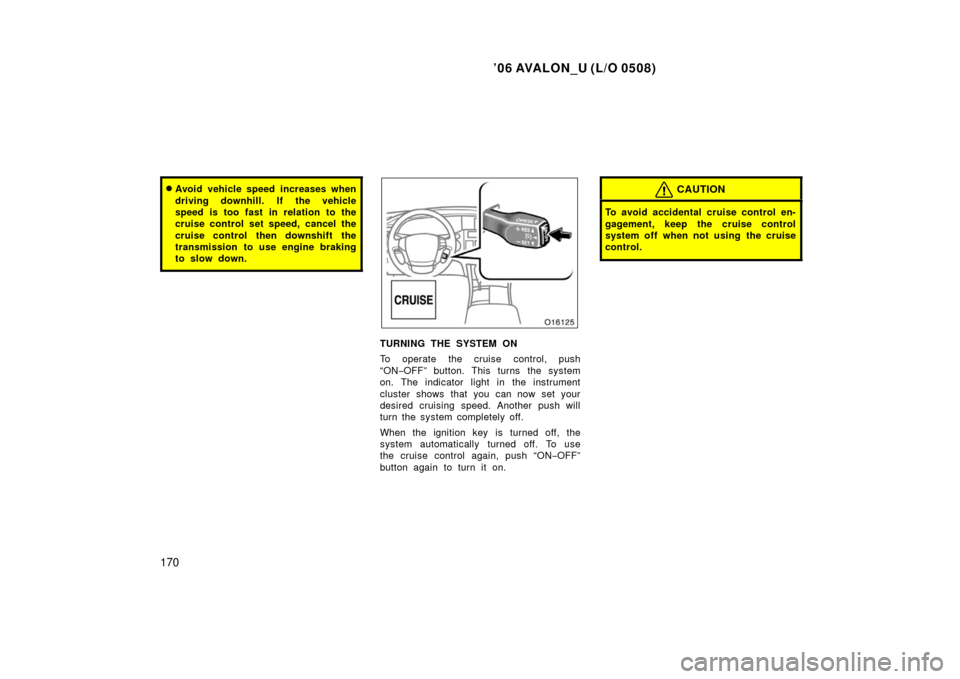
�Avoid vehicle speed increases when
driving downhill. If the vehicle
speed is too fast in relation to the
cruise control set speed, cancel the
cruise control then downshift the
transmission to use engine braking
to slow down.
TURNING THE SYSTEM ON
To operate the cruise control, push
“ON−OFF” button. This turns the system
on. The indicator light in the instrument
cluster shows that you can now set your
desired cruising speed. Another push will
turn the system completely off.
When the ignition key is turned off, the
system automatically turned off. To use
the cruise control again, push “ON −OFF”
button again to turn it on.
CAUTION
To avoid accidental cruise control en-
gagement, keep the cruise control
system off when not using the cruise
control.
Page 259 of 398
’06 AVALON_U (L/O 0508)
251
Refer to HomeLink� on the internet at:
WWW.HOMELINK.COM
CAUTION
�When programming the HomeLink�
Universal Transceiver, you may be
operating a garage door or other
device. Make sure people and ob-
jects are out of the way of the ga-
rage door or other device to pre-
vent potential harm or damage.
�Do not use this HomeLink� Univer-
sal Transceiver with any garage
door opener that lacks the safety
stop and reverse feature as re-
quired by federal safety standards.
(This includes any garage door
opener model manufactured before
April 1, 1982.) A garage door open-
er which cannot detect an object
(signaling the door to stop and re-
verse), does not meet current feder-
al safety standards. Using a garage
door opener without these features
increases risk of serious injury or
death.
This device complies with Part 15 of the
FCC Rules and with RSS −210 of the IC
Rules. Operation is subject to the fol-
lowing two conditions: (1) This device
may not cause harmful interference, and
(2) this device must accept any interfer-
ence that may be received, including
interference that may cause undersired
operation.
WARNING: This transmitter has been
tested and complies with FCC and IC
rules. Changes or modifications not
expressly approved by the party re-
sponsible for compliance could void
the user’s authority to operate the
device.
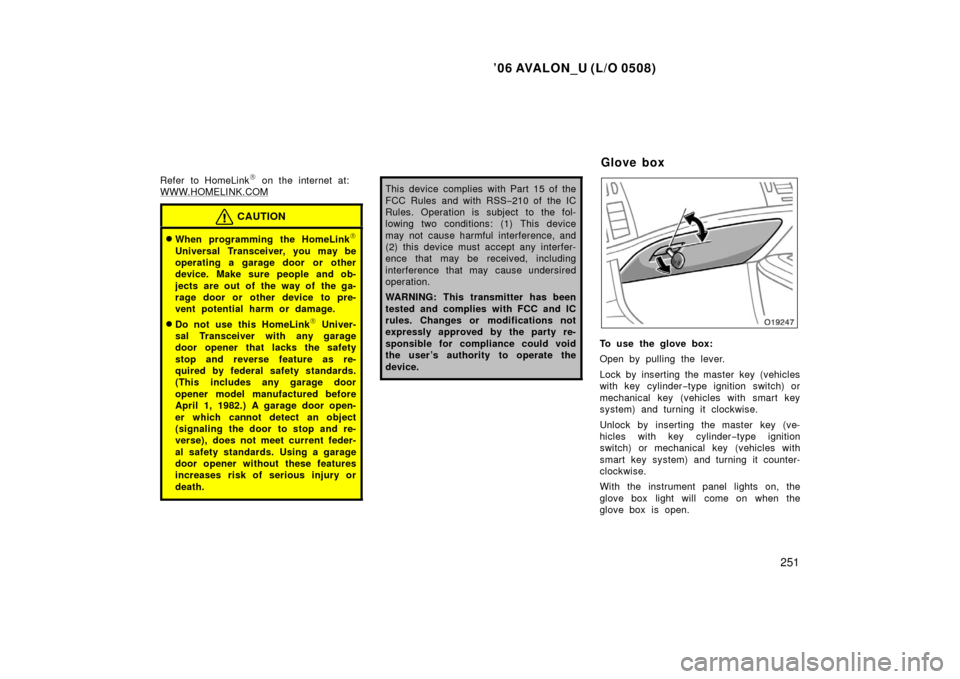
To use the glove box:
Open by pulling the lever.
Lock by inserting the master key (vehicles
with key cylinder −type ignition switch) or
mechanical key (vehicles with smart key
system) and turning it clockwise.
Unlock by inserting the master key (ve-
hicles with key cylinder −type ignition
switch) or mechanical key (vehicles with
smart key system) and turning it counter-
clockwise.
With the instrument panel lights on, the
glove box light will come on when the
glove box is open.
Glove box
Page 297 of 398
’06 AVALON_U (L/O 0508)
289
STARTING AND DRIVING
Starting and driving
Before starting the engine290
. . . . . . . . . . . . . . . . . . . . . . . . . . . . . . . . . . .
How to start the engine 290
. . . . . . . . . . . . . . . . . . . . . . . . . . . . . . . . . . . . \
. .
Driving and parking using smart key system 293
. . . . . . . . . . . . . . . . . . .
Tips for driving in various conditions 297
. . . . . . . . . . . . . . . . . . . . . . . . . .
Winter driving tips 298
. . . . . . . . . . . . . . . . . . . . . . . . . . . . . . . . . . . . \
. . . . . .
Dinghy towing 299
. . . . . . . . . . . . . . . . . . . . . . . . . . . . . . . . . . . . \
. . . . . . . . . .
Trailer towing 299
. . . . . . . . . . . . . . . . . . . . . . . . . . . . . . . . . . . . \
. . . . . . . . . .
How to save fuel and make your vehicle last longer 305
. . . . . . . . . . . . .
SECTION 3
Page 298 of 398

’06 AVALON_U (L/O 0508)
290
1. Check the area around the vehicle be-fore entering it.
2. Adjust seat position, seatback angle, seat cushion angle, seat cushion
length, head restraint height, steering
wheel angle and length.
3. Adjust the inside and outside rear view mirrors.
4. Lock all the doors.
5. Fasten seat belts. With smart key system only—
Once you press “ENGINE START STOP”
switch (engine switch) and release it, the
cranking hold function continues to crank
the engine until it starts.
The function stops cranking the engine
after about 25 seconds maximum if the
engine has not started yet. When you
crank the engine again, wait a few sec-
onds and restart it.
If you press and hold the “ENGINE
START STOP” switch, the function will
keep cranking for about 30 seconds maxi-
mum. 1. Apply the parking brake firmly.
2. Turn off unnecessary lights and acces-
sories.
3. Put the selector lever in “P”. If you need to restart the engine while the
vehicle is moving, put the selector le-
ver in “N”. A starter safety device will
prevent the starter from operating if the
selector lever is in any drive position.
4. Depress the brake pedal and hold it to the floor until driving off.
Before starting the engine How to start the engine—
—Cranking hold function
(a) Before cranking
Page 299 of 398

’06 AVALON_U (L/O 0508)
291
Before starting the engine, be sure to fol-
low the instructions in “(a) Before crank-
ing”.
Normal starting procedure
The multiport fuel injection system/sequen-
tial multiport fuel injection system in your
engine automatically controls the proper
air−fuel mixture for starting. You can start
a cold or hot engine as follows:
With your foot off the accelerator pedal,
crank the engine by turning the key to
“START” position. Release it when the en-
gine starts.
Engine should be warmed up by driving,
not in idle. For warming up, drive with
smoothly turning engine until engine cool-
ant temperature is within normal range.
If the engine stalls...
Simply restart it, using the correct proce-
dure given in normal starting.
If the engine will not start...
See “If your vehicle will not start” on page
308 in Section 4.NOTICE
� Do not crank for more than 30 se-
conds at a time. This may overheat
the starter and wiring systems.
� Do not race a cold engine.
� If the engine becomes difficult to
start or stalls frequently, have the
engine checked immediately.
PUSH BUTTON START FUNCTION
The engine can be started by pressing the
“ENGINE START STOP” switch.
Before starting the engine, be sure to fol-
low the instructions in “(a) Before crank-
ing”.
Normal starting procedure
The multiport fuel injection system/sequen-
tial multiport fuel injection system in your
engine automatically controls the proper
air −fuel mixture for starting. You can start
a cold or hot engine as follows:
(b) Starting the engine
(with key cylindertype
ignition switch) (b) Starting the engine
(with smart key system)