2006 SUBARU TRIBECA transmission fluid
[x] Cancel search: transmission fluidPage 134 of 377
Instruments and controls 3-13
– CONTINUED –
NOTE
This light also comes on when the fuel
filler cap is not tightened until it clicks.
If you have recently refueled your vehicle,
the cause of the CHECK ENGINE warning
light/malfunction indicator lamp coming on
could be a loose or missing fuel filler cap.
Remove the cap and retighten it until it
clicks. Make sure nothing is interfering
with the sealing of the cap. Tightening the
cap will not make the CHECK ENGINE
warning light turn off immediately. It may
take several driving trips. If the light does
not go out, take your vehicle to your au-
thorized SUBARU dealer immediately. TIf the light is blinking:
If the light is blinking while driving, an en-
gine misfire condition has been detected
which may damage the emission control system.
To prevent serious damage to the emis-
sion control system, you should do the fol-
lowing.y Reduce vehicle speed.
y Avoid hard acceleration.
y Avoid steep uphill grades.
y Reduce the amount of cargo, if possi-
ble.y Stop towing a trailer as soon as possi-
ble. The CHECK ENGINE warning light may
stop blinking and come on steadily after
several driving trips. You should have
your vehicle checked by an authorized
SUBARU dealer immediately. „
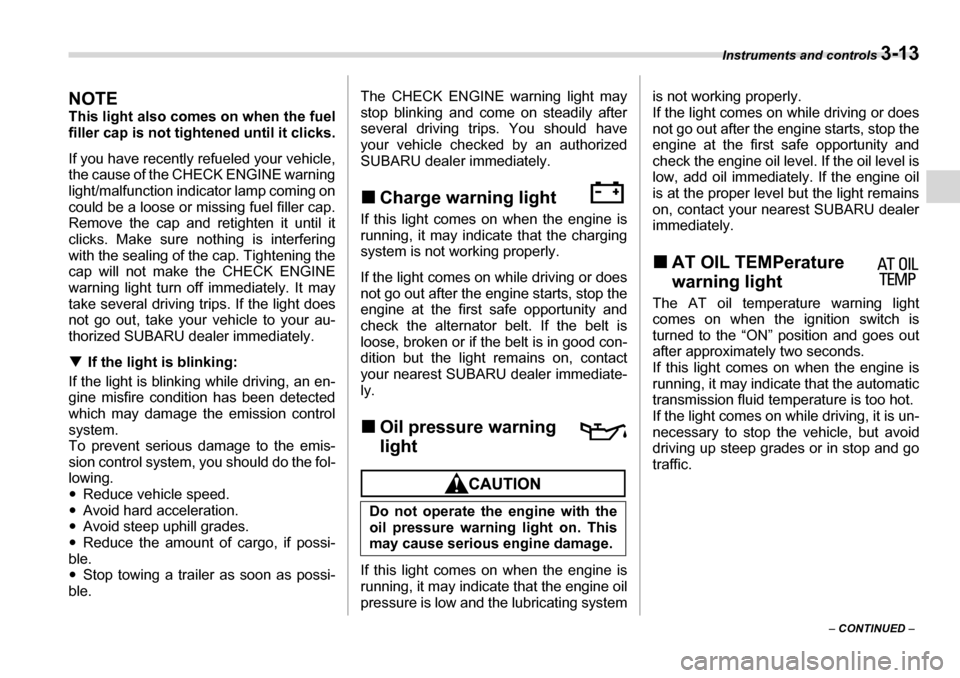
Charge warning light
If this light comes on when the engine is
running, it may indicate that the charging
system is not working properly.
If the light comes on while driving or does
not go out after the engine starts, stop the
engine at the first safe opportunity and
check the alternator belt. If the belt is
loose, broken or if the belt is in good con-
dition but the light remains on, contact
your nearest SUBARU dealer immediate-
ly. „ Oil pressure warning light
If this light comes on when the engine is
running, it may indicate that the engine oil
pressure is low and the lubricating system is not working properly.
If the light comes on while driving or does
not go out after the engine starts, stop the
engine at the first safe opportunity and
check the engine oil level. If the oil level is
low, add oil immediately. If the engine oil
is at the proper level but the light remains
on, contact your nearest SUBARU dealer
immediately. „
AT OIL TEMPerature
warning light
The AT oil temperature warning light
comes on when the ignition switch is
turned to the “ON” position and goes out
after approximately two seconds.
If this light comes on when the engine is
running, it may indicate that the automatic
transmission fluid temperature is too hot.
If the light comes on while driving, it is un-
necessary to stop the vehicle, but avoid
driving up steep grades or in stop and go
traffic.
Do not operate the engine with the
oil pressure warning light on. This
may cause serious engine damage.
Page 153 of 377
3-32 Instruments and controls
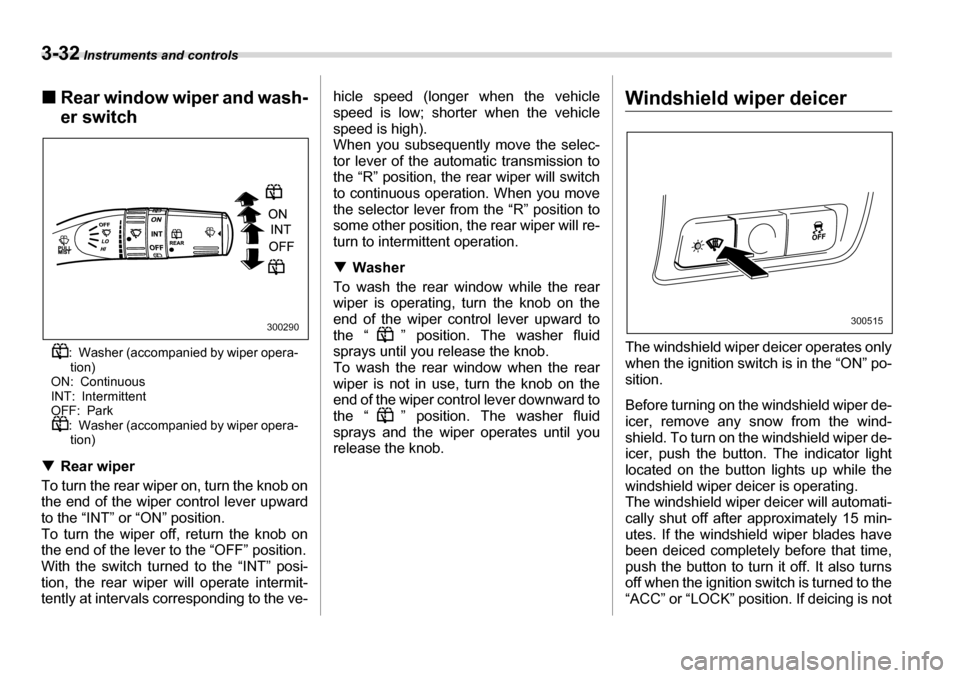
„Rear window wiper and wash- er switch
: Washer (accompanied by wiper opera-tion)
ON: Continuous
INT: Intermittent
OFF: Park : Washer (accompanied by wiper opera-tion)
T Rear wiper
To turn the rear wiper on, turn the knob on
the end of the wiper control lever upward
to the “INT” or “ON” position.
To turn the wiper off, return the knob on
the end of the lever to the “OFF” position.
With the switch turned to the “INT” posi-
tion, the rear wiper will operate intermit-
tently at intervals corresponding to the ve- hicle speed (longer when the vehicle
speed is low; shorter when the vehicle
speed is high).
When you subsequently move the selec-
tor lever of the automatic transmission to
the “R” position, the rear wiper will switch
to continuous operation. When you move
the selector lever from the “R” position to
some other position, the rear wiper will re-
turn to intermittent operation. T
Washer
To wash the rear window while the rear
wiper is operating, turn the knob on the
end of the wiper control lever upward to
the “ ” position. The washer fluid
sprays until you release the knob.
To wash the rear window when the rear
wiper is not in use, turn the knob on the
end of the wiper control lever downward to
the “ ” position. The washer fluid
sprays and the wiper operates until you
release the knob.Windshield wiper deicer
The windshield wiper deicer operates only
when the ignition switch is in the “ON” po-
sition.
Before turning on the windshield wiper de-
icer, remove any snow from the wind-
shield. To turn on the windshield wiper de-
icer, push the button. The indicator light
located on the button lights up while the
windshield wiper deicer is operating.
The windshield wiper deicer will automati-
cally shut off after approximately 15 min-
utes. If the windshield wiper blades have
been deiced completely before that time,
push the button to turn it off. It also turns
off when the ignition switch is turned to the
“ACC” or “LOCK” position. If deicing is not
300290300515
Page 221 of 377
7-6 Starting and operating
Under no circumstances should the rear
wheels be jacked off the ground, nor
should the driveshaft be disconnected for
state emission testing. The EPA has issued regulations for in-
specting the On-Board Diagnostic (OBD)
system as part of the state emissions in-
spection. The OBD system is designed to
detect engine and transmission problems
that might cause vehicle emissions to ex-
ceed allowable limits. These inspections
apply to all 1996 model year and newer
passenger cars and light trucks. Over 30
states plus the District of Columbia have
implemented the OBD system inspection. yThe inspection of the OBD system con-
sists of a visual operational check of the “ CHECK ENGINE ” warning light/malfunc-
tion indicator lamp (MIL) and an examina-
tion of the OBD system with an electronic
scan tool while the engine is running. y A vehicle passes
the OBD system in-
spection if proper the “ CHECK ENGINE”
warning light/MIL illumination is observed,
there is no stored diagnostic trouble
codes, and the OBD system readiness
monitors are complete. y A vehicle fails
the OBD inspection if the
“ CHECK ENGINE ” warning light/MIL is
not properly operating or there is one or
more diagnostic trouble codes stored in vehicle’s computer with the “
CHECK EN-
GINE ” warning light/MIL illuminated.
y A state emission inspection may reject
(not pass or fail) a vehicle if the number of
OBD system readiness monitors “ Not
Ready ” is greater than one. Under this
condition, the vehicle operator should be
instructed to drive his/her vehicle for a few
days to set the monitors and return for an
emission re-inspection. y Owners of rejected or failing vehicles
should contact their SUBARU Dealer for service.
Preparing to drive
You should perform the following checks
and adjustments every day before you
start driving.
1. Check that all windows, mirrors, and
lights are clean and unobstructed.
2. Check the appearance and condition of
the tires. Also check tires for proper infla-
tion.
3. Look under the vehicle for any sign of
leaks.
4. Check that the hood and rear gate are
fully closed.
5. Check the adjustment of the seat.
6. Check the adjustment of the inside and outside mirrors.
7. Fasten your seatbelt. Check that your
passengers have fastened their seatbelts.
8. Check the operation of the warning and
indicator lights when the ignition switch is
turned to the “ON” position.
9. Check the gauges, indicator and warn-
ing lights after starting the engine.
NOTE
Engine oil, engine coolant, brake fluid,
washer fluid and other fluid levels
should be checked daily, weekly or at
fuel stops.
Page 223 of 377
7-8 Starting and operating
Stopping the engine
The ignition switch should be turned off
only when the vehicle is stopped and the
engine is idling.
Automatic transmission
The automatic transmission is electroni-
cally controlled and provides 5 forward
speeds and 1 reverse speed. Also, it has
a manual mode and a SPORT mode.
NOTE yWhen the engine coolant tempera-
ture is still low, your vehicle’s automat-
ic transmission will up-shift at higher
engine speeds than when the coolant
temperature is sufficiently high in or-
der to shorten the warm-up time and
improve driveability. The gearshift tim-
ing will automatically shift to the nor-
mal timing after the engine has warmed
up.y Immediately after ATF (automatic
transmission fluid) is replaced, you
may feel that the automatic transmis-
sion operation is somewhat unusual.
This results from invalidation of data
which the on-board computer has col-
lected and stored in memory to allow
Do not stop the engine when the ve-
hicle is moving. This will cause loss
of power to the power steering and
the brake booster, making steering
and braking more difficult. It could
also result in accidental activation
of the “LOCK” position on the igni-
tion switch, causing the steering
wheel to lock.
Do not shift from the “P” or “N” po-
sition into the “D” or “R” position
while depressing the accelerator
pedal. This may cause the vehicle to
jump forward or backward. y Shift into the “P” or “R” position
only after the vehicle is complete-
ly stopped. Shifting while the ve-
hicle is moving may cause dam-
age to the transmission.
y Do not race the engine for more
than five seconds in any position
except the “N” or “P” position
when the brake is set or when
chocks are used in the wheels.
This may cause the automatic
transmission fluid to overheat.
yAvoid shifting from one of the for-
ward driving positions into the
“R” position or vice versa until the
vehicle has completely stopped.
Such shifting may cause damage
to the transmission.
y When parking the vehicle, first se-
curely apply the parking brake
and then place the selector lever
in the “P” position. Avoid parking
for a long time with the selector le-
ver in any other position as doing
so could result in a dead battery.
Page 227 of 377
7-12 Starting and operating
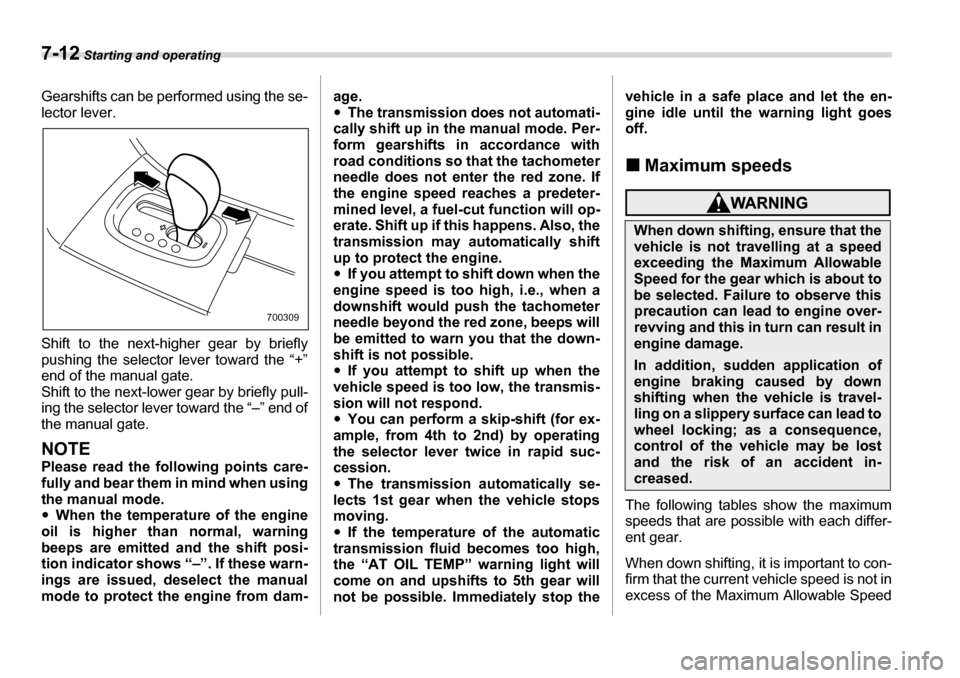
Gearshifts can be performed using the se-
lector lever.
Shift to the next-higher gear by briefly
pushing the selector lever toward the “+”
end of the manual gate.
Shift to the next-lower gear by briefly pull-
ing the selector lever toward the “–” end of
the manual gate.
NOTE
Please read the following points care-
fully and bear them in mind when usingthe manual mode. yWhen the temperature of the engine
oil is higher than normal, warning
beeps are emitted and the shift posi-
tion indicator shows “–”. If these warn-
ings are issued, deselect the manual
mode to protect the engine from dam- age. y
The transmission does not automati-
cally shift up in the manual mode. Per-
form gearshifts in accordance with
road conditions so that the tachometer
needle does not enter the red zone. If
the engine speed reaches a predeter-
mined level, a fuel-cut function will op-
erate. Shift up if this happens. Also, the
transmission may automatically shift
up to protect the engine. y If you attempt to shift down when the
engine speed is too high, i.e., when a
downshift would push the tachometer
needle beyond the red zone, beeps will
be emitted to warn you that the down-
shift is not possible. y If you attempt to shift up when the
vehicle speed is too low, the transmis-
sion will not respond. y You can perform a skip-shift (for ex-
ample, from 4th to 2nd) by operating
the selector lever twice in rapid suc-
cession. y The transmission automatically se-
lects 1st gear when the vehicle stops
moving. y If the temperature of the automatic
transmission fluid becomes too high,
the “AT OIL TEMP” warning light will
come on and upshifts to 5th gear will
not be possible. Immediately stop the vehicle in a safe place and let the en-
gine idle until the warning light goes off.
„ Maximum speeds
The following tables show the maximum
speeds that are possible with each differ- ent gear.
When down shifting, it is important to con-
firm that the current vehicle speed is not in
excess of the Maximum Allowable Speed
700309
When down shifting, ensure that the
vehicle is not travelling at a speed
exceeding the Maximum Allowable
Speed for the gear which is about to
be selected. Failure to observe this
precaution can lead to engine over-
revving and this in turn can result in
engine damage.
In addition, sudden application of
engine braking caused by down
shifting when the vehicle is travel-
ling on a slippery surface can lead to
wheel locking; as a consequence,
control of the vehicle may be lost
and the risk of an accident in-
creased.
Page 252 of 377
Driving tips 8-7
– CONTINUED –
underbody. Clear off any such matter from
the underbody. If the vehicle is used with
these materials trapped or adhering to the
underbody, a mechanical breakdown or
fire could occur. y
Secure all cargo carried inside the vehi-
cle and make certain that it is not piled
higher than the seatbacks. During sudden
stops or jolts, unsecured cargo could be
thrown around in the vehicle and cause in-
jury. Do not pile heavy loads on the roof.
Those loads raise the vehicle’s center of
gravity and make it more prone to tip over. y If you must rock the vehicle to free it
from sand or mud, depress the accelera-
tor pedal slightly and move the selector le-
ver back and forth between “D” and “R” re-
peatedly. Do not race the engine. For the
best possible traction, avoid spinning the
wheels when trying to free the vehicle. y When the road surface is extremely
slippery, you can obtain better traction by
starting the vehicle with the transmission
in 2nd than 1st. y Never equip your vehicle with tires larg-
er than those specified in this manual. y Wash the vehicle’s underbody after off-
road driving. Suspension components are
particularly prone to dirt buildup, so they
need to be washed thoroughly. y Frequent driving of an AWD vehicle un-
der hard-driving conditions such as rough roads or off roads will necessitate more
frequent replacement of engine oil, brake
fluid and transmission oil than that speci-
fied in the maintenance schedule de-
scribed in the “Warranty and Maintenance Booklet”.
Remember that damage done to your
SUBARU while operating it off-road and
not using common sense precautions
such as those listed above is not eligible for warranty coverage.
Winter driving „
Operation during cold weath- er
Carry some emergency equipment, such
as tire chains, a window scraper, a bag of
sand, flares, a small shovel, and jumper cables.
Check the battery and cables. Cold tem-
peratures reduce battery capacity. The
battery must be in good condition to pro-
vide enough power for cold winter starts.
Use an engine oil of proper grade and vis-
cosity for cold weather. Heavy summer oil
will cause harder starting.
Keep the door locks from freezing by
800201
Page 270 of 377
Driving tips 8-25
heating of your vehicle’s brakes. Do not
make sudden downshifts. yWhen driving uphill in hot weather, the
air conditioner may turn off automatically
to protect the engine from overheating. y When driving uphill in hot weather, pay
attention to the water temperature gauge
pointer and AT OIL TEMP warning light
since the engine and transmission are rel-
atively prone to overheating under these
conditions. If the water temperature gauge
pointer approaches the OVERHEAT zone
or the AT OIL TEMP warning light illumi-
nates, immediately switch off the air con-
ditioner and stop the vehicle at the nearest
safe place. Refer to the “Engine overheat-
ing” section in chapter 9, and “Warning
and indicator lights” section in chapter 3.
NOTE
The temperature of engine coolant is
less likely to rise to the OVERHEAT
zone in the “D” position than in the
manual mode position. y Avoid using the accelerator pedal to
stay stationary on an uphill slope instead
of using the parking brake or foot brake.
That may cause the transmission fluid to
overheat. T Parking on a grade
Always block the wheels under both vehi- cle and trailer when parking. Apply the
parking brake firmly. You should not park
on a hill or slope. But if parking on a hill or
slope cannot be avoided, you should take
the following steps:
1. Apply the brakes and hold the pedal
down.
2. Have someone place wheel blocks un-
der both the vehicle and trailer wheels.
3. When the wheel blocks are in place, re-
lease the regular brakes slowly until the
blocks absorb the load.
4. Apply the regular brakes and then ap-
ply the parking brake; slowly release the
regular brakes.
5. Shift into “P” and shut off the engine.
Page 298 of 377

11
Maintenance and service
Maintenance schedule ....................................... 11-3
Maintenance precautions .................................. 11-3 Before checking or servicing in the engine compartment ........................................................ 11-4
When you do checking or servicing in the
engine compartment while the engine is
running .................................................................. 11-4
Engine hood ....................................................... 11-4
Engine compartment overview ......................... 11-6
Engine oil ............................................................ 11-7 Checking the oil level ............................................. 11-7
Changing the oil and oil filter ................................ 11-7
Recommended grade and viscosity ..................... 11-9
Recommended grade and viscosity under severe driving conditions .................................... 11-10
Cooling system .................................................. 11-10 Hose and connections ........................................... 11-11
Engine coolant ........................................................ 11-11
Air cleaner element ............................................ 11-13 Replacing the air cleaner element ......................... 11-13
Spark plugs ......................................................... 11-14 Recommended spark plugs ................................... 11-14
Drive belts ........................................................... 11-15
Automatic transmission fluid ............................ 11-15 Checking the fluid level ......................................... 11-15
Recommended fluid ............................................... 11-16
Front differential gear oil ................................... 11-16 Checking the oil level ............................................. 11-16 Recommended grade and viscosity ..................... 11-17
Rear differential gear oil .................................... 11-17 Checking the gear oil level .................................... 11-17
Recommended grade and viscosity ..................... 11-18
Power steering fluid ........................................... 11-19 Checking the fluid level .......................................... 11-19
Recommended fluid ............................................... 11-19
Brake fluid ........................................................... 11-20 Checking the fluid level .......................................... 11-20
Recommended brake fluid ..................................... 11-20
Brake booster ..................................................... 11-21
Brake pedal ......................................................... 11-21 Checking the brake pedal free play ...................... 11-21
Checking the brake pedal reserve distance ......... 11-21
Replacement of brake pad and lining ............... 11-22 Breaking-in of new brake pads and linings .......... 11-22
Parking brake stroke .......................................... 11-23
Tires and wheels ................................................ 11-23 Types of tires .......................................................... 11-23
Tire pressure monitoring system (TPMS) ............ 11-23
Tire inspection ........................................................ 11-25
Tire pressures and wear ........................................ 11-25
Wheel balance ......................................................... 11-27
Wear indicators ....................................................... 11-27
Tire rotation ............................................................. 11-28
Tire replacement ..................................................... 11-28
Wheel replacement ................................................. 11-29
Aluminum wheels ............................................... 11-29