Page 82 of 288

82 Instruments and controlsFunctionsPressing AUTO will cancel all manual settings.
If a manual function is selected, it will be locked in but other functions
will be controlled automatically.
The selected temperature is always maintained automatically.
Temperature, air distribution, fan speed and recircu-
lation will be controlled automatically.
Pressing AUTO once will cancel all previous manual
selections.
The ACC system is in AUTO mode when the engine
is started.
A/C compressor OFF.
No cooling of inlet air. Temperature, air distribution
and fan speed still under automatic control.
Turn the fan control anticlockwise until "OFF" lights
up.
ACC system OFF.
Fan OF F.
A/C compressor OFF.
Air distribution selections locked in current settings.
Recirculation can be selected manually.
Heating
�
�� � and ventilation
�
�� � of the front seats is deac-
tivated.
Pressing the AUTO button will put the system into
automatic mode.
Reactivation by turning the fan control clockwise one
click causes the system to resume any manual selec-
tions.
The rear window and door mirror heating is controlled
manually.
Deactivate the heating as soon as the rear window is
clear of ice and misting to avoid imposing a heavy load
on the battery longer than necessary. Note, however,
that heating will deactivate automatically after a set
time, depending on the outside temperature.
The ACC system can be programmed to activate heat-
ing automatically when outside temperature is below
+5 °C and the temperature inside the car is below
+10°C. See page 85.
Turn the fan control to increase fan speed.
If fan speed 0 is selected, the A/C compressor will be
disengaged and the indicator on the AC OFF button
will illuminate.
Recirculation is controlled automatically to optimize
cooling although it can also be switched on and off
manually.
Recirculation does not appreciably change the air
quality but it can be useful to switch it on to avoid
unpleasant smells from entering the cabin.
95usM06.book Page 82 Thursday, November 17, 2005 8:59 AM
ProCarManuals.com
Page 89 of 288
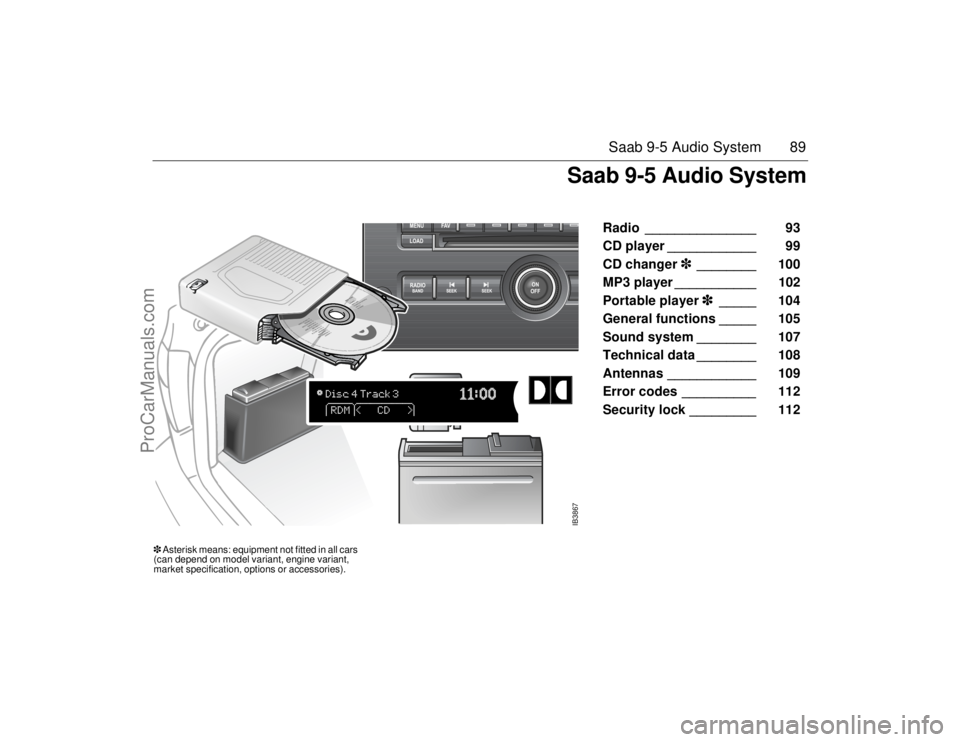
89 Saab 9-5 Audio System
Radio _______________ 93
CD player ____________ 99
CD changer�
�� �________ 100
MP3 player ___________ 102
Portable player�
�� �_____ 104
General functions _____ 105
Sound system ________ 107
Technical data ________ 108
Antennas ____________ 109
Error codes __________ 112
Security lock _________ 112
IB3867
��Asterisk means: equipment not fitted in all cars
(can depend on model variant, engine variant,
market specification, options or accessories).
Saab 9-5 Audio System
95usM06.book Page 89 Thursday, November 17, 2005 8:59 AM
ProCarManuals.com
Page 94 of 288

94 Saab 9-5 Audio SystemNumber of pages with preset stations
To display the number of pages (1-6) with
preset stations:
1 Hold the FAV button depressed or press
the MENU button and then press the
pushbutton under the menu option
�� �
��
.
Setup menu
2 Select the number of preset pages to be
displayed by pressing the pushbutton
under the menu option with the desired
number of preset pages (1-6).
Number of preset pages
Radio Data System (RDS)The audio system has a Radio Data System
(RDS). RDS features are available for use
only on FM stations that broadcast RDS
information. With RDS, the radio can do the
following:
Display radio station name.
Display messages from radio stations.
This system relies on receiving specific
information from these stations and will
only work when the information is avail-
able. In rare cased, a radio station may
broadcast incorrect information that will
cause the radio features to work
improperly. If this happens, contact the
radio station.
The RDS system is always on. When infor-
mation is broadcast from the FM station you
are listening to, the station name or call let-
ters will be displayed on the display.
RDS menuRolling advertisements
Some radio stations present rolling adver-
tisements in the display.
To block rolling advertisements, mark
��������
by pressing the pushbutton
directly underneath.
To allow rolling advertisements, deselect
��������
by pressing the pushbutton
directly underneath.
Press the pushbutton under the arrow
symbol or wait until the system automati-
cally returns to the previous menu.
Radio text
Press the � button to show text messages
sent by certain radio stations in the display.
If there are no text messages,
����
appears on the display.
NOTICEThe menu options AF and REG have no
function on US/CA cars.
95usM06.book Page 94 Thursday, November 17, 2005 8:59 AM
ProCarManuals.com
Page 97 of 288

97 Saab 9-5 Audio System
XM
��
�
�� � Radio Messages
Radio Display Message Condition Action Required
XM Updating Updating encryption code The encryption code in the receiver is being updated an no action is required.
This process should take no longer than 30 seconds.
No XM signal Loss of signal The system is functioning correctly, but the vehicle is in a location that is blocking
the XM
��
signal. When you move into an open area, the signal should return.
Loading XM Acquiring channel audio
(after four second delay)The audio system is acquiring and processing audio and text data. No action is
needed. This message should disappear shortly.
Channel Off Air Channel not in service This channel is not currently in service. Tune in to another channel.
Channel Unavail Channel no longer
availableThis previously assigned channel is no longer assigned. Tune to another station.
If this station was one of the presets, choose another station for that preset button.
No Artist Info Artist Name/Feature not
availableNo artist information is available at this time on this channel. The system is work-
ing properly.
No Title Info Song/Program Title not
availableNo song title information is available at this time on this channel. The system is
working properly.
No CAT Info Category Name not
availableNo category information is available at this time on this channel. The system is
working properly.
95usM06.book Page 97 Thursday, November 17, 2005 8:59 AM
ProCarManuals.com
Page 98 of 288

98 Saab 9-5 Audio SystemRadio Display Message Condition Action Required
Not Found No channel available for the
chosen categoryThere are no channels available for the selected category. The system is working
properly.
No Information No Text/Informational
message availableNo text or informational messages are available at this time on this channel.
The system is working properly.
XM Theftlocked Theft lock active
The XM
��
receiver in the vehicle may have previously been in another vehicle.
For security purposes, XM
���
receivers cannot be swapped between vehicles. If
this message is received after having your vehicle serviced, check with your Saab
dealer.
XM Radion ID Radio ID label (channel 0)
If tuned to channel 0, this message will alternate with the XM
��
Radio eight digit
radio ID label. This label is needed to activate the service.
Unknown Radio ID not known (should
only be if hardware failure)If this message is received when tuned to channel 0, there nay be a receiver fault.
Consult with your Saab dealer.
Check XM Receiver Hardware failure If this message does not clear within a short period of time, the receiver may have
a fault. Consult with your Saab dealer.
95usM06.book Page 98 Thursday, November 17, 2005 8:59 AM
ProCarManuals.com
Page 105 of 288
105 Saab 9-5 Audio System
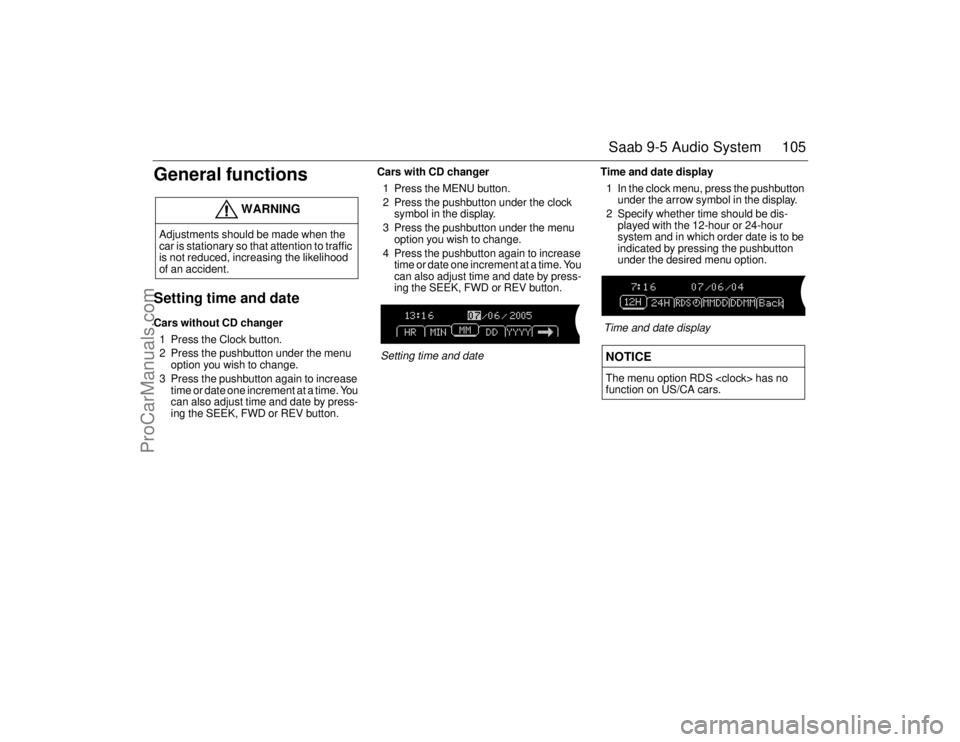
General functionsSetting time and dateCars without CD changer
1 Press the Clock button.
2 Press the pushbutton under the menu
option you wish to change.
3 Press the pushbutton again to increase
time or date one increment at a time. You
can also adjust time and date by press-
ing the SEEK, FWD or REV button.Cars with CD changer
1 Press the MENU button.
2 Press the pushbutton under the clock
symbol in the display.
3 Press the pushbutton under the menu
option you wish to change.
4 Press the pushbutton again to increase
time or date one increment at a time. You
can also adjust time and date by press-
ing the SEEK, FWD or REV button.
Setting time and dateTime and date display
1 In the clock menu, press the pushbutton
under the arrow symbol in the display.
2 Specify whether time should be dis-
played with the 12-hour or 24-hour
system and in which order date is to be
indicated by pressing the pushbutton
under the desired menu option.
Time and date display
WARNING
Adjustments should be made when the
car is stationary so that attention to traffic
is not reduced, increasing the likelihood
of an accident.
NOTICEThe menu option RDS has no
function on US/CA cars.
95usM06.book Page 105 Thursday, November 17, 2005 8:59 AM
ProCarManuals.com
Page 112 of 288

112 Saab 9-5 Audio SystemError codesThe audio system has a built-in diagnostics
function. If a fault is detected, a error code
is generated to help workshop technicians
to diagnose the fault. Below are the codes
for some faults that you might be able to rec-
tify yourself.
Security lockThe audio system is equipped with an elec-
tronic security lock. The special code is
unique to the car in which the audio system
is fitted.
Each time the audio system is switched on,
a check is made to ensure that the code is
correct. If not, the following will appear on
the display:
�
����
If the audio system is to be transferred to
another car (Saab 9-5), a Saab dealer must
be contacted to provide the right code for
the audio system.
NOTICEProceed with care if rectifying a fault. If in
doubt, contact a workshop. We recom-
mend that you contact an authorized
Saab dealer.
Error code Possible cause
Check CD CD is dirty, scratched,
loaded wrong-side-up
or defective.
The CD may be
improperly burned.
WARNING
The CD player/CD changer is classified
as Class 1 laser equipment.
Service and repair work must only be
carried out by authorized technicians.
If the casing is damaged, hazardous
laser radiation can occur.NOTICEAll work on the audio system must be car-
ried out by a workshop. We recommend
that you contact an authorized Saab
dealer.
95usM06.book Page 112 Thursday, November 17, 2005 8:59 AM
ProCarManuals.com
Page 114 of 288
114 Interior equipment and trunkSteering wheel
adjustment Fore-and-aft and tilt adjustment of the steer-
ing wheel is possible.
Pull down the lever fully until you hear a
click. Move the steering wheel to the desired
position and then raise the lever. The lever
should lock with a click.
Make sure that the lever is fully locked
before driving off.
HornThe horn is sounded by pressing the central
part of the steering wheel. Press closest to
the steering wheel rim.
WARNING
Never adjust the steering wheel unless
the car is stationary.
IB3868
To adjust the steering wheel
IB3869
95usM06.book Page 114 Thursday, November 17, 2005 8:59 AM
ProCarManuals.com