Page 99 of 296
Controls, Instruments
99
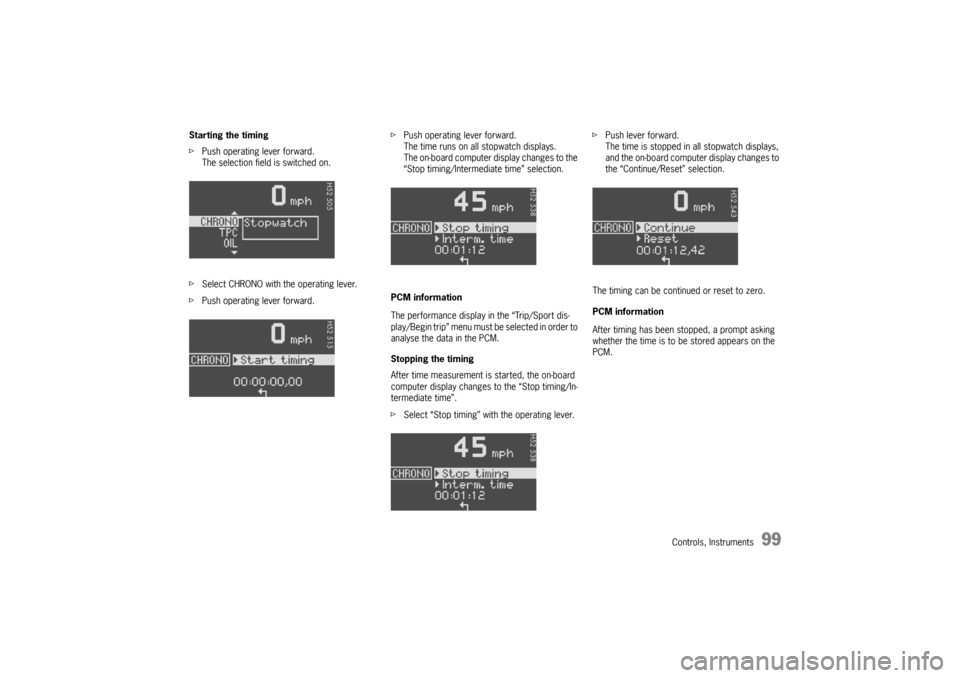
Starting the timing
fPush operating lever forward.
The selection field is switched on.
fSelect CHRONO with the operating lever.
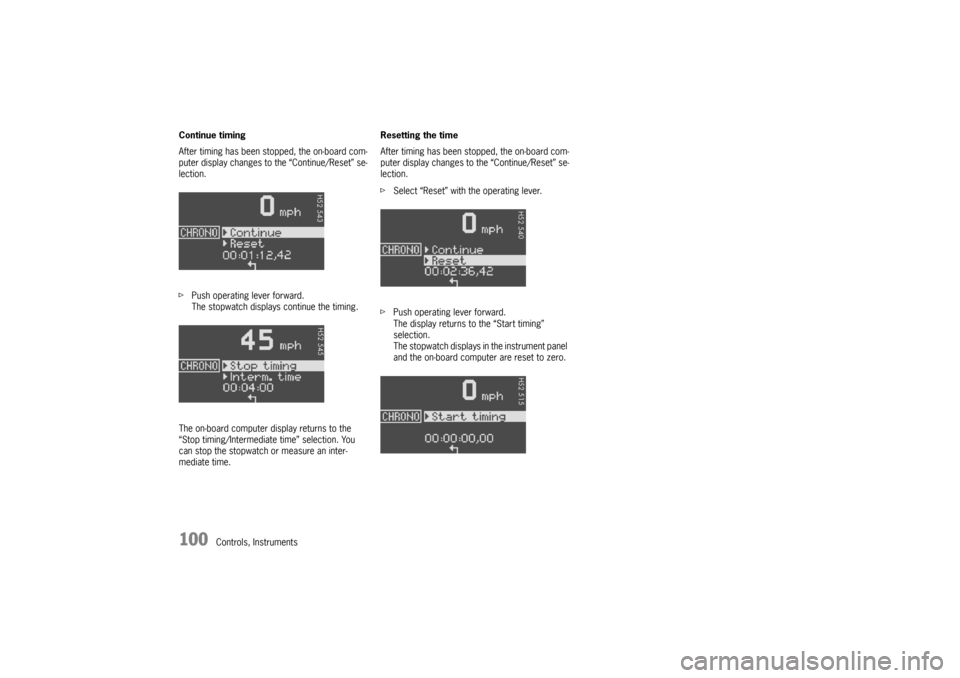
fPush operating lever forward.fPush operating lever forward.
The time runs on all stopwatch displays.
The on-board computer display changes to the
“Stop timing/Intermediate time” selection.
PCM information
The performance display in the “Trip/Sport dis-
play/Begin trip” menu must be selected in order to
analyse the data in the PCM.
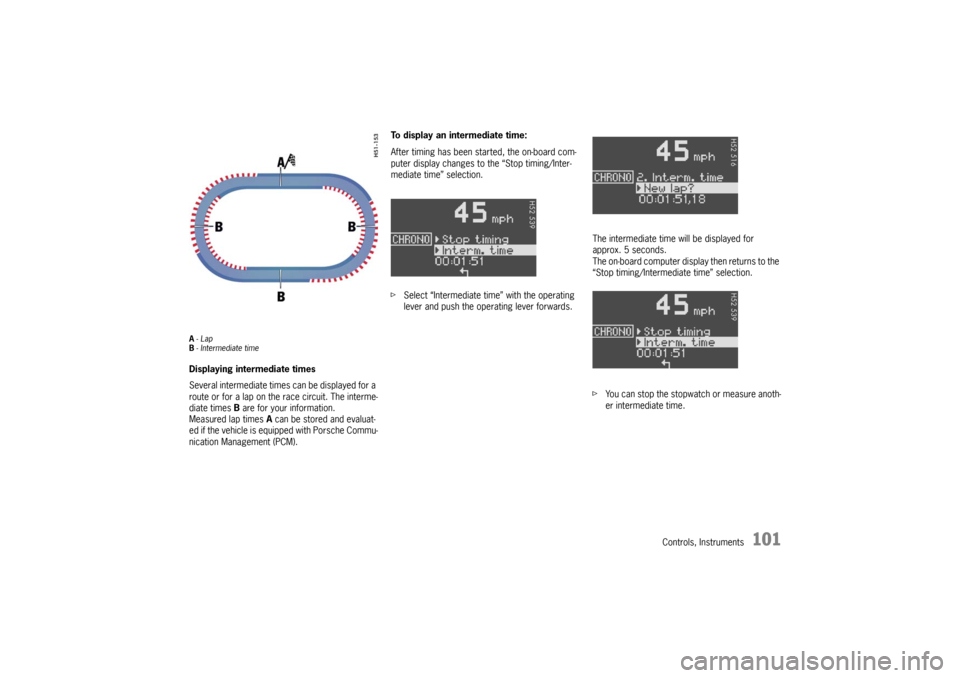
Stopping the timing
After time measurement is started, the on-board
computer display changes to the “Stop timing/In-
termediate time”.
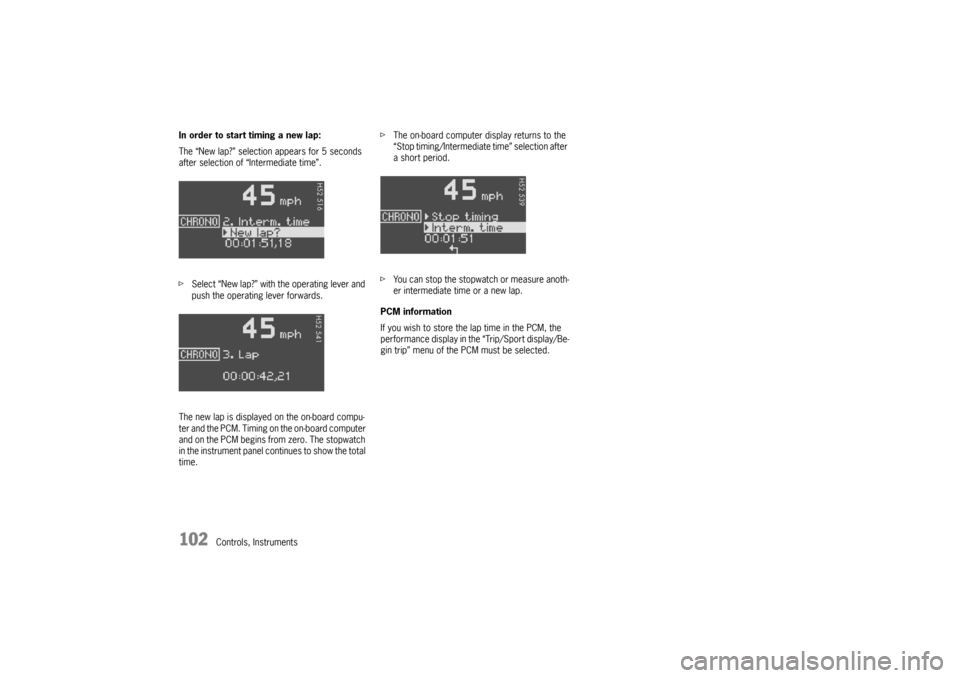
fSelect “Stop timing” with the operating lever.fPush lever forward.
The time is stopped in all stopwatch displays,
and the on-board computer display changes to
the “Continue/Reset” selection.
The timing can be continued or reset to zero.
PCM information
After timing has been stopped, a prompt asking
whether the time is to be stored appears on the
PCM.
Page 100 of 296
100
Controls, Instruments Continue timing
After timing has been stopped, the on-board com-
puter display changes to the “Continue/Reset” se-
lection.
fPush operating lever forward.
The stopwatch displays continue the timing.
The on-board computer display returns to the
“Stop timing/Intermediate time” selection. You
can stop the stopwatch or measure an inter-
mediate time.Resetting the time
After timing has been stopped, the on-board com-
puter display changes to the “Continue/Reset” se-
lection.
fSelect “Reset” with the operating lever.
fPush operating lever forward.
The display returns to the “Start timing”
selection.
The stopwatch displays in the instrument panel
and the on-board computer are reset to zero.
Page 101 of 296
Controls, Instruments
101
A-Lap
B- Intermediate timeDisplaying intermediate times
Several intermediate times can be displayed for a
route or for a lap on the race circuit. The interme-
diate times B are for your information.
Measured lap times A can be stored and evaluat-
ed if the vehicle is equipped with Porsche Commu-
nication Management (PCM).To display an intermediate time:
After timing has been started, the on-board com-
puter display changes to the “Stop timing/Inter-
mediate time” selection.
fSelect “Intermediate time” with the operating
lever and push the operating lever forwards.The intermediate time will be displayed for
approx. 5 seconds.
The on-board computer display then returns to the
“Stop timing/Intermediate time” selection.
fYou can stop the stopwatch or measure anoth-
er intermediate time.
Page 102 of 296
102
Controls, Instruments In order to start timing a new lap:
The “New lap?” selection appears for 5 seconds
after selection of “Intermediate time”.
fSelect “New lap?” with the operating lever and
push the operating lever forwards.
The new lap is displayed on the on-board compu-
ter and the PCM. Timing on the on-board computer
and on the PCM begins from zero. The stopwatch
in the instrument panel continues to show the total
time.fThe on-board computer display returns to the
“Stop timing/Intermediate time” selection after
a short period.
fYou can stop the stopwatch or measure anoth-
er intermediate time or a new lap.
PCM information
If you wish to store the lap time in the PCM, the
performance display in the “Trip/Sport display/Be-
gin trip” menu of the PCM must be selected.
Page 111 of 296

Controls, Instruments
111
OIL
Display and measurement of the engine
oil level
Caution!
Risk of engine damage.
fRegularly check the oil level after refuelling.
fDo not allow the oil level to fall below the mini-mum mark.
Conditions for measuring the oil level
1. It is important to ensure that the vehicle is
horizontal for correct oil level measurement
to occur.
2. Engine is off.
3. Ignition on.Oil return time
Before the oil level is measured, the engine oil has
to have flowed back into the oil pan.
The time taken for the engine oil to flow back de-
pends on the engine temperature and how long
the engine has been stopped.
This waiting time is counted down in the on-board
computer display when the ignition is switched on.
The oil level display segments start to “cycle”.
fIt is best to measure the engine oil level before
embarking on a journey (if the vehicle has not
been driven for an extended period) or with the
engine at operating temperature. Shorter wait-
ing times are achieved in this way.Initiating oil level measurement
fSwitch ignition on (do not start the engine).
The engine-oil level measurement display ap-
pears in the on-board computer.
fAllow waiting time to elapse.
fOnce the measurement has been completed,
you can read off the engine oil level on the seg-
ment display.
– If the segments are filled in up to the top line,
the oil level has reached the maximum mark.
fUnder no circumstances add engine oil.
Page 112 of 296
112
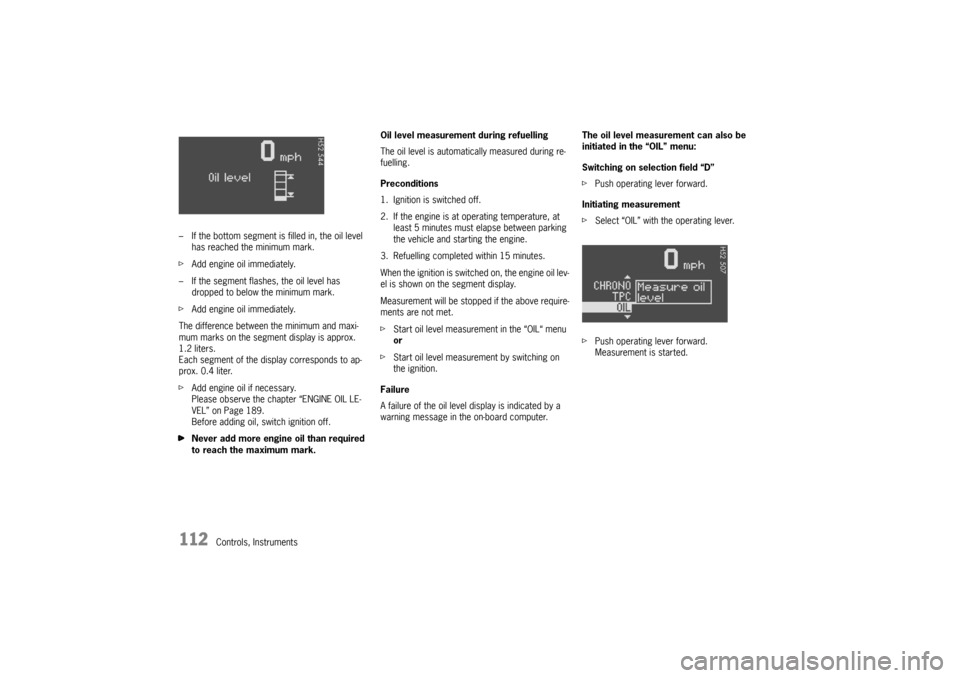
Controls, Instruments – If the bottom segment is filled in, the oil level
has reached the minimum mark.
fAdd engine oil immediately.
– If the segment flashes, the oil level has
dropped to below the minimum mark.
fAdd engine oil immediately.
The difference between the minimum and maxi-
mum marks on the segment display is approx.
1.2 liters.
Each segment of the display corresponds to ap-
prox. 0.4 liter.
fAdd engine oil if necessary.
Please observe the chapter “ENGINE OIL LE-
VEL” on Page 189.
Before adding oil, switch ignition off.
fNever add more engine oil than required
to reach the maximum mark.Oil level measurement during refuelling
The oil level is automatically measured during re-
fuelling.
Preconditions
1. Ignition is switched off.
2. If the engine is at operating temperature, at
least 5 minutes must elapse between parking
the vehicle and starting the engine.
3. Refuelling completed within 15 minutes.
When the ignition is switched on, the engine oil lev-
el is shown on the segment display.
Measurement will be stopped if the above require-
ments are not met.
fStart oil level measurement in the “OIL“ menu
or
fStart oil level measurement by switching on
the ignition.
Failure
A failure of the oil level display is indicated by a
warning message in the on-board computer.The oil level measurement can also be
initiated in the “OIL” menu:
Switching on selection field “D”
fPush operating lever forward.
Initiating measurement
fSelect “OIL” with the operating lever.
fPush operating lever forward.
Measurement is started.
Page 118 of 296

118
Controls, Instruments
Check engine oil level Start engine oil level measurement in the
on-board computer.
The vehicle must be horizontal and the ignition
must be switched on.
Engine oil pressure too low Stop immediately at a suitable place, measure
oil level with the on-board computer and, if ne-
cessary, add engine oil.
Warning light
Temperature gau-
geEngine temperature too high Switch engine off and let it cool.
Check coolant level and, if necessary,
add coolant.
Temperature gau-
ge warning light
flashesCheck coolant level Switch engine off and let it cool.
Check coolant level and, if necessary, add
coolant.
Engine diagnostics – workshop Consult your authorized Porsche dealer.
Reduced engine power Consult your authorized Porsche dealer.
Temperature gau-
ge warning light
flashesFailure of
engine compartment blowerConsult your authorized Porsche dealer.
Warning Battery/generator Stop at a safe place and switch the engine off.
Do not continue driving.
Have the fault remedied at an authorized
Porsche dealer.
Oil pressure gauge faulty Have the fault remedied at an authorized
Porsche dealer.
Oil level display faulty Have the fault remedied at an authorized
Porsche dealer.
Oil temperature gauge faulty Have the fault remedied at an authorized
Porsche dealer.
Instrument
panelOn-board
computerText display on on-board
computerMeaning/measure
Page 168 of 296

168
Shifting Gear Manual mode failure
If manual mode fails, the control electronics
switch to automatic mode. In this event, the
instrument cluster will display selector lever
position D.
fHave the fault remedied.
Consult an authorized Porsche dealer.
Stopping fFor a brief stop, e.g. at a traffic light, leave the
selector lever in drive position and hold the ve-
hicle with the brake pedal.
fFor a longer stop with the engine running,
select position N (neutral).
fDo not hold the car on a slope using the
accelerator. Use the brake pedal or the hand-
brake instead.
fBefore leaving the vehicle, always apply the
handbrake and move the selector lever to
position P.
Parking fGo easy on the accelerator.
fWhen parking or maneuvring in a small space,
control the speed by careful use of the footbra-
ke. Driving in winter In wintery road conditions it is advisable to take
steep inclines in manual mode. This prevents the
occurrence of gear changes that could cause
wheelspin. Tow-starting, towing fPlease observe the chapter “TOWING” on Page
274.
Emergency program
Warning!
Reverse gear lock monitoring is disabled in
the emergency running program.
Damage to the vehicle may result as well as
loss of control, if the vehicle is moving for-
w a r d f a s t e n o u g h t o c a u s e r e a r w h e e l l o c k u p .
fDo not shift into R while the vehicle is moving forward.
A transmission fault is indicated by the following
symptoms:
–The 4th-gear display flashes.
– The warning “Tiptronic emergency run”
appears in the on-board computer.
– The transmission no longer shifts.
Regardless of selector lever position, 4th is
the only forward gear still available.
fAdapt your driving style to the changed hand-
ling.
fTo remedy the fault, please consult an authori-
zed Porsche dealer.