2006 NISSAN QUEST warning light
[x] Cancel search: warning lightPage 302 of 352
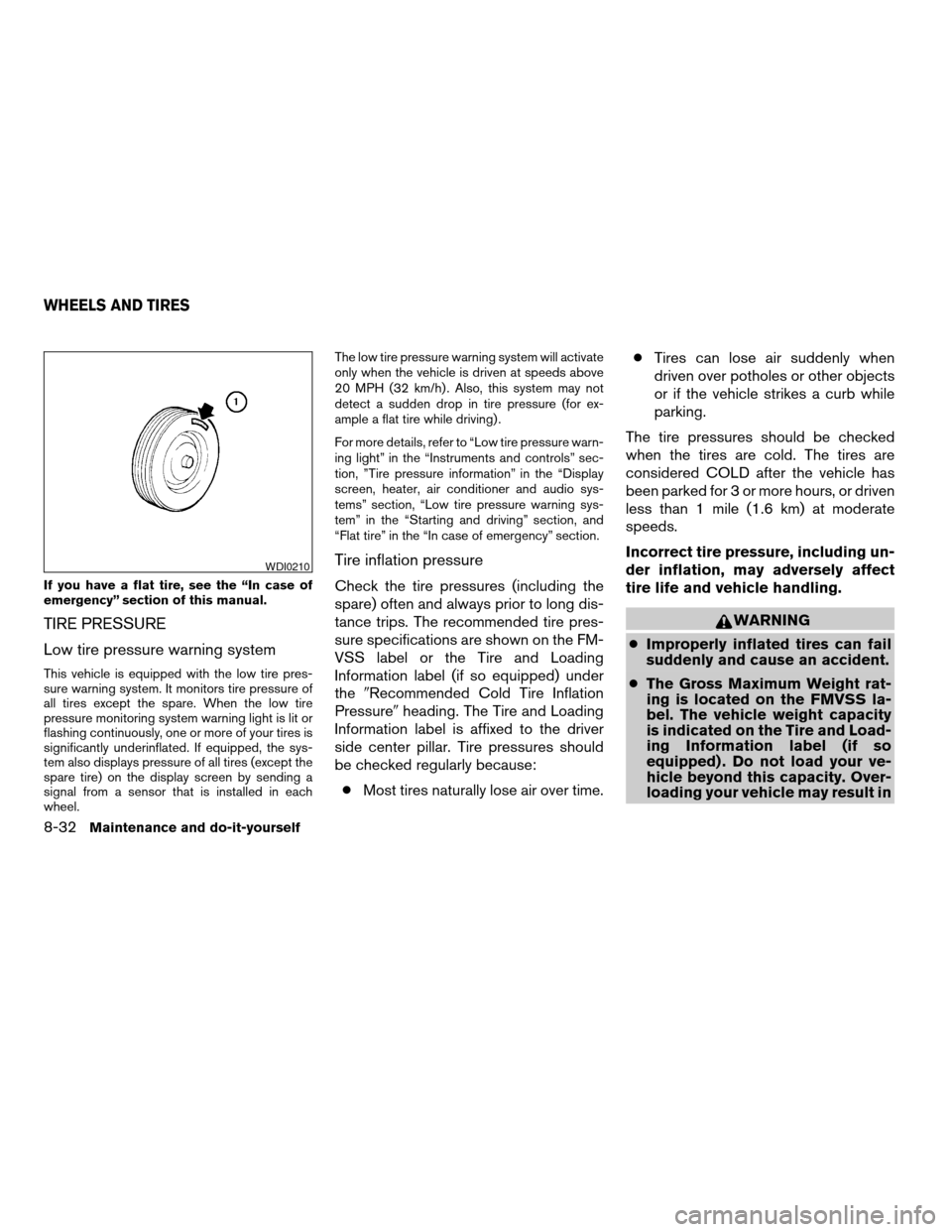
If you have a flat tire, see the “In case of
emergency” section of this manual.
TIRE PRESSURE
Low tire pressure warning system
This vehicle is equipped with the low tire pres-
sure warning system. It monitors tire pressure of
all tires except the spare. When the low tire
pressure monitoring system warning light is lit or
flashing continuously, one or more of your tires is
significantly underinflated. If equipped, the sys-
tem also displays pressure of all tires (except the
spare tire) on the display screen by sending a
signal from a sensor that is installed in each
wheel.The low tire pressure warning system will activate
only when the vehicle is driven at speeds above
20 MPH (32 km/h) . Also, this system may not
detect a sudden drop in tire pressure (for ex-
ample a flat tire while driving) .
For more details, refer to “Low tire pressure warn-
ing light” in the “Instruments and controls” sec-
tion, ”Tire pressure information” in the “Display
screen, heater, air conditioner and audio sys-
tems” section, “Low tire pressure warning sys-
tem” in the “Starting and driving” section, and
“Flat tire” in the “In case of emergency” section.
Tire inflation pressure
Check the tire pressures (including the
spare) often and always prior to long dis-
tance trips. The recommended tire pres-
sure specifications are shown on the FM-
VSS label or the Tire and Loading
Information label (if so equipped) under
the9Recommended Cold Tire Inflation
Pressure9heading. The Tire and Loading
Information label is affixed to the driver
side center pillar. Tire pressures should
be checked regularly because:
cMost tires naturally lose air over time.cTires can lose air suddenly when
driven over potholes or other objects
or if the vehicle strikes a curb while
parking.
The tire pressures should be checked
when the tires are cold. The tires are
considered COLD after the vehicle has
been parked for 3 or more hours, or driven
less than 1 mile (1.6 km) at moderate
speeds.
Incorrect tire pressure, including un-
der inflation, may adversely affect
tire life and vehicle handling.
WARNING
cImproperly inflated tires can fail
suddenly and cause an accident.
cThe Gross Maximum Weight rat-
ing is located on the FMVSS la-
bel. The vehicle weight capacity
is indicated on the Tire and Load-
ing Information label (if so
equipped) . Do not load your ve-
hicle beyond this capacity. Over-
loading your vehicle may result in
WDI0210
WHEELS AND TIRES
8-32Maintenance and do-it-yourself
ZREVIEW COPYÐ2006 Quest(van)
Owners ManualÐUSA_English(nna)
05/27/05Ðtbrooks
X
Page 310 of 352
If you install snow tires, they must be the same
size, brand, construction and tread pattern on all
four wheels.
For additional traction on icy roads, studded tires
may be used. However, some U.S. states and
Canadian provinces prohibit their use. Check
local, state and provincial laws before installing
studded tires. Skid and traction capabilities of
studded snow tires on wet or dry surfaces may be
poorer than that of non-studded snow tires.
MichelinTPAXTTIRES (if so
equipped)
Michelin PAX tires are those tires that can be
used temporarily if they are punctured. The tire is
equipped with an inner support ring that allows
the vehicle to be driven if the tire is under-inflated
or flat. The vehicle can be driven up to 125 miles
(200 km) if one or more of the tires is punctured.
Replace the punctured tire at the nearest
NISSAN dealer or authorized Michelin PAX sys-
tem dealer. Contact 1-877 PAXTIRE (1-877-
729-8473) to find the closest location to have
the punctured tire replaced.
It can be difficult to tell if a Michelin PAX is
under-inflated or flat. Check the tire pressures as
described earlier in this section. If the tire be-comes under-inflated or flat while driving, the low
tire pressure warning light will come on or flash
continuously.
Low tire pressure:
If the vehicle is being driven with low tire pres-
sure, the low tire pressure warning light will illu-
minate.
Flat tire:
If the vehicle is being driven with one or more flat
tires, the low tire pressure warning light will flash
continuously and a chime will sound for 10 sec-
onds.
The chime will only sound at the first indication of
a flat tire and the warning light will flash continu-
ously. When the Flat tire warning is activated,
have the system reset and the tire checked and
replaced if necessary by a NISSAN dealer or
authorized Michelin PAX system dealer. Even if
the tire is inflated to the specified COLD tire
pressure, the warning light will continue to flash
until the system is reset by a NISSAN dealer.
If the low tire pressure warning light comes on:
cDo not exceed 50 MPH (80 km/h) .
cIncrease your following distance to allow for
increased stopping distances.
cAvoid sudden maneuvers, hard cornering
and hard braking.cDo not tow a trailer.
WARNING
cAlthough you can continue driving with
a punctured MichelinTPAXTtire (if so
equipped) , remember that vehicle han-
dling stability is reduced, which could
lead to an accident and personal injury.
Also, driving a long distance at high
speeds may damage the tires.
cDo not drive at speeds above 50 MPH
(80 km/h) and do not drive more than
125 miles (200 km) with a punctured
MichelinTPAXTtire (if so equipped) .
The actual distance the vehicle can be
driven on a flat tire depends on outside
temperature, vehicle load, road condi-
tions and other factors.
cDrive safely at reduced speeds. Avoid
hard cornering or braking, which may
cause you to lose control of the vehicle.
cDo not tow a trailer when a MichelinT
PAXTtire is flat.
CAUTION
cNever install tire chains on a punctured
MichelinTPAXTtire, as this could dam-
age your vehicle.
8-40Maintenance and do-it-yourself
ZREVIEW COPYÐ2006 Quest(van)
Owners ManualÐUSA_English(nna)
05/27/05Ðtbrooks
X
Page 313 of 352
WARNING
cThe use of tires other than those recom-
mended or the mixed use of tires of
different brands, construction (bias,
bias-belted or radial) , or tread patterns
can adversely affect the ride, braking,
handling, ground clearance, body-to-
tire clearance, tire chain clearance,
speedometer calibration, headlight aim
and bumper height. Some of these ef-
fects may lead to accidents and could
result in serious personal injury.
cIf the wheels are changed for any rea-
son, always replace with wheels which
have the same off-set dimension.
Wheels of a different off-set could
cause premature tire wear, degrade ve-
hicle handling characteristics and/or
interference with the brake
discs/drums. Such interference can
lead to decreased braking efficiency
and/or early brake pad/shoe wear. Re-
fer to “Wheels and tires” in the “Techni-
cal and consumer information” section
of this manual for wheel off-set
dimensions.cWhen a spare tire is mounted or a wheel
is replaced, tire pressure will not be
indicated and the low tire pressure
warning system will not function. Con-
tact your NISSAN dealer as soon as
possible for tire replacement and/or
system resetting.
cDo not install a deformed wheel or tire
even if it has been repaired. Such
wheels or tires could have structural
damage and could fail without warning.
cThe use of retread tires is not
recommended.
cFor additional information regarding
tires, refer to “Important Tire Safety In-
formation” (US) or “Tire Safety Informa-
tion” (Canada) in the Warranty Informa-
tion Booklet.
Wheel balance
Unbalanced wheels may affect vehicle handling
and tire life. Even with regular use, wheels can get
out of balance. Therefore, they should be bal-
anced as required.
Wheel balance service should be per-
formed with the wheels off the vehicle.
Spin balancing the wheels on the vehicle
could lead to mechanical damage.cFor additional information regarding
tires, refer to “Important Tire Safety
Information” (US) or “Tire Safety Infor-
mation” (Canada) in the Warranty In-
formation Booklet .
Care of wheels
cWash the wheels when washing the vehicle
to maintain their appearance.
cClean the inner side of the wheels when the
wheel is changed or the underside of the
vehicle is washed.
cDo not use abrasive cleaners when washing
the wheels.
cInspect wheel rims regularly for dents or
corrosion. Such damage may cause loss of
pressure or poor seal at the tire bead.
cNISSAN recommends waxing the road
wheels to protect against road salt in areas
where it is used during winter.
Maintenance and do-it-yourself8-43
ZREVIEW COPYÐ2006 Quest(van)
Owners ManualÐUSA_English(nna)
05/27/05Ðtbrooks
X
Page 326 of 352
Use the following steps to mount the front license
plate:
Before mounting the license plate, confirm that
the following parts are enclosed in the plastic
bag:
cLicense plate bracket
cLicense plate bracket screws x 2
cLicense plate screws x 2
cScrew grommets x 2
1. Make a shallow hole in the bumper fascia at
the location marks (small dimples) using a
0.39 in (10 mm) drill. To avoid damaging the
area behind the fascia, apply only light pres-
sure to the drill.
2. Insert the grommets into the holes in the
bumper fascia.
3. Insert a small flat-bladed screwdriver into
the grommet hole to turn the threaded part of
the grommet 90°.
4. Mount the license plate bracket using the
two longer screws.
5. Use the two shorter hex head screws to
mount the license plate to the license plate
bracket.WARNING
cIt is extremely dangerous to ride
in a cargo area inside a vehicle. In
a collision, people riding in these
areas are more likely to be seri-
ously injured or killed.
cDo not allow people to ride in any
area of your vehicle that is not
equipped with seats and seat
belts.
cBe sure everyone in your vehicle
is in a seat and using a seat belt
properly.
TERMS
It is important to familiarize yourself with
the following terms before loading your
vehicle:
cCurb Weight (actual weight of your
vehicle) - vehicle weight including:
standard and optional equipment, flu-
ids, emergency tools, and spare tire
assembly. This weightdoes notin-
clude passengers and cargo.cGVW (Gross Vehicle Weight) - curb
weight plus the combined weight of
passengers and cargo.
cGVWR (Gross Vehicle Weight Rat-
ing) - maximum total weight (load)
limit specified for the vehicle.
cGAWR (Gross Axle Weight Rating) -
maximum weight (load) limit specified
for the front or rear axle.
VEHICLE LOAD CAPACITY
Do not exceed the load limit of your ve-
hicle shown as9The combined weight of
occupants and cargo9on the Tire and
Loading Information label. Do not exceed
the number of occupants shown as
9Seating Capacity9on Tire and Loading
Information label.
To get9the combined weight of occu-
pants and cargo9, add the weight of all
occupants, then add the total luggage
weight. Examples are shown below.
VEHICLE LOADING INFORMATION
9-12Technical and consumer information
ZREVIEW COPYÐ2006 Quest(van)
Owners ManualÐUSA_English(nna)
05/27/05Ðtbrooks
X
Page 331 of 352
CAUTION
cDo not use axle-mounted hitches.
cThe hitch should not be attached to or
affect the operation of the impact-
absorbing bumper.
cDo not modify the vehicle exhaust sys-
tem, brake system, etc. to install a
trailer hitch.
cTo reduce the possibility of additional
damage if your vehicle is struck from
the rear, where practical, remove the
hitch and/or receiver when not in use.
cAfter the hitch is removed, seal the bolt
holes to prevent exhaust fumes, water
or dust from entering the passenger
compartment.
cRegularly check that all trailer hitch
mounting bolts are securely mounted.
Tire pressures
cWhen towing a trailer, inflate the ve-
hicle tires to the recommended cold
tire pressure indicated on the Tire
and Loading Information label.
cTrailer tire condition, size, load rating
and proper inflation pressure shouldbe in accordance with the trailer and
tire manufacturer’s specifications.
Safety chains
Always use suitable safety chains between your
vehicle and the trailer. The safety chains should
be crossed and should be attached to the hitch,
not to the vehicle bumper or axle. Be sure to leave
enough slack in the chains to permit turning
corners.
Trailer lights
CAUTION
When splicing into the vehicle electrical
system, a commercially available power-
type module/converter must be used to
provide power for all trailer lighting. This
unit uses the vehicle battery as a direct
power source for all trailer lights while
using the vehicle tail light, stoplight and
turn signal circuits as a signal source. The
module/converter must draw no more
that 15 milliamps from the stop and tail
lamp circuits. Using a module/converter
that exceeds these power requirements
may damage the vehicle’s electrical sys-
tem. See a reputable trailer dealer to ob-
tain the proper equipment and to have it
installed.Trailer lights should comply with federal and/or
local regulations. For assistance in hooking up
trailer lights, contact a NISSAN dealer or repu-
table trailer dealer. A genuine NISSAN trailer tow
harness is available from your NISSAN dealer.
Trailer brakes
If your trailer is equipped with a braking system,
make sure it conforms to federal and/or local
regulations and that it is properly installed.
WARNING
Never connect a trailer brake system di-
rectly to the vehicle brake system.
Pre-towing tips
cBe certain your vehicle maintains a level
position when a loaded and/or unloaded
trailer is hitched. Do not drive the vehicle if it
has an abnormal nose-up or nose-down
condition; check for improper tongue load,
overload, worn suspension or other possible
causes of either condition.
cAlways secure items in the trailer to prevent
load shift while driving.
cLoad the trailer so approximately 60% of the
trailer load is in the front half and 40% is in
the back half.
Technical and consumer information9-17
ZREVIEW COPYÐ2006 Quest(van)
Owners ManualÐUSA_English(nna)
05/27/05Ðtbrooks
X
Page 335 of 352
If you believe that your vehicle has a de-
fect which could cause a crash or could
cause injury or death, you should immedi-
ately inform the National Highway Traffic
Safety Administration (NHTSA) in addi-
tion to notifying NISSAN.
If NHTSA receives similar complaints, it
may open an investigation, and if it finds
that a safety defect exists in a group of
vehicles, it may order a recall and remedy
campaign. However, NHTSA cannot be-
come involved in individual problems be-
tween you, your dealer, or NISSAN.
To contact NHTSA, you may call the Auto
Safety Hotline toll-free at 1-888-327-
4236. You may also write to: NHTSA,
U.S. Department of Transportation,
Washington, D.C. 20590. You can also
obtain other information about motor ve-
hicle safety from the Hotline.
You may notify NISSAN by contacting our
Consumer Affairs Department, toll-free, at
1-800-NISSAN-1.Due to legal requirements in some states and
Canadian Provinces, your vehicle may be re-
quired to be in what is called the “ready condi-
tion” for an Inspection/Maintenance (I/M) test of
the emission control system.
The vehicle is set to the “ready condition” when it
is driven through certain driving patterns. Usually,
the ready condition can be obtained by ordinary
usage of the vehicle.
If a powertrain system component is repaired or
the battery is disconnected, the vehicle may be
reset to a “not ready” condition. Before taking the
I/M test, check the vehicle’s
inspection/maintenance test readiness condi-
tion. Turn the ignition switch ON without starting
the engine. If the Malfunction Indicator Light
(MIL) comes on steady for 20 seconds and then
blinks for 10 seconds , the I/M test condition is
9not ready9. If the MIL does not blink after 20
seconds, the I/M test condition is9ready.9If the
MIL indicates the vehicle is in a9not ready9con-
dition, drive the vehicle through the following
pattern to set the vehicle to the ready condition. If
you cannot or do not want to perform the driving
pattern, a NISSAN dealer can conduct it for you.WARNING
Always drive the vehicle in a safe and
prudent manner according to traffic con-
ditions and obey all traffic laws.
1. Start the engine when the engine coolant
temperature gauge needle points to C. Al-
low the engine to idle until the gauge needle
points between the C and H (normal oper-
ating temperature) .
2. Accelerate the vehicle to 55 MPH (88
km/h) , then quickly release the accelerator
pedal completely and keep it released for at
least 10 seconds.
3. Quickly depress the accelerator pedal for a
moment, then drive the vehicle at a speed of
53 - 60 MPH (86 - 96 km/h) for at least 9
minutes.
4. Stop the vehicle.
5. Accelerate the vehicle to 35 MPH (55 km/h)
and maintain the speed for 20 seconds.
6. Repeat steps 4 through 5 at least 10 times.
7. Accelerate the vehicle to 55 MPH (88 km/h)
and maintain the speed for at least 3 min-
utes.
REPORTING SAFETY DEFECTS (US
only)READINESS FOR INSPECTION/
MAINTENANCE (I/M) TEST
Technical and consumer information9-21
ZREVIEW COPYÐ2006 Quest(van)
Owners ManualÐUSA_English(nna)
05/27/05Ðtbrooks
X
Page 339 of 352

10 Index
A
Active head restraint...............1-8
Adjusting pedal position............3-20
Air bag
(See supplemental restraint system).....1-49
Air bag system
Front (See supplemental front impact
air bag system)...............1-55
Side and curtain (See supplemental side
air bag and curtain side-impact air bag
system)...................1-60
Air bag warning labels.............1-63
Air bag warning light...........1-63, 2-11
Air cleaner housing filter............8-17
Air conditioner
Air conditioner operation..........4-30
Air conditioner service...........4-40
Air conditioner specification label.....9-11
Air conditioner system refrigerant and oil
recommendations..............9-6
Heater and air conditioner
controls................4-28, 4-37
Rear seat air conditioner..........4-40
Servicing air conditioner..........4-40
Air flow charts..................4-31
Alarm system
(See vehicle security system).........2-14
Anchor point locations.............1-39
Antenna.....................4-54
Anti-lock brake system (ABS).........5-19Anti-lock brake warning light..........2-8
Audible reminders................2-14
Audio system..................4-41
AM-FM-SAT radio with compact disc
(CD) changer................4-44
AM-FM-SAT radio with compact disc
(CD) player.................4-44
Compact Disc (CD) changer.......4-49
Compact disc (CD) player.........4-47
Radio....................4-41
Rear audio controls.............4-53
Steering wheel audio control switch. . . .4-51
Autolight switch.................2-20
Automatic
Automatic drive positioner.........3-24
Automatic power window switch.....2-41
Automatic transmission fluid (ATF). . . .8-11
Automatic transmission position indicator
light.....................2-11
Driving with automatic transmission. . . .5-10
Transmission selector lever lock release .5-12
Automatic anti-glare inside mirror.......3-22
B
Battery......................8-14
Charge warning light.............2-8
Before starting the engine............5-9
Belts (See drive belts).............8-16
Bench seat adjustment (3rd row). . . .1-8, 1-12
Booster seats..................1-44Brake
Anti-lock brake system (ABS).......5-19
Brake booster................8-23
Brake fluid..................8-13
Brake light (See stop light).........8-28
Brake pedal.................8-22
Brake system................5-18
Brake warning light..............2-8
Brake wear indicators........2-14, 8-22
Parking brake check............8-22
Parking brake operation..........5-13
Self-adjusting brakes............8-22
Break-in schedule................5-16
Brightness control
Instrument panel..............2-22
Brightness/Contrast button. . . .4-7, 4-15, 4-25
Control panel buttons.....4-7, 4-15, 4-25
Bulb check/instrument panel..........2-7
Bulb replacement................8-28
C
Capacities and recommended
fuel/lubricants...................9-2
Captain’s chair adjustment (2nd row)......1-6
Car phone or CB radio.............4-64
Cargo (See vehicle loading information) . . .9-12
CD care and cleaning.............4-51
CD changer (See audio system)........4-49
CD player (See audio system).........4-47
Child restraint with top tether strap......1-38
ZREVIEW COPYÐ2006 Quest(van)
Owners ManualÐUSA_English(nna)
05/27/05Ðtbrooks
X
Page 340 of 352

Child restraints.......1-17, 1-18, 1-25, 1-37
Precautions on child restraints . . .1-25, 1-44
Top tether strap anchor point locations . .1-39
Child safety sliding door lock..........3-9
Chimes, audible reminders...........2-14
Cleaning exterior and interior..........7-2
Clock
(models with navigation system) . .4-14, 4-23
(models without navigation system).....4-4
Clock set
Control panel buttons.....4-4, 4-14, 4-23
C.M.V.S.S. certification label..........9-10
Cold weather driving..............5-23
Compact disc (CD) player...........4-47
Control panel buttons
With navigation system........4-8, 4-16
Without navigation system..........4-2
Controls
Audio controls (steering wheel)......4-51
Heater and air conditioner
controls................4-28, 4-37
Rear audio controls.............4-53
Rear seat air conditioner..........4-40
Coolant
Capacities and recommended
fuel/lubricants.................9-2
Changing engine coolant..........8-8
Checking engine coolant level........8-7
Engine coolant temperature gauge.....2-5
Cornering light.................2-23
Corrosion protection...............7-5
Cruise control..................5-14
Cup holders...............2-34, 2-36
Curtain side-impact air bag system
(See supplemental side air bag and curtain
side-impact air bag system)..........1-60D
Daytime running light system
(Canada only)..................2-21
Defroster switch
Rear window and outside mirror defroster
switch....................2-18
Digital video disc DVD.............4-54
Dimensions and weights.............9-8
Display controls
(see control panel buttons).....4-2, 4-8, 4-16
Door locks....................3-3
Door open warning light.............2-8
Drive belts....................8-16
Drive positioner, Automatic...........3-24
Driving
Cold weather driving............5-23
Driving with automatic transmission. . . .5-10
Precautions when starting and driving . . .5-2
DVD entertainment system...........4-54
E
Economy - fuel.................5-16
Emission control information label.......9-10
Emission control system warranty.......9-20
Engine
Before starting the engine..........5-9
Capacities and recommended
fuel/lubricants.................9-2
Changing engine coolant..........8-8
Changing engine oil.............8-9
Changing engine oil filter..........8-10
Checking engine coolant level........8-7Checking engine oil level..........8-8
Engine compartment check locations. . . .8-7
Engine coolant temperature gauge.....2-5
Engine cooling system............8-7
Engine oil...................8-8
Engine oil and oil filter recommendation . .9-5
Engine oil pressure warning light......2-8
Engine oil viscosity..............9-5
Engine serial number............9-10
Engine specifications.............9-7
Starting the engine..............5-9
English/Metric button.......4-4, 4-14, 4-23
Control panel buttons.....4-4, 4-14, 4-23
ENTER button.........4-2, 4-3, 4-8, 4-16
Enter button
Control panel buttons . . .4-2, 4-3, 4-8, 4-16
Event data recorders..............9-22
Exhaust gas (Carbon monoxide)........5-2
Eyeglass case..................2-31
F
Flashers
(See hazard warning flasher switch)......2-23
Flat tire......................6-2
Floor mat positioning aid.............7-4
Fluid
Automatic transmission fluid (ATF). . . .8-11
Brake fluid..................8-13
Capacities and recommended
fuel/lubricants.................9-2
Engine coolant................8-7
Engine oil...................8-8
Power steering fluid.............8-13
Window washer fluid............8-14
10-2
ZREVIEW COPYÐ2006 Quest(van)
Owners ManualÐUSA_English(nna)
05/27/05Ðtbrooks
X