2006 NISSAN ALTIMA display
[x] Cancel search: displayPage 171 of 304

REW (Rewind) , FF (Fast
Forward):
When the
(rewind) or(fast forward)
button is pushed while a compact disc is playing,
the compact disc will play while rewinding or fast
forwarding . When the button is released, the
compact disc will return to normal play speed.
When the CD button is pushed with the system
off and the compact disc loaded, the system will
turn on and the compact disc will start to play.
When the CD button is pushed with the compact
disc loaded with the tape or the radio playing, the
tape or radio will automatically be turned off and
the compact disc will start to play.
SEEK/TRACK:
When the
button is pushed for less than 1.5
seconds while a compact disc is playing, the
track being played returns to its beginning. Push
several times to skip back through tracks. The
compact disc will go back the number of times
the button is pushed.
When the
button is pushed for less than 1.5
seconds while the compact disc is playing, the
next track will start to play from its beginning.
Push several times to skip through tracks. The
compact disc will advance the number of timesthe button is pushed. (When the last track on the
compact disc is skipped through, the first track
will be played.)
When pushing the
orbutton for more
than 1.5 seconds, each track will play for about
10 seconds. To stop playing, push
the
button again.
CD select buttons:
To play another CD that has been loaded, push a
CD select button (1 – 6) .
CAT/RPT:
When the CAT/RPT play button is pushed while
the compact disc is played, the play pattern can
be changed as follows:
ALL DISC RPT!1 DISC RPT!1 TRACK RPT
!ALL DISC RDM!1 DISC RDM!ALL DISC
RPT
ALL DISC RPT: All discs loaded will be repeated.
1 DISC RPT: The disc that is currently playing will
be repeated.
1 TRACK RPT: The track that is currently playing
will be repeated
ALL DISC RDM: Tracks from all discs will be
played randomly
1 DISC RDM: Tracks from the disc that is cur-
rently playing will be played randomly
CD EJECT:
Current disc:
cPress the slot number (1 – 6) for the desired
disc, then press the
button. The com-
pact disc will be ejected. If the disc is not
removed within 15 seconds, the disc will
reload.
All discs:
cPress and hold the
button for more
than 1.5 seconds. The compact discs will be
ejected one by one. If a disc is not removed
within 15 seconds, or the
button is
pressed again during the eject sequence,
the entire disc eject sequence will be can-
celed.
When this button is pushed while the compact
disc is being played, the compact disc will eject
and the last source will be played.
CD IN indicator:
The slot numbers (1 – 6) will illuminate if CDs
have been loaded into the changer in CD mode
only.
Display screen, heater, air conditioner and audio systems4-39
ZREVIEW COPYÐ2006 Altima(l30)
Owners ManualÐUSA_English(nna)
09/08/05Ðdebbie
X
Page 172 of 304

CD CARE AND CLEANING
cHandle a CD by its edges. Do not bend the
disc. Never touch the surface of the disc.
cAlways place the discs in the storage case
when they are not being used.
c
To clean a disc, wipe the surface from the center
to the outer edge using a clean, soft cloth. Do
not wipe the disc using a circular motion.
cDo not use a conventional record cleaner or
alcohol intended for industrial use.
cA new disc may be rough on the inner and
outer edges. Remove the rough edges by
rubbing the inner and outer edges with the
side of a pen or pencil as illustrated.
1. Volume control switch
2. Mode select switch
3. Audio power on/off switch
4. Audio tuning Up/Down
STEERING WHEEL SWITCH FOR
AUDIO CONTROL (if so equipped)
1. Volume control switch
2. Mode select switch
3. Trip
4. Audio tuning Up/Down
POWER on/off switch (Type A)
With the ignition key turned to the ACC or ON
position, push the POWER switch to turn the
audio system on or off.
Trip set (Type B)
For information on using the trip computer see
“Trip computer” in the “Instrument and controls”
section of this owner’s manual.
LHA0049
Type A
WHA0471
Type B
LHA0450
4-40Display screen, heater, air conditioner and audio systems
ZREVIEW COPYÐ2006 Altima(l30)
Owners ManualÐUSA_English(nna)
09/08/05Ðdebbie
X
Page 173 of 304
“MODE” select switch
Push the mode select switch to change the
modes:
PRESET A!PRESET B!PRESET C!CD
Volume control switch
Push the volume control switch up or down to
increase or decrease the volume.
Tuning
Memory change (radio):
While in one of the preset radio station banks (A,
B or C) , push the tuning switch
orfor less than 1.5 seconds to change to the next
preset station in memory.
Seek tuning (radio):
Push the tuning switch
orfor more
than 1.5 seconds to seek the next or previous
radio station.
Next/Previous track (CD):
Push the tuning switch
orfor less
than 1.5 seconds to return to the beginning of the
present track or skip to the next track. Push
several times to skip back or skip through tracks.This system searches for the blank intervals be-
tween selections. If there is a blank interval within
1 program or there is no interval between pro-
grams, the system may not stop in the desired or
expected location.
Change disc (CD) (if so equipped):
Push the tuning switch
orfor more
than 1.5 seconds to change the playing disc up
or down.
ANTENNA
Window antenna
The antenna pattern is printed inside the rear
window.
CAUTION
cDo not place metalized film near the
rear window glass or attach any metal
parts to it. This may cause poor recep-
tion or noise.
cWhen cleaning the inside of the rear
window, be careful not to scratch or
damage the rear window antenna.
Lightly wipe along the antenna with a
dampened soft cloth.When installing a CB, ham radio or car phone in
your NISSAN, be sure to observe the following
cautions, otherwise the new equipment may ad-
versely affect the engine control system and
other electronic parts.
WARNING
cA cellular telephone should not be used
while driving so full attention may be
given to vehicle operation. Some juris-
dictions prohibit the use of cellular tele-
phones while driving.
cIf you must make a call while your ve-
hicle is in motion, the hands free cellu-
lar phone operational mode (if so
equipped) is highly recommended. Ex-
ercise extreme caution at all times so
full attention may be given to vehicle
operation.
cIf a conversation in a moving vehicle
requires you to take notes, pull off the
road to a safe location and stop your
vehicle before doing so.
CAR PHONE OR CB RADIO
Display screen, heater, air conditioner and audio systems4-41
ZREVIEW COPYÐ2006 Altima(l30)
Owners ManualÐUSA_English(nna)
09/08/05Ðdebbie
X
Page 174 of 304
CAUTION
cKeep the antenna as far away as pos-
sible from the electronic control
modules.
cKeep the antenna wire more than 8 in
(20 cm) away from the electronic con-
trol system harnesses. Do not route the
antenna wire next to any harness.
cAdjust the antenna standing-wave ratio
as recommended by the manufacturer.
cConnect the ground wire from the CB
radio chassis to the body.
cFor details, consult a NISSAN dealer.
4-42Display screen, heater, air conditioner and audio systems
ZREVIEW COPYÐ2006 Altima(l30)
Owners ManualÐUSA_English(nna)
09/08/05Ðdebbie
X
Page 183 of 304
R (Reverse):
CAUTION
Use this position only when the vehicle is
completely stopped.
Use this position to back up. Make sure the
vehicle is completely stopped before selecting
the R (Reverse) position.The brake pedal
must be depressed to move the selector
lever from P (Park) , N (Neutral) or any drive
position to R (Reverse) .
N (Neutral):
Neither forward nor reverse gear is engaged. The
engine can be started in this position. You may
shift to N (Neutral) and restart a stalled engine
while the vehicle is moving.
D (Drive):
Use this position for all normal forward driving.
3 (Third gear):
Use this position for driving up and down long
slopes where engine braking would be advanta-
geous.2 (Second gear):
Use this position for hill climbing or engine brak-
ing on downhill grades.
Do not shift into the 2 position at speeds above
62 MPH (100 km/h) . Do not exceed 62 MPH
(100 km/h) in the 2 position.
1 (Low gear):
Use this position when climbing steep hills slowly
or slow driving through deep snow, sand or mud,
or for maximum engine braking on steep downhill
grades.
Do not shift into the 1 position at speeds above
34 MPH (55 km/h) . Do not exceed 34 MPH (55
km/h) in the 1 position.
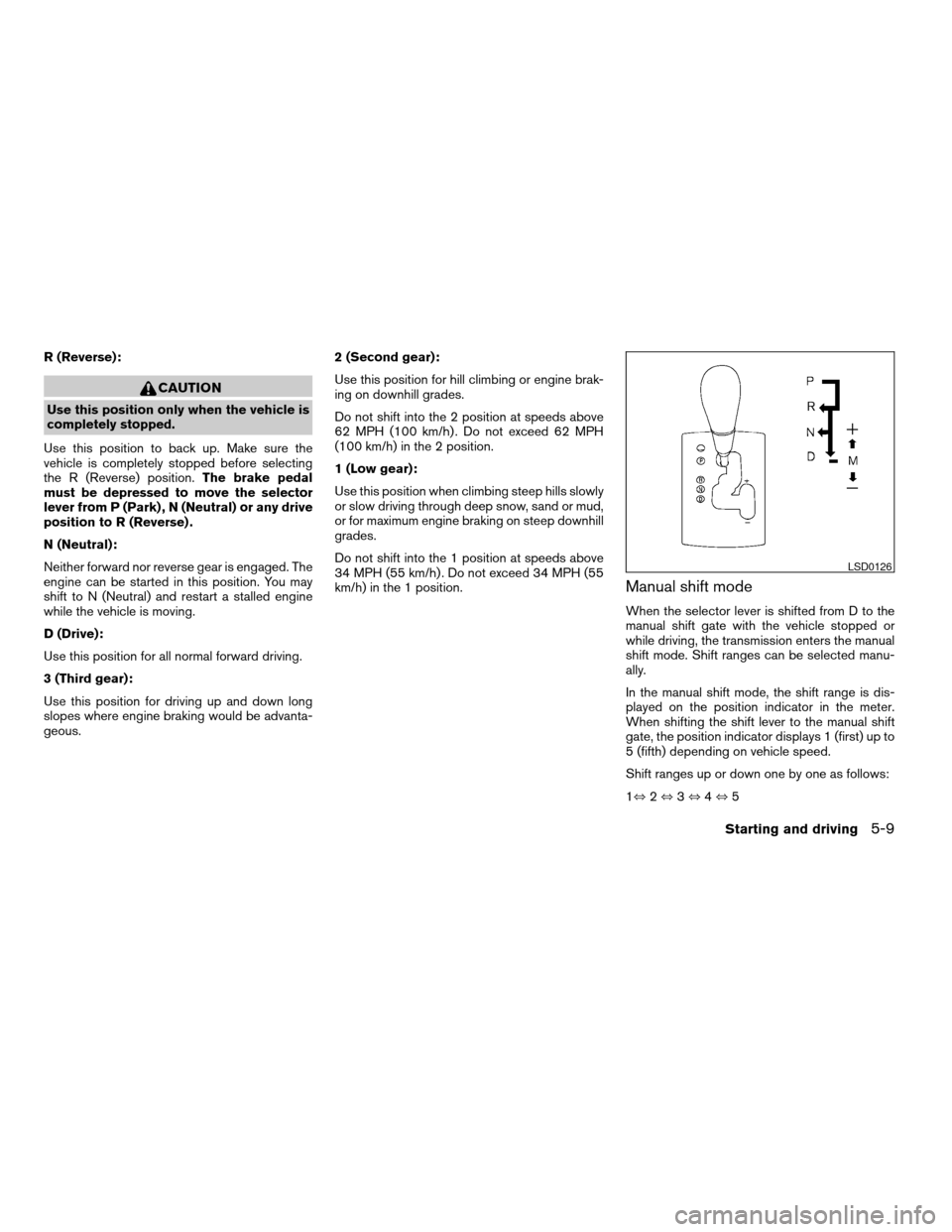
Manual shift mode
When the selector lever is shifted from D to the
manual shift gate with the vehicle stopped or
while driving, the transmission enters the manual
shift mode. Shift ranges can be selected manu-
ally.
In the manual shift mode, the shift range is dis-
played on the position indicator in the meter.
When shifting the shift lever to the manual shift
gate, the position indicator displays 1 (first) up to
5 (fifth) depending on vehicle speed.
Shift ranges up or down one by one as follows:
1,2,3,4,5
LSD0126
Starting and driving5-9
ZREVIEW COPYÐ2006 Altima(l30)
Owners ManualÐUSA_English(nna)
09/08/05Ðdebbie
X
Page 296 of 304

Clutch
Clutch fluid.................8-16
C.M.V.S.S. certification label..........9-10
Cold weather driving..............5-21
Console box...................2-33
Control panel buttons..............4-2
Controls
Heater and air conditioner
controls................4-11, 4-20
Coolant
Capacities and recommended
fuel/lubricants.................9-2
Changing engine coolant..........8-9
Checking engine coolant level........8-8
Engine coolant temperature gauge.....2-8
Corrosion protection...............7-5
Cruise control..................5-14
Cup holders...................2-32
D
Daytime running light system
(Canada only)..................2-24
Defroster switch
Rear window and outside mirror defroster
switch....................2-20
Dimensions and weights.............9-8
Dimmer switch for instrument panel......2-24
Display controls (see control panel buttons) . .4-2
Door locks....................3-3
Door open warning light............2-12
Drive belts....................8-19
Driving
Cold weather driving............5-21
Driving with automatic transmission.....5-7Driving with manual transmission.....5-11
Precautions when starting and driving . . .5-2
E
Economy - fuel.................5-16
Emission control information label.......9-11
Emission control system warranty.......9-22
Engine
Before starting the engine..........5-6
Capacities and recommended
fuel/lubricants.................9-2
Changing engine coolant..........8-9
Changing engine oil............8-10
Changing engine oil filter..........8-12
Checking engine coolant level........8-8
Checking engine oil level..........8-9
Engine compartment check locations. . . .8-8
Engine coolant temperature gauge.....2-8
Engine cooling system............8-8
Engine oil...................8-9
Engine oil and oil filter recommendation . .9-5
Engine oil pressure warning light.....2-12
Engine oil viscosity..............9-5
Engine serial number............9-10
Engine specifications.............9-7
Starting the engine..............5-6
Engine oil pressure gauge............2-9
English/Metric button..............4-8
Control panel buttons............4-8
ENTER button..................4-2
Enter button
Control panel buttons............4-2
Event data recorders..............9-24
Exhaust gas (Carbon monoxide)........5-2Eyeglass case..................2-31
F
Flashers
(See hazard warning flasher switch)......2-26
Flat tire......................6-2
Floor mat positioning aid.............7-5
Fluid
Automatic transmission fluid (ATF). . . .8-13
Brake fluid..................8-15
Capacities and recommended
fuel/lubricants.................9-2
Clutch fluid.................8-16
Engine coolant................8-8
Engine oil...................8-9
Power steering fluid.............8-15
Window washer fluid............8-16
F.M.V.S.S. certification label..........9-10
Fog light switch.................2-25
Front air bag system
(See supplemental restraint system).....1-41
Front seats....................1-2
Fuel
Capacities and recommended
fuel/lubricants.................9-2
Fuel economy................5-16
Fuel gauge..................2-8
Fuel octane rating..............9-4
Fuel recommendation............9-3
Fuel-filler door and cap...........3-12
Fuel-filler door lock opener lever......3-12
Fuel consumption gauge............2-10
FUEL ECON button...............4-4
10-2
ZREVIEW COPYÐ2006 Altima(l30)
Owners ManualÐUSA_English(nna)
09/08/05Ðdebbie
X
Page 298 of 304

Lights
Map lights..................2-42
Lock
Child safety rear door lock..........3-5
Door locks..................3-3
Fuel-filler door lock opener lever......3-12
Glove box lock...............2-33
Power door locks...............3-4
Trunk lid lock opener lever.........3-10
Low fuel warning light.............2-13
Low washer fluid warning light.........2-13
Luggage (See vehicle loading information) . .9-12
M
Maint (maintenance) button
Control panel buttons............4-4
Maint (Maintenance) button, control panel
display.......................4-4
Maintenance
General maintenance............8-2
Inside the vehicle...............8-3
Maintenance precautions..........8-5
Outside the vehicle..............8-2
Seat belt maintenance...........1-16
Under the hood and vehicle.........8-4
Malfunction indicator light...........2-14
Manual front seat adjustment..........1-2
Map lights....................2-42
Map pocket...................2-30
Meters and gauges................2-3
Instrument brightness control.......2-24
Mirror
Inside mirror.................3-15
Outside mirrors...............3-15Vanity mirror.................3-14
Multi-remote control system
(See remote keyless entry system).......3-5
N
NISSAN vehicle immobilizer
system................2-17, 3-2, 5-5
O
Octane rating (See fuel octane rating).....9-4
Odometer.....................2-4
Oil
Capacities and recommended
fuel/lubricants.................9-2
Changing engine oil............8-10
Changing engine oil filter..........8-12
Checking engine oil level..........8-9
Engine oil...................8-9
Engine oil and oil filter recommendation . .9-5
Engine oil viscosity..............9-5
Outside mirrors.................3-15
Overheat
If your vehicle overheats...........6-8
Owner’s manual order form..........9-24
Owner’s manual/service manual order
information....................9-24
P
Parking
Parking brake check............8-25Parking brake operation..........5-14
Parking/parking on hills...........5-17
Power
Power door locks...............3-4
Power outlet.................2-28
Power rear windows............2-39
Power steering fluid.............8-15
Power steering system...........5-18
Power windows...............2-38
Rear power windows............2-39
Precautions
Maintenance precautions..........8-5
Precautions on child restraints . . .1-17, 1-29
Precautions on seat belt usage.......1-9
Precautions on supplemental restraint
system....................1-34
Precautions when starting and driving . . .5-2
PREV button...................4-3
Prev button
Control panel buttons............4-3
Programmable features...........4-3, 4-6
Push starting...................6-8
R
Radio
Car phone or CB radio...........4-41
Compact Disc (CD) changer.......4-38
FM-AM radio with compact disc (CD)
changer...................4-30
FM-AM radio with compact disc (CD)
player....................4-25
Readiness for inspection maintenance (I/M)
test........................9-23
Rear power windows..............2-39
10-4
ZREVIEW COPYÐ2006 Altima(l30)
Owners ManualÐUSA_English(nna)
09/08/05Ðdebbie
X
Page 299 of 304

Rear seat.....................1-6
Rear window and outside mirror defroster
switch......................2-20
Recorders
Event data..................9-24
Refrigerant recommendation..........9-6
Registering your vehicle in another country. . .9-9
Remote keyless entry system..........3-5
Reporting safety defects (US only)......9-23
S
Safety
Child safety rear door lock..........3-5
Child seat belts...........1-17, 1-29
Reporting safety defects (US only). . . .9-23
Seat adjustment
Front manual seat adjustment........1-2
Front power seat adjustment........1-4
Rear seat adjustment.............1-6
Seat belt
Child safety.................1-11
Infants and small children.........1-12
Injured Person................1-13
Larger children...............1-12
Precautions on seat belt usage.......1-9
Pregnant women..............1-13
Seat belt extenders.............1-16
Seat belt maintenance...........1-16
Seat belts...................1-9
Shoulder belt height adjustment......1-15
Three-point type with retractor.......1-13
Seat belt warning light.............2-13
Seatback pockets................2-31Seats
Adjustment..................1-2
Front seats..................1-2
Heated seats................2-27
Manual front seat adjustment........1-2
Rear seat...................1-6
Security system (NISSAN vehicle immobilizer
system) , engine start.........2-17, 3-2, 5-5
Self-adjusting brakes..............8-26
Service manual order form...........9-24
Servicing air conditioner............4-22
Setting button
SETTING button...............4-6
Shift lock release................5-10
Shifting
Automatic transmission...........5-8
Manual transmission............5-12
Shoulder belt height adjustment........1-15
Spark plug replacement............8-20
Speedometer...................2-4
Spotlights (See map light)...........2-42
SRS warning label...............1-48
Starting
Before starting the engine..........5-6
Jump starting.................6-6
Precautions when starting and driving . . .5-2
Push starting.................6-8
Starting the engine..............5-6
Startup Screen
Control panel buttons............4-3
Startup screen display..............4-3
Steering
Power steering fluid.............8-15
Power steering system...........5-18
Stop light....................8-32
Storage.....................2-30Storage tray...................2-35
Sunglasses case................2-31
Sunglasses holder...............2-31
Sunroof.....................2-40
Supplemental air bag warning light . . .1-49, 2-13
Supplemental front impact air bag system . .1-41
Supplemental restraint system
Information and warning labels.......1-48
Precautions on supplemental restraint
system....................1-34
Supplemental restraint system
(Supplemental air bag system).........1-34
Switch
Autolight switch...............2-22
Automatic power window switch.....2-39
Fog light switch...............2-25
Hazard warning flasher switch.......2-26
Headlight and turn signal switch......2-21
Headlight control switch..........2-21
Ignition switch................5-4
Power door lock switch...........3-4
Rear window and outside mirror defroster
switch....................2-20
Traction control system (TCS) off
switch....................2-28
Turn signal switch..............2-25
Windshield wiper and washer switch . . .2-19
T
Tachometer....................2-7
Temperature gauge
Engine coolant temperature gauge.....2-8
Theft (NISSAN vehicle immobilizer system) ,
engine start..............2-17, 3-2, 5-5
10-5
ZREVIEW COPYÐ2006 Altima(l30)
Owners ManualÐUSA_English(nna)
09/08/05Ðdebbie
X