Page 111 of 481
110 Controls in detailLocking and unlocking�
Press switch1 briefly.
The vehicle is locked and the trunk lid
closes automatically.
With the hood and all doors closed, All
turn signal lamps flash three times to
confirm locking. The locking knobs in
the doors move down. The anti-theft
alarm system is activated.
If the trunk lid comes into contact with an
object while closing (e.g. luggage that has
been piled too high), the closing procedure
is stopped and the trunk reopens slightly.iYou can also close the trunk by hand.iTo prevent a possible inadvertent lock-
out, the trunk lid will open automatical-
ly if a SmartKey with KEYLESS-GO is
recognized inside the vehicle or in the
trunk.
Warning!
G
Monitor the closing procedure carefully to
make sure no one is in danger of being in-
jured. To prevent possible personal injury,
always keep hands and fingers away from
the trunk opening when closing the trunk.
Be especially careful when small children
are around. To stop the closing procedure,
do one of the following:�
press KEYLESS-GO locking/closing
switch1
�
press trunk lid closing switch
�
press the Š button on the SmartKey
with KEYLESS-GO
�
press the remote trunk lid switch (on the
driver’s door)
Even with the SmartKey with KEYLESS-GO
removed from the vehicle, the KEYLESS-GO
locking/closing switch can be operated.
Therefore, do not leave children unattended
in the vehicle, or with access to an unlocked
vehicle. Unsupervised use of vehicle equip-
ment may cause an accident and/or serious
personal injury. Warning!
G
Only drive with the trunk closed as, among
other dangers such as blocked visibility, ex-
haust fumes may enter the vehicle interior.
��
Page 112 of 481
111 Controls in detail
Locking and unlocking
Trunk lid emergency release
With the emergency release button, the
trunk can be opened from inside the trunk.
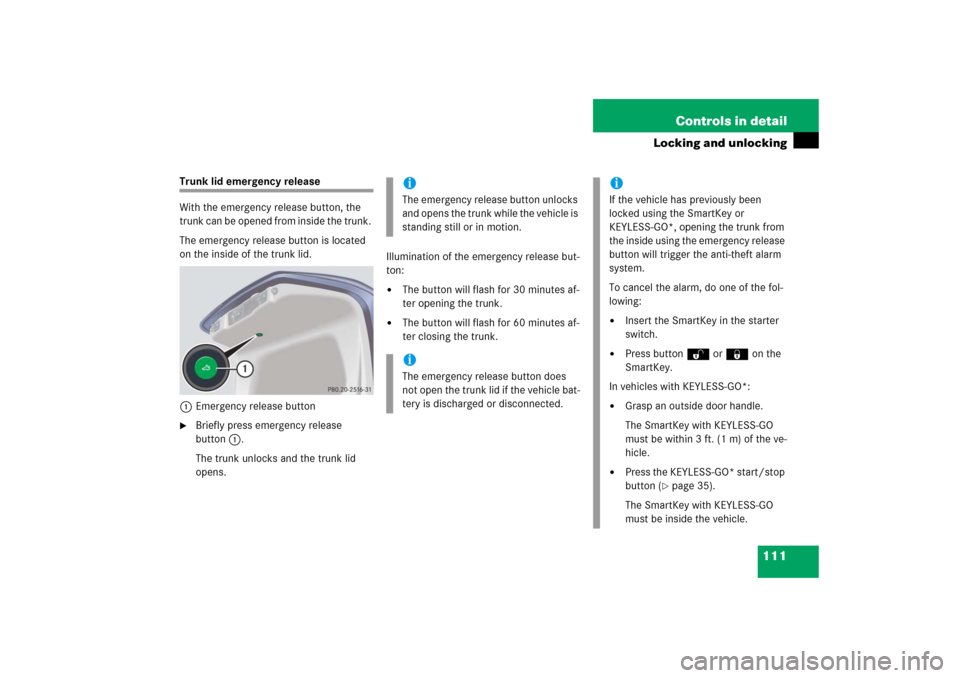
The emergency release button is located
on the inside of the trunk lid.
1Emergency release button�
Briefly press emergency release
button1.
The trunk unlocks and the trunk lid
opens.Illumination of the emergency release but-
ton:
�
The button will flash for 30 minutes af-
ter opening the trunk.
�
The button will flash for 60 minutes af-
ter closing the trunk.iThe emergency release button unlocks
and opens the trunk while the vehicle is
standing still or in motion.iThe emergency release button does
not open the trunk lid if the vehicle bat-
tery is discharged or disconnected.
iIf the vehicle has previously been
locked using the SmartKey or
KEYLESS-GO*, opening the trunk from
the inside using the emergency release
button will trigger the anti-theft alarm
system.
To cancel the alarm, do one of the fol-
lowing:�
Insert the SmartKey in the starter
switch.
�
Press button Œ or ‹ on the
SmartKey.
In vehicles with KEYLESS-GO*:
�
Grasp an outside door handle.
The SmartKey with KEYLESS-GO
must be within 3 ft. (1 m) of the ve-
hicle.
�
Press the KEYLESS-GO* start/stop
button (
�page 35).
The SmartKey with KEYLESS-GO
must be inside the vehicle.
Page 115 of 481
114 Controls in detailSeatsFor more information on seat adjustment,
see “Adjusting” (
�page 37).
Easy-entry/exit feature
This feature allows for easier entry into and
exit from the vehicle.
The easy-entry/exit feature can be activat-
ed or deactivated in the
CONVENIENCE
sub-
menu of the control system (
�page 170).When exiting the vehicle, with the easy-en-
try/exit feature activated and depending
on your selection, the steering wheel tilts
upwards and/or the driver’s seat moves a
few inches to the rear when you:
�
remove the SmartKey from the starter
switch,
or
�
open the driver’s door with the
SmartKey in starter switch position 0
or 1 or the KEYLESS-GO* start/stop
button (
�page 35) in position 1.
Warning!
G
You must make sure no one can become
trapped or injured by the moving steering
wheel and driver’s seat when the easy-en-
try/exit feature is activated.
To cancel seat/steering wheel movement,
do one of the following:�
Press seat adjustment switch
(�page 38).
�
Move steering column stalk
(�page 40).
�
Press one of the memory position but-
tons (
�page 129).
Do not leave children unattended in the ve-
hicle, or with access to an unlocked vehicle.
Children could open the driver’s door and
unintentionally activate the easy-entry/exit
feature, which could result in an accident
and/or serious personal injury.
Page 116 of 481
115 Controls in detailSeats
When entering the vehicle, with the
easy-entry/exit feature activated, the
steering wheel or, depending on your se-
lection, the steering wheel and driver’s
seat will return to their last set memory po-
sition or a factory-set maximum forward
position when you:�
close the driver’s door with the ignition
switched on
�
insert the SmartKey into the starter
switch or press the KEYLESS-GO*
start/stop button (
�page 35) once
with the driver’s door closed.
iIf the current position for the steering
wheel is in the uppermost tilt position,
the steering wheel will no longer be
able to move upward when the
easy-entry/exit feature is activated.
If the current seat position falls into a
factory-set position range and the sys-
tem recognizes the current seat posi-
tion to be rearward enough for easy
entry and exit, the driver’s seat will not
move to the rear when the easy-entry/
exit feature is activated.
iFor safety reasons, the driver’s seat will
not return to its last set position with
the easy-entry/exit feature activated if
the system recognizes the last set posi-
tion as an extreme forward position. In-
stead, the driver’s seat will remain at or
move to a factory-set maximum for-
ward position. To again fully return the
driver’s seat to your last set position or
to memory position, adjust the seat to
the desired position or press and hold
the respective memory position button
(�page 129).
Page 120 of 481
119 Controls in detailSeats
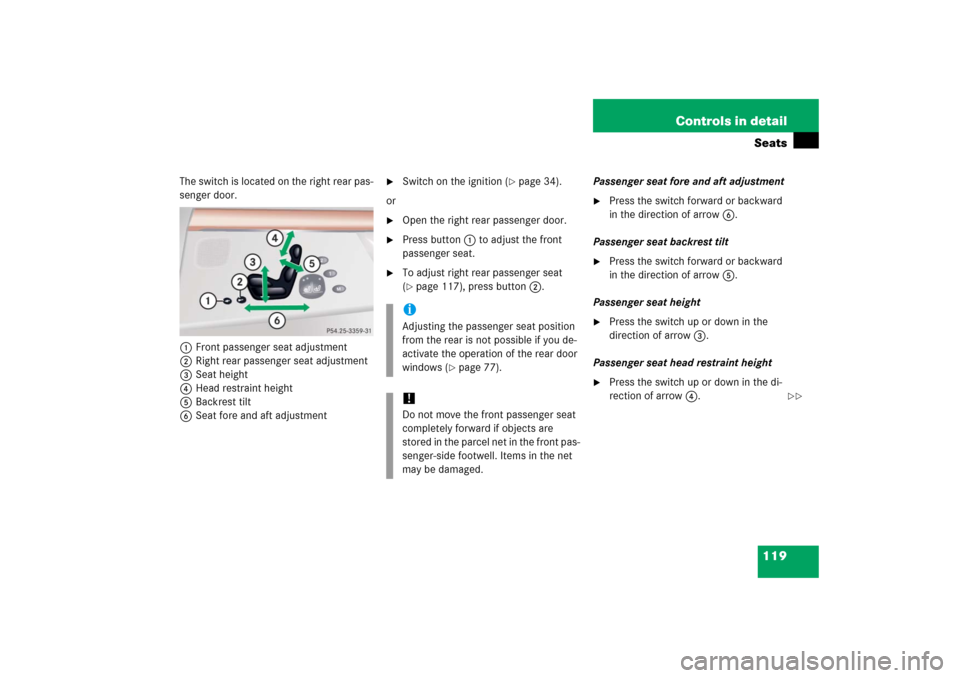
The switch is located on the right rear pas-
senger door.
1Front passenger seat adjustment
2Right rear passenger seat adjustment
3Seat height
4Head restraint height
5Backrest tilt
6Seat fore and aft adjustment
�
Switch on the ignition (
�page 34).
or
�
Open the right rear passenger door.
�
Press button1 to adjust the front
passenger seat.
�
To adjust right rear passenger seat
(�page 117), press button2.Passenger seat fore and aft adjustment
�
Press the switch forward or backward
in the direction of arrow6.
Passenger seat backrest tilt
�
Press the switch forward or backward
in the direction of arrow5.
Passenger seat height
�
Press the switch up or down in the
direction of arrow3.
Passenger seat head restraint height
�
Press the switch up or down in the di-
rection of arrow4.
iAdjusting the passenger seat position
from the rear is not possible if you de-
activate the operation of the rear door
windows (
�page 77).
!Do not move the front passenger seat
completely forward if objects are
stored in the parcel net in the front pas-
senger-side footwell. Items in the net
may be damaged.
��
Page 123 of 481
122 Controls in detailSeatsHead restraint tilt
You can adjust the angle manually by pull-
ing or pushing the head restraints by hand.
Lumbar support
You can adjust the contour of the seat’s
lumbar support to help enhance support to
your spine.
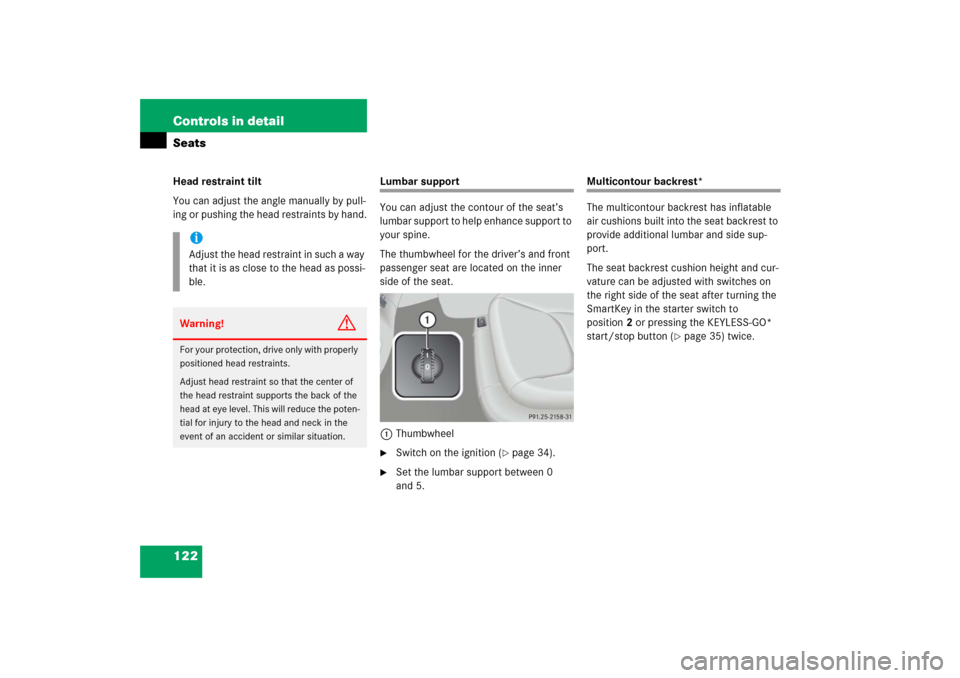
The thumbwheel for the driver’s and front
passenger seat are located on the inner
side of the seat.
1Thumbwheel�
Switch on the ignition (
�page 34).
�
Set the lumbar support between 0
and 5.
Multicontour backrest*
The multicontour backrest has inflatable
air cushions built into the seat backrest to
provide additional lumbar and side sup-
port.
The seat backrest cushion height and cur-
vature can be adjusted with switches on
the right side of the seat after turning the
SmartKey in the starter switch to
position2 or pressing the KEYLESS-GO*
start/stop button (
�page 35) twice.
iAdjust the head restraint in such a way
that it is as close to the head as possi-
ble.Warning!
G
For your protection, drive only with properly
positioned head restraints.
Adjust head restraint so that the center of
the head restraint supports the back of the
head at eye level. This will reduce the poten-
tial for injury to the head and neck in the
event of an accident or similar situation.
Page 124 of 481
123 Controls in detailSeats
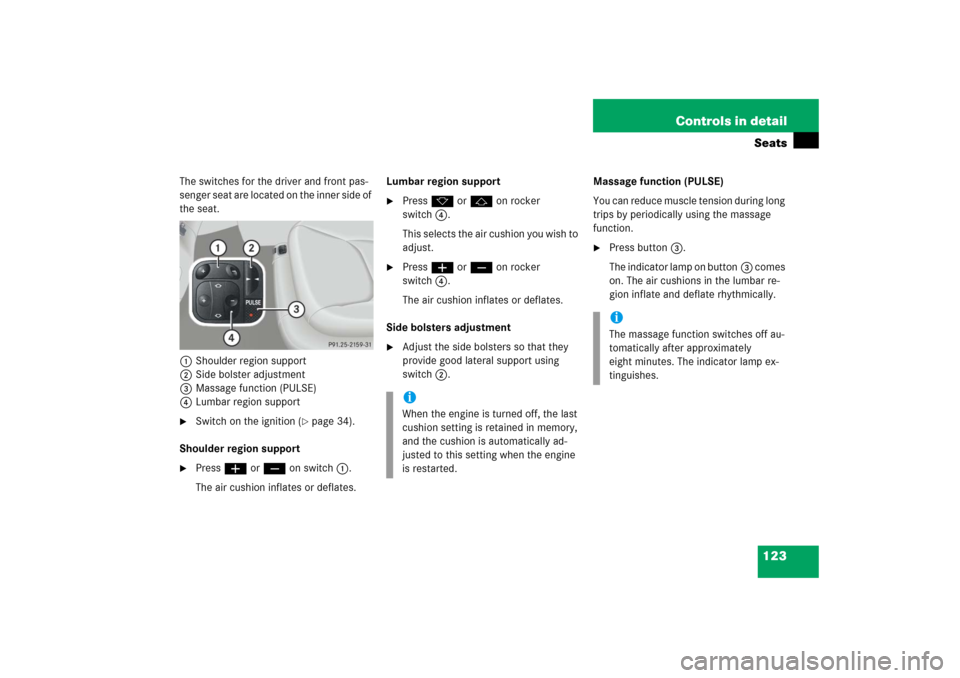
The switches for the driver and front pas-
senger seat are located on the inner side of
the seat.
1Shoulder region support
2Side bolster adjustment
3Massage function (PULSE)
4Lumbar region support�
Switch on the ignition (
�page 34).
Shoulder region support
�
Press æ or ç on switch1.
The air cushion inflates or deflates.Lumbar region support
�
Press k or j on rocker
switch4.
This selects the air cushion you wish to
adjust.
�
Press æ or ç on rocker
switch4.
The air cushion inflates or deflates.
Side bolsters adjustment
�
Adjust the side bolsters so that they
provide good lateral support using
switch 2.Massage function (PULSE)
You can reduce muscle tension during long
trips by periodically using the massage
function.
�
Press button3.
The indicator lamp on button3 comes
on. The air cushions in the lumbar re-
gion inflate and deflate rhythmically.
iWhen the engine is turned off, the last
cushion setting is retained in memory,
and the cushion is automatically ad-
justed to this setting when the engine
is restarted.
iThe massage function switches off au-
tomatically after approximately
eight minutes. The indicator lamp ex-
tinguishes.
Page 125 of 481
124 Controls in detailSeatsDrive-dynamic seat*
The drive-dynamic seat automatically ad-
justs the lateral support provided by the
seat backrest to your driving style.
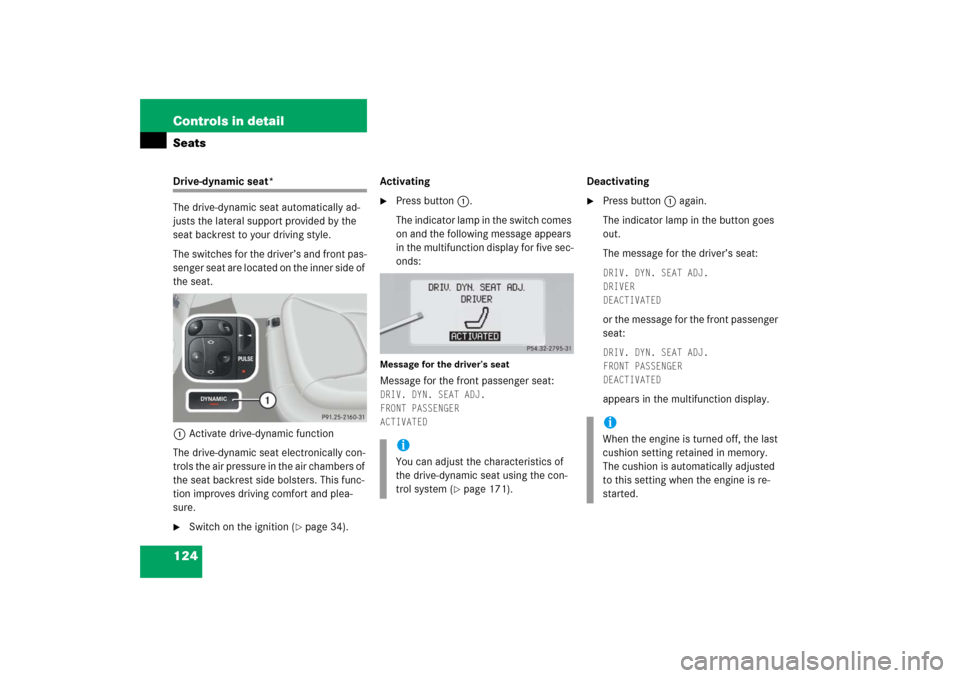
The switches for the driver’s and front pas-
senger seat are located on the inner side of
the seat.
1Activate drive-dynamic function
The drive-dynamic seat electronically con-
trols the air pressure in the air chambers of
the seat backrest side bolsters. This func-
tion improves driving comfort and plea-
sure.�
Switch on the ignition (
�page 34).Activating
�
Press button1.
The indicator lamp in the switch comes
on and the following message appears
in the multifunction display for five sec-
onds:
Message for the driver’s seatMessage for the front passenger seat:DRIV. DYN. SEAT ADJ.
FRONT PASSENGER
ACTIVATED
Deactivating�
Press button1 again.
The indicator lamp in the button goes
out.
The message for the driver’s seat:DRIV. DYN. SEAT ADJ.
DRIVER
DEACTIVATED or the message for the front passenger
seat:DRIV. DYN. SEAT ADJ.
FRONT PASSENGER
DEACTIVATED appears in the multifunction display.
iYou can adjust the characteristics of
the drive-dynamic seat using the con-
trol system (
�page 171).
iWhen the engine is turned off, the last
cushion setting retained in memory.
The cushion is automatically adjusted
to this setting when the engine is re-
started.