Page 44 of 328
Traffic information not available in most U.S. markets.
Information feature
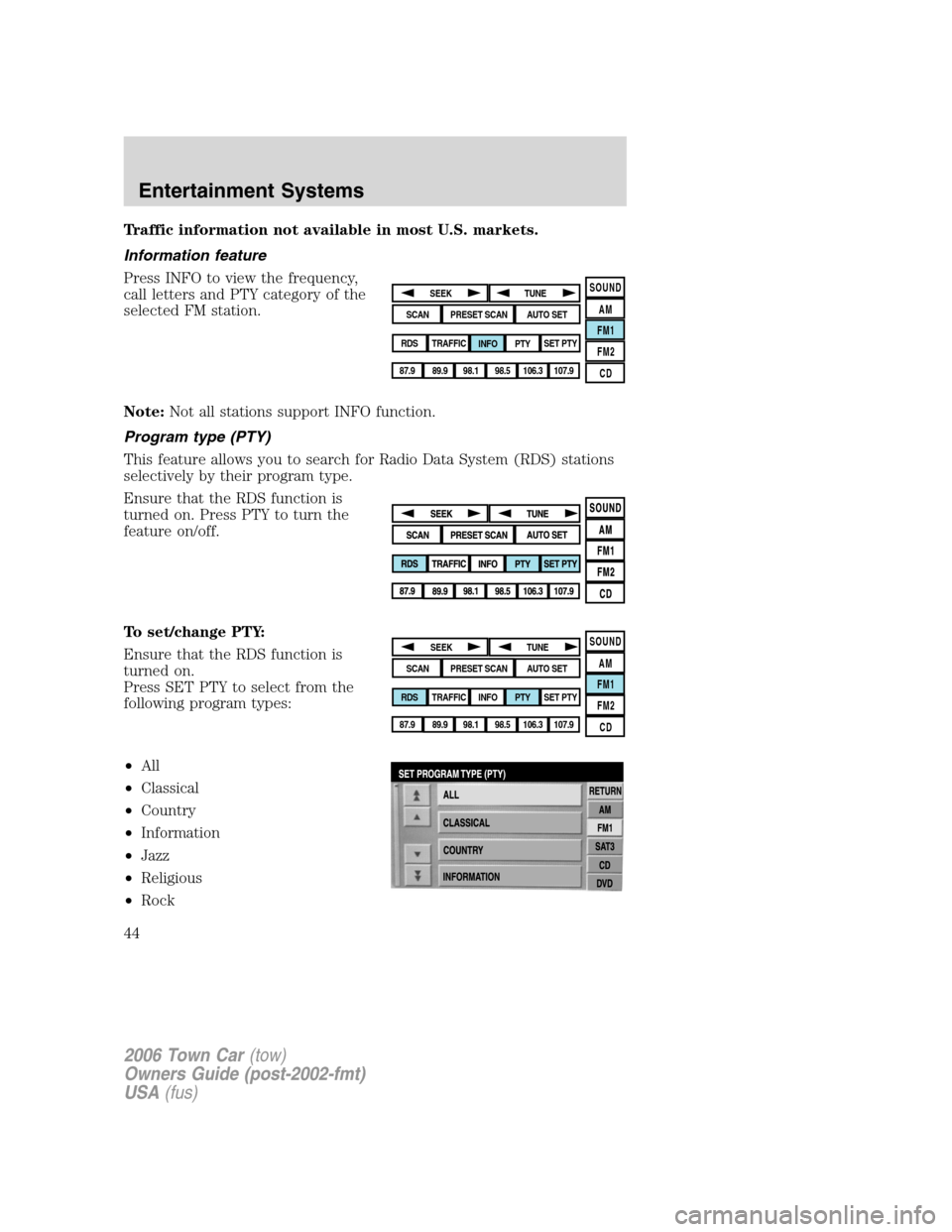
Press INFO to view the frequency,
call letters and PTY category of the
selected FM station.
Note:Not all stations support INFO function.
Program type (PTY)
This feature allows you to search for Radio Data System (RDS) stations
selectively by their program type.
Ensure that the RDS function is
turned on. Press PTY to turn the
feature on/off.
To set/change PTY:
Ensure that the RDS function is
turned on.
Press SET PTY to select from the
following program types:
•All
•Classical
•Country
•Information
•Jazz
•Religious
•Rock
SOUND
AM
FM1
FM2
CDSEEK
TUNE
PRESET SCANAUTO SET
SCAN
RDS
TRAFFIC
INFO PTYSET PTY
87.9
89.9 98.1
98.5 106.3 107.9
SOUND
AM
FM1
FM2
CDSEEK
TUNE
PRESET SCANAUTO SET
SCAN
RDS
TRAFFIC
INFO PTYSET PTY
87.9
89.9 98.1
98.5 106.3 107.9
2006 Town Car(tow)
Owners Guide (post-2002-fmt)
USA(fus)
Entertainment Systems
44
Page 46 of 328
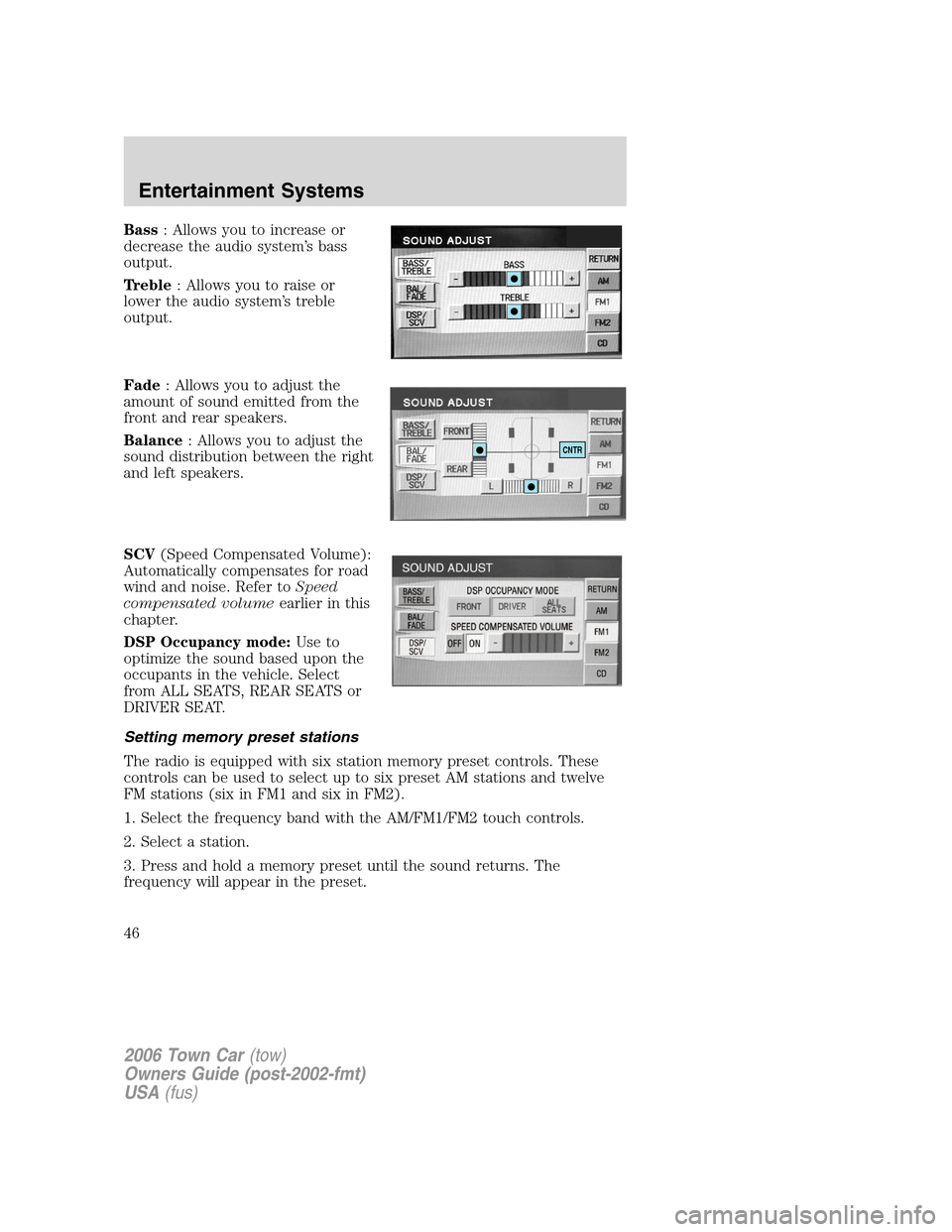
Bass: Allows you to increase or
decrease the audio system’s bass
output.
Treble: Allows you to raise or
lower the audio system’s treble
output.
Fade: Allows you to adjust the
amount of sound emitted from the
front and rear speakers.
Balance: Allows you to adjust the
sound distribution between the right
and left speakers.
SCV(Speed Compensated Volume):
Automatically compensates for road
wind and noise. Refer toSpeed
compensated volumeearlier in this
chapter.
DSP Occupancy mode:Use to
optimize the sound based upon the
occupants in the vehicle. Select
from ALL SEATS, REAR SEATS or
DRIVER SEAT.
Setting memory preset stations
The radio is equipped with six station memory preset controls. These
controls can be used to select up to six preset AM stations and twelve
FM stations (six in FM1 and six in FM2).
1. Select the frequency band with the AM/FM1/FM2 touch controls.
2. Select a station.
3. Press and hold a memory preset until the sound returns. The
frequency will appear in the preset.
CNTR
2006 Town Car(tow)
Owners Guide (post-2002-fmt)
USA(fus)
Entertainment Systems
46
Page 89 of 328
Do not use the navigation system to locate emergency services.
For road safety reasons, the driver should program the system only when
the vehicle is stationary. Certain functions will therefore not operate
while the vehicle is in motion.
The map database DVD does not reflect road detours, closures or
construction, road characteristics such as rough road surface, slope or
grade, weight or height restrictions, traffic congestion, weather or similar
conditions.
To use the system as effectively and safely as possible, obtain an
up-to-date map database DVD whenever they become available.
Set the volume level so that you can hear directions clearly.
Do not disassemble or modify the system as this may lead to damage and
void your warranty. If a problem occurs, stop using the system
immediately and contact your Ford or Lincoln Dealer.
Federal Communication Commission (FCC) Compliance
Changes or modifications not approved by Ford Lincoln Mercury could
void user’s authority to operate the equipment. This equipment has been
tested and found to comply with the limits for a Class B digital device,
pursuant to Part 15 of the FCC Rules. These limits are designed to
provide reasonable protection against harmful interference in a
residential installation. This equipment generates, uses and can radiate
radio frequency energy and, if not installed and used in accordance with
the instructions, may cause harmful interference to radio
communications.
However, there is no guarantee that interference will not occur in a
particular installation. If this equipment does cause harmful interference
to radio or television reception, which can be determined by turning the
equipment off and on, the user is encouraged to consult the dealer or an
experienced radio/TV technician for help.
The database reflects reality as existing before you received the
database and it comprises data and information from government
and other sources, which may contain errors and omissions.
Accordingly, the database may contain inaccurate or incomplete
information due to the passage of time, changing circumstances,
and due to the nature of the sources used. The database does not
include or reflect information on neighborhood safety, law
enforcement, emergency assistance, construction work, road or
lane closures, vehicle or speed restrictions, road slope or grade,
bridge height, weight or other limits, road or traffic conditions,
special events, traffic congestion, or travel time.
2006 Town Car(tow)
Owners Guide (post-2002-fmt)
USA(fus)
Entertainment Systems
89
Page 90 of 328
Radio reception factors
There are certain factors that may effect your radio reception.
•Distance/strength.The further an FM signal travels, the weaker it is.
The listenable range of the average FM station is approximately 40 km
(24 miles). This range can be affected by “signal modulation.” Signal
modulation is a process radio stations use to increase their
strength/volume relative to other stations.
•Terrain.Hills, mountains and tall buildings between your vehicle’s
antenna and the radio station signal can cause FM reception problems.
Static can be caused on AM stations by power lines, electric fences,
traffic lights and thunderstorms. Moving away from an interfering
structure (out of its “shadow”) returns your reception to normal.
•Station overload.Weak signals are sometimes captured by stronger
signals when you pass a broadcast tower. A stronger signal may
temporarily overtake a weaker signal and play while the weak station
frequency is displayed.
Principles of GPS (global positioning system) operation
Your system directs you based on information derived from global
positioning satellites, road maps stored on the DVD, sensors in your
vehicle and the desired destination. The system compiles all necessary
information to guide you to your selected destination. Space satellites
determine the vehicle’s current location and transmit position and time
signals to your car.
If the vehicle has been parked for a long period of time, the navigation
function may be temporarily unresponsive. The navigation system will
operate reliably again once GPS reception is available for a few minutes.
Limited GPS reception
System performance may be adversely affected if GPS reception is
interrupted or interference occurs over a distance of several miles. The
following are possible causes for GPS reception being interrupted. If the
vehicle is:
•in multi-story parking garages
•in tunnels and under bridges
•inside or in between buildings
•by forests or tree-lined avenues
•in heavy rain showers and thunderstorms
•in valleys and in mountainous regions
2006 Town Car(tow)
Owners Guide (post-2002-fmt)
USA(fus)
Entertainment Systems
90
Page 109 of 328
AUXILIARY POWER POINT (12VDC)
Power outlets are designed for accessory plugs only. Do not insert
any other object in the power outlet as this will damage the
outlet and blow the fuse. Do not hang any type of accessory or
accessory bracket from the plug. Improper use of the power
outlet can cause damage not covered by your warranty.
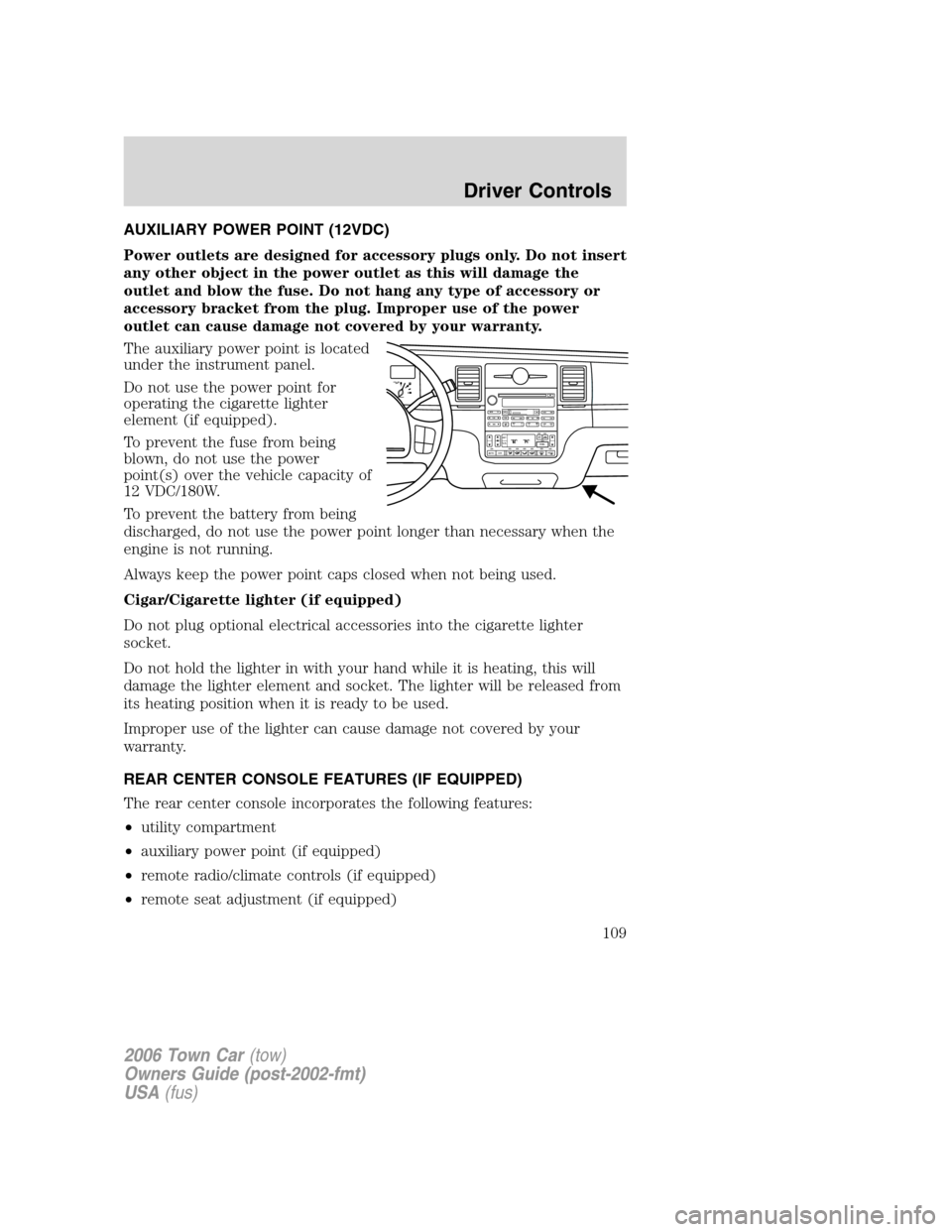
The auxiliary power point is located
under the instrument panel.
Do not use the power point for
operating the cigarette lighter
element (if equipped).
To prevent the fuse from being
blown, do not use the power
point(s) over the vehicle capacity of
12 VDC/180W.
To prevent the battery from being
discharged, do not use the power point longer than necessary when the
engine is not running.
Always keep the power point caps closed when not being used.
Cigar/Cigarette lighter (if equipped)
Do not plug optional electrical accessories into the cigarette lighter
socket.
Do not hold the lighter in with your hand while it is heating, this will
damage the lighter element and socket. The lighter will be released from
its heating position when it is ready to be used.
Improper use of the lighter can cause damage not covered by your
warranty.
REAR CENTER CONSOLE FEATURES (IF EQUIPPED)
The rear center console incorporates the following features:
•utility compartment
•auxiliary power point (if equipped)
•remote radio/climate controls (if equipped)
•remote seat adjustment (if equipped)
F
E1
2FILL ON
LEFT<
SHUF MUTE
SELBALBASS
FADETREB
SCAN CD
AM/FM
SEEKREWFF
COMP
56 34 12SIDE TUNETAPE
RDS
AUTO
SET
AUTO OFFDUAL A/C
R EXT
F/ CFF
2006 Town Car(tow)
Owners Guide (post-2002-fmt)
USA(fus)
Driver Controls
109
Page 111 of 328
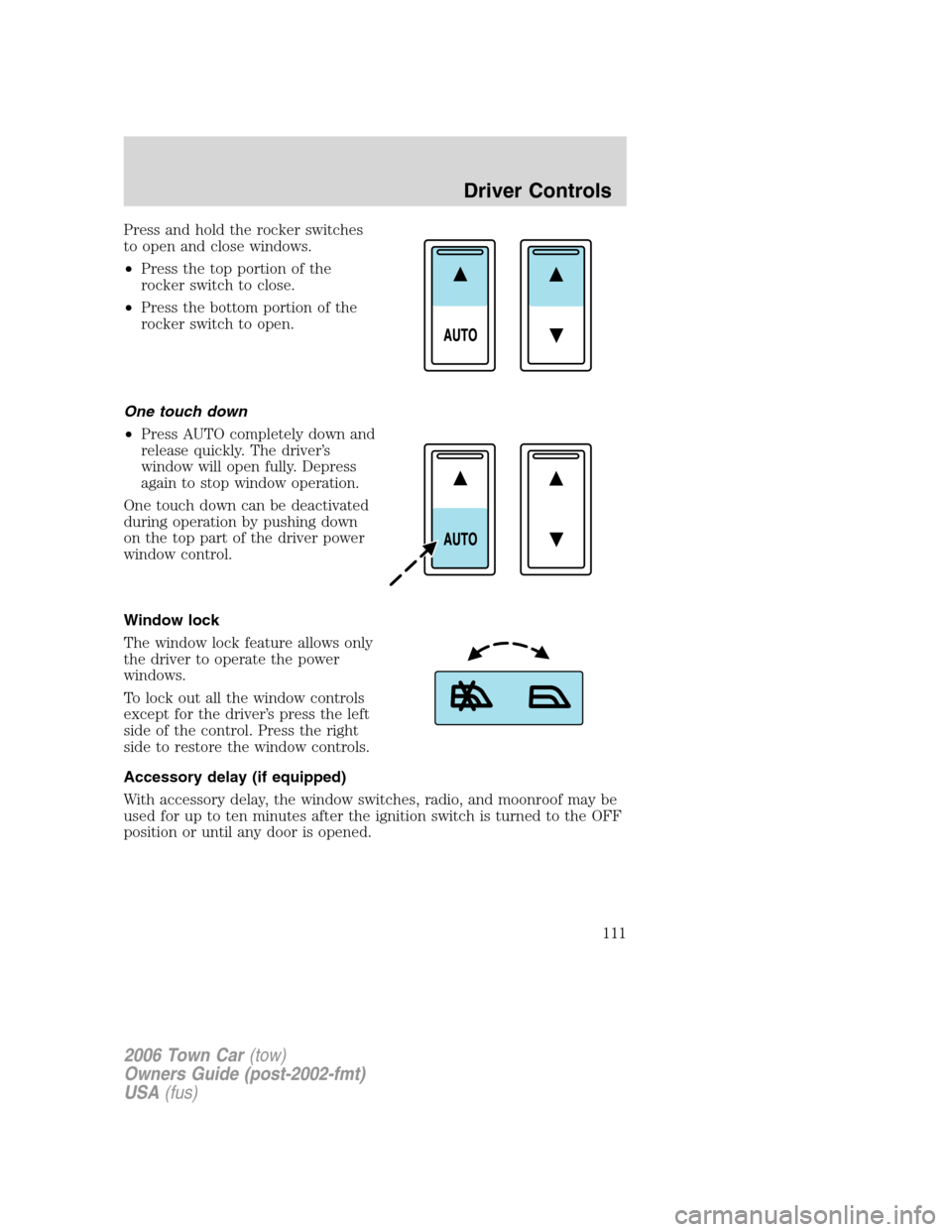
Press and hold the rocker switches
to open and close windows.
•Press the top portion of the
rocker switch to close.
•Press the bottom portion of the
rocker switch to open.
One touch down
•Press AUTO completely down and
release quickly. The driver’s
window will open fully. Depress
again to stop window operation.
One touch down can be deactivated
during operation by pushing down
on the top part of the driver power
window control.
Window lock
The window lock feature allows only
the driver to operate the power
windows.
To lock out all the window controls
except for the driver’s press the left
side of the control. Press the right
side to restore the window controls.
Accessory delay (if equipped)
With accessory delay, the window switches, radio, and moonroof may be
used for up to ten minutes after the ignition switch is turned to the OFF
position or until any door is opened.
2006 Town Car(tow)
Owners Guide (post-2002-fmt)
USA(fus)
Driver Controls
111
Page 116 of 328
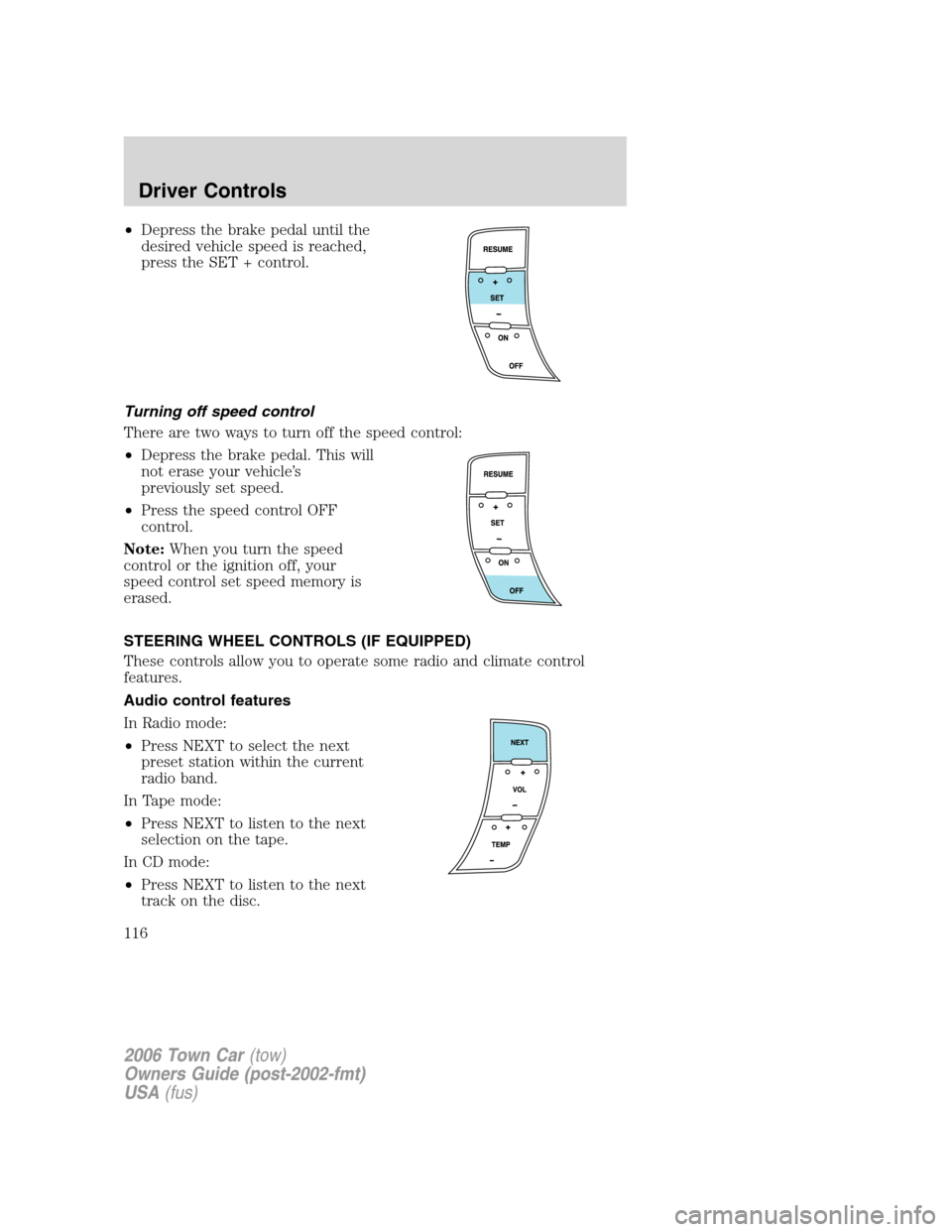
•Depress the brake pedal until the
desired vehicle speed is reached,
press the SET + control.
Turning off speed control
There are two ways to turn off the speed control:
•Depress the brake pedal. This will
not erase your vehicle’s
previously set speed.
•Press the speed control OFF
control.
Note:When you turn the speed
control or the ignition off, your
speed control set speed memory is
erased.
STEERING WHEEL CONTROLS (IF EQUIPPED)
These controls allow you to operate some radio and climate control
features.
Audio control features
In Radio mode:
•Press NEXT to select the next
preset station within the current
radio band.
In Tape mode:
•Press NEXT to listen to the next
selection on the tape.
In CD mode:
•Press NEXT to listen to the next
track on the disc.
2006 Town Car(tow)
Owners Guide (post-2002-fmt)
USA(fus)
Driver Controls
116
Page 117 of 328
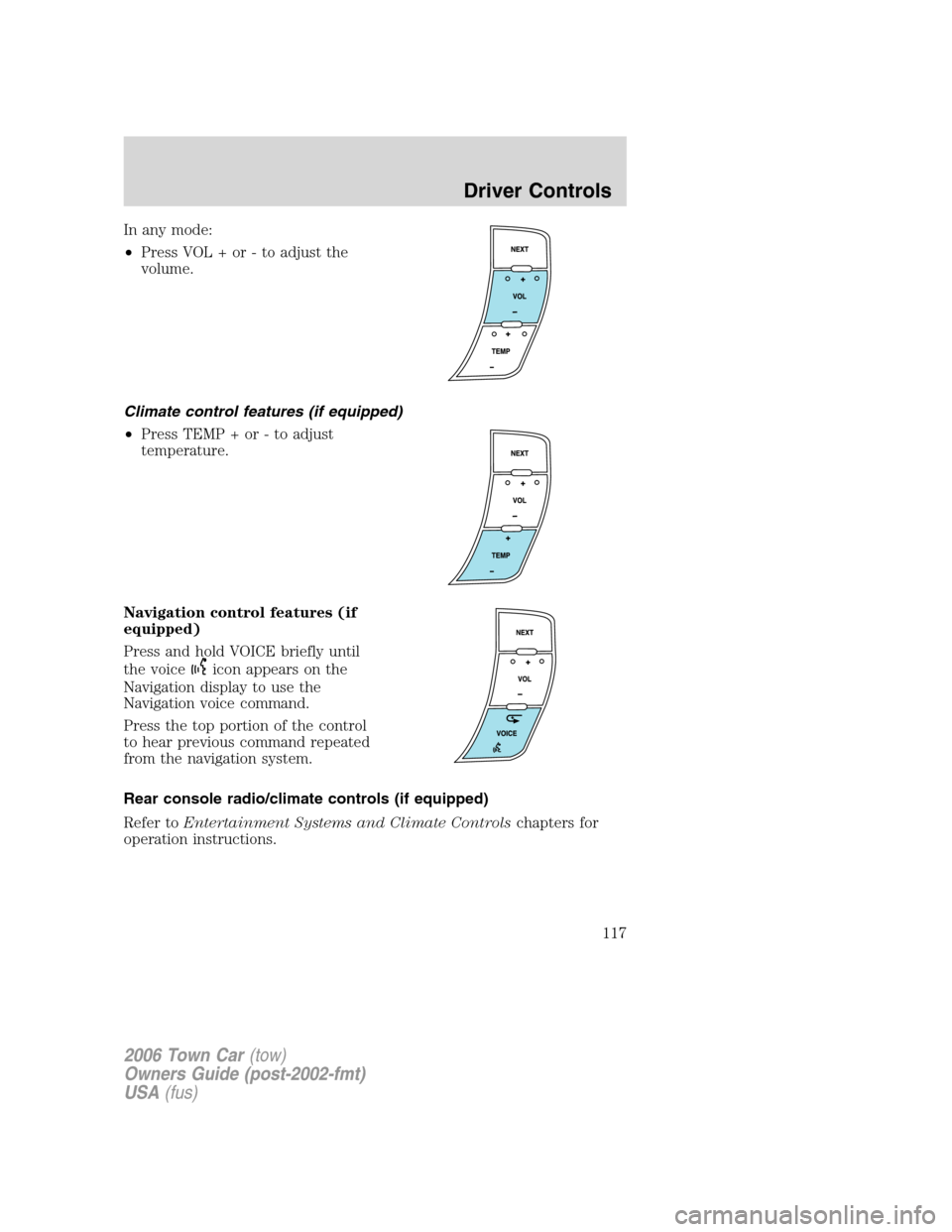
In any mode:
•Press VOL + or - to adjust the
volume.
Climate control features (if equipped)
•Press TEMP + or - to adjust
temperature.
Navigation control features (if
equipped)
Press and hold VOICE briefly until
the voice
icon appears on the
Navigation display to use the
Navigation voice command.
Press the top portion of the control
to hear previous command repeated
from the navigation system.
Rear console radio/climate controls (if equipped)
Refer toEntertainment Systems and Climate Controlschapters for
operation instructions.
2006 Town Car(tow)
Owners Guide (post-2002-fmt)
USA(fus)
Driver Controls
117