2006 KIA Sportage engine
[x] Cancel search: enginePage 127 of 354
47
Driving your vehicle
1
2
3
4
5
6
7
8
9
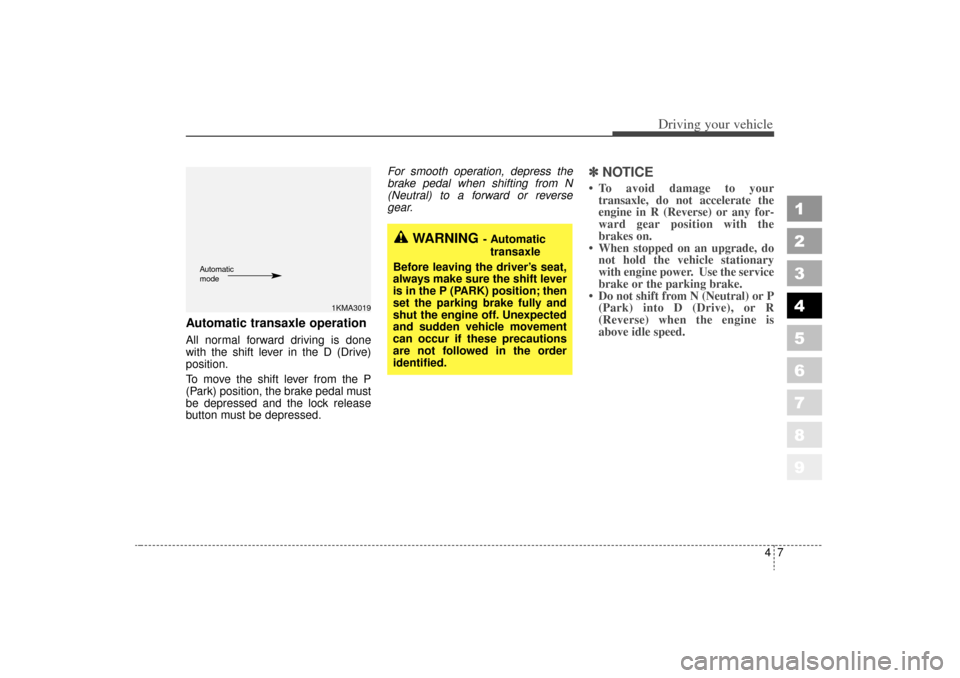
Automatic transaxle operationAll normal forward driving is done
with the shift lever in the D (Drive)
position.
To move the shift lever from the P
(Park) position, the brake pedal must
be depressed and the lock release
button must be depressed.For smooth operation, depress the
brake pedal when shifting from N
(Neutral) to a forward or reverse
gear.
✽ ✽
NOTICE To avoid damage to your
transaxle, do not accelerate the
engine in R (Reverse) or any for-
ward gear position with the
brakes on.
When stopped on an upgrade, do not hold the vehicle stationary
with engine power. Use the service
brake or the parking brake.
Do not shift from N (Neutral) or P (Park) into D (Drive), or R
(Reverse) when the engine is
above idle speed.
WARNING
- Automatic
transaxle
Before leaving the driver’s seat,
always make sure the shift lever
is in the P (PARK) position; then
set the parking brake fully and
shut the engine off. Unexpected
and sudden vehicle movement
can occur if these precautions
are not followed in the order
identified.
1KMA3019
Automatic
mode
KM CAN (ENG) 4 new.qxd 7/29/05 9:35 AM Page 7
Page 128 of 354
Driving your vehicle84
1
2
3
4
5
6
7
8
9
Transaxle rangesP (park)
Always come to a complete stop
before shifting into P. This position
locks the transaxle and prevents the
front wheels from rotating.
✽ ✽
NOTICEThe transaxle may be damaged if
you shift into P (Park) while the
vehicle is in motion.(Continued)
Before leaving the driver’s
seat, always make sure the
shift lever is in the P (PARK)
position. Set the parking
brake fully, shut the engine off
and take the key with you.
Unexpected and sudden vehi-
cle movement can occur if you
do not follow these precau-
tions in the order specified.
Never leave a child unattend- ed in a vehicle.
WARNING
- Automatic
transaxle
Shifting into P (Park) while the vehicle is in motion will cause
the drive wheels to lock which
will cause you to lose control
of the vehicle.
Do not use the P (Park) posi- tion in place of the parking
brake. Always make sure the
shift lever is latched in the P
(Park) position so that it can-
not be moved unless the lock
release button is pushed in,
AND set the parking brake
fully.
(Continued)
KM CAN (ENG) 4 new.qxd 7/29/05 9:35 AM Page 8
Page 130 of 354
Driving your vehicle10
4
1
2
3
4
5
6
7
8
9
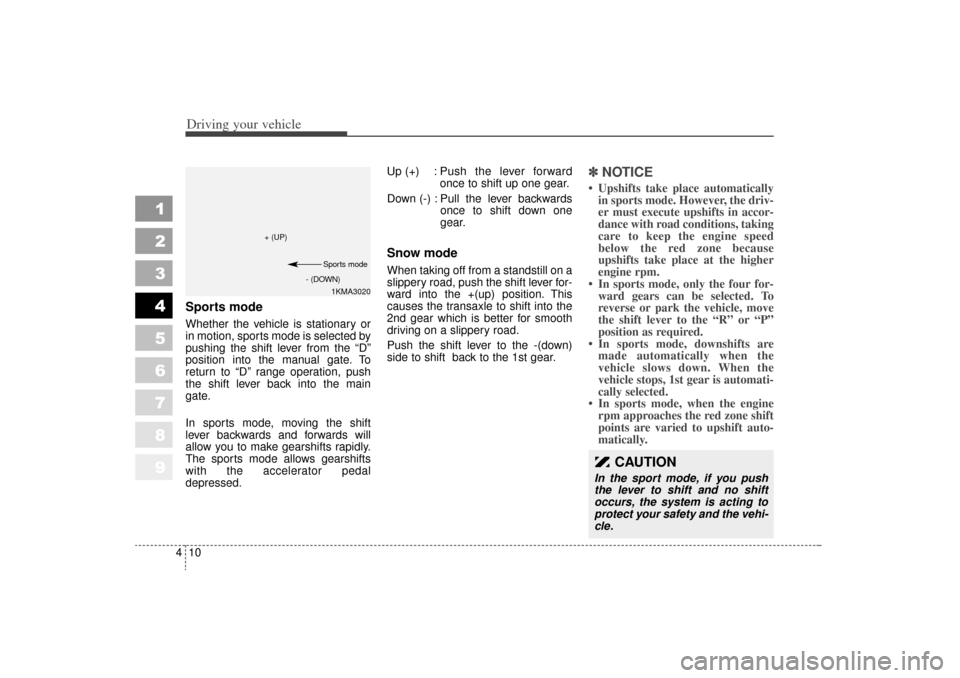
Sports modeWhether the vehicle is stationary or
in motion, sports mode is selected by
pushing the shift lever from the “D”
position into the manual gate. To
return to “D” range operation, push
the shift lever back into the main
gate.
In sports mode, moving the shift
lever backwards and forwards will
allow you to make gearshifts rapidly.
The sports mode allows gearshifts
with the accelerator pedal
depressed. Up (+) : Push the lever forward
once to shift up one gear.
Down (-) : Pull the lever backwards once to shift down one
gear.
Snow modeWhen taking off from a standstill on a
slippery road, push the shift lever for-
ward into the +(up) position. This
causes the transaxle to shift into the
2nd gear which is better for smooth
driving on a slippery road.
Push the shift lever to the -(down)
side to shift back to the 1st gear.
✽ ✽
NOTICE Upshifts take place automatically
in sports mode. However, the driv-
er must execute upshifts in accor-
dance with road conditions, taking
care to keep the engine speed
below the red zone because
upshifts take place at the higher
engine rpm.
In sports mode, only the four for- ward gears can be selected. To
reverse or park the vehicle, move
the shift lever to the “R” or “P”
position as required.
In sports mode, downshifts are made automatically when the
vehicle slows down. When the
vehicle stops, 1st gear is automati-
cally selected.
In sports mode, when the engine rpm approaches the red zone shift
points are varied to upshift auto-
matically.
1KMA3020
+ (UP)
- (DOWN)Sports mode
CAUTION
In the sport mode, if you push
the lever to shift and no shift
occurs, the system is acting to
protect your safety and the vehi-
cle.
KM CAN (ENG) 4 new.qxd 7/29/05 9:35 AM Page 10
Page 131 of 354
411
Driving your vehicle
1
2
3
4
5
6
7
8
9
Moving up a steep grade from
a standing startTo move up a steep grade from a
standing start, depress the brake
pedal, shift the shift lever to D
(Drive). Select the appropriate gear
depending on load weight and steep-
ness of the grade, and release the
parking brake. Depress the accelera-
tor gradually while releasing the
service brakes.
When accelerating from a stop on
a steep hill, the vehicle may have a
tendency to roll backwards.
Shifting the shift lever into 2
(Second Gear) while in Sport
mode will help prevent the vehicle
from rolling backwards.
Shift lock systemFor your safety, the Automatic
Transaxle has a shift lock system
which prevents shifting the transaxle
out of P (Park) unless the brake
pedal is depressed.
To shift the transaxle out of P (Park):
1. Depress and hold the brake pedal.
2. Start the engine or turn the ignitionto the ON position.
3. Depress the lock release button and move the shift lever.
When the ignition switch is in the
ACC or LOCK position, the transaxle
cannot be shifted from P (Park).
If the brake pedal is repeatedly
depressed and released with the
shift lever in the P (Park) position, a
chattering noise near the shift lever
may be heard. This is a normal con-
dition.
Ignition key interlock systemThe ignition key cannot be removed
unless the shift lever is in the P
(Park) position. If the ignition switch
is in any other position, the key can-
not be removed.
KM CAN (ENG) 4 new.qxd 7/29/05 9:35 AM Page 11
Page 132 of 354
Driving your vehicle12
4
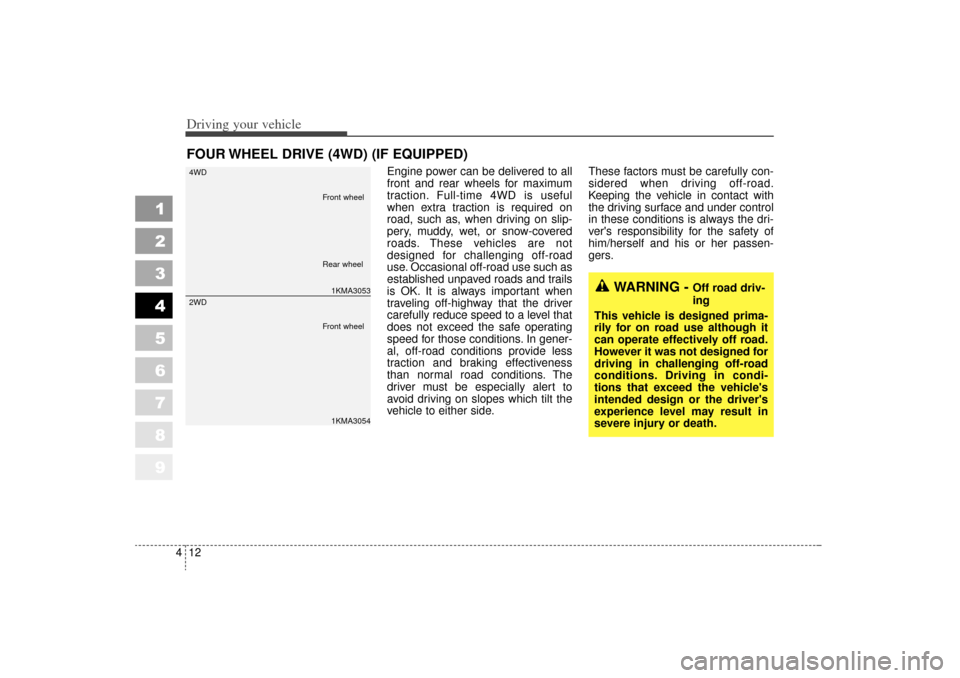
Engine power can be delivered to all
front and rear wheels for maximum
traction. Full-time 4WD is useful
when extra traction is required on
road, such as, when driving on slip-
pery, muddy, wet, or snow-covered
roads. These vehicles are not
designed for challenging off-road
use. Occasional off-road use such as
established unpaved roads and trails
is OK. It is always important when
traveling off-highway that the driver
carefully reduce speed to a level that
does not exceed the safe operating
speed for those conditions. In gener-
al, off-road conditions provide less
traction and braking effectiveness
than normal road conditions. The
driver must be especially alert to
avoid driving on slopes which tilt the
vehicle to either side. These factors must be carefully con-
sidered when driving off-road.
Keeping the vehicle in contact with
the driving surface and under control
in these conditions is always the dri-
ver's responsibility for the safety of
him/herself and his or her passen-
gers.
FOUR WHEEL DRIVE (4WD) (IF EQUIPPED)
1
2
3
4
5
6
7
8
9
WARNING -
Off road driv-
ing
This vehicle is designed prima-
rily for on road use although it
can operate effectively off road.
However it was not designed for
driving in challenging off-road
conditions. Driving in condi-
tions that exceed the vehicle's
intended design or the driver's
experience level may result in
severe injury or death.
1KMA3053
4WD1KMA3054
2WD
Front wheel
Front wheel Rear wheel
KM CAN (ENG) 4 new.qxd 7/29/05 9:35 AM Page 12
Page 133 of 354
413
Driving your vehicle
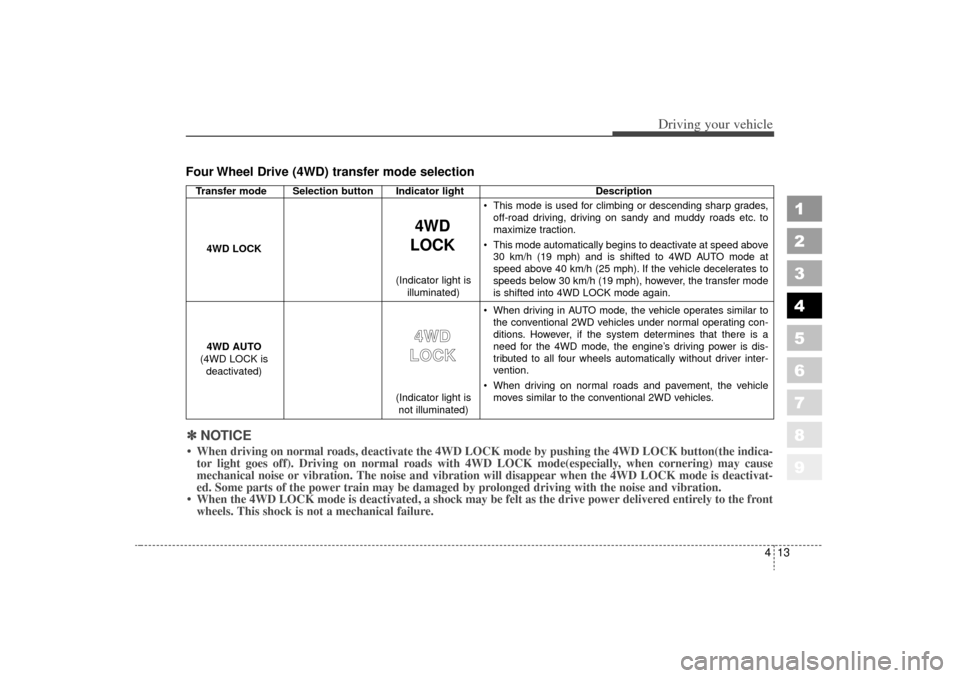
Four Wheel Drive (4WD) transfer mode selection
1
2
3
4
5
6
7
8
9
Transfer mode Selection button Indicator lightDescription
This mode is used for climbing or descending sharp grades,
off-road driving, driving on sandy and muddy roads etc. to
maximize traction.
This mode automatically begins to deactivate at speed above 30 km/h (19 mph) and is shifted to 4WD AUTO mode at
speed above 40 km/h (25 mph). If the vehicle decelerates to
speeds below 30 km/h (19 mph), however, the transfer mode
is shifted into 4WD LOCK mode again.
When driving in AUTO mode, the vehicle operates similar to the conventional 2WD vehicles under normal operating con-
ditions. However, if the system determines that there is a
need for the 4WD mode, the engine’s driving power is dis-
tributed to all four wheels automatically without driver inter-
vention.
When driving on normal roads and pavement, the vehicle moves similar to the conventional 2WD vehicles.
4WD
LOCK
4WD LOCK
4WD AUTO
(4WD LOCK is deactivated)
4 4W
W D
D
L
L O
O C
CK
K
(Indicator light is
not illuminated)
(Indicator light is
illuminated)
✽
✽
NOTICE When driving on normal roads, deactivate the 4WD LOCK mode by pushing the 4WD LOCK button(the i\
ndica-
tor light goes off). Driving on normal roads with 4WD LOCK mode(especially, when cornering) may cause
mechanical noise or vibration. The noise and vibration will disappear wh\
en the 4WD LOCK mode is deactivat-
ed. Some parts of the power train may be damaged by prolonged driving with the noise and vibration.
When the 4WD LOCK mode is deactivated, a shock may be felt as the drive \
power delivered entirely to the front wheels. This shock is not a mechanical failure.
KM CAN (ENG) 4 new.qxd 7/29/05 9:35 AM Page 13
Page 134 of 354
Driving your vehicle14
4
1
2
3
4
5
6
7
8
9
For safe four-wheel drive oper-
ation Do not try to drive in deep standing
water or mud since such conditions
can stall your engine and clog your
exhaust pipes. Do not drive down
steep hills since it requires extreme
skill to maintain control of the vehi-
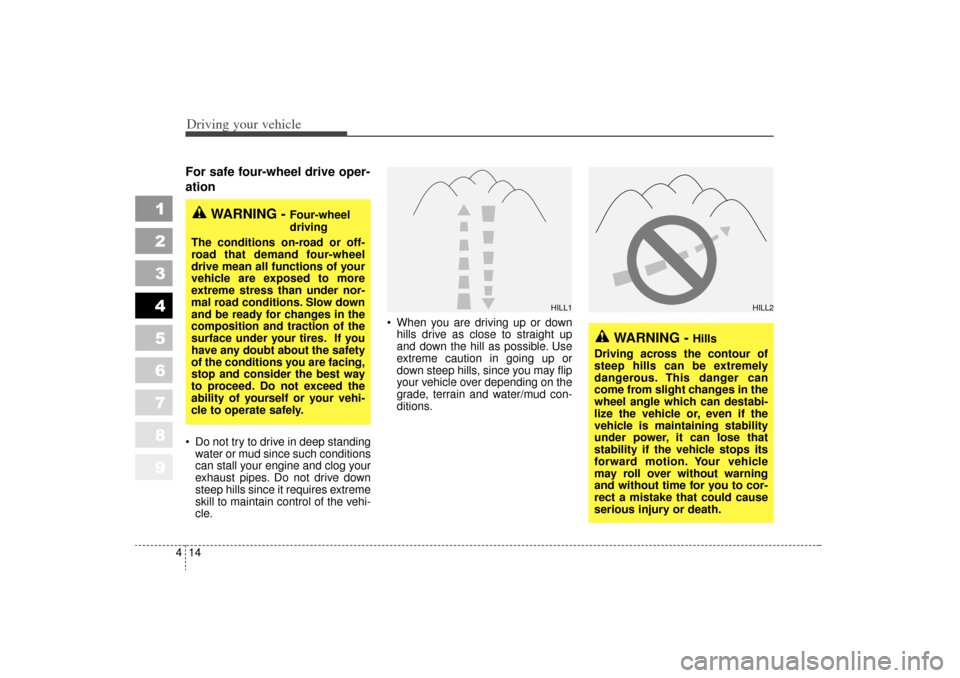
cle. When you are driving up or down
hills drive as close to straight up
and down the hill as possible. Use
extreme caution in going up or
down steep hills, since you may flip
your vehicle over depending on the
grade, terrain and water/mud con-
ditions.
WARNING -
Hills
Driving across the contour of
steep hills can be extremely
dangerous. This danger can
come from slight changes in the
wheel angle which can destabi-
lize the vehicle or, even if the
vehicle is maintaining stability
under power, it can lose that
stability if the vehicle stops its
forward motion. Your vehicle
may roll over without warning
and without time for you to cor-
rect a mistake that could cause
serious injury or death.
WARNING -
Four-wheel
driving
The conditions on-road or off-
road that demand four-wheel
drive mean all functions of your
vehicle are exposed to more
extreme stress than under nor-
mal road conditions. Slow down
and be ready for changes in the
composition and traction of the
surface under your tires. If you
have any doubt about the safety
of the conditions you are facing,
stop and consider the best way
to proceed. Do not exceed the
ability of yourself or your vehi-
cle to operate safely.
HILL1
HILL2
KM CAN (ENG) 4 new.qxd 7/29/05 9:35 AM Page 14
Page 136 of 354

Driving your vehicle16
4
1
2
3
4
5
6
7
8
9
If you need to drive in water, stop
your vehicle, set your transfer to
“4WD LOCK” and drive at less than
8 km/h (5 mph).
✽ ✽
NOTICE Do not drive in water if the level is
higher than the bottom of the vehi-
cle.
Check your brake condition once you are out of mud or water. Press
the brake pedal several times as
you move slowly until you feel nor-
mal braking forces return.
Shorten your scheduled mainte- nance interval if you drive in off-
road conditions such as sand,
mud or water (see “Maintenance
Schedule” in the Index). Always
wash you car thoroughly after off
road use, especially cleaning the
under side of the vehicle.
Since the driving torque is always applied to the 4 wheels the per-
formance of the 4WD vehicle is
greatly affected by the condition of
the tires. Be sure to equip the vehi-
cle with four tires of the same size
and type.
A full time four wheel drive vehi- cle cannot be towed by an ordi-
nary tow truck. Make sure that
the vehicle is placed on a flat bed
truck for moving.
WARNING -
Wind danger
If you are driving in heavy wind,
the vehicle's higher center of
gravity decreases your steering
control capacity and requires
you to drive more slowly.
WARNING -
Driving
through water
Drive slowly. If you are driving
too fast in water, the water spray
can get into the engine com-
partment and wet the ignition
system, causing your vehicle to
suddenly stall. If this happens
and your vehicle is in a tilted
position, your vehicle may roll
over.
KM CAN (ENG) 4 new.qxd 7/29/05 9:35 AM Page 16