Page 143 of 322
421
1
2
3
4
5
6
7
8
910
Driving your vehicle
The cruise control system allows you
to program the vehicle to maintain a
constant speed without resting your
foot on the accelerator pedal.
With cruise control, you can set and
automatically maintain any speed of
between 24 mph (40 km/h) and
96 mph (160 km/h).
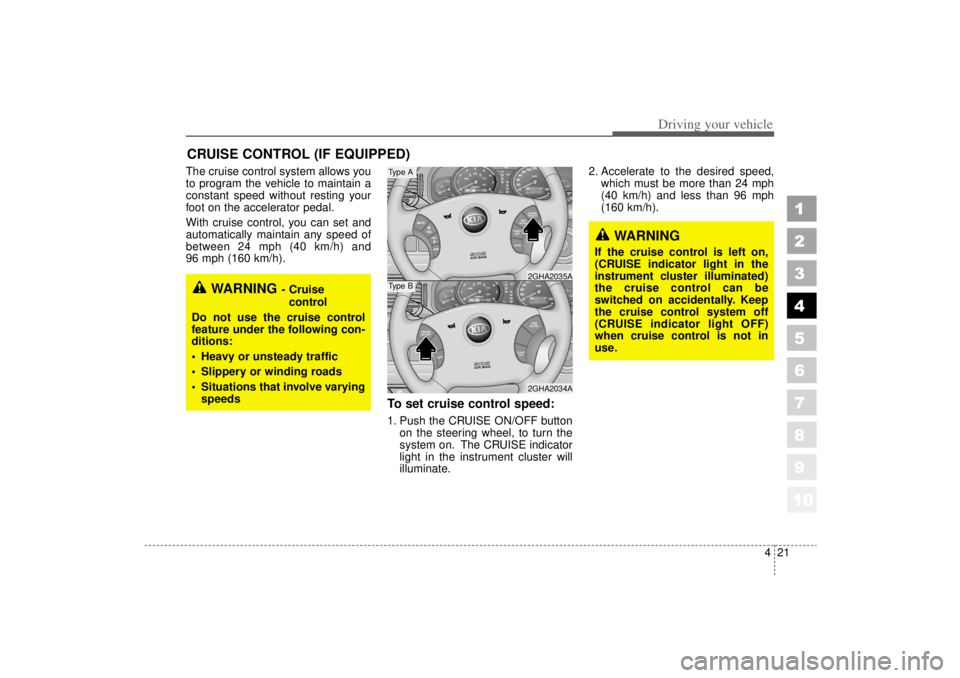
To set cruise control speed:1. Push the CRUISE ON/OFF buttonon the steering wheel, to turn the
system on. The CRUISE indicator
light in the instrument cluster will
illuminate. 2. Accelerate to the desired speed,
which must be more than 24 mph
(40 km/h) and less than 96 mph
(160 km/h).
CRUISE CONTROL (IF EQUIPPED)
WARNING
- Cruise
control
Do not use the cruise control
feature under the following con-
ditions:
Heavy or unsteady traffic
Slippery or winding roads
Situations that involve varying
speeds
WARNING
If the cruise control is left on,
(CRUISE indicator light in the
instrument cluster illuminated)
the cruise control can be
switched on accidentally. Keep
the cruise control system off
(CRUISE indicator light OFF)
when cruise control is not in
use.
RES
ACCELCOAST
SET
CRUISE
ON/OFF
CANCEL
CRUISE
ON/OFF
CANCE L
COAST
SET
RES
ACCEL2GHA2034A2GHA2035A
Type AType B
Page 149 of 322
427
1
2
3
4
5
6
7
8
910
Driving your vehicle
TCS operation offTCS OFF state
To cancel TCS operation,press the TCS button
(TCS OFF indicator light
illuminates).
If the ignition switch is turned to LOCK position
when TCS is off, TCS
remains off. Upon restart-
ing the engine, the TCS will
automatically turn on
again.
Indicator lightWhen ignition switch is turned to ON,
the indicator light illuminates, then
goes off if TCS system is operating
normally.
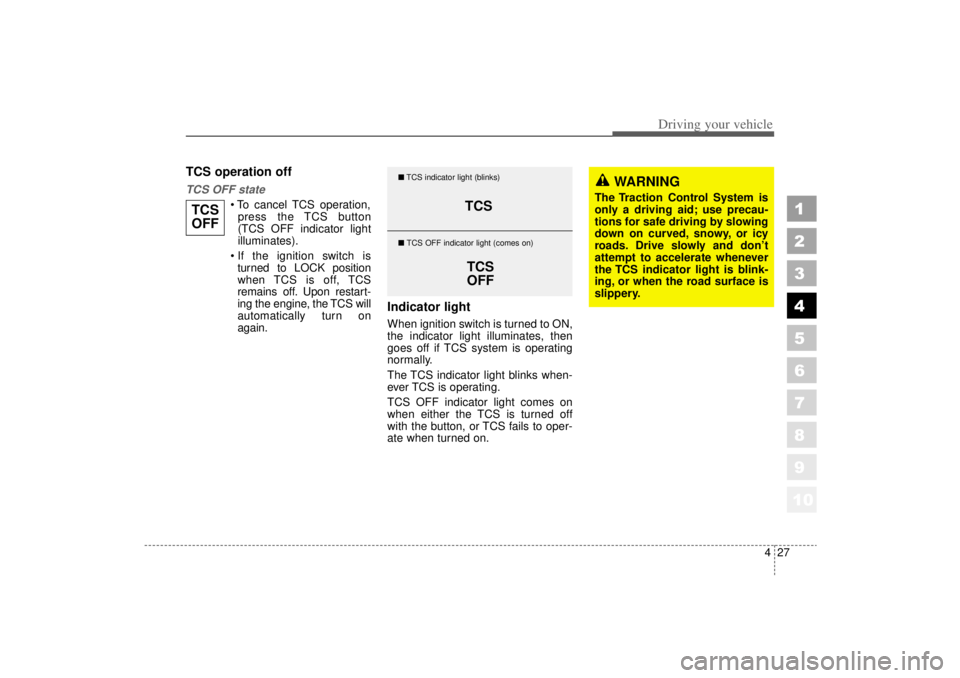
The TCS indicator light blinks when-
ever TCS is operating.
TCS OFF indicator light comes on
when either the TCS is turned off
with the button, or TCS fails to oper-
ate when turned on.
TCS
OFF
TCS
TCS
OFF
� TCS indicator light (blinks)
� TCS OFF indicator light (comes on)
WARNING
The Traction Control System is
only a driving aid; use precau-
tions for safe driving by slowing
down on curved, snowy, or icy
roads. Drive slowly and don ’t
attempt to accelerate whenever
the TCS indicator light is blink-
ing, or when the road surface is
slippery.
Page 150 of 322
Driving your vehicle28
4
1
2
3
4
5
6
7
8
910
TCS OFF usageWhen driving It’s a good idea to keep the TCS
turned on for daily driving whenev-
er possible.
To turn TCS off while driving, press the TCS button while driving on a
flat road surface.
Never press TCS button while TCS is
operating (TCS indicator light blinks).
If TCS is turned off while TCS is
operating, the vehicle may slip out of
control.
✽ ✽
NOTICE• When measuring the vehicle speed
with a Chassis dynamo-meter,
make sure the TCS is turned off
(TCS OFF light illuminated). If
the TCS is left on, it may prevent
the vehicle speed from increasing,
and cause a false diagnosis of a
faulty speedometer.
• Turning the TCS off does not affect ABS or brake system opera-
tion.
WARNING
Never press the TCS button
while TCS is operating.
If the TCS is turned off while
TCS is operating, the vehicle
may slip out of control.
To turn TCS off while driving,
press the TCS button while driv-
ing on a flat road surface.
Page 152 of 322
Driving your vehicle30
4
1
2
3
4
5
6
7
8
910
ESP operation offESP OFF state
To cancel ESP operation,
press the ESP button
(ESP OFF indicator light
illuminates).
If the ignition switch is turned to LOCK position
when ESP is off, ESP
remains off. Upon restart-
ing the engine, the ESP will
automatically turn on
again.
Indicator lightWhen ignition switch is turned to ON,
the indicator light illuminates, then
goes off if ESP system is operating
normally.
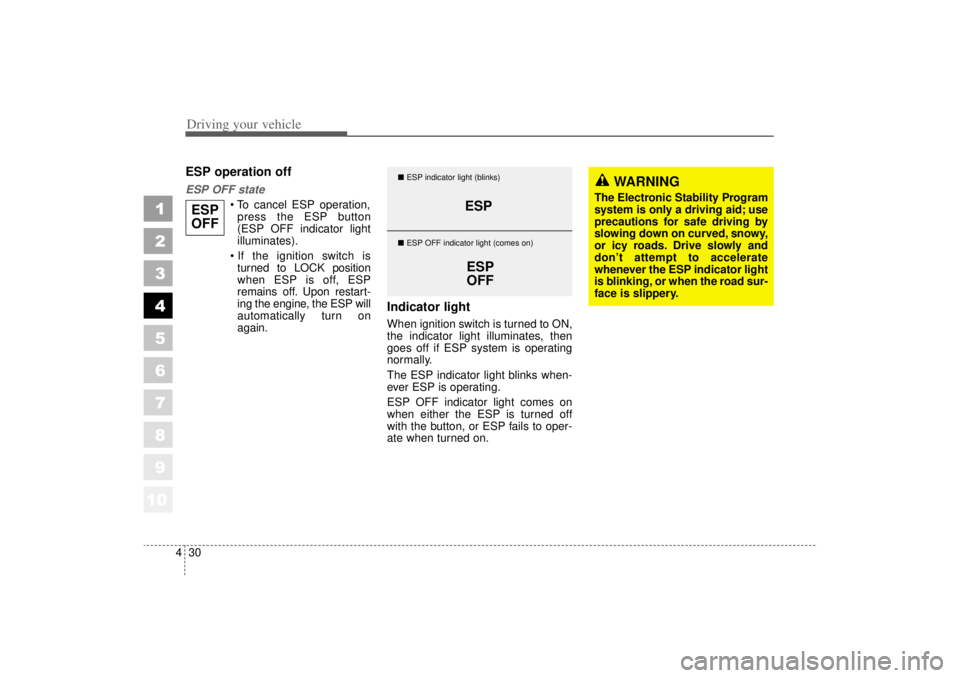
The ESP indicator light blinks when-
ever ESP is operating.
ESP OFF indicator light comes on
when either the ESP is turned off
with the button, or ESP fails to oper-
ate when turned on.
ESPOFF
ESP
ESPOFF
� ESP indicator light (blinks)
� ESP OFF indicator light (comes on)
WARNING
The Electronic Stability Program
system is only a driving aid; use
precautions for safe driving by
slowing down on curved, snowy,
or icy roads. Drive slowly and
don’ t attempt to accelerate
whenever the ESP indicator light
is blinking, or when the road sur-
face is slippery.
Page 153 of 322
431
1
2
3
4
5
6
7
8
910
Driving your vehicle
ESP OFF usageWhen driving It’s a good idea to keep the ESPturned on for daily driving whenev-
er possible.
To turn ESP off while driving, press the ESP button while driving on a
flat road surface.
Never press ESP button while ESP is
operating (ESP indicator light blinks).
If ESP is turned off while ESP is
operating, the vehicle may slip out of
control.
✽ ✽
NOTICE• When measuring the vehicle speed
with a Chassis dynamo-meter,
make sure the ESP is turned off
(ESP OFF light illuminated). If the
ESP is left on, it may prevent the
vehicle speed from increasing, and
cause a false diagnosis of a faulty
speedometer.
• Turning the ESP off does not affect ABS or brake system opera-
tion.
WARNING
Never press the ESP button
while ESP is operating.
If the ESP is turned off while
ESP is operating, the vehicle
may slip out of control.
To turn ESP off while driving,
press the ESP button while driv-
ing on a flat road surface.
Page 154 of 322
10
Driving your vehicle32
4
1
2
3
4
5
6
7
8
9
INSTRUMENT CLUSTER (TYPE A)
5GHN3360
1. Tachometer
2. Turn signal indicators
3. Speedometer
4. Engine temperature gauge
5. Warning and indicator lights
6. Odometer / Tripmeter
7. Tripmeter mode/reset button
8. Shift position indicator
9. Fuel gauge
✶ will say if equipped with ESP
ESP ESP
OFF
✶
Page 155 of 322
10
433
1
2
3
4
5
6
7
8
9
Driving your vehicle
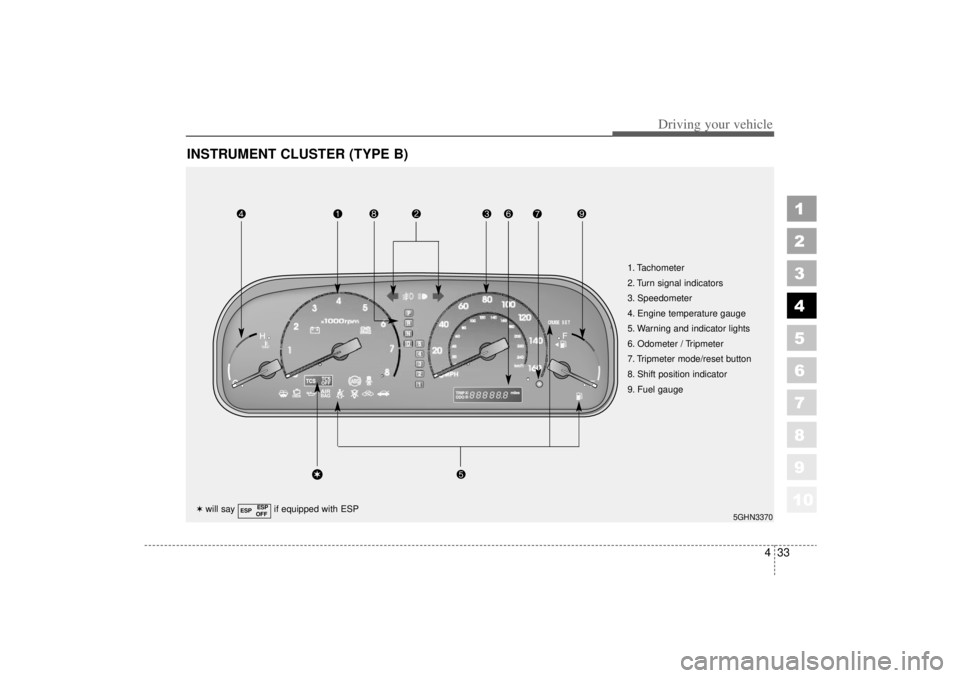
INSTRUMENT CLUSTER (TYPE B)
5GHN3370
1. Tachometer
2. Turn signal indicators
3. Speedometer
4. Engine temperature gauge
5. Warning and indicator lights
6. Odometer / Tripmeter
7. Tripmeter mode/reset button
8. Shift position indicator
9. Fuel gauge
✶will say if equipped with ESP
ESP ESP
OFF
✶
Page 157 of 322
435
1
2
3
4
5
6
7
8
910
Driving your vehicle
Engine temperature gauge This gauge shows the temperature
of the engine coolant when the igni-
tion switch is ON.
Do not continue driving with an over-
heated engine. If your vehicle over-
heats, refer to “Overheating” in the
Index.✽ ✽
NOTICEIf the gauge pointer moves beyond
the normal range area toward the
“H” position, it indicates overheat-
ing that may damage the engine.
Fuel gaugeThe fuel gauge indicates the approx-
imate amount of fuel remaining in the
fuel tank.
Fuel tank capacity - 18.49 US gal.
(70 litres).
The fuel gauge is supplemented by a
low fuel warning light, which will illu-
minate when the fuel level has
dropped to about 2.38 US gal. (9
liters).
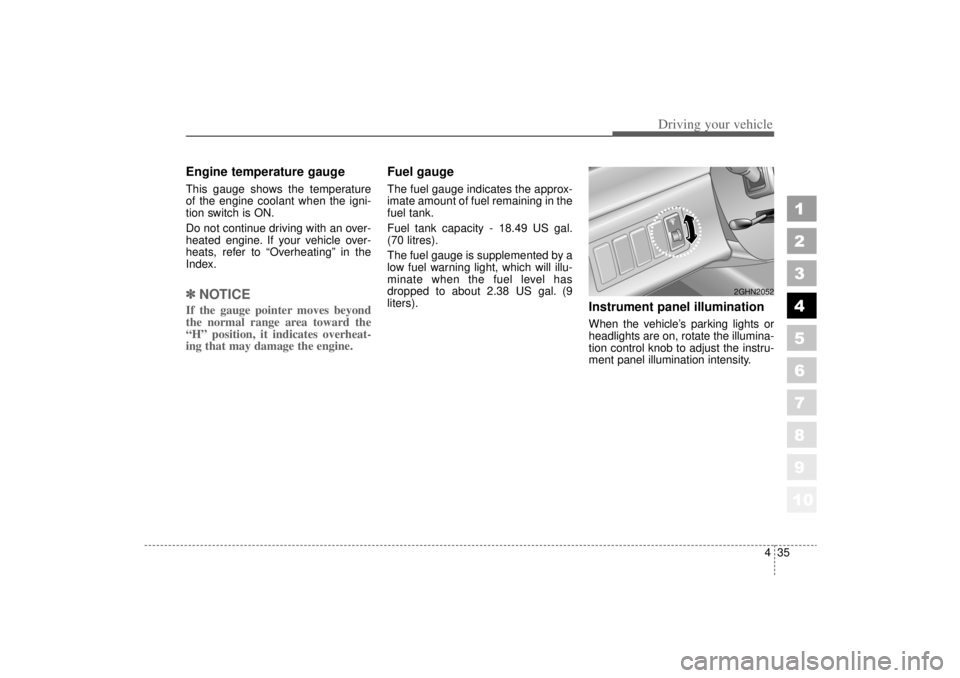
Instrument panel illuminationWhen the vehicle’s parking lights or
headlights are on, rotate the illumina-
tion control knob to adjust the instru-
ment panel illumination intensity.
2GHN2052