2006 HYUNDAI TUCSON esc light
[x] Cancel search: esc lightPage 11 of 289

1. Panel Brightness Control Knob (Rheostat Switch)
2. 4WD Lock Switch (If installed)
3. Traction Control System (TCS) Switch (If installed) /
Electronic Stability Control (ESC) Switch (If installed)
4. Instrument Cluster
5. Multi-Function Light Switch (If installed)
6. Front Window Defroster (If installed)
7. Hazard Warning Light Switch
8. Digital Clock
9. Windshield Wiper/Washer Switch10. Rear Defroster and Outside Rearview Mirror Heater Switch
(If installed)
11. Front Fog Light Switch (If installed)
12. Passenger's Airbag
13. Hood Release Lever
14. Horn and Driver's Airbag
15. Small Article Tray / Ashtray (If installed)
16. Cruise Control Switch (If installed)
17. Heating/Air Conditioning Control Panel (If installed)
18. Shift Lever (If installed)
19. Glove Box
CAUTION:
When installing a container of liquid air freshener inside the vehicle, do not place it near the instrument cluster nor
on the instrument panel surface. If there is any leakage from the air freshener onto these areas (Instrument cluster,
instrument panel or air ventilator), it may damage these parts. If the liquid from the air freshener does leak onto these
areas, wash them with water immediately.
!
Page 12 of 289

YOUR VEHICLE AT A GLANCE
SRS (Airbag) Service Reminder Indicator (SRI)
B255A03JM-AATINDICATOR SYMBOLS ON THE INSTRUMENT PANEL
Turn Signal Indicator LightsHigh Beam Indicator Light
Low Oil Pressure Warning Light
Charging System Warning LightSeat Belt Reminder Light and Chime
* More detailed explanations of these items will be found beginning on page 1-48.
Parking Brake/Brake Fluid Level Warning Light
Malfunction Indicator Light
Tail Gate Open Warning Light
Low Fuel Level Warning LightDoor Ajar Warning Light and Chime (If installed)Traction Control Indicator Light
(If installed)
ABS Service Reminder Indicator (If installed)Cruise Indicator (If installed)
4WD Lock Indicator Light (If installed)4WD System Warning Light (If installed)SET Indicator Light (If installed)
Electronic Stability Control (ESC) Indicator
Lights (If Installed)
Low tire pressure indicator (If installed)
TPMS (Tire pressure monitoring system) malfunction
indicator (If installed)
Page 20 of 289

1FEATURES OF YOUR HYUNDAI8
B070B01JM
UNLOCK LOCK
THEFT-ALARM SYSTEMB075B01O-AATArmed StagePark the car and stop the engine. Arm the
system as described below.B070A01A-AAT(If installed)This system is designed to provide protection
from unauthorized entry into the car. This sys-
tem is operated in three stages : the first is the
"Armed" stage, the second is the "Alarm" stage
and the third is the "Disarmed" stage. If trig-
gered, the system provides an audible alarm
with blinking of the turn signal lights.
Locking doors1. Close all doors.
2. Push the "LOCK" button on the transmitter.
3. At the same time all doors lock, the turn signal
lights will blink once to indicate that the
system is armed.Unlocking doors1. Push the "UNLOCK" button on the transmit-
ter.
2. At the same time the driver's door unlocks,
the turn signal lights will blink twice to indicate
that the system is disarmed.NOTE:If you wish to unlock all doors, press the
"UNLOCK" button on the transmitter again
within 4 seconds.
CAUTION:
Changes or modifications not expressly
approved by the party responsible for com-
pliance could void the user's authority to
operate the equipment.
!
NOTE:The transmitter will not work if any of fol-
lowing occur:
- The ignition key is in ignition switch.
- You exceed the operating distance limit
(393.7 inches [10 m]).
- The battery in the transmitter is weak.
- Other vehicles or objects may be block-
ing the signal.
- The weather is extremely cold.
- The transmitter is close to a radio trans-
mitter such as a radio station or an
airport which can interfere with normal
operation of the transmitter.
When the transmitter does not work cor-
rectly, open and close the door with the
ignition key. If you have a problem with the
transmitter, contact an authorized Hyundai
Dealer.NOTE:Keep the transmitter away from water or
any liquid. If the keyless entry system is
inoperative due to exposure to water or
liquids, it will not be covered by your manu-
facturer vehicle warranty.
Page 21 of 289
1
FEATURES OF YOUR HYUNDAI
9
1) Remove the ignition key from the ignition
switch.
2) Make sure that the hood and tail gate are
closed and latched.
3) Lock the doors using the transmitter of the
keyless entry system.
After completion of the steps above, the turn
signal lights will blink once to indicate that the
system is armed.
NOTE:o If any door, the tail gate or engine hood
remains open, the system will not be
armed. If this happens, rearm the system
as described above.
o If the "LOCK" button is pressed once
more within 4 seconds after pushing the
"LOCK" button on the transmitter, the
siren will sound once to indicate that the
system is armed.
CAUTION:
Do not arm the system until all passengers
have left the car. If the system is armed while
a passenger(s) remains in the car, the alarm
may be activated when the remaining
passenger(s) leaves the car.
!
B075C01JM-AATAlarm StageThe alarm will be activated if any of the following
occurs while the car is parked and the system
is armed.
1) A front or rear door is opened without using
the transmitter or the ignition key.
2) The tail gate is opened without using the
transmitter or the ignition key.
3) The hood is opened.
The siren will sound and the turn signal lights will
blink continuously for about 30 seconds (This
will repeat 3 times). To turn off the system,
unlock the door or tail gate using the transmitter
or the ignition key.
CAUTION:
Avoid trying to start the engine while the
system is armed.
!
B075D01JM-AATDisarmed StageThe system will be disarmed by using the
transmitter or the ignition key.
The driver's door is unlocked by depressing
once the "UNLOCK" button on the transmitter.
If you wish to unlock all doors, press the "UN-
LOCK" button on the transmitter again within 4
seconds.
Whenever the step above is completed, the turn
signal lights will blink twice to indicate that the
system is disarmed.NOTE :The system will rearm if a door, tailgate, or
hood is not opened within 30 seconds.
Page 59 of 289

1
FEATURES OF YOUR HYUNDAI
47
1. Tachometer
2. Turn Signal Indicator Light
3. Seat Belt Warning Light
4. Supplemental Restraint (AirBag) System
Service Reminder Indicator (SRI)
5. Speedometer
6. Parking Brake/Low Brake Fluid Level Warning Light
7. Low Oil Pressure Warning Light
8. High Beam Indicator Light
9. Fuel Gauge
10. Low Fuel Warning Light
11. Tail Gate Open Warning Light
12. Traction Control Indicator Light (If installed)/
Electronic Stability Control (ESC) Indicator Light (If installed)
13. ABS Service Reminder Indicator (If installed)14. Immobilizer Warning Light (If installed)
15. Door Ajar Warning Light
16. Automatic Transaxle Position Indicator Light (If installed)
17. Odometer/ Trip odmeter
18. Trip Computer (If installed)
19. Malfunction Indicator Light (MIL)
20. Charging System Warning Light
21. Low Tire Pressure Indicator (If installed)
22. TPMS (Tire Pressure Monitoring System) Malfunction Indicator
(If installed)
23. Coolant Temperature Gauge
24. Cruise Indicator (If installed)
25. 4WD Lock Indicator Light
26. 4WD System Warning Light (If installed)
Page 63 of 289
1
FEATURES OF YOUR HYUNDAI
51
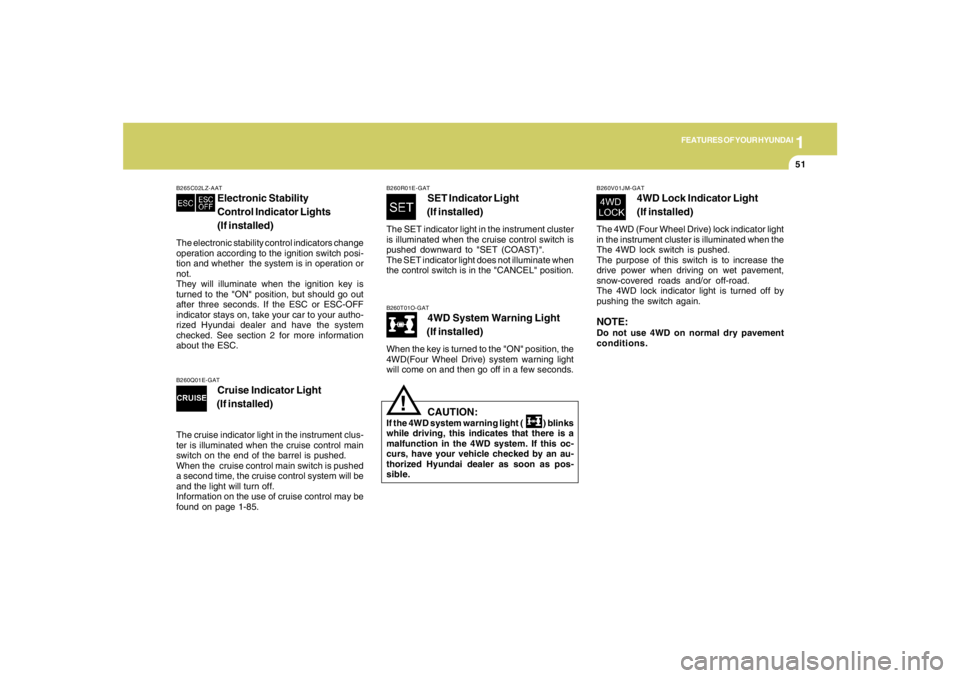
B260T01O-GAT
4WD System Warning Light
(If installed)
When the key is turned to the "ON" position, the
4WD(Four Wheel Drive) system warning light
will come on and then go off in a few seconds.
CAUTION:
If the 4WD system warning light ( ) blinks
while driving, this indicates that there is a
malfunction in the 4WD system. If this oc-
curs, have your vehicle checked by an au-
thorized Hyundai dealer as soon as pos-
sible.
!
B265C02LZ-AAT
Electronic Stability
Control Indicator Lights
(If installed)
The electronic stability control indicators change
operation according to the ignition switch posi-
tion and whether the system is in operation or
not.
They will illuminate when the ignition key is
turned to the "ON" position, but should go out
after three seconds. If the ESC or ESC-OFF
indicator stays on, take your car to your autho-
rized Hyundai dealer and have the system
checked. See section 2 for more information
about the ESC.
B260V01JM-GAT
4WD Lock Indicator Light
(If installed)
The 4WD (Four Wheel Drive) lock indicator light
in the instrument cluster is illuminated when the
The 4WD lock switch is pushed.
The purpose of this switch is to increase the
drive power when driving on wet pavement,
snow-covered roads and/or off-road.
The 4WD lock indicator light is turned off by
pushing the switch again.NOTE:Do not use 4WD on normal dry pavement
conditions.
B260R01E-GAT
SET Indicator Light
(If installed)
The SET indicator light in the instrument cluster
is illuminated when the cruise control switch is
pushed downward to "SET (COAST)".
The SET indicator light does not illuminate when
the control switch is in the "CANCEL" position.
B260Q01E-GAT
Cruise Indicator Light
(If installed)
The cruise indicator light in the instrument clus-
ter is illuminated when the cruise control main
switch on the end of the barrel is pushed.
When the cruise control main switch is pushed
a second time, the cruise control system will be
and the light will turn off.
Information on the use of cruise control may be
found on page 1-85.
Page 171 of 289
2
DRIVING YOUR HYUNDAI
20
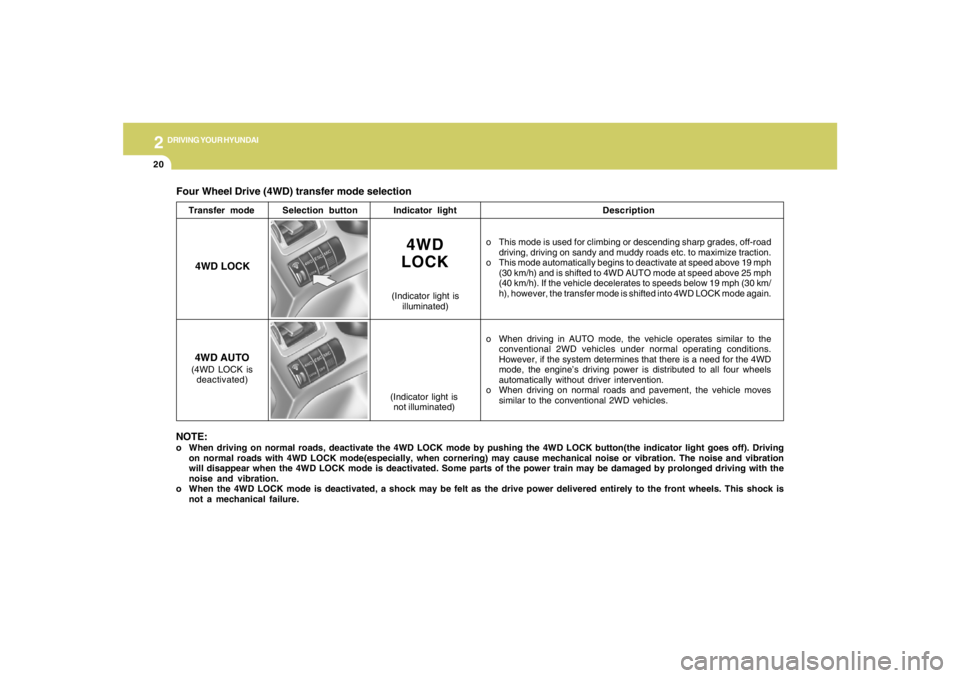
Four Wheel Drive (4WD) transfer mode selection
Transfer modeSelection buttonIndicator lightDescription
o This mode is used for climbing or descending sharp grades, off-road
driving, driving on sandy and muddy roads etc. to maximize traction.
o This mode automatically begins to deactivate at speed above 19 mph
(30 km/h) and is shifted to 4WD AUTO mode at speed above 25 mph
(40 km/h). If the vehicle decelerates to speeds below 19 mph (30 km/
h), however, the transfer mode is shifted into 4WD LOCK mode again.
o When driving in AUTO mode, the vehicle operates similar to the
conventional 2WD vehicles under normal operating conditions.
However, if the system determines that there is a need for the 4WD
mode, the engine’s driving power is distributed to all four wheels
automatically without driver intervention.
o When driving on normal roads and pavement, the vehicle moves
similar to the conventional 2WD vehicles.
4WD
LOCK
(Indicator light is
illuminated)
4WD LOCK
4WD AUTO(4WD LOCK is
deactivated)
(Indicator light is
not illuminated)
NOTE:o When driving on normal roads, deactivate the 4WD LOCK mode by pushing the 4WD LOCK button(the indicator light goes off). Driving
on normal roads with 4WD LOCK mode(especially, when cornering) may cause mechanical noise or vibration. The noise and vibration
will disappear when the 4WD LOCK mode is deactivated. Some parts of the power train may be damaged by prolonged driving with the
noise and vibration.
o When the 4WD LOCK mode is deactivated, a shock may be felt as the drive power delivered entirely to the front wheels. This shock is
not a mechanical failure.
Page 172 of 289
2
DRIVING YOUR HYUNDAI
21
GOOD BRAKING PRACTICESC130A02A-AAT
WARNING:
o Whenever leaving vehicle or parking,
always set the parking brake as far as
possible and fully engage the vehicle's
transaxle into the park position. Ve-
hicles not fully engaged in park with the
parking brake set are at risk for moving
inadvertently and injuring yourself or
others.
o All vehicles should always have the park-
ing brake fully engaged when parking to
avoid inadvertent movement of the car
which can injure occupants or pedestri-
ans.
o Nothing should be carried on top of the
shelf panel behind the rear seat. If there
were an accident or a sudden stop, such
objects could move forward and cause
damage to the vehicle or injure the occu-
pants.
!
o If your car is equipped with an automatic
transaxle, don't let your car creep forward.
To avoid creeping forward, keep your foot
firmly on the brake pedal when the car is
stopped.
o Use caution when parking on a hill. Firmly
engage the parking brake and place the gear
selector lever in "P" (automatic transaxle) or
in first or reverse gear (manual transaxle).
If your car is facing downhill, turn the front
wheels into the curb to help keep the car from
rolling. If your car is facing uphill, turn the front
wheels away from the curb to help keep the
car from rolling. If there is no curb or if it is
required by other conditions to keep the car
from rolling, block the wheels.
o Under some conditions your parking brake
can freeze in the engaged position. This is
most likely to happen when there is an ac-
cumulation of snow or ice around or near the
rear brakes or if the brakes are wet. If there
is a risk that the parking brake may freeze,
apply it only temporarily while you put the
gear selector lever in "P" (automatic) or in
first or reverse gear (manual transaxle) and
block the rear wheels so the car cannot roll.
Then release the parking brake.
o Do not hold the vehicle on the upgrade with
the accelerator pedal. This can cause the
transaxle to overheat. Always use the brake
pedal or parking brake. o After being parked, check to be sure the
parking brake is not engaged and that the
parking brake indicator light is out before
driving away.
o Driving through water may get the brakes
wet. They can also get wet when the car is
washed. Wet brakes can be dangerous!
Your car will not stop as quickly if the brakes
are wet. Wet brakes may cause the car to
pull to one side. To dry the brakes, apply the
brakes lightly while driving slowly until the
braking action returns to normal, taking care
to keep the car under control at all times. If
the braking action does not return to normal,
stop as soon as it is safe to do so and call your
Hyundai dealer for assistance.
o Don't coast down hills with the car out of gear.
This is extremely hazardous. Keep the car
in gear at all times, use the brakes to slow
down, then shift to a lower gear so that engine
braking will help you maintain a safe speed.
o Don't "ride" the brake pedal. Resting your
foot on the brake pedal while driving can be
dangerous because it can result in the brakes
overheating and losing their effectiveness. It
also increases the wear of the brake com-
ponents.
o If a tire goes flat while you are driving, apply
the brakes gently and keep the car pointed
straight ahead while you slow down. When
you are moving slowly enough for it to be safe
to do so, pull off the road and stop in a safe
place.