2006 HYUNDAI TUCSON deactivate
[x] Cancel search: deactivatePage 51 of 289
1
FEATURES OF YOUR HYUNDAI
39
!
legs comfortably extended and their feet on the
floor), the "PASSENGER AIR BAG OFF" indi-
cator will be turned off and the front passenger's
airbag will be able to inflate, if necessary, in
frontal crashes.
You will find the "PASSENGER AIR BAG OFF"
indicator on the center facia panel. This system
detects the conditions 1~4 in the following table
and activates or deactivates front passenger
airbags based on these conditions.
Condition and operation in the front pas-
senger occupant classification system*1) The system judges a person of adult size as
an adult. When a smaller adult sits in the front
passenger seat, the system may detect him/
her as a child depending on his/her physique
and posture.
*2) When a larger child who has outgrown a child
restraint system sits in the passenger seat,
the system may detect him/her as an adult
depending on his/her physique and posture.
*3) Never install a child restraint system on the
front passenger seat.
WARNING:
Riding in an improper position or placing
weight on the front passenger's seat when
it is unoccupied by a passenger adversely
affects the occupant classification system
(OCS).
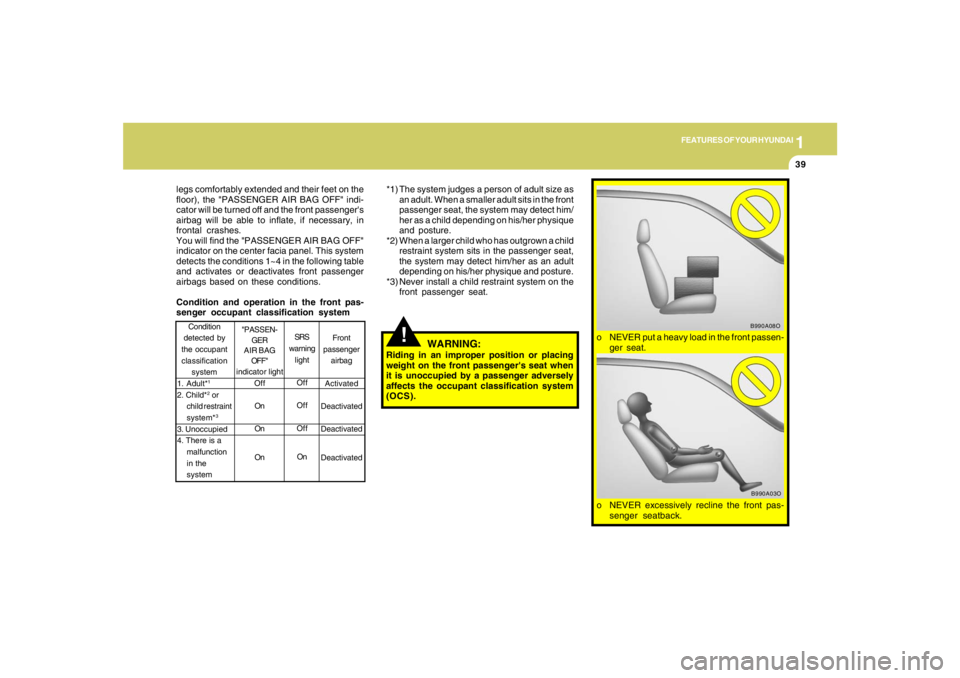
o NEVER excessively recline the front pas-
senger seatback.
B990A03O
o NEVER put a heavy load in the front passen-
ger seat.
B990A08O
Front
passenger
airbag
Activated
Deactivated
Deactivated
Deactivated Condition
detected by
the occupant
classification
system
1. Adult*
1
2. Child*
2 or
child restraint
system*3
3. Unoccupied
4. There is a
malfunction
in the
systemSRS
warning
light
Off
Off
Off
On
"PASSEN-
GER
AIR BAG
OFF"
indicator light
Off
On
On
On
Page 165 of 289

2
DRIVING YOUR HYUNDAI
14
!
Driving HintsTCS does not actively apply brakes. Be sure to
decelerate the car sufficiently before entering
curves.
CAUTION:
When the TCS indicator blinks, SLIP con-
trol function has been activated. It also
means that the road is slippery or your car
is accelerating excessively. In this situa-
tion, gently release foot pressure from the
accelerator pedal and maintain moderate
speed.
!
WARNING:
Traction control is a driving aid; all normal
precautions for driving in inclement weath-
er and on slippery driving surfaces should
be observed.
C310B02O-AATTCS ON/OFF ModeWhen the TCS is operating, the TCS indicator
in the instrument cluster will blink.
If you turn the system off by pressing the TCS
switch, the TCS-OFF indicator will come on and
stay on. In the TCS-OFF mode, the SLIP control
will be deactivated. Adjust you driving accord-
ingly. To turn the system back on, press the
switch again. The TCS-OFF indicator should go
off.NOTE:1) The TCS mode will automatically be
turned ON after the engine is turned off
and restarted.
2) When the traction control system is op-
erating properly, you can feel a slight
pulsation in the vehicle. This is only the
effect of brake control and indicates
nothing unusual.
3) When the engine starts, a click may be
heard from the engine compartment;
this is the sound of the traction control
being checked.
4) When moving out of the mud or fresh
snow, pressing the accelerator pedal
may not cause the engine speed to in-
crease due to TCS operation.
C310D01JM-AATIndicators and WarningThe indicators should illuminate when the igni-
tion key is turned to ON or START but should
go out after approximately three seconds.
If the indicators do not illuminate, or the TCS or
TCS-OFF indicator does not go out after 3
seconds, have the system checked by an
authorized dealer.
Should there be any unusual conditions in the
TCS System while driving, TCS-OFF indicator
illuminates as a warning.
If TCS-OFF indicator illuminates, pull your car
to a safe place and stop the engine.
Then, start the engine again to check if the TCS-
OFF indicator goes out.
If the indicator remains lit even after the engine
has been started, have your car checked by an
authorized Hyundai dealer.NOTE:When the TCS-OFF indicator illuminates,
traction control is automatically deacti-
vated.
Page 166 of 289
2
DRIVING YOUR HYUNDAI
15
!
CAUTION:
Driving with varying tire or wheel size may
cause the ESC system to malfunction. When
replacing tires, make sure they are the same
size as your original tires.
!
ELECTRONIC STABILITY
CONTROL (ESC) SYSTEMC310A03JM-AAT(If installed)
C310A01JM-U
The Electronic Stability Control (ESC) system
is designed to stabilize the vehicle during cor-
nering manuevers. ESC checks where you are
steering and where the vehicle is actually going.
ESC applies the brakes at individual wheels and
intervenes in the engine management system
to stabilize the vehicle.
The Electronic Stability Control (ESC) system
is an electronic system designed to help the
driver maintain vehicle control under adverse
conditions. It is not a substitute for safe driving
practices. Factors including speed, road con-
ditions and driver steering input can all affect
whether ESC will be effective in preventing a
loss of control. It is still your responsibility to
drive and corner at reasonable speeds and to
leave a sufficient margin of safety.
WARNING:
Never drive too fast for the road conditions
or too quickly when cornering. Electronic
stability control (ESC) will not prevent ac-
cidents. Excessive speed in turns, abrupt
maneuvers and hydroplaning on wet sur-
faces can still result in serious accidents.
Only a safe and attentive driver can prevent
accidents by avoiding maneuvers that
cause the vehicle to lose traction. Even with
ESC installed, always follow all the normal
precautions for driving - including driving
at safe speeds for the conditions.
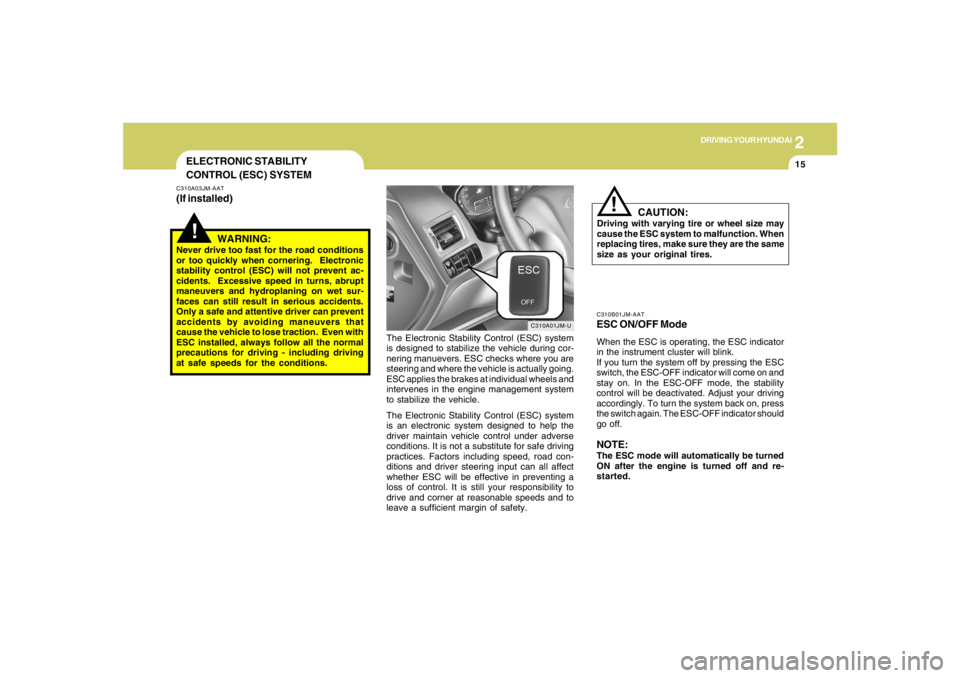
C310B01JM-AATESC ON/OFF ModeWhen the ESC is operating, the ESC indicator
in the instrument cluster will blink.
If you turn the system off by pressing the ESC
switch, the ESC-OFF indicator will come on and
stay on. In the ESC-OFF mode, the stability
control will be deactivated. Adjust your driving
accordingly. To turn the system back on, press
the switch again. The ESC-OFF indicator should
go off.NOTE:The ESC mode will automatically be turned
ON after the engine is turned off and re-
started.
Page 171 of 289
2
DRIVING YOUR HYUNDAI
20
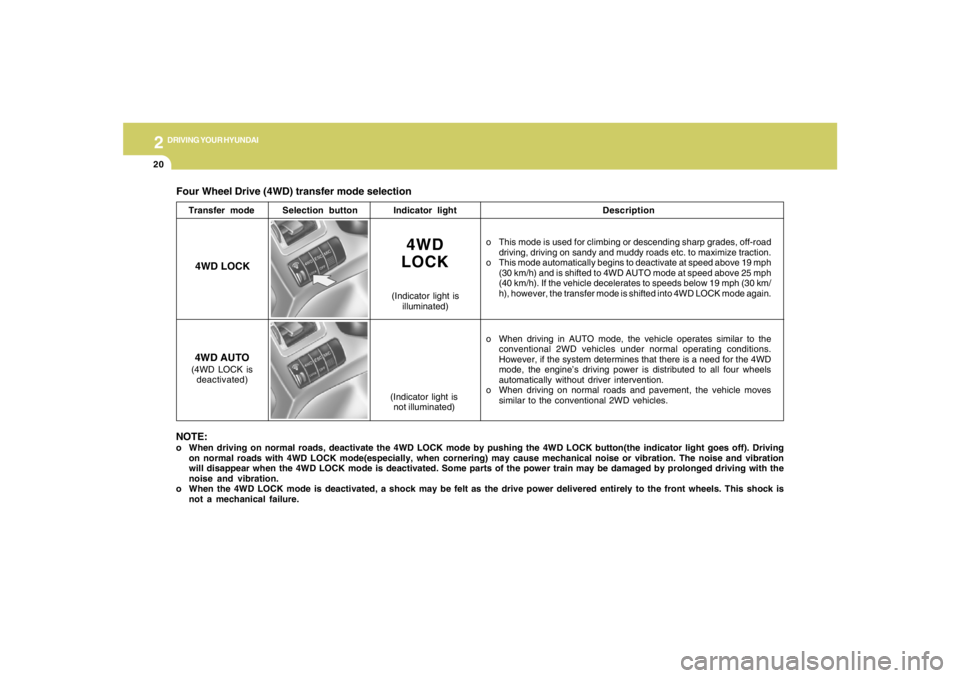
Four Wheel Drive (4WD) transfer mode selection
Transfer modeSelection buttonIndicator lightDescription
o This mode is used for climbing or descending sharp grades, off-road
driving, driving on sandy and muddy roads etc. to maximize traction.
o This mode automatically begins to deactivate at speed above 19 mph
(30 km/h) and is shifted to 4WD AUTO mode at speed above 25 mph
(40 km/h). If the vehicle decelerates to speeds below 19 mph (30 km/
h), however, the transfer mode is shifted into 4WD LOCK mode again.
o When driving in AUTO mode, the vehicle operates similar to the
conventional 2WD vehicles under normal operating conditions.
However, if the system determines that there is a need for the 4WD
mode, the engine’s driving power is distributed to all four wheels
automatically without driver intervention.
o When driving on normal roads and pavement, the vehicle moves
similar to the conventional 2WD vehicles.
4WD
LOCK
(Indicator light is
illuminated)
4WD LOCK
4WD AUTO(4WD LOCK is
deactivated)
(Indicator light is
not illuminated)
NOTE:o When driving on normal roads, deactivate the 4WD LOCK mode by pushing the 4WD LOCK button(the indicator light goes off). Driving
on normal roads with 4WD LOCK mode(especially, when cornering) may cause mechanical noise or vibration. The noise and vibration
will disappear when the 4WD LOCK mode is deactivated. Some parts of the power train may be damaged by prolonged driving with the
noise and vibration.
o When the 4WD LOCK mode is deactivated, a shock may be felt as the drive power delivered entirely to the front wheels. This shock is
not a mechanical failure.