Page 63 of 289
1
FEATURES OF YOUR HYUNDAI
51
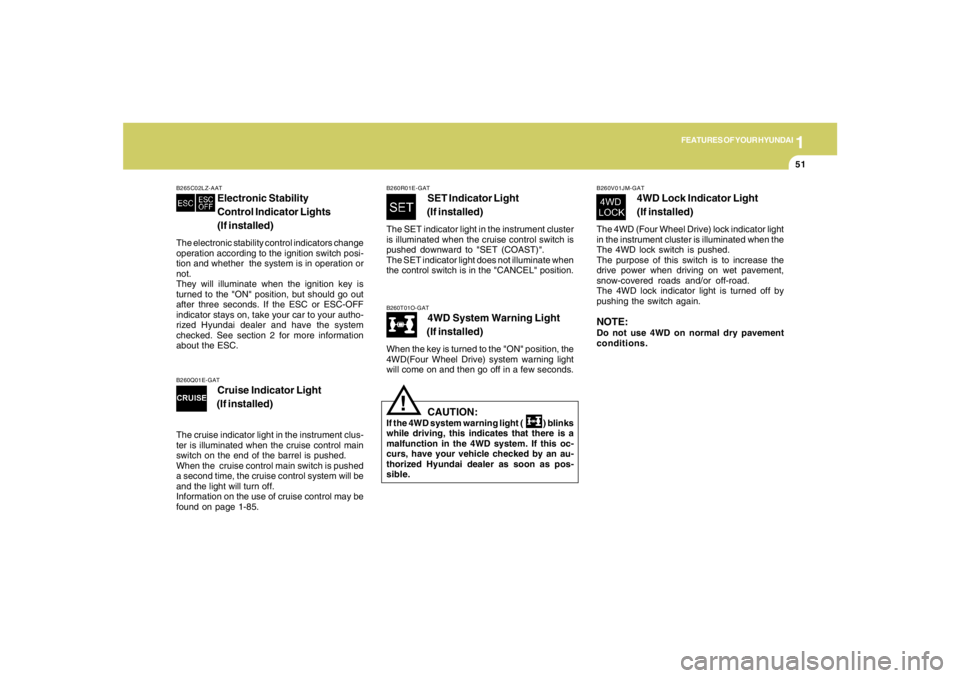
B260T01O-GAT
4WD System Warning Light
(If installed)
When the key is turned to the "ON" position, the
4WD(Four Wheel Drive) system warning light
will come on and then go off in a few seconds.
CAUTION:
If the 4WD system warning light ( ) blinks
while driving, this indicates that there is a
malfunction in the 4WD system. If this oc-
curs, have your vehicle checked by an au-
thorized Hyundai dealer as soon as pos-
sible.
!
B265C02LZ-AAT
Electronic Stability
Control Indicator Lights
(If installed)
The electronic stability control indicators change
operation according to the ignition switch posi-
tion and whether the system is in operation or
not.
They will illuminate when the ignition key is
turned to the "ON" position, but should go out
after three seconds. If the ESC or ESC-OFF
indicator stays on, take your car to your autho-
rized Hyundai dealer and have the system
checked. See section 2 for more information
about the ESC.
B260V01JM-GAT
4WD Lock Indicator Light
(If installed)
The 4WD (Four Wheel Drive) lock indicator light
in the instrument cluster is illuminated when the
The 4WD lock switch is pushed.
The purpose of this switch is to increase the
drive power when driving on wet pavement,
snow-covered roads and/or off-road.
The 4WD lock indicator light is turned off by
pushing the switch again.NOTE:Do not use 4WD on normal dry pavement
conditions.
B260R01E-GAT
SET Indicator Light
(If installed)
The SET indicator light in the instrument cluster
is illuminated when the cruise control switch is
pushed downward to "SET (COAST)".
The SET indicator light does not illuminate when
the control switch is in the "CANCEL" position.
B260Q01E-GAT
Cruise Indicator Light
(If installed)
The cruise indicator light in the instrument clus-
ter is illuminated when the cruise control main
switch on the end of the barrel is pushed.
When the cruise control main switch is pushed
a second time, the cruise control system will be
and the light will turn off.
Information on the use of cruise control may be
found on page 1-85.
Page 70 of 289
1FEATURES OF YOUR HYUNDAI58
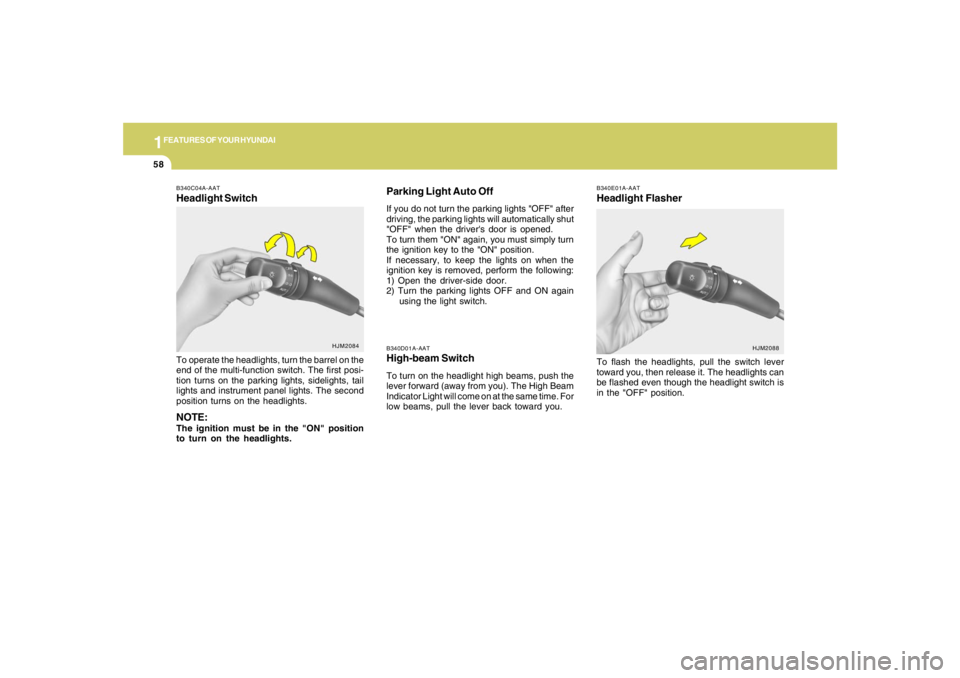
B340D01A-AATHigh-beam SwitchTo turn on the headlight high beams, push the
lever forward (away from you). The High Beam
Indicator Light will come on at the same time. For
low beams, pull the lever back toward you.
B340E01A-AATHeadlight FlasherTo flash the headlights, pull the switch lever
toward you, then release it. The headlights can
be flashed even though the headlight switch is
in the "OFF" position.
B340C04A-AATHeadlight SwitchTo operate the headlights, turn the barrel on the
end of the multi-function switch. The first posi-
tion turns on the parking lights, sidelights, tail
lights and instrument panel lights. The second
position turns on the headlights.NOTE:The ignition must be in the "ON" position
to turn on the headlights.
HJM2084
HJM2088
Parking Light Auto OffIf you do not turn the parking lights "OFF" after
driving, the parking lights will automatically shut
"OFF" when the driver's door is opened.
To turn them "ON" again, you must simply turn
the ignition key to the "ON" position.
If necessary, to keep the lights on when the
ignition key is removed, perform the following:
1) Open the driver-side door.
2) Turn the parking lights OFF and ON again
using the light switch.
Page 71 of 289
1
FEATURES OF YOUR HYUNDAI
59
B340G01L-GATAuto Light (If installed)To operate the automatic light feature, turn the
barrel on the end of the multi-function switch. If
you set the multi-function switch to "AUTO", the
tail lights and headlights will be turned automati-
cally on or off according to external illumination.
HJM2085
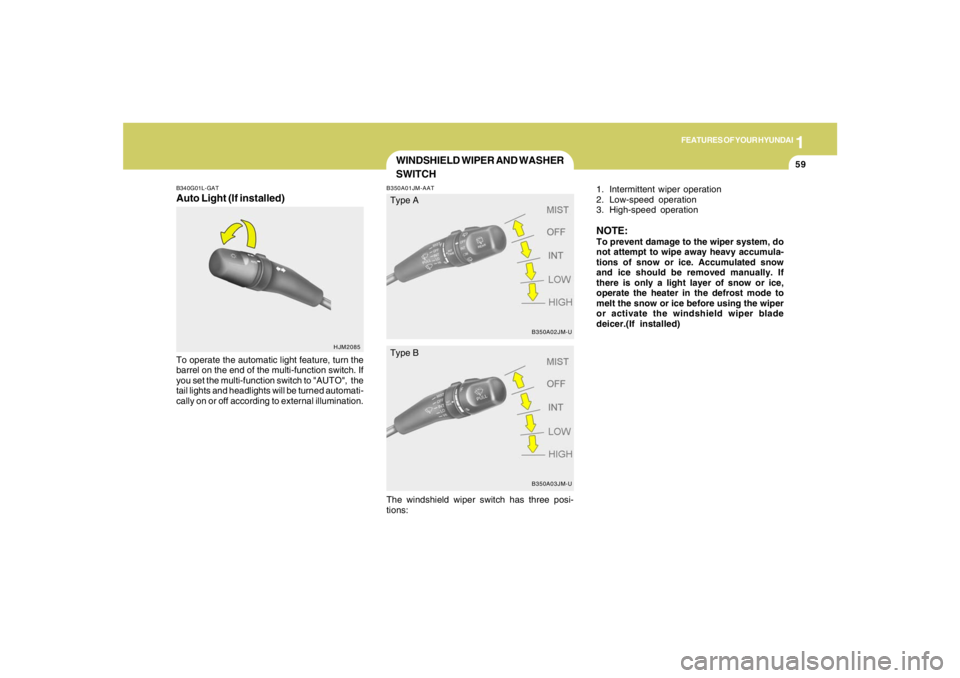
WINDSHIELD WIPER AND WASHER
SWITCHB350A01JM-AAT
1. Intermittent wiper operation
2. Low-speed operation
3. High-speed operationNOTE:To prevent damage to the wiper system, do
not attempt to wipe away heavy accumula-
tions of snow or ice. Accumulated snow
and ice should be removed manually. If
there is only a light layer of snow or ice,
operate the heater in the defrost mode to
melt the snow or ice before using the wiper
or activate the windshield wiper blade
deicer.(If installed)
B350A02JM-UB350A03JM-U
Type A
Type B
The windshield wiper switch has three posi-
tions:
Page 73 of 289
1
FEATURES OF YOUR HYUNDAI
61
Do not operate the washer continuously for
more than 15 seconds or when the fluid reser-
voir is empty; this could damage the system. Do
not operate the wiper when the window is dry;
this can result in scratching as well as prema-
ture wiper blade wear.
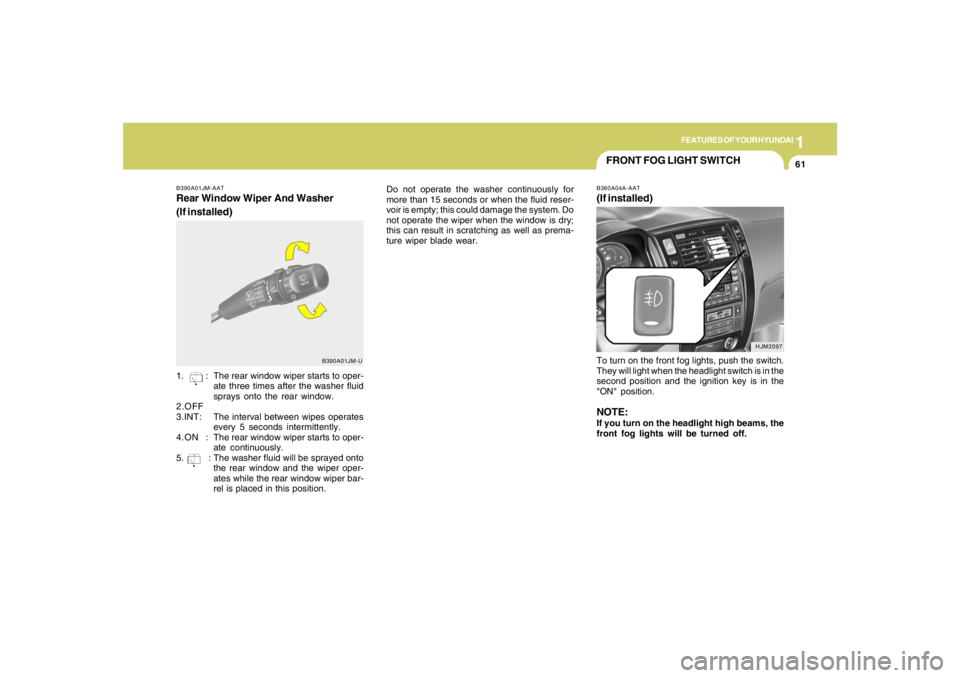
B390A01JM-AATRear Window Wiper And Washer
(If installed)
B390A01JM-U
1. : The rear window wiper starts to oper-
ate three times after the washer fluid
sprays onto the rear window.
2.OFF
3.INT:The interval between wipes operates
every 5 seconds intermittently.
4.ON :The rear window wiper starts to oper-
ate continuously.
5. : The washer fluid will be sprayed onto
the rear window and the wiper oper-
ates while the rear window wiper bar-
rel is placed in this position.
HJM2097
FRONT FOG LIGHT SWITCHB360A04A-AAT(If installed)To turn on the front fog lights, push the switch.
They will light when the headlight switch is in the
second position and the ignition key is in the
"ON" position.NOTE:If you turn on the headlight high beams, the
front fog lights will be turned off.
Page 74 of 289

1FEATURES OF YOUR HYUNDAI62
B380A02Y-AATRear Window Defroster SwitchThe rear window defroster and heated outside
rearview mirrors are turned on by pushing in the
switch. To turn the defroster off, push the switch
a second time. The rear window defroster
automatically turns itself off after about 15 min-
utes. To restart the defroster cycle, push in the
switch again after it has turned itself off.
HJM2104
HJM2098
HAZARD WARNING SYSTEMB370A01A-AATThe hazard warning system should be used
whenever you find it necessary to stop the car
in a hazardous location. When you must make
such an emergency stop, always pull off the
road as far as possible.
The hazard warning lights are turned on by
pushing in the hazard switch. This causes all
turn signal lights to blink. The hazard warning
lights will operate even though the key is not in
the ignition.
To turn the hazard warning lights off, push the
switch a second time.
B385A01JM-AATWindshield wiper Blade De-icer
(If installed)The windshield wiper blade de-icer is turned on
by pushing in the switch. To turn the de-icer off,
push the switch a second time. The windshield
wiper blade de-icer automatically turns itself off
after about 20 minutes.
HJM2101
WINDOW DEFROSTER
SWITCH
Page 75 of 289
1
FEATURES OF YOUR HYUNDAI
63
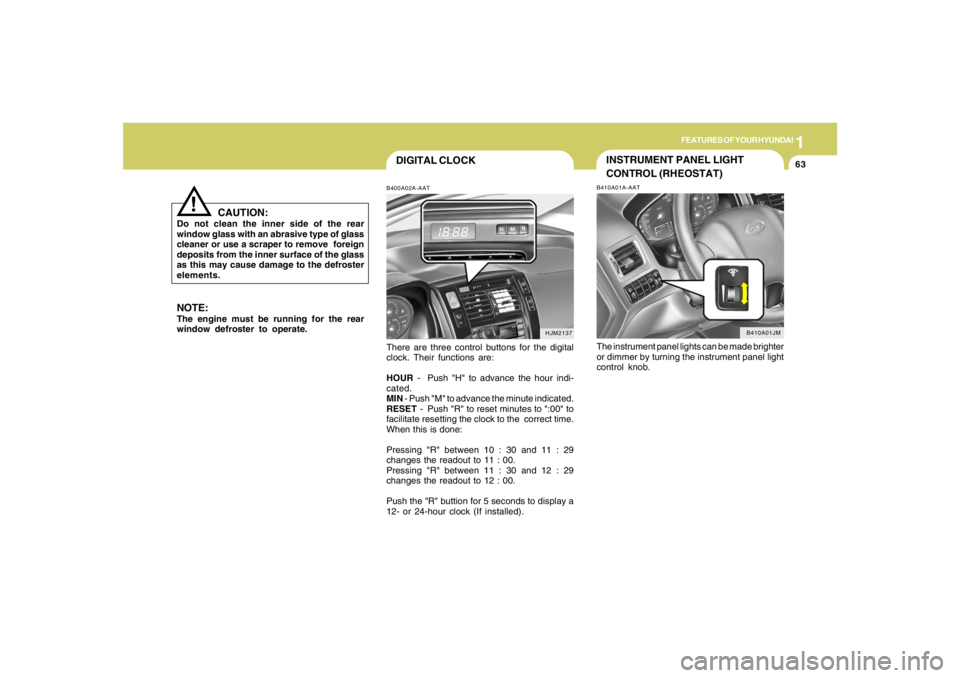
DIGITAL CLOCKB400A02A-AATThere are three control buttons for the digital
clock. Their functions are:
HOUR - Push "H" to advance the hour indi-
cated.
MIN - Push "M" to advance the minute indicated.
RESET - Push "R" to reset minutes to ":00" to
facilitate resetting the clock to the correct time.
When this is done:
Pressing "R" between 10 : 30 and 11 : 29
changes the readout to 11 : 00.
Pressing "R" between 11 : 30 and 12 : 29
changes the readout to 12 : 00.
Push the "R" buttion for 5 seconds to display a
12- or 24-hour clock (If installed).
HJM2137
NOTE:The engine must be running for the rear
window defroster to operate.
CAUTION:
Do not clean the inner side of the rear
window glass with an abrasive type of glass
cleaner or use a scraper to remove foreign
deposits from the inner surface of the glass
as this may cause damage to the defroster
elements.
!
INSTRUMENT PANEL LIGHT
CONTROL (RHEOSTAT)B410A01A-AATThe instrument panel lights can be made brighter
or dimmer by turning the instrument panel light
control knob.
B410A01JM
Page 77 of 289
1
FEATURES OF YOUR HYUNDAI
65
HJM2159
DRINK HOLDER!
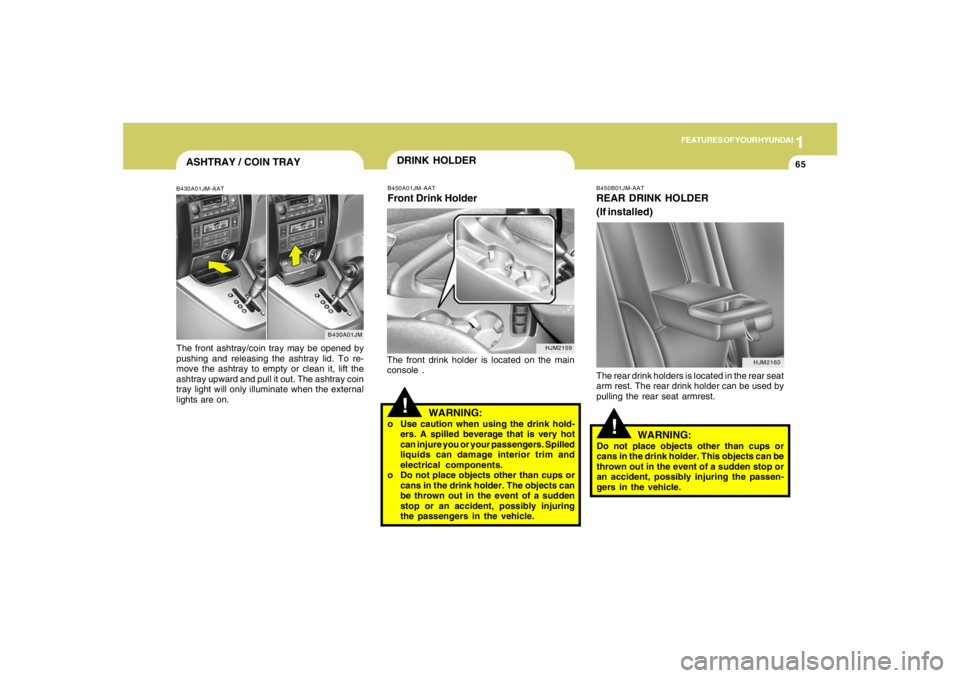
B450A01JM-AATFront Drink HolderThe front drink holder is located on the main
console .
WARNING:
o Use caution when using the drink hold-
ers. A spilled beverage that is very hot
can injure you or your passengers. Spilled
liquids can damage interior trim and
electrical components.
o Do not place objects other than cups or
cans in the drink holder. The objects can
be thrown out in the event of a sudden
stop or an accident, possibly injuring
the passengers in the vehicle.
ASHTRAY / COIN TRAYB430A01JM-AATThe front ashtray/coin tray may be opened by
pushing and releasing the ashtray lid. To re-
move the ashtray to empty or clean it, lift the
ashtray upward and pull it out. The ashtray coin
tray light will only illuminate when the external
lights are on.
B430A01JM
!
WARNING:
Do not place objects other than cups or
cans in the drink holder. This objects can be
thrown out in the event of a sudden stop or
an accident, possibly injuring the passen-
gers in the vehicle.B450B01JM-AATREAR DRINK HOLDER
(If installed)The rear drink holders is located in the rear seat
arm rest. The rear drink holder can be used by
pulling the rear seat armrest.
HJM2160
Page 85 of 289

1
FEATURES OF YOUR HYUNDAI
73
1. To operate Compass featurePress and release the button, then the vehicle's
directional heading will be displayed. Pressing
and releasing the button again will turn off the
display.
Heading display
- E : East
- W : West
- S : South
- N : North
ex) NE : North East2. Calibration procedurePress and hold the button for more than 9 but
less than 12 seconds. When the compass
memory is cleared a "C" will appear in the
display.
- Driving the vehicle in a circle at less than
5mph 2 times or until the compass heading
appears.
- Driving in a circle in right-handed direction
and opposite direction are possible, and if
the calibration is completed, the compass
heading will appear.
- Keep driving in a circle until a compass
heading appears.
DAY/NIGHT INSIDE REARVIEW
MIRRORB520A01A-AATManual TypeYour Hyundai is equipped with a day/night inside
rearview mirror. The "night" position is selected
by flipping the tab at the bottom of the mirror
toward you. In the "night" position, the glare of
headlights of cars behind you is reduced.
HJM2070B520C04JM-AAT
AUTOMATIC DIMMING REAR VIEW
MIRROR WITH COMPASS
(If installed)1. Status Indicator LED
2. Feature Control Button
3. Rear Light Sensor
4. Display Window
Automatic dimming rear view mirror controls
automatically the glare of headlights of the car
behind you when it turned on by pressing and
holding the button for more than 3 but less than
6 seconds.
It is turned off by pressing and holding the button
for same time once more.
B520C08JM