Page 46 of 256
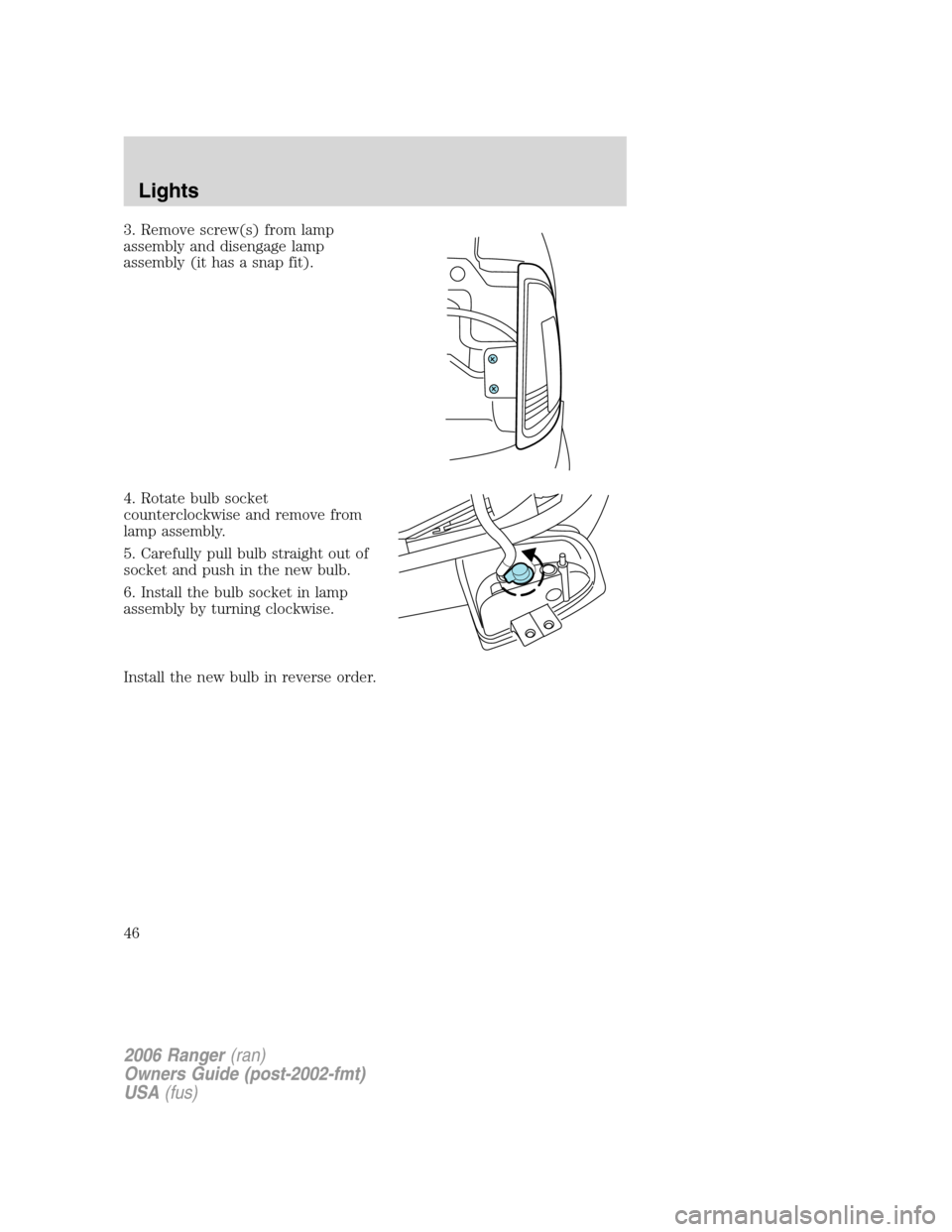
3. Remove screw(s) from lamp
assembly and disengage lamp
assembly (it has a snap fit).
4. Rotate bulb socket
counterclockwise and remove from
lamp assembly.
5. Carefully pull bulb straight out of
socket and push in the new bulb.
6. Install the bulb socket in lamp
assembly by turning clockwise.
Install the new bulb in reverse order.
2006 Ranger(ran)
Owners Guide (post-2002-fmt)
USA(fus)
Lights
46
Page 47 of 256
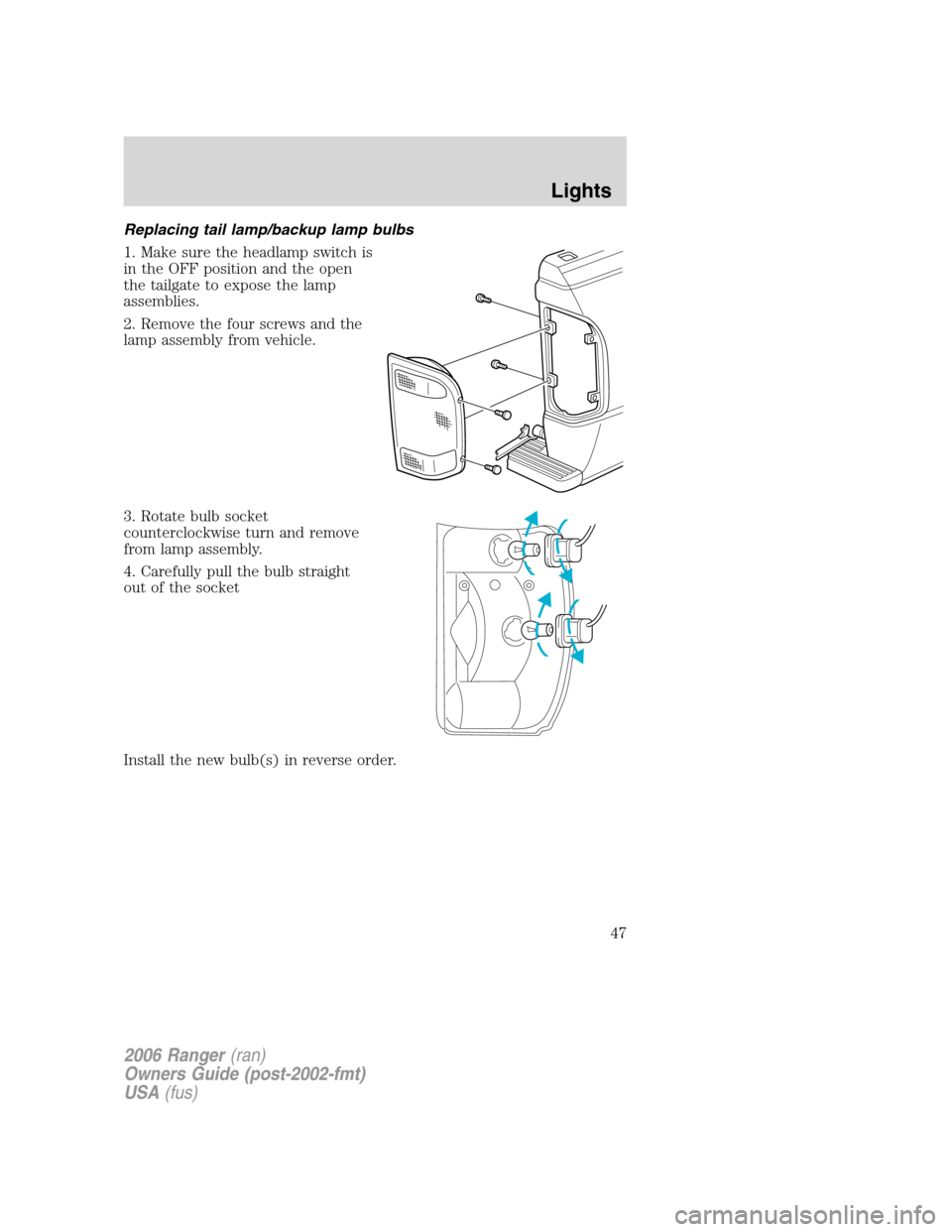
Replacing tail lamp/backup lamp bulbs
1. Make sure the headlamp switch is
in the OFF position and the open
the tailgate to expose the lamp
assemblies.
2. Remove the four screws and the
lamp assembly from vehicle.
3. Rotate bulb socket
counterclockwise turn and remove
from lamp assembly.
4. Carefully pull the bulb straight
out of the socket
Install the new bulb(s) in reverse order.
2006 Ranger(ran)
Owners Guide (post-2002-fmt)
USA(fus)
Lights
47
Page 48 of 256
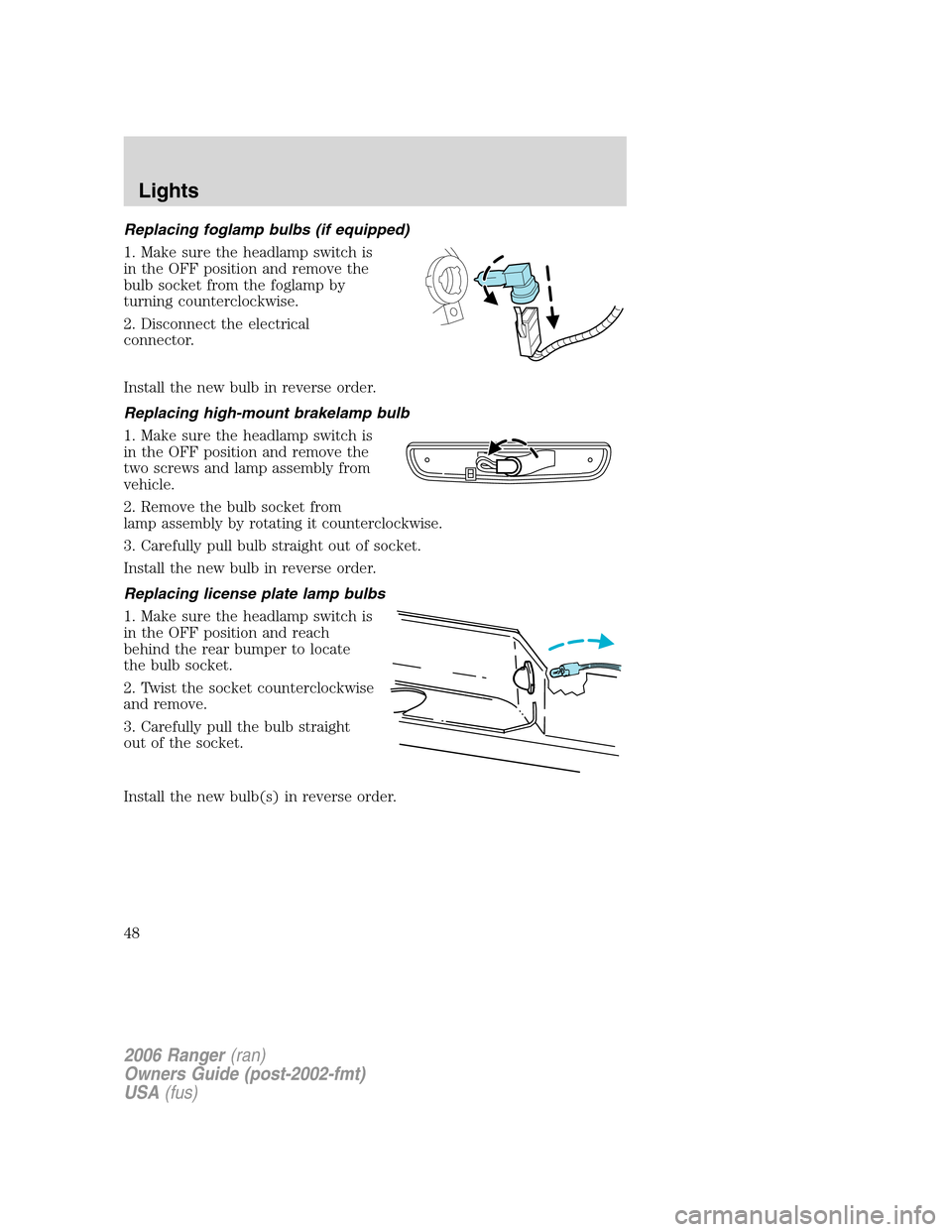
Replacing foglamp bulbs (if equipped)
1. Make sure the headlamp switch is
in the OFF position and remove the
bulb socket from the foglamp by
turning counterclockwise.
2. Disconnect the electrical
connector.
Install the new bulb in reverse order.
Replacing high-mount brakelamp bulb
1. Make sure the headlamp switch is
in the OFF position and remove the
two screws and lamp assembly from
vehicle.
2. Remove the bulb socket from
lamp assembly by rotating it counterclockwise.
3. Carefully pull bulb straight out of socket.
Install the new bulb in reverse order.
Replacing license plate lamp bulbs
1. Make sure the headlamp switch is
in the OFF position and reach
behind the rear bumper to locate
the bulb socket.
2. Twist the socket counterclockwise
and remove.
3. Carefully pull the bulb straight
out of the socket.
Install the new bulb(s) in reverse order.
2006 Ranger(ran)
Owners Guide (post-2002-fmt)
USA(fus)
Lights
48
Page 55 of 256
CARGO AREA FEATURES
Cargo area shade (if equipped)
Your vehicle may be equipped with notches in the side trim panels that
are used for a cargo area shade. See your authorized dealer for more
information.
BEDRAILS (IF EQUIPPED)
•This bedrail is for appearance use only.
To help prevent injury, do not use bedrail to retain cargo.
•Retain cargo with the pickup tie down hooks.
BED EXTENDER (IF EQUIPPED)
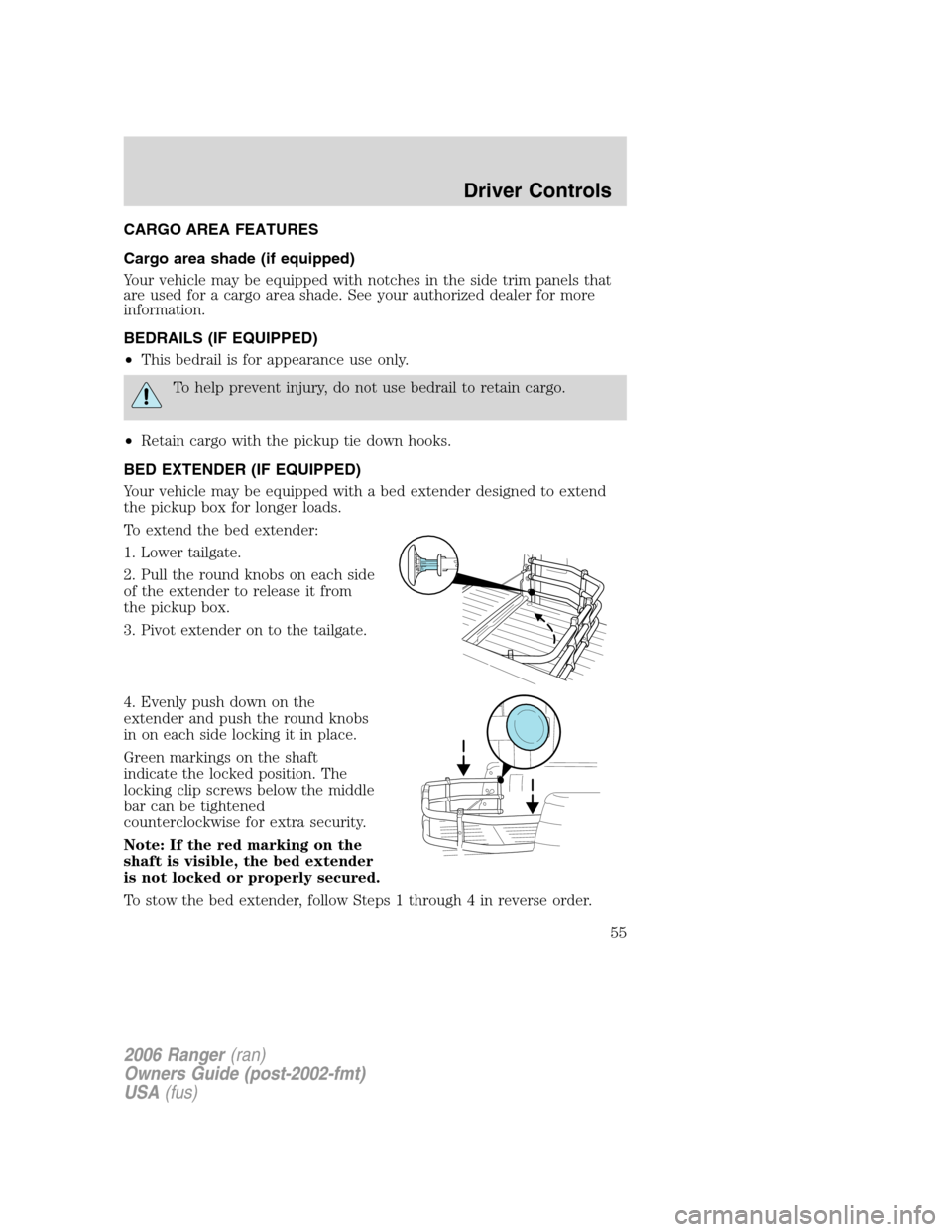
Your vehicle may be equipped with a bed extender designed to extend
the pickup box for longer loads.
To extend the bed extender:
1. Lower tailgate.
2. Pull the round knobs on each side
of the extender to release it from
the pickup box.
3. Pivot extender on to the tailgate.
4. Evenly push down on the
extender and push the round knobs
in on each side locking it in place.
Green markings on the shaft
indicate the locked position. The
locking clip screws below the middle
bar can be tightened
counterclockwise for extra security.
Note: If the red marking on the
shaft is visible, the bed extender
is not locked or properly secured.
To stow the bed extender, follow Steps 1 through 4 in reverse order.
2006 Ranger(ran)
Owners Guide (post-2002-fmt)
USA(fus)
Driver Controls
55
Page 65 of 256
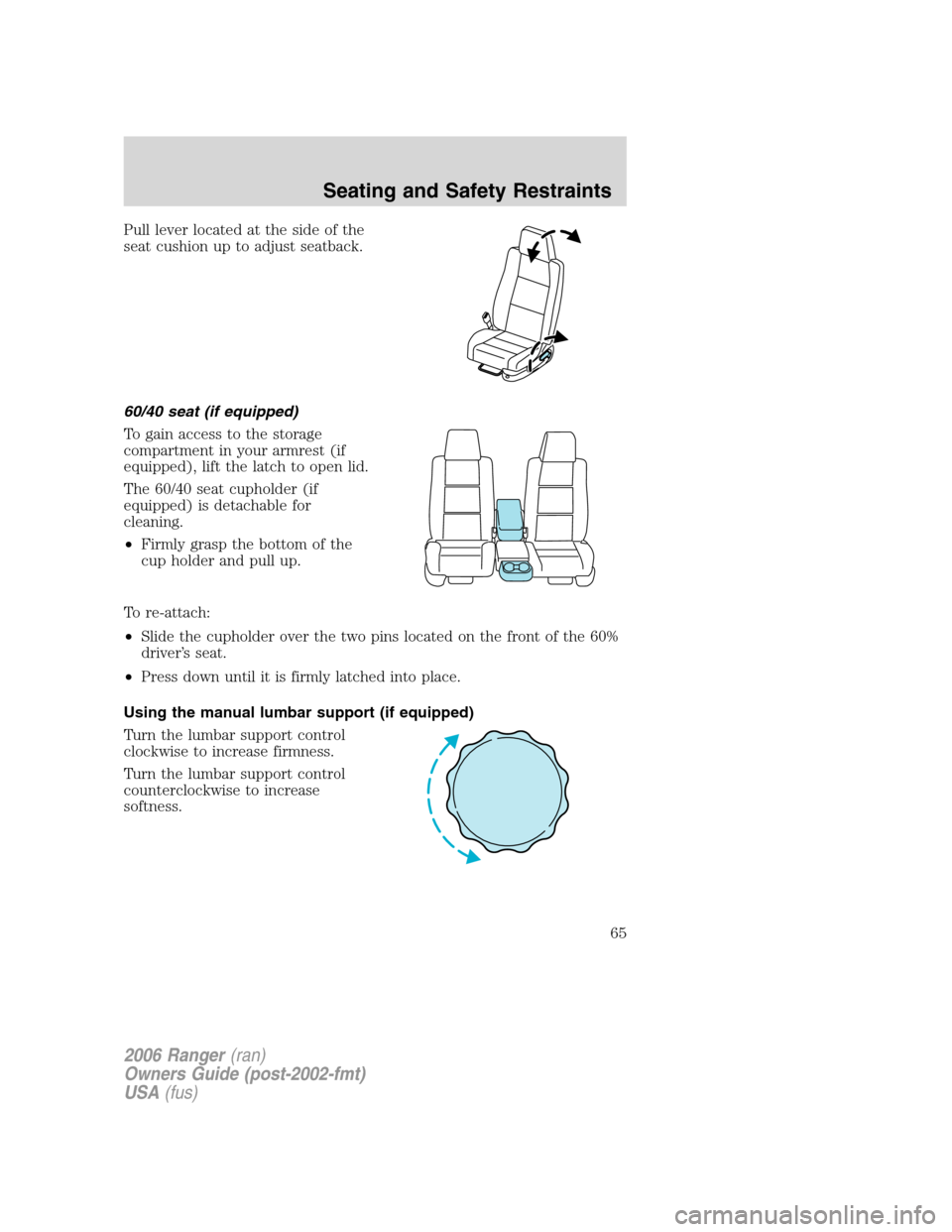
Pull lever located at the side of the
seat cushion up to adjust seatback.
60/40 seat (if equipped)
To gain access to the storage
compartment in your armrest (if
equipped), lift the latch to open lid.
The 60/40 seat cupholder (if
equipped) is detachable for
cleaning.
•Firmly grasp the bottom of the
cup holder and pull up.
To re-attach:
•Slide the cupholder over the two pins located on the front of the 60%
driver’s seat.
•Press down until it is firmly latched into place.
Using the manual lumbar support (if equipped)
Turn the lumbar support control
clockwise to increase firmness.
Turn the lumbar support control
counterclockwise to increase
softness.
2006 Ranger(ran)
Owners Guide (post-2002-fmt)
USA(fus)
Seating and Safety Restraints
65
Page 174 of 256
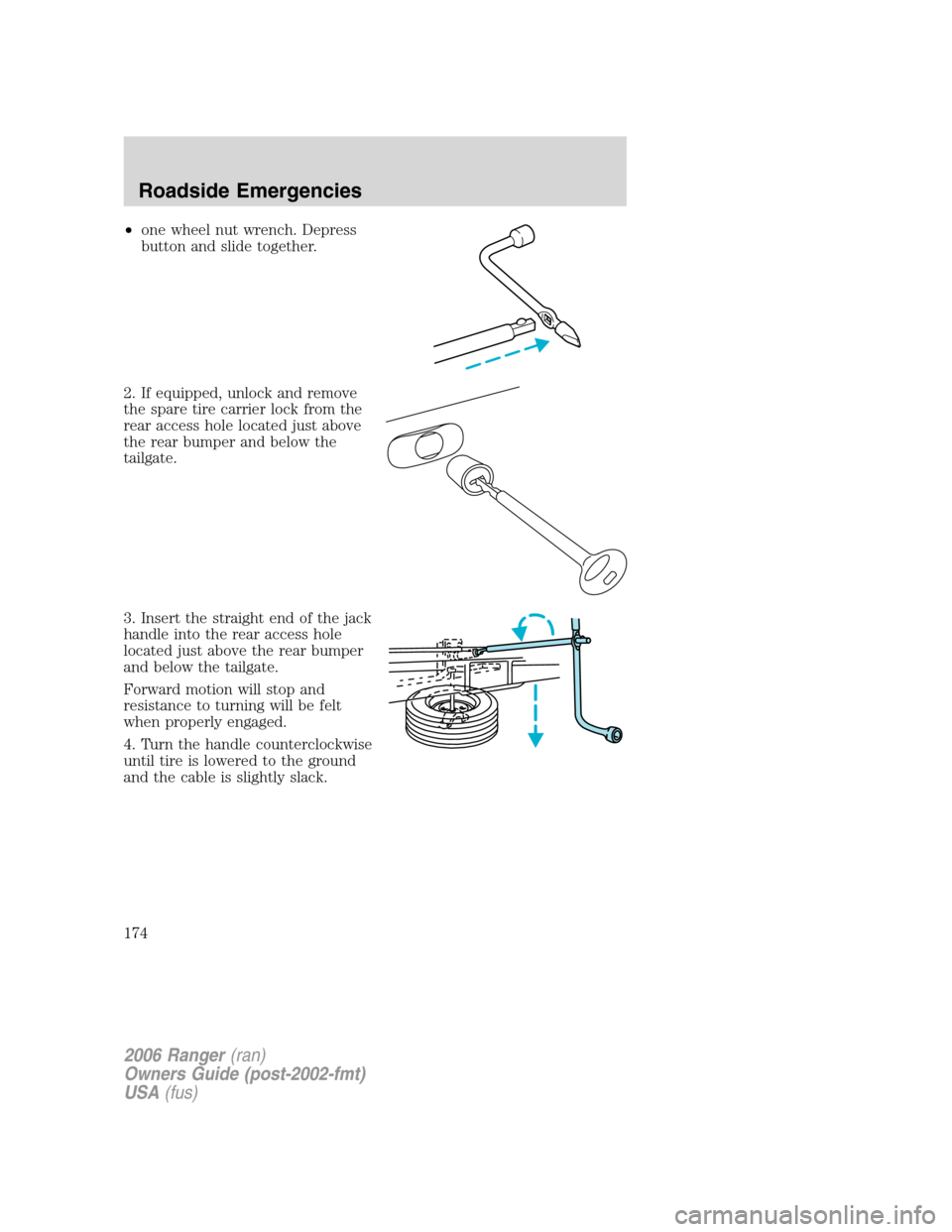
•one wheel nut wrench. Depress
button and slide together.
2. If equipped, unlock and remove
the spare tire carrier lock from the
rear access hole located just above
the rear bumper and below the
tailgate.
3. Insert the straight end of the jack
handle into the rear access hole
located just above the rear bumper
and below the tailgate.
Forward motion will stop and
resistance to turning will be felt
when properly engaged.
4. Turn the handle counterclockwise
until tire is lowered to the ground
and the cable is slightly slack.
2006 Ranger(ran)
Owners Guide (post-2002-fmt)
USA(fus)
Roadside Emergencies
174
Page 176 of 256
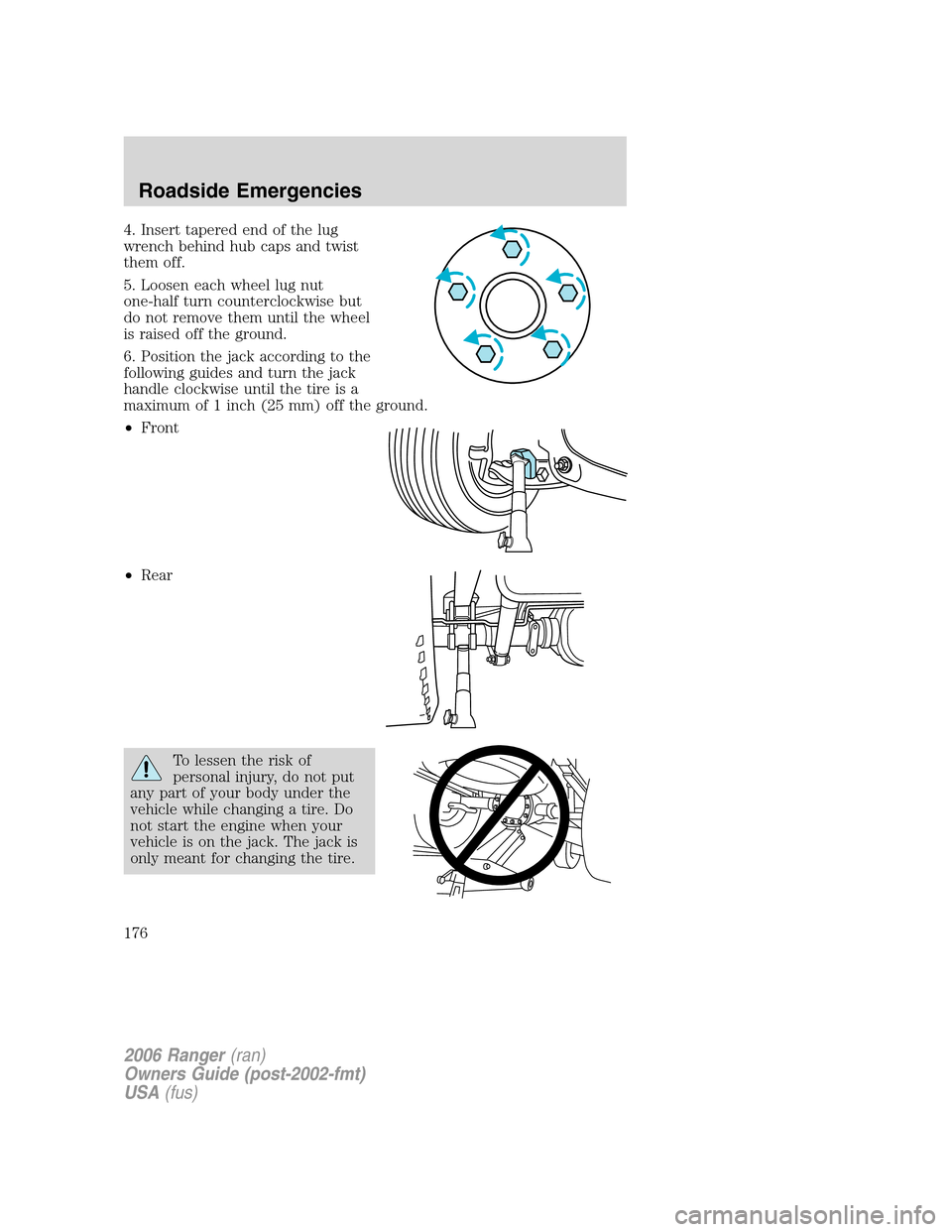
4. Insert tapered end of the lug
wrench behind hub caps and twist
them off.
5. Loosen each wheel lug nut
one-half turn counterclockwise but
do not remove them until the wheel
is raised off the ground.
6. Position the jack according to the
following guides and turn the jack
handle clockwise until the tire is a
maximum of 1 inch (25 mm) off the ground.
•Front
•Rear
To lessen the risk of
personal injury, do not put
any part of your body under the
vehicle while changing a tire. Do
not start the engine when your
vehicle is on the jack. The jack is
only meant for changing the tire.
2006 Ranger(ran)
Owners Guide (post-2002-fmt)
USA(fus)
Roadside Emergencies
176
Page 177 of 256

•Never use the differential as a jacking point.
7. Remove the wheel lug nuts with the lug wrench.
8. Replace the flat tire with the spare tire, making sure the valve stem is
facing outward. Reinstall the lug nuts until the wheel is snug against the
hub. Do not fully tighten the lug nuts until the wheel has been lowered.
9. Lower the wheel by turning the jack handle counterclockwise.
10. Remove the jack and fully
tighten the lug nuts, in the order
shown. Refer toWheel lug nut
torque specificationslater in this
chapter for the proper lug nut
torque specification.
11. Stow the flat tire. Refer to
Stowing the flat/spare tire.
12. Stow the jack and lug wrench.
Make sure the jack is fastened so it
does not rattle when you drive.
13. Unblock the wheels.
Stowing the flat/spare tire
Note:Failure to follow spare tire stowage instructions may result in
failure of cable or loss of spare tire.
1. Lay the tire on the ground with the valve stem facing up.
2. Slide the wheel partially under the vehicle and install the wire and
retainer through the center of the wheel.
3. Turn the jack handle clockwise until the tire is raised to its original
position underneath the vehicle. The effort to turn the jack handle
increases significantly as the tire contacts the frame. The spare tire
carrier will ratchet when the tire is in the fully stowed position. The
spare tire carrier has a built-in ratchet feature that will not allow you to
overtighten. If the spare tire carrier ratchets with very little effort, take
the vehicle to your authorized dealer for assistance at your earliest
convenience.
4. Check that the tire lies flat against the frame assembly. Push against
the tire to make sure it is tightly seated under the vehicle. Loosen and
retighten, if necessary. Failure to properly stow the spare tire may result
in failure of the winch cable and loss of the spare tire.
1
4 3
2 5
2006 Ranger(ran)
Owners Guide (post-2002-fmt)
USA(fus)
Roadside Emergencies
177