Page 117 of 198
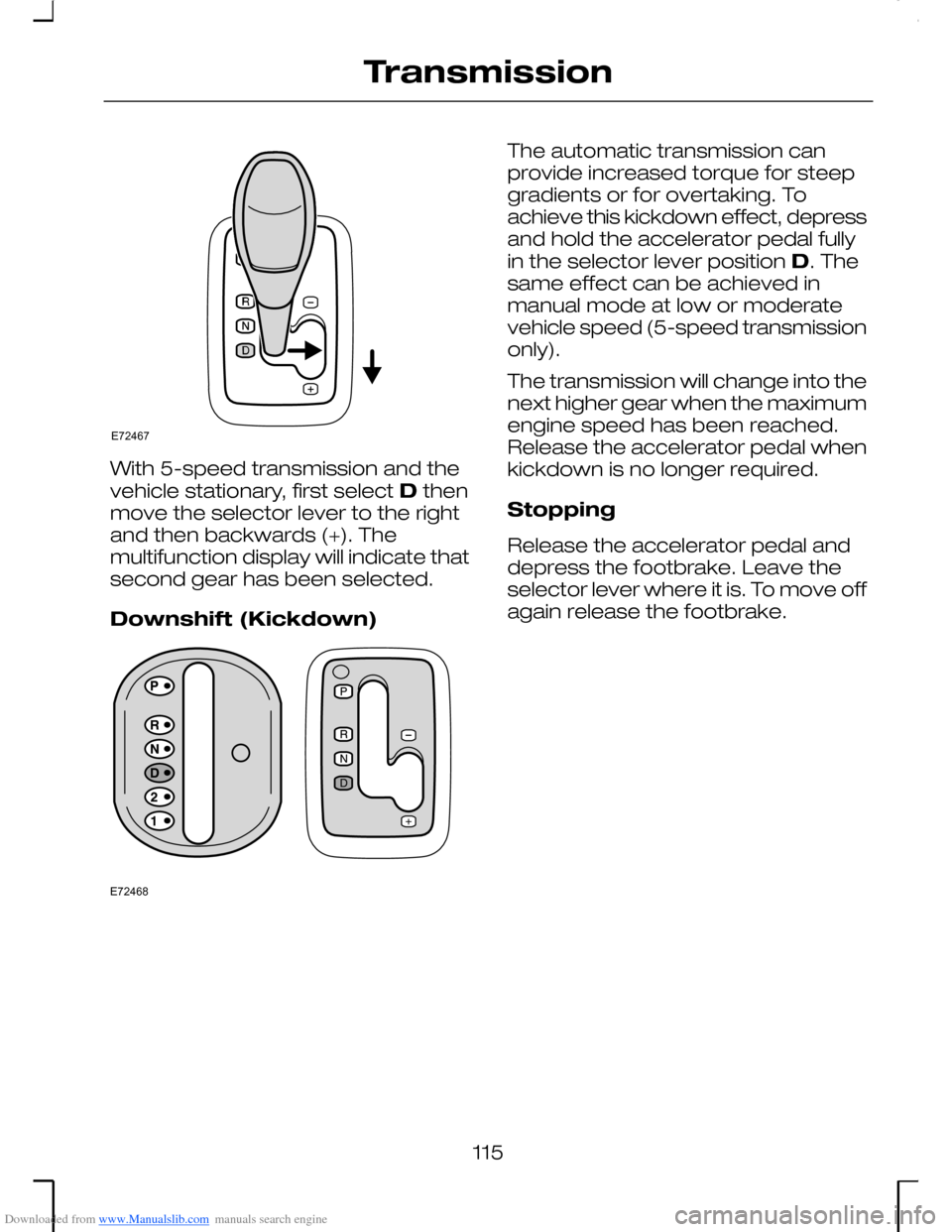
Downloaded from www.Manualslib.com manuals search engine With 5-speed transmission and thevehicle stationary, first select D thenmove the selector lever to the rightand then backwards (+). Themultifunction display will indicate thatsecond gear has been selected.
Downshift (Kickdown)
The automatic transmission canprovide increased torque for steepgradients or for overtaking. Toachieve this kickdown effect, depressand hold the accelerator pedal fullyin the selector lever position D. Thesame effect can be achieved inmanual mode at low or moderatevehicle speed (5-speed transmissiononly).
The transmission will change into thenext higher gear when the maximumengine speed has been reached.Release the accelerator pedal whenkickdown is no longer required.
Stopping
Release the accelerator pedal anddepress the footbrake. Leave theselector lever where it is. To move offagain release the footbrake.
115
TransmissionE72467 E72468
Page 122 of 198
Downloaded from www.Manualslib.com manuals search engine PRINCIPLE OF
OPERATION
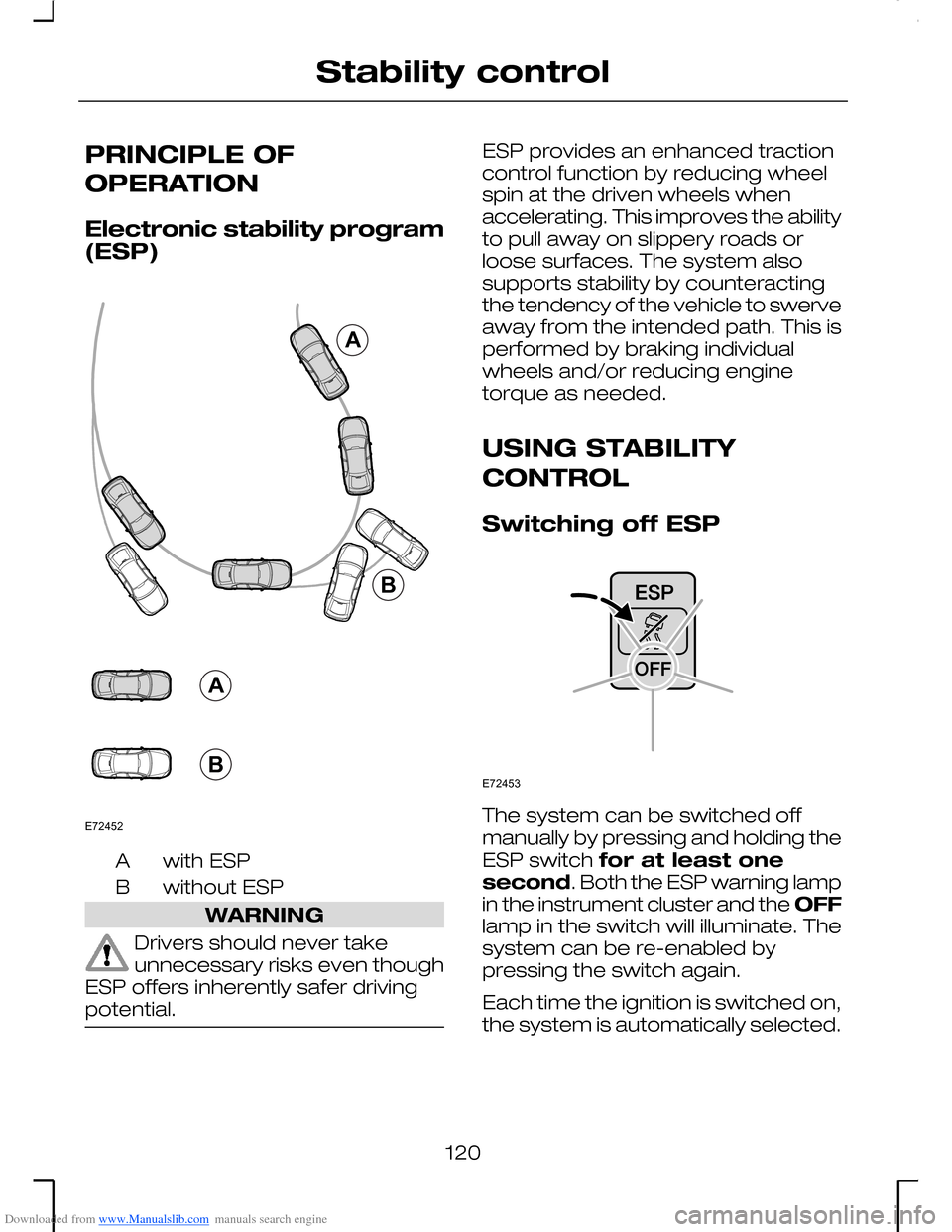
Electronic stability program(ESP)
with ESPA
without ESPB
WARNING
Drivers should never takeunnecessary risks even thoughESP offers inherently safer drivingpotential.
ESP provides an enhanced tractioncontrol function by reducing wheelspin at the driven wheels whenaccelerating. This improves the abilityto pull away on slippery roads orloose surfaces. The system alsosupports stability by counteractingthe tendency of the vehicle to swerveaway from the intended path. This isperformed by braking individualwheels and/or reducing enginetorque as needed.
USING STABILITY
CONTROL
Switching off ESP
The system can be switched offmanually by pressing and holding theESP switch for at least onesecond. Both the ESP warning lampin the instrument cluster and the OFFlamp in the switch will illuminate. Thesystem can be re-enabled bypressing the switch again.
Each time the ignition is switched on,the system is automatically selected.
120
Stability controlAABBE72452 E72453
Page 167 of 198
Downloaded from www.Manualslib.com manuals search engine •Jack up the vehicle until the wheelis clear of the ground.
•Unscrew and remove the wheelnuts and take off the wheel.
Fitting a wheel
Vehicles with alloy wheels
WARNING
Alloy wheels must never besecured using wheel nuts forsteel wheels.
Note: The wheel nuts of alloy wheelscan also be used for the steel sparewheel for a short time (maximum twoweeks).
All vehicles
•Push the wheel onto the wheelstuds. Screw on the wheel nutsand secure in a clockwisedirection ensuring that thetapered end of the wheel nuts isfacing the wheel.
•Lower the vehicle and remove thejack.
Vehicles with locking wheelnuts
•Insert the nut key onto the lockingnut.
All vehicles
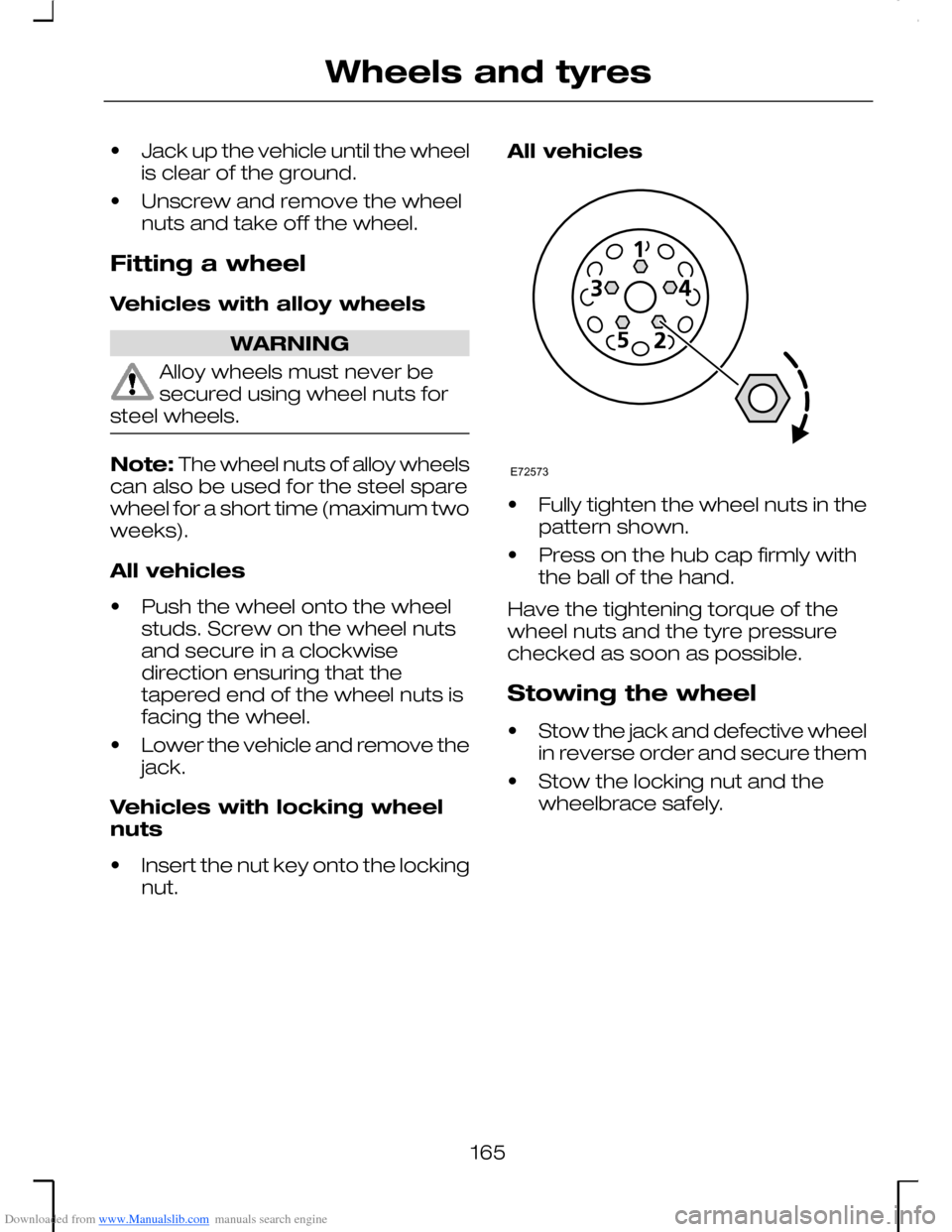
•Fully tighten the wheel nuts in thepattern shown.
•Press on the hub cap firmly withthe ball of the hand.
Have the tightening torque of thewheel nuts and the tyre pressurechecked as soon as possible.
Stowing the wheel
•Stow the jack and defective wheelin reverse order and secure them
•Stow the locking nut and thewheelbrace safely.
165
Wheels and tyresE72573