Page 25 of 320
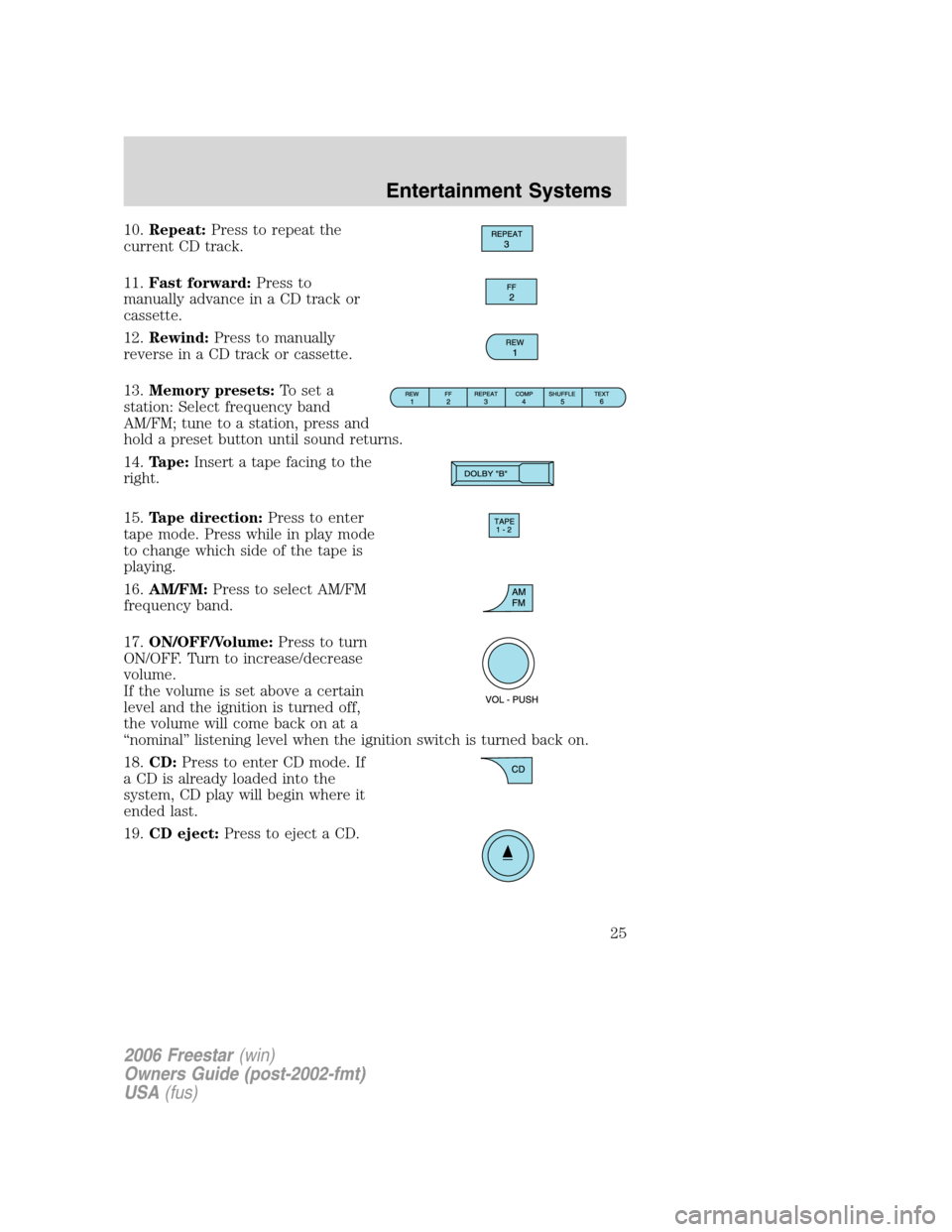
10.Repeat:Press to repeat the
current CD track.
11.Fast forward:Press to
manually advance in a CD track or
cassette.
12.Rewind:Press to manually
reverse in a CD track or cassette.
13.Memory presets:To set a
station: Select frequency band
AM/FM; tune to a station, press and
hold a preset button until sound returns.
14.Tape:Insert a tape facing to the
right.
15.Tape direction:Press to enter
tape mode. Press while in play mode
to change which side of the tape is
playing.
16.AM/FM:Press to select AM/FM
frequency band.
17.ON/OFF/Volume:Press to turn
ON/OFF. Turn to increase/decrease
volume.
If the volume is set above a certain
level and the ignition is turned off,
the volume will come back on at a
“nominal” listening level when the ignition switch is turned back on.
18.CD:Press to enter CD mode. If
a CD is already loaded into the
system, CD play will begin where it
ended last.
19.CD eject:Press to eject a CD.
2006 Freestar(win)
Owners Guide (post-2002-fmt)
USA(fus)
Entertainment Systems
25
Page 28 of 320

6.Text:In CD mode, press to
display the track name, artist name
and disc name (if available).
7.Shuffle:Press to play tracks in
random order.
8.Comp (Compression):In CD
mode, brings soft and loud CD
passages together for a more
consistent listening level.
9.Repeat:Press to repeat the
current CD track.
10.Fast forward:Press to
manually advance in a CD track.
11.Rewind:Press to manually
reverse in a CD track.
12.Memory presets:To set a
station: Select frequency band
AM/FM; tune to a station, press and
hold a preset button until sound returns.
13.Scan:Press for a brief sampling
of radio stations or CD tracks. Press
again to stop.
14.Seek:Press to access the
previous strong station or track.
15.AM/FM:Press to select AM/FM
frequency band.
16.ON/OFF/Volume:Press to turn
ON/OFF. Turn to increase/decrease
volume.
If the volume is set above a certain
level and the ignition is turned off,
the volume will come back on at a
“nominal” listening level when the ignition switch is turned back on.
2006 Freestar(win)
Owners Guide (post-2002-fmt)
USA(fus)
Entertainment Systems
28
Page 43 of 320

HEADLAMP CONTROL
Turns the lamps off.
Turns on the parking lamps,
instrument panel lamps, license
plate lamps and tail lamps.
Turns the headlamps on.
Note:Some vehicles may be equipped with aheadlamps on with
wipers feature.In order for this feature to work:
•the ignition must be in run and the front wipers must be on greater
than 10 seconds except during a mist wipe or while the wipers are on
to clear washer fluid during a wash condition.
•the headlamps and park lamps must be turned off when the ignition is
in off or accessory position, or the front wipers are off for more than
30 seconds while the ambient light level is at daytime brightness.
Autolamp control (if equipped)
The autolamp system provides light
sensitive automatic on-off control of
the exterior lights normally
controlled by the headlamp control.
The autolamp system also keeps the
lights on for a fixed period of time
after the ignition switch is turned to
OFF.
•To turn autolamps on, rotate the
control counterclockwise to
.
•To turn autolamps off, rotate the control clockwise to
.
Autolamps - Programmable exit delay
Programmable exit delay allows the length of the autolamp exit delay to
be changed. Once in the programming mode, the headlamps and
parklamps will turn on to indicate the start of the time desired.
P
AP
2006 Freestar(win)
Owners Guide (post-2002-fmt)
USA(fus)
Lights
43
Page 44 of 320

To program the auto lamp exit time delay:
1. Start with the ignition in the OFF position and the headlamp control
in the autolamp position.
2. Deselect the auto lamps.
3. Put the ignition in RUN.
4. Put the ignition in OFF.
5. Select the autolamps.
•Note:Steps 2 through 5 must be performed within a 10 second
period.
•At this point, the headlamps and park lamps will turn on.
6. Deselect the auto lamps after the desired auto lamp delay time
(maximum of 3 minutes).
•At this point, the headlamps and park lamps will turn off.
Daytime running lamps (DRL) (if equipped)
Turns the lowbeam headlamps on with a reduced output. To activate:
•the key must be in the ON position,
•the headlamp control is in the OFF, parking lamps or autolamp
position,
•and the transmission must be out of PARK.
Always remember to turn on your headlamps at dusk or during
inclement weather. The Daytime Running Light (DRL) System
does not activate your tail lamps and generally may not provide
adequate lighting during these conditions. Failure to activate your
headlamps under these conditions may result in a collision.
High beams
Push the lever toward the
instrument panel to activate. Pull
the lever towards you to deactivate.
2006 Freestar(win)
Owners Guide (post-2002-fmt)
USA(fus)
Lights
44
Page 45 of 320

Flash to pass
Pull toward you slightly to activate
and release to deactivate.
Battery saver
The battery saver will shut off the exterior lamps and interior lamps,
except the hazard warning lamps if activated, 10 minutes after the
ignition control has been turned off. The battery saver will extend the
time-out period for courtesy lamps to 30 minutes if the liftgate is ajar or
the dome lamp is on via manual activation using the dome lamp switch
or the headlamp switch, whichever is provided. The system will not turn
off the parking lamps if the headlamp control is in the PARK position.
For interior lights, refer toIlluminated entryin theLocks and security
chapter.
PANEL DIMMER CONTROL
Use to adjust the brightness of the
instrument panel during headlight
and parklamp operation.
•Rotate the thumbwheel from left
to right to brighten the
instrument panel.
•Rotate the thumbwheel from right
to left to dim the instrument
panel.
Your vehicle also contains a feature called “sleeping baby mode” — in
which the dome lamps will remain off and only the lower lamps will
illuminate. This lighting mode can be activated by rotating the
thumbwheel to the first left detent position (as denoted by the half filled
circle above).
Domelamp Control
The panel dimmer control also controls the domelamp operation.
•Rotate the thumbwheel fully to the right, past detent to activate the
domelamp.
2006 Freestar(win)
Owners Guide (post-2002-fmt)
USA(fus)
Lights
45
Page 47 of 320
5. Locate the vertical adjuster on
each headlamp, then usea#2
Phillips screwdriver to turn the
adjuster either counterclockwise (to
adjust up) or clockwise (to adjust
down) positioning the horizontal
edge of the high intensity light on
the horizontal reference line.
6. HORIZONTAL AIM IS NOT
REQUIRED FOR THIS VEHICLE
AND IS NON-ADJUSTABLE.
7. Close the hood and turn off the lamps.
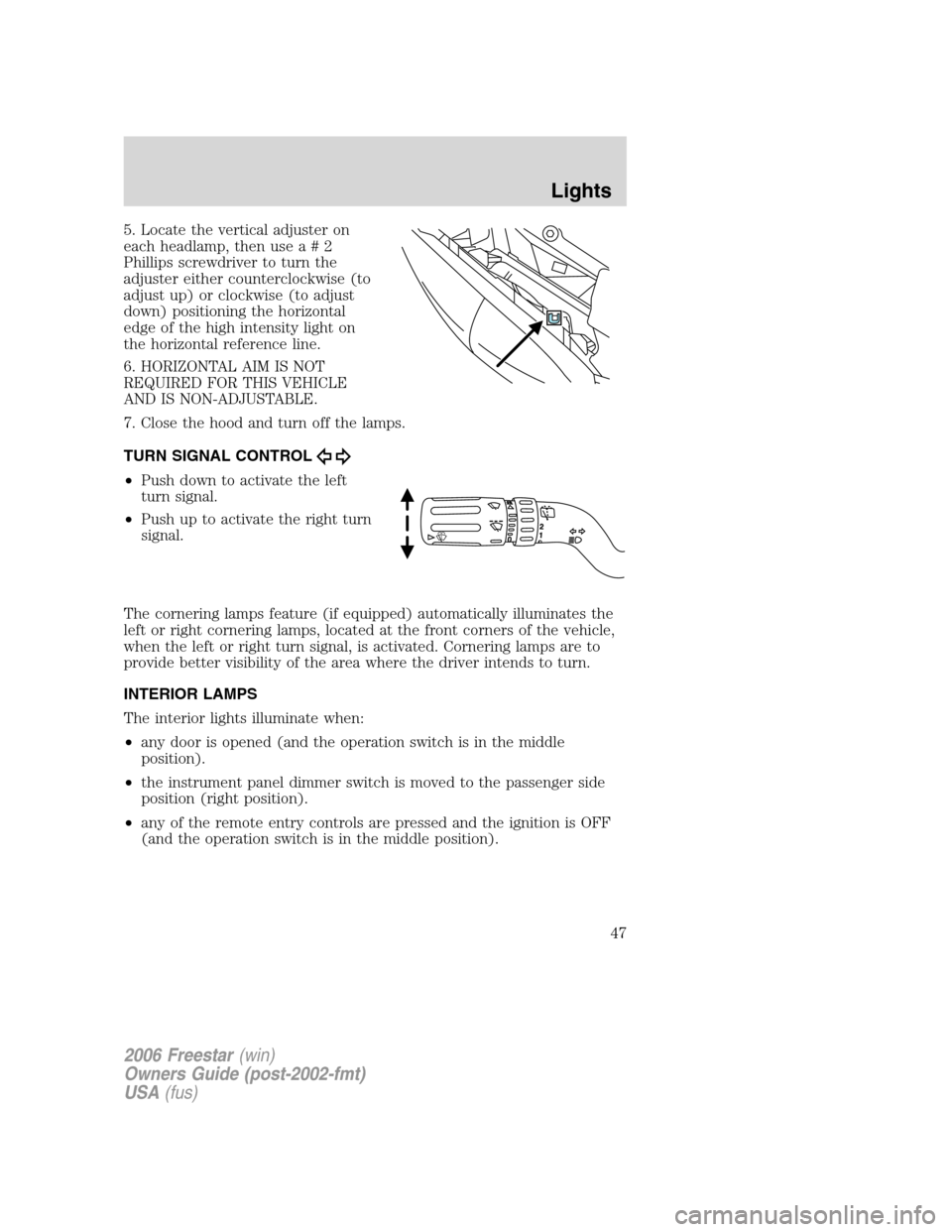
TURN SIGNAL CONTROL
•Push down to activate the left
turn signal.
•Push up to activate the right turn
signal.
The cornering lamps feature (if equipped) automatically illuminates the
left or right cornering lamps, located at the front corners of the vehicle,
when the left or right turn signal, is activated. Cornering lamps are to
provide better visibility of the area where the driver intends to turn.
INTERIOR LAMPS
The interior lights illuminate when:
•any door is opened (and the operation switch is in the middle
position).
•the instrument panel dimmer switch is moved to the passenger side
position (right position).
•any of the remote entry controls are pressed and the ignition is OFF
(and the operation switch is in the middle position).
2006 Freestar(win)
Owners Guide (post-2002-fmt)
USA(fus)
Lights
47
Page 49 of 320
door is opened. If the control is moved to the driver’s side position, the
lamp will not come on at all.
The dome lamp will illuminate whenever a front door is opened. If either
front door has been opened from the outside, the lamp will remain on for
20 seconds after the door is shut. If any other door has been opened
from the inside, the lamp will shut off immediately after the door is
closed.
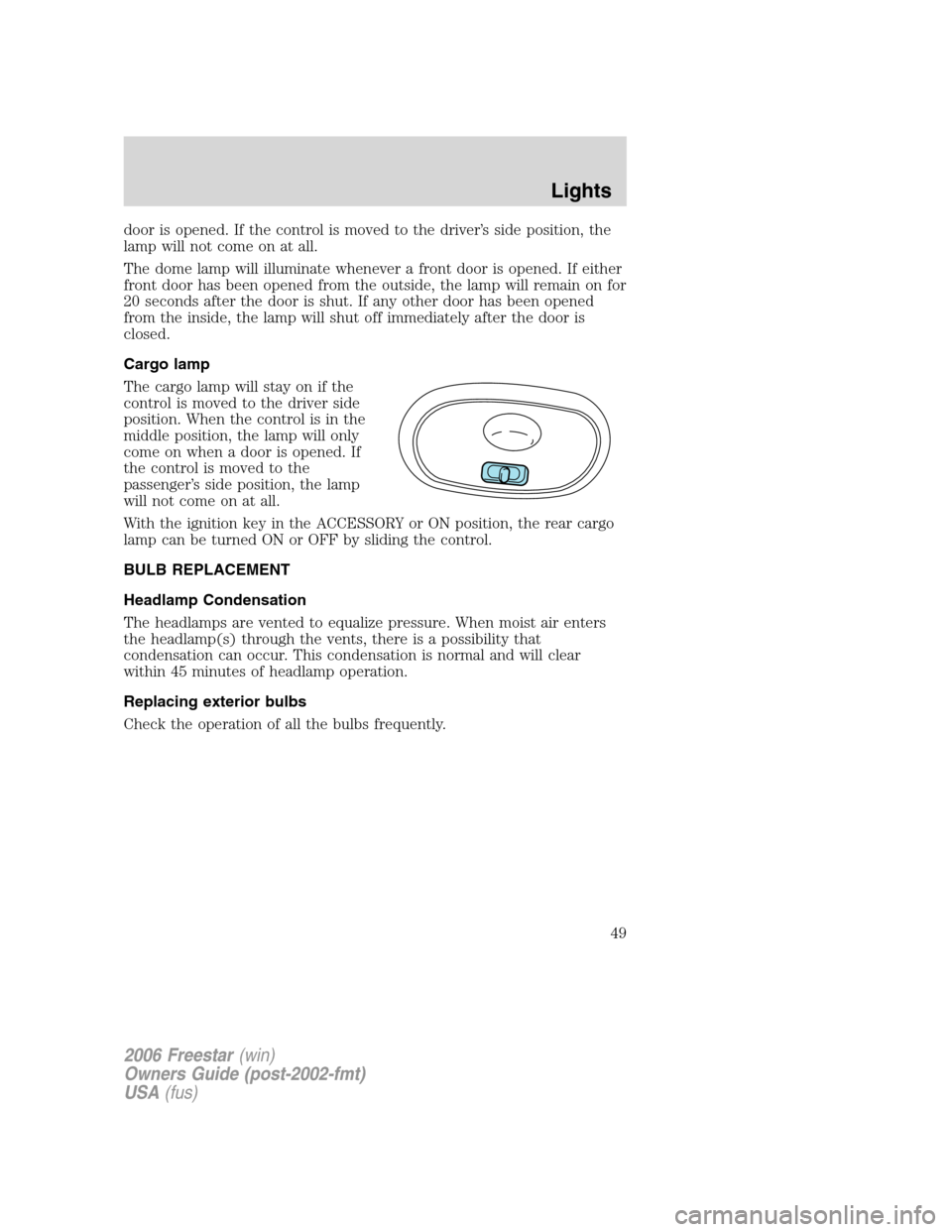
Cargo lamp
The cargo lamp will stay on if the
control is moved to the driver side
position. When the control is in the
middle position, the lamp will only
come on when a door is opened. If
the control is moved to the
passenger’s side position, the lamp
will not come on at all.
With the ignition key in the ACCESSORY or ON position, the rear cargo
lamp can be turned ON or OFF by sliding the control.
BULB REPLACEMENT
Headlamp Condensation
The headlamps are vented to equalize pressure. When moist air enters
the headlamp(s) through the vents, there is a possibility that
condensation can occur. This condensation is normal and will clear
within 45 minutes of headlamp operation.
Replacing exterior bulbs
Check the operation of all the bulbs frequently.
2006 Freestar(win)
Owners Guide (post-2002-fmt)
USA(fus)
Lights
49
Page 56 of 320

Conversation mirror
The conversation mirror allows the
driver to view the rear seating area.
This does not replace the
rear view mirror.
Electronic compass/temperature
display (if equipped)
The overhead console may have an
electronic compass and outside air temperature display. The compass
heading and outside air temperature are displayed together - side by
side. The display, as a whole, can be turned on or off by pressing the
momentary push-button on the overhead console. When the vehicle is
turned off, the electronics display will remember the last display state.
Outside air temperature
The temperature can be displayed in
either Centigrade or Fahrenheit.
This is controlled via the Message
Center. Please refer to theMessage
Centerin this chapter to change
from English to metric. The ignition
key must be in the ON or
ACCESSORY position.
If the outside temperature falls
below 3°C (38°F), the display will alternate from “ICE” to the outside
temperature at a two second rate for one minute.
Compass
The vehicle heading is displayed as one of N, NE, E, SE, S, SW, W and
NW.
The compass reading may be affected when you drive near large
buildings, bridges, power lines and powerful broadcast antenna. Magnetic
or metallic objects placed in or on the vehicle may also affect compass
accuracy. Adjustments may need to be made to the zone and calibration
of the compass.
2006 Freestar(win)
Owners Guide (post-2002-fmt)
USA(fus)
Driver Controls
56