2006 FORD EXPLORER light
[x] Cancel search: lightPage 17 of 328
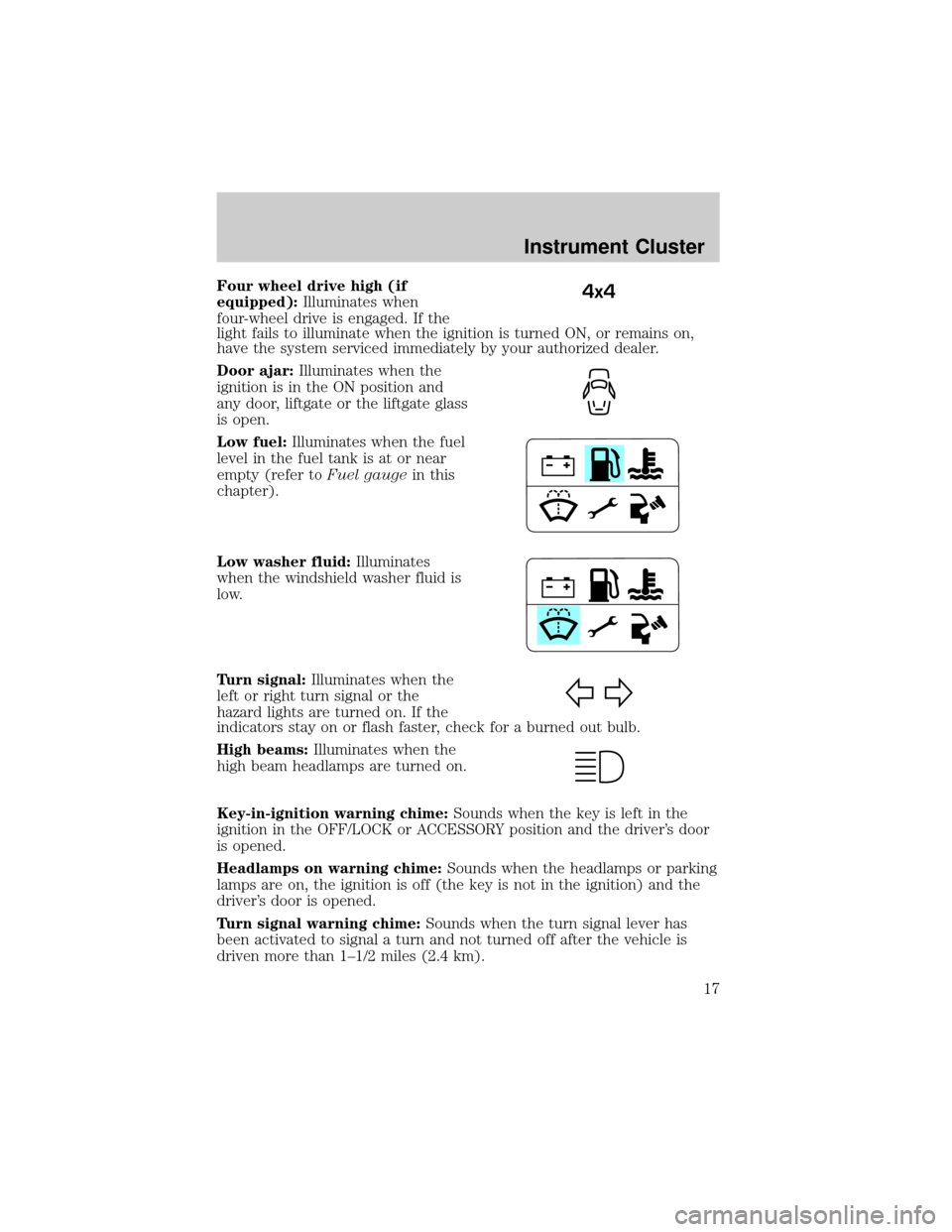
Four wheel drive high (if
equipped):Illuminates when
four-wheel drive is engaged. If the
light fails to illuminate when the ignition is turned ON, or remains on,
have the system serviced immediately by your authorized dealer.
Door ajar:Illuminates when the
ignition is in the ON position and
any door, liftgate or the liftgate glass
is open.
Low fuel:Illuminates when the fuel
level in the fuel tank is at or near
empty (refer toFuel gaugein this
chapter).
Low washer fluid:Illuminates
when the windshield washer fluid is
low.
Turn signal:Illuminates when the
left or right turn signal or the
hazard lights are turned on. If the
indicators stay on or flash faster, check for a burned out bulb.
High beams:Illuminates when the
high beam headlamps are turned on.
Key-in-ignition warning chime:Sounds when the key is left in the
ignition in the OFF/LOCK or ACCESSORY position and the driver's door
is opened.
Headlamps on warning chime:Sounds when the headlamps or parking
lamps are on, the ignition is off (the key is not in the ignition) and the
driver's door is opened.
Turn signal warning chime:Sounds when the turn signal lever has
been activated to signal a turn and not turned off after the vehicle is
driven more than 1±1/2 miles (2.4 km).4x4
Instrument Cluster
17
Page 20 of 328
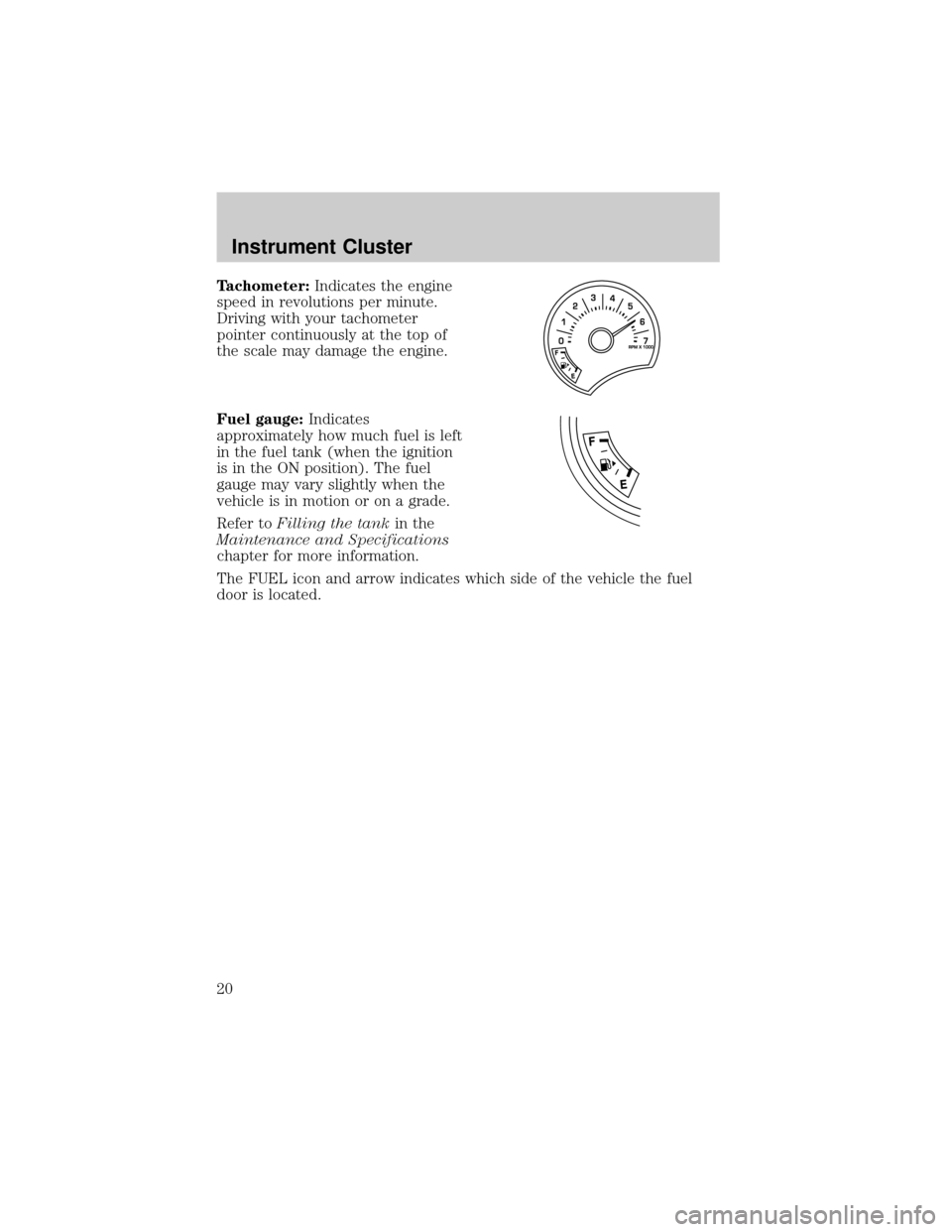
Tachometer:Indicates the engine
speed in revolutions per minute.
Driving with your tachometer
pointer continuously at the top of
the scale may damage the engine.
Fuel gauge:Indicates
approximately how much fuel is left
in the fuel tank (when the ignition
is in the ON position). The fuel
gauge may vary slightly when the
vehicle is in motion or on a grade.
Refer toFilling the tankin the
Maintenance and Specifications
chapter for more information.
The FUEL icon and arrow indicates which side of the vehicle the fuel
door is located.
Instrument Cluster
20
Page 22 of 328
Autoset:Allows you to set the strongest local radio stations without
losing your original manually set preset stations for AM/FM1/FM2. Press
MENU to access. Use
/to set.
When the six strongest stations are filled, the station stored in preset 1
will begin playing. If there are less than six strong stations, the system
will store the last one in the remaining presets. Use
/to turn
on/off.
Bass:Press
/to adjust the bass setting.
Treble:Press
/to adjust the treble setting.
Balance:Press
/to adjust the audio between the left and right
speakers.
Fade:Press
/to adjust the audio between the front and rear
speakers.
Speed sensitive volume:Radio volume automatically changes slightly
with vehicle speed to compensate for road and wind noise. Press MENU
to access and use
/to adjust. The recommended level is 1±3.
Level 0 (SPEED OFF) turns the feature off and level 7 is the maximum
setting.
Track/Folder Mode:Available only on MP3 discs in CD mode.
Press
/to toggle between Track and Folder mode.
In Track mode, press
SEEKto scroll through all tracks on the
current disc.
In Folder mode, press
SEEKto scroll through tracks within the
selected folder.
Compression:Brings soft and loud CD passages together for a more
consistent listening level when in CD mode. Press MENU until
compression status is displayed. Press
/to turn the feature on/off.
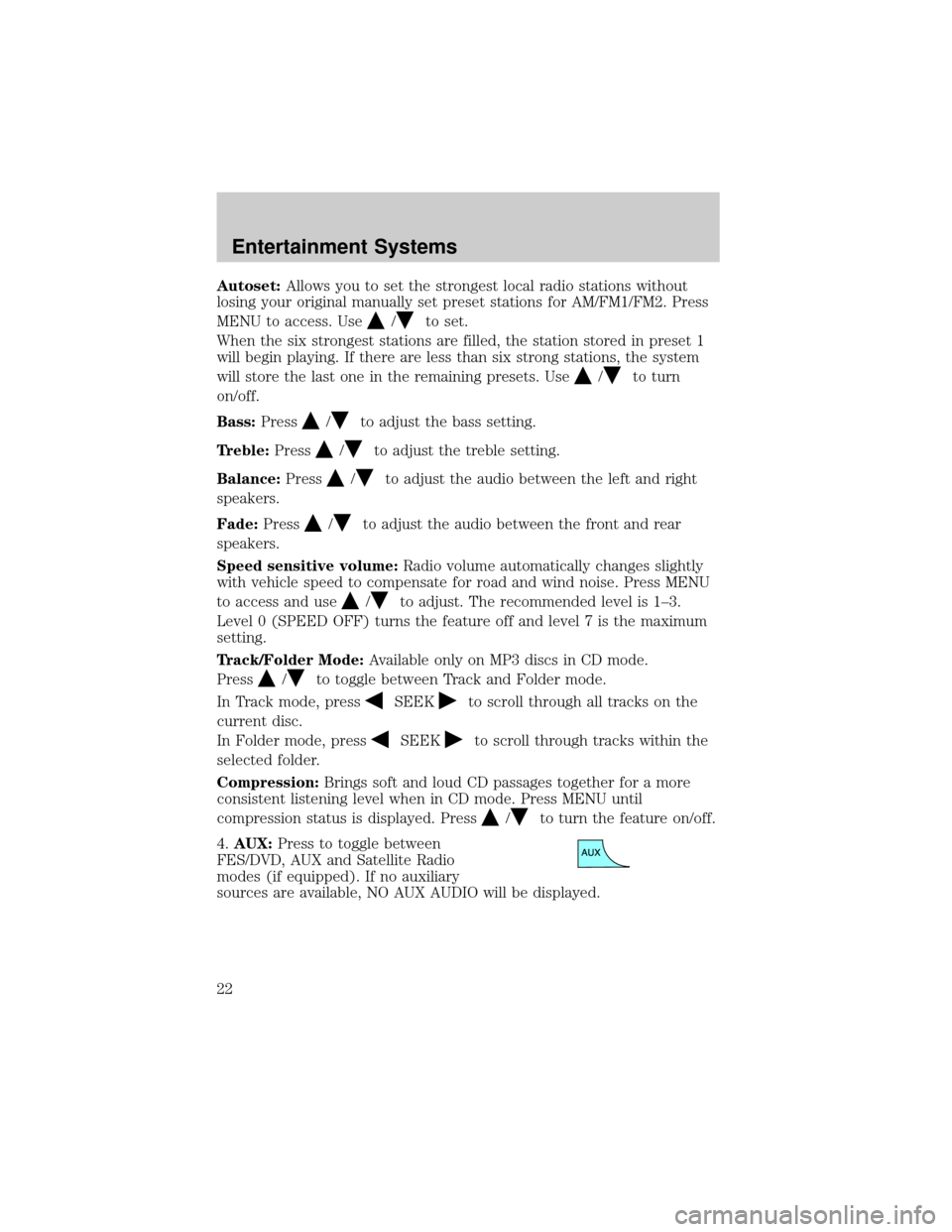
4.AUX:Press to toggle between
FES/DVD, AUX and Satellite Radio
modes (if equipped). If no auxiliary
sources are available, NO AUX AUDIO will be displayed.
Entertainment Systems
22
Page 26 of 328
4.MENU:Press to toggle through
the following modes:
Setting the clock:Press MENU until SET HOURS or SET MINUTES is
displayed. Press
/to adjust the hours/minutes.
Autoset:Allows you to set the strongest local radio stations without losing
your original manually set preset stations for AM/FM1/FM2 . Press MENU
to access. Use
/to set.
When the six strongest stations are filled, the station stored in preset 1 will
begin playing. If there are less than six strong stations, the system will
store the last one in the remaining presets. Use
/to turn on/off.
Bass:Press/to adjust the bass setting.
Treble:Press
/to adjust the treble setting.
Balance:Press
/to adjust the audio between the left and right
speakers.
Fade:Press
/to adjust the audio between the front and rear
speakers.
Speed sensitive volume:Radio volume automatically changes slightly
with vehicle speed to compensate for road and wind noise. Use
/
to adjust. Recommended level is 1±3. Level 0 (SPEED OFF) turns the
feature off and level 7 is the maximum setting.
Compression:Brings soft and loud CD passages together for a more
consistent listening level when in CD mode. Press MENU until
compression status is displayed. Press
/to turn the feature on/off.
Dolbytnoise reduction:Dolbytnoise reduction works in tape mode to
reduce hiss and static during playback. The Dolbytnoise reduction
system is manufactured under license from Dolby Laboratories Licensing
Corporation. Dolbytand the double-D symbol are registered trademarks
of DolbytLaboratories Licensing Corporation.
Track/Folder Mode:Available only on MP3 discs in CD mode.
Press
/to toggle between Track and Folder mode.
In Track mode, press
SEEKto scroll through all tracks on the
current disc.
In Folder mode, press
SEEKto scroll through tracks within the
selected folder.
Entertainment Systems
26
Page 30 of 328
RBDS (Radio Broadcast Digital Signal) ON/OFF:Press/to
turn RBDS ON or OFF.
Program Type:If RBDS is ON, press
/to find the desired program
type, then use
SEEKor SCAN to search for FM radio stations
broadcasting the desired program type.
SHOW RBDS Info:If RBDS is ON, this allows you to display the name
of the FM radio station or program type. Press
/to show program
type, station name or none.
RBDS:Allows you to search RBDS (Radio Broadcast Digital Signal)
equipped stations for the following music formats: Classical, Country,
Jazz, Oldies, R&B, Religious, Rock, Soft, Top 40 and Information
(Inform). RBDS is only available in FM mode.
Autoset:Allows you to set the strongest local radio stations without
losing your original manually set preset stations for AM/FM1/FM2 .
Use
/to turn on/off.
When the six strongest stations are filled, the station stored in preset 1
will begin playing. If there are less than six strong stations, the system
will store the last one in the remaining presets. Use
/to turn
on/off.
Bass:Press
/to adjust the bass setting.
Treble:Press
/to adjust the treble setting.
Balance:Press
/to adjust the audio between the left and right
speakers.
Fade:Press
/to adjust the audio between the front and rear
speakers.
Speed sensitive volume:Radio volume automatically changes slightly
with vehicle speed to compensate for road and wind noise. Use
/
to adjust. Recommended level is 1±3. Level 0 (SPEED OFF) turns the
feature off and level 7 is the maximum setting.
Occupancy mode:Use
/to select and optimize sound for ALL
SEATS, DRIVERS SEAT or REAR SEATS.
Entertainment Systems
30
Page 33 of 328

GENERAL AUDIO INFORMATION
Radio frequencies:AM and FM frequencies are established by the
Federal Communications Commission (FCC) and the Canadian Radio and
Telecommunications Commission (CRTC). Those frequencies are:
AM - 530, 540±1700, 1710 kHz
FM- 87.7, 87.9±107.7, 107.9 MHz
Radio reception factors:There are three factors that can affect radio
reception:
²Distance/strength: The further you travel from a station, the weaker
the signal and the weaker the reception.
²Terrain: Hills, mountains, tall buildings, power lines, electric fences,
traffic lights and thunderstorms can interfere with your reception.
²Station overload: When you pass a broadcast tower, a stronger signal
may overtake a weaker one and play while the weak station frequency
is displayed.
Cassette/player care:
Do:
²Use only cassettes that are 90 minutes long or less.
²Tighten very loose tapes by inserting a finger or pencil into the hole
and turning the hub.
²Remove loose labels before inserting tapes.
²Allow tapes which have been subjected to extreme heat, humidity or
cold to reach a moderate temperature before playing.
²Clean the cassette player head with a cassette cleaning cartridge after
10±12 hours of play to maintain good sound/operation.
Don't:
²Expose tapes to direct sunlight, extreme humidity, heat or cold.
²Leave tapes in the cassette player for a long time when not being
played.
CD/CD player care:
Do:
²Handle discs by their edges only. Never touch the playing surface.
²Inspect discs before playing. Clean only with an approved CD cleaner
and wipe from the center out.
Entertainment Systems
33
Page 34 of 328

Don't:
²Expose discs to direct sunlight or heat sources for extended periods
of time.
²Clean using a circular motion.
CD units are designed to play commercially pressed 4.75 in (12
cm) audio compact discs only. Due to technical incompatibility,
certain recordable and re-recordable compact discs may not
function correctly when used in Ford CD players. Dirty, warped
or damaged CDs, irregular shaped CDs, CDs with a scratch
protection film attached, and CDs with homemade paper
(adhesive) labels should not be inserted into the CD player. The
label may peel and cause the CD to become jammed. It is
recommended that homemade CDs be identified with permanent
felt tip marker rather than adhesive labels. Ballpoint pens may
damage CDs. Please contact your authorized dealer for further
information.
Audio system warranty and service:Refer to theWarranty Guide
for audio system warranty information. If service is necessary, see your
dealer or qualified technician.
NAVIGATION SYSTEM (IF EQUIPPED)
Your vehicle may be equipped with a Navigation System. Refer to the
Navigation supplementfor further information.
FAMILY ENTERTAINMENT SYSTEM (IF EQUIPPED)
Your vehicle may be equipped with a Family Entertainment System
(FES). This is a DVD system for the rear seat passengers which includes
a DVD player, wireless infrared headphones and a remote control. For
more information, please refer to theFamily Entertainment System
supplement.
Entertainment Systems
34
Page 36 of 328
²Do not put objects under the front seats that will interfere with the
airflow to the rear seats.
²Remove any snow, ice or leaves from the air intake area at the base of
the windshield.
²To improve the A/C cool down when the vehicle interior is
significantly warmer than the outside temperature, drive with the
windows slightly open for 2±3 minutes after start up or until the
vehicle has been ªaired out.º
For maximum cooling performance in panel (
) mode:
²Select MAX A/C mode. MAX A/C uses recirculated air with A/C to
provide a cooler airflow.
²Move the temperature control to the coolest setting.
²Set the fan to the highest speed initially, then adjust in order to
maintain comfort.
To allow side window defogging and demisting while warming up the
vehicle cabin:
1. Select
.
2. Select A/C.
3. Set the temperature control to maintain comfort.
4. Set the fan speed to highest setting.
5. Direct the outer instrument panel vents towards the side windows. To
increase airflow to the outer instrument panel vents, close the vents
located in the middle of the instrument panel.
To allow windshield defogging and demisting while warming up vehicle:
1. Select
floor/defrost mode.
2. Set temperature control to maintain comfort.
3. Set fan to highest setting.
Do not place objects on top of the instrument panel as these
objects may become projectiles in a collision or sudden stop.
Climate Controls
36