Page 50 of 272
ensuring the grommets are pushed all the way into the trunk lid and
secure with two screws.
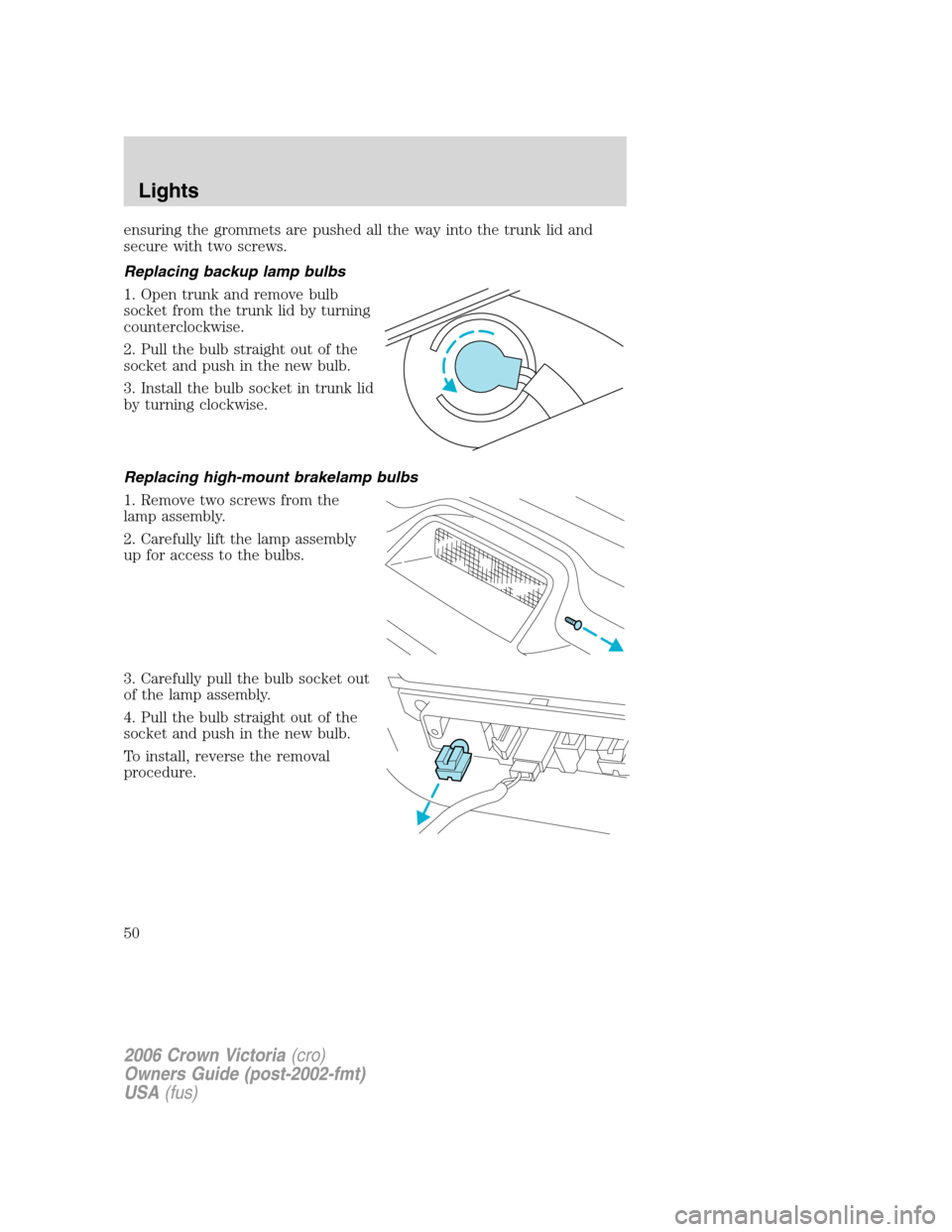
Replacing backup lamp bulbs
1. Open trunk and remove bulb
socket from the trunk lid by turning
counterclockwise.
2. Pull the bulb straight out of the
socket and push in the new bulb.
3. Install the bulb socket in trunk lid
by turning clockwise.
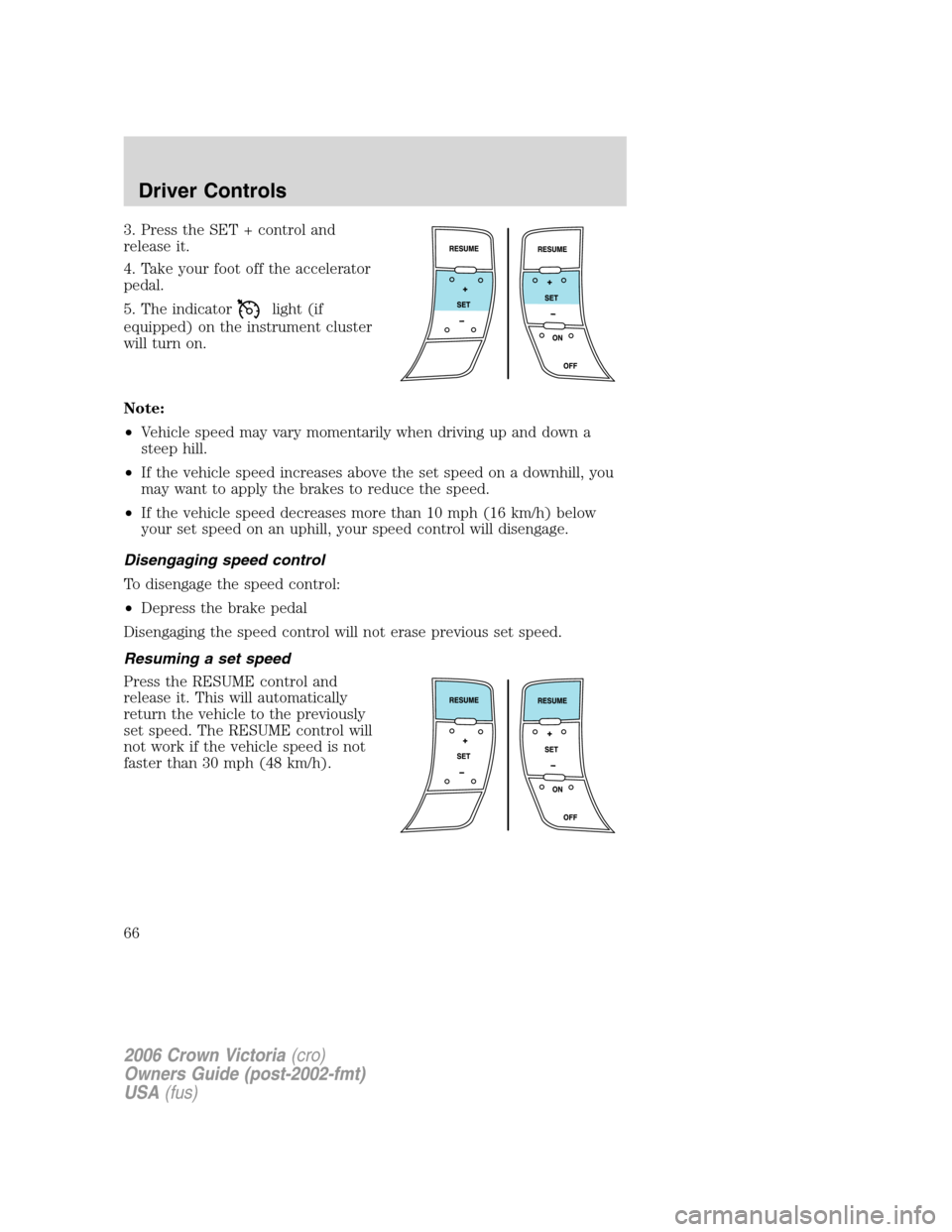
Replacing high-mount brakelamp bulbs
1. Remove two screws from the
lamp assembly.
2. Carefully lift the lamp assembly
up for access to the bulbs.
3. Carefully pull the bulb socket out
of the lamp assembly.
4. Pull the bulb straight out of the
socket and push in the new bulb.
To install, reverse the removal
procedure.
2006 Crown Victoria(cro)
Owners Guide (post-2002-fmt)
USA(fus)
Lights
50
Page 65 of 272
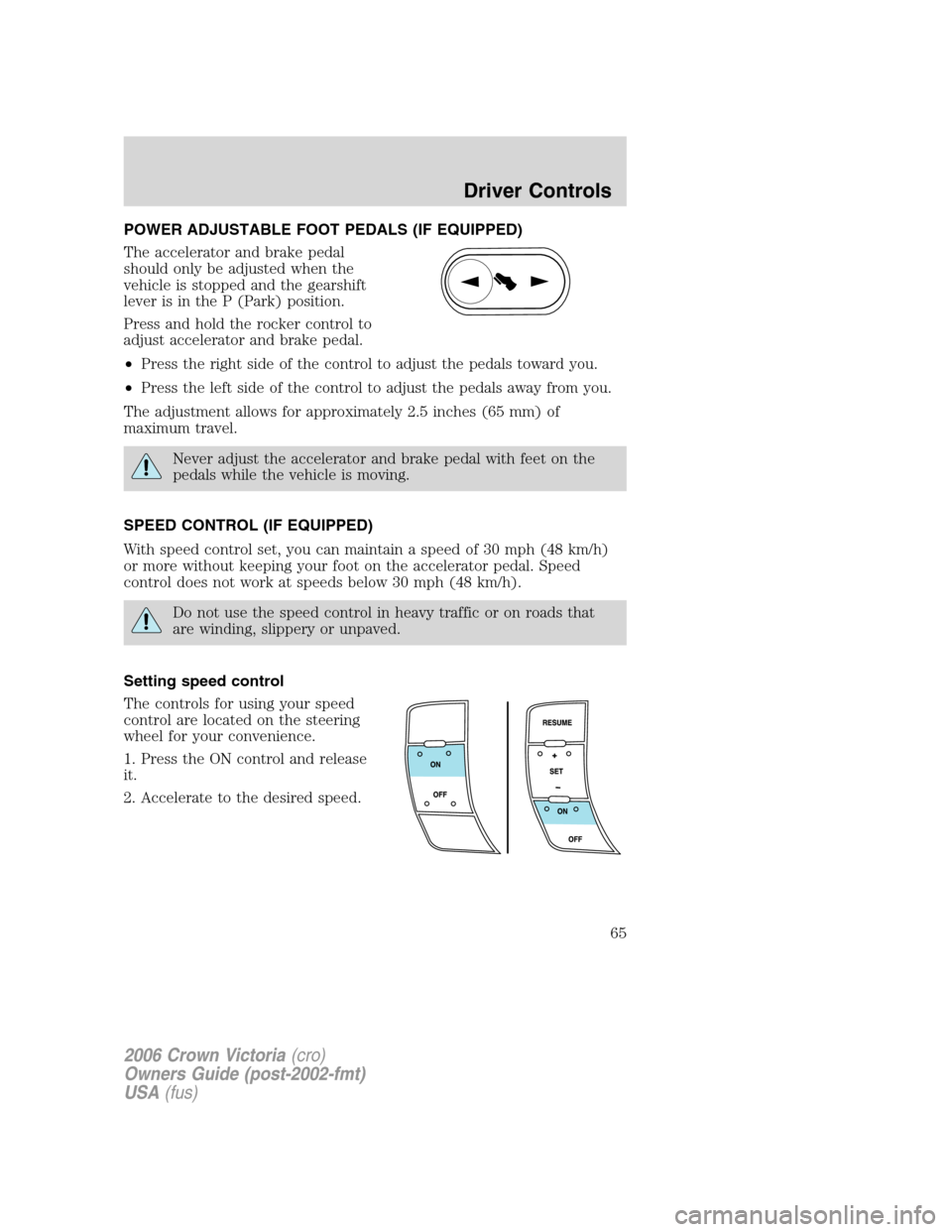
POWER ADJUSTABLE FOOT PEDALS (IF EQUIPPED)
The accelerator and brake pedal
should only be adjusted when the
vehicle is stopped and the gearshift
lever is in the P (Park) position.
Press and hold the rocker control to
adjust accelerator and brake pedal.
•Press the right side of the control to adjust the pedals toward you.
•Press the left side of the control to adjust the pedals away from you.
The adjustment allows for approximately 2.5 inches (65 mm) of
maximum travel.
Never adjust the accelerator and brake pedal with feet on the
pedals while the vehicle is moving.
SPEED CONTROL (IF EQUIPPED)
With speed control set, you can maintain a speed of 30 mph (48 km/h)
or more without keeping your foot on the accelerator pedal. Speed
control does not work at speeds below 30 mph (48 km/h).
Do not use the speed control in heavy traffic or on roads that
are winding, slippery or unpaved.
Setting speed control
The controls for using your speed
control are located on the steering
wheel for your convenience.
1. Press the ON control and release
it.
2. Accelerate to the desired speed.
2006 Crown Victoria(cro)
Owners Guide (post-2002-fmt)
USA(fus)
Driver Controls
65
Page 66 of 272
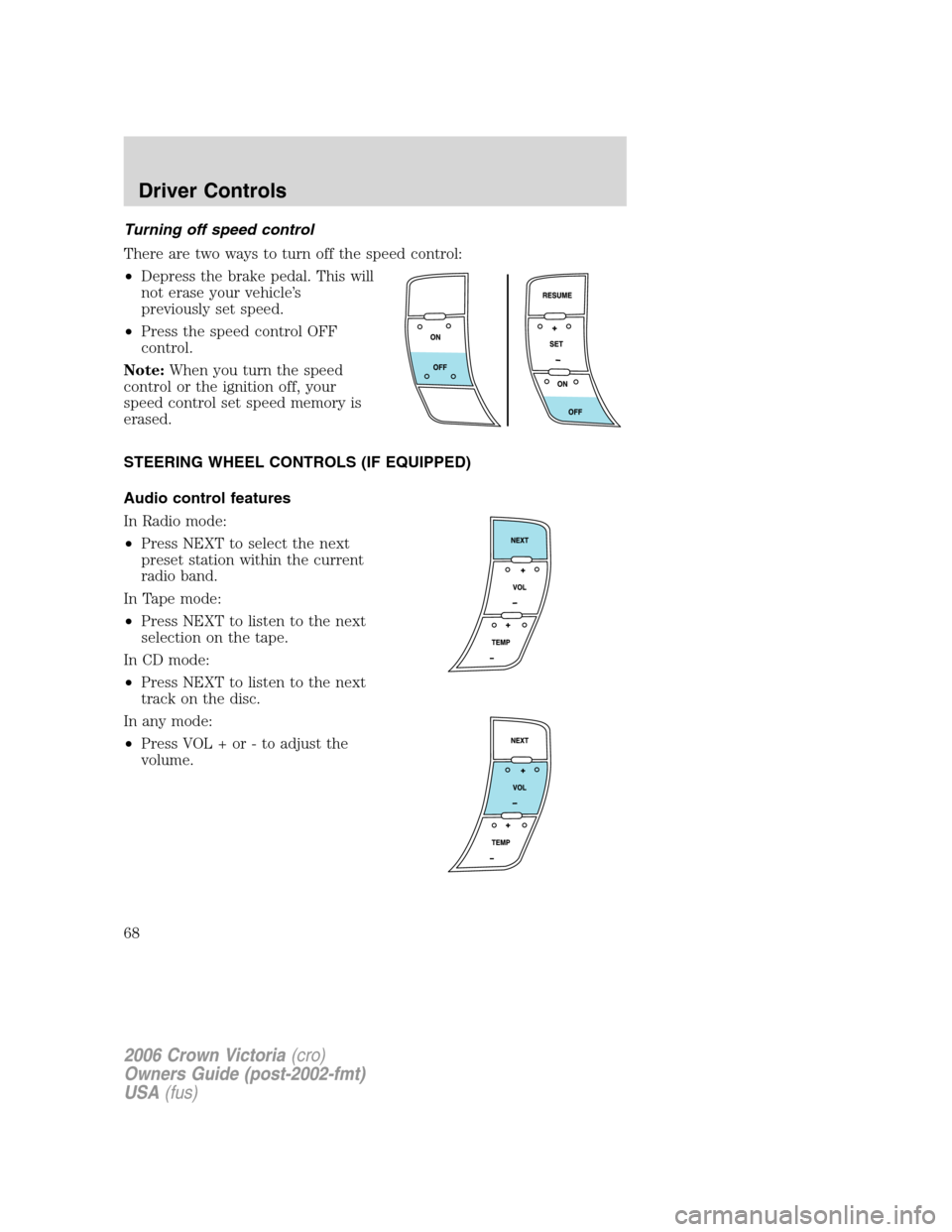
3. Press the SET + control and
release it.
4. Take your foot off the accelerator
pedal.
5. The indicator
light (if
equipped) on the instrument cluster
will turn on.
Note:
•Vehicle speed may vary momentarily when driving up and down a
steep hill.
•If the vehicle speed increases above the set speed on a downhill, you
may want to apply the brakes to reduce the speed.
•If the vehicle speed decreases more than 10 mph (16 km/h) below
your set speed on an uphill, your speed control will disengage.
Disengaging speed control
To disengage the speed control:
•Depress the brake pedal
Disengaging the speed control will not erase previous set speed.
Resuming a set speed
Press the RESUME control and
release it. This will automatically
return the vehicle to the previously
set speed. The RESUME control will
not work if the vehicle speed is not
faster than 30 mph (48 km/h).
2006 Crown Victoria(cro)
Owners Guide (post-2002-fmt)
USA(fus)
Driver Controls
66
Page 67 of 272
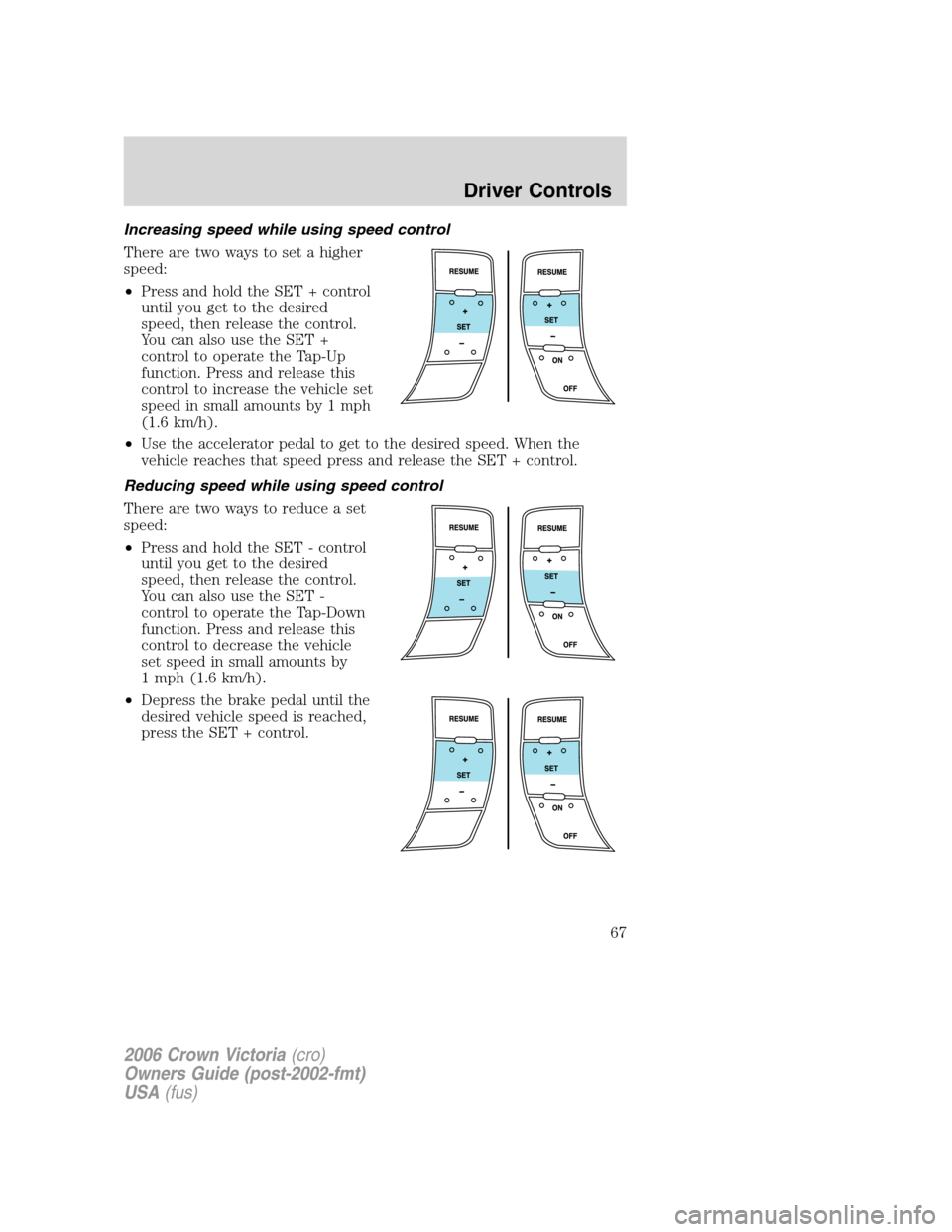
Increasing speed while using speed control
There are two ways to set a higher
speed:
•Press and hold the SET + control
until you get to the desired
speed, then release the control.
You can also use the SET +
control to operate the Tap-Up
function. Press and release this
control to increase the vehicle set
speed in small amounts by 1 mph
(1.6 km/h).
•Use the accelerator pedal to get to the desired speed. When the
vehicle reaches that speed press and release the SET + control.
Reducing speed while using speed control
There are two ways to reduce a set
speed:
•Press and hold the SET - control
until you get to the desired
speed, then release the control.
You can also use the SET -
control to operate the Tap-Down
function. Press and release this
control to decrease the vehicle
set speed in small amounts by
1 mph (1.6 km/h).
•Depress the brake pedal until the
desired vehicle speed is reached,
press the SET + control.
2006 Crown Victoria(cro)
Owners Guide (post-2002-fmt)
USA(fus)
Driver Controls
67
Page 68 of 272
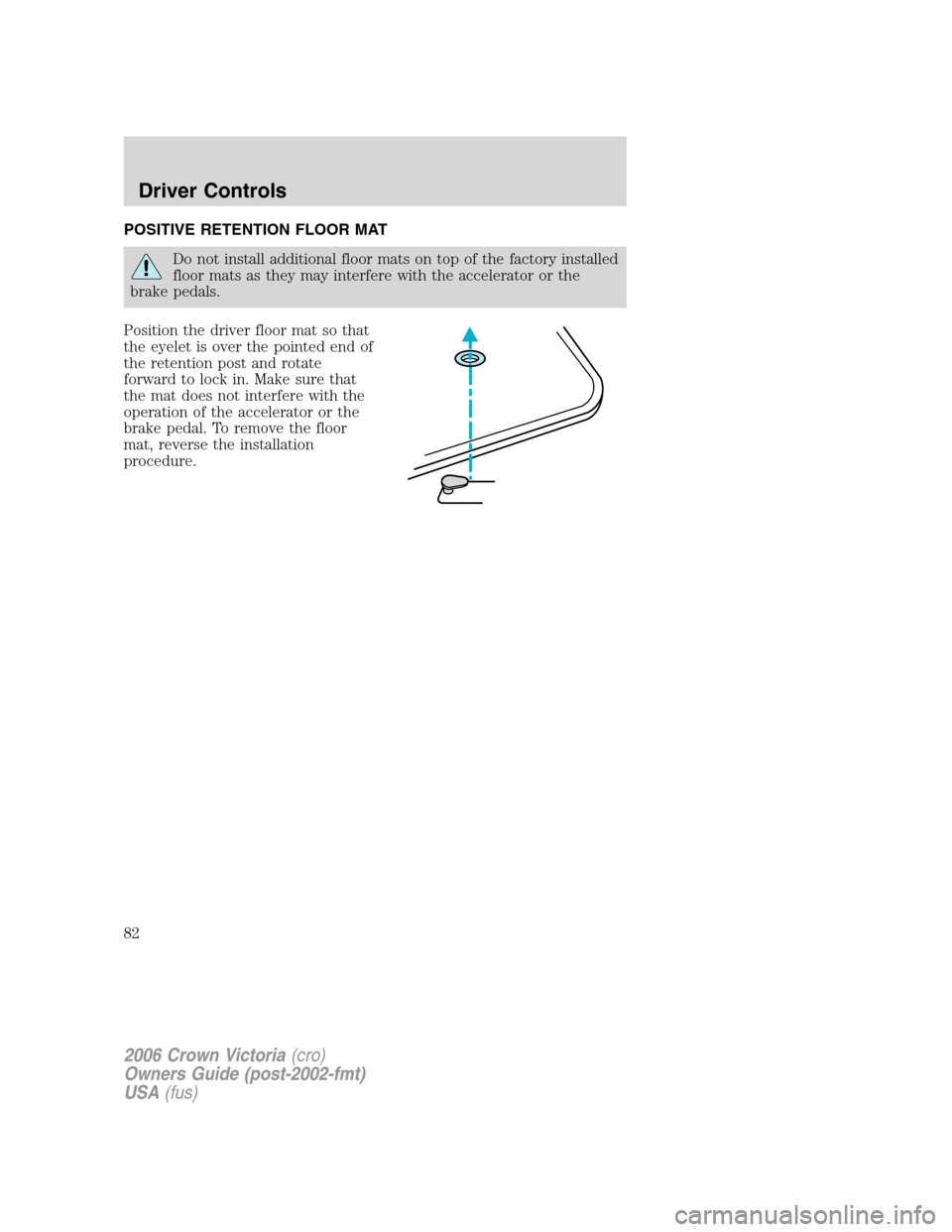
Turning off speed control
There are two ways to turn off the speed control:
•Depress the brake pedal. This will
not erase your vehicle’s
previously set speed.
•Press the speed control OFF
control.
Note:When you turn the speed
control or the ignition off, your
speed control set speed memory is
erased.
STEERING WHEEL CONTROLS (IF EQUIPPED)
Audio control features
In Radio mode:
•Press NEXT to select the next
preset station within the current
radio band.
In Tape mode:
•Press NEXT to listen to the next
selection on the tape.
In CD mode:
•Press NEXT to listen to the next
track on the disc.
In any mode:
•Press VOL + or - to adjust the
volume.
2006 Crown Victoria(cro)
Owners Guide (post-2002-fmt)
USA(fus)
Driver Controls
68
Page 82 of 272
POSITIVE RETENTION FLOOR MAT
Do not install additional floor mats on top of the factory installed
floor mats as they may interfere with the accelerator or the
brake pedals.
Position the driver floor mat so that
the eyelet is over the pointed end of
the retention post and rotate
forward to lock in. Make sure that
the mat does not interfere with the
operation of the accelerator or the
brake pedal. To remove the floor
mat, reverse the installation
procedure.
2006 Crown Victoria(cro)
Owners Guide (post-2002-fmt)
USA(fus)
Driver Controls
82
Page 88 of 272
4. Insert the new battery. Refer to the diagram inside the remote entry
transmitter for the correct orientation of the battery. Press the battery
down to ensure that the battery is fully seated in the battery housing
cavity.
5. Snap the two halves back together.
Note:Replacement of the battery willnotcause the remote transmitter
to become deprogrammed from your vehicle. The remote transmitter
should operate normally after battery replacement.
Replacing lost transmitters
Take all your vehicle’s transmitters to your authorized dealer if service is
required.
If a remote transmitter has been lost and you would like to remove it
from the vehicle’s memory, or you would like to purchase additional
remote transmitters and have them programmed to your vehicle:
•Takeallyour vehicle’s transmitters to your authorized dealer for
programming, or
•Perform the following programming procedure yourself:
Note:Ensure the brake pedal is not
depressed during this sequence.
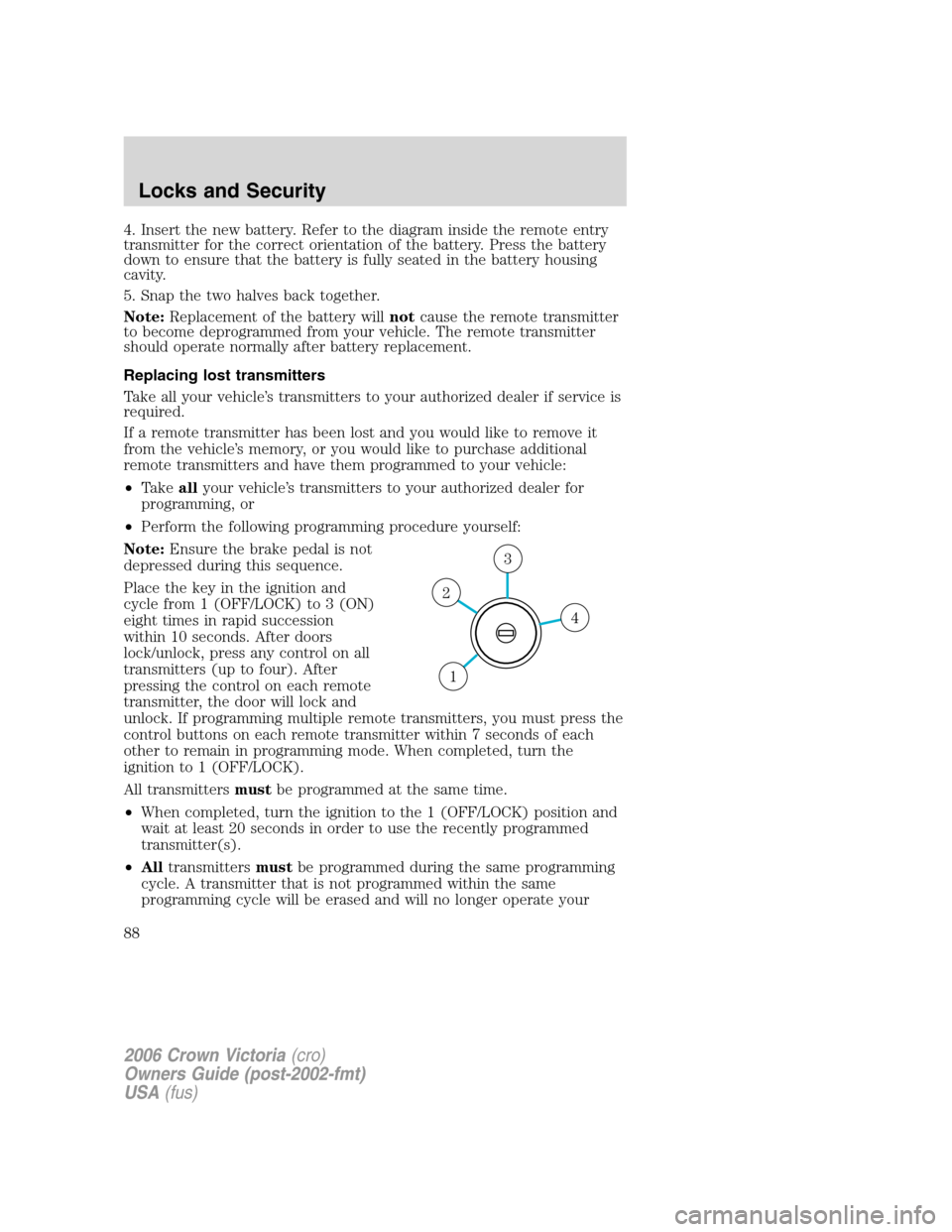
Place the key in the ignition and
cycle from 1 (OFF/LOCK) to 3 (ON)
eight times in rapid succession
within 10 seconds. After doors
lock/unlock, press any control on all
transmitters (up to four). After
pressing the control on each remote
transmitter, the door will lock and
unlock. If programming multiple remote transmitters, you must press the
control buttons on each remote transmitter within 7 seconds of each
other to remain in programming mode. When completed, turn the
ignition to 1 (OFF/LOCK).
All transmittersmustbe programmed at the same time.
•When completed, turn the ignition to the 1 (OFF/LOCK) position and
wait at least 20 seconds in order to use the recently programmed
transmitter(s).
•Alltransmittersmustbe programmed during the same programming
cycle. A transmitter that is not programmed within the same
programming cycle will be erased and will no longer operate your
4
3
2
1
2006 Crown Victoria(cro)
Owners Guide (post-2002-fmt)
USA(fus)
Locks and Security
88
Page 110 of 272
movement. For example, if the driver brakes suddenly or turns a corner
sharply, or the vehicle receives an impact of approximately 5 mph (8 km/h)
or more, the combination safety belts will lock to help reduce forward
movement of the driver and passengers.
Webbing extraction sensitive mode
The webbing sensitive locking mode locks the webbing and prevents
more belt from being pulled out if the belt is pulled out too quickly. The
belt will unlock when you stop pulling on it.
Automatic locking mode
In this mode, the shoulder belt is pre-locked. The belt will still retract to
remove any slack in the shoulder belt.
The automatic locking mode is not available on the driver safety belt.
When to use the automatic locking mode
•Any timea child safety seat, except a booster, is installed in a
passenger front outboard or any rear seating position. Children
12 years old and under should be properly restrained in the rear seat
whenever possible. Refer toSafety Restraints for ChildrenorSafety
Seats for Childrenlater in this chapter.
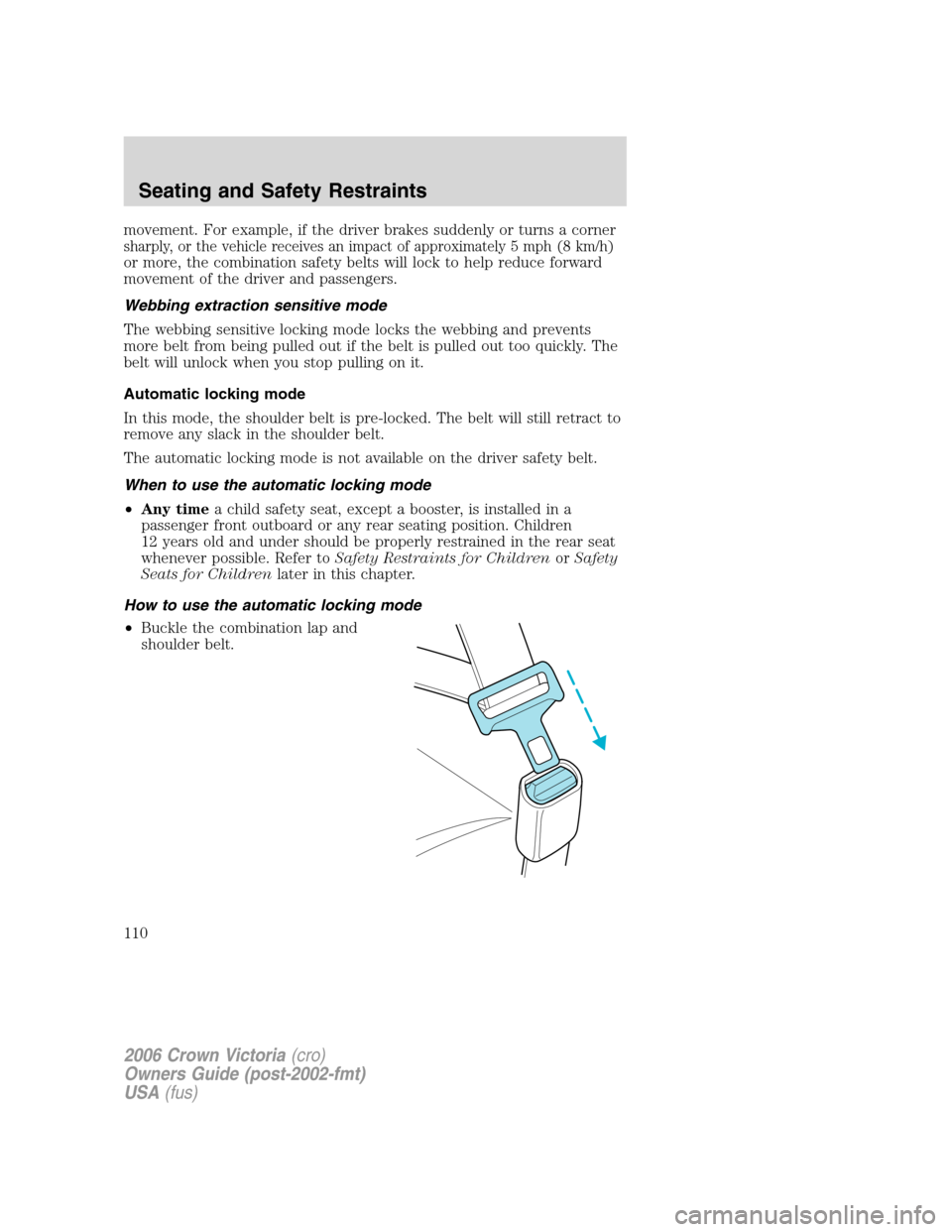
How to use the automatic locking mode
•Buckle the combination lap and
shoulder belt.
2006 Crown Victoria(cro)
Owners Guide (post-2002-fmt)
USA(fus)
Seating and Safety Restraints
110