Page 70 of 344

•For example, you can say�234-567-8901.�The phone
number that you enter must be of valid length and
combination. The UConnect™ limits the user from
dialing invalid combination of numbers. For example,
234-567-890 is nine digits long, which is not a valid
phone number - the closest valid phone number has
ten digits.
•The UConnect™ system will confirm the phone num-
ber and then dial. The number will appear in the
display of certain radios.
Call by Saying a Name
•
Press the “Phone” button to begin.
•After the�Ready�prompt and the following beep, say
�Call.�
•System will prompt you to say the name of the person
you want call.
•After the�Ready�prompt and the following beep, say
the name of the person you want to call. For example,you can say�John Doe,�where John Doe is a previ-
ously stored name entry in the UConnect™ phone-
book. Refer to section�Add Names to Your UCon-
nect™ Phonebook,�to learn how to store a name in the
phonebook.
•The UConnect™ system will confirm the name and
then dial the corresponding phone number, which
may appear in the display of certain radios.
Add Names to Your UConnect™ Phonebook
NOTE:
Adding names to phonebook is recommended
when vehicle is not in motion.
•Press the “Phone” button to begin.
•After the�Ready�prompt and the following beep, say
�Phonebook New Entry.�
•When prompted, say the name of the new entry. Use of
long names helps the voice recognition and is recom-
mended. For example, say�Robert Smith�or�Robert�
instead of�Bob.�
70 UNDERSTANDING THE FEATURES OF YOUR VEHICLE
Page 99 of 344

TILT/TELESCOPING STEERING COLUMN
Unlock the steering column by pulling out the handle
located directly below the column. To tilt the column
move the steering wheel up or down as desired. To
lengthen or shorten the steering column pull out or push
in the steering wheel. Lock the steering column in
position by pushing the handle in until it fully engages.WARNING!
Do not adjust the steering wheel while driving. The
telescoping adjustment must be locked while driv-
ing. Adjusting the steering wheel while driving, or
driving without the telescoping adjustment locked
could cause the driver to lose control of the vehicle.
ELECTRONIC BRAKE CONTROL SYSTEM
Your vehicle is equipped with an advanced electronic
brake control system that includes ABS (Anti-Lock Brake
System), TCS (Traction Control System), BAS (Brake
Assist System and ESP (Electronic Stability Program). All
four systems work together to enhance vehicle stability
and control in various driving conditions, and are com-
monly referred to as ESP.
ABS (Anti-Lock Brake System)
This system aids the driver in maintaining vehicle control
under adverse braking conditions. The system controls
hydraulic brake pressure to prevent wheel lock-up andTilt Steering Column Control
UNDERSTANDING THE FEATURES OF YOUR VEHICLE 99
3
Page 119 of 344
Electrical Outlet Use With Engine Off
CAUTION!
•Many accessories that can be plugged in draw
power from the vehicle’s battery, even when not in
use (i.e. cellular phones, etc.). Eventually, if plugged
in long enough, the vehicle’s battery will discharge
sufficiently to degrade battery life and/or prevent
engine starting.
•Accessories that draw higher power (i.e. coolers,
vacuum cleaners, lights, etc.), will degrade the
battery even more quickly. Only use these inter-
mittently and with greater caution.
•After the use of high power draw accessories, or
long periods of the vehicle not being started (with
accessories still plugged in), the vehicle must be
driven a sufficient length of time to allow the
alternator to recharge the vehicle’s battery.
•Power outlets are designed for accessory plugs
only. Do not hang any type of accessory or acces-
sory bracket from the plug. Improper use of the
power outlet can cause damage.
CUPHOLDERS
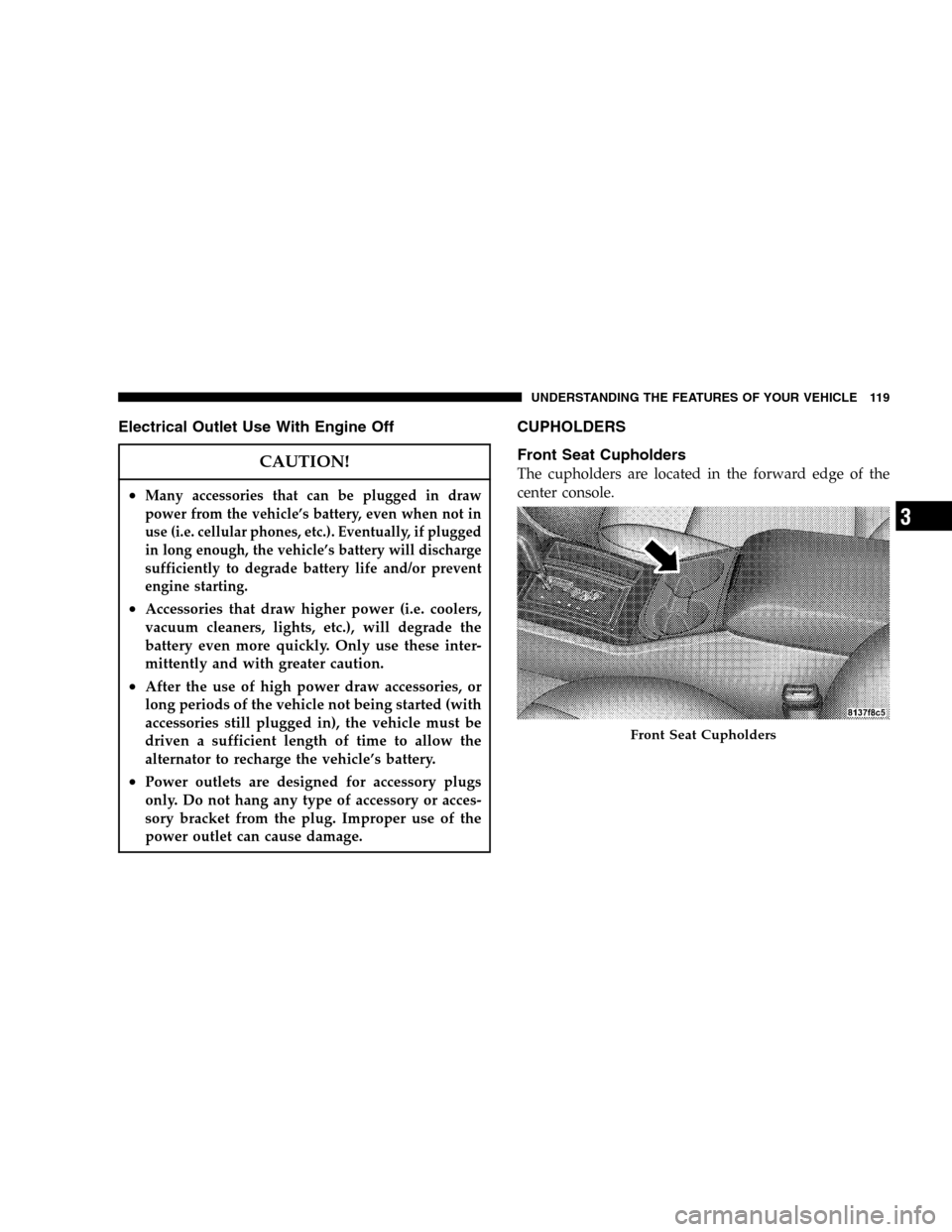
Front Seat Cupholders
The cupholders are located in the forward edge of the
center console.
Front Seat Cupholders
UNDERSTANDING THE FEATURES OF YOUR VEHICLE 119
3