Page 86 of 344
WARNING!
Adjusting a seat while the vehicle is moving is
dangerous. The sudden movement of the seat could
cause you to lose control. The seat belt might not be
properly adjusted and you could be injured. Adjust
the seat only while the vehicle is parked.
CAUTION!
Do not place any article under a power seat as it may
cause damage to the seat controls.
Power Reclining Seats
The recliner control for both front seats is located on the
outboard side of the seat.
WARNING!
Do not ride with the seatback reclined so that the
shoulder belt is no longer resting against your chest.
In a collision you could slide under the seat belt and
be seriously or even fatally injured. Use the recliner
only when the vehicle is parked.
Power Seat Recline Switch
86 UNDERSTANDING THE FEATURES OF YOUR VEHICLE
Page 89 of 344
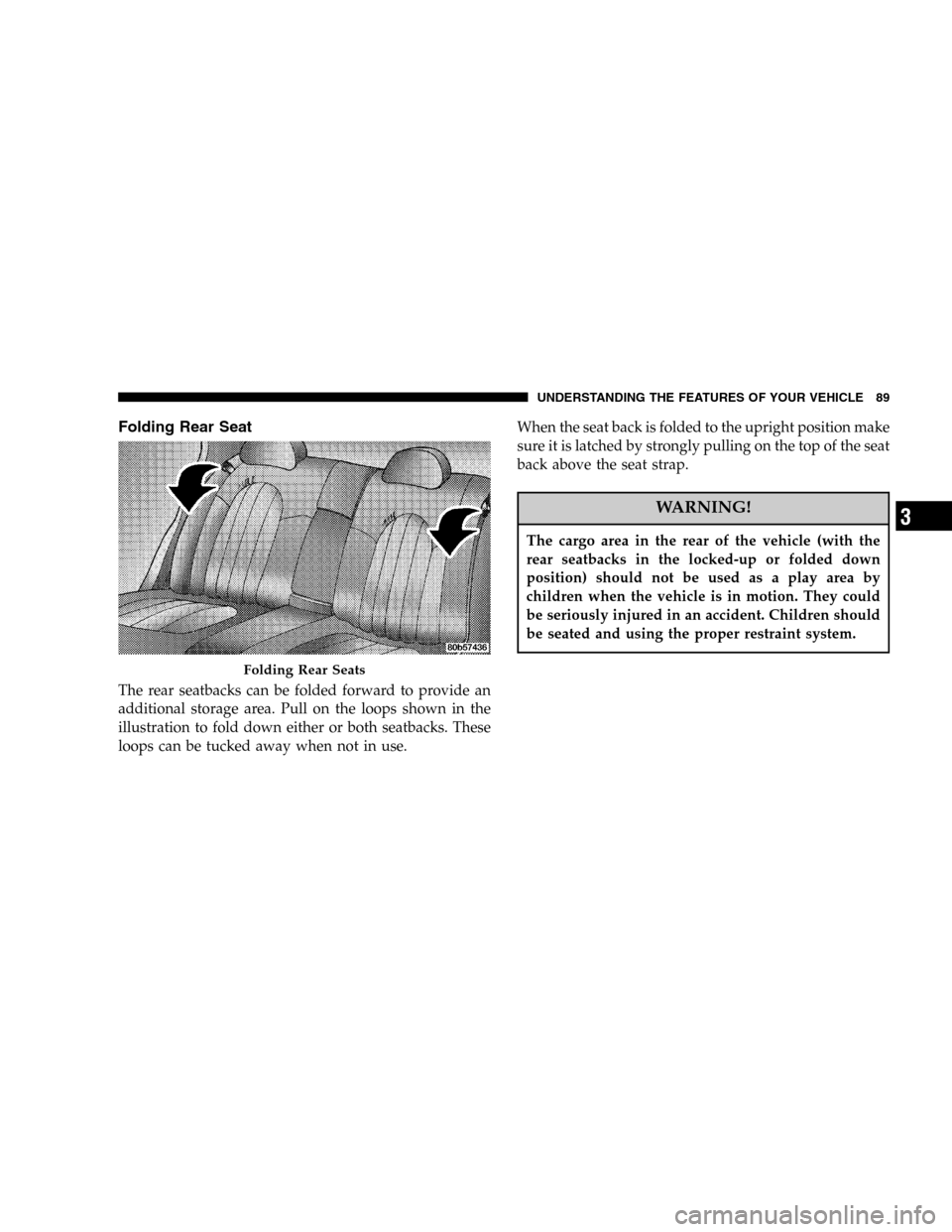
Folding Rear Seat
The rear seatbacks can be folded forward to provide an
additional storage area. Pull on the loops shown in the
illustration to fold down either or both seatbacks. These
loops can be tucked away when not in use.When the seat back is folded to the upright position make
sure it is latched by strongly pulling on the top of the seat
back above the seat strap.
WARNING!
The cargo area in the rear of the vehicle (with the
rear seatbacks in the locked-up or folded down
position) should not be used as a play area by
children when the vehicle is in motion. They could
be seriously injured in an accident. Children should
be seated and using the proper restraint system.
Folding Rear Seats
UNDERSTANDING THE FEATURES OF YOUR VEHICLE 89
3
Page 92 of 344
WARNING!
If the hood is not fully latched, it could fly up when
the vehicle is moving and block your forward vision.
You could have a collision. Be sure all hood latches
are fully latched before driving.
LIGHTS
Overhead Console Map/Reading Lights
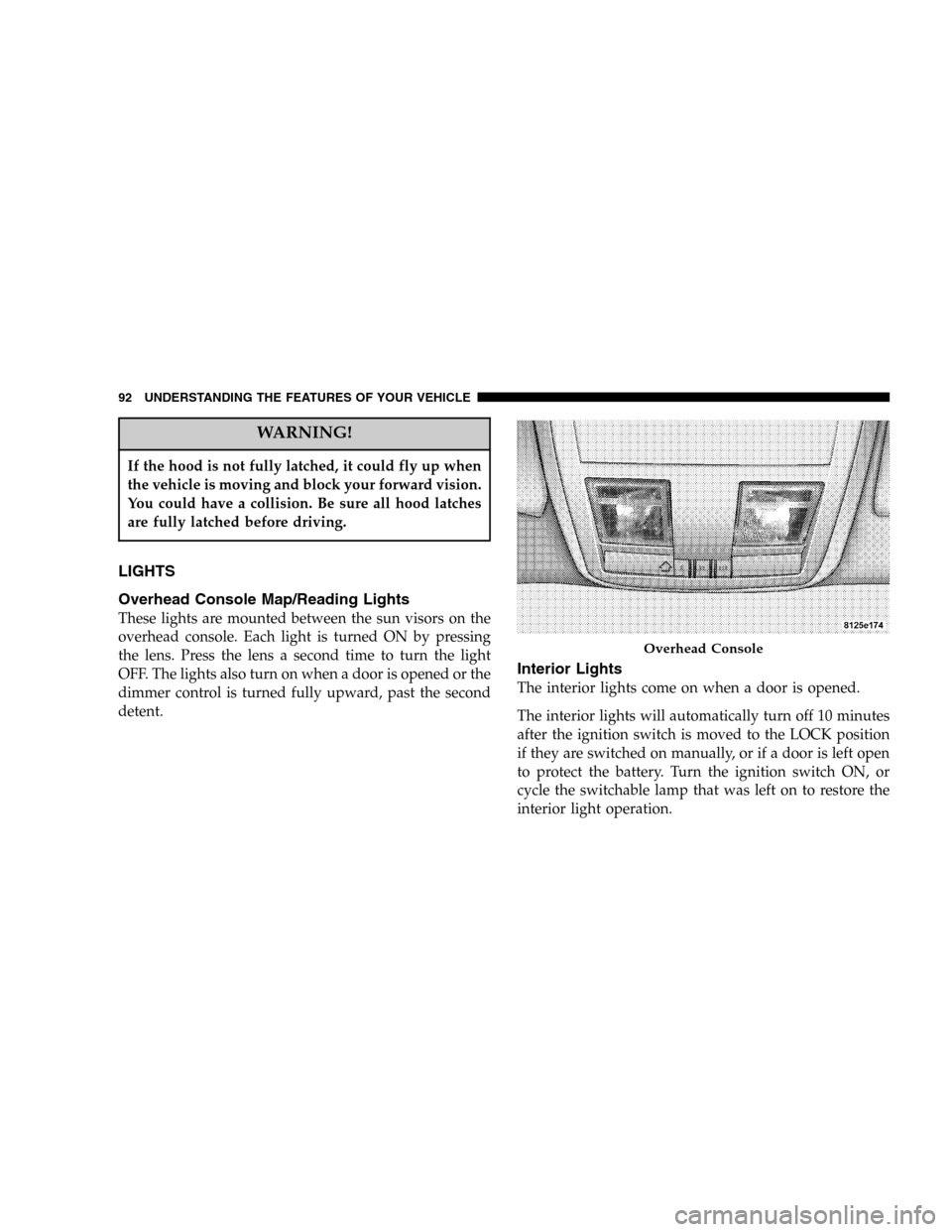
These lights are mounted between the sun visors on the
overhead console. Each light is turned ON by pressing
the lens. Press the lens a second time to turn the light
OFF. The lights also turn on when a door is opened or the
dimmer control is turned fully upward, past the second
detent.
Interior Lights
The interior lights come on when a door is opened.
The interior lights will automatically turn off 10 minutes
after the ignition switch is moved to the LOCK position
if they are switched on manually, or if a door is left open
to protect the battery. Turn the ignition switch ON, or
cycle the switchable lamp that was left on to restore the
interior light operation.
Overhead Console
92 UNDERSTANDING THE FEATURES OF YOUR VEHICLE
Page 99 of 344

TILT/TELESCOPING STEERING COLUMN
Unlock the steering column by pulling out the handle
located directly below the column. To tilt the column
move the steering wheel up or down as desired. To
lengthen or shorten the steering column pull out or push
in the steering wheel. Lock the steering column in
position by pushing the handle in until it fully engages.WARNING!
Do not adjust the steering wheel while driving. The
telescoping adjustment must be locked while driv-
ing. Adjusting the steering wheel while driving, or
driving without the telescoping adjustment locked
could cause the driver to lose control of the vehicle.
ELECTRONIC BRAKE CONTROL SYSTEM
Your vehicle is equipped with an advanced electronic
brake control system that includes ABS (Anti-Lock Brake
System), TCS (Traction Control System), BAS (Brake
Assist System and ESP (Electronic Stability Program). All
four systems work together to enhance vehicle stability
and control in various driving conditions, and are com-
monly referred to as ESP.
ABS (Anti-Lock Brake System)
This system aids the driver in maintaining vehicle control
under adverse braking conditions. The system controls
hydraulic brake pressure to prevent wheel lock-up andTilt Steering Column Control
UNDERSTANDING THE FEATURES OF YOUR VEHICLE 99
3
Page 101 of 344

ESP/TCS Indicator Light
The yellow ESP/TCS Indicator Light located in
the instrument cluster comes on when the
ignition switch is turned to the “ON” position.
The light should go out with the engine run-
ning, unless the system has been turned off. The ESP/
TCS Indicator Light starts to flash as soon as the tires lose
traction and the ESP system becomes active. The ESP/
TCS Indicator Light also flashes when TCS is active. If the
ESP/TCS Indicator Light begins to flash during accelera-
tion, ease up on the accelerator and apply as little throttle
as possible. Be sure to adapt your speed and driving to
the prevailing road conditions.WARNING!
ESP (Electronic Stability Program) cannot prevent
the natural laws of physics from acting on the
vehicle, nor can it increase the traction afforded. ESP
cannot prevent accidents, including those resulting
from excessive speed in turns, or hydroplaning.
Only a safe, attentive, and skillful driver can prevent
accidents. The capabilities of an ESP-equipped ve-
hicle must never be exploited in a reckless or dan-
gerous manner which could jeopardize the user’s
safety or the safety of others.
The ESP system has 3 available operating modes:
ESP On
This is the normal operating mode for ESP. Whenever
the vehicle is started, the ESP system will be in this
mode. This mode should be used for most all driving
situations. ESP should only be turned off for specific
reasons as noted in the following paragraphs.
UNDERSTANDING THE FEATURES OF YOUR VEHICLE 101
3
Page 103 of 344

engine torque to be applied to the wheel that is not
spinning. To improve the vehicle’s traction when driv-
ing with snow chains, or starting off in deep snow,
sand or gravel, it may be desirable to switch to the
�Partial ESP�mode by pressing the ESP OFF button.
•The�ESPOFF�, or “ESP System Deactivated” message
— if equipped will display and the audible chime will
resound when the gear selector is placed into the
PARK position from any position other than PARK,
and then moved out of the PARK position. This will
occur even if the message was previously cleared.
WARNING!
In the ESP OFF mode, the engine torque reduction
and stability features are cancelled. Therefore, the
enhanced vehicle stability offered by ESP is unavail-
able.
ESP/BAS Warning Lamp
The yellow ESP/BAS Warning Lamp located in
the instrument cluster comes on when the
ignition switch is turned to the “ON” position.
The light should go out with the engine run-
ning. If the “ESP/BAS Warning Lamp” comes on con-
tinuously with the engine running, a malfunction has
been detected in either the ESP or the BAS system. If the
power supply was interrupted (battery disconnected or
discharged), the ESP/BAS malfunction indicator light
may be illuminated with the engine running. Turn the
steering wheel completely to the left and then to the
right. The ESP/BAS malfunction indicator light should
go out. If this light remains on after several ignition
cycles, and the vehicle has been driven several miles at
speeds greater than 30 mph (48 km/h), see your autho-
rized dealer as soon as possible.
UNDERSTANDING THE FEATURES OF YOUR VEHICLE 103
3
Page 105 of 344
On some models an indicator light will illumi-
nate in the instrument cluster when the elec-
tronic speed control is active.
WARNING!
Leaving the Electronic Speed Control system on
when not in use is dangerous. You could accidently
set the system or cause it to go faster than you want.
You could lose control and have an accident. Always
leave the system OFF when you aren’t using it.
To Set At A Desired Speed:
When the vehicle has reached the desired speed, pull the
lever toward you and release. Release the accelerator and
the vehicle will operate at the selected speed.
NOTE:Speed control will only function in third, fourth,
or fifth gear when in the Autostick Mode — if equipped.
NOTE:The speed control may not engage if a different
size tire is installed on one wheel, such as the compact
spare tire.
To Deactivate:
A soft tap on the brake pedal, pushing the lever away
from you (“CANCEL”) or normal braking while slowing
the vehicle will deactivate the speed control without
erasing the memory. Pushing and releasing the lever
(“ON/OFF”) or turning off the ignition erases the speed
memory.
To Resume Speed:
To resume a previously set speed, push the lever up and
release (“ACC/RES”). Resume can be used at any speed
above 20 mph (32 km/h).
To Vary the Speed Setting:
When the speed control is set, speed can be increased by
pushing the lever up and holding (“ACC/RES”). When
the lever is released, a new set speed will be established.
Pushing the lever up and releasing (“ACC/RES”) once
will result in a 1 mph (1.6 km/h) speed increase. Each
time the lever is pushed up and released, speed increases
so that pushing the lever up and releasing three times
will increase speed by 3 mph (4.8 km/h), etc.
UNDERSTANDING THE FEATURES OF YOUR VEHICLE 105
3
Page 106 of 344

To decrease speed while speed control is set, push the
lever down and hold (“COAST”). Release the lever when
the desired speed is reached, and the new speed will be
set.
Pushing down and releasing the lever (“COAST”) once
will result in a 1 mph (2 km/h) speed decrease. Each time
the lever is pushed down and released, speed decreases.
To Accelerate For Passing:
Depress the accelerator as you would normally. When the
pedal is released, the vehicle will return to the set speed.
NOTE:The speed control system maintains speed up
and down hills. A slight speed change on moderate hills
is normal.Four speed automatic transmissions will experience a
downshift to 3rd gear while climbing uphill or descend-
ing downhill. This downshift to 3rd gear is necessary to
maintain vehicle set speed.
On steep hills a greater speed loss or gain may occur so
it may be preferable to drive without speed control.
WARNING!
Speed Control can be dangerous where the system
can’t maintain a constant speed. Your vehicle could
go too fast for the conditions, and you could lose
control. An accident could be the result. Don’t use
Speed Control in heavy traffic or on roads that are
winding, icy, snow-covered, or slippery.
106 UNDERSTANDING THE FEATURES OF YOUR VEHICLE