Page 90 of 440

Headset Profile), you may not be able to use any UCon-
nect™ features. Refer to your cellular service provider or
the phone manufacturer for details.
The UConnect™ system is fully integrated with the
vehicle’s audio system. The volume of the UConnect™
system can either be adjusted from the radio volume
control knob, or from the steering wheel radio control
(right switch), if so equipped.
The radio display will be used for visual prompts from
the UConnect™ system such as�CELL�or caller ID on
certain radios.
Operations
Voice commands can be used to operate the UConnect™
system and to navigate through the UConnect™ menu
structure. Voice commands are required after most
UConnect™ system prompts. You will be prompted for a
specific command and then guided through the available
options.
•Prior to giving a voice command, one must wait for
the voice on beep, which follows the�Ready�prompt
or another prompt.
•For certain operations, compound commands can be
used. For example, instead of saying�Setup�and then
�Phone Pairing,�the following compound command
can be said:�Setup Phone Pairing.�
•For each feature explanation in this section, only the
combined form of the voice command is given. You
can also break the commands into parts and say each
part of the command, when you are asked for it. For
example, you can either use the combined form voice
command�Phonebook New Entry,�or you can break
the combined form command into two voice com-
mands:�Phonebook�and�New Entry.�Please remem-
ber, the UConnect™ system works best when you talk
in a normal conversational tone, as if speaking to some
one sitting eight feet away from you.
90 UNDERSTANDING THE FEATURES OF YOUR VEHICLE
Page 137 of 440
High Beam / Low Beam Select Switch
Pull the multifunction control lever fully toward the
steering wheel to switch the headlights from HIGH or
LOW beam.
Windshield Wipers
The wipers and washers are operated by a switch in the
multifunction control lever. Turn the end of the handle to
select the desired wiper speed.
Intermittent Wiper System
The intermittent feature of this system was designed for
use when weather conditions make a single wiping cycle,
UNDERSTANDING THE FEATURES OF YOUR VEHICLE 137
3
Page 140 of 440
deep snow, sand, or gravel turn the system Off to
improve traction. If the vehicle is 4WD, use 4HI position.
When the ESP is switched off, the ESP/TCS
Indicator light in the instrument cluster comes
on. When the ESP is switched on, the Indicator
light goes out.
To improve the vehicle’s traction when driving with
snow chains, or starting off in deep snow, sand, or gravel,
switch off the ESP by pressing the button switch. The ESP
warning light will then be continuously illuminated.
With the ESP system switched off, the engine torque
reduction feature is desensitized. Therefore, the en-
hanced vehicle stability offered by ESP is unavailable.TILT STEERING COLUMN
To tilt the column, push down on the lever below the turn
signal control and move the wheel up or down, as
desired.
140 UNDERSTANDING THE FEATURES OF YOUR VEHICLE
Page 141 of 440
WARNING!
Tilting the steering column while the vehicle is
moving is dangerous. Without a stable steering col-
umn, you could lose control of the vehicle and have
an accident. Adjust the column only while the ve-
hicle is stopped. Be sure it is locked before driving.
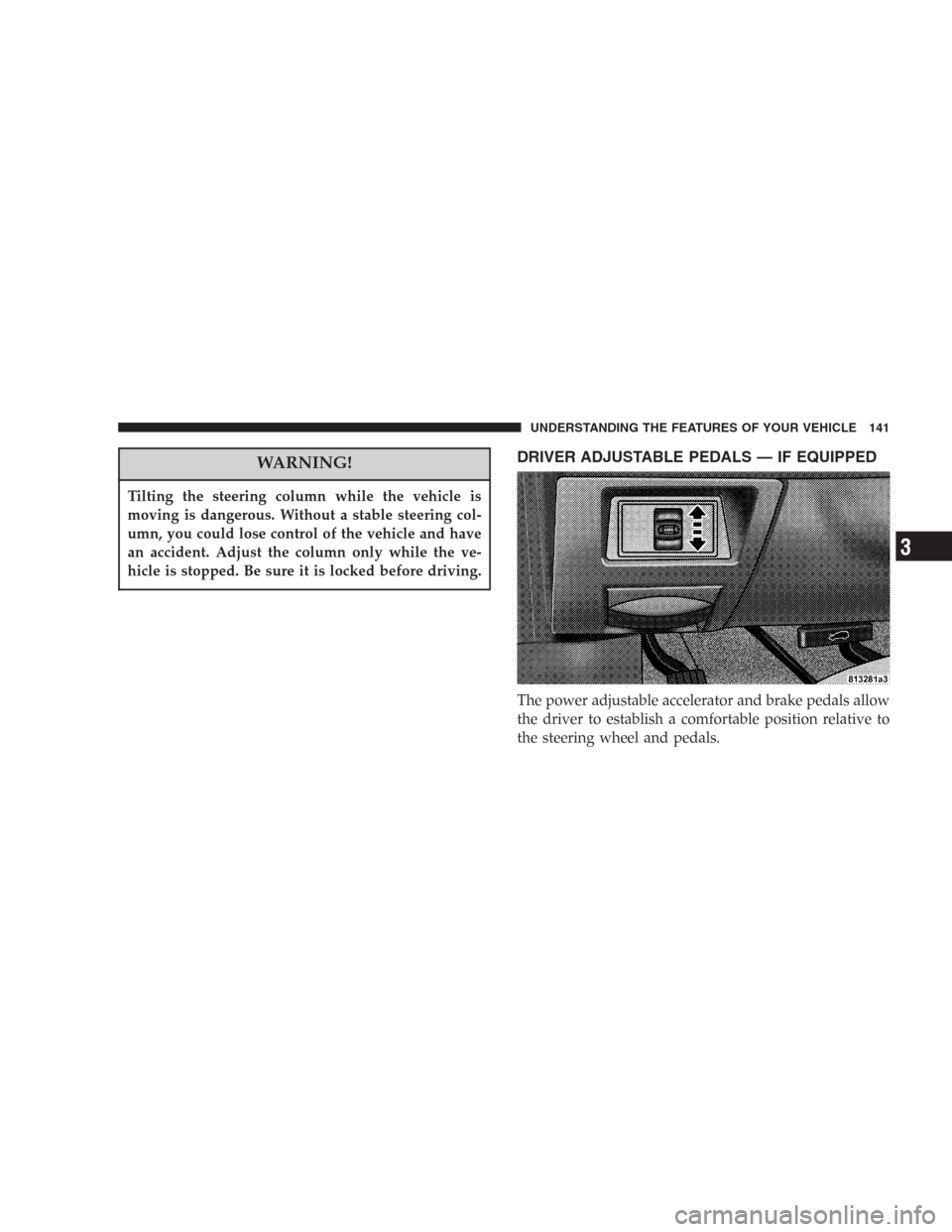
DRIVER ADJUSTABLE PEDALS — IF EQUIPPED
The power adjustable accelerator and brake pedals allow
the driver to establish a comfortable position relative to
the steering wheel and pedals.
UNDERSTANDING THE FEATURES OF YOUR VEHICLE 141
3
Page 142 of 440

Adjustment
1. Position the driver seat so that you are at least 10
inches (254 mm) away from the airbag located in the
center of the steering wheel.
2. Fasten and adjust the seatbelts.
3. Move the adjustable pedal switch, located to the left of
the steering column near the parking brake release, up to
move the pedals toward the driver or down to move the
pedals away from the driver.
4. The pedalscannotbe adjusted when the vehicle is in
R (Reverse) or when the Speed Control is SET.
CAUTION!
Do not place any article under the adjustable pedals
or impede its ability to move as it may cause damage
to the pedal controls. Pedal travel may become
limited if movement is stopped by an obstruction in
the adjustable pedal’s path.
ELECTRONIC SPEED CONTROL — IF EQUIPPED
When engaged, this device takes over accelerator opera-
tion at speeds greater than (refer to the table below for
the speed for your specific engine). The controls are
mounted on the steering wheel.
142 UNDERSTANDING THE FEATURES OF YOUR VEHICLE
Page 146 of 440

WARNING!
Speed Control can be dangerous where the system
can’t maintain a constant speed. Your vehicle could
go too fast for the conditions, and you could lose
control. An accident could be the result. Don’t use
Speed Control in heavy traffic or on roads that are
winding, icy, snow-covered, or slippery.
ELECTRONIC BRAKE CONTROL SYSTEM
Your vehicle is equipped with an advanced electronic
brake control system that includes ABS (Anti-Lock Brake
System), BAS (Brake Assist System), TCS (Traction Con-
trol System), ERM (Electronic Roll Mitigation) and ESP
(Electronic Stability Program). All five systems work
together to enhance vehicle stability and control in vari-
ous driving conditions, and are commonly referred to as
ESP.
ABS (Anti-Lock Brake System)
This system aids the driver in maintaining vehicle control
under adverse braking conditions. The system controls
hydraulic brake pressure to prevent wheel lockup and
help avoid skidding on slippery surfaces during braking.
Refer to “Anti-Lock Brake System” in Section 5 of this
manual for more information about ABS.
NOTE:ABS improves steering control of the vehicle
during hard braking maneuvers.
146 UNDERSTANDING THE FEATURES OF YOUR VEHICLE
Page 149 of 440

TCS (Traction Control System) – if equipped with
ESP
This system monitors the amount of wheel spin of each of
the driven wheels. If wheel spin is detected, brake
pressure is applied to the slipping wheel(s) and engine
power is reduced to provide enhanced acceleration and
stability. A feature of the TCS system functions similar to
a limited slip differential and controls the wheel spin
across a driven axle. If one wheel on a driven axle is
spinning faster than the other, the system will apply the
brake of the spinning wheel. This will allow more engine
torque to be applied to the wheel that is not spinning.
This feature remains active even if TCS and ESP are in the
“Partial Off” mode. Refer to “ESP (Electronic Stability
Program)” in this Section of this manual. This brake
pressure modulation transfers drive torque from slipping
to non-slipping wheels to provide optimal forward trac-
tion.
ERM (Electronic Roll Mitigation)
This system anticipates the potential for wheel lift by
monitoring the driver ’s steering wheel input and the
speed of the vehicle. When ERM determines that the rate
of change of the steering wheel angle and vehicles speed
are sufficient to potentially cause wheel lift, it applies the
appropriate brake and may reduce engine power to
lessen the chance that wheel lift will occur. ERM will only
intervene during very severe or evasive driving maneu-
vers.
ERM can only reduce the chance of wheel lift occurring
during severe or evasive driving maneuvers. It can not
prevent wheel lift due to other factors such as road
conditions, leaving the roadway or striking objects or
other vehicles.
UNDERSTANDING THE FEATURES OF YOUR VEHICLE 149
3
Page 150 of 440

WARNING!
Many factors, such as vehicle loading, road condi-
tions and driving conditions, influence the chance
that wheel lift or rollover may occur.
•ERM can not prevent all wheel lift or rollovers,
especially those that involve leaving the roadway
or striking objects or other vehicles. Only a safe,
attentive, and skillful driver can prevent acci-
dents.
•The capabilities of an ERM-equipped vehicle
must never be exploited in a reckless or dangerous
manner which could jeopardize the user’s safety
or the safety of others.
ESP (Electronic Stability Program)
This system enhances directional control and stability of
the vehicle under various driving conditions. ESP cor-
rects for over/under steering of the vehicle by applying
the brake of the appropriate wheel to assist in counter-
acting the over/under steer condition. Engine power
may also be reduced to help the vehicle maintain the
desired path.
ESP uses sensors in the vehicle to determine the vehicle
path intended by the driver and compares it to the actual
path of the vehicle. When the actual path does not match
the intended path, ESP applies the brake of the appropri-
ate wheel to assist in counteracting the oversteer or
understeer condition.
•Oversteer - when the vehicle is turning more than
appropriate for the steering wheel position.
150 UNDERSTANDING THE FEATURES OF YOUR VEHICLE