2006 CHEVROLET UPLANDER lights
[x] Cancel search: lightsPage 166 of 458

A light sensor on top of the instrument panel makes the
DRL work, so be sure it is not covered. The DRL
system will make front parking and turn signal lamps
come on in daylight when the following conditions
are met:
The ignition is on.
The exterior lamps control is off.
When the DRL are on, only your front turn signal lamps
will be on. Your instrument panel will not be lit up.
When it is dark enough outside, the exterior lamps will
come on automatically. When it is bright enough
outside, the exterior lamps will turn off and the DRL will
turn on. Of course, you may still turn on the headlamps
any time you need to.
If you start your vehicle in a dark garage, the automatic
headlamp system will come on immediately. Once
you leave the garage, it will take approximately
30 seconds for the automatic headlamp system to
change to DRL if it is light outside. During that delay,
your instrument panel cluster may not be as bright
as usual. Make sure your instrument panel brightness
control is in the full bright position. SeeInstrument Panel
Brightness on page 3-16.To idle your vehicle with the DRL and automatic
headlamps off, toggle the exterior lamp control to off
after starting the vehicle.
As with any vehicle, you should turn on the regular
headlamp system when you need it.Instrument Panel Brightness
The knob to adjust the
instrument panel
brightness is located in the
center of the interior
lamp controls.
Turn the knob clockwise to brighten the lights and
counterclockwise to dim them.
3-16
ProCarManuals.com
Page 170 of 458

Overhead Console Switchbank
The overhead console switchbank is located in the
overhead console. This switchbank may include
the following:
Power Sliding Door(s)/Override Switch(es). See
Power Sliding Door (PSD) on page 2-16.
Power Rear Quarter Windows. SeePower Rear
Quarter Windows on page 2-26.
Ultrasonic Rear Parking Assist (URPA) Disable
Switch. SeeUltrasonic Rear Parking Assist
(URPA) on page 3-20.
If your vehicle does not have some of these options,
there will be a blank.
Ultrasonic Rear Parking Assist
(URPA)
If your vehicle is equipped with the Ultrasonic Rear
Parking Assist (URPA) system, it is designed to help you
park, while the vehicle is in REVERSE (R). It operates
only at very low speeds, less than 3 mph (5 km/h).
URPA can help make parking easier and to help you
avoid colliding with objects such as parked vehicles. The
URPA system can detect objects up to 5 feet (1.5 m)
behind the vehicle, and tell you how close these objects
are from your rear bumper.
Your vehicle’s URPA operates when the shift lever is
moved into REVERSE (R) and the vehicle speed is less
than 3 mph (5 km/h). Four ultrasonic sensors located at
the rear bumper are used to detect the distance to the
object. The URPA display is located inside the vehicle,
near the rear window. It has three color-coded lights used
to provide distance and system information to the driver.
3-20
ProCarManuals.com
Page 171 of 458
{CAUTION:
Even with the Ultrasonic Rear Park Assist
system, the driver must check carefully before
backing up. The system does not operate above
typical backing speeds of 3 mph (5 km/h) while
parking. And, the system does not detect
objects that are more than 5 feet (1.5 meters)
behind the vehicle.
So, unless you check carefully behind you
before and when you back up, you could strike
children, pedestrians, bicyclists or pets behind
you, and they could be injured or killed.
Whether or not you are using rear park assist,
always check carefully behind your vehicle
before you back up and then watch closely as
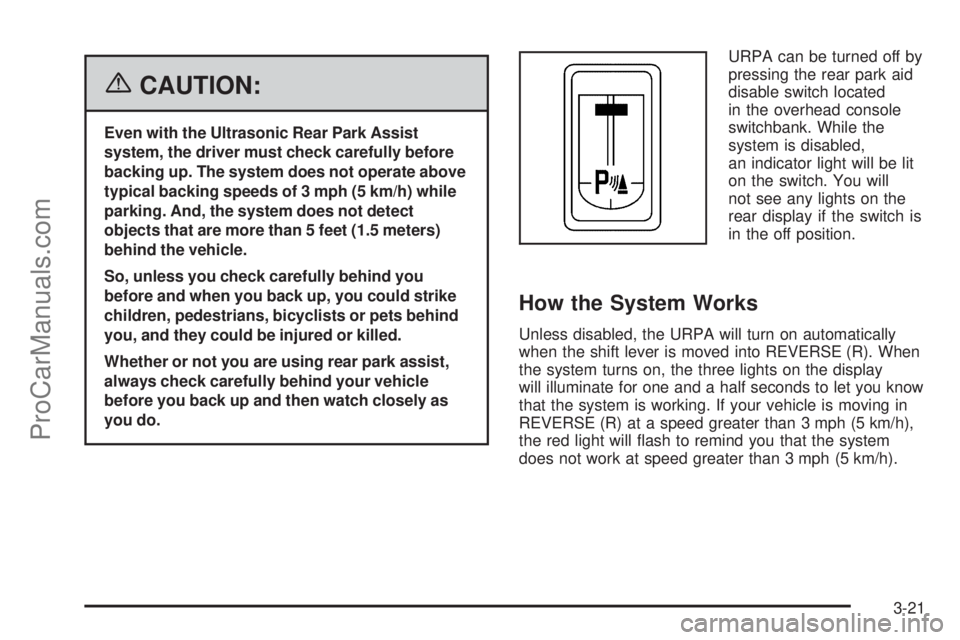
you do.URPA can be turned off by
pressing the rear park aid
disable switch located
in the overhead console
switchbank. While the
system is disabled,
an indicator light will be lit
on the switch. You will
not see any lights on the
rear display if the switch is
in the off position.
How the System Works
Unless disabled, the URPA will turn on automatically
when the shift lever is moved into REVERSE (R). When
the system turns on, the three lights on the display
will illuminate for one and a half seconds to let you know
that the system is working. If your vehicle is moving in
REVERSE (R) at a speed greater than 3 mph (5 km/h),
the red light will ash to remind you that the system
does not work at speed greater than 3 mph (5 km/h).
3-21
ProCarManuals.com
Page 172 of 458
If an object is detected at a REVERSE (R) speed of
less than 3 mph (5 km/h), one of the following will occur:
Description English Metric
amber light 5 ft 1.5 m
amber/amber lights 40 in 1.0 m
amber/amber/red lights &
continuous chime20 in 0.5 m
amber/amber/red lights
ashing & continuous
chime1 ft 0.3 m
A chime will sound the rst time an object is detected
between 20 inches (0.5 m) and 5 feet (1.5 m) away.
URPA cannot detect objects that are above liftgate level.
In order for the rear sensors to recognize an object, it
must be within detection range behind the vehicle.
When the System Does Not Seem to Work
Properly
The light may ash red when the vehicle is in
REVERSE (R) if the ultrasonic sensors are not kept
clean. So be sure to keep your rear bumper free of mud,
dirt, snow, ice and slush. Other conditions that may affect
system performance include things like the vibrations
from a jackhammer or the compression of air brakes on a
very large truck. If after cleaning the rear bumper and
then driving forward at least 15 mph (25 km/h), the
display continues to ash red, see your dealer.If a trailer was attached to your vehicle, or a bicycle or
an object was on the back of, or hanging out of your
liftgate during your last drive cycle, the light may
also ash red. The light will continue to ash whenever
in REVERSE (R) until your vehicle is driven forward
at least 15 mph (25 km/h) without any obstructions
behind the vehicle.
Accessory Power Outlet(s)
Your vehicle may be equipped with a front accessory
power outlet located below the climate controls on
the instrument panel. It can be used to plug in electrical
equipment such as a cellular telephone or CB radio.
Pull the cover down to use the accessory power outlet.
When not in use, keep the cover on.
The rear accessory power outlet is located on the rear
compartment on the driver’s side.
To remove the cover, pull the tab on the cover and pull
it off. To put the cover back on, line up the tabs at
the back of the cover and put the cover in place. Push
down the tab to secure the cover. When not in use,
always cover the rear accessory power outlet with the
protective cap.
3-22
ProCarManuals.com
Page 181 of 458
Warning Lights, Gages, and
Indicators
This part describes the warning lights and gages that may
be on your vehicle. The pictures will help you locate them.
Warning lights and gages can signal that something is
wrong before it becomes serious enough to cause
an expensive repair or replacement. Paying attention to
your warning lights and gages could also save you
or others from injury.
Warning lights come on when there may be or is a
problem with one of your vehicle’s functions. As you will
see in the details on the next few pages, some
warning lights come on briey when you start the
engine just to let you know they’re working. If you are
familiar with this section, you should not be alarmed
when this happens.Gages can indicate when there may be or is a problem
with one of your vehicle’s functions. Often gages
and warning lights work together to let you know when
there’s a problem with your vehicle.
When one of the warning lights comes on and stays on
when you are driving, or when one of the gages shows
there may be a problem, check the section that tells you
what to do about it. Please follow this manual’s advice.
Waiting to do repairs can be costly — and even
dangerous. So please get to know your warning lights
and gages. They’re a big help.
3-31
ProCarManuals.com
Page 182 of 458

Instrument Panel Cluster
Your instrument panel cluster is designed to let you know at a glance how your vehicle is running. You’ll know how
fast you’re going, how much fuel you’re using, and many other things you’ll need to drive safely and economically.
The indicator warning lights and gages are explained on the following pages.
United States version shown, Canada similar
3-32
ProCarManuals.com
Page 187 of 458

Here is why:
{CAUTION:
Even though the passenger sensing system is
designed to turn off the passenger’s frontal
airbag and side impact airbag (if equipped) if
the system detects a rear-facing child restraint,
no system is fail-safe, and no one can
guarantee that an airbag will not deploy under
some unusual circumstance, even though it is
turned off. We recommend that rear-facing
child restraints be transported in vehicles with
a rear seat that will accommodate a rear-facing
child restraint, whenever possible.
If the word OFF or the off symbol is lit on the airbag
status indicator, it means that the passenger sensing
system has turned off the right front passenger’s airbag
or airbags. SeePassenger Sensing System on
page 1-82for more on this, including important safety
information.If, after several seconds, all status indicator lights
remain on, or if there are no lights at all, there may be a
problem with the lights or the passenger sensing
system. See your dealer for service.{CAUTION:
If the off indicator and the airbag readiness
light ever come on together, it means that
something may be wrong with the airbag
system. If this ever happens, have the vehicle
serviced promptly, because an adult-size
person sitting in the right front passenger seat
may not have the protection of the airbags.
SeeAirbag Readiness Light on page 3-34.
3-37
ProCarManuals.com
Page 221 of 458

ALL KEYS RESET
This screen will only display if YES was selected on the
FACTORY DEFAULTS screen.
Press the set/reset button to scroll through the following
choices:
CANCEL (default):The features will not be set to their
factory default settings and the DIC will return to the
FACTORY DEFAULTS screen.
OK:The features will be set to their factory default
settings, the DIC will exit the personal program menu,
and PERSONAL OPTIONS SAVED will display.
EXT (Exterior) LIGHT DELAY
This feature allows you to set the amount of time the
exterior lamps remain on after the key is removed from
the ignition or the vehicle is unlocked using the
remote keyless entry transmitter.
Press the menu button until EXT LIGHT DELAY
appears on the DIC display. Press the set/reset button
to scroll through the following choices:
OFF:The exterior lamps will not turn on.
15 seconds:The exterior lamps will stay on for
15 seconds.30 seconds (default):The exterior lamps will stay on
for 30 seconds.
60 seconds:The exterior lamps will stay on for
60 seconds.
90 seconds:The exterior lamps will stay on for
90 seconds.
Choose one of the available settings and press the
menu button while it is displayed on the DIC to select it
and move on to the next feature.
INT (Interior) LIGHTS KEYS REMOVED
This feature enables the interior lamps in the vehicle to
turn on for about 25 seconds after the key is removed
from the ignition.
Press the menu button until INT LIGHTS KEYS
REMOVED appears on the DIC display. Press the
set/reset button to scroll through the following choices:
OFF:Removing the key from the ignition will not
cause the interior lamps to turn on.
ON (default):Removing the key from the ignition will
cause the interior lamps to be turned on for about
25 seconds.
Choose one of the available settings and press the
menu button while it is displayed on the DIC to select it
and move on to the next feature.
3-71
ProCarManuals.com