2006 CHEVROLET SUBURBAN ignition
[x] Cancel search: ignitionPage 113 of 540
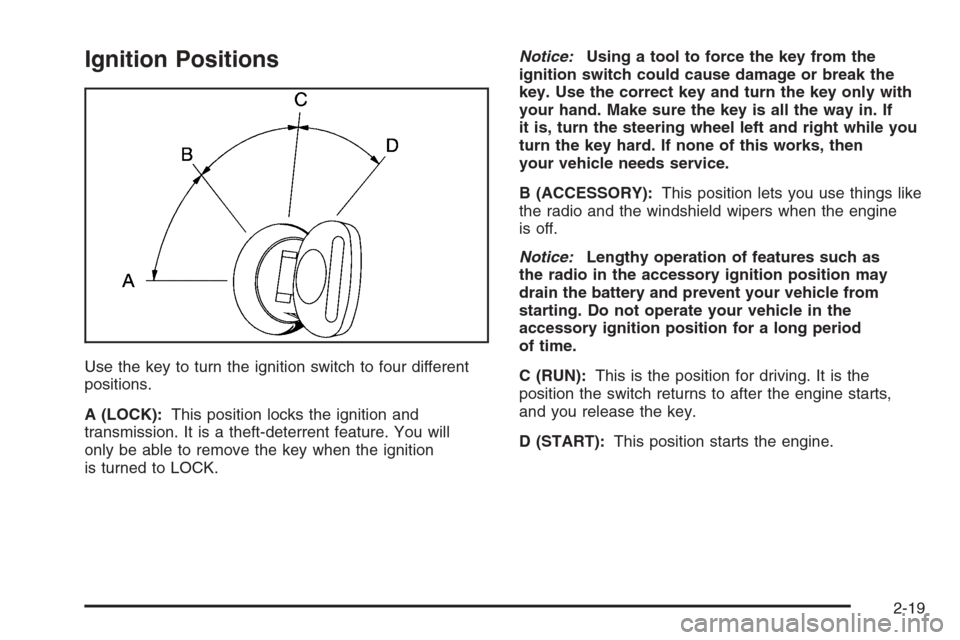
Ignition Positions
Use the key to turn the ignition switch to four different
positions.
A (LOCK):This position locks the ignition and
transmission. It is a theft-deterrent feature. You will
only be able to remove the key when the ignition
is turned to LOCK.Notice:Using a tool to force the key from the
ignition switch could cause damage or break the
key. Use the correct key and turn the key only with
your hand. Make sure the key is all the way in. If
it is, turn the steering wheel left and right while you
turn the key hard. If none of this works, then
your vehicle needs service.
B (ACCESSORY):This position lets you use things like
the radio and the windshield wipers when the engine
is off.
Notice:Lengthy operation of features such as
the radio in the accessory ignition position may
drain the battery and prevent your vehicle from
starting. Do not operate your vehicle in the
accessory ignition position for a long period
of time.
C (RUN):This is the position for driving. It is the
position the switch returns to after the engine starts,
and you release the key.
D (START):This position starts the engine.
2-19
Page 114 of 540
Retained Accessory Power (RAP)
Your vehicle may have a Retained Accessory Power
(RAP) feature which will allow certain features on your
vehicle to continue to work up to 10 minutes after
the ignition key is turned to LOCK.
The radio, power windows, and if the vehicle has these
features, the sunroof and OnStar
®System, will work
when the ignition key is in RUN or ACCESSORY. Once
the key is turned from RUN to LOCK, these features will
continue to work for up to 10 minutes or until a door is
opened.
Starting the Engine
Your vehicle has a Starter Motor Control. This feature
assists in starting the engine and protects the electrical
system. It may cause the engine to crank even after
the ignition key is not in START.
Move your shift lever to PARK (P) or NEUTRAL (N).
Your engine will not start in any other position — that is
a safety feature. To restart when you are already
moving, use NEUTRAL (N) only.Notice:Do not try to shift to PARK (P) if your
vehicle is moving. If you do, you could damage the
transmission. Shift to PARK (P) only when your
vehicle is stopped.
1. With your foot off the accelerator pedal, turn the
ignition key to START. When the engine starts,
let go of the key. The idle speed will go down as
your engine gets warm.
Notice:Holding your key in START for longer than
15 seconds at a time will disengage the starter
motor, cause your battery to be drained much
sooner, and add excessive heat that can damage
your starter motor. Try not to hold the key in START
for longer than 15 seconds and wait about
15 seconds between each try to help avoid draining
your battery or damaging your starter.
2. If the engine does not start within 10 seconds, push
the accelerator pedal all the way to the oor, while
you hold the ignition key in START. When the
engine starts, let go of the key and let up on the
accelerator pedal. Wait about 15 seconds between
each try.
2-20
Page 115 of 540
When starting your engine in very cold weather
(below 0°F or−18°C), do this:
1. With your foot off the accelerator pedal, turn the
ignition key to START and hold it there up to
15 seconds. When the engine starts, let go of
the key.
2. If your engine still will not start, or starts but then
stops, it could be ooded with too much gasoline.
Try pushing your accelerator pedal all the way to the
oor and holding it there as you hold the key in
START for about three seconds. When the engine
starts, let go of the key and accelerator. If the
vehicle starts briey but then stops again, do the
same thing, but this time keep the pedal down
for ve or six seconds. This clears the extra
gasoline from the engine.
Notice:Your engine is designed to work with the
electronics in your vehicle. If you add electrical
parts or accessories, you could change the way the
engine operates. Before adding electrical equipment,
check with your dealer. If you do not, your engine
might not perform properly. Any resulting damage
would not be covered by your vehicle’s warranty.Adjustable Throttle and Brake Pedal
If your vehicle is equipped with this feature, you can
change the position of the throttle and brake pedals.
This feature is designed for shorter drivers, since
the pedals can not move farther away from the standard
position, but can move toward the driver for better
pedal reach.
The vehicle must be in PARK (P) for this feature to
operate.
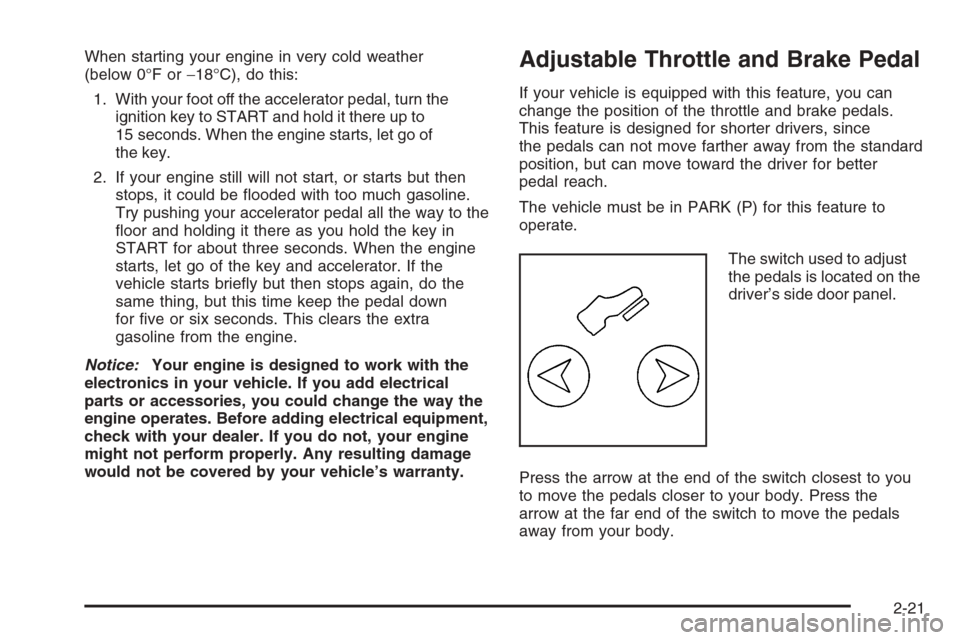
The switch used to adjust
the pedals is located on the
driver’s side door panel.
Press the arrow at the end of the switch closest to you
to move the pedals closer to your body. Press the
arrow at the far end of the switch to move the pedals
away from your body.
2-21
Page 122 of 540
{CAUTION:
Shifting the transfer case to NEUTRAL
can cause your vehicle to roll even if the
transmission is in PARK (P). You or someone
else could be seriously injured. Be sure to
set the parking brake before placing the
transfer case in NEUTRAL. SeeParking Brake
on page 2-32.NEUTRAL (N):Shift the vehicle’s transfer case to
NEUTRAL only when towing your vehicle. See
Recreational Vehicle Towing on page 4-58orTowing
Your Vehicle on page 4-58for more information.
Indicator lights in the button show which setting you are
in. The indicator lights will come on briey when you
turn on the ignition and one will stay on. If the lights do
not come on, you should take your vehicle to your
dealer for service. An indicator light will ash while
shifting the transfer case. It will remain illuminated when
the shift is complete. If for some reason the transfer
case cannot make a requested shift, it will return to the
last chosen setting.
If the SERVICE 4WD message stays on, you should
take your vehicle to your dealer for service. See “Service
4WD message” underDIC Warnings and Messages
on page 3-55.
2-28
Page 123 of 540
Shifting Into Four-Wheel High or AUTO
4WD (Automatic Four-Wheel Drive)
Press and release the Four-Wheel High or AUTO 4WD
button. This can be done at any speed, except when
shifting from Four-Wheel Low, and the indicator light will
ash while shifting. It will remain on when the shift is
completed.
Shifting Into Two-Wheel High
Press and release the Two-Wheel High button. This
can be done at any speed, except when shifting
from Four-Wheel Low.
Shifting Into Four-Wheel Low
To shift to the Four-Wheel Low position, the ignition
must be in RUN and the vehicle must be stopped
or moving less than 3 mph (5 km/h) with the
transmission in NEUTRAL (N). The preferred method
for shifting into four-wheel low is to have your vehicle
moving 1 to 2 mph (1.6 to 3.2 km/h). Press and release
the Four-Wheel Low button. You must wait for the
four-wheel low indicator light to stop ashing and remain
on before shifting your transmission in gear.Notice:Shifting the transmission into gear before
the Four-Wheel Low indicator light has stopped
ashing could damage the transfer case. To
help avoid damaging your vehicle, always wait for
the Four-Wheel Low indicator light to stop ashing
before shifting the transmission into gear.
It is typical for your vehicle to exhibit signicant
engagement noise and bump when shifting between
Four-Wheel Low and Four-Wheel High ranges or from
NEUTRAL with the engine running.
If the Four-Wheel Low button is pressed when your
vehicle is in gear and/or moving, the Four-Wheel Low
indicator light will ash for 30 seconds and not complete
the shift unless your vehicle is moving less than
3 mph (5 km/h) and the transmission is in NEUTRAL (N).
After 30 seconds the transfer case will shift to
Four-Wheel High mode.
2-29
Page 124 of 540
Shifting Out of Four-Wheel Low
To shift from Four-Wheel Low to Four-Wheel High, AUTO
4WD or Two-Wheel High, your vehicle must be stopped
or moving less than 3 mph (5 km/h) with the transmission
in NEUTRAL (N) and the ignition in RUN. The preferred
method for shifting out of Four-Wheel Low is to have your
vehicle moving 1 to 2 mph (1.6 to 3.2 km/h). Press and
release the Four-Wheel High, AUTO 4WD or Two-Wheel
High button. You must wait for the Four-Wheel High,
AUTO 4WD or Two-Wheel High indicator light to stop
ashing and remain on before shifting your transmission
into gear.
Notice:Shifting the transmission into gear before
the Four-Wheel Low indicator light has stopped
ashing could damage the transfer case. To
help avoid damaging your vehicle, always wait for
the Four-Wheel Low indicator light to stop ashing
before shifting the transmission into gear.It is typical for your vehicle to exhibit signicant
engagement noise and bump when shifting between
Four-Wheel Low and Four-Wheel High ranges or from
NEUTRAL with the engine running.
If the Four-Wheel High, AUTO 4WD or Two-Wheel High
switch is pressed when your vehicle is in gear and/or
moving, the Four-Wheel High, AUTO 4WD or Two-Wheel
High indicator light will ash for 30 seconds but will not
complete the shift unless your vehicle is moving less than
3 mph (5 km/h) and the transmission is in NEUTRAL (N).
Shifting into NEUTRAL
To shift the transfer case to NEUTRAL do the following:
1. Make sure the vehicle is parked so that it will not roll.
2. Set the parking brake. SeeParking Brake on
page 2-32for more information.
3. Start the vehicle or turn the ignition to RUN.
4. Put the transmission in NEUTRAL (N).
5. Shift the transfer case to Two-Wheel High.
2-30
Page 125 of 540
6. Simultaneously press and hold the Two-Wheel High
and Four-Wheel Low buttons for 10 seconds. The
NEUTRAL light will come on when the transfer case
shift to NEUTRAL is complete.
7. If the engine is running, verify that the transmission
is in NEUTRAL (N) by shifting the transmission to
REVERSE (R) for one second, then shift the
transmission to DRIVE (D) for one second.
8. Turn the ignition to ACCESSORY, which will turn
the engine off.
9. Place the transmission shift lever in PARK (P).
10. Turn the ignition to LOCK.
Shifting Out of NEUTRAL
To shift out of NEUTRAL do the following:
1. Set the parking brake and apply the regular
brake pedal.
2. Shift the transmission to NEUTRAL (N) and turn
the ignition to RUN with the engine off.3. Press the button for the desired transfer case shift
position (Two-Wheel High, Four-Wheel High, AUTO
4WD, or Four-Wheel Low).
After the transfer case has shifted out of NEUTRAL
the NEUTRAL light will go out.
4. Release the parking brake.
Notice:Shifting the transmission into gear before
the Four-Wheel Low indicator light has stopped
ashing could damage the transfer case. To
help avoid damaging your vehicle, always wait for
the Four-Wheel Low indicator light to stop ashing
before shifting the transmission into gear.
5. Start the engine and shift the transmission to the
desired position.
Excessively shifting the transfer case into or out of
the different modes may cause the transfer case to enter
the shift protection mode. This will protect the transfer
case from possible damage and will only allow the
transfer case to respond to one shift per 10 seconds.
The transfer case may stay in this mode for up to
three minutes.
2-31
Page 126 of 540
Parking Brake
To set the parking brake, hold the regular brake pedal
down with your right foot. Push down the parking
brake pedal with your left foot.
A chime will activate and the warning light will ash
when the parking brake is applied and the vehicle
is moving at least 3 mph (5 km/h) for at least
three seconds.To release the parking brake, hold the regular brake
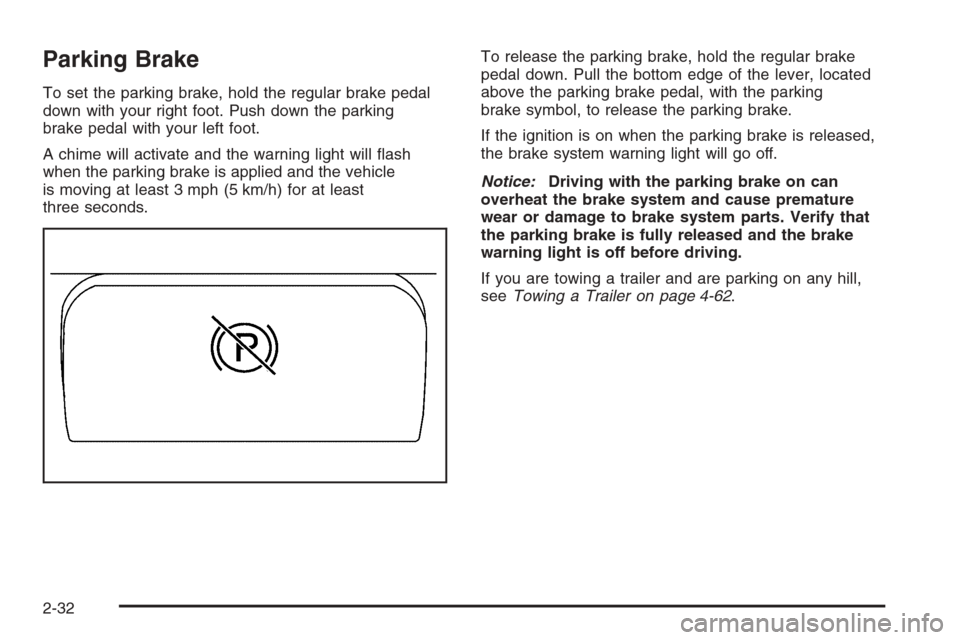
pedal down. Pull the bottom edge of the lever, located
above the parking brake pedal, with the parking
brake symbol, to release the parking brake.
If the ignition is on when the parking brake is released,
the brake system warning light will go off.
Notice:Driving with the parking brake on can
overheat the brake system and cause premature
wear or damage to brake system parts. Verify that
the parking brake is fully released and the brake
warning light is off before driving.
If you are towing a trailer and are parking on any hill,
seeTowing a Trailer on page 4-62.
2-32