2006 CHEVROLET MALIBU light
[x] Cancel search: lightPage 99 of 442
PASS-Key®III+ Operation
Your vehicle is equipped with PASS-Key®III +
(Personalized Automotive Security System)
theft-deterrent system. PASS-Key
®III + is a passive
theft-deterrent system. This means you don’t have to do
anything special to arm or disarm the system. It works
when you insert or remove the key from the ignition.
When the PASS-Key
®III + system senses that someone
is using the wrong key, it shuts down the vehicle’s starter
and fuel systems. The starter will not work and fuel will
stop owing to the engine. Anyone using a trial-and-error
method to start the vehicle will be discouraged because
of the high number of electrical key codes.
When trying to start the vehicle if the engine does not
start and the security light comes on, the key may have a
damaged transponder. Turn the ignition off and try again.
If the engine still does not start, and the key appears
to be undamaged, try another ignition key. At this
time, you may also want to check the fuse, see
Fuses on page 5-99. If the engine still does not
start with the other key, your vehicle needs service.
If your vehicle does start, the rst key may be faulty.See your dealer who can service the PASS-Key
®III +
to have a new key made. In an emergency, contact
Chevrolet Roadside Assistance. SeeRoadside
Assistance Program on page 7-6for more information.
It is possible for the PASS-Key
®III + decoder to
“learn” the transponder value of a new or replacement
key. Up to 10 additional keys may be programmed
for the vehicle. The following procedure is for
programming additional keys only. If all the currently
programmed keys are lost or do not operate, you must
see your dealer or a locksmith who can service
PASS-Key
®III + to have keys made and programmed
to the system.
See your GM dealer or a locksmith who can service
PASS-Key
®III + to get a new key blank that is cut
exactly as the ignition key that operates the system.
2-21
Page 100 of 442
To program the new key do the following:
1. Verify that the new key has “+” stamped on it.
2. Insert the already programmed key in the ignition
and start the engine. If the engine will not start,
see your dealer for service.
3. After the engine has started, turn the key to off,
and remove the key.
4. Insert the key to be programmed and turn it to on
within ve seconds of removing the original key.
5. The security light will turn off once the key has
been programmed. It may not be apparent that
the security light went on due to how quickly
the key is programmed.
6. Repeat Steps 1 through 5 if additional keys are
to be programmed.
If you are ever driving and the security light comes on
and stays on, you may be able to restart your engine if
you turn it off. Your PASS-Key
®III + system, however,
is not working properly and must be serviced by
your dealer. Your vehicle is not protected by the
PASS-Key
®III + system at this time.
If you lose or damage your PASS-Key
®III + key,
see your GM dealer or a locksmith who can service
PASS-Key
®III + to have a new key made.
Starting and Operating Your
Vehicle
New Vehicle Break-In
Notice:Your vehicle does not need an elaborate
break-in. But it will perform better in the long run if
you follow these guidelines:
Do not drive at any one constant speed, fast or
slow, for the rst 500 miles (805 km). Do not
make full-throttle starts. Avoid downshifting to
brake, or slow, the vehicle.
Avoid making hard stops for the rst 200 miles
(322 km) or so. During this time your new brake
linings are not yet broken in. Hard stops with new
linings can mean premature wear and earlier
replacement. Follow this breaking-in guideline
every time you get new brake linings.
Do not tow a trailer during break-in. SeeTowing
a Trailer on page 4-42for the trailer towing
capabilities of your vehicle and more
information.
Following break-in, engine speed and load can be
gradually increased.
2-22
Page 101 of 442
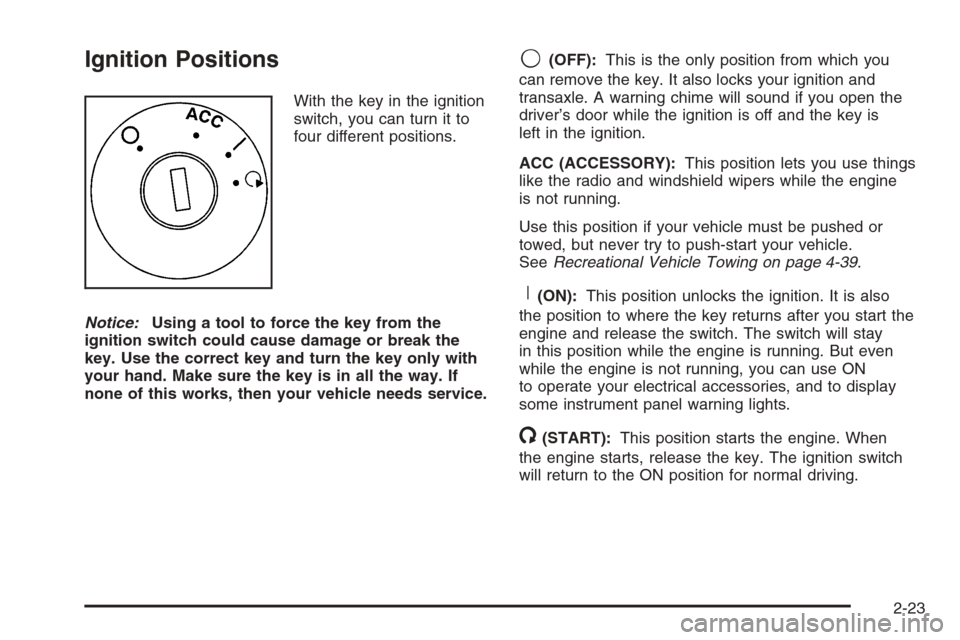
Ignition Positions
With the key in the ignition
switch, you can turn it to
four different positions.
Notice:Using a tool to force the key from the
ignition switch could cause damage or break the
key. Use the correct key and turn the key only with
your hand. Make sure the key is in all the way. If
none of this works, then your vehicle needs service.
9(OFF):This is the only position from which you
can remove the key. It also locks your ignition and
transaxle. A warning chime will sound if you open the
driver’s door while the ignition is off and the key is
left in the ignition.
ACC (ACCESSORY):This position lets you use things
like the radio and windshield wipers while the engine
is not running.
Use this position if your vehicle must be pushed or
towed, but never try to push-start your vehicle.
SeeRecreational Vehicle Towing on page 4-39.
R(ON):This position unlocks the ignition. It is also
the position to where the key returns after you start the
engine and release the switch. The switch will stay
in this position while the engine is running. But even
while the engine is not running, you can use ON
to operate your electrical accessories, and to display
some instrument panel warning lights.
/(START):This position starts the engine. When
the engine starts, release the key. The ignition switch
will return to the ON position for normal driving.
2-23
Page 111 of 442
SECOND (2) Gear Start Feature
When accelerating your vehicle from a stop in
snowy and icy conditions, you may want to shift
into SECOND (2) gear. A higher gear allows you
to gain more traction on slippery surfaces.
With the DSC feature, the vehicle can be set to pull
away in SECOND (2) gear.
1. Move the shift lever from AUTOMATIC
OVERDRIVE (D) into the MANUAL MODE (M).
2. With the vehicle stopped, press (+) end of the
button to select SECOND (2) gear. The vehicle
will start from a stop position in SECOND (2) gear.
3. Once moving select the desired drive gear.
Parking Brake
To set the parking brake, push down the parking
brake pedal with your left foot. If the ignition is on, the
brake system warning light will come on. SeeBrake
System Warning Light on page 3-36.
To release the parking brake, hold the regular brake
pedal down with your right foot. Push down momentarily
on the parking brake pedal with your left foot until you
feel the pedal release. If the parking brake is not
released when you begin to drive, the brake system
warning light will be on and a chime will sound warning
you that the parking brake is still on.
The PUSH PARK PEDAL message will also appear in
the Driver Information Center (DIC) to remind you
to release the parking brake. SeeDIC Warnings
and Messages on page 3-50.
Notice:Driving with the parking brake on can
overheat the brake system and cause premature
wear or damage to brake system parts. Verify that
the parking brake is fully released and the brake
warning light is off before driving.
If you are towing a trailer and are parking on a hill,
seeTowing a Trailer on page 4-42.
2-33
Page 116 of 442
Mirrors
Manual Rearview Mirror
This mirror can be adjusted two ways. First, to adjust
the angle of the mirror, move the mirror to a position
that allows you to see out of the back window. To adjust
the height of the mirror, adjust the arm that connects
the mirror to the windshield.
To reduce glare from lights behind you, move the lever
toward you to the night position.
Manual Rearview Mirror with
OnStar
®
If your vehicle has this feature, this mirror has a knob
located at the bottom of the mirror. It is used to change
the mirror from day to night position. To reduce glare
from headlamps behind you while driving at night,
rotate the knob clockwise. For daytime driving, turn
the knob counterclockwise.
There are also three OnStar
®buttons located at the
bottom of the mirror face. See your dealer for more
information on the system and how to subscribe
to OnStar
®. SeeOnStar®System on page 2-44for
more information about the services OnStar®provides.
Automatic Dimming Rearview Mirror
with OnStar
®
Your vehicle may have an automatic dimming rearview
mirror with OnStar®. This feature enables the mirror
to sense nighttime glare from vehicle headlamps from
behind and automatically dim to reduce the glare to
a safe level.
The automatic dimming feature turns on each time the
vehicle is started. Press the OFF button once and
the green indicator light located to the left of the button
will go out indicating the feature is off. To turn the
feature back on, press and release the AUTO button
and the green indicator light will come on.
There are also three OnStar
®buttons located at
the bottom of the mirror face. See your dealer for
information on the system and how to subscribe
to OnStar
®. SeeOnStar®System on page 2-44for
more information about the services OnStar®provides.
2-38
Page 117 of 442
Automatic Dimming Rearview Mirror
with OnStar
®and Compass
Your vehicle may have an automatic dimming rearview
mirror with a compass and OnStar®controls. For
more information about OnStar®, seeOnStar®System
on page 2-44.
The automatic dimming feature turns on each time
the vehicle is started. To turn automatic dimming off
or on, press the left button below the mirror. A green
indicator light will be on when automatic dimming is on.
There are also three OnStar
®buttons located at
the bottom of the mirror. See your dealer for more
information on the system and how to subscribe
to OnStar
®. SeeOnStar®System on page 2-44for
more information about the service OnStar®provides.
Compass Operation
Press the on/off button once to turn the compass
on or off.
When the ignition and the compass feature are on,
the compass will show two character boxes for a
few seconds. After a few seconds, the mirror will
display the current compass direction.
Compass Calibration
If after a few seconds the display does not show a
compass direction, (N for North for example), there
may be a strong magnetic eld interfering with the
compass. Such interference may be caused by a
magnetic antenna mount, note pad holder, or similar
object. If the letter C appears in the compass window,
the compass may need to be reset or calibrated.
The mirror can be calibrated by driving the vehicle in
circles at 5 mph (8 km/h) or less until the display reads
a direction.
2-39
Page 119 of 442
Automatic Dimming Rearview Mirror
with Compass
Your vehicle may have an automatic dimming rearview
mirror with a compass. This feature enables the
mirror to sense nighttime glare from vehicle headlamps
from behind and automatically dim to reduce the
glare to a safe level.
The automatic dimming feature turns on each time the
vehicle is started. Press the OFF button once and
the green indicator light located to the left of the button
will go out indicating the feature is off. To turn the
feature back on, press and release the AUTO button
and the green indicator light will come on.
Compass Operation
Press the on/off button once to turn the compass
on or off.
When the ignition and the compass feature are on,
the compass will show two character boxes for a
few seconds. After a few seconds, the mirror will
display the current compass direction.
Compass Calibration
If after a few seconds the display does not show a
compass direction, (N for North for example), there
may be a strong magnetic eld interfering with the
compass. Such interference may be caused by a
magnetic antenna mount, note pad holder, or similar
object. If the letter C appears in the compass window,
the compass may need to be reset or calibrated.
The mirror can be calibrated by driving the vehicle in
circles at 5 mph (8 km/h) or less until the display reads
a direction.
2-41
Page 124 of 442
Universal Home Remote
System
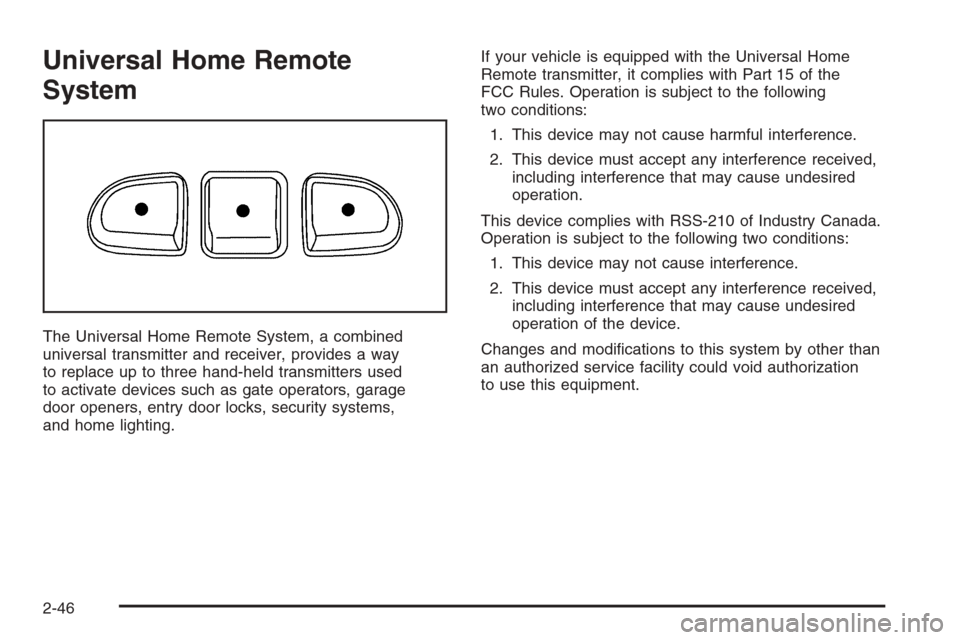
The Universal Home Remote System, a combined
universal transmitter and receiver, provides a way
to replace up to three hand-held transmitters used
to activate devices such as gate operators, garage
door openers, entry door locks, security systems,
and home lighting.If your vehicle is equipped with the Universal Home
Remote transmitter, it complies with Part 15 of the
FCC Rules. Operation is subject to the following
two conditions:
1. This device may not cause harmful interference.
2. This device must accept any interference received,
including interference that may cause undesired
operation.
This device complies with RSS-210 of Industry Canada.
Operation is subject to the following two conditions:
1. This device may not cause interference.
2. This device must accept any interference received,
including interference that may cause undesired
operation of the device.
Changes and modications to this system by other than
an authorized service facility could void authorization
to use this equipment.
2-46