Page 164 of 398
Low Washer Fluid Warning Light
This light will come on
when your vehicle is low
on windshield washer fluid.
For more information, seeWindshield Washer Fluid on
page 5-48.
Check Gages Warning Light
This light will come on as
you’re starting the engine,
just as a check.
If this light comes on and stays on while you are driving.
It means that either your engine coolant temperature
gage or your engine oil pressure gage may be showing
a reading in the warning zone.
When the check gages light comes on, you will also
hear a warning tone. The tone and the light will
stay activated until the problem is corrected.
This light may also come on if your vehicle is equipped
with the optional automatic engine shutdown system
and engine shutdown has begun. SeeEngine Alarm and
Automatic ShutdownunderStarting the Diesel Engine
on page 2-15.
3-44
Page 182 of 398

Playing a CD
Insert a CD partway into the slot, label side up. The
player will pull it in and the CD should begin playing.
CD will appear on the display. If you want to insert a CD
with the ignition off, first press the eject button or the
RCL knob.
If you insert a CD with the radio off and the ignition on,
it will start to play.
If the ignition or radio is turned off, with a CD in the
player, it will stay in the player. When the ignition
or radio is turned on, the CD will start playing where it
stopped, if it was the last selected audio source.
As each new track starts to play, the track number will
appear on the display.
The CD player can play the smaller 3 inch (8 cm)
single CDs with an adapter ring. Full-size CDs and the
smaller CDs are loaded in the same manner.If playing a CD-R, the sound quality may be reduced
due to CD-R quality, the method of recording, the quality
of the music that has been recorded, and the way the
CD-R has been handled. There may be an increase
in skipping, difficulty in finding tracks, and/or difficulty in
loading and ejecting. If these problems occur, check
the bottom surface of the CD. If the surface of the CD is
damaged, such as cracked, broken, or scratched, the
CD will not play properly. If the surface of the CD
is soiled, seeCare of Your CDs on page 3-66for more
information.
If there is no apparent damage, try a known good CD.
Do not add any label to a CD, it could get caught in the
CD player. If a CD is recorded on a personal computer
and a description label is needed, try labeling the top of
the recorded CD with a marking pen instead.
Notice:If you add any label to a CD, insert more
than one CD into the slot at a time, or attempt
to play scratched or damaged CDs, you could
damage the CD player. When using the CD player,
use only CDs in good condition without any
label, load one CD at a time, and keep the CD player
and the loading slot free of foreign materials,
liquids, and debris.
If an error appears on the display, see “CD Messages”
later in this section.
3-62
Page 229 of 398

Service............................................................5-3
California Proposition 65 Warning.....................5-3
Doing Your Own Service Work.........................5-4
Engine Fan Breakage.....................................5-5
Fuel................................................................5-6
Gasoline Octane............................................5-6
Gasoline Specifications....................................5-6
Additives.......................................................5-6
Diesel Engine Fuel.........................................5-7
What Fuel to Use...........................................5-8
Very Cold Weather Operation.........................5-10
Water in Fuel...............................................5-10
Running Out of Fuel.....................................5-17
Fuel Filter Replacement.................................5-18
Fuels in Foreign Countries.............................5-19
Filling the Tank............................................5-20
Filling a Portable Fuel Container.....................5-21
Checking Things Under the Hood....................5-22
Hood Latches...............................................5-22
Engine Oil (Caterpillar
®Diesel Engine).............5-24
Engine Oil (DURAMAX®Diesel)......................5-24
Engine Oil (Gasoline Engine)..........................5-28
Engine Oil Life System (Gasoline Engine)........5-31
Engine Oil Life System (DURAMAX
®Diesel).....5-33
Engine Oil Life System
(Caterpillar
®Diesel Engine).........................5-34Engine Air Cleaner/Filter................................5-35
Automatic Transmission Fluid.........................5-36
Manual Transmission Fluid.............................5-37
Engine Coolant
(Gas and DURAMAX
®Engines)...................5-38
Engine Coolant (Caterpillar®Diesel Engines).....5-40
Coolant Surge Tank Pressure Cap..................5-40
Engine Overheating.......................................5-40
Cooling System
(Gas and DURAMAX
®Engines)...................5-42
Engine Fan Noise.........................................5-47
Power Steering Fluid.....................................5-47
Windshield Washer Fluid................................5-48
Brakes........................................................5-49
Battery........................................................5-58
Jump Starting...............................................5-59
Rear Axle.......................................................5-64
Rear Axle Shift Motor....................................5-65
Four-Wheel Drive............................................5-65
Front Axle......................................................5-66
Noise Control System.....................................5-67
Tampering with Noise Control System
Prohibited.................................................5-67
Bulb Replacement..........................................5-68
Windshield Wiper Blade Replacement..............5-69
Section 5 Service and Appearance Care
5-1
Page 243 of 398
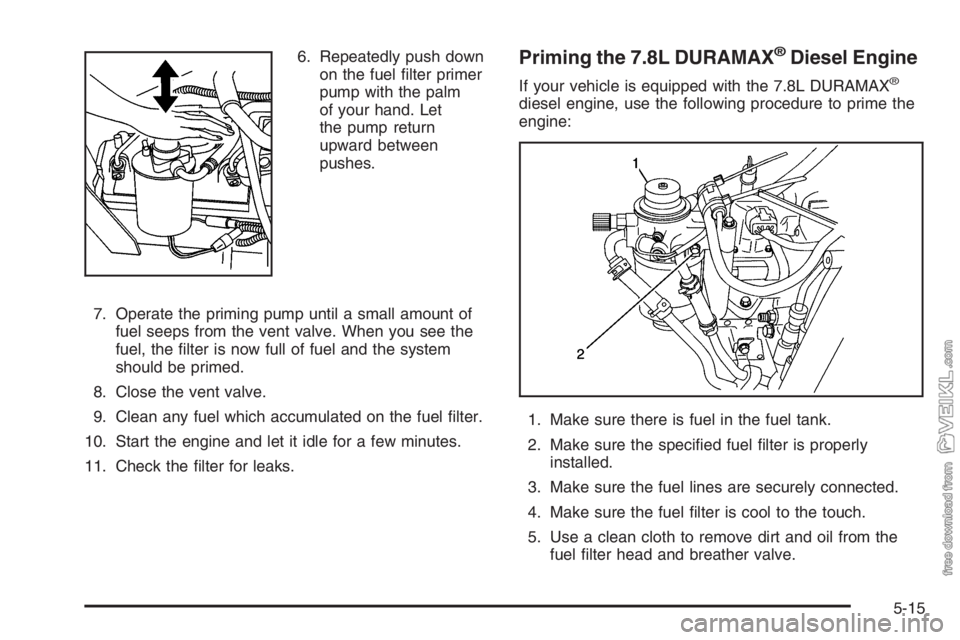
6. Repeatedly push down
on the fuel filter primer
pump with the palm
of your hand. Let
the pump return
upward between
pushes.
7. Operate the priming pump until a small amount of
fuel seeps from the vent valve. When you see the
fuel, the filter is now full of fuel and the system
should be primed.
8. Close the vent valve.
9. Clean any fuel which accumulated on the fuel filter.
10. Start the engine and let it idle for a few minutes.
11. Check the filter for leaks.Priming the 7.8L DURAMAX®Diesel Engine
If your vehicle is equipped with the 7.8L DURAMAX®
diesel engine, use the following procedure to prime the
engine:
1. Make sure there is fuel in the fuel tank.
2. Make sure the specified fuel filter is properly
installed.
3. Make sure the fuel lines are securely connected.
4. Make sure the fuel filter is cool to the touch.
5. Use a clean cloth to remove dirt and oil from the
fuel filter head and breather valve.
5-15
Page 247 of 398

3. Remove the filter element. If there is any dirt on the
filter sealing surface, clean it off. Remove and
reuse the water sensor float switch located on the
bottom of the fuel filter.
4. Install the new filter element.
5. Reinstall and tighten the filter container and
reconnect the water sensor wire to the filter.
6. Use the fuel filter priming procedure earlier in this
section to prime the fuel filter.
7. Tighten the air bleed valve by turning it clockwise
until hand-tight.
8. Start your engine and let it idle for five minutes.
Check your fuel filter and air bleed valve for
leaks.Fuels in Foreign Countries
If you plan on driving in another country outside the
United States or Canada, the proper fuel may be hard
to find. Never use leaded gasoline or any other fuel
not recommended in the previous text on fuel. Costly
repairs caused by use of improper fuel would not
be covered by your warranty.
To check the fuel availability, ask an auto club, or
contact a major oil company that does business in the
country where you will be driving.
5-19
Page 250 of 398
Checking Things Under
the Hood
{CAUTION:
Things that burn can get on hot engine parts
and start a re. These include liquids like fuel,
oil, coolant, brake uid, windshield washer and
other uids, and plastic or rubber. You or
others could be burned. Be careful not to drop
or spill things that will burn onto a hot engine.
Hood Latches
To tilt the hood forward, pull back and up on each of the
hood latches, located above the wheel wells on both
sides of the vehicle.
5-22
Page 252 of 398

Engine Oil
(Caterpillar
®Diesel Engine)
See your Caterpillar®Operation & Maintenance Manual
for information on oil quality and viscosities as well
as the temperature range chart.
Engine Oil (DURAMAX®Diesel)
Checking Engine Oil
It is a good idea to check your engine oil level every
time you get fuel.
The engine oil dipstick is
located in the engine
compartment on the
driver’s side of the vehicle.In order to get an accurate reading, the engine should
be at normal operating temperature, so that the oil
is warm, and the vehicle must be on level ground.
1. If the engine is at normal operating temperature and
the oil is warm, turn off the engine and allow at
least five minutes for the oil to drain back into the
oil pan. If you do not do this, the oil dipstick
might not show the actual level.
If the engine has not been run long enough to bring
it up to normal operating temperature and the oil
is cool, turn off the engine and allow 30 minutes for
the oil to drain back into the oil pan. If you do
not do this, the oil dipstick might not show the actual
level.
2. Pull out the dipstick and clean it with a paper towel
or a cloth, then push it back in all the way.
3. Remove the dipstick again, keeping the tip down,
and check the oil level.
5-24
Page 256 of 398
Engine Oil (Gasoline Engine)
If the low oil light appears
on the instrument cluster, it
means you need to
check your engine oil level
right away. For more
information, seeLow Oil
Level Light on page 3-39.
You should check your engine oil level regularly; this is
an added reminder.
Checking Engine Oil
It is a good idea to check your engine oil every time you
get fuel. In order to get an accurate reading, the oil
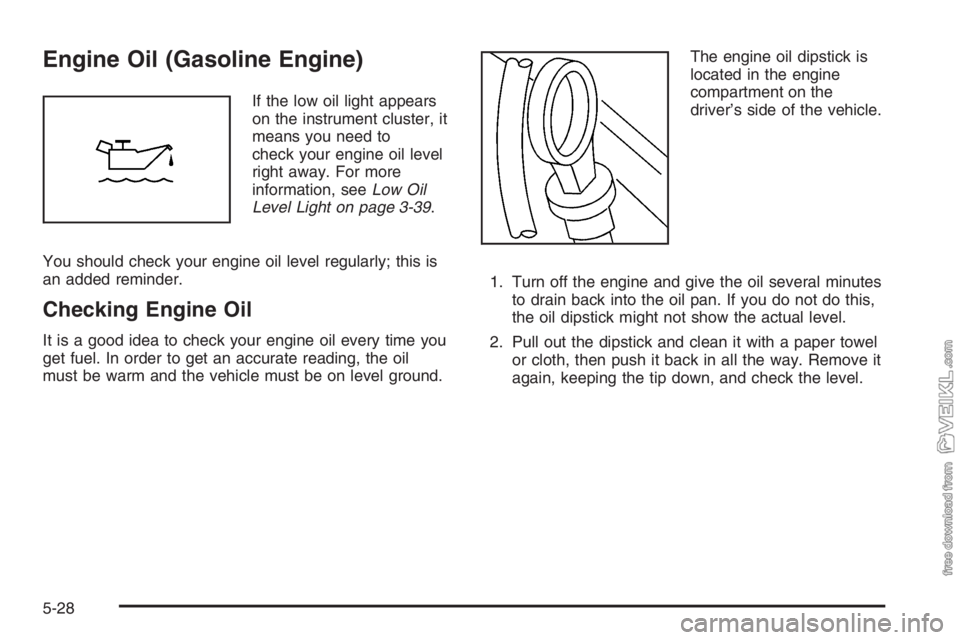
must be warm and the vehicle must be on level ground.The engine oil dipstick is
located in the engine
compartment on the
driver’s side of the vehicle.
1. Turn off the engine and give the oil several minutes
to drain back into the oil pan. If you do not do this,
the oil dipstick might not show the actual level.
2. Pull out the dipstick and clean it with a paper towel
or cloth, then push it back in all the way. Remove it
again, keeping the tip down, and check the level.
5-28