2006 CHEVROLET EPICA power
[x] Cancel search: powerPage 165 of 368
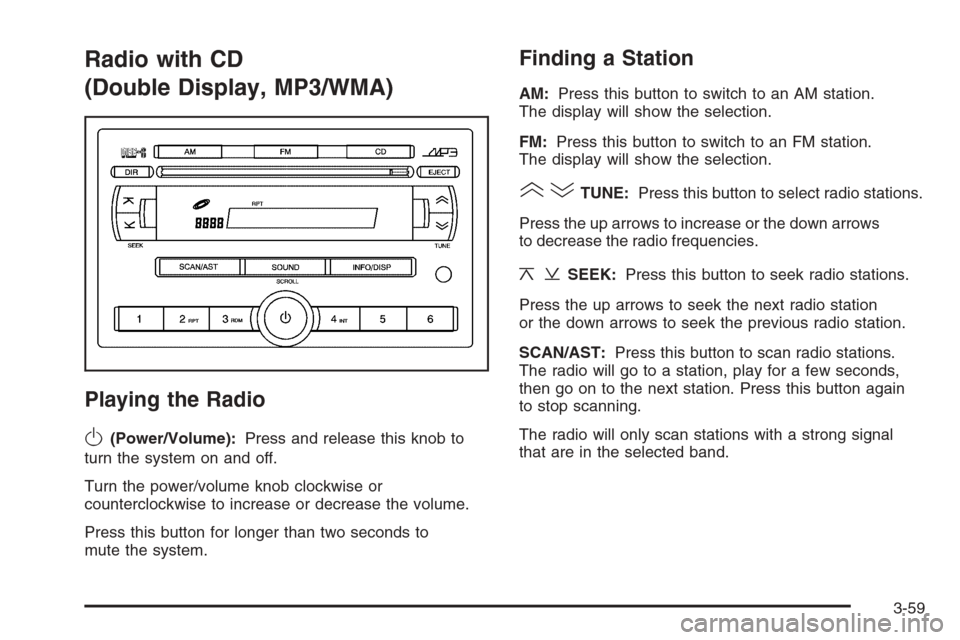
Radio with CD
(Double Display, MP3/WMA)
Playing the Radio
O
(Power/Volume):Press and release this knob to
turn the system on and off.
Turn the power/volume knob clockwise or
counterclockwise to increase or decrease the volume.
Press this button for longer than two seconds to
mute the system.
Finding a Station
AM:Press this button to switch to an AM station.
The display will show the selection.
FM:Press this button to switch to an FM station.
The display will show the selection.
()TUNE:Press this button to select radio stations.
Press the up arrows to increase or the down arrows
to decrease the radio frequencies.
¦¥SEEK:Press this button to seek radio stations.
Press the up arrows to seek the next radio station
or the down arrows to seek the previous radio station.
SCAN/AST:Press this button to scan radio stations.
The radio will go to a station, play for a few seconds,
then go on to the next station. Press this button again
to stop scanning.
The radio will only scan stations with a strong signal
that are in the selected band.
3-59
Page 173 of 368
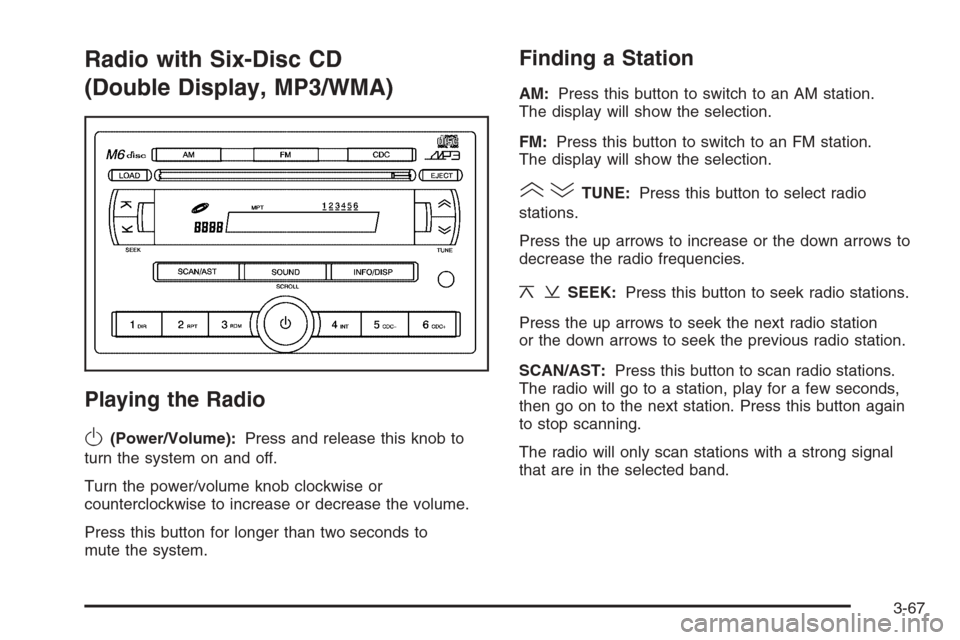
Radio with Six-Disc CD
(Double Display, MP3/WMA)
Playing the Radio
O
(Power/Volume):Press and release this knob to
turn the system on and off.
Turn the power/volume knob clockwise or
counterclockwise to increase or decrease the volume.
Press this button for longer than two seconds to
mute the system.
Finding a Station
AM:Press this button to switch to an AM station.
The display will show the selection.
FM:Press this button to switch to an FM station.
The display will show the selection.
()TUNE:Press this button to select radio
stations.
Press the up arrows to increase or the down arrows to
decrease the radio frequencies.
¦¥SEEK:Press this button to seek radio stations.
Press the up arrows to seek the next radio station
or the down arrows to seek the previous radio station.
SCAN/AST:Press this button to scan radio stations.
The radio will go to a station, play for a few seconds,
then go on to the next station. Press this button again
to stop scanning.
The radio will only scan stations with a strong signal
that are in the selected band.
3-67
Page 184 of 368
CD Messages
No Maga:An empty magazine is inserted in the CD
changer. Try the magazine again with a CD loaded
in one of the trays.
Notice:If you add any label to a CD, insert more
than one CD into the slot at a time, or attempt
to play scratched or damaged CDs, you could
damage the CD player. When using the CD player,
use only CDs in good condition without any
label, load one CD at a time, and keep the CD player
and the loading slot free of foreign materials,
liquids, and debris.
If the CD is not playing correctly, for any other reason,
try a known good CD.
If any error occurs repeatedly or if an error cannot be
corrected, contact your dealer. If the radio displays
an error message, write it down and provide it to your
dealer when reporting the problem.
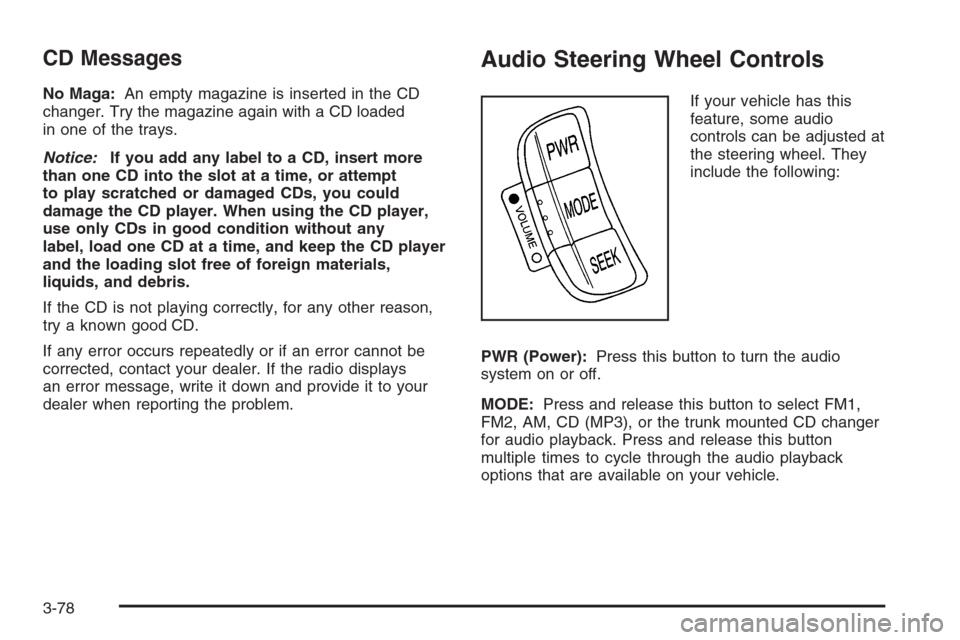
Audio Steering Wheel Controls
If your vehicle has this
feature, some audio
controls can be adjusted at
the steering wheel. They
include the following:
PWR (Power):Press this button to turn the audio
system on or off.
MODE:Press and release this button to select FM1,
FM2, AM, CD (MP3), or the trunk mounted CD changer
for audio playback. Press and release this button
multiple times to cycle through the audio playback
options that are available on your vehicle.
3-78
Page 185 of 368
SEEK:Press and release this button within 0.5 seconds
to go to the next preset station.
Press and hold this button for longer than 0.5 seconds
to go to the next radio station. The radio will only
seek stations with a strong signal that are in the
selected band.
When playing a CD, press and release this button within
0.5 seconds to go to the next track. Press and hold
this button for longer than 0.5 seconds to fast forward
through the tracks.
)VOLUME(:Press the solid circle on the left-side
of VOLUME to increase the volume. Press the open
circle on the right-side of VOLUME to decrease
the volume.
Radio Reception
You may experience frequency interference and
static during normal radio reception if items such as
cellphone chargers, vehicle convenience accessories,
and external electronic devices are plugged into
the accessory power outlet. If there is interference or
static, unplug the item from the accessory power outlet.
AM
The range for most AM stations is greater than for
FM, especially at night. The longer range can cause
station frequencies to interfere with each other.
For better radio reception, most AM radio stations will
boost the power levels during the day, and then reduce
these levels during the night. Static can also occur
when things like storms and power lines interfere with
radio reception. When this happens, try reducing
the treble on your radio.
FM Stereo
FM stereo will give the best sound, but FM signals
will reach only about 10 to 40 miles (16 to 65 km).
Tall buildings or hills can interfere with FM signals,
causing the sound to fade in and out.
3-79
Page 195 of 368
Avoid needless heavy braking. Some people drive
in spurts — heavy acceleration followed by heavy
braking — rather than keeping pace with traffic. This
is a mistake. Your brakes may not have time to
cool between hard stops. Your brakes will wear out
much faster if you do a lot of heavy braking. If you
keep pace with the traffic and allow realistic following
distances, you will eliminate a lot of unnecessary
braking. That means better braking and longer
brake life.
If your engine ever stops while you are driving, brake
normally but do not pump your brakes. If you do,
the pedal may get harder to push down. If your engine
stops, you will still have some power brake assist.
But you will use it when you brake. Once the power
assist is used up, it may take longer to stop and
the brake pedal will be harder to push.
Adding non-GM accessories can affect your vehicle’s
performance. SeeAccessories and Modifications
on page 5-3.Anti-Lock Brake System (ABS)
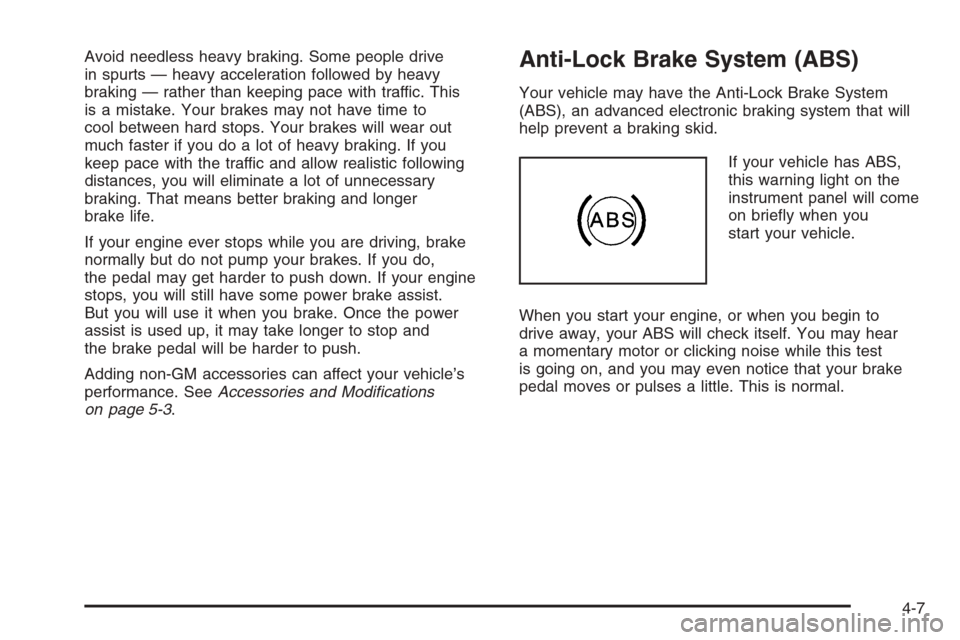
Your vehicle may have the Anti-Lock Brake System
(ABS), an advanced electronic braking system that will
help prevent a braking skid.
If your vehicle has ABS,
this warning light on the
instrument panel will come
on briefly when you
start your vehicle.
When you start your engine, or when you begin to
drive away, your ABS will check itself. You may hear
a momentary motor or clicking noise while this test
is going on, and you may even notice that your brake
pedal moves or pulses a little. This is normal.
4-7
Page 199 of 368
Steering
Power Steering
If you lose power steering assist because the engine
stops or the system is not functioning, you can steer
but it will take much more effort.
Speed Sensitive Power Steering (SSPS)
If your vehicle has this optional steering system, the
steering system continuously adjusts the effort you feel
when steering at all vehicle speeds. It provides ease
when parking, yet a firm, solid feel at highway speeds.
Steering Tips
It is important to take curves at a reasonable speed.
A lot of the “driver lost control” accidents mentioned
on the news happen on curves. Here is why:
Experienced driver or beginner, each of us is subject
to the same laws of physics when driving on curves.
The traction of the tires against the road surface makes
it possible for the vehicle to change its path when
you turn the front wheels. If there is no traction, inertia
will keep the vehicle going in the same direction.
If you have ever tried to steer a vehicle on wet ice,
you will understand this.The traction you can get in a curve depends on the
condition of your tires and the road surface, the angle at
which the curve is banked, and your speed. While you
are in a curve, speed is the one factor you can control.
Suppose you are steering through a sharp curve.
Then you suddenly accelerate. Both control
systems — steering and acceleration — have to do
their work where the tires meet the road. Adding
the sudden acceleration can demand too much of those
places. You can lose control. SeeTraction Control
System (TCS) on page 4-9.
What should you do if this ever happens? Ease up on
the accelerator pedal, steer the vehicle the way you
want it to go, and slow down.
Speed limit signs near curves warn that you should
adjust your speed. Of course, the posted speeds
are based on good weather and road conditions. Under
less favorable conditions you will want to go slower.
If you need to reduce your speed as you approach
a curve, do it before you enter the curve, while your front
wheels are straight ahead.
Try to adjust your speed so you can “drive” through
the curve. Maintain a reasonable, steady speed.
Wait to accelerate until you are out of the curve, and
then accelerate gently into the straightaway.
Adding non-GM accessories can affect your vehicle’s
performance. SeeAccessories and Modifications
on page 5-3.
4-11
Page 225 of 368
Service............................................................5-3
Accessories and Modifications..........................5-3
California Proposition 65 Warning.....................5-4
Doing Your Own Service Work.........................5-4
Adding Equipment to the Outside
of Your Vehicle...........................................5-5
Fuel................................................................5-5
Gasoline Octane............................................5-5
Gasoline Specifications....................................5-5
California Fuel...............................................5-6
Additives.......................................................5-6
Fuels in Foreign Countries...............................5-7
Filling the Tank..............................................5-8
Filling a Portable Fuel Container.....................5-10
Checking Things Under the Hood....................5-11
Hood Release..............................................5-11
Engine Compartment Overview.......................5-12
Engine Oil...................................................5-13
Engine Air Cleaner/Filter................................5-17
Automatic Transaxle Fluid..............................5-19
Engine Coolant.............................................5-19
Coolant Surge Tank Pressure Cap..................5-22
Engine Overheating.......................................5-22
Cooling System............................................5-24
Power Steering Fluid.....................................5-29Windshield Washer Fluid................................5-30
Brakes........................................................5-31
Battery........................................................5-34
Jump Starting...............................................5-35
Headlamp Aiming...........................................5-38
Bulb Replacement..........................................5-39
Halogen Bulbs..............................................5-39
Headlamps..................................................5-39
Front Turn Signal Lamps...............................5-41
Center High-Mounted Stoplamp (CHMSL).........5-42
Parking Lamps.............................................5-43
Taillamps, Turn Signal, Stoplamps and
Back-up Lamps.........................................5-44
Replacement Bulbs.......................................5-44
Windshield Wiper Blade Replacement..............5-45
Tires..............................................................5-46
Tire Sidewall Labeling...................................5-47
Tire Terminology and Definitions.....................5-49
Inflation - Tire Pressure.................................5-52
Tire Inspection and Rotation...........................5-53
When It Is Time for New Tires.......................5-54
Buying New Tires.........................................5-55
Different Size Tires and Wheels......................5-56
Uniform Tire Quality Grading..........................5-56
Section 5 Service and Appearance Care
5-1
Page 226 of 368
Wheel Alignment and Tire Balance..................5-58
Wheel Replacement......................................5-58
Tire Chains..................................................5-59
If a Tire Goes Flat........................................5-60
Changing a Flat Tire.....................................5-61
Removing the Spare Tire and Tools................5-62
Removing the Flat Tire and Installing
the Spare Tire..........................................5-63
Storing a Flat or Spare Tire and Tools............5-66
Compact Spare Tire......................................5-67
Appearance Care............................................5-68
Cleaning the Inside of Your Vehicle.................5-68
Fabric/Carpet...............................................5-69
Leather.......................................................5-70
Instrument Panel, Vinyl, and
Other Plastic Surfaces................................5-70
Weatherstrips...............................................5-70
Washing Your Vehicle...................................5-70
Cleaning Exterior Lamps/Lenses.....................5-71
Finish Care..................................................5-71
Windshield and Wiper Blades.........................5-72Aluminum Wheels.........................................5-72
Tires...........................................................5-73
Sheet Metal Damage.....................................5-73
Finish Damage.............................................5-73
Underbody Maintenance................................5-73
Chemical Paint Spotting.................................5-73
Vehicle Care/Appearance Materials..................5-74
Vehicle Identication......................................5-75
Vehicle Identification Number (VIN).................5-75
Service Parts Identification Label.....................5-75
Electrical System............................................5-76
Add-On Electrical Equipment..........................5-76
Headlamp Wiring..........................................5-76
Windshield Wiper Fuses................................5-76
Power Windows and Other Power Options.......5-76
Fuses and Circuit Breakers............................5-77
Instrument Panel Fuse Block..........................5-77
Engine Compartment Fuse Block....................5-79
Capacities and Specications..........................5-83
Normal Maintenance Replacement Parts..........5-84
Section 5 Service and Appearance Care
5-2