2006 CHEVROLET COLORADO oil
[x] Cancel search: oilPage 109 of 434
{CAUTION:
Plugging the cord into an ungrounded outlet
could cause an electrical shock. Also, the
wrong kind of extension cord could overheat
and cause a re. You could be seriously
injured. Plug the cord into a properly grounded
three-prong 110-volt AC outlet. If the cord
will not reach, use a heavy-duty three-prong
extension cord rated for at least 15 amps.
4. Before starting the engine, be sure to unplug and
store the cord as it was before to keep it away
from moving engine parts. If you do not, it could
be damaged.
How long should you keep the coolant heater plugged
in? The answer depends on the outside temperature, the
kind of oil you have, and some other things. Instead
of trying to list everything here, we ask that you contact
your dealer in the area where you will be parking
your vehicle. The dealer can give you the best advice
for that particular area.
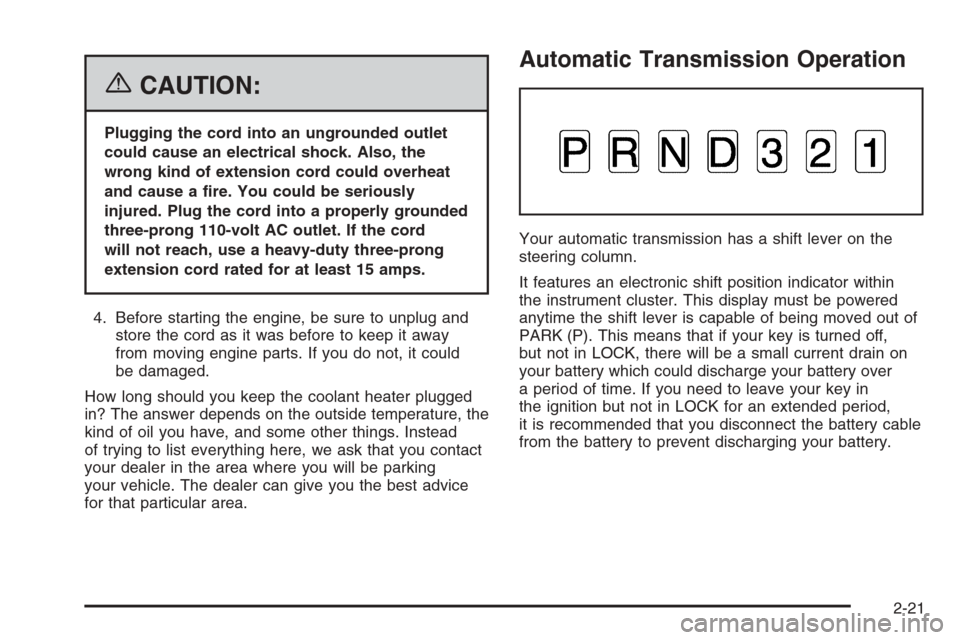
Automatic Transmission Operation
Your automatic transmission has a shift lever on the
steering column.
It features an electronic shift position indicator within
the instrument cluster. This display must be powered
anytime the shift lever is capable of being moved out of
PARK (P). This means that if your key is turned off,
but not in LOCK, there will be a small current drain on
your battery which could discharge your battery over
a period of time. If you need to leave your key in
the ignition but not in LOCK for an extended period,
it is recommended that you disconnect the battery cable
from the battery to prevent discharging your battery.
2-21
Page 135 of 434

Instrument Panel Overview...............................3-4
Hazard Warning Flashers................................3-6
Other Warning Devices...................................3-6
Horn .............................................................3-6
Tilt Wheel.....................................................3-7
Turn Signal/Multifunction Lever.........................3-7
Turn and Lane-Change Signals........................3-8
Headlamp High/Low-Beam Changer..................3-9
Flash-to-Pass.................................................3-9
Windshield Wipers..........................................3-9
Windshield Washer.......................................3-10
Cruise Control..............................................3-11
Exterior Lamps.............................................3-14
Headlamps on Reminder................................3-15
Daytime Running Lamps (DRL).......................3-15
Automatic Headlamp System..........................3-15
Fog Lamps ..................................................3-16
Exterior Cargo Lamps....................................3-17
Interior Lamps..............................................3-17
Instrument Panel Brightness...........................3-17
Dome Lamp .................................................3-17
Dome Lamp Override....................................3-17
Exit Lighting.................................................3-18
Battery Run-Down Protection..........................3-18
Accessory Power Outlet(s).............................3-18
Ashtray(s) and Cigarette Lighter......................3-19Climate Controls............................................3-19
Climate Control System.................................3-19
Outlet Adjustment.........................................3-21
Warning Lights, Gages,
and Indicators.............................................3-22
Instrument Panel Cluster................................3-23
Speedometer and Odometer...........................3-24
Trip Odometer..............................................3-24
Tachometer.................................................3-24
Safety Belt Reminder Light.............................3-25
Passenger Safety Belt Reminder Light.............3-25
Airbag Readiness Light..................................3-26
Passenger Airbag Status Indicator...................3-27
Battery Warning Light....................................3-29
Up-Shift Light (Manual Transmission)...............3-30
Brake System Warning Light..........................3-30
Anti-Lock Brake System Warning Light.............3-31
Engine Coolant Temperature Gage..................3-32
Malfunction Indicator Lamp.............................3-32
Oil Pressure Light.........................................3-35
Security Light...............................................3-36
Cruise Control Light......................................3-36
Highbeam On Light.......................................3-36
Daytime Running Lamps (DRL) Indicator
Light........................................................3-37
Fuel Gage...................................................3-37
Section 3 Instrument Panel
3-1
Page 169 of 434

The diagnostic system is designed to evaluate critical
emission control systems during normal driving.
This may take several days of routine driving. If you
have done this and your vehicle still does not pass
the inspection for lack of OBD system readiness, your
GM dealer can prepare the vehicle for inspection.
Oil Pressure Light
{CAUTION:
Do not keep driving if the oil pressure is low.
If you do, your engine can become so hot that
it catches re. You or others could be burned.
Check your oil as soon as possible and have
your vehicle serviced.
Notice:Lack of proper engine oil maintenance
may damage the engine. The repairs would not
be covered by your warranty. Always follow
the maintenance schedule in this manual for
changing engine oil.This light tells you if there
could be a problem with
your engine oil pressure.
The light goes on when you turn your key to ON or
START. It goes off once you start your engine. That’s
a check to be sure the light works. If it doesn’t come on,
be sure to have it xed so it will be there to warn you
if something goes wrong.
When the light comes on and stays on, it means that oil
isn’t owing through your engine properly. You could
be low on oil and you might have some other system
problem. SeeEngine Oil on page 5-13and “OIL” under
DIC Warnings and Messages on page 3-41for more
information.
3-35
Page 172 of 434
Driver Information Center (DIC)
The Driver Information Center (DIC) displays information
such as the trip odometer, personalization features,
and warning messages. The DIC display is located on
the instrument panel cluster.
DIC Controls and Displays
The Driver Information Center (DIC) comes on when the
ignition is on.
If a problem is detected, a warning message will appear
on the display. Pressing and releasing the trip odometer
reset stem on the DIC will acknowledge some current
warnings or service messages. Some messages will only
clear after the required action has been taken.
The DIC has different modes which can be accessed
by pressing the trip odometer reset stem on the
DIC. These modes are explained in the following
section. The DIC trip odometer reset stem is located
on the instrument panel cluster next to the DIC display.
To scroll through the available functions, press and
release the reset stem.
Trip Information
Odometer
The odometer is automatically displayed on the DIC
when you start the vehicle. The odometer shows
the total distance the vehicle has been driven in either
miles for the United States or kilometers for Canada.
Trip Odometer
Press and release the reset stem until TRIP appears
on the DIC display. This shows the current distance
traveled since the last reset of the trip odometer in either
miles for the United States or kilometers for Canada.
Press and hold the reset stem for approximately
four seconds to reset the trip odometer.
Engine Oil Life System
Press the reset stem until OIL LIFE RESET
appears — alternating between OIL LIFE and
RESET — on the DIC display. The engine oil life
system calculates an estimate of the oil’s remaining
useful life. The CHANGE OIL message will alert you
to change your oil on a schedule consistent with
your driving conditions. Always reset the OIL LIFE
message after an oil change. To reset the message,
seeEngine Oil Life System on page 5-16.
3-38
Page 173 of 434
In addition to the engine oil life system monitoring the
oil life, additional maintenance is recommended in
the Maintenance Schedule in this manual. SeeEngine
Oil on page 5-13andScheduled Maintenance on
page 6-4for more information.
Language
This feature allows you to choose the language in
which the DIC display will show information.
To set your choice for this feature, perform the
following steps:
1. With the engine off, turn the key to ON.
2. Close all doors and make sure that the DOORS
message is not displayed in the DIC.
3. Press and release the reset stem until the language
is shown on the DIC display.
4. To view the next available language, press and
hold the reset stem for approximately two seconds.
Release the reset stem and press and hold
again to view each language. You can choose
from English (default), Spanish, or French.
5. Once the desired language is shown on the
DIC display, briey press the reset stem to set
your choice.
Automatic Door Locks
This feature allows you to program your door locks to
a preferred setting.
To set your choice for this feature, perform the
following steps:
1. With the engine off, turn the key to LOCK.
Do not remove the key from the ignition.
2. Press and hold the power door lock button for
approximately three seconds until the DIC
display shows the current door lock mode.
3. To view the next available mode, press and hold
the reset stem for approximately two seconds.
Release the reset stem and press and hold again
to view each mode.
4. Once the desired mode is shown on the DIC
display, briey press the reset stem to set your
choice. The DIC display will then clear.
The following are the available modes:
Lock 1 (default):On vehicles with an automatic
transmission, this mode locks all of the doors when the
vehicle is shifted out of PARK (P) and unlocks all of
the doors when the vehicle is shifted into PARK (P).
3-39
Page 176 of 434

AC (Air Conditioning) OFF
This message will be displayed when the engine
coolant temperature is too high and the air conditioning
in your vehicle needs to be turned off. SeeEngine
Overheating on page 5-27andClimate Control System
on page 3-19for more information. It will be displayed
along with the ENG HOT message.
ABS (Anti-Lock Brake System)
This message will be displayed if there is a problem
with your anti-lock brake system. Check your anti-lock
brake system as soon as possible and have your
vehicle serviced by your GM dealer. SeeBrakes on
page 5-35andAnti-Lock Brake System Warning Light
on page 3-31for more information. Press and release
the reset stem to acknowledge the message and clear
it from the DIC display.
BATTERY
This message will be displayed when there is a problem
with your vehicle’s battery. SeeBattery on page 5-39
andBattery Warning Light on page 3-29for more
information.
BRAKES
This message will be displayed if there is a problem
with your brakes. Check your brakes as soon as
possible and have your vehicle serviced by your
GM dealer. SeeBrakes on page 5-35andBrake System
Warning Light on page 3-30for more information.
Press and release the reset stem to acknowledge the
message and clear it from the DIC display.
CHANGE OIL
This message will be displayed when the oil needs to
be changed. Check the oil in your vehicle as soon
as possible and have your vehicle serviced by your
GM dealer. SeeEngine Oil on page 5-13andScheduled
Maintenance on page 6-4for more information. Press
the reset stem to acknowledge the message and clear it
from the display.
DOORS
This message will be displayed on your DIC when
one or more of your doors is ajar. You should check
all the doors on your vehicle to make sure they
are closed. The message will clear from the display
after all of the doors are closed.
3-42
Page 177 of 434

ENG (Engine) HOT
This message will be displayed when your engine
coolant temperature is hot. Check your engine coolant
temperature gage. SeeEngine Coolant Temperature
Gage on page 3-32for more information. You should
have your vehicle serviced by your GM dealer as soon
as possible if you suspect your engine is overheating.
SeeEngine Overheating on page 5-27for more
information.
FLUID
This message will be displayed if your brake uid is low.
Check the brake uid as soon as possible and have
your vehicle serviced by your GM dealer. SeeBrakes
on page 5-35for more information. Press the reset stem
to acknowledge the message and clear it from the
DIC display.
FUEL CAP
This message will be displayed if your vehicle’s fuel cap
is either off or loose. You should pull over and check
to see if your vehicle’s fuel cap is secure as soon
as possible. You may also see the check engine light
on the instrument panel cluster. SeeMalfunction
Indicator Lamp on page 3-32for more information.
Press the reset stem to acknowledge the message
and clear it from the display.
LOW FUEL
This message will be displayed if the level of fuel in
your vehicle is low. You should also check your
fuel gage. SeeFuel Gage on page 3-37for more
information. You should ll your vehicle’s tank as
soon as possible.
LOW TRAC (Traction)
If you have the Traction Control System (TCS), you
will see this message when a low traction condition
is detected. SeeTraction Control System (TCS)
on page 4-9for more information. Press and release
the reset stem to acknowledge the message and clear
it from the DIC display.
OIL
This message will be displayed when your oil pressure
is low. SeeOil Pressure Light on page 3-35and
Engine Oil on page 5-13for more information.
PARK BRK (Brake)
This message will be displayed when the parking
brake is set. SeeParking Brake on page 2-30and
Brake System Warning Light on page 3-30for more
information. The message will clear from the display
after the parking brake is released or by pressing
and releasing the reset stem.
3-43
Page 192 of 434
Playing a CD
Insert a CD partway into the slot, label side up. The
player will pull it in, and READING will appear on
the display. The CD should begin playing. If you want
to insert a CD with the ignition off, rst press the
eject button or the DISPL knob.
If the ignition or radio is turned off with a CD in the
player it will stay in the player. When the ignition or radio
is turned on, the CD will start to play where it stopped,
if it was the last selected audio source.
When the CD is inserted, the CD symbol will appear
on the display. As each new track starts to play,
the track number will appear on the display.
The CD player can play the smaller 3 inch (8 cm) single
CDs with an adapter ring. Full-size CDs and the
smaller CDs are loaded in the same manner.
If playing a CD-R, the sound quality may be reduced
due to CD-R quality, the method of recording, the quality
of the music that has been recorded, and the way the
CD-R has been handled. There may be an increase
in skipping, difficulty in nding tracks, and/or difficulty in
loading and ejecting. If these problems occur, check
the bottom surface of the CD. If the surface of the CD
is damaged, such as cracked, broken, or scratched,
the CD will not play properly. If the surface of the CD is
soiled, seeCare of Your CDs on page 3-77for more
information.If there is no apparent damage, try a known good CD.
Do not add any label to a CD, it could get caught in the
CD player. If a CD is recorded on a personal computer
and a description label is needed, try labeling the top of
the recorded CD with a marking pen instead.
Notice:If you add any label to a CD, insert more
than one CD into the slot at a time, or attempt
to play scratched or damaged CDs, you could
damage the CD player. When using the CD player,
use only CDs in good condition without any
label, load one CD at a time, and keep the CD player
and the loading slot free of foreign materials,
liquids, and debris.
If an error appears on the display, see “CD Messages”
later in this section.
1 FLD
x(Previous):This button is inactive when
playing a CD.
2 FLD
w(Next):This button is inactive when playing
a CD.
3 REV (Reverse):Press and hold this pushbutton to
reverse quickly within a track. Press and hold this
pushbutton for less than two seconds to reverse at
10 times the normal playing speed. Press and hold it
for more than two seconds to reverse at 20 times
the normal playing speed. Release this pushbutton to
play the passage. ET and the elapsed time of the track
will appear on the display.
3-58