2006 CHEVROLET AVALANCHE wheel
[x] Cancel search: wheelPage 227 of 532

REDUCED ENGINE POWER
This message is displayed and a chime will sound when
the cooling system temperature gets too hot and the
engine further enters the engine coolant protection
mode. SeeEngine Overheating on page 5-30for further
information.
You may also see this message when the vehicle
determines a problem with the electronic throttle control.
See your GM dealer for service.
This message will also display when the vehicle’s
engine power is reduced. Reduced engine power can
affect the vehicle’s ability to accelerate. If this message
is on, but there is no reduction in performance,
proceed to your destination. The performance may be
reduced the next time the vehicle is driven. The
vehicle may be driven at a reduced speed while this
message is on, but acceleration and speed may
be reduced. Anytime this message stays on, the vehicle
should be taken to your GM dealer for service as
soon as possible.
RIGHT REAR DOOR AJAR
If the passenger’s side rear door is not fully closed and
the vehicle is in a drive gear, this message will
appear on the display and you will hear a chime. Stop
and turn off the vehicle, check the door for obstacles and
close the door again. Check to see if the message
still appears on the DIC. Pressing any of the four DIC
buttons will clear the message from the DIC display.
If your vehicle does not have the four DIC buttons,
pressing the trip odometer reset stem will clear
the message from the DIC display.
SERVICE 4WD (Four-Wheel-Drive)
If a problem occurs with the four-wheel-drive system,
this message will appear on the DIC. If this message
appears, stop as soon as possible and turn off the
vehicle. Restart the vehicle and check for the message
on the DIC display. If the message is still displayed
or appears again when you begin driving, the
four-wheel-drive system needs service. See your
GM dealer. Pressing any of the four DIC buttons will
clear the message from the DIC display. If your vehicle
does not have the four DIC buttons, pressing the trip
odometer reset stem will clear the message from
the DIC display.
3-59
Page 230 of 532

TIGHTEN FUEL CAP
If the vehicle’s fuel cap is not tightened properly this
message may appear along with the check engine light
on the instrument panel. SeeMalfunction Indicator
Lamp on page 3-43. Reinstall the fuel cap, making sure
to fully install the cap. SeeFilling the Tank on
page 5-9. The diagnostic system can determine if the
fuel cap has been left off or improperly installed. A loose
or missing fuel cap will allow fuel to evaporate into
the atmosphere. A few driving trips with the cap properly
installed should turn the light and message off.
TRACTION ACTIVE
When the traction control system has detected that any
of the vehicle’s wheels are slipping, the traction
control system will activate and this message will appear
on the DIC. SeeStabiliTrak
®System on page 4-9for
more information.
TRACTION SYS (System) LIMITED
If the brake traction control system activates constantly
or if the brakes have heated up due to high-speed
braking, brake traction control will be disabled and the
TRACTION SYS LIMITED message will be displayed.
The system will return to normal operation after the
brakes have cooled. SeeStabiliTrak
®System on
page 4-9for more information.
TRANS (Transmission) HOT IDLE
ENGINE
Notice:If you drive your vehicle while the
transmission uid is overheating and the
transmission temperature warning is displayed on
the instrument panel cluster and/or DIC, you
can damage the transmission. This could lead to
costly repairs that would not be covered by
your warranty. Do not drive your vehicle with
overheated transmission uid or while the
transmission temperature warning is displayed.
If the transmission uid gets hot, this message
will appear on the DIC along with a continuous chime.
Driving with the transmission uid temperature high
can cause damage to the vehicle. Stop the vehicle and
let it idle to allow the transmission to cool. This
message will clear and the chime will stop when the
uid temperature reaches a safe level. See
Transmission Temperature Gage on page 3-41.
3-62
Page 238 of 532
Audio System(s)
Determine which radio your vehicle has and then read
the pages following to familiarize yourself with its
features.
Driving without distraction is a necessity for a safer
driving experience. SeeDefensive Driving on page 4-2.
By taking a few moments to read this manual and
get familiar with your vehicle’s audio system, you can
use it with less effort, as well as take advantage of
its features. While your vehicle is parked, set up your
audio system by presetting your favorite radio stations,
setting the tone, and adjusting the speakers. Then,
when driving conditions permit, you can tune to
your favorite stations using the presets and steering
wheel controls if the vehicle has them.{CAUTION:
This system provides you with a far greater
access to audio stations and song listings.
Giving extended attention to entertainment
tasks while driving can cause a crash and you
or others can be injured or killed. Always keep
your eyes on the road and your mind on the
drive — avoid engaging in extended searching
while driving.
Keeping your mind on the drive is important for safe
driving. For more information, seeDefensive Driving on
page 4-2.
Here are some ways in which you can help avoid
distraction while driving.
While your vehicle is parked:
Familiarize yourself with all of its controls.
Familiarize yourself with its operation.
Set up your audio system by presetting your favorite
radio stations, setting the tone, and adjusting the
speakers. Then, when driving conditions permit, you
can tune to your favorite radio stations using the
presets and steering wheel controls if the vehicle
has them.
3-70
Page 280 of 532

Theft-Deterrent Feature
THEFTLOCK®is designed to discourage theft of your
vehicle’s radio. The feature works automatically by
learning a portion of the Vehicle Identication Number
(VIN). If the radio is moved to a different vehicle, it
will not operate and LOCKED will appear on the display.
When the radio and vehicle are turned off, the blinking
red light indicates that THEFTLOCK
®is armed.
With THEFTLOCK
®activated, the radio will not operate
if stolen.
Audio Steering Wheel Controls
Some audio controls can be adjusted at the steering
wheel. They include the following:
g(OnStar®/Mute):If your vehicle has OnStar, press
this button to interact with the OnStar system. See
theOnStar
®System on page 2-57in this manual for
more information.
If your vehicle does not have OnStar, press this button
to silence the system. Press it again, or any other
radio button, to turn on the sound.
3-112
Page 291 of 532

Anti-Lock Brake System (ABS)
Your vehicle has the Anti-Lock Brake System (ABS), an
advanced electronic braking system that will help
prevent a braking skid.
When you start your engine and begin to drive away,
ABS will check itself. You may hear a momentary motor
or clicking noise while this test is going on. This is
normal.
If there is a problem with
ABS, this warning light will
stay on. SeeAnti-Lock
Brake System Warning
Light on page 3-39.
Along with ABS, your vehicle has a Dynamic Rear
Proportioning (DRP) system. If there is a DRP problem,
both the brake and ABS warning lights will come on
accompanied by a 10-second chime. The lights
and chime will come on each time the ignition is turned
on until the problem is repaired. See your dealer for
service.Let us say the road is wet and you are driving safely.
Suddenly, an animal jumps out in front of you. You slam
on the brakes and continue braking. Here is what
happens with ABS:
A computer senses that wheels are slowing down. If
one of the wheels is about to stop rolling, the computer
will separately work the brakes at each front wheel
and at both rear wheels.
4-7
Page 292 of 532
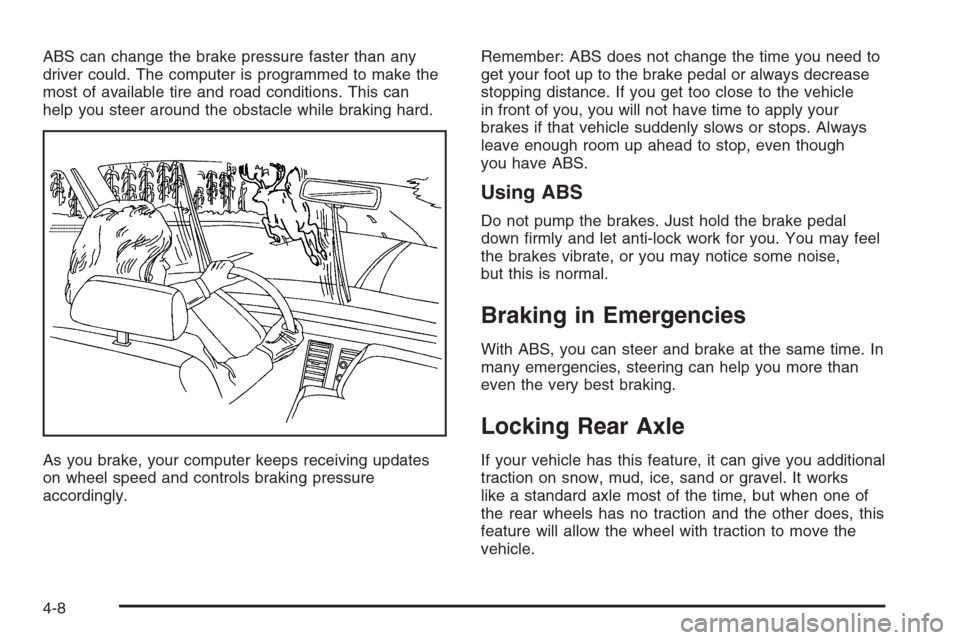
ABS can change the brake pressure faster than any
driver could. The computer is programmed to make the
most of available tire and road conditions. This can
help you steer around the obstacle while braking hard.
As you brake, your computer keeps receiving updates
on wheel speed and controls braking pressure
accordingly.Remember: ABS does not change the time you need to
get your foot up to the brake pedal or always decrease
stopping distance. If you get too close to the vehicle
in front of you, you will not have time to apply your
brakes if that vehicle suddenly slows or stops. Always
leave enough room up ahead to stop, even though
you have ABS.
Using ABS
Do not pump the brakes. Just hold the brake pedal
down rmly and let anti-lock work for you. You may feel
the brakes vibrate, or you may notice some noise,
but this is normal.
Braking in Emergencies
With ABS, you can steer and brake at the same time. In
many emergencies, steering can help you more than
even the very best braking.
Locking Rear Axle
If your vehicle has this feature, it can give you additional
traction on snow, mud, ice, sand or gravel. It works
like a standard axle most of the time, but when one of
the rear wheels has no traction and the other does, this
feature will allow the wheel with traction to move the
vehicle.
4-8
Page 294 of 532

When the system is turned off, the traction off light will
illuminate, and the STABILITY SYS DISABLED
message will appear on the DIC to warn the driver that
both the stability system and part of the traction
control system are disabled. Your vehicle will still have
brake-traction control when StabiliTrak
®is off, but
will not be able to use the engine speed management
system. See “Traction Control Operation” next for
more information.
When the StabiliTrak
®system has been turned off you
may still hear system noises as a result of the
brake-traction control coming on.
To limit wheel spin and realize the full benets of the
stability enhancement system, you should normally
leave StabiliTrak
®on, but it may be necessary to turn
the system off if your vehicle is stuck in sand, mud,
ice or snow, and you want to “rock” your vehicle
to attempt to free it. It may also be necessary to turn off
the system when driving in extreme off-road conditions
where high wheel spin is required. SeeIf Your Vehicle is
Stuck in Sand, Mud, Ice, or Snow on page 4-44.
Traction Control Operation
The traction control system is part of the StabiliTrak®
system. Traction control limits wheel spin by reducing
engine power to the wheels (engine speed
management) and by applying brakes to each individual
wheel (brake-traction control) as necessary.
The traction control system is enabled automatically
when you start your vehicle, and it will activate
and display the TRACTION ACTIVE message in the
Driver Information Center (DIC) if it senses that any of
the wheels are spinning or beginning to lose traction
while driving. If you turn off StabiliTrak
®, only the
brake-traction control portion of traction control will work.
The engine speed management will be disabled. In
this state, engine power is not reduced automatically
and the driven wheels can spin more freely. This
can cause the brake-traction control to activate
constantly. For more information on the traction active
message, seeDIC Warnings and Messages on
page 3-53.
Notice:If the traction off light comes on due to
heavy braking and/or because the traction control
system has been continuously active, do not
allow the wheel(s) of one axle to spin excessively. If
you do, you may be causing damage to the
transfer case. This could lead to costly repairs not
covered by your warranty.
4-10
Page 295 of 532

If the brake traction-control system activates constantly
or if the brakes have heated up due to high-speed
braking, brake traction-control will be disabled and the
TRACTION SYS LIMITED message will be displayed. In
the limited mode, the traction control system will only
use engine traction-control and is limited in its ability to
provide optimal performance since the system will
not utilize brake traction-control to control slip on the
drive wheels. The system will return to normal operation
after the brakes have cooled. This can take up to
two minutes or longer depending on brake usage.
Notice:If you allow the wheel(s) of one axle to spin
excessively while the traction off, ABS and brake
warning lights and the SERVICE STABILITY
message are displayed, you could damage the
transfer case. The repairs would not be covered by
your warranty. Reduce engine power and do not
spin the wheel(s) excessively while these lights and
this message are displayed.The traction control system may activate on dry or
rough roads or under conditions such as heavy
acceleration while turning or abrupt upshifts/downshifts
of the transmission. When this happens you may
notice a reduction in acceleration, or may hear a noise
or vibration. This is normal.
If your vehicle is in cruise control when the system
activates, the STABILITY SYS ACTIVE message will
appear on the Driver Information Center and the cruise
control will automatically disengage. When road
conditions allow you to use cruise again, you may
re-engage the cruise control. SeeCruise Control on
page 3-11.
StabiliTrak
®may also turn off automatically if it
determines that a problem exists with the system. If the
problem does not clear itself after restarting the
vehicle, you should see your dealer for service.
4-11