2006 CADILLAC DTS belt
[x] Cancel search: beltPage 78 of 450

Replacing Restraint System Parts
After a Crash
{CAUTION:
A crash can damage the restraint systems in
your vehicle. A damaged restraint system may
not properly protect the person using it,
resulting in serious injury or even death in a
crash. To help make sure your restraint
systems are working properly after a crash,
have them inspected and any necessary
replacements made as soon as possible.
If you have had a crash, do you need new belts or
LATCH system parts?
After a very minor collision, nothing may be necessary.
But if the belts were stretched, as they would be if
worn during a more severe crash, then you need
new parts.If the LATCH system was being used during a more
severe crash, you may need new LATCH system parts.
If belts are cut or damaged, replace them. Collision
damage also may mean you will need to have LATCH
system, safety belt or seat parts repaired or replaced.
New parts and repairs may be necessary even if the belt
or LATCH system was not being used at the time of
the collision.
If an airbag inates, you will need to replace airbag
system parts. See the part on the airbag system earlier
in this section.
If the frontal airbags inate you will also need to replace
the driver and front passenger’s safety belt retractor
assembly. Be sure to do so. Then the new retractor
assembly will be there to help protect you in a collision.
After a crash you may need to replace the driver and
front passenger’s safety belt retractor assemblies, even
if the frontal airbags have not deployed. The driver
and front passenger’s safety belt retractor assemblies
contain the safety belt pretensioners. Have your
safety belt pretensioners checked if your vehicle has
been in a collision, or if your airbag readiness light stays
on after you start your vehicle or while you are driving.
SeeAirbag Readiness Light on page 3-58.
1-72
Page 88 of 450

Once two remote starts or a single start with a time
extension have been provided, the vehicle must
be started normally with the ignition key to get more
remote vehicle starts.
The remote vehicle start feature will not operate if the
key is in the ignition, the hood is not closed, or if there is
an emission control system malfunction.
The engine will turn off during a remote vehicle start if
the coolant temperature gets too high, or the oil pressure
is too low.
Your vehicle was shipped from the factory with the
remote vehicle start system enabled. The system may
be disabled through the Driver Information Center (DIC).
See “REMOTE START” underDIC Vehicle
Customization on page 3-88for additional information.
SeeEngine Exhaust on page 2-33for important
safety information when using remote start in a
closed garage.Doors and Locks
Door Locks
{CAUTION:
Unlocked doors can be dangerous.
Passengers, especially children, can easily
open the doors and fall out of a moving
vehicle. When a door is locked, the handle
will not open it. You increase the chance
of being thrown out of the vehicle in a
crash if the doors are not locked. So, wear
safety belts properly and lock the doors
whenever you drive.
Young children who get into unlocked
vehicles may be unable to get out. A child
can be overcome by extreme heat and can
suffer permanent injuries or even death
from heat stroke. Always lock your vehicle
whenever you leave it.
Outsiders can easily enter through an
unlocked door when you slow down or
stop your vehicle. Locking your doors can
help prevent this from happening.
2-10
Page 128 of 450

Center Console Storage Area
If your vehicle has a full oor console it has two storage
areas. To access the upper tray storage, lift the left
lever located in the front of the armrest lid. To access
the lower storage area, lift the right lever. If your vehicle
has a center seat console it will have two storage
areas. To access the upper storage area, press the
button located on the front of the armrest and lift
the armrest lid. To access the lower storage area, pull
the strap located behind the cup holder.
Center Flex Storage Unit
Your vehicle may be equipped with a center ex storage
unit that includes a front center seat with a lap belt
and an underseat storage compartment. The center
seatback can also be used as a fold down armrest.
Cupholders are also located at the front edge of
the storage unit and can be accessed by folding the
compartment forward.
When not being used, the center seat lap belt can be
stored in the underseat storage compartment as shown.
Rear Seat Armrest
Your vehicle may be equipped with a rear seat center
console and armrest. To open the console, push
the button and lift the lid. Inside the console are two
cupholders that can be pulled out when in use.
Convenience Net
Your vehicle may be equipped with a convenience net.
The convenience net attaches to the oor of the
trunk. Put small loads, like grocery bags, behind the net.
The net is not for larger, heavier loads. Store them in
the trunk as far forward as you can. When not using the
net, hook the net to the tabs securing it to the
sill plate.
2-50
Page 134 of 450

Warning Lights, Gages, and Indicators............3-55
Instrument Panel Cluster................................3-56
Speedometer and Odometer...........................3-57
Tachometer.................................................3-57
Safety Belt Reminder Light.............................3-57
Passenger Safety Belt Reminder Light.............3-58
Airbag Readiness Light..................................3-58
Passenger Airbag Status Indicator...................3-59
Charging System Light..................................3-61
Brake System Warning Light..........................3-62
Anti-Lock Brake System Warning Light.............3-63
Low Tire Pressure Warning Light....................3-63
Traction Control System (TCS)
Warning Light...........................................3-64
StabiliTrak
®Indicator Light..............................3-64
Engine Coolant Temperature Warning Light......3-65
Engine Coolant Temperature Gage..................3-65
Malfunction Indicator Lamp.............................3-66
Oil Pressure Light.........................................3-68
Security Light...............................................3-69
Fog Lamp Light............................................3-69
Rear Fog Lamp Light....................................3-69
Lights On Reminder......................................3-70Cruise Control Light......................................3-70
Highbeam On Light.......................................3-70
Fuel Gage...................................................3-70
Driver Information Center (DIC).......................3-71
DIC Controls and Displays.............................3-72
DIC Warnings and Messages.........................3-76
DIC Vehicle Customization.............................3-88
Audio System(s).............................................3-97
Setting the Time (Radio with Single
CD Player)...............................................3-98
Setting the Time (Radio with Six-Disc
CD Player).............................................3-100
Radio with CD (MP3)..................................3-102
Navigation/Radio System..............................3-121
Theft-Deterrent Feature................................3-121
Audio Steering Wheel Controls......................3-122
Radio Reception.........................................3-123
Care of Your CDs.......................................3-124
Care of the CD Player.................................3-124
Diversity Antenna System.............................3-124
XM™ Satellite Radio Antenna System............3-125
Section 3 Instrument Panel
3-2
Page 189 of 450
Speedometer and Odometer
Your speedometer lets you see your speed in both
miles per hour (mph) and kilometers per hour (km/h).
See “MPH (km)” underDIC Controls and Displays
on page 3-72for more information.
The odometer mileage can be checked without
the vehicle running. Your vehicle’s odometer works
together with the driver information center. You can set
a Trip A and a Trip B odometer. See “Trip Information”
underDIC Controls and Displays on page 3-72for
more information.
If your vehicle ever needs a new odometer installed, the
new one will be set to the correct mileage total of the
old odometer.
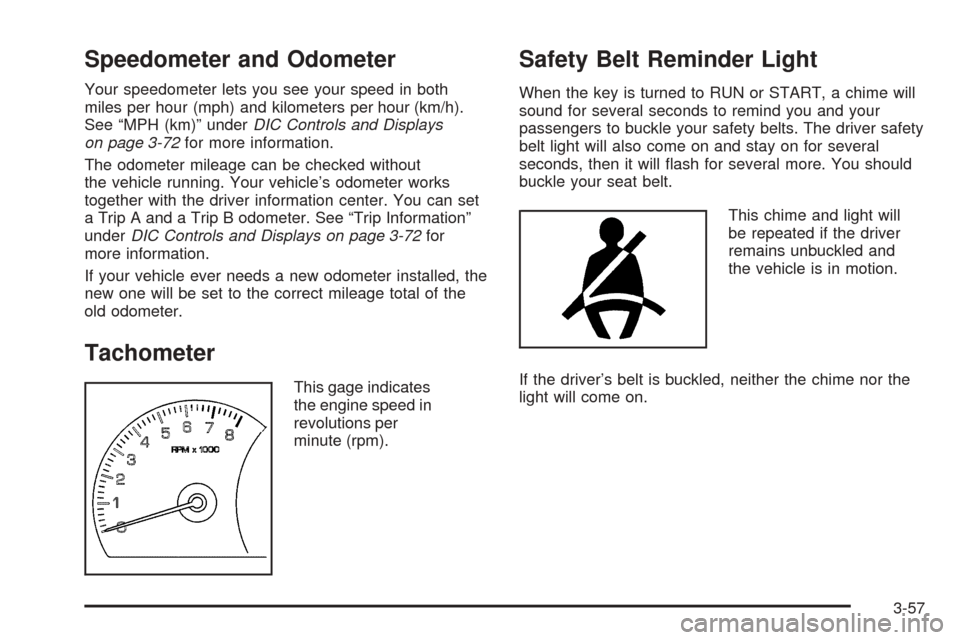
Tachometer
This gage indicates
the engine speed in
revolutions per
minute (rpm).
Safety Belt Reminder Light
When the key is turned to RUN or START, a chime will
sound for several seconds to remind you and your
passengers to buckle your safety belts. The driver safety
belt light will also come on and stay on for several
seconds, then it will ash for several more. You should
buckle your seat belt.
This chime and light will
be repeated if the driver
remains unbuckled and
the vehicle is in motion.
If the driver’s belt is buckled, neither the chime nor the
light will come on.
3-57
Page 190 of 450

Passenger Safety Belt
Reminder Light
Several seconds after the key is turned to RUN or
START, a chime will sound for several seconds to
remind the front passenger to buckle their safety belt.
This would only occur if the passenger airbag is enabled.
SeePassenger Sensing System on page 1-65for more
information. The passenger safety belt light will also
come on and stay on for several seconds, then it will ash
for several more.
This chime and light will be
repeated if the passenger
remains unbuckled and
the vehicle is in motion.
If the passenger’s safety belt is buckled, neither the
chime nor the light will come on.
Airbag Readiness Light
There is an airbag readiness light on the instrument
panel, which shows the airbag symbol. The system
checks the airbag’s electrical system for malfunctions.
The light tells you if there is an electrical problem.
The system check includes the airbag sensors, the
airbag modules, the wiring and the diagnostic module.
For more information on the airbag system, see
Airbag System on page 1-54.
This light will come on
when you start your
vehicle, and it will ash for
a few seconds. Then the
light should go out. This
means the system is ready.
If the airbag readiness light stays on after you start the
vehicle or comes on when you are driving, your airbag
system may not work properly. Have your vehicle
serviced right away.
3-58
Page 191 of 450

{CAUTION:
If the airbag readiness light stays on after you
start your vehicle, it means the airbag system
may not be working properly. The airbags in
your vehicle may not inate in a crash, or they
could even inate without a crash. To help avoid
injury to yourself or others, have your vehicle
serviced right away if the airbag readiness light
stays on after you start your vehicle.
The airbag readiness light should ash for a few seconds
when you turn the vehicle on. If the light does not come
on then, have it xed so it will be ready to warn you if
there is a problem.
If there is a problem with the airbag system in your
vehicle, the Service airbag message will appear on
the DIC display. SeeDIC Warnings and Messages on
page 3-76andSafety Belt Pretensioners on page 1-29
for more information.
Passenger Airbag Status Indicator
Your vehicle has the passenger sensing system.
Your overhead console has a passenger airbag
status indicator.
When the ignition key is turned to RUN or START, the
passenger airbag status indicator will light ON and
OFF, or the symbol for on and off, for several seconds
as a system check. Then, after several more seconds,
the status indicator will light either ON or OFF, or either
the on or off symbol to let you know the status of the
right front passenger’s frontal airbag and seat-mounted
side impact airbag.United States
Canada
3-59
Page 230 of 450

Here are some ways in which you can help avoid
distraction while driving.
While your vehicle is parked:
Familiarize yourself with all of its controls.
Familiarize yourself with its operation.
Set up your audio system by presetting your
favorite radio stations, setting the tone, and
adjusting the speakers. Then, when driving
conditions permit, you can tune to your favorite
radio stations using the presets and steering wheel
controls if the vehicle has them.
Notice:Before adding any sound equipment to
your vehicle, such as an audio system, CD player,
CB radio, mobile telephone, or two-way radio, make
sure that it can be added by checking with your
dealer. Also, check federal rules covering mobile
radio and telephone units. If sound equipment can
be added, it is very important to do it properly.
Added sound equipment may interfere with
the operation of your vehicle’s engine, radio, or
other systems, and even damage them. Your
vehicle’s systems may interfere with the operation
of sound equipment that has been added.Notice:The chime signals related to safety belts,
parking brake, and other functions of your vehicle
operate through the radio/entertainment system.
If that equipment is replaced or additional equipment
is added to your vehicle, the chimes may not
work. Make sure that replacement or additional
equipment is compatible with your vehicle before
installing it. SeeAccessories and Modifications
on page 5-3.
Your vehicle has a feature called Retained Accessory
Power (RAP). With RAP, the audio system can be
played even after the ignition is turned off. SeeRetained
Accessory Power (RAP) on page 2-24for more
information.
Setting the Time (Radio with Single
CD Player)
Enabling the Digital Radio Clock
Your vehicle has an analog clock as well as the digital
radio clock. At the time of new vehicle delivery, the
digital radio clock display should be disabled. If
you decide to use the digital radio clock as well as the
analog clock, you can change the setting to enable
the radio clock display.
3-98