Page 191 of 478

Have you recently changed brands of fuel?
If so, be sure to fuel your vehicle with quality fuel.
SeeGasoline Octane on page 5-5. Poor fuel quality will
cause your engine not to run as efficiently as designed.
You may notice this as stalling after start-up, stalling
when you put the vehicle into gear, misring, hesitation
on acceleration, or stumbling on acceleration. (These
conditions may go away once the engine is warmed up.)
This will be detected by the system and cause the
light to turn on.
If you experience one or more of these conditions,
change the fuel brand you use. It will require at least
one full tank of the proper fuel to turn the light off.
If none of the above steps have made the light turn off,
your dealer can check the vehicle. Your dealer has
the proper test equipment and diagnostic tools to
x any mechanical or electrical problems that may
have developed.Emissions Inspection and
Maintenance Programs
Some state/provincial and local governments have or
may begin programs to inspect the emission control
equipment on your vehicle. Failure to pass this
inspection could prevent you from getting a vehicle
registration.
Here are some things you need to know in order to help
your vehicle pass an inspection:
Your vehicle will not pass this inspection if the SERVICE
ENGINE SOON or check engine light is on or not
working properly.
Your vehicle will not pass this inspection if the OBD
(on-board diagnostic) system determines that critical
emission control systems have not been completely
diagnosed by the system. The vehicle would be
considered not ready for inspection. This can happen
if you have recently replaced your battery or if your
battery has run down. The diagnostic system is
designed to evaluate critical emission control systems
during normal driving. This may take several days
of routine driving. If you have done this and your vehicle
still does not pass the inspection for lack of OBD
system readiness, your GM dealer can prepare the
vehicle for inspection.
3-49
Page 193 of 478

Message Center
The message center is located at the top of the
instrument panel cluster in between the tachometer
and speedometer. It gives you important safety
and maintenance facts.
Passenger Seatbelt Reminder
Message
If your vehicle is equipped
with the passenger
sensing system, this
message reminds the
passenger to buckle
their seatbelt.
This message will come on and a chime will sound
when the following conditions exist:
The ignition is ON,
the passenger’s seatbelt is not buckled,
a passenger is detected by the passenger
sensing system.
Service Traction System Warning
Message
If your vehicle has the traction control system and this
message is displayed when you’re driving, there may
be a problem with your traction control system.
Your vehicle may need service.
When this message is displayed, the traction control
system will not limit wheel spin. Adjust your driving
accordingly.
If there’s an engine-related and brake system problem
that is specically related to traction control, the
traction control system will turn off and the warning
message will come on.
If the traction control system warning message comes
on and stays on for an extended period of time when
the system is turned on, your vehicle needs service.
United StatesCanada
3-51
Page 196 of 478
Low Oil Pressure Message
Your vehicle may be equipped with a low oil pressure
warning message.
Your oil pressure message lets you know when you
may have a problem with your engine oil pressure.
When the engine is running and this message appears,
the engine oil level may be too low. There may also
be another problem causing low oil pressure.
{CAUTION:
Do not keep driving if the oil pressure is low.
If you do, your engine can become so hot that
it catches re. You or others could be burned.
Check your oil as soon as possible and have
your vehicle serviced.
Notice:Lack of proper engine oil maintenance
may damage the engine. The repairs would not be
covered by your warranty. Always follow the
maintenance schedule in this manual for changing
engine oil. United States
Canada
3-54
Page 197 of 478
Change Engine Oil Message
When this message comes on and stays on after you
have started the engine, it means that service is
required for your vehicle. SeeScheduled Maintenance
on page 6-4andEngine Oil on page 5-13for more
information.
Door Ajar Warning Message
This message will come on when the ignition is turned
to ON or START and the driver’s or passenger’s
door is open.
Rear Hatch Ajar Warning Message
This message will come on when the ignition is turned
to ON or START and the liftgate is open. United States
CanadaUnited StatesCanada
United StatesCanada
3-55
Page 198 of 478
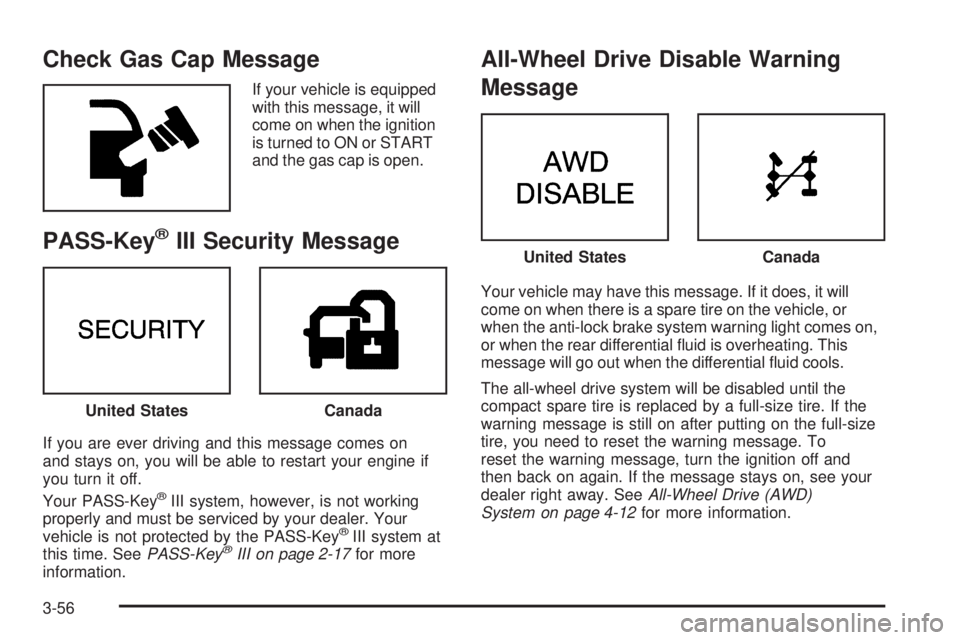
Check Gas Cap Message
If your vehicle is equipped
with this message, it will
come on when the ignition
is turned to ON or START
and the gas cap is open.
PASS-Key®III Security Message
If you are ever driving and this message comes on
and stays on, you will be able to restart your engine if
you turn it off.
Your PASS-Key
®III system, however, is not working
properly and must be serviced by your dealer. Your
vehicle is not protected by the PASS-Key
®III system at
this time. SeePASS-Key®III on page 2-17for more
information.
All-Wheel Drive Disable Warning
Message
Your vehicle may have this message. If it does, it will
come on when there is a spare tire on the vehicle, or
when the anti-lock brake system warning light comes on,
or when the rear differential uid is overheating. This
message will go out when the differential uid cools.
The all-wheel drive system will be disabled until the
compact spare tire is replaced by a full-size tire. If the
warning message is still on after putting on the full-size
tire, you need to reset the warning message. To
reset the warning message, turn the ignition off and
then back on again. If the message stays on, see your
dealer right away. SeeAll-Wheel Drive (AWD)
System on page 4-12for more information.
United StatesCanada
United StatesCanada
3-56
Page 200 of 478

Low Brake Fluid Warning Message
If your brake uid is low, the warning message will
come on and stay on until you add brake uid.
The brake system warning light will also be illuminated.
If this message appears, the brakes need attention.
You should have your vehicle serviced immediately.
SeeBrake System Warning Light on page 3-44
andBrakes on page 5-34.
If the warning message is still on after adding uid,
you may need to reset the warning message. To reset
the warning message, turn the ignition off and then
back on. If the message stays on, see your dealer
right away.
Service Vehicle Soon Message
This light will come on if your vehicle has certain
non-emission related problems.
For example, if the entire electrical system fails to send
and receive messages from the vehicle’s components,
this message will come on.
These problems may not be obvious and may affect
vehicle performance or durability. Consult a qualied
dealership for necessary repairs to maintain top vehicle
performance. United States
CanadaUnited StatesCanada
3-58
Page 218 of 478

Radio with CD
Radio Data System (RDS)
The audio system has a Radio Data System (RDS).
RDS features are available for use only on FM stations
that broadcast RDS information.
With RDS, your radio can do the following:
Seek to stations broadcasting the selected type
of programming
Receive announcements concerning local and
national emergencies
Display messages from radio stations
Seek to stations with traffic announcementsThis system relies upon receiving specic information
from these stations and will only work when the
information is available. In rare cases, a radio station
may broadcast incorrect information that will cause
the radio features to work improperly. If this happens,
contact the radio station.
While the radio is tuned to an RDS station, the station
name or call letters will appear on the display instead
of the frequency. RDS stations may also provide
the time of day, a program type (PTY) for current
programming, and the name of the program being
broadcast.
XM™ Satellite Radio Service
XM™ is a satellite radio service that is based in
the 48 contiguous United States and in Canada
(if available). XM™ offers over 100 coast-to-coast
channels including music, news, sports, talk, and
children’s programming. XM™ provides digital quality
audio and text information that includes song title
and artist name. A service fee is required in order
to receive the XM™ service. For more information,
contact XM™ at www.xmradio.com or
call 1-800-852-XMXM (9696).
3-76
Page 222 of 478

Finding a Program Type (PTY) Station
(RDS and XM™)
To select and nd a desired PTY perform the following:
1. Press P-TYP to activate program type select
mode. The PTY symbol will appear on the display.
2. Turn the AUDIO knob to select a PTY.
3. Once the desired PTY is displayed, press either
SEEK arrow to select the PTY and take you to
the PTY’s rst station.
4. To go to another station within that PTY and the
PTY is displayed, press either SEEK arrow once.
If the PTY is not displayed, press either SEEK arrow
twice to display the PTY and then to go to another
station.
5. Press P-TYP to exit program type select mode.
If PTY times out and is no longer on the display,
go back to Step 1.
If both PTY and TRAF are on, the radio will search
for stations with the selected PTY and traffic
announcements.SCAN:Scan the stations within a PTY by performing
the following:
1. Press P-TYP to activate program type select mode.
The PTY symbol will appear on the display.
2. Turn the AUDIO knob to select a PTY.
3. Once the desired PTY is displayed, press and hold
either SEEK arrow, and the radio will begin
scanning the stations in the PTY.
4. Press either SEEK arrow to stop at a station.
If both PTY and TRAF are on, the radio will scan for
stations with the selected PTY and traffic
announcements.
BAND (Alternate Frequency):Alternate frequency
allows the radio to switch to a stronger station with the
same program type. To turn alternate frequency on,
press and hold BAND for two seconds. AF ON will
appear on the display. The radio may switch to stations
with a stronger frequency.
To turn alternate frequency off, press and hold BAND
again for two seconds. AF OFF will appear on the
display. The radio will not switch to other stations.
This function does not apply for XM™ Satellite Radio
Service.
3-80

