2006 BMW 325XI SPORTS WAGON brake fluid
[x] Cancel search: brake fluidPage 60 of 236

Controls
59Reference
At a glance
Driving tips
Communications
Navigation
Entertainment
Mobility
Rear window wiper
1Intermittent operation. When reverse gear
is engaged, the system switches to contin-
uous operation.
2Cleaning the rear window
Do not use the washers when the washer
fluid reservoir is empty, otherwise you will
damage the washer pump.<
Washer fluid
Washer fluid antifreeze is flammable.
Always keep it well away from sparks and
open flames, and store it in the tightly closed
original container, well out of the reach of chil-
dren. Comply with the instructions on the con-
tainer.<
Washer fluid reservoir
Fill with water and, if required, with a washer
antifreeze, according to manufacturer's recom-
mendations.
Mix the water and antifreeze before filling
the washer fluid reservoir to make sure
the correct concentration is maintained.<
Capacity
Approx. 6.3 US quarts/6 liters.
Cruise control*
The concept
Cruise control is available for use at speeds of
approx. 20 mph or 30 km/h. The car then stores
and maintains the speed that you specify using
the lever on the steering column. In order to
maintain the specified speed, the system
brakes the vehicle when the engine braking
effect is insufficient on downhill gradients.
Do not use cruise control when driving
conditions are unfavorable for driving at a
constant speed. Otherwise you could lose con-
trol of the vehicle and cause an accident as a
result. Unfavorable driving conditions include,
for example, winding roads, heavy traffic or a
poor road surface, e.g. snow, rain, ice or loose
material.<
Manual transmission
You can shift gears while cruise control is acti-
vated. An indicator lamp notifies you that you
should shift gears when you drive for an
extended period at very high or very low engine
speeds, or the system is deactivated.
One lever for all functions
1Storing and maintaining speed or accelerat-
ing
2Storing and maintaining speed or deceler-
ating
3Deactivating cruise control
4Resuming a speed stored beforehand
Page 74 of 236
Controls
73Reference
At a glance
Driving tips
Communications
Navigation
Entertainment
Mobility
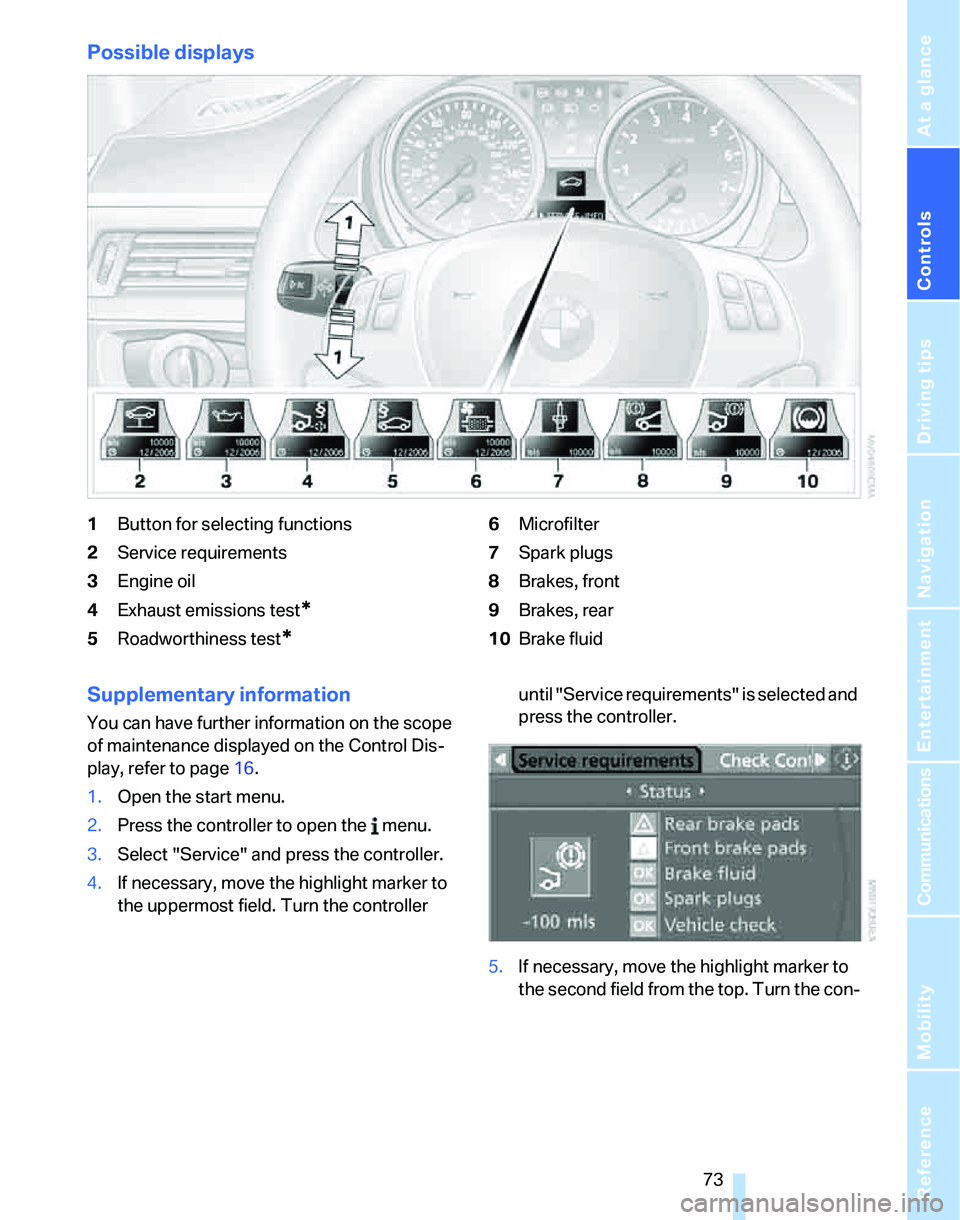
Possible displays
1Button for selecting functions
2Service requirements
3Engine oil
4Exhaust emissions test
*
5Roadworthiness test*
6Microfilter
7Spark plugs
8Brakes, front
9Brakes, rear
10Brake fluid
Supplementary information
You can have further information on the scope
of maintenance displayed on the Control Dis-
play, refer to page16.
1.Open the start menu.
2.Press the controller to open the menu.
3.Select "Service" and press the controller.
4.If necessary, move the highlight marker to
the uppermost field. Turn the controller until "Service requirements" is selected and
press the controller.
5.If necessary, move the highlight marker to
the second field from the top. Turn the con-
Page 192 of 236
Mobility
191Reference
At a glance
Controls
Driving tips
Communications
Navigation
Entertainment
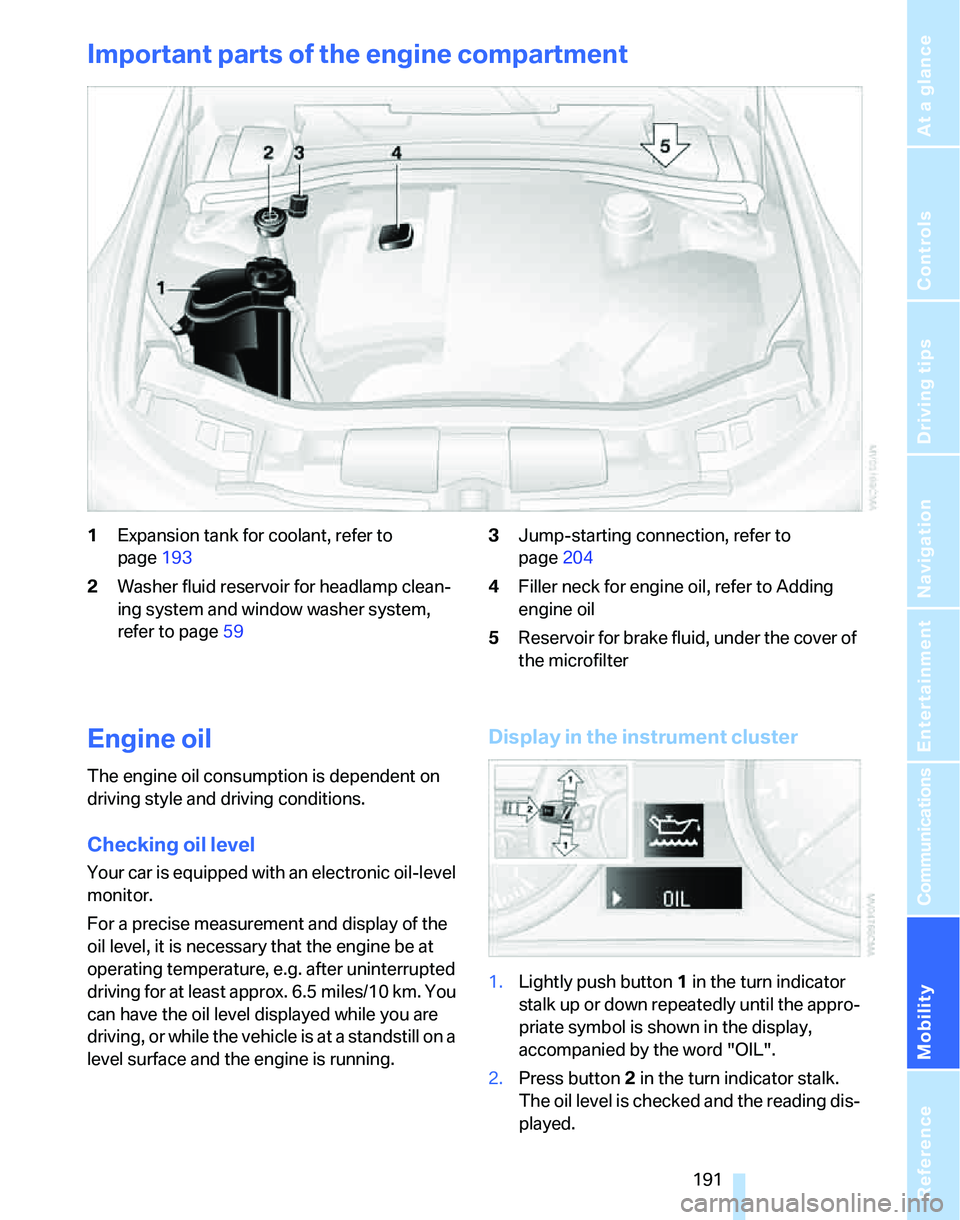
Important parts of the engine compartment
1Expansion tank for coolant, refer to
page193
2Washer fluid reservoir for headlamp clean-
ing system and window washer system,
refer to page593Jump-starting connection, refer to
page204
4Filler neck for engine oil, refer to Adding
engine oil
5Reservoir for brake fluid, under the cover of
the microfilter
Engine oil
The engine oil consumption is dependent on
driving style and driving conditions.
Checking oil level
Your car is equipped with an electronic oil-level
monitor.
For a precise measurement and display of the
oil level, it is necessary that the engine be at
operating temperature, e.g. after uninterrupted
driving for at least approx. 6.5 miles/10 km. You
can have the oil level displayed while you are
driving, or while the vehicle is at a standstill on a
level surface and the engine is running.
Display in the instrument cluster
1.Lightly push button 1 in the turn indicator
stalk up or down repeatedly until the appro-
priate symbol is shown in the display,
accompanied by the word "OIL".
2.Press button 2 in the turn indicator stalk.
The oil level is checked and the reading dis-
played.
Page 195 of 236
Under the hood
194 pressure to escape, then continue turning
to open.
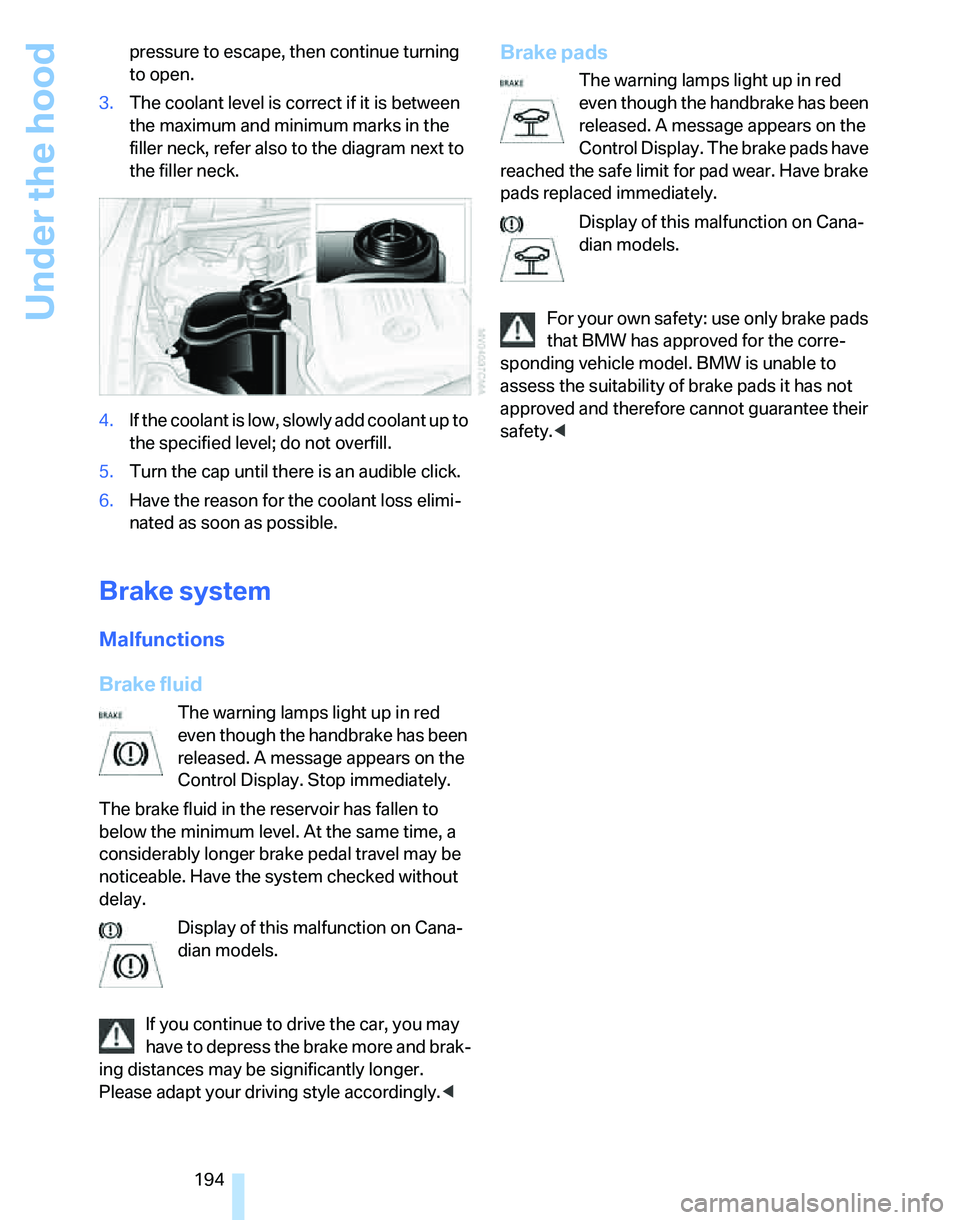
3.The coolant level is correct if it is between
the maximum and minimum marks in the
filler neck, refer also to the diagram next to
the filler neck.
4.If the coolant is low, slowly add coolant up to
the specified level; do not overfill.
5.Turn the cap until there is an audible click.
6.Have the reason for the coolant loss elimi-
nated as soon as possible.
Brake system
Malfunctions
Brake fluid
The warning lamps light up in red
even though the handbrake has been
released. A message appears on the
Control Display. Stop immediately.
The brake fluid in the reservoir has fallen to
below the minimum level. At the same time, a
considerably longer brake pedal travel may be
noticeable. Have the system checked without
delay.
Display of this malfunction on Cana-
dian models.
If you continue to drive the car, you may
have to depress the brake more and brak-
ing distances may be significantly longer.
Please adapt your driving style accordingly.<
Brake pads
The warning lamps light up in red
even though the handbrake has been
released. A message appears on the
Control Display. The brake pads have
reached the safe limit for pad wear. Have brake
pads replaced immediately.
Display of this malfunction on Cana-
dian models.
For your own safety: use only brake pads
that BMW has approved for the corre-
sponding vehicle model. BMW is unable to
assess the suitability of brake pads it has not
approved and therefore cannot guarantee their
safety.<
Page 196 of 236
Mobility
195Reference
At a glance
Controls
Driving tips
Communications
Navigation
Entertainment
Maintenance
BMW Maintenance System
The BMW Maintenance System supports the
preservation of the traffic and operating safety
of your BMW. The service schedule also
includes operations related to the vehicle's
comfort and convenience features, such as
replacement of the filters for the inside air. The
objective is to optimize efforts with respect to
minimal vehicle maintenance costs.
If and when you come to sell your BMW, a com-
prehensive record of servicing will prove a sig-
nificant benefit.
CBS Condition Based Service
Sensors and special algorithms take the differ-
ent driving conditions of your BMW into
account. Condition Based Service uses this to
determine the current and future service
requirements. By letting you define a service
and maintenance regimen that reflects your
own individual requirements, the system builds
the basis for trouble-free driving.
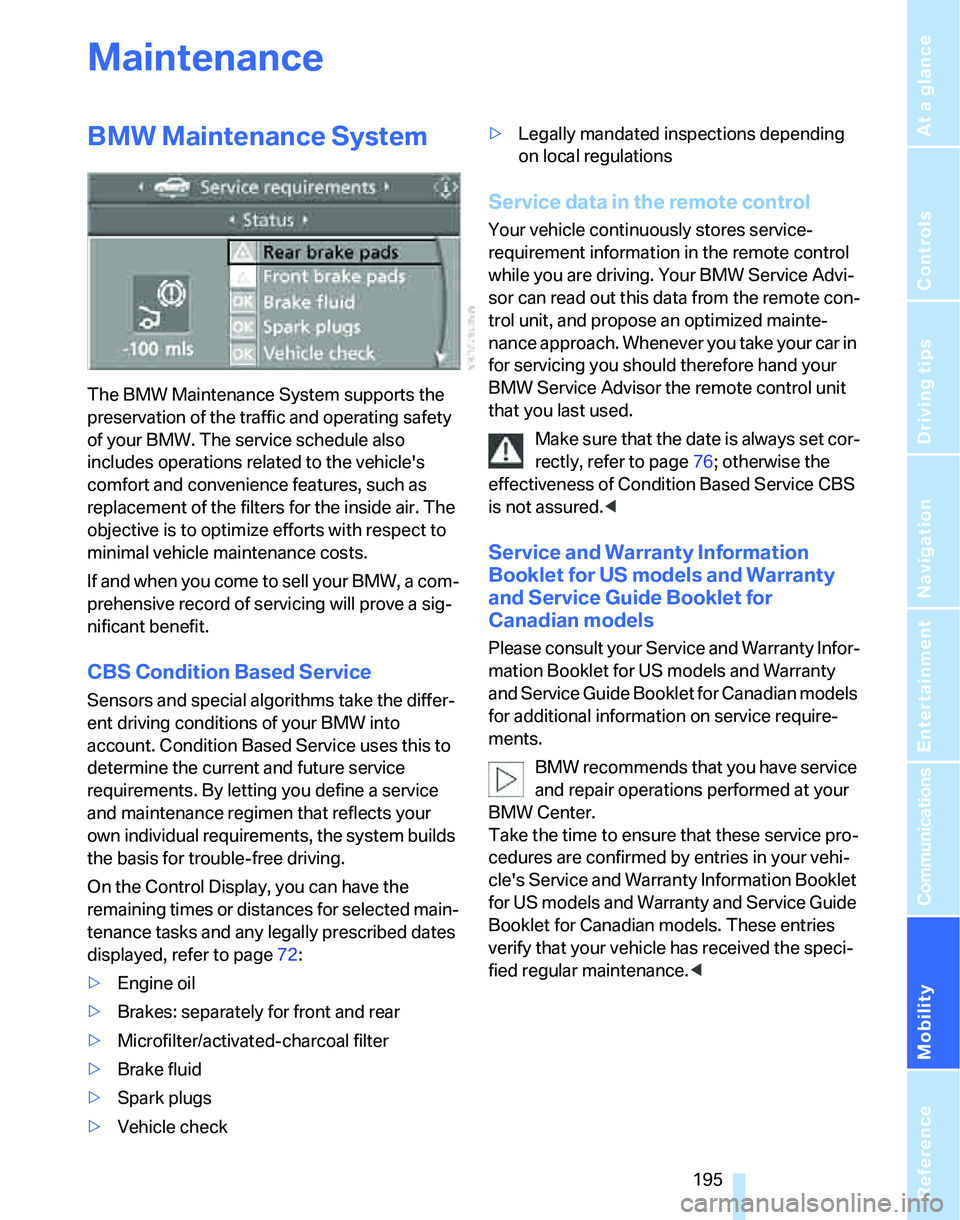
On the Control Display, you can have the
remaining times or distances for selected main-
tenance tasks and any legally prescribed dates
displayed, refer to page72:
>Engine oil
>Brakes: separately for front and rear
>Microfilter/activated-charcoal filter
>Brake fluid
>Spark plugs
>Vehicle check>Legally mandated inspections depending
on local regulations
Service data in the remote control
Your vehicle continuously stores service-
requirement information in the remote control
while you are driving. Your BMW Service Advi-
sor can read out this data from the remote con-
trol unit, and propose an optimized mainte-
nance approach. Whenever you take your car in
for servicing you should therefore hand your
BMW Service Advisor the remote control unit
that you last used.
Make sure that the date is always set cor-
rectly, refer to page76; otherwise the
effectiveness of Condition Based Service CBS
is not assured.<
Service and Warranty Information
Booklet for US models and Warranty
and Service Guide Booklet for
Canadian models
Please consult your Service and Warranty Infor-
mation Booklet for US models and Warranty
and Service Guide Booklet for Canadian models
for additional information on service require-
ments.
BMW recommends that you have service
and repair operations performed at your
BMW Center.
Take the time to ensure that these service pro-
cedures are confirmed by entries in your vehi-
cle's Service and Warranty Information Booklet
for US models and Warranty and Service Guide
Booklet for Canadian models. These entries
verify that your vehicle has received the speci-
fied regular maintenance.<
Page 219 of 236
Everything from A - Z
218
Everything from A - Z
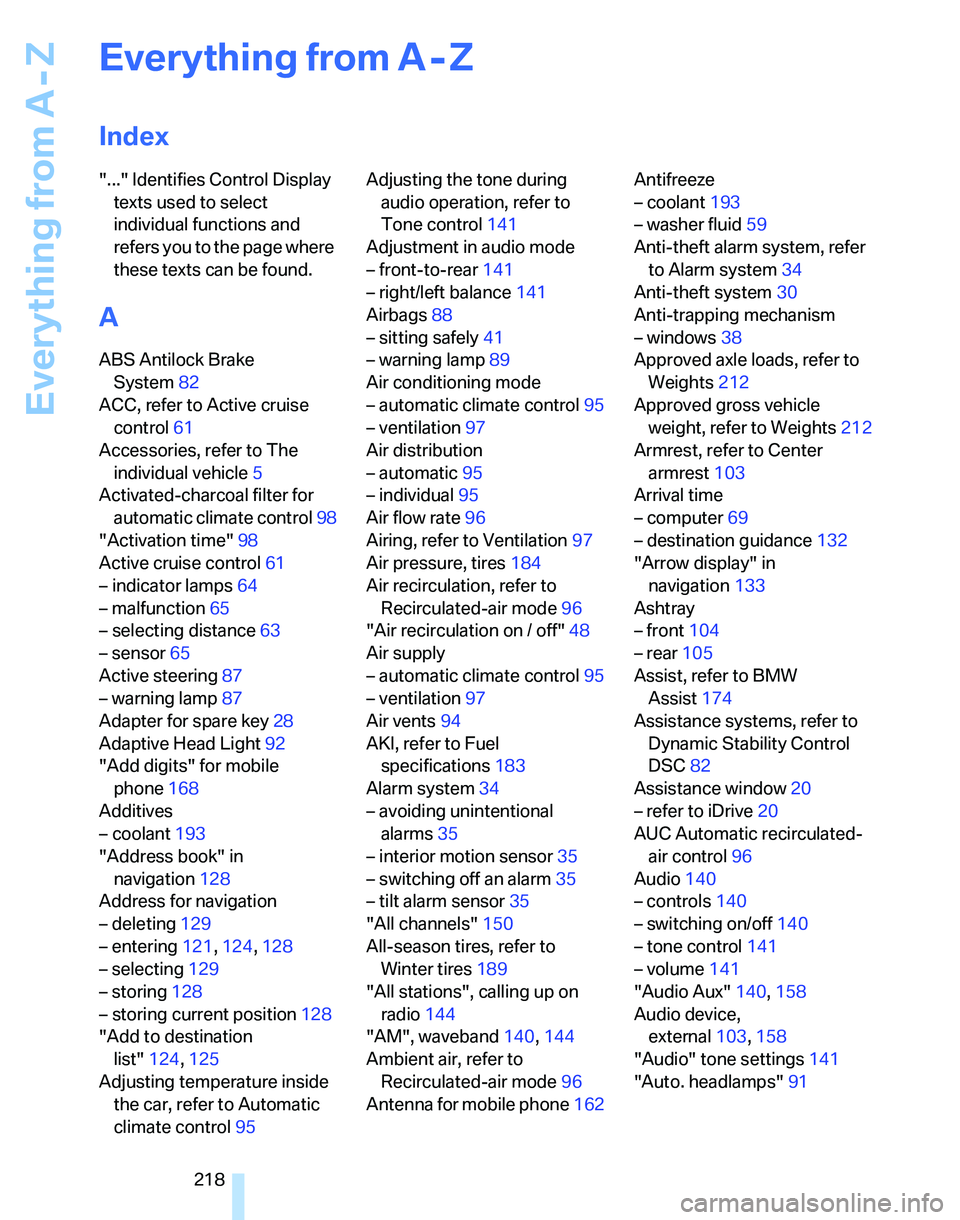
Index
"..." Identifies Control Display
texts used to select
individual functions and
refers you to the page where
these texts can be found.
A
ABS Antilock Brake
System82
ACC, refer to Active cruise
control61
Accessories, refer to The
individual vehicle5
Activated-charcoal filter for
automatic climate control98
"Activation time"98
Active cruise control61
– indicator lamps64
– malfunction65
– selecting distance63
– sensor65
Active steering87
– warning lamp87
Adapter for spare key28
Adaptive Head Light92
"Add digits" for mobile
phone168
Additives
– coolant193
"Address book" in
navigation128
Address for navigation
– deleting129
– entering121,124,128
– selecting129
– storing128
– storing current position128
"Add to destination
list"124,125
Adjusting temperature inside
the car, refer to Automatic
climate control95Adjusting the tone during
audio operation, refer to
Tone control141
Adjustment in audio mode
– front-to-rear141
– right/left balance141
Airbags88
– sitting safely41
– warning lamp89
Air conditioning mode
– automatic climate control95
– ventilation97
Air distribution
– automatic95
– individual95
Air flow rate96
Airing, refer to Ventilation97
Air pressure, tires184
Air recirculation, refer to
Recirculated-air mode96
"Air recirculation on / off"48
Air supply
– automatic climate control95
– ventilation
97
Air vents94
AKI, refer to Fuel
specifications183
Alarm system34
– avoiding unintentional
alarms35
– interior motion sensor35
– switching off an alarm35
– tilt alarm sensor35
"All channels"150
All-season tires, refer to
Winter tires189
"All stations", calling up on
radio144
"AM", waveband140,144
Ambient air, refer to
Recirculated-air mode96
Antenna for mobile phone162Antifreeze
– coolant193
– washer fluid59
Anti-theft alarm system, refer
to Alarm system34
Anti-theft system30
Anti-trapping mechanism
– windows38
Approved axle loads, refer to
Weights212
Approved gross vehicle
weight, refer to Weights212
Armrest, refer to Center
armrest103
Arrival time
– computer69
– destination guidance132
"Arrow display" in
navigation133
Ashtray
– front104
– rear105
Assist, refer to BMW
Assist174
Assistance systems, refer to
Dynamic Stability Control
DSC82
Assistance window20
– refer to iDrive20
AUC Automatic recirculated-
air control96
Audio140
– controls140
– switching on/off140
– tone control141
– volume141
"Audio Aux"140,158
Audio device,
external103,158
"Audio" tone settings141
"Auto. headlamps"91
Page 220 of 236
Reference 219
At a glance
Controls
Driving tips
Communications
Navigation
Entertainment
Mobility
Automatic
– air distribution95
– air flow rate95
– cruise control59,61
– headlamp control90
– service notification175
– storing of stations145
Automatic climate control94
– automatic air distribution95
– settings via iDrive95
Automatic curb monitor47
"Automatic programs" with
automatic climate control96
Automatic recirculated-air
control AUC96
Automatic station search145
Automatic transmission with
Steptronic55
– interlock55,56
– overriding selector lever
lock57
– shiftlock56
– sport program56
"Automatic ventilation"98
AUTO program for automatic
climate control95
"Autostore"
– on the radio146
AUX-IN158
– port103
Average fuel consumption69
– setting the units71
Average speed68
"Avoid ferries" in
navigation131
"Avoid highways" in
navigation131
Avoid highways in
navigation131
Avoiding unintentional
alarms35
"Avoid tollroads" in
navigation131
Axle loads, refer to
Weights212
"A - Z"168B
Backrests, refer to Seats41
Backrest width adjustment43
Back seats
– refer to Rear seats
Backup lamps
– replacing bulbs200
Backup lamps, refer to Tail
lamps200
Balance, tone control141
Band-aids, refer to First-aid
pouch203
Bar, refer to Tow-starting,
towing away206
Bass, tone control141
Bass sounds, refer to Tone
control141
Bass sounds, refer to Treble
and bass141
Battery201
– charging201
– disposal37,201
– jump starting204
– temporary power failure201
Battery renewal
– remote control37
Being towed205
Belts, refer to Safety belts46
Belt tensioner, refer to Safety
belts46
Beverage holders, refer to
Cup holders104
Black ice, refer to Outside
temperature warning67
Blower, refer to Air flow
rate96
BMW Assist174
– enabling174
– services offered175
"BMW Contact"178
"BMW Contact
Numbers"178
BMW Homepage4
BMW Maintenance
System195
"BMW Service"176
"BMW Service settings"175
BMW webpage4Bottle holders, refer to Cup
holders104
Brake assist, refer to Dynamic
Brake Control82
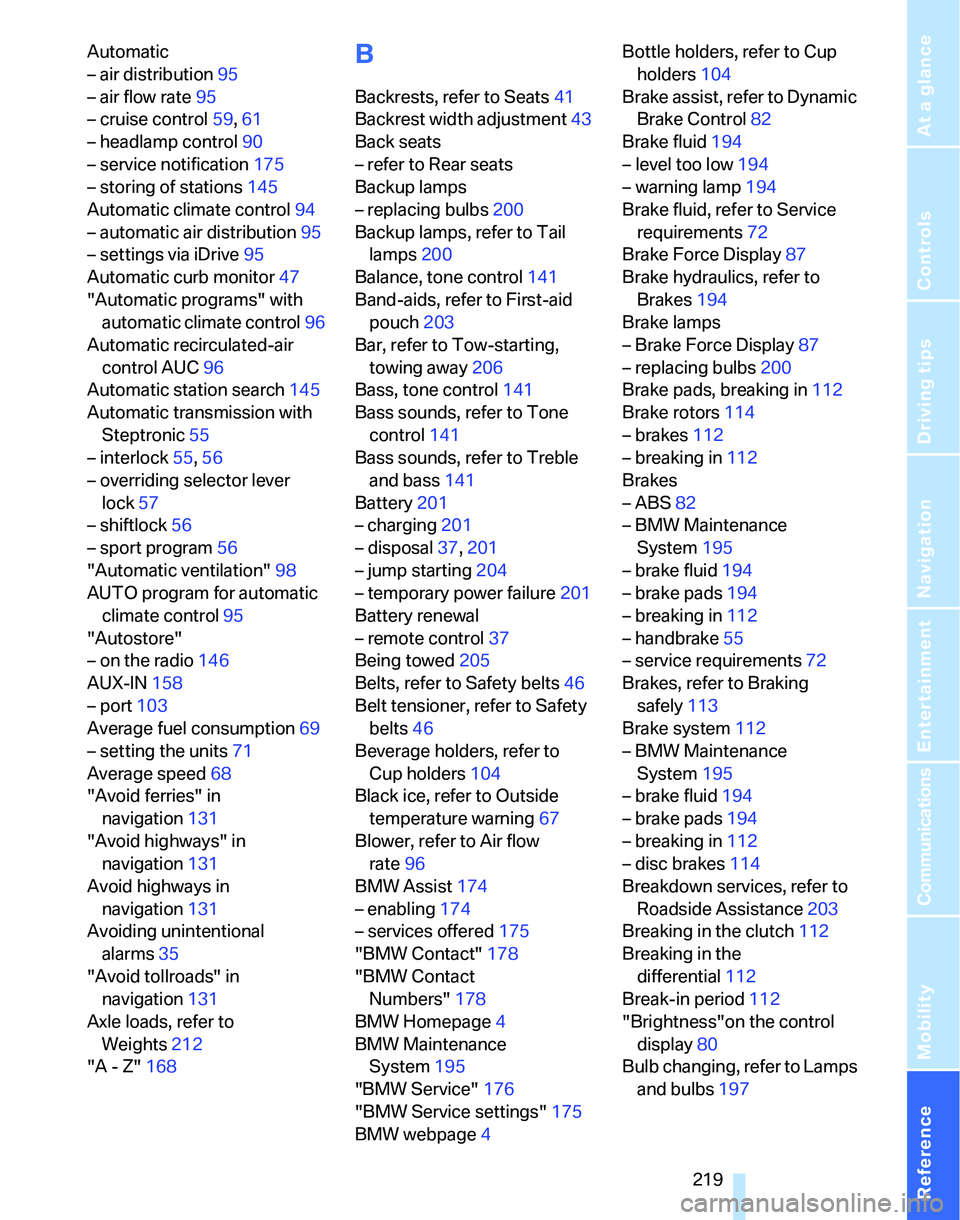
Brake fluid194
– level too low194
– warning lamp194
Brake fluid, refer to Service
requirements72
Brake Force Display87
Brake hydraulics, refer to
Brakes194
Brake lamps
– Brake Force Display
87
– replacing bulbs200
Brake pads, breaking in112
Brake rotors114
– brakes112
– breaking in112
Brakes
– ABS82
– BMW Maintenance
System195
– brake fluid194
– brake pads194
– breaking in112
– handbrake55
– service requirements72
Brakes, refer to Braking
safely113
Brake system112
– BMW Maintenance
System195
– brake fluid194
– brake pads194
– breaking in112
– disc brakes114
Breakdown services, refer to
Roadside Assistance203
Breaking in the clutch112
Breaking in the
differential112
Break-in period112
"Brightness"on the control
display80
Bulb changing, refer to Lamps
and bulbs197
Page 222 of 236
Reference 221
At a glance
Controls
Driving tips
Communications
Navigation
Entertainment
Mobility
Checking the air pressure,
refer to Tire inflation
pressure184
Child-restraint fixing system
LATCH51
Child-restraint systems50
Child-safety lock52
Child seats50
Chrome parts, care, refer to
Caring for your vehicle
brochure
Cigarette lighter104
– socket105
Cleaning, refer to Caring for
your vehicle brochure
Cleaning headlamps58
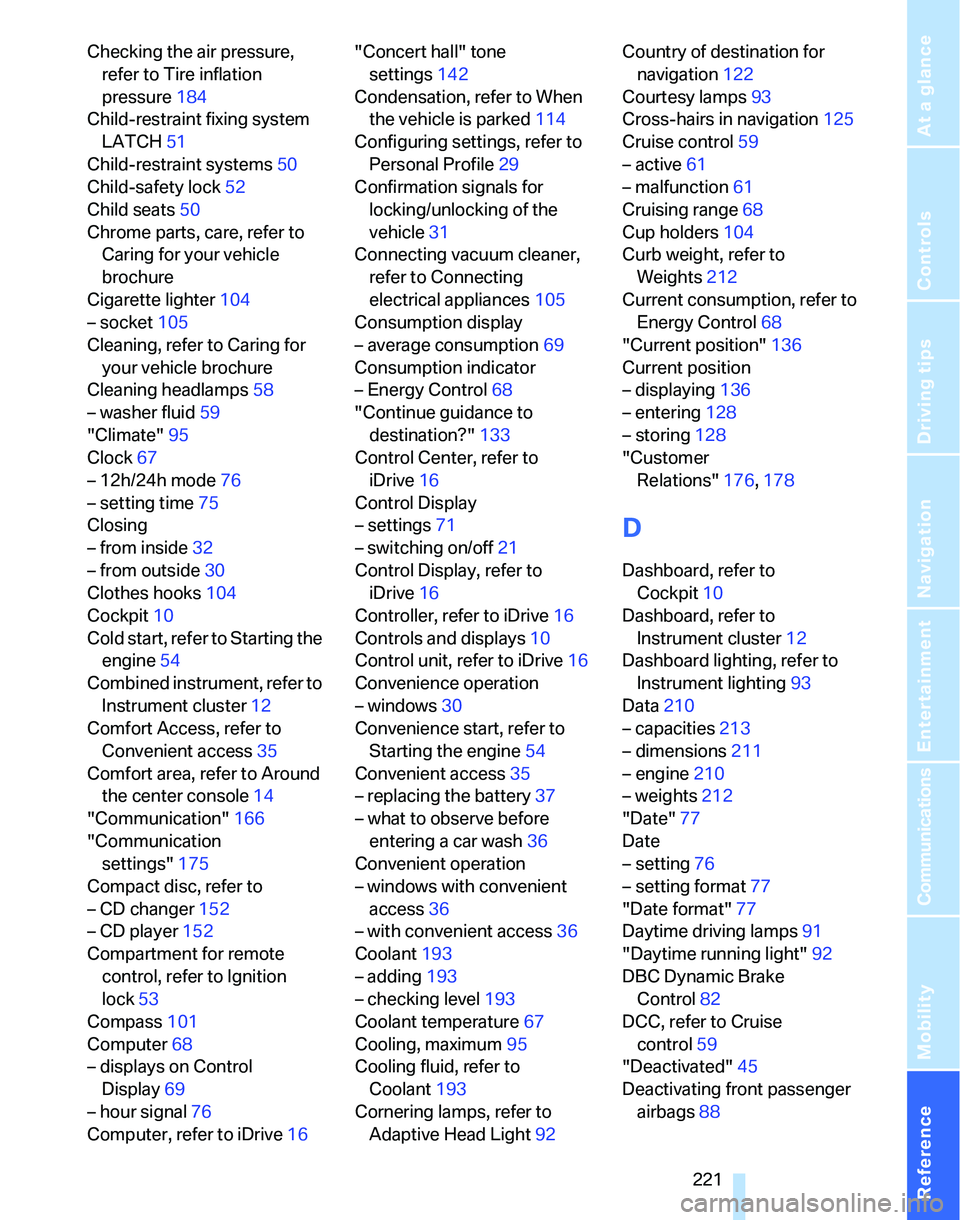
– washer fluid59
"Climate"95
Clock67
– 12h/24h mode76
– setting time75
Closing
– from inside32
– from outside30
Clothes hooks104
Cockpit10
Cold start, refer to Starting the
engine54
Combined instrument, refer to
Instrument cluster12
Comfort Access, refer to
Convenient access35
Comfort area, refer to Around
the center console14
"Communication"166
"Communication
settings"175
Compact disc, refer to
– CD changer152
– CD player152
Compartment for remote
control, refer to Ignition
lock53
Compass101
Computer68
– displays on Control
Display69
– hour signal76
Computer, refer to iDrive16"Concert hall" tone
settings142
Condensation, refer to When
the vehicle is parked114
Configuring settings, refer to
Personal Profile29
Confirmation signals for
locking/unlocking of the
vehicle31
Connecting vacuum cleaner,
refer to Connecting
electrical appliances105
Consumption display
– average consumption69
Consumption indicator
– Energy Control68
"Continue guidance to
destination?"
133
Control Center, refer to
iDrive16
Control Display
– settings71
– switching on/off21
Control Display, refer to
iDrive16
Controller, refer to iDrive16
Controls and displays10
Control unit, refer to iDrive16
Convenience operation
– windows30
Convenience start, refer to
Starting the engine54
Convenient access35
– replacing the battery37
– what to observe before
entering a car wash36
Convenient operation
– windows with convenient
access36
– with convenient access36
Coolant193
– adding193
– checking level193
Coolant temperature67
Cooling, maximum95
Cooling fluid, refer to
Coolant193
Cornering lamps, refer to
Adaptive Head Light92Country of destination for
navigation122
Courtesy lamps93
Cross-hairs in navigation125
Cruise control59
– active61
– malfunction61
Cruising range68
Cup holders104
Curb weight, refer to
Weights212
Current consumption, refer to
Energy Control68
"Current position"136
Current position
– displaying136
– entering128
– storing128
"Customer
Relations"176,178
D
Dashboard, refer to
Cockpit10
Dashboard, refer to
Instrument cluster12
Dashboard lighting, refer to
Instrument lighting93
Data210
– capacities213
– dimensions211
– engine210
– weights212
"Date"77
Date
– setting76
– setting format77
"Date format"77
Daytime driving lamps91
"Daytime running light"92
DBC Dynamic Brake
Control82
DCC, refer to Cruise
control59
"Deactivated"45
Deactivating front passenger
airbags88