2006 BMW 325CI ECU
[x] Cancel search: ECUPage 55 of 174

55
Before installing any child-
restraint device or child seat,
please read the following:
Never install a rearward-facing child-
restraint system in the front passenger
seat of this vehicle.
Your vehicle is equipped with an airbag
supplemental restraint system for the
front passenger. Because the backrest
on any rearward-facing child-restraint
system – of the kind designed for
infants under 1 year and 20 lbs/9 kg –
would be within the airbag's deploy-
ment range, you should never mount
such a device in the front passenger
seat, since the impact of the airbag
against the child-restraint's backrest
could lead to serious or fatal injuries.
If it is necessary for a child – not an
infant – to ride in the front seat, certain
precautions should be taken. First,
move the passenger seat as far away
from the dashboard as possible. This
important precaution is intended to
maximize the distance between the air-
bag and the child. Older children
should be tightly secured with a safety
belt after they have outgrown a booster
seat that is appropriate for their age,
height, and weight. Younger children
should be secured in an appropriate
forward-facing child-restraint system
that has first been properly installed
with a safety belt.
Never install a rearward-facing child-
restraint system in the front passenger
seat.
We strongly urge you to carefully read
and comply with the instructions for
installation and use provided by the
child restraint's manufacturer when-
ever you use such a device.
Do not attempt to modify child-restraint
systems. If you do this, the protection
provided by these systems could be
impaired.
Always ensure that all occupants – of all
ages – remain properly and securely
restrained at all times.<
All rear seating positions in your vehicle
meet the recommendations of
SAE J1819, an industry-recommended
practice for securing child-restraint sys-
tems in motor vehicles.
Securing child-restraint systemAll of the rear belt retractors and the
front passenger's safety belt can be
locked for mounting and securing child-
restraint systems.
A label with the appropriate instructions
for this is located in the immediate
vicinity of the buckle latch of each
safety belt.To lock the safety beltExtract the entire length of the belt from
the inertia reel mechanism. Allow the
reel to retract the belt somewhat and
engage the buckle, then tighten the belt
against the child-restraint system. The
retraction mechanism is now locked.
Transporting children safely
OverviewControlsMaintenanceRepairsDataIndex
Page 58 of 174

58
Vehicle Memory, Key MemoryHow the system functionsNo doubt you have reflected at one
time or another on how great it would
be if you could permanently configure
your vehicle's various features and
adjustments to mirror your own individ-
ual preferences. In engineering your
vehicle, BMW has provided for a num-
ber of options for personal adjustment
that can be programmed into your vehi-
cle at your BMW center.
The available configuration data fall into
two categories, according to whether
their primary orientation is the vehicle –
Vehicle Memory – or the individual –
Key Memory. Provided that each per-
son has a separate remote-control key,
you can have your BMW center enter
adjustment data for as many as four dif-
ferent individuals into the system.
The system then relies on a bilateral
data exchange to identify the individual
user and executes the selected settings
whenever the remote control unit is
used to disengage the door locks.
Distinguishing between keysColor-coded decals have been pro-
vided to help you distinguish individual
keys with different settings.What the system can doYour BMW center can provide you with
details on the capabilities of the Vehicle
Memory and Key Memory systems.
You will see this symbol through-
out the Owner's Manual. It is to
remind you at appropriate places of the
settings that are available to you.<
Examples for Vehicle Memory:
>Various signals as acknowledgment
when locking or unlocking your vehi-
cle, refer to pages 29, 31
>Activates/deactivates the 'Follow me
home' function, refer to page 85
>Activates/deactivates daytime driv-
ing lamps, refer to page 85
>Sets the units of measure for display-
ing time, outside temperature, dis-
tance traveled and fuel consumption
in the instrument cluster
>When you shift into Reverse, an
acoustic signal indicates that PDC
has been activated, refer to page 80
>Switches on rear window defroster
automatically, refer to pages 92, 97
>Activates/deactivates various alarm
system functions, refer to page 37
>After giving an ice warning, the
onboard computer display returns to
the previous setting, refer to page 78.
Examples for Key Memory:
>Unlocks driver's door first, then the
vehicle's remaining locks, refer to
page 29
>Locks the vehicle automatically after
you start off, refer to page 32
>Automatically adjusts the driver's
seat to the personal programmed
settings when the vehicle is
unlocked, refer to page 47
>Automatic tilting of the passenger-
side mirror, refer to Automatic curb
monitor, page 48.
Page 61 of 174

61
Switching off the engine
You should never remove the igni-
tion key when the vehicle is in
motion, as the steering lock could
engage.
When you leave the vehicle, always
remove the ignition key and engage the
steering lock.
Always engage the parking brake when
parking on slopes and inclined sur-
faces. Engaging a gear may not provide
adequate resistance to rolling.<
Vehicles with manual
transmissionTurn the ignition key to position 1 or 0.Automatic transmissionMove the selector lever into position P,
and turn the ignition key to position 1 or
0.SMG gearboxIf you turn the ignition key to position 1
or 0 with the selector lever in position
R, or in sequential mode, a gear auto-
matically remains engaged.
If you turn the ignition key to position 1
or 0 with the selector lever in neutral
position N, a warning tone and the
flashing gear indicator in the display
remind you that no gear is engaged to
secure the vehicle against rolling.
The warning stops after approx.
9 seconds.
Parking brakeThe parking brake is designed primarily
to prevent the vehicle from rolling when
it is parked. It operates on the rear
wheels.To engageThe detent engages automatically, and
the indicator lamp in the instrument
cluster comes on when the ignition key
is in position 2, refer to page 18.To releasePull up slightly on the lever, press the
button and lower the lever.
OverviewControlsMaintenanceRepairsDataIndex
Page 65 of 174

65
instance, downshifts that would
result in excessive engine speed can-
not be executed
>When you brake the car to a stop, the
transmission automatically shifts
down to first gear
>As speed diminishes, the transmis-
sion will shift down automatically,
without any action on your part, just
before the vehicle slows to below
each gear's minimum speed.
Available displaysR N 1 2 3 4 5 6
D1 D2 D3 D4 D5 D6
The currently engaged gear, the
selected mode, and any malfunctions
are displayed in the instrument cluster.Indicator lamp
If the indicator lamp comes on,
there is a malfunction in the
transmission system.
All selector lever positions can still be
engaged, but in the forward driving
positions only certain gears are actually
available when the vehicle is driven.
Avoid extreme loads and proceed to
the nearest BMW center.
For information on jump-starting and
towing the vehicle, refer to page 147.Warning toneAn acoustic signal sounds if the SMG
gearbox overheats; if possible you
should either stop or increase your pull-
away speed so that the system can
cool down.
Sequential manual gearbox SMG*
OverviewControlsMaintenanceRepairsDataIndex
Page 67 of 174
67
Automatic transmission with Steptronic*In addition to the fully automatic opera-
tion, you can also shift gears manually
with Steptronic, refer to page 68.
When you move the selector lever from
the D position to the left into the M/S
range, the performance-oriented shift
programs of the automatic transmission
are engaged. Steptronic enters the
manual selection mode and executes
the desired shift whenever you tap the
selector lever in the direction indicated
by + or –. Whenever you want to use
the automatic mode again, just shift the
selector lever toward the right to posi-
tion D.
Under normal operating conditions, fuel
consumption is lowest when driving in
position D.Selector lever positionsP R N D M/S + –Starting the engineThe engine can only be started in selec-
tor lever positions P – for Park – or N –
for Neutral.
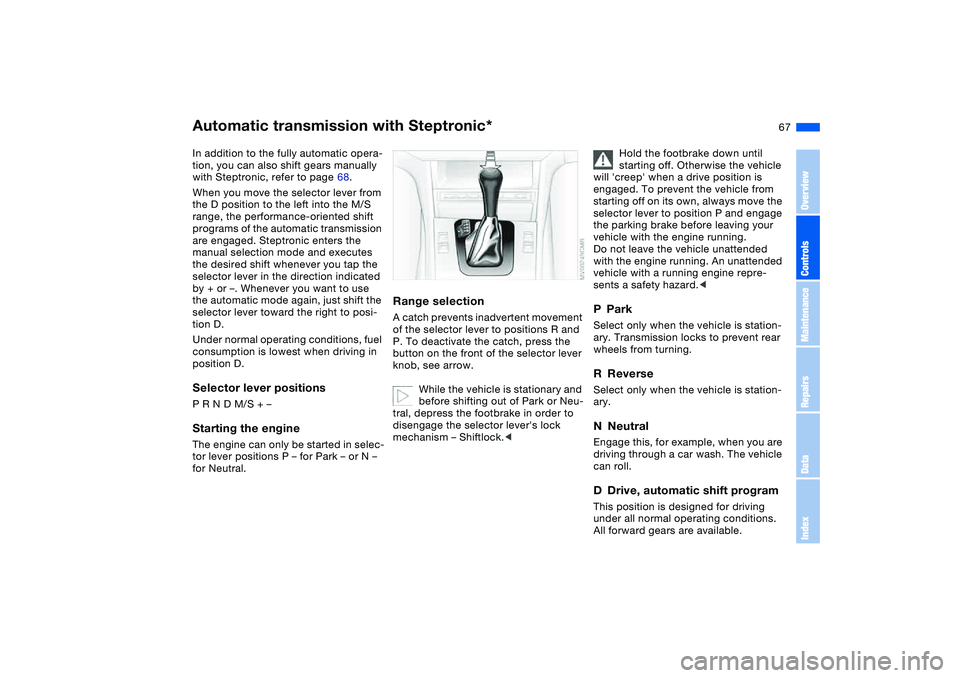
Range selectionA catch prevents inadvertent movement
of the selector lever to positions R and
P. To deactivate the catch, press the
button on the front of the selector lever
knob, see arrow.
While the vehicle is stationary and
before shifting out of Park or Neu-
tral, depress the footbrake in order to
disengage the selector lever's lock
mechanism – Shiftlock.<
Hold the footbrake down until
starting off. Otherwise the vehicle
will 'creep' when a drive position is
engaged. To prevent the vehicle from
starting off on its own, always move the
selector lever to position P and engage
the parking brake before leaving your
vehicle with the engine running.
Do not leave the vehicle unattended
with the engine running. An unattended
vehicle with a running engine repre-
sents a safety hazard.<
PParkSelect only when the vehicle is station-
ary. Transmission locks to prevent rear
wheels from turning.RReverseSelect only when the vehicle is station-
ary.NNeutralEngage this, for example, when you are
driving through a car wash. The vehicle
can roll.DDrive, automatic shift programThis position is designed for driving
under all normal operating conditions.
All forward gears are available.
OverviewControlsMaintenanceRepairsDataIndex
Page 68 of 174
68
KickdownYou can achieve maximum road perfor-
mance using kickdown.
Depress the accelerator pedal past the
increased resistance point at the full-
throttle position.
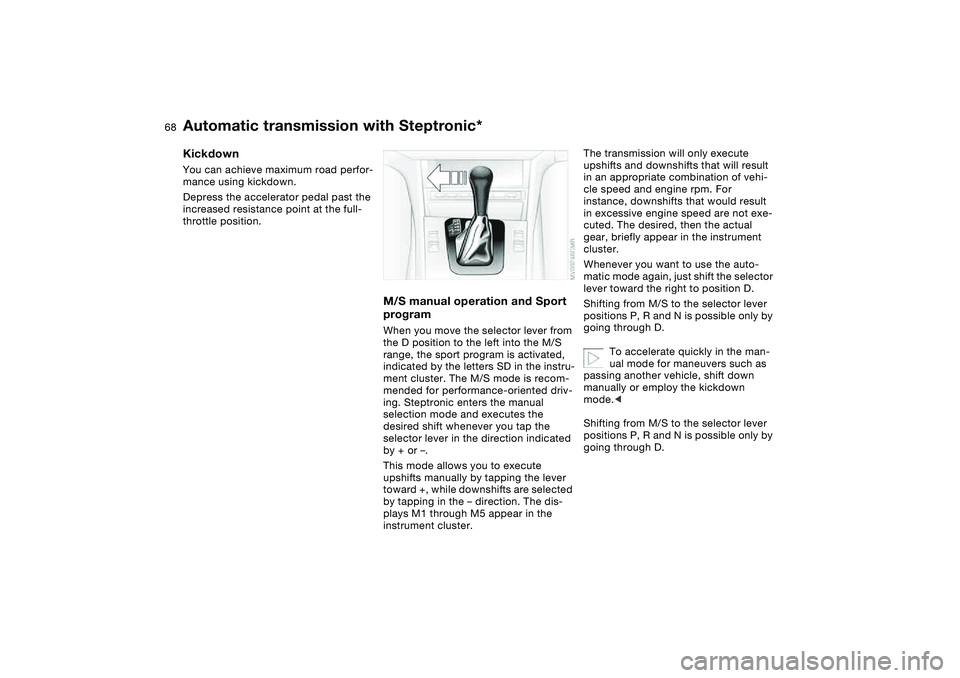
M/S manual operation and Sport
programWhen you move the selector lever from
the D position to the left into the M/S
range, the sport program is activated,
indicated by the letters SD in the instru-
ment cluster. The M/S mode is recom-
mended for performance-oriented driv-
ing. Steptronic enters the manual
selection mode and executes the
desired shift whenever you tap the
selector lever in the direction indicated
by + or –.
This mode allows you to execute
upshifts manually by tapping the lever
toward +, while downshifts are selected
by tapping in the – direction. The dis-
plays M1 through M5 appear in the
instrument cluster.
The transmission will only execute
upshifts and downshifts that will result
in an appropriate combination of vehi-
cle speed and engine rpm. For
instance, downshifts that would result
in excessive engine speed are not exe-
cuted. The desired, then the actual
gear, briefly appear in the instrument
cluster.
Whenever you want to use the auto-
matic mode again, just shift the selector
lever toward the right to position D.
Shifting from M/S to the selector lever
positions P, R and N is possible only by
going through D.
To accelerate quickly in the man-
ual mode for maneuvers such as
passing another vehicle, shift down
manually or employ the kickdown
mode.<
Shifting from M/S to the selector lever
positions P, R and N is possible only by
going through D.
Automatic transmission with Steptronic*
Page 104 of 174
104Loading and transporting
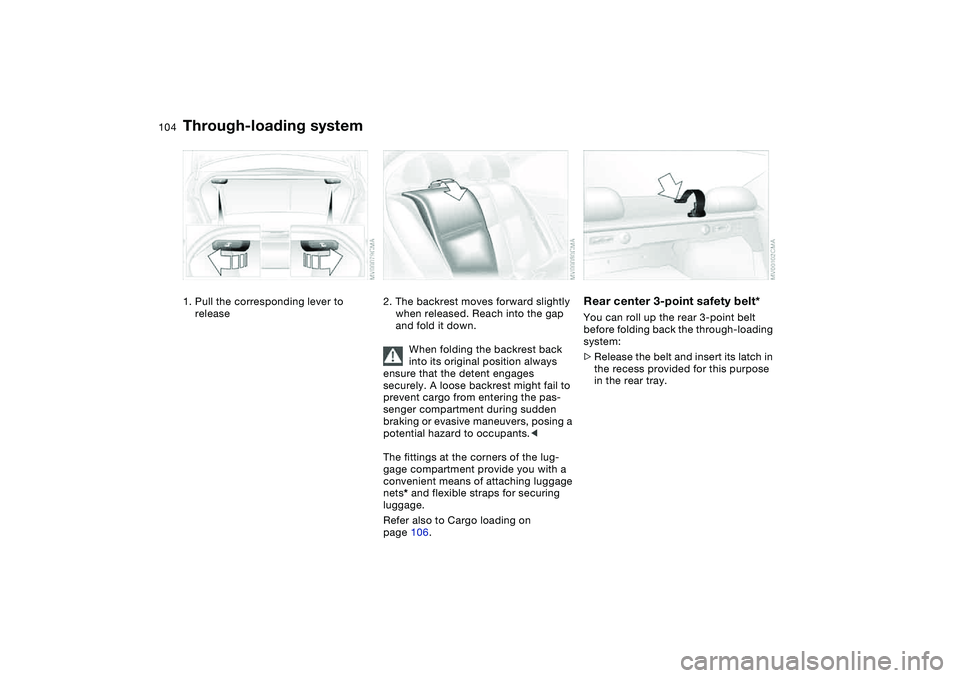
Through-loading system1. Pull the corresponding lever to
release
2. The backrest moves forward slightly
when released. Reach into the gap
and fold it down.
When folding the backrest back
into its original position always
ensure that the detent engages
securely. A loose backrest might fail to
prevent cargo from entering the pas-
senger compartment during sudden
braking or evasive maneuvers, posing a
potential hazard to occupants.<
The fittings at the corners of the lug-
gage compartment provide you with a
convenient means of attaching luggage
nets* and flexible straps for securing
luggage.
Refer also to Cargo loading on
page 106.
Rear center 3-point safety belt*You can roll up the rear 3-point belt
before folding back the through-loading
system:
>Release the belt and insert its latch in
the recess provided for this purpose
in the rear tray.
Page 105 of 174
105
Ski bag*The ski bag allows the safe and clean
transport of up to 4 pairs of standard
skis or up to two snowboards.
The length of the ski bag and the addi-
tional space provided in the luggage
compartment make it possible to carry
skis up to 6 ft 10 in / 2.10 m long.
Because of the tapered shape of the
bag, only two pairs of skis longer than
6 ft 10 in / 2.10 m can be carried.
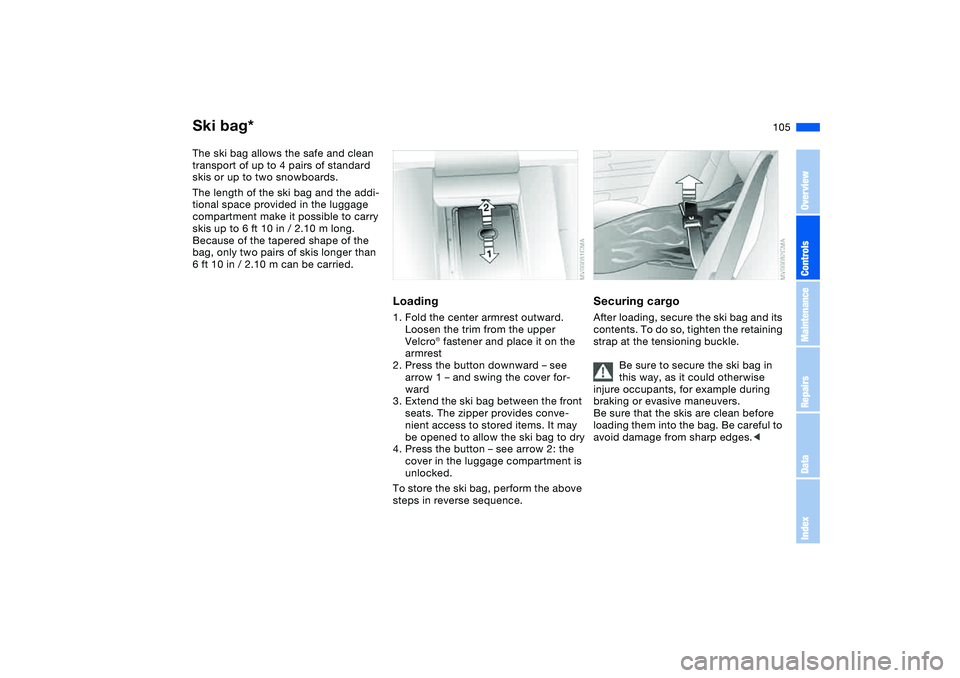
Loading1. Fold the center armrest outward.
Loosen the trim from the upper
Velcro® fastener and place it on the
armrest
2. Press the button downward – see
arrow 1 – and swing the cover for-
ward
3. Extend the ski bag between the front
seats. The zipper provides conve-
nient access to stored items. It may
be opened to allow the ski bag to dry
4. Press the button – see arrow 2: the
cover in the luggage compartment is
unlocked.
To store the ski bag, perform the above
steps in reverse sequence.
Securing cargoAfter loading, secure the ski bag and its
contents. To do so, tighten the retaining
strap at the tensioning buckle.
Be sure to secure the ski bag in
this way, as it could otherwise
injure occupants, for example during
braking or evasive maneuvers.
Be sure that the skis are clean before
loading them into the bag. Be careful to
avoid damage from sharp edges.<
OverviewControlsMaintenanceRepairsDataIndex