Page 155 of 263
2005 VOLVO XC90
2 0 0 5
VOLVO XC90
Wheels and tires
pg. 111 Wheels and tires
General information112
Tire inflation pressure tables115
Tire Pressure Monitoring System (TPMS) - option on certain U.S. models\
only116
Tire designations118
Glossary of tire terminology119
Vehicle loading120
Uniform Tire Quality Grading121
Snow chains, snow tire, studded tires122
Temporary Spare123
Changing wheels124
pg. 112 Wheels and tires
General information
General information
Your vehicle is equipped with tires according to the vehicle's tire info\
rmation placard on the Bpillar (the
structural member at the side of the vehicle, at the rear of the driver'\
s door opening), or on the inside of
the fuel filler door on Canadian models.
The tires have good road holding characteristics and offer good handling\
on dry and wet surfaces. It
should be noted however that the tires have been developed to give these\
features on snow/ice-free
file:///K|/ownersdocs/2005/2005_XC90/05xc90_08.htm (1 of 17)12/30/2006\
4:42:37 PM
Page 157 of 263
2005 VOLVO XC90
Improving tire economy:
l Maintain correct tire pressure. See the tire pressure table on page 115.
l Drive smoothly: avoid fast starts, hard braking and tire screeching.
l Tire wear increases with speed.
l Correct front wheel alignment is very important.
l Unbalanced wheels impair tire economy and driving comfort.
l Tires must maintain the same direction of rotation throughout their life\
time.
l When replacing tires, the tires with the most tread should be mounted on\
the rear wheels to reduce the
chance of oversteer during hard braking. Hitting curbs or potholes can d\
amage the tires and/or wheels
permanently.
pg. 113 Wheels and tires
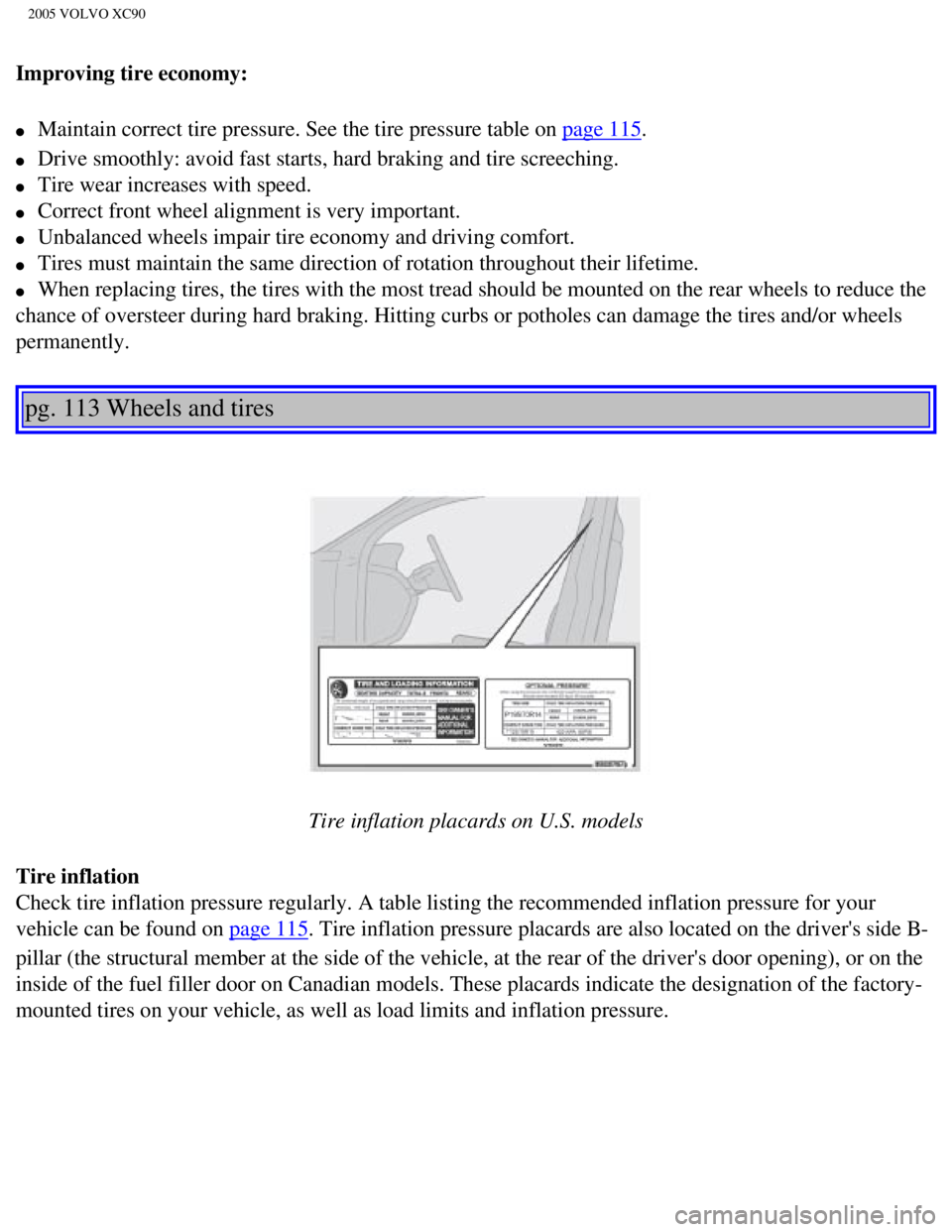
Tire inflation placards on U.S. models
Tire inflation
Check tire inflation pressure regularly. A table listing the recommended\
inflation pressure for your
vehicle can be found on
page 115. Tire inflation pressure placards are also located on the driver's side\
B-
pillar (the structural member at the side of the vehicle, at the rear o\
f the driver's door opening), or on the
inside of the fuel filler door on Canadian models. These placards indica\
te the designation of the factory-
mounted tires on your vehicle, as well as load limits and inflation pres\
sure.
file:///K|/ownersdocs/2005/2005_XC90/05xc90_08.htm (3 of 17)12/30/2006\
4:42:37 PM
Page 162 of 263
.
The following information")
2005 VOLVO XC90
pg. 118 Wheels and tires
Federal law mandates that tire manufacturers place standardized informat\
ion on the sidewall of all tires
(see the illustration).
The following information is listed on the tire sidewall:
The tire designation (the following figures are examples of a tire desi\
gnation):
1. 215: the width of the tire (in millimeters) from sidewall edge to s\
idewall edge. The larger the number,
the wider the tire.
2. 65: The ratio of the tire's height to its width.
3. R: Radial tire.
4. 15: The diameter of the wheel rim (in inches).
5. 95: The tire's load index. In this example, a load index of 95 equals\
a maximum load of 1521 lbs (690
kg).
6. H: The tire's speed rating, or the maximum speed at which the tire is\
designed to be driven for
extended periods of time, carrying a permissible load for the vehicle, a\
nd with correct inflation pressure.
For example, H indicates a speed rating of 130 mph (210 km/h).
NOTE: This information may not appear on the tire because it is not required b\
y law.
file:///K|/ownersdocs/2005/2005_XC90/05xc90_08.htm (8 of 17)12/30/2006\
4:42:37 PM
Page 235 of 263
2005 VOLVO XC90
2. Select SCAN to start searching and press ENTER.
3. SCAN will be shown in the display.
4. Press the EXIT/CLEAR button to stop scanning.
pg. 188 Audio
Radio functions (contd)
Program type/Format - PTY
The PTY function allows you to find programs that suit your taste. Use t\
he PTY function to select from
among the different program types shown in the list.
Which PTY does the set station have?
1. Select RADIO SETTINGS in the menu and press ENTER.
2. Select PTY in the menu and press ENTER.
3. Select SHOW PTY TEXT and press ENTER. The PTY of the selected station\
is now shown in the
display.
NOTE: Not all radio stations have PTY designations. Program type Text displayed
Switch off/
deactivate CLEAR ALL PTY
News NEWS
Information INFORMATION
Sports SPORT
file:///K|/ownersdocs/2005/2005_XC90/05xc90_11a.htm (15 of 18)12/30/20\
06 4:42:43 PM
Page 259 of 263
2005 VOLVO XC90
Text window - messages 30
Three-way catalytic converter
170
TIME FOR REGULAR SERVICE
30
Tire designations
118
Tire inflation
113
Tire inflation pressure table
115
Tire Pressure Monitoring System
29, 116
Tire pressure, checking
113
Tire terminology
119
Tires, changing
124
Tires
112
Towing
102
Towing - cars with All Wheel Drive
103
Towing a trailer
105
Trailer indicator lamp
29
Trailer towing
105
Transmission - Geartronic
93
Tread wear indicator
112
Treble
181
Trip computer
39
Trip odometer
26
Turn signals
35
U
Uniform Tire Quality Grading
128
Unlocking the vehicle
79
Upholstery, cleaning
132
V
Valet key
76
Vanity mirror
66
Vehicle Identification Number (VIN)
164
Vehicle loading
120
VIN (Vehicle Identification Number)
164
file:///K|/ownersdocs/2005/2005_XC90/05xc90_12.htm (10 of 14)12/30/200\
6 4:42:46 PM

