Page 3 of 336

3
1. Headlight and turn signal switches 102 . . . . . . . . . . . . . . . . . . . . . . . . .
2. Wiper and washer switches 109 . . . . . . .
3. “POWER” switch 131 . . . . . . . . . . . . . . . . .
4. Clock 192 . . . . . . . . . . . . . . . . . . . . . . . . . . . .
5. Multi −information display or
navigation system including
multi −information display
(For the navigation system,
see the separate “Navigation
System Owner ’s Manual”.) 146 . . . . . . . .
6. Emergency flasher switch 106 . . . . . . . . .
7. Trip meter reset button 115 . . . . . . . . . . .
8. Km/h or MPH button 116 . . . . . . . . . . . . .
9. Audio system 156 . . . . . . . . . . . . . . . . . . . .
10. Power outlet 192 . . . . . . . . . . . . . . . . . . . . .
11. “P” position switch 136 . . . . . . . . . . . . . . .
12. Electronic shift lever (R, N, D, B) 136 . . . . . . . . . . . . . . . . . . . . .
13. Key slot 130 . . . . . . . . . . . . . . . . . . . . . . . . .
14. Cruise control switch 142 . . . . . . . . . . . . .
15. Smart entry and start system cancel switch 33 . . . . . . . . . . . . . . . . . . . . .
16. Climate remote control switches 186 . . . . . . . . . . . . . . . . . . . . . . . . .
11p001h
Page 4 of 336
4
17. Instrument panel light control dial 107
. . . . . . . . . . . . . . . . . . . . . . . . . . . . . .
18. Audio remote control switches 173 . . . .
Page 146 of 336
146
Reference
1. Multi−information display*
(See page 147 for details.)
2. “DISPLAY” button The display adjustment screen is
shown.
(See page 152 for details.)
3. “INFO” button The information menu screen is shown.
(See page 150 for details.)
4. “CLIMATE” button The air conditioning operation screen is
shown.
(See page 180 for details.)
5. “AUDIO” button The audio operation screen is shown.
(See page 156 for details.)
6. “INFO” button (on the steering pad) The trip information screen is shown.
(See page 151 for details.)
*: In this manual, English version screens are shown as an example.
26p045c
Type A (with Navigation system)
Type B (without Navigation system)
Page 149 of 336
149
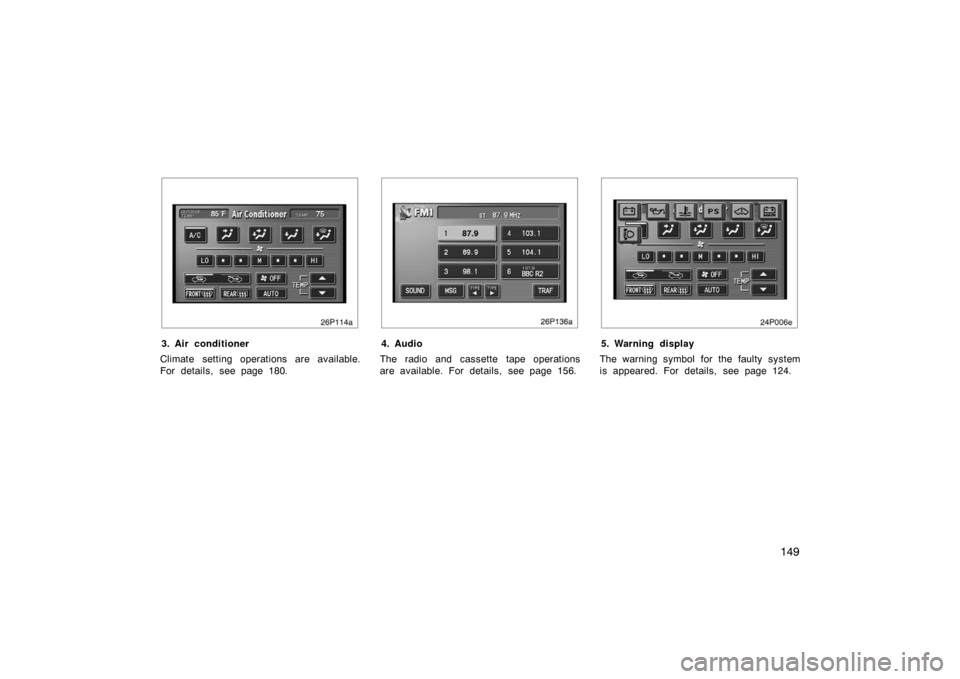
26p114a
3. Air conditioner
Climate setting operations are available.
For details, see page 180.
26p136a
4. Audio
The radio and cassette tape operations
are available. For details, see page 156.
24p006e
5. Warning display
The warning symbol for the faulty system
is appeared. For details, see page 124.
Page 152 of 336
152
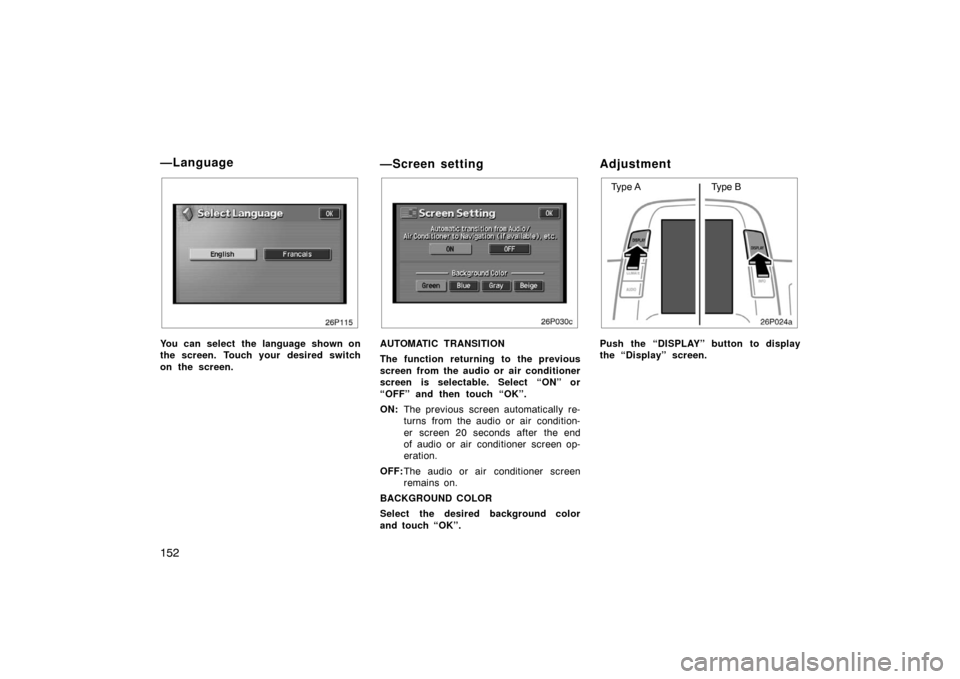
26p115
You can select the language shown on
the screen. Touch your desired switch
on the screen.
—Screen setting
26p030c
AUTOMATIC TRANSITION
The function returning to the previous
screen from the audio or air conditioner
screen is selectable. Select “ON” or
“OFF” and then touch “OK”.
ON:The previous screen automatically re-
turns from the audio or air condition-
er screen 20 seconds after the end
of audio or air conditioner screen op-
eration.
OFF: The audio or air conditioner screen
remains on.
BACKGROUND COLOR
Select the desired background color
and touch “OK”.
Adjustment
26p024a
Type A Type B
Push the “DISPLAY” button to display
the “Display” screen.
—Language
Page 155 of 336
155
OPERATION OF INSTRUMENTS AND
CONTROLS
Audio system
Reference156
. . . . . . . . . . . . . . . . . . . . . . . . . . . . . . . . . . . . .\
. . . . . . . . . . . .
Using your audio systemm 158
. . . . . . . . . . . . . . . . . . . . . . . . . . . . . . . . . .
Radio operation 163
. . . . . . . . . . . . . . . . . . . . . . . . . . . . . . . . . . . . \
. . . . . . . .
Cassette tape player operation 166
. . . . . . . . . . . . . . . . . . . . . . . . . . . . . . .
Compact disc player operation 169
. . . . . . . . . . . . . . . . . . . . . . . . . . . . . . .
Audio remote controls 173
. . . . . . . . . . . . . . . . . . . . . . . . . . . . . . . . . . . . \
. . .
Audio system operating hints 174
. . . . . . . . . . . . . . . . . . . . . . . . . . . . . . . .
SECTION 2– 8
Page 156 of 336
156
1. Multi−information display screen*
(See page 160 for details.)
2. Ejecting a compact disc (See page 170 for details.)
3. Compact disc slot (See page 169 for details.)
4. Frequency tuning (See page 163 for details.)
5. Scan tuning (See page 164 for details.)
6. Compact disc mode button (See page 169 for details.)
7. Radio mode button (See page 163 for details.)
8. Radio mode: Seek tuning (See page 164 for
details.)
Compact disc
mode: Direct access to a desired program
(See page 172 for
details.)
9. Adjusting the volume (See page 159 for details.)
10. Turning the system on (See page 159 for details.)
11. Audio operation screen display button (See page 160 for details.)
*: In this manual, English version screens are shown as an example.
Reference
�Ty p e 1
26p014c
With
Navigation
System
Page 158 of 336
158
12. Adjusting the volume(See page 159 for details.)
13. Compact disc load button (See page 169 for details.)
14. Audio operation screen display button (See page 160 for details.)
*: In this manual, English version screens are shown as an example. This section describes some of the basic
features of the Toyota audio system.
Some information may not pertain to your
system.
Your audio system works when the hybrid
system is in “ACC” or “IG
−ON”.
NOTICE
To prevent the battery from being
discharged, do not leave the audio on
longer than necessary when the
hybrid system is not running.
TURNING THE SYSTEM ON AND OFF
Push “PWR” button to turn the audio sys-
tem on and off. The system turns on in
the last mode used.
Using your audio system—
—Some basics