Page 142 of 336
142
25p008a
Vehicles sold in U.S.A.
25p009a
Vehicles sold in Canada
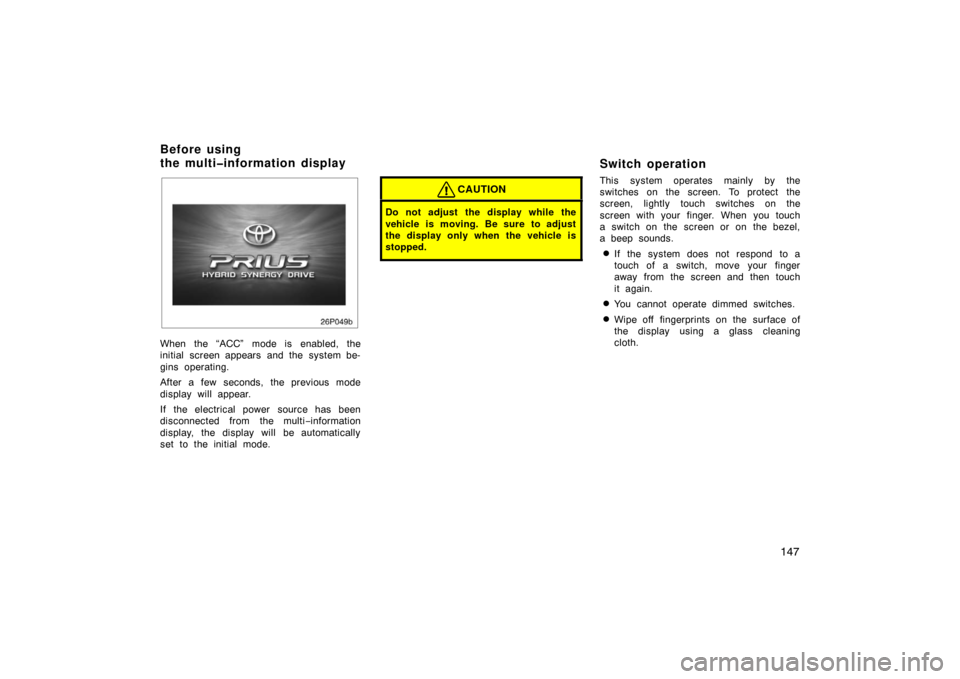
When parking, firmly apply the parking
brake to avoid inadvertent creeping.
To set: Fully depress the parking brake
pedal. For better holding power, first de-
press the brake pedal and hold it while
setting the parking brake.
To release: Depress the parking brake
pedal while depressing the brake pedal.
To remind you that the parking brake is
set, the parking brake reminder light in
the instrument panel remains on until you
release the parking brake.
CAUTION
�Driving with the parking brake en-
gaged can reduce braking power.
�Before driving, be sure the parking
brake is fully released and the park-
ing brake reminder light is off.
Cruise control
The cruise control allows you to cruise
the vehicle at a desired speed over 40
km/h (25 mph) even with your foot off
the accelerator pedal.
Your cruising speed can be maintained up
or down grades within the limits of hybrid
system performance, although a slight
speed change may occur when driving up
or down the grades. On steeper hills, a
greater speed change will occur so it is
better to drive without the cruise control.
CAUTION
�To help maintain maximum control
of your vehicle, do not use the
cruise control when driving in
heavy or varying traffic, or on slip-
pery (rainy, icy or snow
–covered) or
winding roads.
�Avoid vehicle speed increases when
driving downhill. If the vehicle
speed is too fast in relation to the
cruise control set speed, cancel the
cruise control then shift the shift
lever to “B” position to use engine
braking to slow down.
Parking brake
Page 143 of 336
143
25p006a
TURNING THE SYSTEM ON
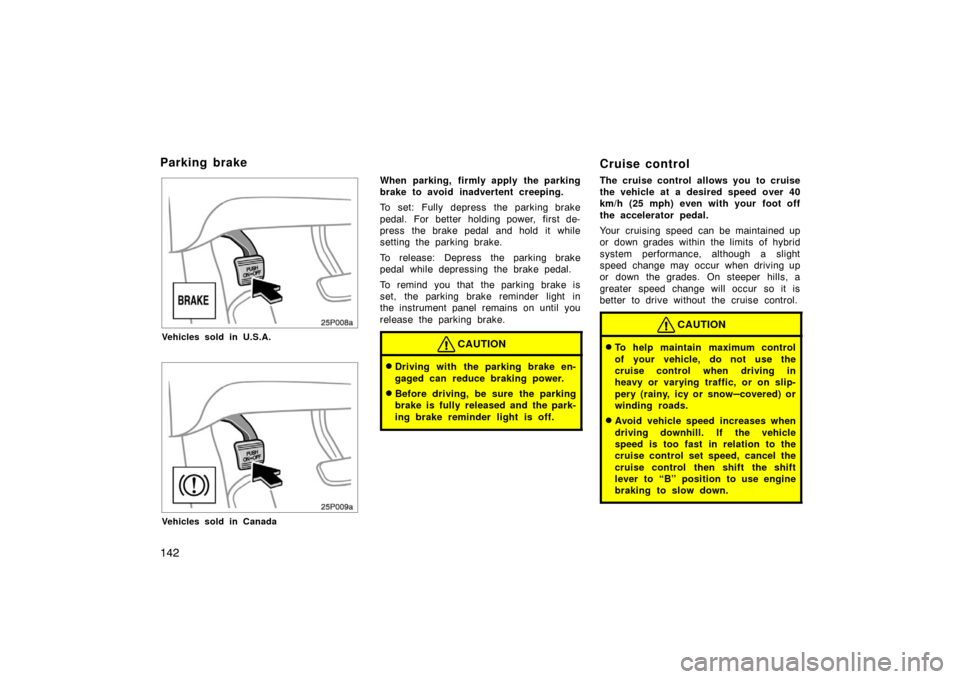
To operate the cruise control, push the
“ON·OFF” switch. This turns the system
on. The indicator light in the instrument
panel shows that you can now set the
vehicle at a desired cruising speed. Anoth-
er push on the switch will turn the system
completely off.
CAUTION
To avoid accidental cruise control en-
gagement, keep the “ON·OFF” switch
off when not using the cruise control.
25p007a
SETTING AT A DESIRED SPEED
The transaxle must be in “D” before you
set the cruise control speed.
Bring your vehicle to the desired speed,
push the lever down in the “– SET” direc-
tion and release it. This sets the vehicle
at that speed.
If the speed is not satisfactory, tap the
lever up for a faster speed, or tap it down
for a slower speed. Each tap changes the
set speed by 1.6 km/h (1.0 mph). You can
now take your foot off the accelerator
pedal.If you need acceleration—for example,
when passing—depress the accelerator
pedal enough for the vehicle to exceed
the set speed. When you release it, the
vehicle will return to the speed set prior
to the acceleration.
CANCELLING THE PRESET SPEED
You can cancel the preset speed by:
a. Pulling the control lever in the “CANCEL” direction and releasing it.
b. Depressing the brake pedal.
If the vehicle speed falls below about 40
km/h (25 mph), the preset speed will auto-
matically cancel out.
If the vehicle speed drops 16 km/h (10
mph) below the preset speed, the preset
speed will also automatically cancel out.
If the preset speed automatically cancels
out other than for the above cases, have
your vehicle checked by your Toyota deal-
er at the earliest opportunity.
Page 144 of 336

144
RESETTING TO A FASTER SPEED
Push the lever up in the “+ RES” direction
and hold it. Release the lever when the
desired speed is attained. While the lever
is held up, the vehicle will gradually gain
speed.
However, a faster way to reset is to ac-
celerate the vehicle and then push the
control lever down in the “– SET” direc-
tion.
RESETTING TO A SLOWER SPEED
Push the lever down in the “– SET” direc-
tion and hold it. Release the lever when
the desired speed is attained. While the
lever is held down, the vehicle speed will
gradually decrease.
However, a faster way to reset is to de-
press the brake pedal and then push the
control lever down in the “– SET” direc-
tion.RESUMING THE PRESET SPEED
If the preset speed is cancelled by pulling
the control lever or by depressing the
brake pedal, pushing the lever up in the
“+ RES” direction will restore the speed
set prior to cancellation.
However, once the vehicle speed falls be-
low about 40 km/h (25 mph), the preset
speed will not be resumed.
CRUISE CONTROL FAILURE WARNING
If the “CRUISE” indicator light in the
instrument cluster flashes when using the
cruise control, press the “ON·OFF” button
to turn the system off and then press it
again to turn it on.
If any of the following conditions then oc-
curs, there is some trouble in the cruise
control system.
�The indicator light does not come on.
�The indicator light flashes again.
�The indicator light goes out after it
comes on.
If this is the case, contact your Toyota
dealer and have your vehicle inspected.
Page 147 of 336
147
26p049b
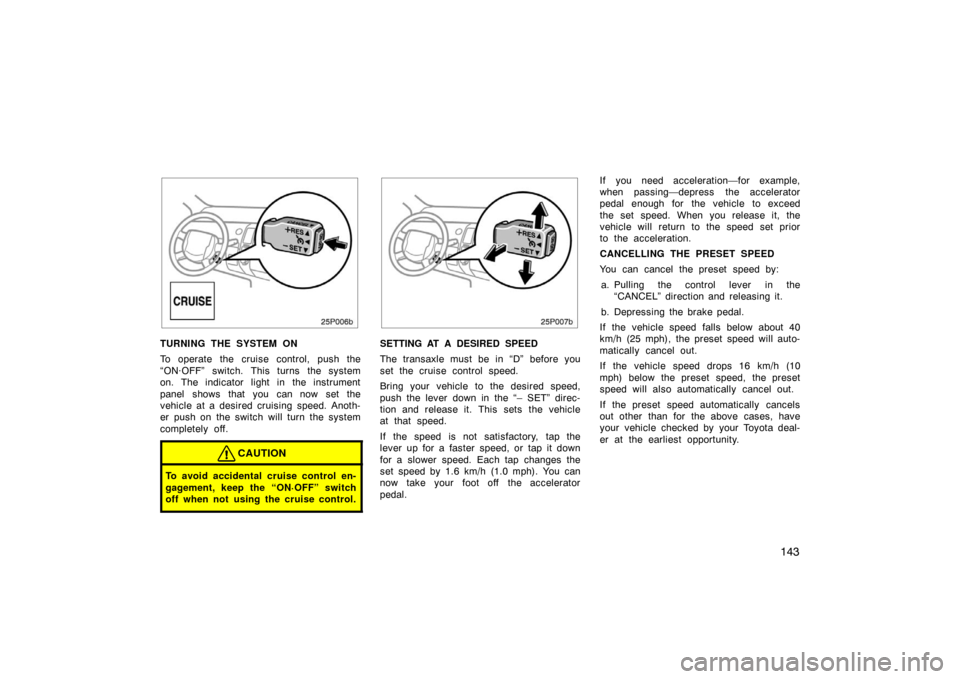
When the “ACC” mode is enabled, the
initial screen appears and the system be-
gins operating.
After a few seconds, the previous mode
display will appear.
If the electrical power source has been
disconnected from the multi−information
display, the display will be automatically
set to the initial mode.
CAUTION
Do not adjust the display while the
vehicle is moving. Be sure to adjust
the display only when the vehicle is
stopped.
Switch operation
This system operates mainly by the
switches on the screen. To protect the
screen, lightly touch switches on the
screen with your finger. When you touch
a switch on the screen or on the bezel,
a beep sounds.
�If the system does not respond to a
touch of a switch, move your finger
away from the screen and then touch
it again.
�You cannot operate dimmed switches.
�Wipe off fingerprints on the surface of
the display using a glass cleaning
cloth.
Before using
the multiinformation display
Page 153 of 336
153
26p026b
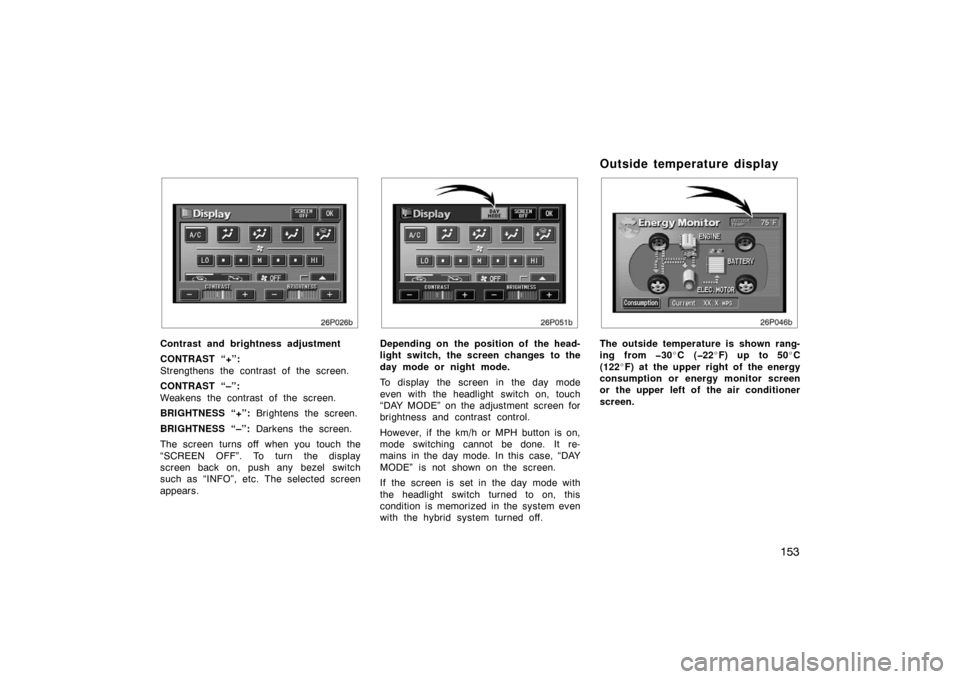
Contrast and brightness adjustment
CONTRAST “+”:
Strengthens the contrast of the screen.
CONTRAST “–”:
Weakens the contrast of the screen.
BRIGHTNESS “+”: Brightens the screen.
BRIGHTNESS “–”: Darkens the screen.
The screen turns off when you touch the
“SCREEN OFF”. To turn the display
screen back on, push any bezel switch
such as “INFO”, etc. The selected screen
appears.
26P051b
Depending on the position of the head-
light switch, the screen changes to the
day mode or night mode.
To display the screen in the day mode
even with the headlight switch on, touch
“DAY MODE” on the adjustment screen for
brightness and contrast control.
However, if the km/h or MPH button is on,
mode switching cannot be done. It re-
mains in the day mode. In this case, “DAY
MODE” is not shown on the screen.
If the screen is set in the day mode with
the headlight switch turned to on, this
condition is memorized in the system even
with the hybrid system turned off.
Outside temperature display
26p046b
The outside temperature is shown rang-
ing from 30 �C (22 �F) up to 50 �C
(122 �F) at the upper right of the energy
consumption or energy monitor screen
or the upper left of the air conditioner
screen.
Page 160 of 336
160
26p136a
Radio
26p137a
Casette tape
26p138a
Compact disc (Type 1)
26p149b
Compact disc (Type 2)
The switches for radio, cassette tape
and compact disc player operation are
displayed on the liquid crystal display.
Touch them lightly and directly on the
screen.
The selected switch is highlighted in
green.
Page 164 of 336
164
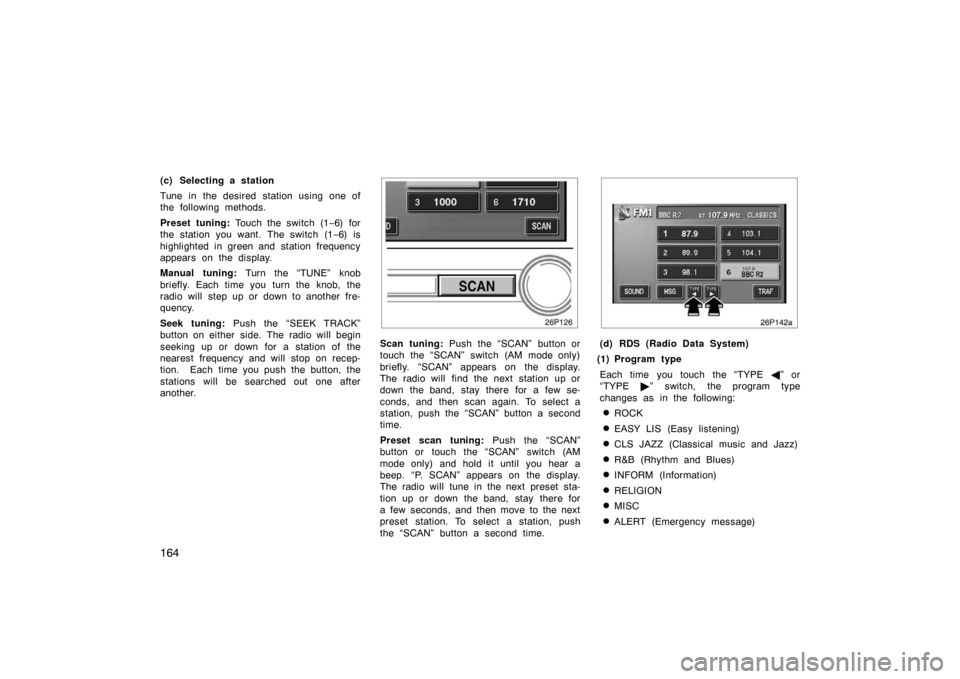
(c) Selecting a station
Tune in the desired station using one of
the following methods.
Preset tuning: Touch the switch (1 −6) for
the station you want. The switch (1 −6) is
highlighted in green and station frequency
appears on the display.
Manual tuning: Turn the “TUNE” knob
briefly. Each time you turn the knob, the
radio will step up or down to another fre-
quency.
Seek tuning: Push the “SEEK TRACK”
button on either side. The radio will begin
seeking up or down for a station of the
nearest frequency and will stop on recep-
tion. Each time you push the button, the
stations will be searched out one after
another.
26p126
Scan tuning: Push the “SCAN” button or
touch the “SCAN” switch (AM mode only)
briefly. “SCAN” appears on the display.
The radio will find the next station up or
down the band, stay there for a few se-
conds, and then scan again. To select a
station, push the “SCAN” button a second
time.
Preset scan tuning: Push the “SCAN”
button or touch the “SCAN” switch (AM
mode only) and hold it until you hear a
beep. “P. SCAN” appears on the display.
The radio will tune in the next preset sta-
tion up or down the band, stay there for
a few seconds, and then move to the next
preset station. To select a station, push
the “SCAN” button a second time.
26p142a
(d) RDS (Radio Data System)
(1) Program type
Each time you touch the “TYPE �” or
“TYPE �” switch, the program type
changes as in the following:
�ROCK
�EASY LIS (Easy listening)
�CLS JAZZ (Classical music and Jazz)
�R&B (Rhythm and Blues)
�INFORM (Information)
�RELIGION
�MISC
�ALERT (Emergency message)
Page 166 of 336

166
26p145b
In case a text message is not accepted
in a screen, you can touch the “MSG”
switch and hold it to display the rest of
the message.
When the system can show the station
name, “RDS” appears on the display.
Each time you touch the “MSG” switch,
indication on the display changes from the
band to the station name, a radio text in
this order. After six seconds passes, indi-
cation returns to the band.
26p127
(a) Playing a cassette tape
When you insert a cassette tape, the
exposed tape should face to the right.
The player will automatically start when
you insert a cassette tape. At this time,
“Tape” appears on the display.
If a metal or chrome equivalent cassette
tape is put in the cassette player, the
player will automatically recognize it and
“MTL” appears on the display.
To stop or eject the cassette tape, push
the “
” button.
26p146a
If a cassette is already in the slot, push
the “TAPE” button.
Dolby� Noise Reduction* feature: If you
are listening to a tape that was recorded
with Dolby � B Noise Reduction, touch the
“
” switch. The “” switch will be
highlighted in green. Touch the switch
again to turn off Dolby� B NR.
The Dolby NR mode reduces tape noise
by about 10 dB. For best sound reproduc-
tion, play your tapes with this switch on
or off according to the mode used for
recording the tape.
Cassette tape player operation
( Typ e 2 on ly)