Page 118 of 259
11 02005 MR2 from Aug. ’04Prod. (OM17527U)
Here are some common reception prob-
lems that probably do not indicate a prob-
lem with your radio:
FM
Fading and drifting stations—Generally, the
effective range of FM is about 40 km (25
miles). Once outside this range, you may
notice fading and drifting, which increase
with the distance from the radio transmit-
ter. They are often accompanied by distor-
tion.
Multi−path—FM signals are reflective,
making it possible for two signals to reach
your antenna at the same time. If this
happens, the signals will cancel each oth-
er out, causing a momentary flutter or
loss of reception.
Static and fluttering—These occur when
signals are blocked by buildings, trees, or
other large objects. Increasing the bass
level may reduce static and fluttering.
Station swapping—If the FM signal you
are listening to is interrupted or weak-
ened, and there is another strong station
nearby on the FM band, your radio may
tune in the second station until the origi-
nal signal can be picked up again.AM
Fading—AM broadcasts are reflected by
the upper atmosphere—especially at night.
These reflected signals can interfere with
those received directly from the radio sta-
tion, causing the radio station to sound
alternately strong and weak.
Station interference—When a reflected sig-
nal and a signal received directly from a
radio station are very nearly the same
frequency, they can interfere with each
other, making it difficult to hear the broad-
cast.
Static—AM is easily affected by external
sources of electrical noise, such as high
tension power lines, lightening, or electri-
cal motors. This results in static.CARING FOR YOUR COMPACT DISC
PLAYER AND DISCS
�Your compact disc player is intended
for use with 12 cm (4.7 in.) discs only.
�Extremely high temperatures can keep
your compact disc player from working.
On hot days, use the air conditioning
to cool the vehicle interior before you
listen to a disc.
�Bumpy roads or other vibrations may
cause your compact disc player to
skip.
�If moisture gets into your compact disc
player, you may not hear any sound
even though your compact disc player
appears to be working. Remove the
disc from the player and wait until it
dries.
CAUTION
Compact disc players use an invisible
laser beam which could cause hazard-
ous radiation exposure if directed
outside the unit. Be sure to operate
the player correctly.
Page 125 of 259
11 72005 MR2 from Aug. ’04Prod. (OM17527U)
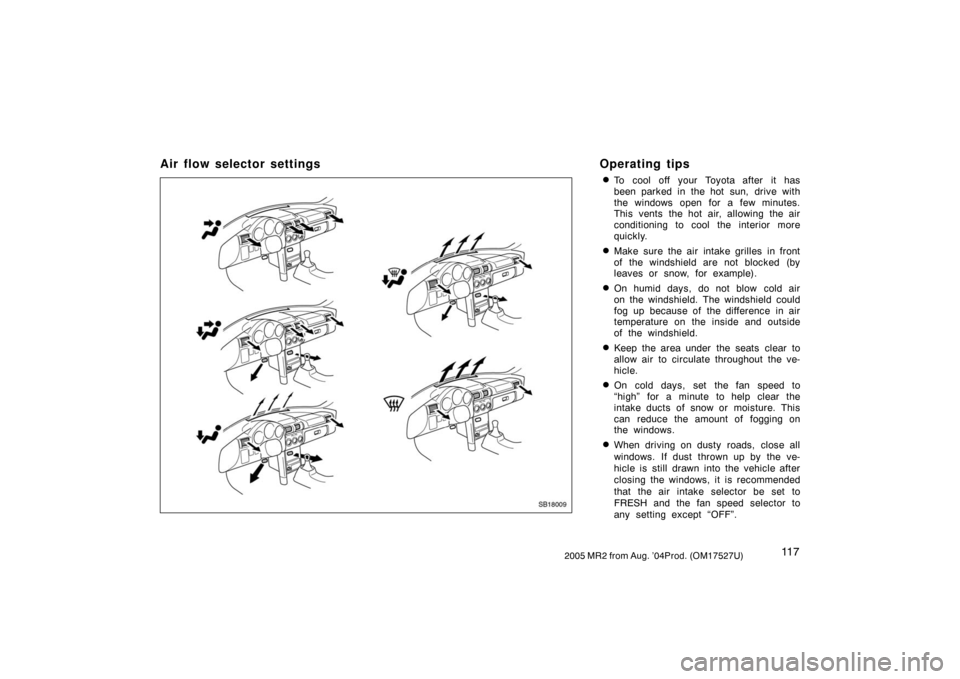
Air flow selector settings Operating tips
�To cool off your Toyota after it has
been parked in the hot sun, drive with
the windows open for a few minutes.
This vents the hot air, allowing the air
conditioning to cool the interior more
quickly.
�Make sure the air intake grilles in front
of the windshield are not blocked (by
leaves or snow, for example).
�On humid days, do not blow cold air
on the windshield. The windshield could
fog up because of the difference in air
temperature on the inside and outside
of the windshield.
�Keep the area under the seats clear to
allow air to circulate throughout the ve-
hicle.
�On cold days, set the fan speed to
“high” for a minute to help clear the
intake ducts of snow or moisture. This
can reduce the amount of fogging on
the windows.
�When driving on dusty roads, close all
windows. If dust thrown up by the ve-
hicle is still drawn into the vehicle after
closing the windows, it is recommended
that the air intake selector be set to
FRESH and the fan speed selector to
any setting except “OFF”.
SB18009
Page 129 of 259

1212005 MR2 from Aug. ’04Prod. (OM17527U)
OPERATION OF INSTRUMENTS AND
CONTROLS
Other equipment
Clock122 . . . . . . . . . . . . . . . . . . . . . . . . . . . . . . . . . . . . . . . . . . . . . . . . . . . . . .
Cigarette lighter and ashtray122 . . . . . . . . . . . . . . . . . . . . . . . . . . . . . . . . .
Glove box123 . . . . . . . . . . . . . . . . . . . . . . . . . . . . . . . . . . . . . . . . . . . . . . . . . .
Front box123 . . . . . . . . . . . . . . . . . . . . . . . . . . . . . . . . . . . . . . . . . . . . . . . . . .
Auxiliary box124 . . . . . . . . . . . . . . . . . . . . . . . . . . . . . . . . . . . . . . . . . . . . . . .
Luggage space125 . . . . . . . . . . . . . . . . . . . . . . . . . . . . . . . . . . . . . . . . . . . . .
Cup holders127 . . . . . . . . . . . . . . . . . . . . . . . . . . . . . . . . . . . . . . . . . . . . . . . .
Floor mat128 . . . . . . . . . . . . . . . . . . . . . . . . . . . . . . . . . . . . . . . . . . . . . . . . . .
SECTION 1 10
Page 130 of 259
1222005 MR2 from Aug. ’04Prod. (OM17527U)
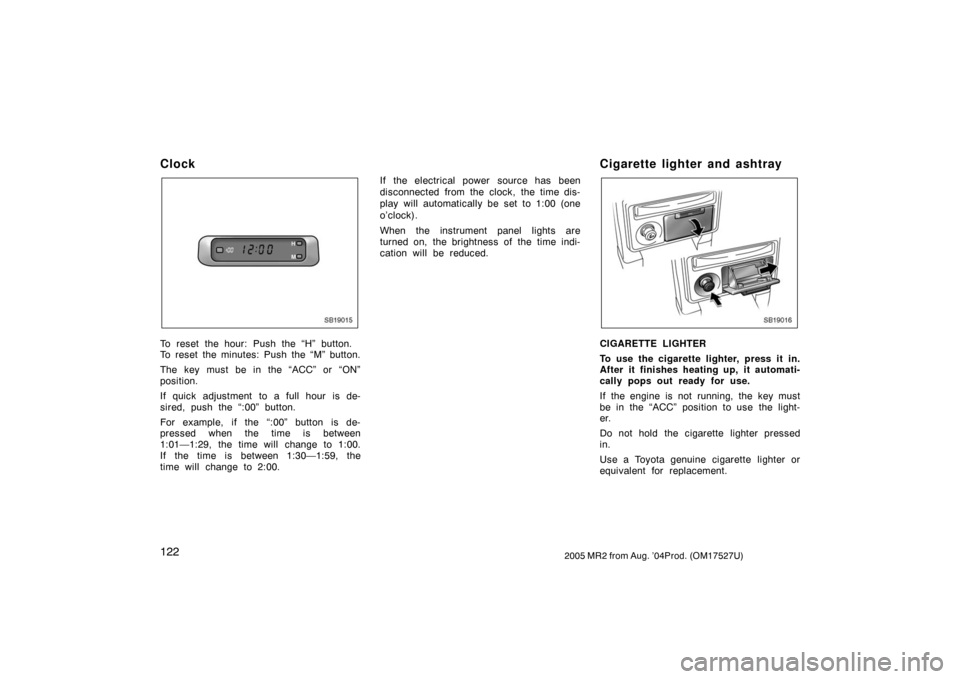
Clock
SB19015
To reset the hour: Push the “H” button.
To reset the minutes: Push the “M” button.
The key must be in the “ACC” or “ON”
position.
If quick adjustment to a full hour is de-
sired, push the “:00” button.
For example, if the “:00” button is de-
pressed when the time is between
1:01—1:29, the time will change to 1:00.
If the time is between 1:30—1:59, the
time will change to 2:00.If the electrical power source has been
disconnected from the clock, the time dis-
play will automatically be set to 1:00 (one
o’clock).
When the instrument panel lights are
turned on, the brightness of the time indi-
cation will be reduced.
Cigarette lighter and ashtray
SB19016
CIGARETTE LIGHTER
To use the cigarette lighter, press it in.
After it finishes heating up, it automati-
cally pops out ready for use.
If the engine is not running, the key must
be in the “ACC” position to use the light-
er.
Do not hold the cigarette lighter pressed
in.
Use a Toyota genuine cigarette lighter or
equivalent for replacement.
Page 131 of 259
1232005 MR2 from Aug. ’04Prod. (OM17527U)
ASHTRAY
To use the ashtray, pull out the lid.
When finished with your cigarette, thor-
oughly extinguish it in the ashtray to pre-
vent other cigarette butts from catching
fire. After using the ashtray, close the lid
completely.
To remove the ashtray, pull the lid and
pull it out.
CAUTION
To reduce the chance of injury in
case of an accident or sudden stop
while driving, always completely close
the ashtray after use.
Glove box
SB19026
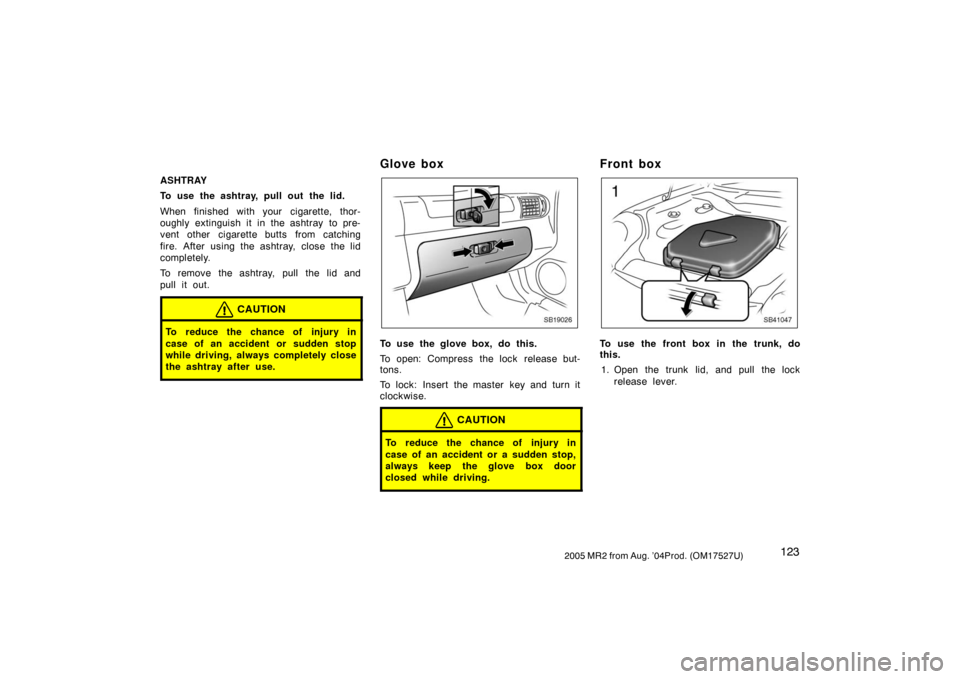
To use the glove box, do this.
To open: Compress the lock release but-
tons.
To lock: Insert the master key and turn it
clockwise.
CAUTION
To reduce the chance of injury in
case of an accident or a sudden stop,
always keep the glove box door
closed while driving.
Front box
SB41047
To use the front box in the trunk, do
this.
1. Open the trunk lid, and pull the lock
release lever.
Page 132 of 259
1242005 MR2 from Aug. ’04Prod. (OM17527U)
SB19031a
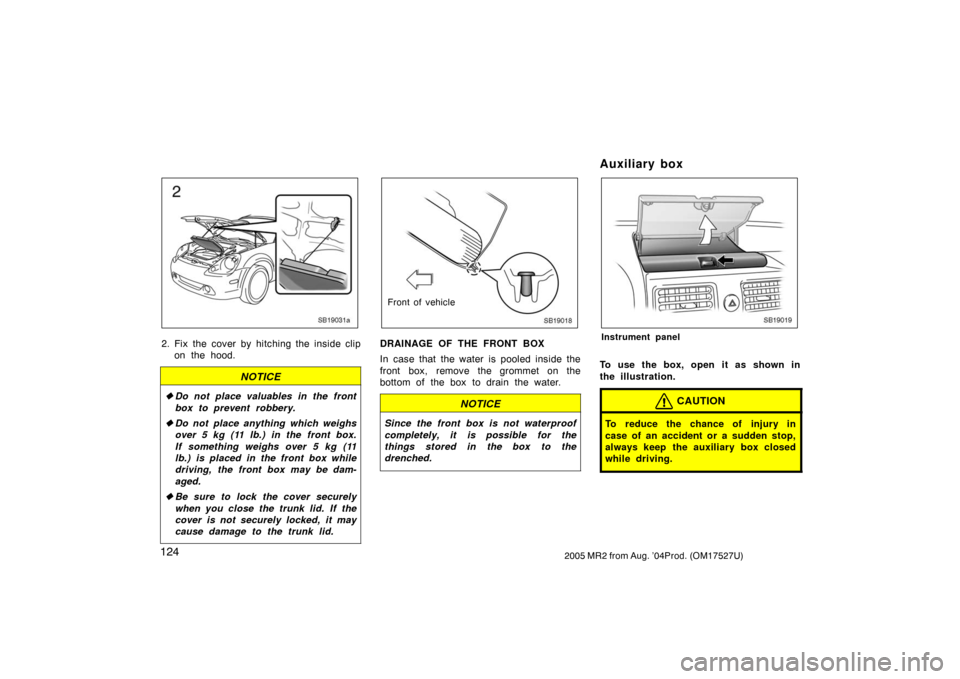
2. Fix the cover by hitching the inside clip
on the hood.
NOTICE
�Do not place valuables in the front
box to prevent robbery.
�Do not place anything which weighs
over 5 kg (11 lb.) in the front box.
If something weighs over 5 kg (11
lb.) is placed in the front box while
driving, the front box may be dam-
aged.
�Be sure to lock the cover securely
when you close the trunk lid. If the
cover is not securely locked, it may
cause damage to the trunk lid.
SB19018
Front of vehicle
DRAINAGE OF THE FRONT BOX
In case that the water is pooled inside the
front box, remove the grommet on the
bottom of the box to drain the water.
NOTICE
Since the front box is not waterproof
completely, it is possible for the
things stored in the box to the
drenched.
Auxiliary box
SB19019
Instrument panel
To use the box, open it as shown in
the illustration.
CAUTION
To reduce the chance of injury in
case of an accident or a sudden stop,
always keep the auxiliary box closed
while driving.
Page 133 of 259
1252005 MR2 from Aug. ’04Prod. (OM17527U)
NOTICE
During hot weather, the interior of the
vehicle becomes very hot. Do not
leave anything flammable or deform-
able such as a lighter, glasses, etc.
inside.
Luggage space
SB19027a
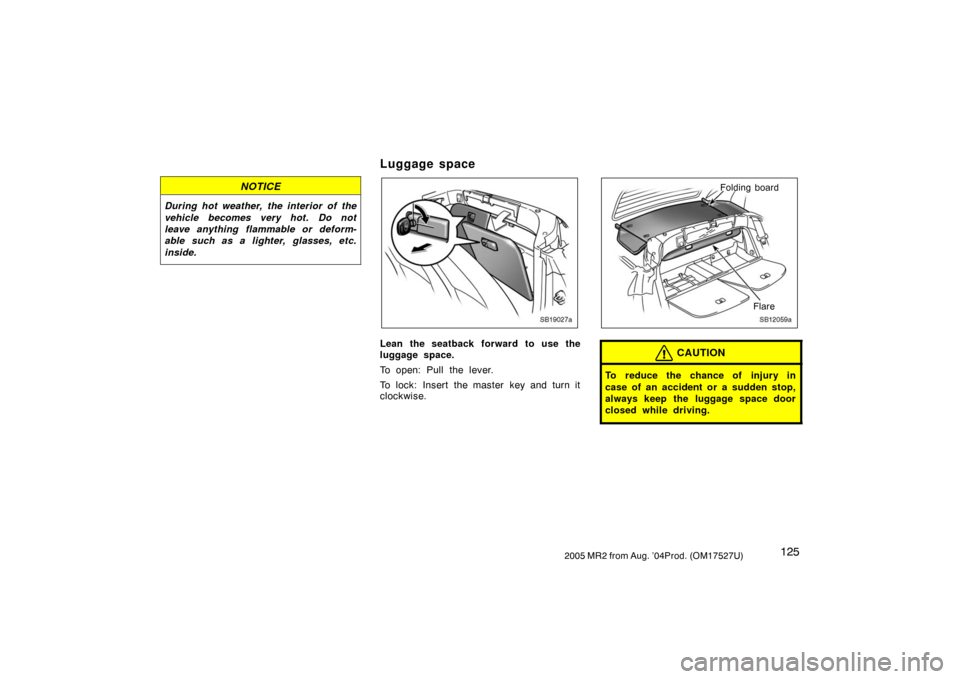
Lean the seatback forward to use the
luggage space.
To open: Pull the lever.
To lock: Insert the master key and turn it
clockwise.
SB12059a
Folding board
Flare
CAUTION
To reduce the chance of injury in
case of an accident or a sudden stop,
always keep the luggage space door
closed while driving.
Page 136 of 259
1282005 MR2 from Aug. ’04Prod. (OM17527U)
Floor mat
SB19023a
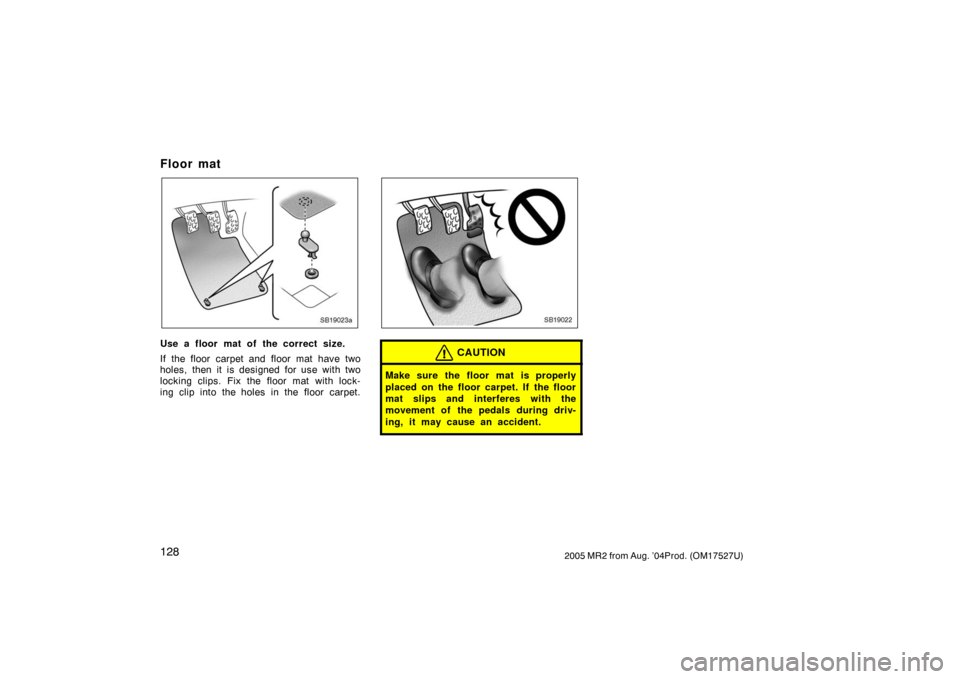
Use a floor mat of the correct size.
If the floor carpet and floor mat have two
holes, then it is designed for use with two
locking clips. Fix the floor mat with lock-
ing clip into the holes in the floor carpet.
SB19022
CAUTION
Make sure the floor mat is properly
placed on the floor carpet. If the floor
mat slips and interferes with the
movement of the pedals during driv-
ing, it may cause an accident.