Page 43 of 426
’05 4Runner_U (L/O 0504)
33
To normalize the back door, unlock it with
the key, remote control transmitter or pow-
er door lock switch, see “—Locking and
unlocking doors” on page 16 and “Side
doors” on page 22 in this Section.
Make sure that the back door opens. If
the back door cannot be opened properly,
have it checked by your Toyota dealer.
The back door can be locked or unlocked
in the following ways.
�All the side doors and back door lock
and unlock simultaneously with the
back door. Insert the key into the key-
hole, turn it clockwise to lock and turn
it counterclockwise to unlock.
�Operate the power door lock switch.
(See “Side doors” on page 22 in this
Section.)
�Operate the wireless remote control.
(See “—Locking and unlocking doors”
on page 16 in this Section.)
�All the side doors and back door are
locked and unlocked simultaneously
with the driver’s door. (See “Side
doors” on page 22 in this Section.)
If the battery terminal is disconnected and
reconnected, the back door will be auto-
matically locked. Be careful not to lock
your keys in the vehicle. When all the side doors and back door
are unlocked simultaneously with a key,
the interior light, luggage compartment
light, ignition switch light and running
board lights (on some models) will come
on and remain on for about 15 seconds
before fading out. (For details, see “Interi-
or light” on page 134, “Luggage compart-
ment light” on page 135, “Ignition switch
light” on page 136 and “Running board
lights” on page 137 in Section 1
−5.)
The back window can be opened and
closed with the key operation in the back
door keyhole. (For details, see “Power
back window” on page 30 in this Section.)
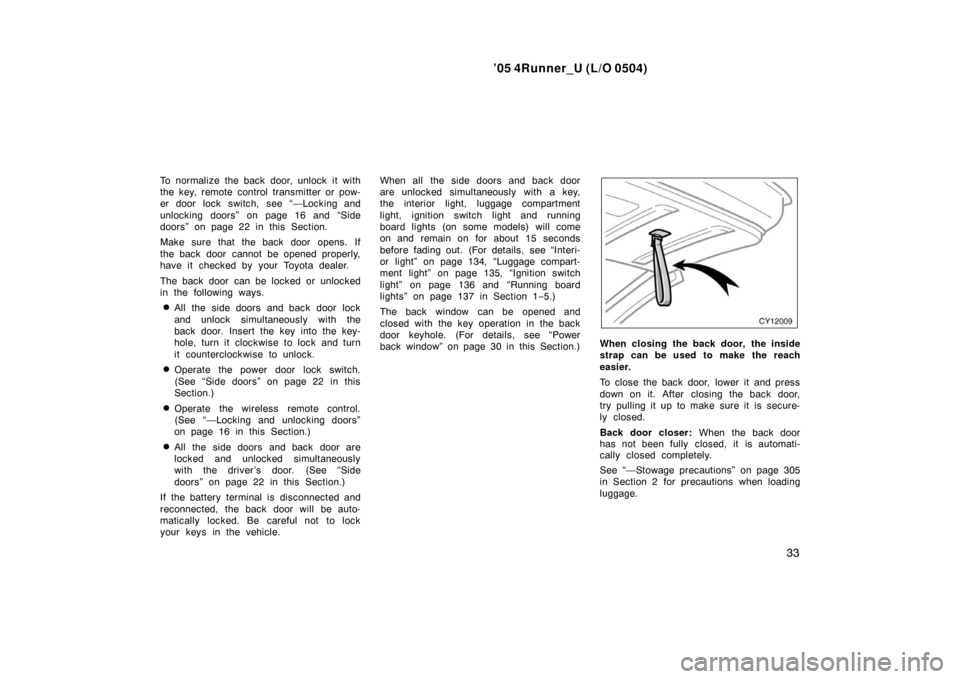
When closing the back door, the inside
strap can be used to make the reach
easier.
To close the back door, lower it and press
down on it. After closing the back door,
try pulling it up to make sure it is secure-
ly closed.
Back door closer: When the back door
has not been fully closed, it is automati-
cally closed completely.
See “—Stowage precautions” on page 305
in Section 2 for precautions when loading
luggage.
Page 46 of 426
’05 4Runner_U (L/O 0504)
36�
If the battery terminal is disconnected
and then reconnected.
�If the ignition is hotwired.
The indicator light will come on when the
system is activated.
If the alarm has been activated and the
key is not in the ignition switch, all the
side doors and back door will re −lock au-
tomatically.
After one minute, the alarm will automati-
cally stop and the indicator light will starts
flashing again.
Reactivating the alarm
Once set, the system automatically resets
the alarm after the alarm stops.
The alarm will activate again under the
same circumstances described in
“Activating the system”.
Stopping the alarm
The alarm will be stopped by the following
these ways:
�Unlock any of the side doors or the
back door with the key or wireless re-
mote control transmitter.
�Turn the ignition key from the “LOCK”
to “ON” position.
These ways cancel the system at the
same time. If the battery becomes discharged due
to the vehicle being unused for a long
time, etc.,
when the battery is recharged
or replaced, the system will give the
alarm. If this happens, immediately unlock
any of the side doors or the back door
with the key or the wireless remote con-
trol transmitter, and the alarm will stop.
TESTING THE SYSTEM
1. Open all the windows.
2. Set the system as described above. The side doors and back door should
be locked with the key or wireless re-
mote control transmitter. Be sure to
wait until the indicator light goes off or
starts flashing.
3. Unlock any side door from the inside. The system should activate the alarm.
4. Stop the alarm as described above.
5. Repeat this operation for the other doors and hood. When testing the
hood, also check that the system is
activated when the battery terminal is
disconnected and then reconnected.
If the system does not work properly,
have it checked by your Toyota dealer.
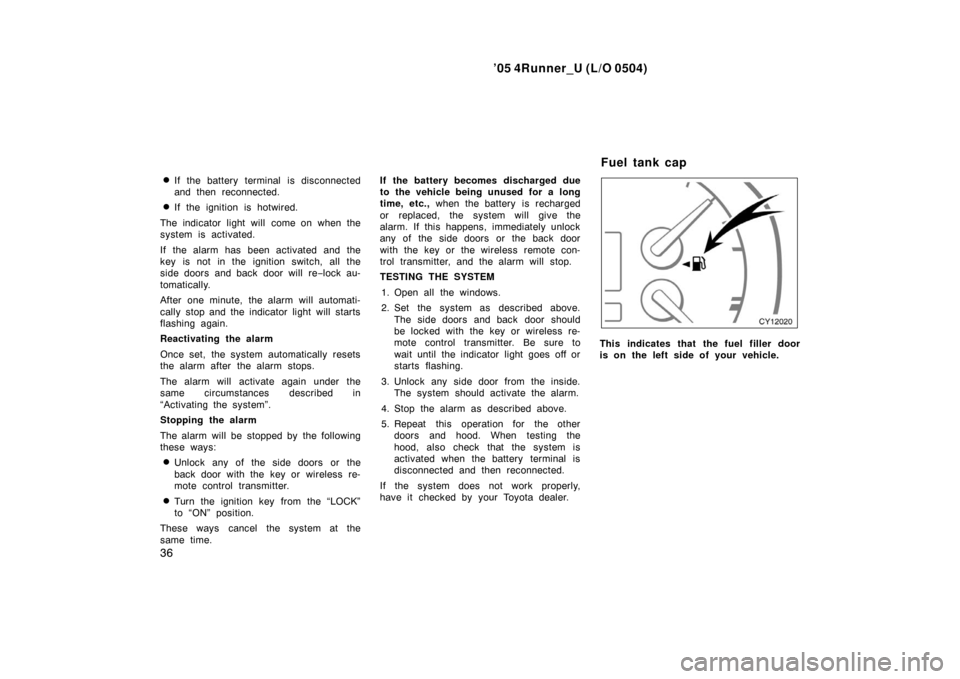
This indicates that the fuel filler door
is on the left side of your vehicle.
Fuel tank cap
Page 145 of 426
’05 4Runner_U (L/O 0504)
135
�
All the side doors and back door are
closed and locked.
When any of the side doors and back
door is unlocked using either the key or
the wireless remote control transmitter, the
light will come on and remain on for about
15 seconds before fading out.
The following adjustments can be made in
this system. For details, contact your
Toyota dealer.
�Cancelling the door key or the wireless
remote control transmitter linked opera-
tion
�Changing the duration of lighting
To prevent the battery being discharged,
the lights will automatically turn off when
the key is removed and the door is left
opened with the switch at the “DOOR”
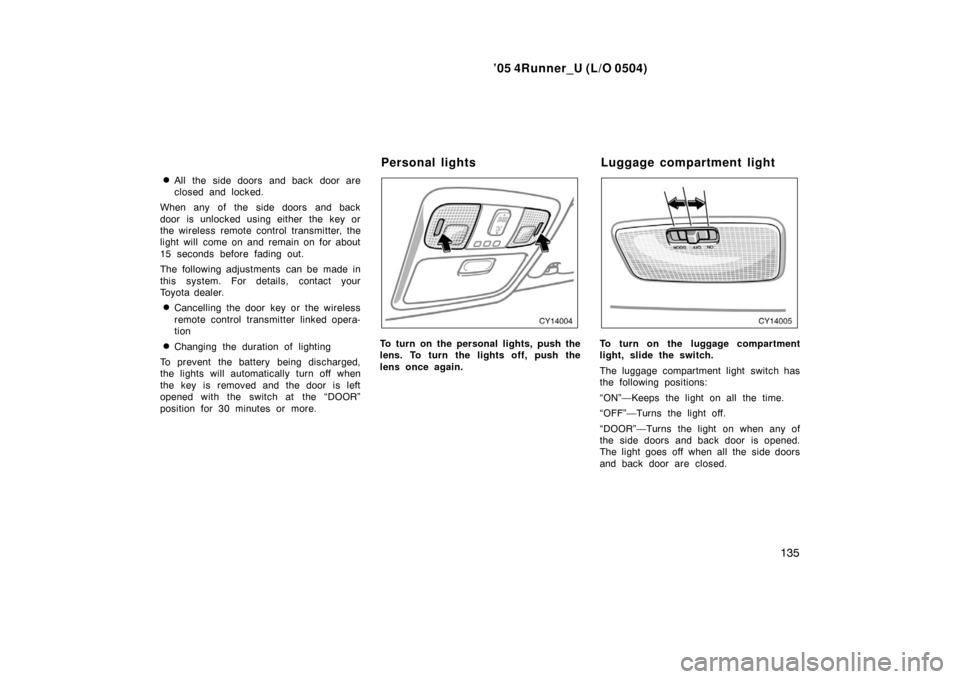
position for 30 minutes or more.To turn on the personal lights, push the
lens. To turn the lights off, push the
lens once again.To turn on the luggage compartment
light, slide the switch.
The luggage compartment light switch has
the following positions:
“ON”—Keeps the light on all the time.
“OFF”—Turns the light off.
“DOOR”—Turns the light on when any of
the side doors and back door is opened.
The light goes off when all the side doors
and back door are closed.
Personal lights Luggage compartment light
Page 146 of 426
’05 4Runner_U (L/O 0504)
136
ILLUMINATED ENTRY SYSTEM
Door linked operation—When the switch is
in the “DOOR” position and any of the
side doors and back door is opened, the
light will come on. After all the side doors
and back door are closed, the light re-
mains on for about 15 seconds before
fading out.
Ignition switch linked operation—When the
switch is in the “DOOR” position, and the
ignition switch is turned to “LOCK”, the
light will come on. The light remains on
for about 15 seconds before fading out.
However, in the following cases, the light
goes off immediately.
�All the side doors and back door are
closed when the ignition key is in the
“ACC” or “ON” position.
�All the side doors and back door are
closed and locked.
When any of the side doors and back
door is unlocked using either the key or
the wireless remote control transmitter, the
light will come on and remain on for about
15 seconds before fading out.
The following adjustments can be made in
this system. For details, contact your
Toyota dealer.
�Cancelling the door key or the wireless
remote control transmitter linked opera-
tion
�Changing the duration of lighting
To prevent the battery being discharged,
the lights will automatically turn off when
the key is removed and the door is left
opened with the switch at the “DOOR”
position for 30 minutes or more.
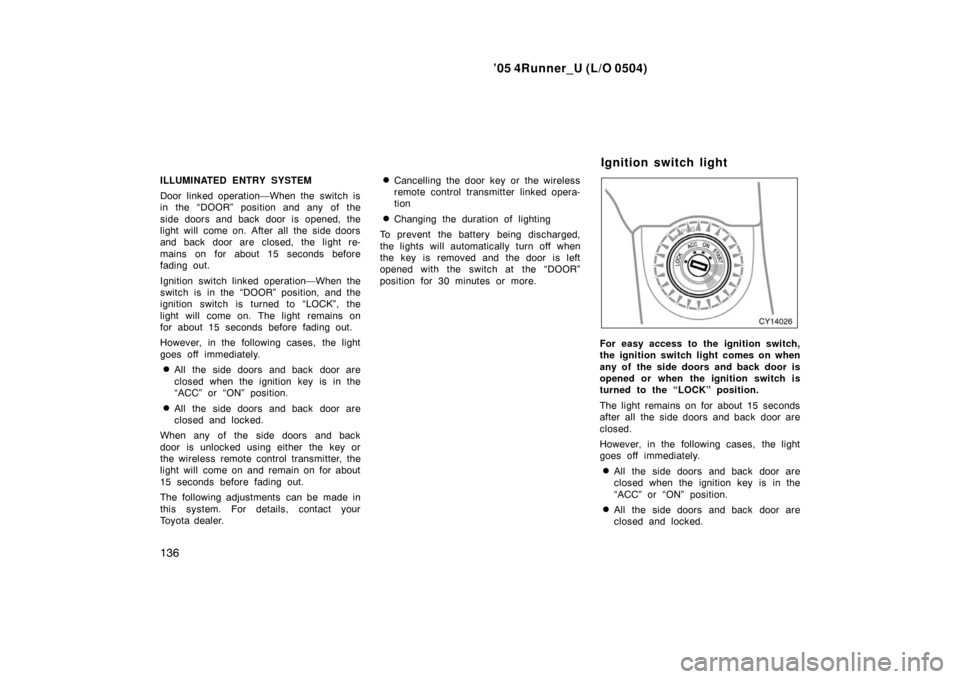
For easy access to the ignition switch,
the ignition switch light comes on when
any of the side doors and back door is
opened or when the ignition switch is
turned to the “LOCK” position.
The light remains on for about 15 seconds
after all the side doors and back door are
closed.
However, in the following cases, the light
goes off immediately.
�All the side doors and back door are
closed when the ignition key is in the
“ACC” or “ON” position.
�All the side doors and back door are
closed and locked.
Ignition switch light
Page 147 of 426
’05 4Runner_U (L/O 0504)
137
When any of the side doors and back
door is unlocked using either the key or
the wireless remote control transmitter, the
light will come on and remain on for about
15 seconds before fading out.
The following adjustments can be made in
this system. For details, contact your
Toyota dealer.
�Cancelling the door key or the wireless
remote control transmitter linked opera-
tion
�Changing the duration of lighting
To prevent the battery being discharged,
the light will automatically turn off when
the key is removed and the door is left
opened for 30 minutes or more.
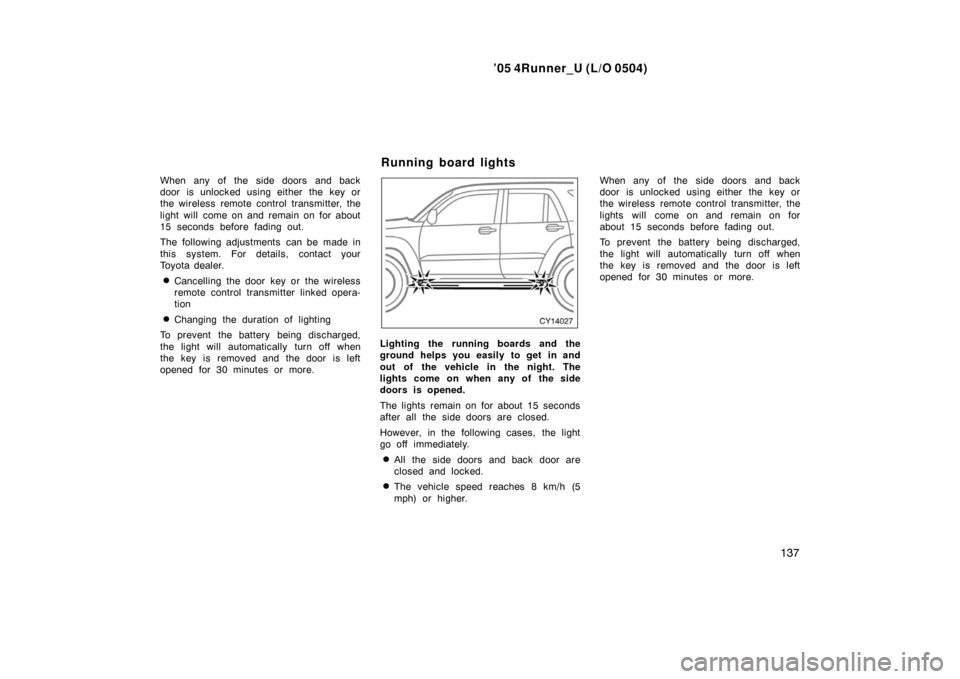
Lighting the running boards and the
ground helps you easily to get in and
out of the vehicle in the night. The
lights come on when any of the side
doors is opened.
The lights remain on for about 15 seconds
after all the side doors are closed.
However, in the following cases, the light
go off immediately.
�All the side doors and back door are
closed and locked.
�The vehicle speed reaches 8 km/h (5
mph) or higher. When any of the side doors and back
door is unlocked using either the key or
the wireless remote control transmitter, the
lights will come on and remain on for
about 15 seconds before fading out.
To prevent the battery being discharged,
the light will automatically turn off when
the key is removed and the door is left
opened for 30 minutes or more.
Running board lights
Page 207 of 426
’05 4Runner_U (L/O 0504)
197
OPERATION OF INSTRUMENTS AND
CONTROLS
Audio system
Reference 198
. . . . . . . . . . . . . . . . . . . . . . . . . . . . . . . . . . . . .\
. . . . . . . . . . . .
Using your audio system 198
. . . . . . . . . . . . . . . . . . . . . . . . . . . . . . . . . . . . \
Audio remote controls 215
. . . . . . . . . . . . . . . . . . . . . . . . . . . . . . . . . . . . \
. . .
Rear seat audio system 217
. . . . . . . . . . . . . . . . . . . . . . . . . . . . . . . . . . . . \
.
Audio system operating hints 225
. . . . . . . . . . . . . . . . . . . . . . . . . . . . . . . .
For vehicle equipped with Navigation system, please refer to the
separate “Navigation System Owner’s Manual”.
SECTION 1 8
Page 225 of 426
’05 4Runner_U (L/O 0504)
215
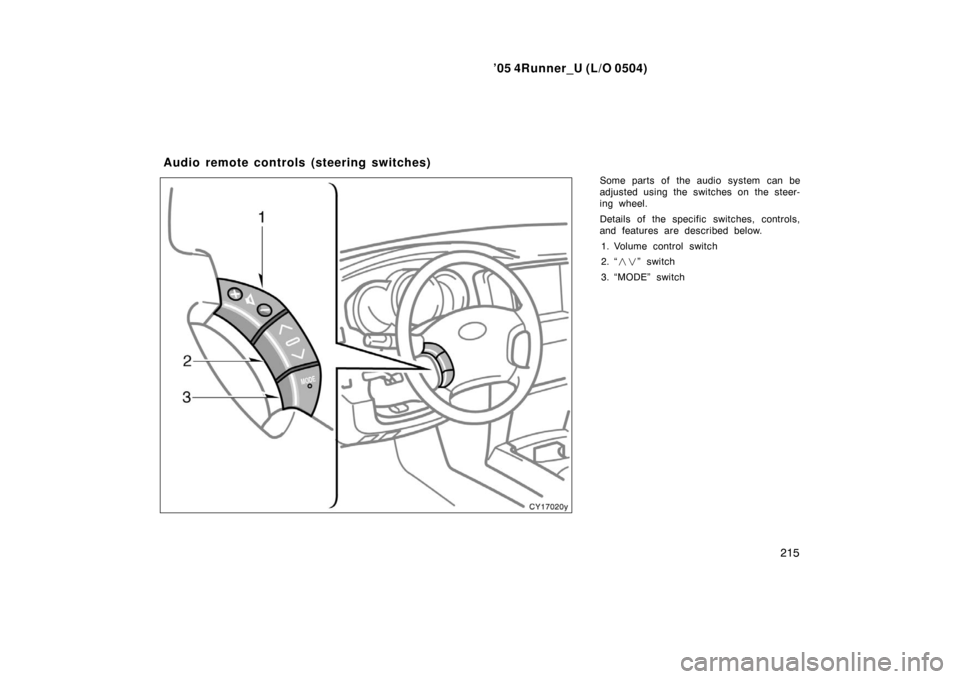
Some parts of the audio system can be
adjusted using the switches on the steer-
ing wheel.
Details of the specific switches, controls,
and features are described below.
1. Volume control switch
2. “ ��” switch
3. “MODE” switch
Audio remote controls (steering switches)
Page 339 of 426

’05 4Runner_U (L/O 0504)
329
IN CASE OF AN EMERGENCY
If your vehicle will not start 330
. . . . . . . . . . . . . . . . . . . . . . . . . . . . . . . . . . .
If your engine stalls while driving 333
. . . . . . . . . . . . . . . . . . . . . . . . . . . . .
If you cannot increase engine speed 334
. . . . . . . . . . . . . . . . . . . . . . . . . .
If your vehicle overheats 334
. . . . . . . . . . . . . . . . . . . . . . . . . . . . . . . . . . . . \
If you have a flat tire 335
. . . . . . . . . . . . . . . . . . . . . . . . . . . . . . . . . . . . \
. . . . .
If your vehicle becomes stuck 345
. . . . . . . . . . . . . . . . . . . . . . . . . . . . . . . .
If your vehicle needs to be towed 345
. . . . . . . . . . . . . . . . . . . . . . . . . . . . .
If you cannot shift automatic transmission selector lever 350
. . . . . . . .
If you lose your keys 351
. . . . . . . . . . . . . . . . . . . . . . . . . . . . . . . . . . . . \
. . . .
If you lose your wireless remote control transmitter 351
. . . . . . . . . . . . .
SECTION 4

197
OPERATION OF INSTRUMENTS AND
CONTROLS
Audio system
Reference 198
. . . . . . . . . . . . . . . . . . . . . . . . . . . . . . . . . . . . .\
. . . . . . . . . . . .
Usi")