2005 NISSAN QUEST driver
[x] Cancel search: driverPage 6 of 192
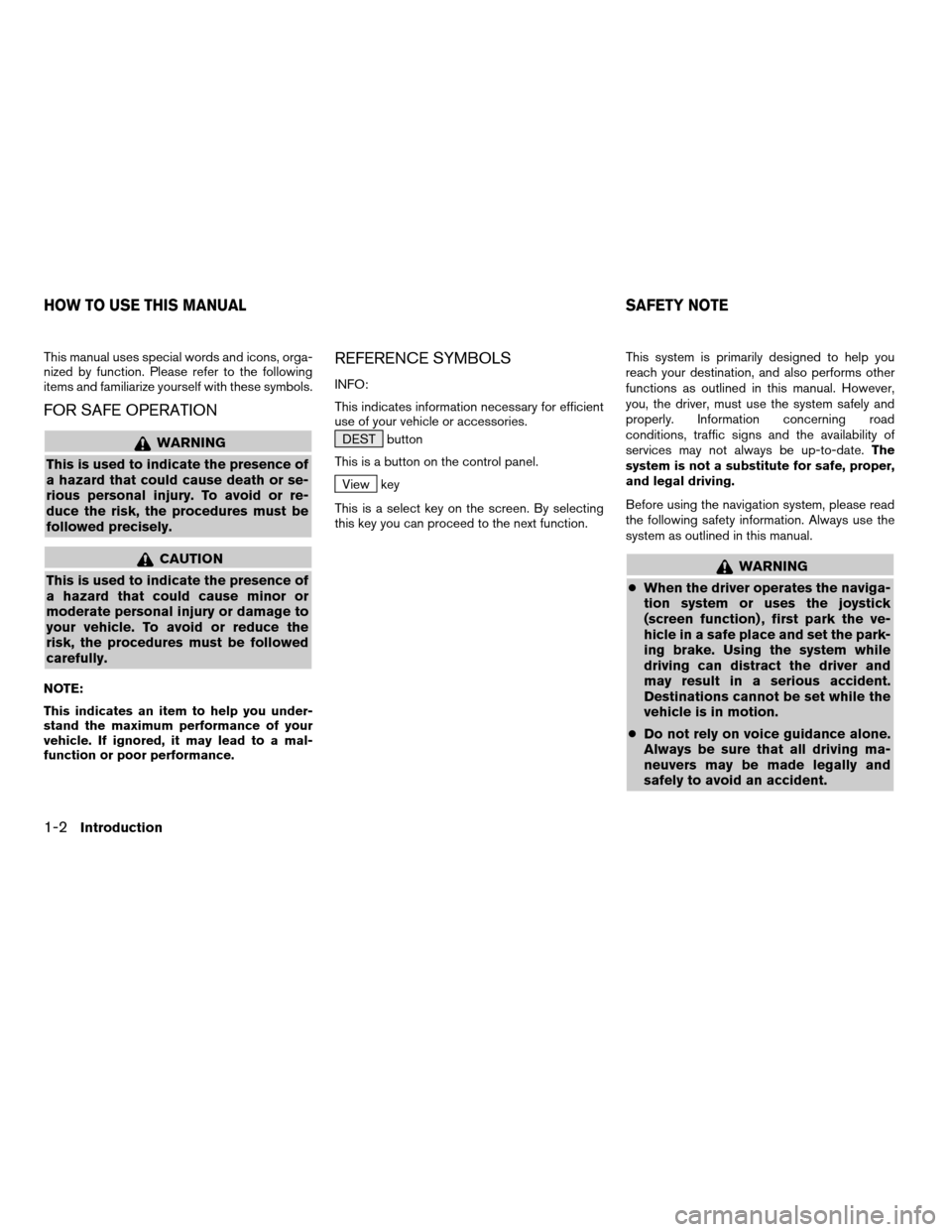
This manual uses special words and icons, orga-
nized by function. Please refer to the following
items and familiarize yourself with these symbols.
FOR SAFE OPERATION
WARNING
This is used to indicate the presence of
a hazard that could cause death or se-
rious personal injury. To avoid or re-
duce the risk, the procedures must be
followed precisely.
CAUTION
This is used to indicate the presence of
a hazard that could cause minor or
moderate personal injury or damage to
your vehicle. To avoid or reduce the
risk, the procedures must be followed
carefully.
NOTE:
This indicates an item to help you under-
stand the maximum performance of your
vehicle. If ignored, it may lead to a mal-
function or poor performance.
REFERENCE SYMBOLS
INFO:
This indicates information necessary for efficient
use of your vehicle or accessories.
DEST button
This is a button on the control panel.
View key
This is a select key on the screen. By selecting
this key you can proceed to the next function.This system is primarily designed to help you
reach your destination, and also performs other
functions as outlined in this manual. However,
you, the driver, must use the system safely and
properly. Information concerning road
conditions, traffic signs and the availability of
services may not always be up-to-date.The
system is not a substitute for safe, proper,
and legal driving.
Before using the navigation system, please read
the following safety information. Always use the
system as outlined in this manual.
WARNING
cWhen the driver operates the naviga-
tion system or uses the joystick
(screen function) , first park the ve-
hicle in a safe place and set the park-
ing brake. Using the system while
driving can distract the driver and
may result in a serious accident.
Destinations cannot be set while the
vehicle is in motion.
cDo not rely on voice guidance alone.
Always be sure that all driving ma-
neuvers may be made legally and
safely to avoid an accident.
HOW TO USE THIS MANUAL SAFETY NOTE
1-2Introduction
ZREVIEW COPYÐ2005(nav)
Navigation System OMÐUSA_English(nna)
07/10/04Ðdebbie
X
Page 11 of 192

POSITIONING ADJUSTMENT
When the system judges that the vehicle posi-
tion information is not accurate based on vehicle
speed and gyro sensor data calculations, the
system will adjust the vehicle position informa-
tion using GPS signals.
RECEIVING SIGNALS FROM GPS
SATELLITES
Sometimes, satellite reception is weak. The fol-
lowing are places where signals tend to be
weak:
cInside tunnels and parking lots in buildings
cAreas with numerous tall buildings
cUnder multi-layered highways
cIn a dense forest
cNear military bases and certain government
facilities
Vehicles in these areas may not receive GPS
signals (Indicator color: gray) .INFO:
The antenna for GPS is located behind the in-
strument panel inside the vehicle.Do not place
any objects, especially mobile phones or
transceivers, on the instrument panel.Be-
cause the strength of the GPS signals are ap-
proximately one billionth of that of TV waves;
phones and transceivers will decrease the
strength or may totally disrupt the signals.DISPLAY OF GPS INFORMATION
This system displays GPS information.
Please refer to “GPS information display” on
page 11-17.This system is designed to help you reach your
destination, and also performs other functions as
outlined in this manual. However, you, the driver,
must use the system safely and properly. Infor-
mation concerning road conditions, traffic signs
and the availability of services may not always be
up-to-date. The system is not a substitute for
safe, proper, and legal driving.
Map data covers select metropolitan areas in the
United States.
Map data is available on map DVD-ROM. For in-
formation about map DVD-ROMs, contact a
NISSAN dealer or call the NISSAN Navigation
System help desk at 1-800-661–9995.
Map data includes 2 types of areas: “Detailed
coverage areas” providing all detailed road data
and other areas showing “Main roads only”.
NOTE:
Detailed map data is not available in many
areas and is generally limited to select ma-
jor metropolitan areas.
For information on which metropolitan areas are
in detailed coverage areas, please refer to the
NISSAN Navigation System Software Booklet
(included) . When you purchase an updated map
DVD-ROM, a new software booklet will be
provided.
DETAILED MAP COVERAGE AREAS
(MCA) FOR THE NAVIGATION SYS-
TEM
How does the Nissan navigation system work?2-3
ZREVIEW COPYÐ2005(nav)
Navigation System OMÐUSA_English(nna)
07/10/04Ðdebbie
X
Page 14 of 192

The main feature of the NISSAN Navigation Sys-
tem is Visual and Audio Route Guidance in se-
lected detailed map coverage areas. Utilizing a
network of GPS (Global Positioning System)
satellites, the NISSAN Navigation System tracks
your location on the map and directs you where
you want to go.
Once you program a destination covered by a
detailed map, The NISSAN Navigation System
will determine a route from your current location
to your destination. The moving map display and
turn-by-turn voice commands help the driver de-
termine upcoming turns.
This feature can be especially helpful in finding
unfamiliar locations or businesses. The system
may be unable to set a destination and/or calcu-
late distance when a destination is outside a de-
tailed map coverage area. Additionally, audio
route guidance may not be available if the desti-
nation is outside a detailed map coverage area.
For more information on how to program a
destination, please refer to section 5.The NISSAN Navigation System offers an exten-
sive Point of Interest (POI) directory in detailed
map coverage areas for your convenience. This
directory includes a wide variety of destinations
ranging from gas stations, ATMs, and restau-
rants to casinos, ski resorts, shopping centers
and businesses. By accessing the Point of Inter-
est directory, you can search for addresses and
phone numbers for a destination, and with a
press of a button, the NISSAN Navigation Sys-
tem will calculate a route to the destination.
The Point of Interest directory offers many uses.
For example, the directory can be sorted by the
various types of restaurants near your current
location. If you need an ATM or gas station, the
NISSAN Navigation System can point you to the
closest one or the closest one of your favorite
brand.
For more information on how to use the Point of
Interest directory, please refer to section 6.Using the Address Book feature, you will have
the ability to store up to 50 locations in detailed
map coverage areas into a personal directory.
This is especially useful for frequently visited
locations, such as your clients, relatives, or
friends. The Address Book feature will provide
you with easy access to frequently visited loca-
tions when setting them as your destination.
For more information on how to use your Ad-
dress Book, please refer to section 7.
ROUTE GUIDANCE POINT OF INTEREST (POI) DIREC-
TORYADDRESS BOOK
3-2What features are available on the Nissan navigation system?
ZREVIEW COPYÐ2005(nav)
Navigation System OMÐUSA_English(nna)
07/10/04Ðdebbie
X
Page 48 of 192
WARNING
To operate the navigation system or to
use the screen functions, first park the
vehicle in a safe place and set the park-
ing brake. Using the system while driv-
ing can distract the driver and may re-
sult in a serious accident.
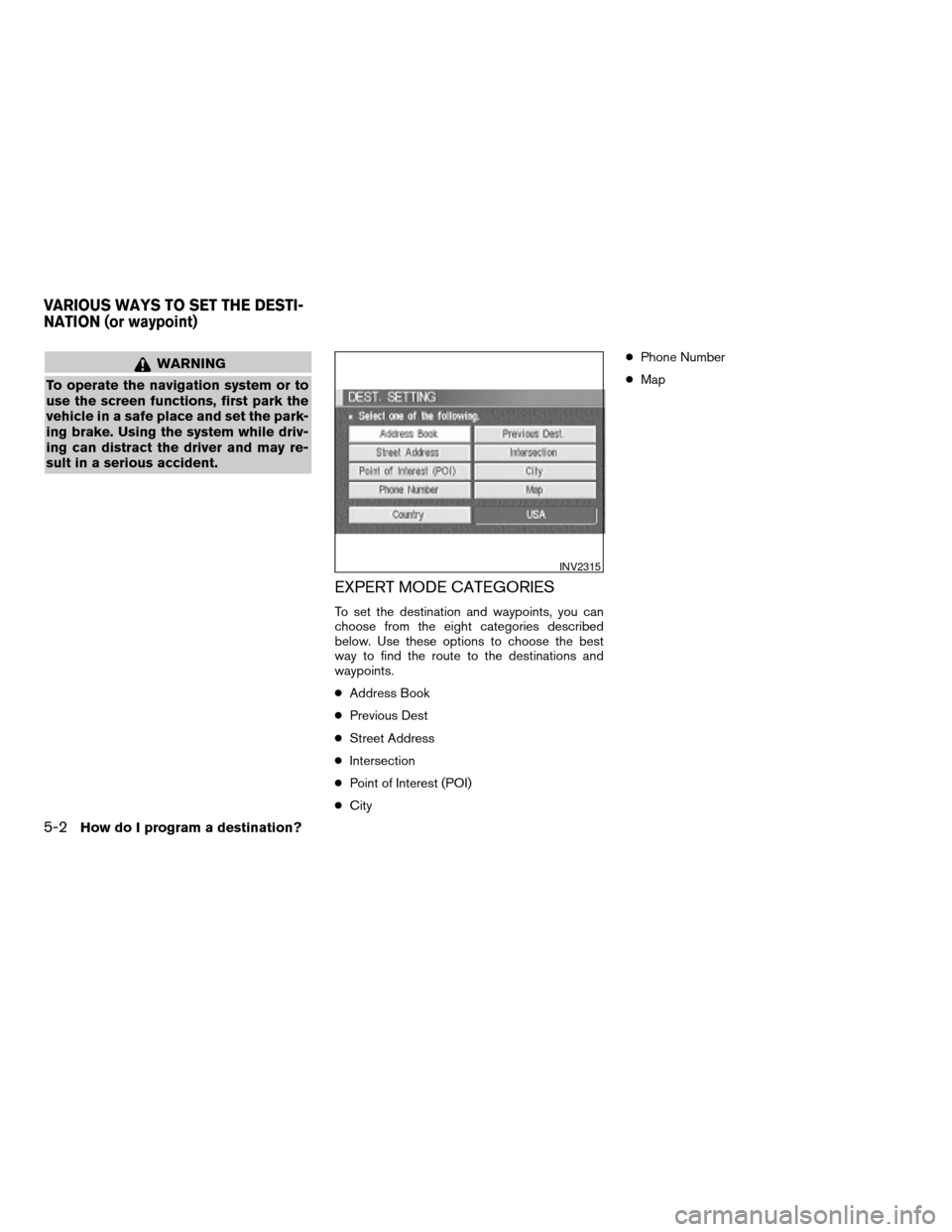
EXPERT MODE CATEGORIES
To set the destination and waypoints, you can
choose from the eight categories described
below. Use these options to choose the best
way to find the route to the destinations and
waypoints.
cAddress Book
cPrevious Dest
cStreet Address
cIntersection
cPoint of Interest (POI)
cCitycPhone Number
cMap
INV2315
VARIOUS WAYS TO SET THE DESTI-
NATION (or waypoint)
5-2How do I program a destination?
ZREVIEW COPYÐ2005(nav)
Navigation System OMÐUSA_English(nna)
07/22/04Ðmarlene
X
Page 77 of 192
![NISSAN QUEST 2005 V42 / 3.G Owners Manual 3. The [DEST. SETTING] screen will be
displayed.
Set the
OK key.
To set the destination (waypoints) , refer to “Mak-
ing the system guide the route with detailed op-
tions” on page 5-31.
INFO:
If](/manual-img/5/686/w960_686-76.png "NISSAN QUEST 2005 V42 / 3.G Owners Manual 3. The [DEST. SETTING] screen will be
displayed.
Set the
OK key.
To set the destination (waypoints) , refer to “Mak-
ing the system guide the route with detailed op-
tions” on page 5-31.
INFO:
If")
3. The [DEST. SETTING] screen will be
displayed.
Set the
OK key.
To set the destination (waypoints) , refer to “Mak-
ing the system guide the route with detailed op-
tions” on page 5-31.
INFO:
If the home is not registered in the Address
Book, the [STREET ADDRESS] screen will be
displayed.
Please refer to “Setting with the
Street Address key” on page 5-7.
WARNING
To operate the navigation system or to
use the screen functions, first park the
vehicle in a safe place and set the park-
ing brake. Using the system while driv-
ing can distract the driver and may re-
sult in a serious accident.
MAKING THE SYSTEM GUIDE THE
ROUTE WITH DETAILED OPTIONS
By choosing the destination from the menu, you
can choose detailed options such as waypoints
and calculation conditions and have the system
guide you from the current position to the
destination.
Setting the destination
First, you will have to set the destination.
1. Select a destination using one of the meth-
ods described earlier in this chapter:
– Address Book
INV1855INV1191
HAVING THE SYSTEM GUIDE YOU
TO THE DESTINATIONS
How do I program a destination?5-31
ZREVIEW COPYÐ2005(nav)
Navigation System OMÐUSA_English(nna)
07/10/04Ðdebbie
X
Page 140 of 192
When you have strayed from the suggested
route during the route guidance, you can request
a reroute from the current location using the au-
tomatic rerouting function.
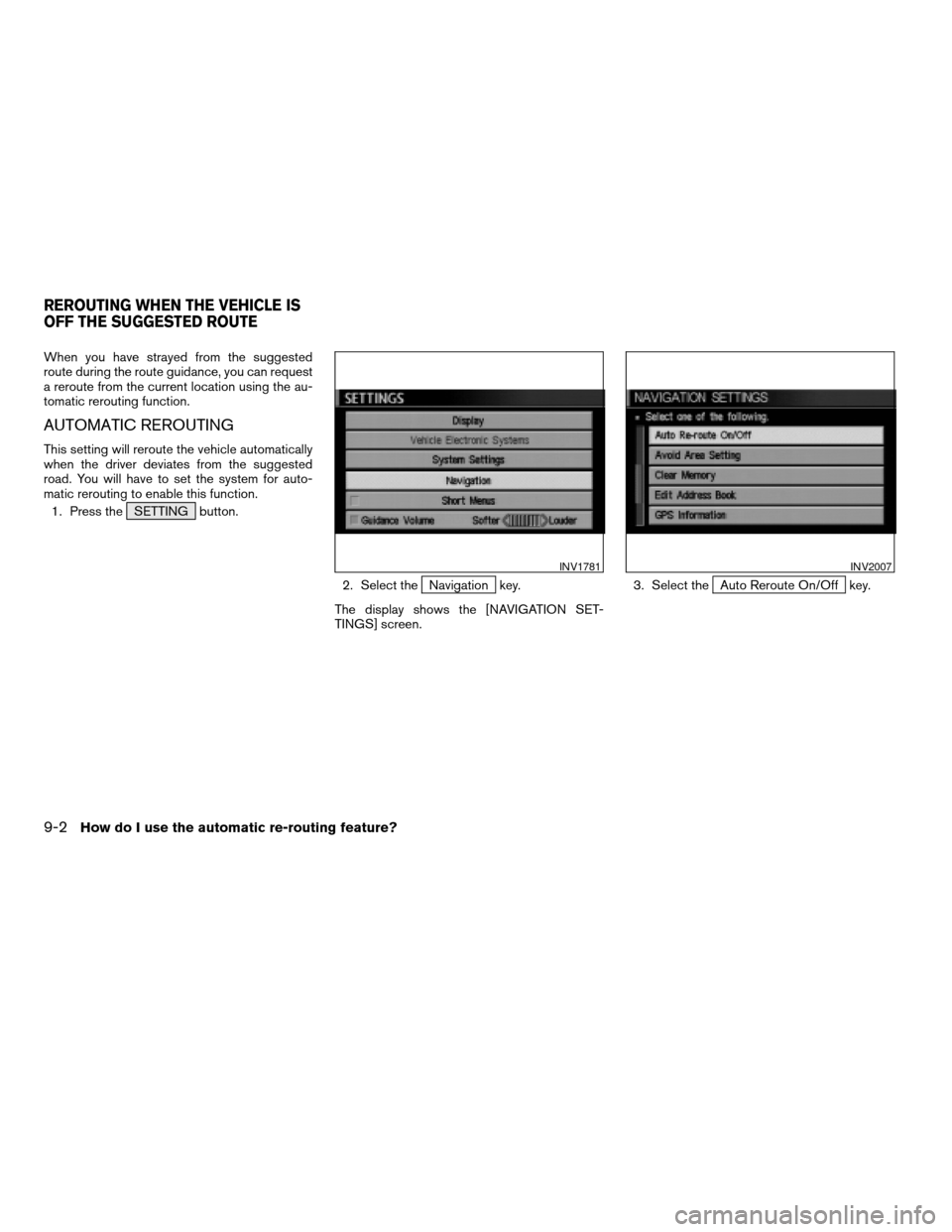
AUTOMATIC REROUTING
This setting will reroute the vehicle automatically
when the driver deviates from the suggested
road. You will have to set the system for auto-
matic rerouting to enable this function.
1. Press the SETTING button.
2. Select the
Navigation key.
The display shows the [NAVIGATION SET-
TINGS] screen.3. Select theAuto Reroute On/Off key.
INV1781INV2007
REROUTING WHEN THE VEHICLE IS
OFF THE SUGGESTED ROUTE
9-2How do I use the automatic re-routing feature?
ZREVIEW COPYÐ2005(nav)
Navigation System OMÐUSA_English(nna)
07/22/04Ðmarlene
X
Page 144 of 192
WARNING
To operate the navigation system or to
use the screen functions, first park the
vehicle in a safe place and set the park-
ing brake. Using the system while driv-
ing can distract the driver and may re-
sult in a serious accident.
BASICS OF VOICE GUIDANCE
The voice guidance will verbally tell you which di-
rection to turn when the vehicle approaches the
intersection in which you have to make a turn to
reach your destination.
NOTE:
cThere may be some cases in which the
voice guidance and the actual road con-
ditions do not correspond. This may oc-
cur because of discrepancies between
the actual road and the information on
the DVD or due to the vehicle’s speed.
cIn case the content of the voice guid-
ance does not match the actual road
conditions, follow the information ob-
tained from traffic signs or notices on
the road.
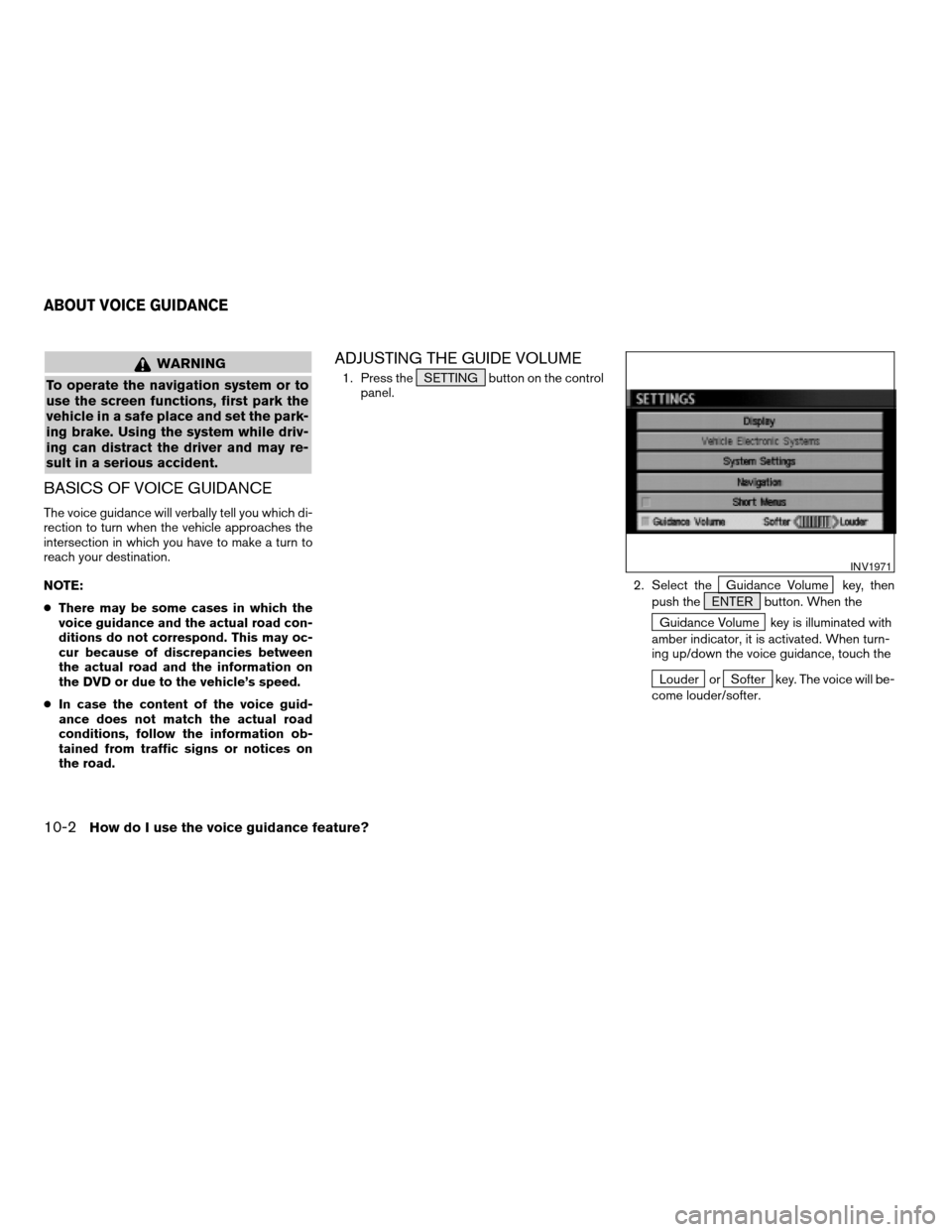
ADJUSTING THE GUIDE VOLUME
1. Press the SETTING button on the control
panel.
2. Select the
Guidance Volume key, then
push the ENTER button. When the
Guidance Volume key is illuminated with
amber indicator, it is activated. When turn-
ing up/down the voice guidance, touch the
Louder orSofter key. The voice will be-
come louder/softer.
INV1971
ABOUT VOICE GUIDANCE
10-2How do I use the voice guidance feature?
ZREVIEW COPYÐ2005(nav)
Navigation System OMÐUSA_English(nna)
07/10/04Ðdebbie
X