2005 NISSAN ARMADA Tire
[x] Cancel search: TirePage 10 of 192
ABOUT THE NAVIGATION SYSTEM
This navigation system combines the data ob-
tained from the vehicle (by gyro sensor) and from
GPS (Global Positioning System) satellites to
calculate the current location of the vehicle. This
position is then displayed on the screen, allow-
ing route guidance to a destination.GPS is a system developed and operated by the
U.S. Government, covering the entire planet.
This navigation system receives three or more
different radio signals from NAVSTAR (GPS
satellites) , orbiting the earth 13,049 miles
(21,000 km) above ground. The data from differ-
ent sets of signals are trigonometrically calcu-
lated to obtain the position of the vehicle.
INFO:
The tracking center in the U.S. controls signals
transmitted from GPS satellites. This control
sometimes results in reduced accuracy or no
signal received at all, in accordance with govern-
ment requirements. Consequently, areas such as
military bases may not accurately appear on the
navigation screen.
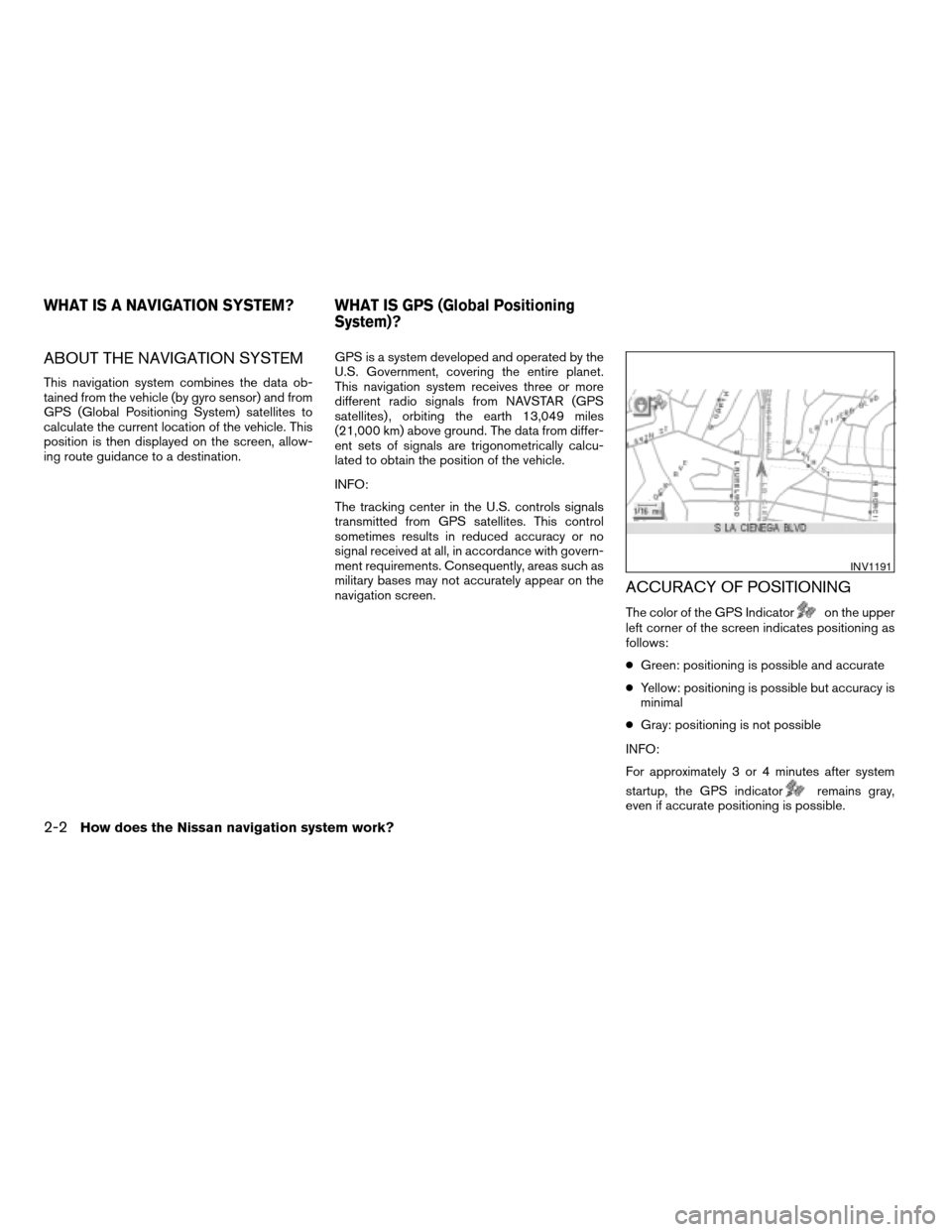
ACCURACY OF POSITIONING
The color of the GPS Indicatoron the upper
left corner of the screen indicates positioning as
follows:
cGreen: positioning is possible and accurate
cYellow: positioning is possible but accuracy is
minimal
cGray: positioning is not possible
INFO:
For approximately 3 or 4 minutes after system
startup, the GPS indicator
remains gray,
even if accurate positioning is possible.
INV1191
WHAT IS A NAVIGATION SYSTEM? WHAT IS GPS (Global Positioning
System)?
2-2How does the Nissan navigation system work?
ZREVIEW COPYÐ2005(nav)
Navigation System OMÐUSA_English(nna)
07/10/04Ðdebbie
X
Page 31 of 192
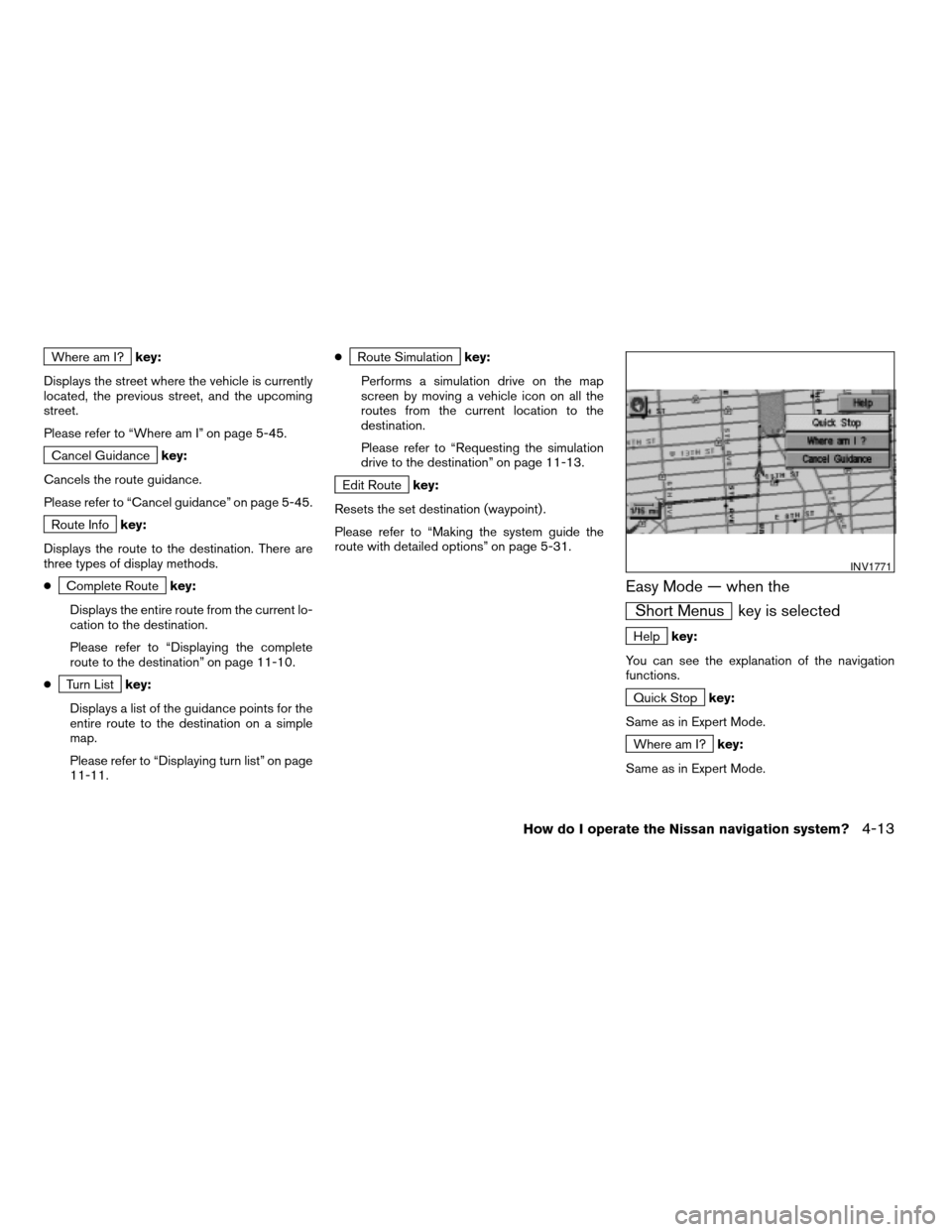
Where am I?key:
Displays the street where the vehicle is currently
located, the previous street, and the upcoming
street.
Please refer to “Where am I” on page 5-45.
Cancel Guidancekey:
Cancels the route guidance.
Please refer to “Cancel guidance” on page 5-45.
Route Infokey:
Displays the route to the destination. There are
three types of display methods.
c
Complete Routekey:
Displays the entire route from the current lo-
cation to the destination.
Please refer to “Displaying the complete
route to the destination” on page 11-10.
c
Turn Listkey:
Displays a list of the guidance points for the
entire route to the destination on a simple
map.
Please refer to “Displaying turn list” on page
11-11.c
Route Simulationkey:
Performs a simulation drive on the map
screen by moving a vehicle icon on all the
routes from the current location to the
destination.
Please refer to “Requesting the simulation
drive to the destination” on page 11-13.
Edit Routekey:
Resets the set destination (waypoint) .
Please refer to “Making the system guide the
route with detailed options” on page 5-31.
Easy Mode — when the
Short Menus key is selected
Helpkey:
You can see the explanation of the navigation
functions.
Quick Stopkey:
Same as in Expert Mode.
Where am I?key:
Same as in Expert Mode.
INV1771
How do I operate the Nissan navigation system?4-13
ZREVIEW COPYÐ2005(nav)
Navigation System OMÐUSA_English(nna)
07/10/04Ðdebbie
X
Page 46 of 192

– Even if the freeway preference is set to
OFF, the route may be set on them. To
avoid this, set a waypoint on another
road type and request calculation.
– Even if the preference is set as OFF for a
ferry line, the route may be set on it. To
avoid this, set a waypoint on a road and
request calculation.
– Ferry lines, except those which accept
only pedestrians, bicycles and
motorcycles, are stored in this system.
When using them, take into consider-
ation the travel time required and opera-
tional condition to decide whether to use
them or not.
ABOUT THE DISPLAY ERROR
The following cases may affect the display accu-
racy of the vehicle’s position or travel direction.
The accuracy will return to normal if the driving
conditions return to normal:
– When there is a similar road nearby.
– When the vehicle is traveling on a long stretch
of straight road or series of curves with a large
radius.
– When the vehicle is traveling in an area with a
checkerboard road system.– When the vehicle is making consecutive S
curves.
– When the vehicle is at a large Y-shaped
junction.
– When the vehicle is on a loop bridge.
– When the vehicle is on a snow-covered or un-
paved road.
– When the vehicle has made several consecu-
tive turns or zigzags.
– When the vehicle is rotated on a parking lot
turntable while the ignition switch is OFF.
– Immediately after the vehicle is driven out of a
parking garage or underground parking lot.
– When the vehicle has different sizes of tires or
tire chains.
– When the vehicle is moved immediately after
the engine is started.
4-28How do I operate the Nissan navigation system?
ZREVIEW COPYÐ2005(nav)
Navigation System OMÐUSA_English(nna)
07/10/04Ðdebbie
X
Page 74 of 192
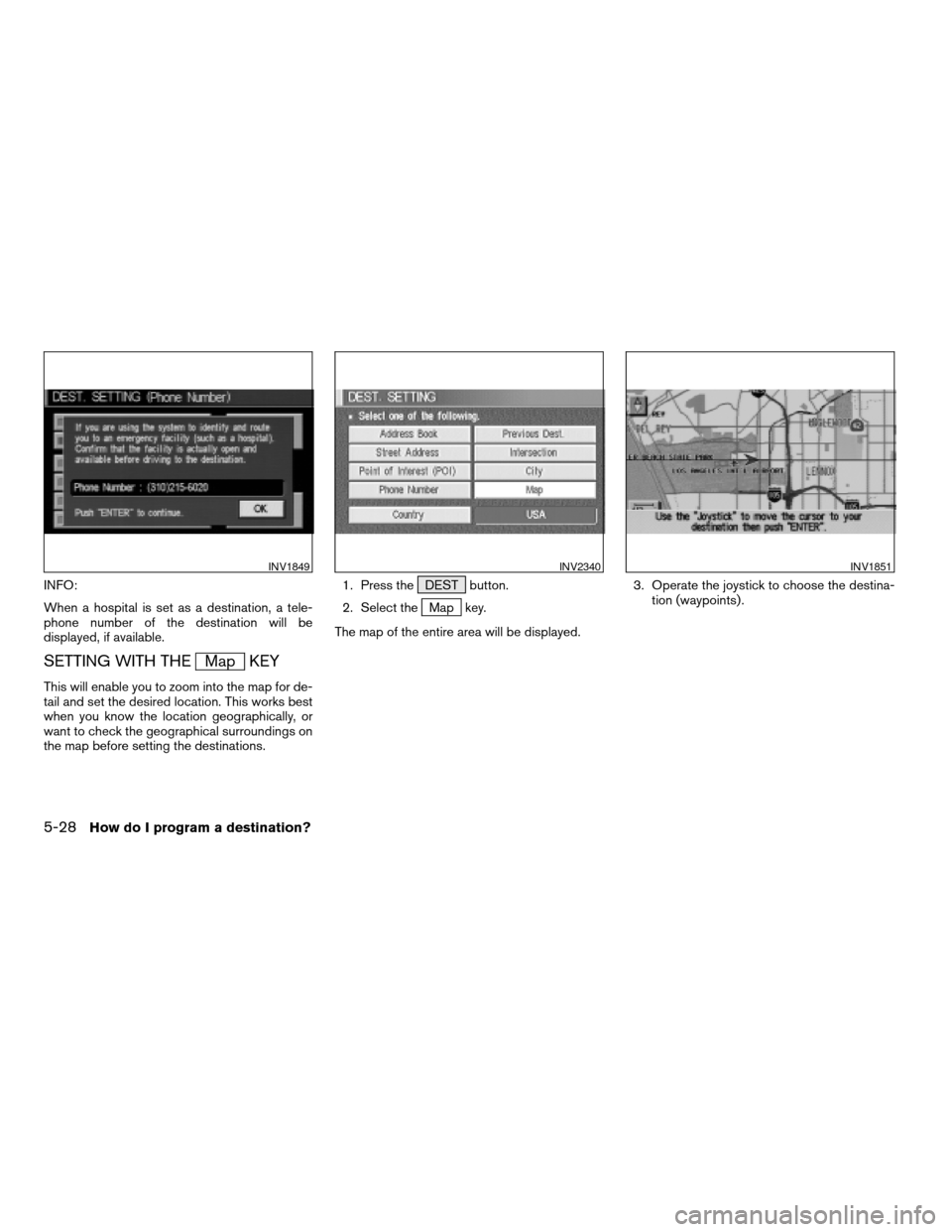
INFO:
When a hospital is set as a destination, a tele-
phone number of the destination will be
displayed, if available.
SETTING WITH THEMap KEY
This will enable you to zoom into the map for de-
tail and set the desired location. This works best
when you know the location geographically, or
want to check the geographical surroundings on
the map before setting the destinations.1. Press the DEST button.
2. Select the
Map key.
The map of the entire area will be displayed.3. Operate the joystick to choose the destina-
tion (waypoints) .
INV1849INV2340INV1851
5-28How do I program a destination?
ZREVIEW COPYÐ2005(nav)
Navigation System OMÐUSA_English(nna)
07/10/04Ðdebbie
X
Page 159 of 192
cWhen calculated routes include a freeway, in-
formation about freeway entrances and exits
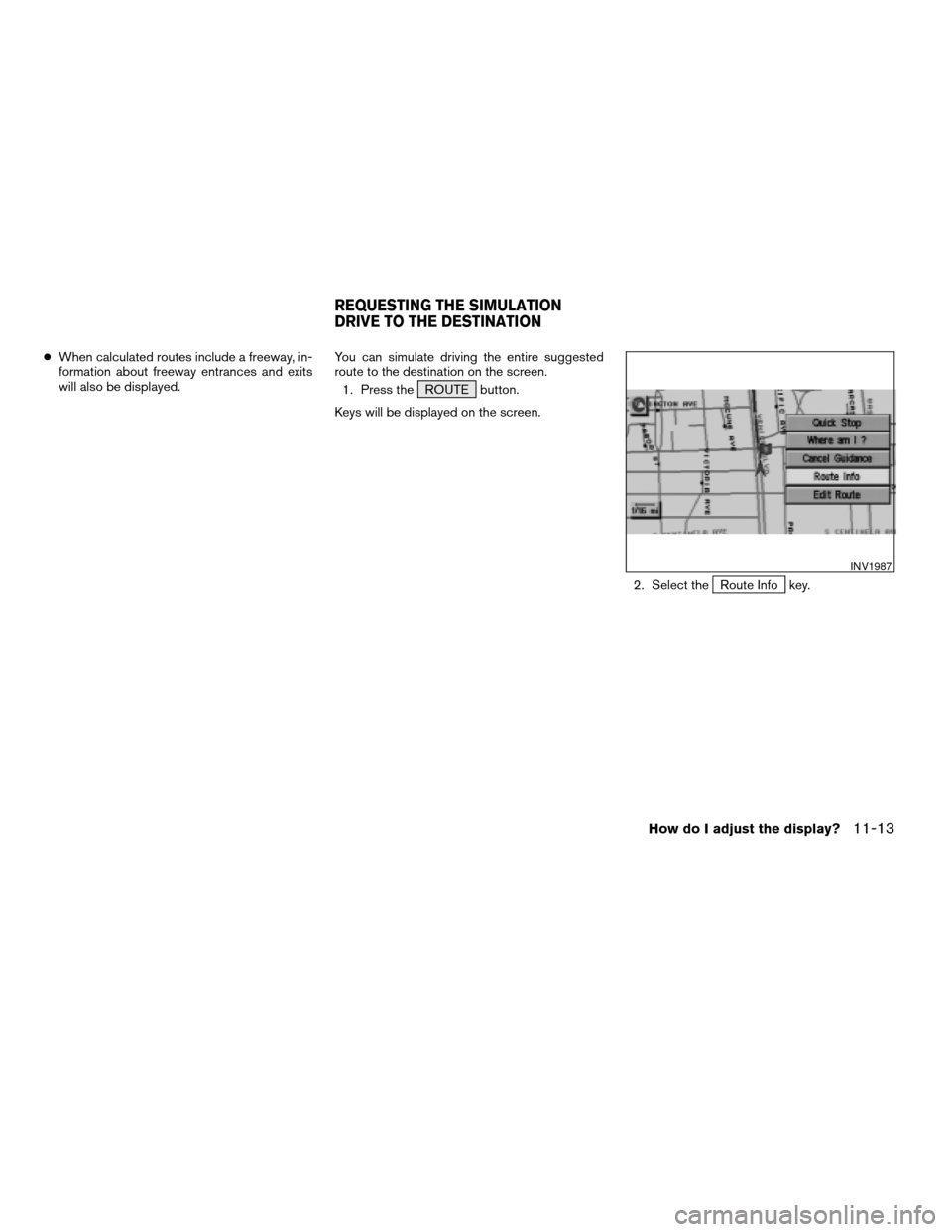
will also be displayed.You can simulate driving the entire suggested
route to the destination on the screen.
1. Press the ROUTE button.
Keys will be displayed on the screen.
2. Select the
Route Info key.
INV1987
REQUESTING THE SIMULATION
DRIVE TO THE DESTINATION
How do I adjust the display?11-13
ZREVIEW COPYÐ2005(nav)
Navigation System OMÐUSA_English(nna)
07/10/04Ðdebbie
X
Page 183 of 192

Symptom Possible cause Remedy
The location of vehicle icon does not match the actual
position.Driving on slippery road surface. If the position marker does not move to the correct position
even after the vehicle has been driven approximately 6
miles (10 km) , adjust the current location. If necessary,
adjust the moving speed of the vehicle. If the symptom still
exists, contact your NISSAN dealer. Driving on slanted area.
Rough or violent driving. If the position marker does not move to the correct position
even after the vehicle has been driven approximately 6
miles (10 km) , adjust the current location.
GPS indicator remains gray. Please check the GPS indicator on the screen to see if it
remains gray. If it remains gray, drive the vehicle to a place
where the GPS can be received.
Because the vehicle has tire chains on, or the system was
transferred to a different vehicle, errors (gain or loss) result
in calculating the speed from the speed pulse.The location of the vehicle icon will move by driving the
vehicle for 30 minutes (in case it is running at 18-3/4
miles/hour (30 km/h)) . If you still notice errors, adjust mov-
ing speed. If the symptom still exists, contact your NISSAN
dealer.
The map data has an error or is incomplete (if the location
error always happens in the same area) .Please wait for the update of the Map DVD-ROM.
Troubleshooting guide13-5
ZREVIEW COPYÐ2005(nav)
Navigation System OMÐUSA_English(nna)
07/10/04Ðdebbie
X
Page 185 of 192

Symptom Possible cause Remedy
Turn list is not displayed. Route search does not occur. Set designation areas and perform route search.
Vehicle marker does not appear on recommended route. Drive on the recommended route.
Route guide is OFF. Turn the route guide ON.
In rerouting, the waypoints are not included in the
calculation.The system has judged that the vehicle has already passed
the point being chosen or set.If you want to go to that point again, edit the route again.
Route information is not displayed. Route calculation has not yet been requested. Set the destination and request route calculation.
The vehicle icon is not on the suggested route. Please drive the vehicle along the suggested route.
Route guidance is off. Turn the route guidance on.
Route is not calculated automatically. The vehicle is not running on a route from which calculation
can occur.Enter a route from which calculation can occur.
Alternatively, you can calculate the route manually. In this
case, the entire route will be calculated again.
It is impossible to request a detour. Your vehicle is not running on the suggested route. Restart route calculation or enter the suggested route.
The detour found is the same as the previous suggestion. The system took many conditions into consideration, but
the same result was obtained.This condition is not abnormal.
It is impossible to set the waypoints. The number of waypoints exceeds 5. It is impossible to set more than 5 waypoints. Please de-
crease the number of the waypoints.
Some items in the menu cannot be selected. The vehicle is moving. Park the vehicle in a safe place and select the desired
items for the suggested route.
DESTINATION, WAYPOINTS OR
MENU CONTENTS CANNOT BE CHO-
SEN OR SET
Troubleshooting guide13-7
ZREVIEW COPYÐ2005(nav)
Navigation System OMÐUSA_English(nna)
07/10/04Ðdebbie
X