Page 76 of 464

76 Safety and SecurityOccupant safetySpecial BabySmart
TM1
compatible child
seats, designed for use with the
Mercedes-Benz system and available at
any authorized Mercedes-Benz Center are
required for use with the BabySmart
TM
air bag deactivation system. With the spe-
cial child seat properly installed, the pas-
senger front air bag will not deploy.
The 75indicator lamp1 will be
illuminated, except with the SmartKey re-
moved or in starter switch position0.Self-test BabySmart
TM without special
child seat installed
After turning the SmartKey in the starter
switch to position1or2, the
75indicator lamp1 comes on
for approximately six seconds and then
goes out.
If the 75indicator lamp should
not come on or is continuously lit, the sys-
tem is not functioning. You must see an au-
thorized Mercedes-Benz Center before
seating any child on the passenger seat.
For more information, see “Practical hints”
(
�page 347).
1BabySmart
TM is a trademark of Siemens
Automotive Corp.
iThe system does not deactivate the
head-thorax air bag and the ETD (emer-
gency tensioning device).
Warning!
G
The BabySmart
TM air bag deactivation sys-
tem will ONLY work with a special child seat
designed to operate with it. It will not work
with child seats which are not BabySmart
TM
compatible.
Never place anything between seat cushion
and child seat (e.g. pillow), since it reduces
the effectiveness of the deactivation sys-
tem. The bottom of the child seat must
make full contact with the passenger seat
cushion. An incorrectly mounted child seat
could cause injuries to the child in case of an
accident, instead of protecting the child.
Follow the manufacturer’s instructions for
installation of special child seats.
Page 77 of 464
77 Safety and Security
Occupant safety
Warning!
G
When using a BabySmart
TM1
compatible
child seat on the passenger seat, the front
passenger air bag will not deploy only if the
75
indicator lamp remains illu-
minated.
Please be sure to check the
75
indicator lamp every time
you use the special system child seat.
Should the
75
indicator lamp go
out while the restraint is installed, please
check installation. If the
75
indicator lamp remains out,
do not use the BabySmart
TM restraint to
transport children on the passenger seat un-
til the system has been repaired.
1BabySmart
TM is a trademark of Siemens
Automotive Corp.
Warning!
G
Do not place powered-on laptops, cell
phones and like electronic devices on the
passenger seat. Signals from such devices
may interfere with the BabySmart
TM system.
Such signal interference may cause the
75
indicator lamp not to come
on during self-test or be continuously lit, in-
dicating that the system is not functioning.
Page 80 of 464
80 Safety and SecurityDriving safety systemsIn this section you will find information on
the following driving safety systems:�
ABS (A
ntilock B
rake S
ystem)
�
BAS (B
rake A
ssist S
ystem)
�
ESP (E
lectronic S
tability P
rogram)
ABS
The Antilock Brake System (ABS) regulates
the brake pressure so that the wheels do
not lock during braking. This allows you to
maintain the ability to steer your vehicle.
The ABS is functional above a speed of
approximately 5 mph (8 km/h) indepen-
dent of road surface conditions.
On slippery road surfaces, the ABS will
respond even to light brake pressure.
The -indicator lamp in the speedome-
ter dial (
�page 24) comes on when you
switch on the ignition. It goes out when the
engine is running.
iIn winter operation, the maximum
effectiveness of the ABS, the BAS, and
the ESP is only achieved with winter
tires (M + S tires), or snow chains as
required.
Warning!
G
The following factors increase the risk of
accidents:�
Excessive speed, especially in turns
�
Wet and slippery road surfaces
�
Following another vehicle too closely
The ABS, BAS, and ESP cannot reduce this
risk.
Always adjust your driving style to the pre-
vailing road and weather conditions.
Warning!
G
Do not pump the brake pedal. Use firm,
steady brake pedal pressure instead. Pump-
ing the brake pedal defeats the purpose of
the ABS and significantly reduces braking
effectiveness.
Page 102 of 464
102 Controls in detailSeatsAIRSCARF neck-level heating*
The AIRSCARF neck-level heating provides
the area surrounding the occupants’ necks
with a heated air stream flowing from
openings in the head restraints.
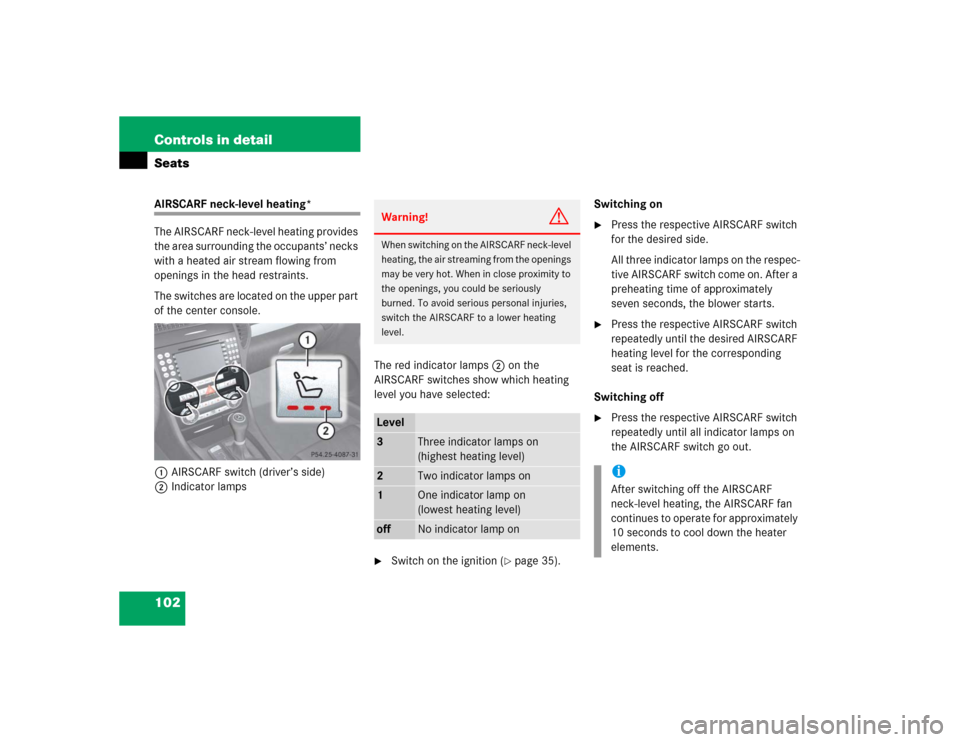
The switches are located on the upper part
of the center console.
1AIRSCARF switch (driver’s side)
2Indicator lampsThe red indicator lamps2 on the
AIRSCARF switches show which heating
level you have selected:
�
Switch on the ignition (
�page 35).Switching on
�
Press the respective AIRSCARF switch
for the desired side.
All three indicator lamps on the respec-
tive AIRSCARF switch come on. After a
preheating time of approximately
seven seconds, the blower starts.
�
Press the respective AIRSCARF switch
repeatedly until the desired AIRSCARF
heating level for the corresponding
seat is reached.
Switching off
�
Press the respective AIRSCARF switch
repeatedly until all indicator lamps on
the AIRSCARF switch go out.
Warning!
G
When switching on the AIRSCARF neck-level
heating, the air streaming from the openings
may be very hot. When in close proximity to
the openings, you could be seriously
burned. To avoid serious personal injuries,
switch the AIRSCARF to a lower heating
level.Level3
Three indicator lamps on
(highest heating level)
2
Two indicator lamps on
1
One indicator lamp on
(lowest heating level)
off
No indicator lamp on
iAfter switching off the AIRSCARF
neck-level heating, the AIRSCARF fan
continues to operate for approximately
10 seconds to cool down the heater
elements.
Page 109 of 464
109 Controls in detail
Lighting
Locator lighting and night security illu-
mination
The locator lighting and the night security
illumination are described in the “Control
system” section, see (
�page 138) and
(
�page 139).Fog lamps
Front fog lamps
�
Switch on the low beam headlamps
(�page 106).
�
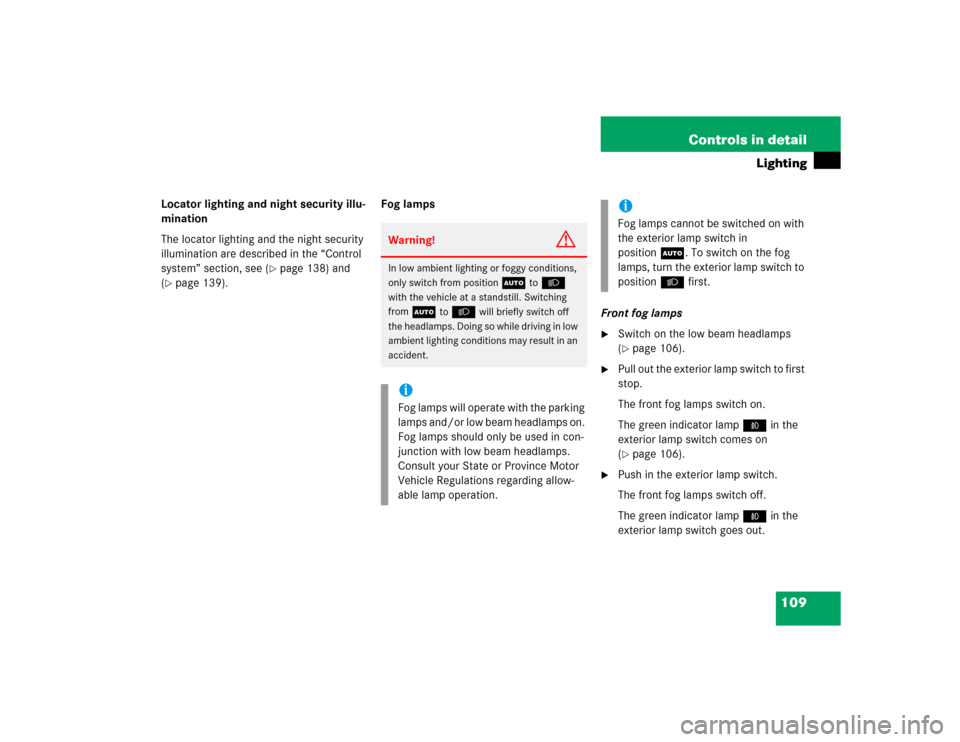
Pull out the exterior lamp switch to first
stop.
The front fog lamps switch on.
The green indicator lamp‡ in the
exterior lamp switch comes on
(�page 106).
�
Push in the exterior lamp switch.
The front fog lamps switch off.
The green indicator lamp‡ in the
exterior lamp switch goes out.
Warning!
G
In low ambient lighting or foggy conditions,
only switch from position
U
toB
with the vehicle at a standstill. Switching
from
U
toB
will briefly switch off
the headlamps. Doing so while driving in low
ambient lighting conditions may result in an
accident.
iFog lamps will operate with the parking
lamps and/or low beam headlamps on.
Fog lamps should only be used in con-
junction with low beam headlamps.
Consult your State or Province Motor
Vehicle Regulations regarding allow-
able lamp operation.
iFog lamps cannot be switched on with
the exterior lamp switch in
positionU. To switch on the fog
lamps, turn the exterior lamp switch to
positionB first.
Page 116 of 464

116 Controls in detailInstrument clusterOutside temperature indicator
The outside temperature is displayed in
the multifunction display (
�page 123).
For information on selecting the tempera-
ture display unit, i.e. degrees Celsius (°C)
or degrees Fahrenheit (°F), see “Selecting
temperature display mode” (�page 131).The temperature sensor is located in the
front bumper area. Due to its location, the
sensor can be affected by road or engine
heat during idling or slow driving. There-
fore, the accuracy of the displayed temper-
ature can only be verified by comparison to
a thermometer placed next the sensor, not
by comparison to external displays, e.g.
bank signs, etc.
When moving the vehicle into colder ambi-
ent temperatures (e.g. when leaving your
garage), you will notice a delay before the
lower temperature is displayed.
A delay also occurs when ambient temper-
atures rise. This prevents inaccurate tem-
perature displays caused by heat radiated
from the engine during idling or slow driv-
ing.
Trip odometer�
Make sure you are viewing the stan-
dard display menu (
�page 122).
�
Press and hold reset buttonJuntil
the trip odometer is reset.
Clock
Vehicles with COMAND*:
The clock in the instrument cluster can be
synchronized with the time set in
COMAND using the time synchronization
with head unit feature (
�page 133), or set
independently from COMAND using the
control system (
�page 134) with the time
synchronization with head unit feature set
to
Off
.
For setting the time in COMAND, see sep-
arate COMAND operating instructions.
For setting the time with audio system,
(
�page 134).
Warning!
G
The outside temperature indicator is not de-
signed to serve as an ice-warning device and
is therefore unsuitable for that purpose.
Indicated temperatures just above the freez-
ing point do not guarantee that the road sur-
face is free of ice. The road may still be icy,
especially in wooded areas or on bridges.
Page 117 of 464

117 Controls in detail
Control system
�Control system
The control system is activated as soon as
the SmartKey in the starter switch is
turned to position1. The control system
enables you to�
call up information about your vehicle
�
change vehicle settings
For example, you can use the control sys-
tem to find out when your vehicle is next
due for service, to set the language for
messages in the instrument cluster dis-
play, and much more.
The control system relays information to
the multifunction display.
Multifunction display
1Main odometer
2Trip odometer
3Current program mode
(automatic transmission* only)
4Status indicator (outside tempera-
ture/digital speedometer)
5Current gear selector lever posi-
tion/gear range
iThe displays for the audio systems
(radio, CD player) will appear in English,
regardless of the language selected.
Warning!
G
A driver’s attention to the road and traffic
conditions must always be his/her primary
focus when driving.
For your safety and the safety of others, se-
lecting features through the multifunction
steering wheel should only be done by the
driver when traffic and road conditions per-
mit it to be done safely.
Bear in mind that at a speed of just 30 mph
(approximately 50 km/h), your vehicle is
covering a distance of 44 feet (approximate-
ly 14 m) every second.
Page 121 of 464
121 Controls in detail
Control system
Menus, submenus and functions
Menu1
Menu2
Menu3
Menu4
Menu5
Menu6
Menu7
Standard dis-
play
AUDIO
NAV*
Vehicle status
message
memory
Settings
Trip computer
TEL*
(�page 122)
(�page 123)
(�page 126)
(�page 126)
(�page 127)
(�page 144)
(�page 146)
Commands/submenusRun Flat
Indicator*
Select radio sta-
tion
Activate route
guidance
Call up vehicle
malfunction,
warning and
system status
messages stored
in memory
Reset to factory
settings
Fuel consump-
tion statistics
after start
Load phone book
Check coolant
temperature
Select satellite
radio station*
(USA only)
Instrument clus-
ter submenu
Fuel consump-
tion statistics
since last reset
Search for name
in phone book
Digital speedom-
eter/outside
temperature
Operate the CD
player
Time/Date
submenu
Call up range
Redialing
Call up mainte-
nance service
indicator
Lighting
submenu
Check engine oil
level
(SLK 55 AMG
only)
Vehicle submenuConvenience
submenu

