Page 119 of 506

117 Controls in detail
Locking and unlocking
�
Press switch1 briefly.
The vehicle is locked and the trunk lid
closes automatically. The turn signals
flash three times to confirm locking.
The locking knobs in the doors move
down. The anti-theft alarm system is
armed.
If the trunk lid comes into contact with an
object while closing (e.g. luggage that has
been piled too high), the closing procedure
is stopped and the trunk reopens slightly.
Trunk lid emergency release
The emergency release button is located
on the inside of the trunk lid.
1Emergency release button
iYou can also close the trunk by hand.iTo prevent a possible inadvertent lock-
out, the trunk lid will open automatical-
ly if a SmartKey with KEYLESS-GO is
recognized inside the vehicle or in the
trunk.
Warning!
G
Monitor the closing procedure carefully to
make sure no one is in danger of being in-
jured. To prevent possible personal injury,
always keep hands and fingers away from
the trunk opening when closing the trunk.
Be especially careful when small children
are around. To stop the closing procedure,
do one of the following: �
press KEYLESS-GO locking/closing
switch1
�
press the Š button on the SmartKey
with KEYLESS-GO
�
press the remote trunk lid switch (on the
driver’s door)
Even with the SmartKey with KEYLESS-GO
removed from the vehicle, the KEYLESS-GO
locking/closing switch can be operated.
Therefore do not leave children unattended
in the vehicle, or with access to an unlocked
vehicle. Unsupervised use of vehicle equip-
ment may cause an accident and/or serious
personal injury.
Warning!
G
Only drive with the trunk closed as, among
other dangers such as visibility blockage,
exhaust fumes may enter the vehicle
interior.
Page 135 of 506
133 Controls in detail
Lighting
�Lighting
For information on how to switch on the
headlamps and use the turn signals, see
“Switching on headlamps” (
�page 50)
and see “Turn signals” (
�page 51).
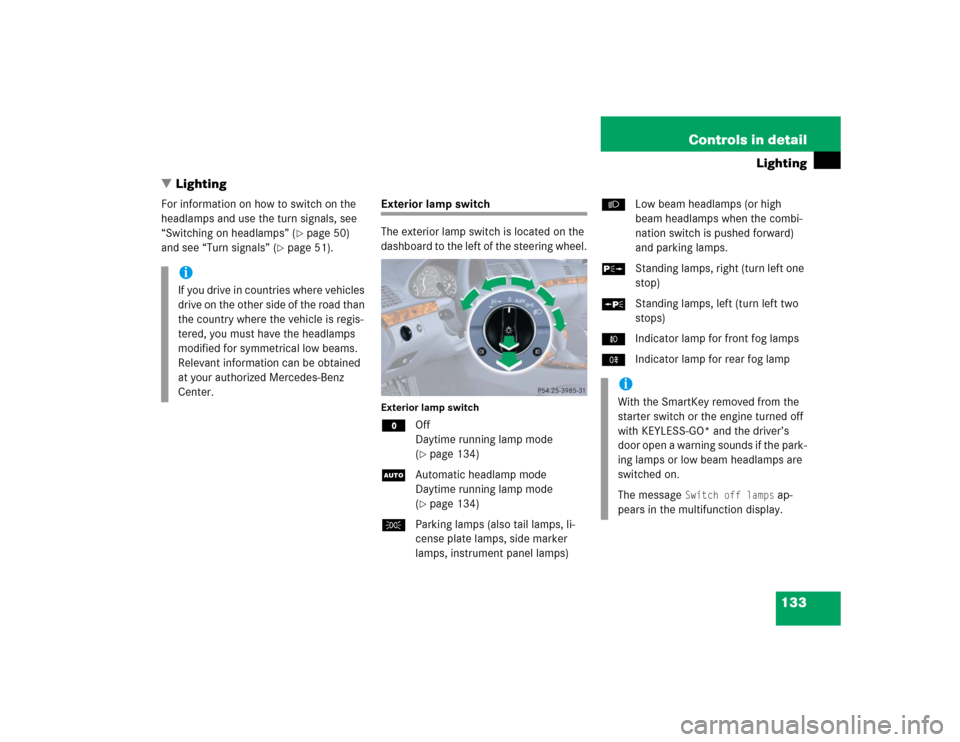
Exterior lamp switch
The exterior lamp switch is located on the
dashboard to the left of the steering wheel.Exterior lamp switchMOff
Daytime running lamp mode
(
�page 134)
UAutomatic headlamp mode
Daytime running lamp mode
(�page 134)
CParking lamps (also tail lamps, li-
cense plate lamps, side marker
lamps, instrument panel lamps)BLow beam headlamps (or high
beam headlamps when the combi-
nation switch is pushed forward)
and parking lamps.
ˆStanding lamps, right (turn left one
stop)
‚Standing lamps, left (turn left two
stops)
‡Indicator lamp for front fog lamps
†Indicator lamp for rear fog lamp
iIf you drive in countries where vehicles
drive on the other side of the road than
the country where the vehicle is regis-
tered, you must have the headlamps
modified for symmetrical low beams.
Relevant information can be obtained
at your authorized Mercedes-Benz
Center.
iWith the SmartKey removed from the
starter switch or the engine turned off
with KEYLESS-GO* and the driver’s
door open a warning sounds if the park-
ing lamps or low beam headlamps are
switched on.
The message
Switch off lamps
ap-
pears in the multifunction display.
Page 136 of 506

134 Controls in detailLightingManual headlamp mode
The low beam headlamps and the parking
lamps can be switched on and off with the
exterior lamp switch.
Automatic headlamp mode
The following lamps switch on and off au-
tomatically depending on the brightness of
the ambient light:�
Low beam headlamps
�
Tail and parking lamps
�
License plate lamps
�
Side marker lamps
�
Turn the exterior lamp switch to posi-
tion U.
With the SmartKey in starter switch
position1 or the KEYLESS-GO* start/stop
button once, only the parking lamps will
switch on and off automatically.When the engine is running, the low beam
headlamps, the tail and parking lamps, the
license plate lamps, and the side marker
lamps will switch on and off automatically.
Daytime running lamp mode
�
Turn the exterior lamp switch to
positionM orU.
When the engine is running, the low
beam headlamps are automatically
switched on.
In low ambient light conditions the
parking lamps will also switch on:�
Tail and parking lamps
�
License plate lamps
�
Side marker lamps
For nighttime driving you should turn the
exterior lamp switch to positionB to
permit activation of the high beam head-
lamps.
Warning!
G
If the exterior lamp switch is set toU,�
the headlamps may switch off unexpect-
edly when the system senses bright am-
bient light, for example light from
oncoming traffic.
�
the headlamps will not be automatically
switched on under foggy conditions.
To minimize risk to you and to others, acti-
vate headlamps by turning exterior lamp
switch to B when driving or when traffic
and/or ambient lighting conditions require
you to do so.
In low ambient lighting conditions, only
switch from position U to B with the
vehicle at a standstill. Switching from U
to B will briefly switch off the head-
lamps. Doing so while driving in low ambient
lighting conditions may result in an acci-
dent.
The automatic headlamp feature is only an
aid to the driver. The driver is responsible for
the operation of the vehicle's lights at all
times.
Page 137 of 506

135 Controls in detail
Lighting
Canada only:
The daytime running lamp mode is manda-
tory and therefore in a constant mode.
When the engine is running, and you shift
from a driving position to positionN orP,
the low beam headlamps will switch off
with a three-minute delay.
When the engine is running, and you�
turn the exterior lamp switch to
positionC, the parking lamps
switch on additionally.
�
turn the exterior lamp switch to
positionB, the manual headlamp
mode has priority over the daytime run-
ning lamp mode.
The corresponding exterior lamps
switch on (
�page 50).USA only:
By default, the daytime running lamp mode
is deactivated. Activate the daytime run-
ning lamp mode using the control system,
see “Setting daytime running lamp mode
(USA only)” (
�page 162).
When the engine is running, and you turn
the exterior lamp switch to
positionCorB, the manual head-
lamp mode has priority over the daytime
running lamp mode.
The corresponding exterior lamps switch
on (
�page 50).
iWith the daytime running lamp mode
activated and the exterior lamp switch
in positionM, the high beam head-
lamps cannot be switched on.
The high beam flasher is available at all
times.
Page 140 of 506
138 Controls in detailLightingHazard warning flasher
The hazard warning flasher can be
switched on at all times, even with the
SmartKey removed from the starter switch
or with the SmartKey with KEYLESS-GO*
removed from the vehicle.
The hazard warning flasher switches on au-
tomatically when an air bag deploys.
The hazard warning flasher switch is locat-
ed on the center console.
1Hazard warning flasher switchSwitching on hazard warning flasher
�
Press the hazard warning flasher
switch1.
All turn signals are flashing.Switching off hazard warning flasher
�
Press hazard warning flasher switch1
again.
iWith the hazard warning flasher acti-
vated and the combination switch set
for either left or right turn, only the re-
spective left or right turn signals will
operate when the ignition is switched
on.
iIf the hazard warning flasher has been
activated automatically, press hazard
warning flasher switch1 once to
switch off.
Page 141 of 506

139 Controls in detail
Lighting
Interior lighting in the front
1Left front reading lamp on/off
2Rear interior lighting on/off
3Automatic control on/off
4Front interior lighting on/off
5Right front reading lamp on/off
6Ambient lighting
7Interior lighting
8Front reading lampThe controls are located in the overhead
control panel.
Automatic control
Activating
�
Press automatic control switch3.
The Interior lighting switches on in
darkness, when you:�
unlock the vehicle
�
remove the SmartKey from the
starter switch
�
open a door
�
open the trunk
The interior lighting switches off automati-
cally following an adjustable time delay.For more information, see “Setting interior
lighting delayed shut-off” (
�page 165).
Deactivating
�
Press automatic control switch3
again.
The interior lighting remains switched
off in darkness, even when you:�
unlock the vehicle
�
remove the SmartKey from the
starter switch
�
open a door
�
open the trunk
iLeaving an interior light switch in the
ON position for extended periods of
time with the engine turned off could
result in a discharged battery.
iIf the door remains open, the interior
lamps switch off automatically after ap-
proximately five minutes.
Page 151 of 506
149 Controls in detail
Control system
Menus, submenus and functions
Menu1
Menu2
Menu3
Menu4
Menu5
Menu6
Menu7
Menu8
Standard
display
AUDIO
NAV*
Distronic*
Vehicle status
message mem-
ory
Settings
Trip computer
Telephone
(�page 150)
(�page 150)
(�page 152)
(�page 152)
(�page 153)
(�page 154)
(�page 170)
(�page 171)
Commands/submenusDigital speed-
ometer
Select radio
station
Activate
route guid-
ance
Call up set-
tings
Call up vehicle
malfunction,
warning and sys-
tem status mes-
sages stored in
memory
Reset to factory
settings
Fuel consumption
statistics after
start
Load phone
book
Call up main-
tenance sys-
tem display
Operate CD
player
Instrument clus-
ter submenu
Fuel consumption
statistics since
the last reset
Search for
name in
phone book
Check tire
pressure*
Time/Date sub-
menu
Call up range
Check engine
oil level
Lighting sub-
menuVehicle sub-
menuConvenience
submenuDynamic seat*
submenu
Page 156 of 506
154 Controls in detailControl system�
Press buttonk orj.
The stored messages will now be dis-
played in the order in which they have
occurred. For malfunction and warning
messages, see “Vehicle status messag-
es in the multifunction display”
(�page 367).
Should the vehicle’s system record any
conditions while driving, the number of
messages will reappear in the multifunc-
tion display when the SmartKey in the
starter switch is turned to position0 or re-
moved from the starter switch.
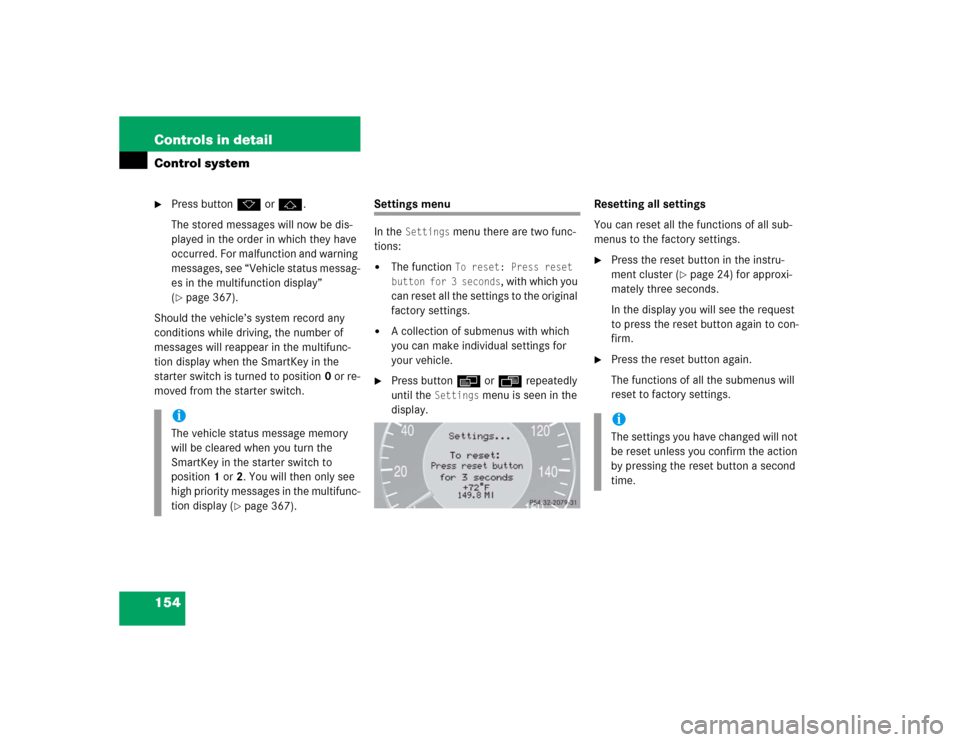
Settings menu
In the
Settings
menu there are two func-
tions:
�
The function
To reset: Press reset
button for 3 seconds
, with which you
can reset all the settings to the original
factory settings.
�
A collection of submenus with which
you can make individual settings for
your vehicle.
�
Press buttonè orÿ repeatedly
until the
Settings
menu is seen in the
display.Resetting all settings
You can reset all the functions of all sub-
menus to the factory settings.
�
Press the reset button in the instru-
ment cluster (
�page 24) for approxi-
mately three seconds.
In the display you will see the request
to press the reset button again to con-
firm.
�
Press the reset button again.
The functions of all the submenus will
reset to factory settings.
iThe vehicle status message memory
will be cleared when you turn the
SmartKey in the starter switch to
position1 or2. You will then only see
high priority messages in the multifunc-
tion display (
�page 367).
iThe settings you have changed will not
be reset unless you confirm the action
by pressing the reset button a second
time.

