Page 99 of 474
98 Controls in detailLocking and unlockingLocking and unlocking from the inside
You can lock or unlock the doors and the
trunk lid from inside using the central lock-
ing switch. This can be useful, for example,
if you want to lock the vehicle before start-
ing to drive.
You cannot lock or unlock the fuel filler flap
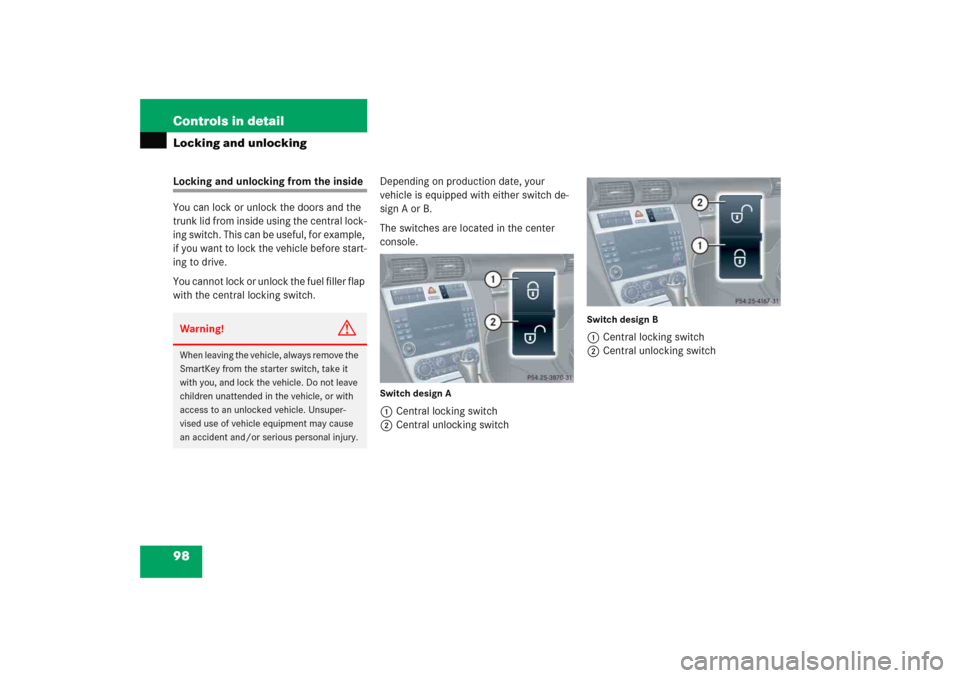
with the central locking switch.Depending on production date, your
vehicle is equipped with either switch de-
sign A or B.
The switches are located in the center
console.
Switch design A1Central locking switch
2Central unlocking switch
Switch design B1Central locking switch
2Central unlocking switch
Warning!
G
When leaving the vehicle, always remove the
SmartKey from the starter switch, take it
with you, and lock the vehicle. Do not leave
children unattended in the vehicle, or with
access to an unlocked vehicle. Unsuper-
vised use of vehicle equipment may cause
an accident and/or serious personal injury.
Page 101 of 474
100 Controls in detailSeatsFor information on seat adjustment, see
“Seats” (
�page 35).
Easy-entry/exit feature*
This feature allows for easier entry into and
exit from the vehicle.
The easy-entry/exit feature can be
activated or deactivated in the Convenience
submenu of the control
system (
�page 148).When exiting the vehicle, with the
easy-entry/exit feature activated and
depending on your selection, the steering
wheel tilts upwards and/or the driver’s
seat moves a few inches to the rear when
you:
�
remove the SmartKey from the starter
switch,
or
�
open the driver’s door with the
SmartKey in starter switch position0
or1.
Warning!
G
You must make sure no one can become
trapped or injured by the moving steering
wheel and driver’s seat when the easy-en-
try/exit feature is activated.
To cancel seat/steering wheel movement,
do one of the following:�
Press seat adjustment switch*
(�page 38).
�
Move steering column stalk*
(�page 41).
�
Press the memory position switch*
(�page 108).
Do not leave children unattended in the ve-
hicle, or with access to an unlocked vehicle.
Children could open the driver’s door and
unintentionally activate the easy-entry/exit
feature, which could result in an accident
and/or serious personal injury.
Page 103 of 474
102 Controls in detailSeatsRemoving and installing front seat head restraints
For more information on head restraint
adjustment, see “Seats” (
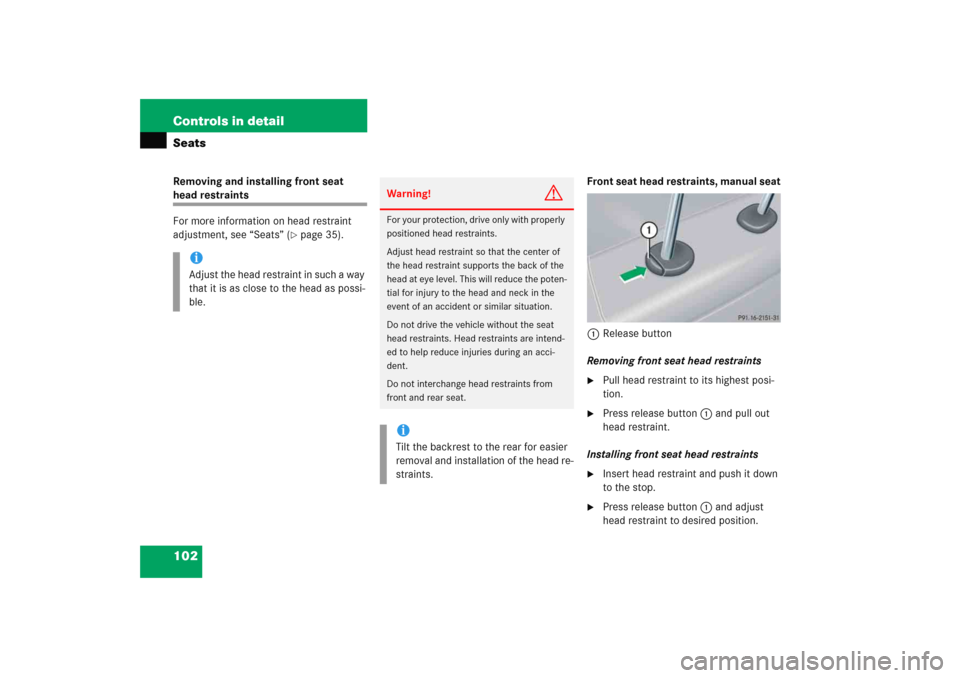
�page 35).Front seat head restraints, manual seat
1Release button
Removing front seat head restraints
�
Pull head restraint to its highest posi-
tion.
�
Press release button1 and pull out
head restraint.
Installing front seat head restraints
�
Insert head restraint and push it down
to the stop.
�
Press release button1 and adjust
head restraint to desired position.
iAdjust the head restraint in such a way
that it is as close to the head as possi-
ble.
Warning!
G
For your protection, drive only with properly
positioned head restraints.
Adjust head restraint so that the center of
the head restraint supports the back of the
head at eye level. This will reduce the poten-
tial for injury to the head and neck in the
event of an accident or similar situation.
Do not drive the vehicle without the seat
head restraints. Head restraints are intend-
ed to help reduce injuries during an acci-
dent.
Do not interchange head restraints from
front and rear seat.iTilt the backrest to the rear for easier
removal and installation of the head re-
straints.
Page 104 of 474
103 Controls in detailSeats
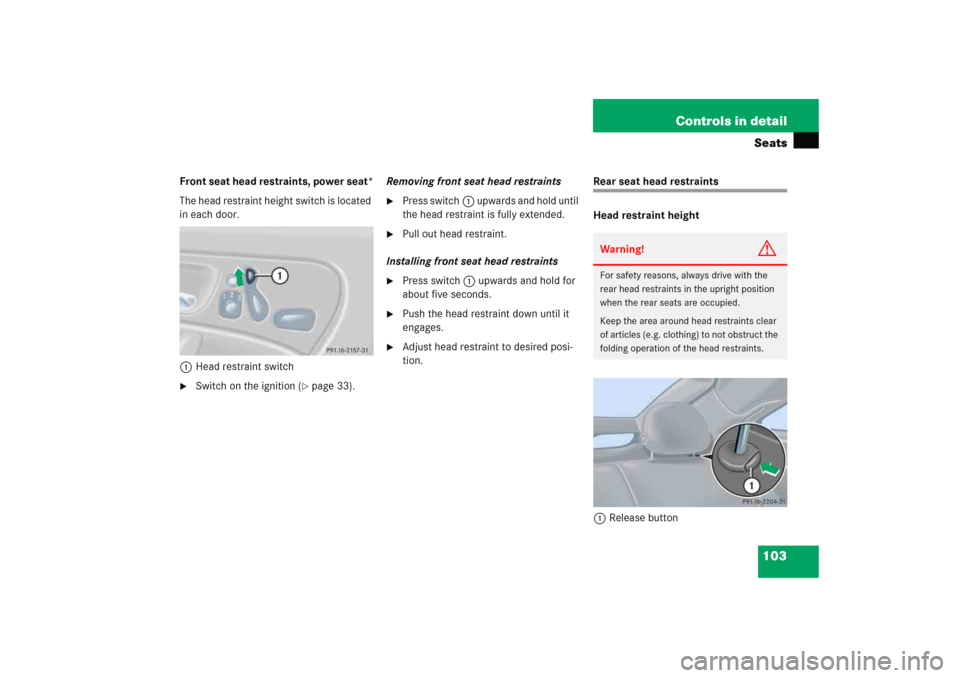
Front seat head restraints, power seat*
The head restraint height switch is located
in each door.
1Head restraint switch�
Switch on the ignition (
�page 33).Removing front seat head restraints
�
Press switch1 upwards and hold until
the head restraint is fully extended.
�
Pull out head restraint.
Installing front seat head restraints
�
Press switch1 upwards and hold for
about five seconds.
�
Push the head restraint down until it
engages.
�
Adjust head restraint to desired posi-
tion.
Rear seat head restraints
Head restraint height
1Release buttonWarning!
G
For safety reasons, always drive with the
rear head restraints in the upright position
when the rear seats are occupied.
Keep the area around head restraints clear
of articles (e.g. clothing) to not obstruct the
folding operation of the head restraints.
Page 105 of 474
104 Controls in detailSeatsRaising�
Manually adjust the height of the head
restraint by pulling it upward.
If the head restraint is fully retracted,
press release button1 and pull the
head restraint out.
Lowering
�
To lower the head restraint, press
release button1 and press down on
the head restraint.Folding head restraints back
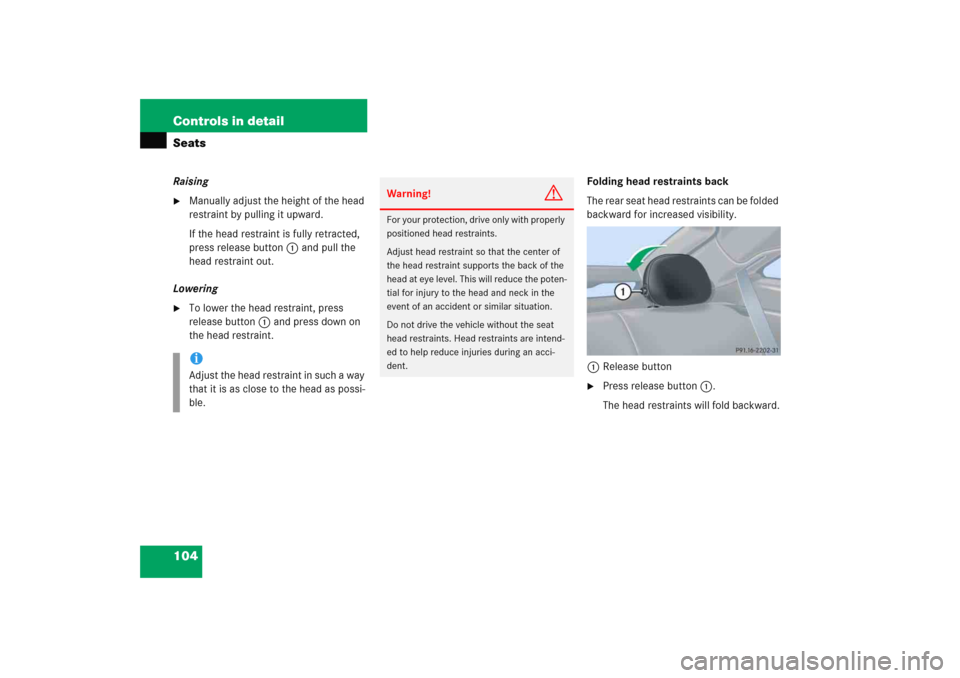
The rear seat head restraints can be folded
backward for increased visibility.
1Release button
�
Press release button1.
The head restraints will fold backward.
iAdjust the head restraint in such a way
that it is as close to the head as possi-
ble.
Warning!
G
For your protection, drive only with properly
positioned head restraints.
Adjust head restraint so that the center of
the head restraint supports the back of the
head at eye level. This will reduce the poten-
tial for injury to the head and neck in the
event of an accident or similar situation.
Do not drive the vehicle without the seat
head restraints. Head restraints are intend-
ed to help reduce injuries during an acci-
dent.
Page 106 of 474
105 Controls in detailSeats
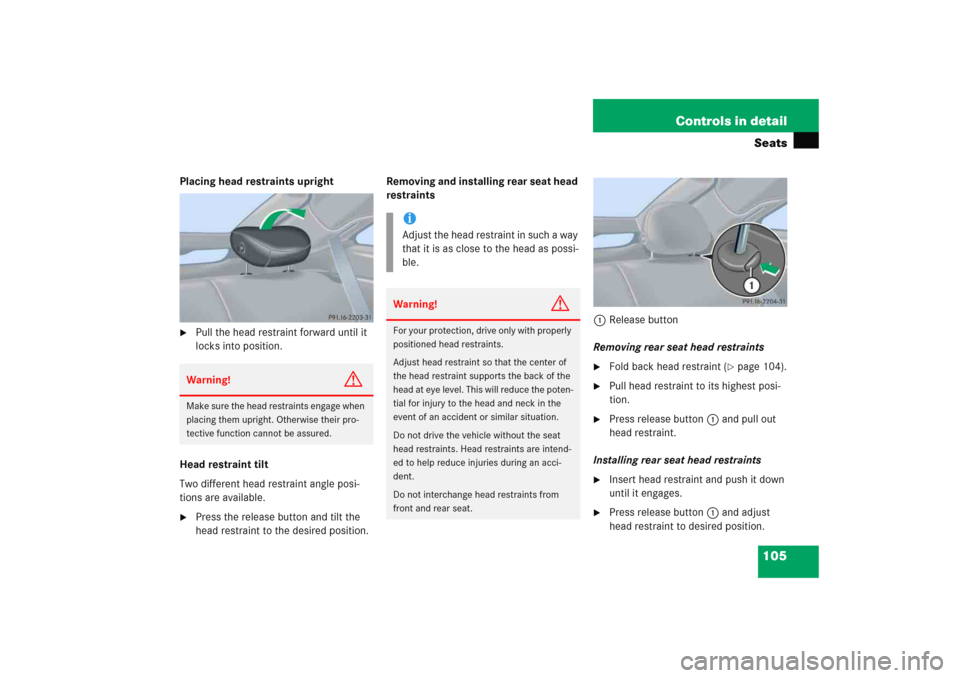
Placing head restraints upright�
Pull the head restraint forward until it
locks into position.
Head restraint tilt
Two different head restraint angle posi-
tions are available.
�
Press the release button and tilt the
head restraint to the desired position.Removing and installing rear seat head
restraints
1Release button
Removing rear seat head restraints
�
Fold back head restraint (
�page 104).
�
Pull head restraint to its highest posi-
tion.
�
Press release button1 and pull out
head restraint.
Installing rear seat head restraints
�
Insert head restraint and push it down
until it engages.
�
Press release button1 and adjust
head restraint to desired position.
Warning!
G
Make sure the head restraints engage when
placing them upright. Otherwise their pro-
tective function cannot be assured.
iAdjust the head restraint in such a way
that it is as close to the head as possi-
ble.Warning!
G
For your protection, drive only with properly
positioned head restraints.
Adjust head restraint so that the center of
the head restraint supports the back of the
head at eye level. This will reduce the poten-
tial for injury to the head and neck in the
event of an accident or similar situation.
Do not drive the vehicle without the seat
head restraints. Head restraints are intend-
ed to help reduce injuries during an acci-
dent.
Do not interchange head restraints from
front and rear seat.
Page 108 of 474

107 Controls in detail
Memory function*
�Memory function*
You can store up to three different settings
per SmartKey.
The following settings are saved for each
stored position:�
Driver’s seat, backrest and head
restraint position
�
Steering wheel position
�
Exterior rear view mirror positions
These key-dependent memory settings
can be deactivated if desired. For informa-
tion on key-dependent memory settings,
see “Setting key-dependency”
(
�page 149).The following settings are not
key-dependent. They are stored when
using the buttons on the passenger door:
�
Front passenger seat, backrest and
head restraint position.
!Prior to operating the vehicle, the driv-
er should check and adjust the seat
height, seat position fore and aft, and
seat backrest angle if necessary, to en-
sure adequate control, reach and com-
fort. The head restraint should also be
adjusted for proper height. See also the
section on air bags (
�page 61) for
proper seat positioning.
In addition, adjust the steering wheel to
ensure adequate control, reach, opera-
tion and comfort. Both the interior and
exterior rear view mirrors should be ad-
justed for adequate rear vision.
Fasten seat belts. Infants and small
children should be seated in a properly
secured restraint system that complies
with U.S. Federal Motor Vehicle Safety
Standards 213 and 225 and Canadian
Motor Vehicle Safety Standards 213
and 210.2.
Warning!
G
Do not activate the memory function while
driving. Activating the memory function
while driving could cause the driver to lose
control of the vehicle.
Page 112 of 474
111 Controls in detail
Lighting
Manual headlamp mode
The low beam headlamps and parking
lamps can be switched on and off with the
exterior lamp switch.Automatic headlamp mode
The following lamps switch on and off
automatically depending on the brightness
of the ambient light:
�
Low beam headlamps
�
Tail and parking lamps
�
License plate lamps
�
Side marker lamps
�
Turn exterior lamp switch to
positionU.
With the SmartKey in starter switch
position1, only the parking lamps will
switch on and off automatically.
When the engine is running, the low
beam headlamps, the tail and parking
lamps, the license plate lamps and the
side marker lamps will switch on and
off automatically.
iWith the SmartKey removed from the
starter switch and the driver’s door
open, while the parking lamps or low
beam headlamps are switched on, �
a warning sounds
�
$ appears in the multifunction
display
�
the message
Switch off lights.
appears in the multifunction display
Warning!
G
If the exterior lamp switch is set toU,�
the headlamps may switch off unexpect-
edly when the system senses bright am-
bient light, for example light from
oncoming traffic.
�
the headlamps will not be automatically
switched on under foggy conditions.
To minimize risk to you and to others, acti-
vate headlamps by turning exterior lamp
switch to B when driving or when traffic
and / or ambient lighting conditions require
you to do so.
In low ambient lighting conditions, only
switch from position U to B with the
vehicle at a standstill. Switching from U
to B will briefly switch off the head-
lamps. Doing so while driving in low ambient
lighting conditions may result in an acci-
dent.
The automatic headlamp feature is only an
aid to the driver. The driver is responsible for
the operation of the vehicle's lights at all
times.