Page 127 of 237

67 Satellite radio*
Satellite radio operation
You can call the provider service center for
questions or releases, whenever you need.�
Press the
Service
soft key.
The Service information display will ap-
pear.
1Phone number of the provider,
(SIRIUS) or “Call Service Provider”
2The Electronical Serial Number (ESN)
of your satellite receiver
�
Press the
Back
soft key to switch back
to the Satellite radio main menu.
While receiving a new channel list the mes-
sage
Updating station list
will ap-
pear.
The station last tuned will be muted until
the update is completed. You cannot ope-
rate the satellite radio.
After completion of the update, the
Satellite radio main menu will appear.
The station last tuned to will begin to play.Refer to chapter “At a glance” on how to
adjust sound settings.
�
Volume (
�page 27)
�
Balance control and fader (
�page 29)
�
Bass and treble control (
�page 30)
�
Sound functions* (
�page 30)
Displaying service information
Station list updates
Sound settings
Page 130 of 237
70 Telephone*Important notes
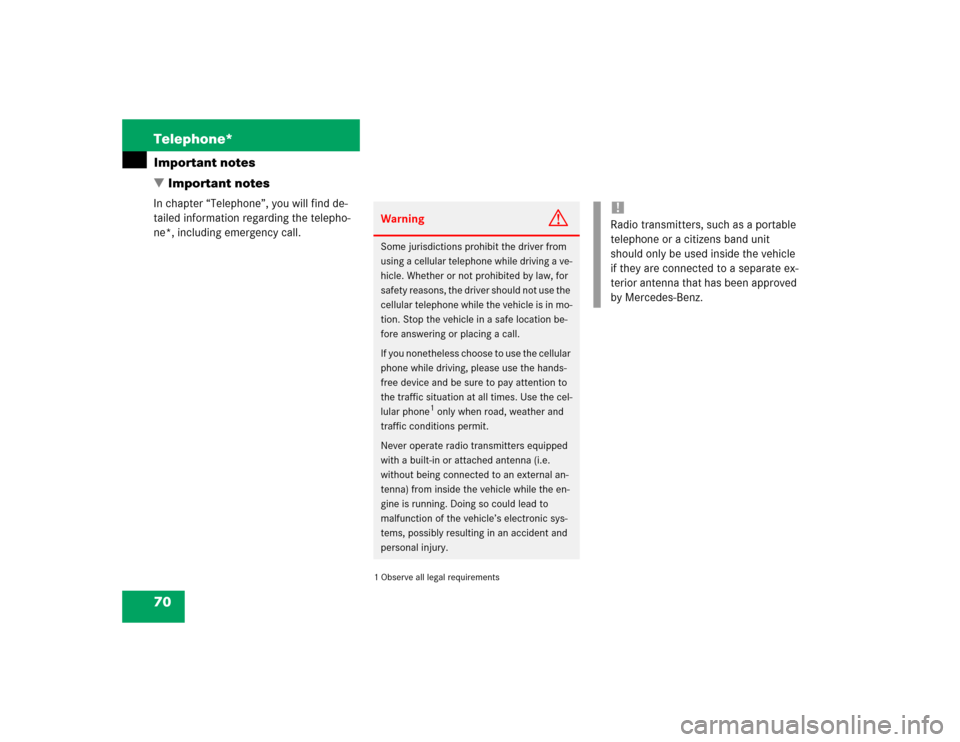
� Important notesIn chapter “Telephone”, you will find de-
tailed information regarding the telepho-
ne*, including emergency call.
1 Observe all legal requirementsWarning
G
Some jurisdictions prohibit the driver from
using a cellular telephone while driving a ve-
hicle. Whether or not prohibited by law, for
safety reasons, the driver should not use the
cellular telephone while the vehicle is in mo-
tion. Stop the vehicle in a safe location be-
fore answering or placing a call.
If you nonetheless choose to use the cellular
phone while driving, please use the hands-
free device and be sure to pay attention to
the traffic situation at all times. Use the cel-
lular phone
1 only when road, weather and
traffic conditions permit.
Never operate radio transmitters equipped
with a built-in or attached antenna (i.e.
without being connected to an external an-
tenna) from inside the vehicle while the en-
gine is running. Doing so could lead to
malfunction of the vehicle’s electronic sys-
tems, possibly resulting in an accident and
personal injury.
!Radio transmitters, such as a portable
telephone or a citizens band unit
should only be used inside the vehicle
if they are connected to a separate ex-
terior antenna that has been approved
by Mercedes-Benz.
Page 143 of 237

83 Telephone*
Telephone operation
Selecting an entry from the Received
calls list
The COMAND automatically generates a
list of the last 10 calls received. The list is
sorted chronologically with the most
recently received call at the top of the list.
Displaying the list�
In the Telephone menu (
�page 78),
press the
Recvd#
soft key.
The list is displayed and the most
recently received call is highlighted.
Received calls listThe status bar shows:�
the caller’s name if her or his name and
number are stored in the phone book
�
the message
Unknown
if no entry is
available
�
the telephone number
You can select the following functions:
�
Changing the list display
�
Selecting an entry and begin dialing
�
Ending a call (
�page 82)Changing the list display
�
Press the
123
soft key.
The display changes to numbers.
or
�
Press the
ABC
soft key.
The display changes to names.
Selecting an entry and begin dialing
�
Push the joystick to g or G to
select the desired entry.
�
Press E.
or
�
Press k.
or
�
Press the
Send
soft key.
The telephone dials the number.
Page 144 of 237
84 Telephone*Telephone operationSelecting an entry from the Dialed num-
bers list
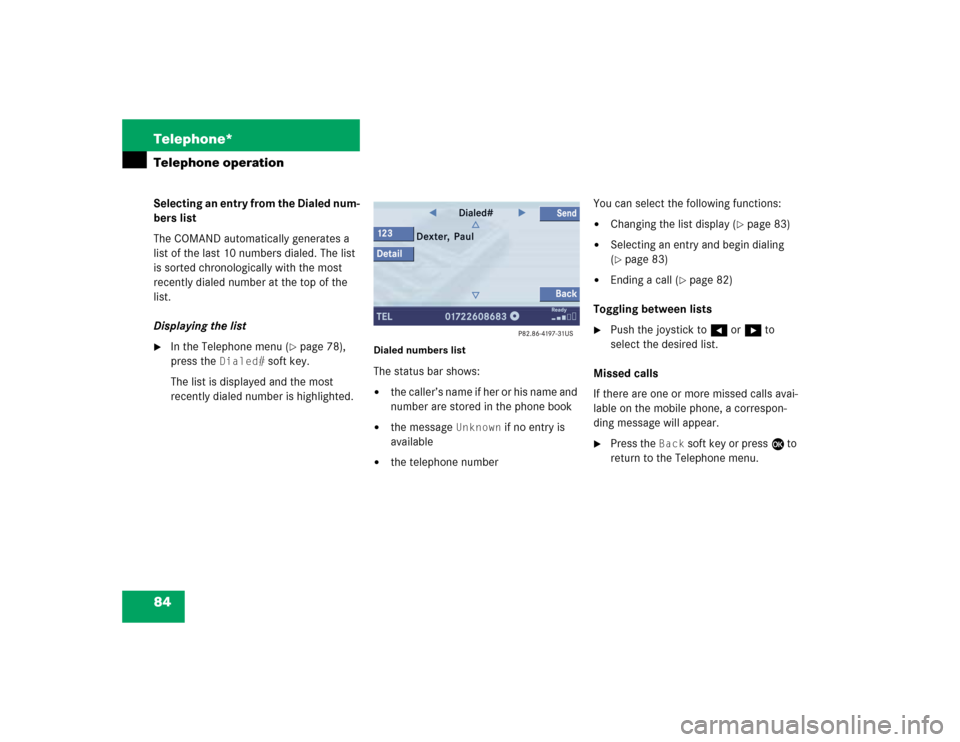
The COMAND automatically generates a
list of the last 10 numbers dialed. The list
is sorted chronologically with the most
recently dialed number at the top of the
list.
Displaying the list�
In the Telephone menu (
�page 78),
press the
Dialed#
soft key.
The list is displayed and the most
recently dialed number is highlighted.
Dialed numbers listThe status bar shows:�
the caller’s name if her or his name and
number are stored in the phone book
�
the message
Unknown
if no entry is
available
�
the telephone numberYou can select the following functions:
�
Changing the list display (
�page 83)
�
Selecting an entry and begin dialing
(�page 83)
�
Ending a call (
�page 82)
Toggling between lists
�
Push the joystick to H or h to
select the desired list.
Missed calls
If there are one or more missed calls avai-
lable on the mobile phone, a correspon-
ding message will appear.
�
Press the
Back
soft key or press E to
return to the Telephone menu.
Page 225 of 237

165 Glossary
Audio source
This includes the systems radio and CD
(CD drive in the control unit, CD chan-
ger*).
Balance
Defines sound-center left/right.
COMAND
(Co
ckpit Man
agement and D
ata Sys-
tem)
Information and operating center for
vehicle sound and communications
systems, including the radio and
CD player, as well as for other optional
equipment (CD changer*, telephone*,
etc.).
DVD
(D
igital V
ersatile D
isc)
Digital storage medium for storing lar-
ge amounts of data.Emergency call
This function places a call to a local
911 provider. It does not initiate a
->Tele Aid* call. Please note that the
911 emergency call system is a public
service. Using it without due cause is a
criminal offense.
Fader
Defines sound-center front/back.
GPS
(G
lobal P
ositioning S
ystem)
Satellite-based system for relaying
geographic location information to and
from vehicles equipped with special re-
ceivers. Employs DVD digital maps for
navigation.
Heading Up
Dynamic map alignment, map is dis-
played facing driving direction pointing
up.LOGIC7 Surround
Playback method resulting in an impro-
ved spatial listening experience com-
pared to conventional stereo playback.
Navigation DVD
Contains all available destination
addresses (town, road, intersection,
house number, special destinations)
and the digital map material for a coun-
try or a region for destination entry,
route calculation and destination
guidance at time of DVD production.
DVD maps do not cover all areas nor all
routes within an area.
North Up
The map is displayed facing north du-
ring route guidance.