Page 63 of 368
You will be able to view the
information (if available) as well as
choose to store the destination as a
memory point by pressing OK.
Navigation set up
The Navigation Set up screen will
allow you to make adjustments to
the navigation displays.
Average speed settings
Allows you to set approximate
speeds you drive. These speeds
enable the navigation system to aid
in calculating timing for routes.
REVIEW COPY
2005 Aviator f/k/a Navigator LS(231), Owners Guide (post-2002-fmt)(own2002),
Market:USA_English(fus)
Entertainment Systems
63
Page 64 of 368

Quick POI (Point of Interest)
Allows you to change the Quick POI
menu settings. Select the desired
Quick POI (Gas, ATM, etc.) and
then press’List Categories’for
further categories, or’Map Area
POIs’to show the desired POIs on
your current map.
Restore system defaults
Resets all system user-selectable
options to the default (automatic)
values (i.e. guidance, voice, search
area and route preferences).
Calibration
This feature is helpful if the car has
been towed, or if you notice it is not
registering at the correct vehicle
location on the map.
Press“Position”to reposition the
vehicle location. Press the screen to
scroll the map to the desired
location and press OK to confirm.
Press“Distance”to calibrate by
distance and improve the navigation
accuracy. It is recommended to
activate this function after every tire replacement. When the button is
highlighted, calibration is in process and will turn off automatically when
complete.
REVIEW COPY
2005 Aviator f/k/a Navigator LS(231), Owners Guide (post-2002-fmt)(own2002),
Market:USA_English(fus)
Entertainment Systems
64
Page 65 of 368
DVD map version
Displays the version of the inserted
navigation DVD. Refer toOrdering
additional map DVDsfor further
information.
Display Options
The Display Options screen will
allow you make adjustments to the
navigation display screen. You can
choose from:
•Map Mode (Dual or Full)
•Guidance Mode (Arrows or Turn
list)
•Guidance Display (On or Off)
•Time to destination (Show or
Hide)
REVIEW COPY
2005 Aviator f/k/a Navigator LS(231), Owners Guide (post-2002-fmt)(own2002),
Market:USA_English(fus)
Entertainment Systems
65
Page 66 of 368
Stored locations
The Stored locations screen will
allow you to choose from
destinations that have been saved
into the navigation system.
In this screen, you can select from
Memory Points, Special Memory
Points, Home, Avoid Area,
Destination and Way Point, or
Previous Destination. Please refer to
theDestination menusection for a
complete description of the
functions.
On route scroll
The system automatically scrolls
through the entire planned
navigation route either forwards or
backwards. To activate, press the
arrow buttons at the bottom left of
the map screen.
REVIEW COPY
2005 Aviator f/k/a Navigator LS(231), Owners Guide (post-2002-fmt)(own2002),
Market:USA_English(fus)
Entertainment Systems
66
Page 67 of 368
Voice guidance/volume
Allows you to turn the voice guidance option on/off and to determine the
volume level of the guidance voice prompts. To adjust:
1. Press the MAP hard key.
2. Press“Nav Menu”at the bottom left hand corner of the screen.
3. Press the speaker icon to turn the
voice guidance option on/off. Press
the desired number to select the
volume level for the voice prompts.
REVIEW COPY
2005 Aviator f/k/a Navigator LS(231), Owners Guide (post-2002-fmt)(own2002),
Market:USA_English(fus)
Entertainment Systems
67
Page 68 of 368
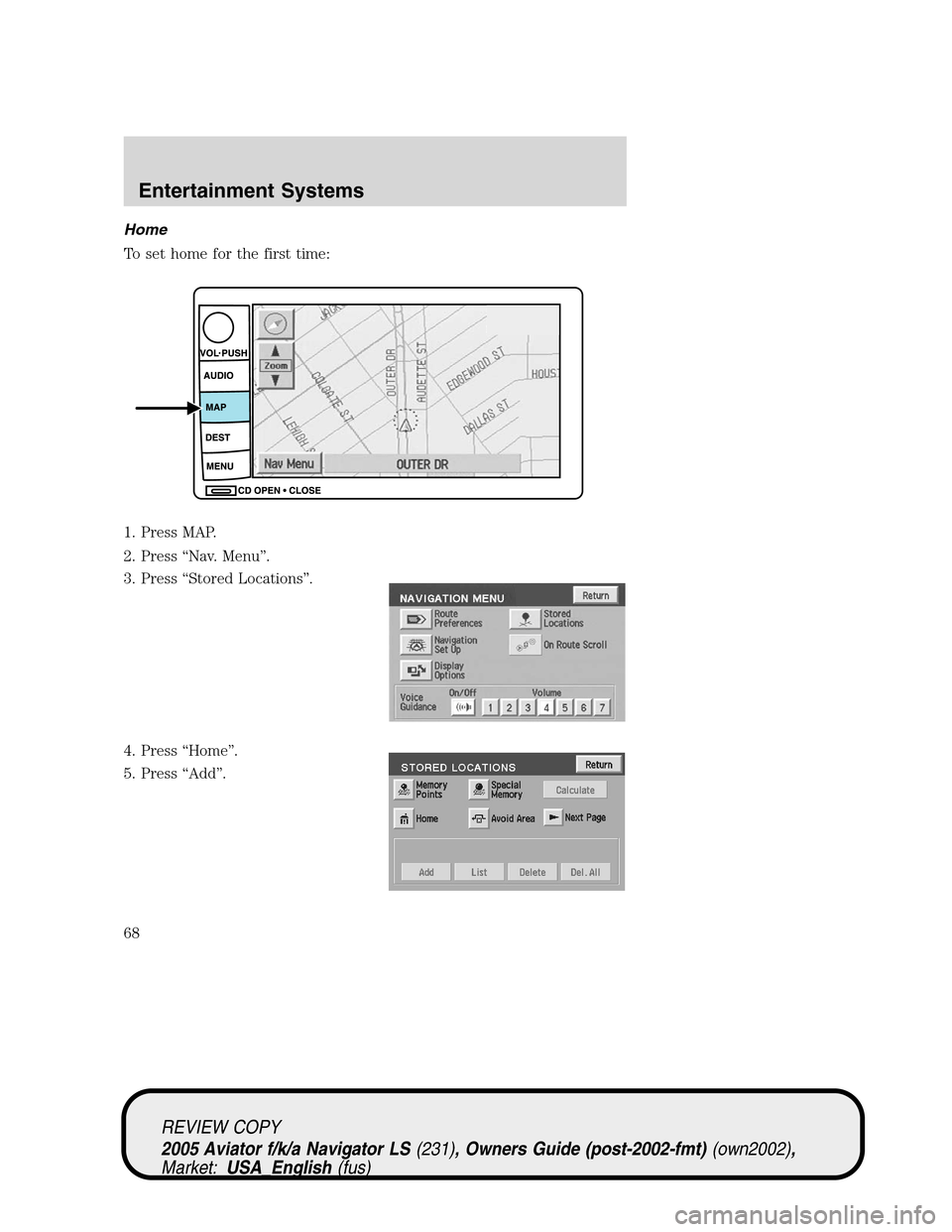
Home
To set home for the first time:
1. Press MAP.
2. Press“Nav. Menu”.
3. Press“Stored Locations”.
4. Press“Home”.
5. Press“Add”.
REVIEW COPY
2005 Aviator f/k/a Navigator LS(231), Owners Guide (post-2002-fmt)(own2002),
Market:USA_English(fus)
Entertainment Systems
68
Page 69 of 368
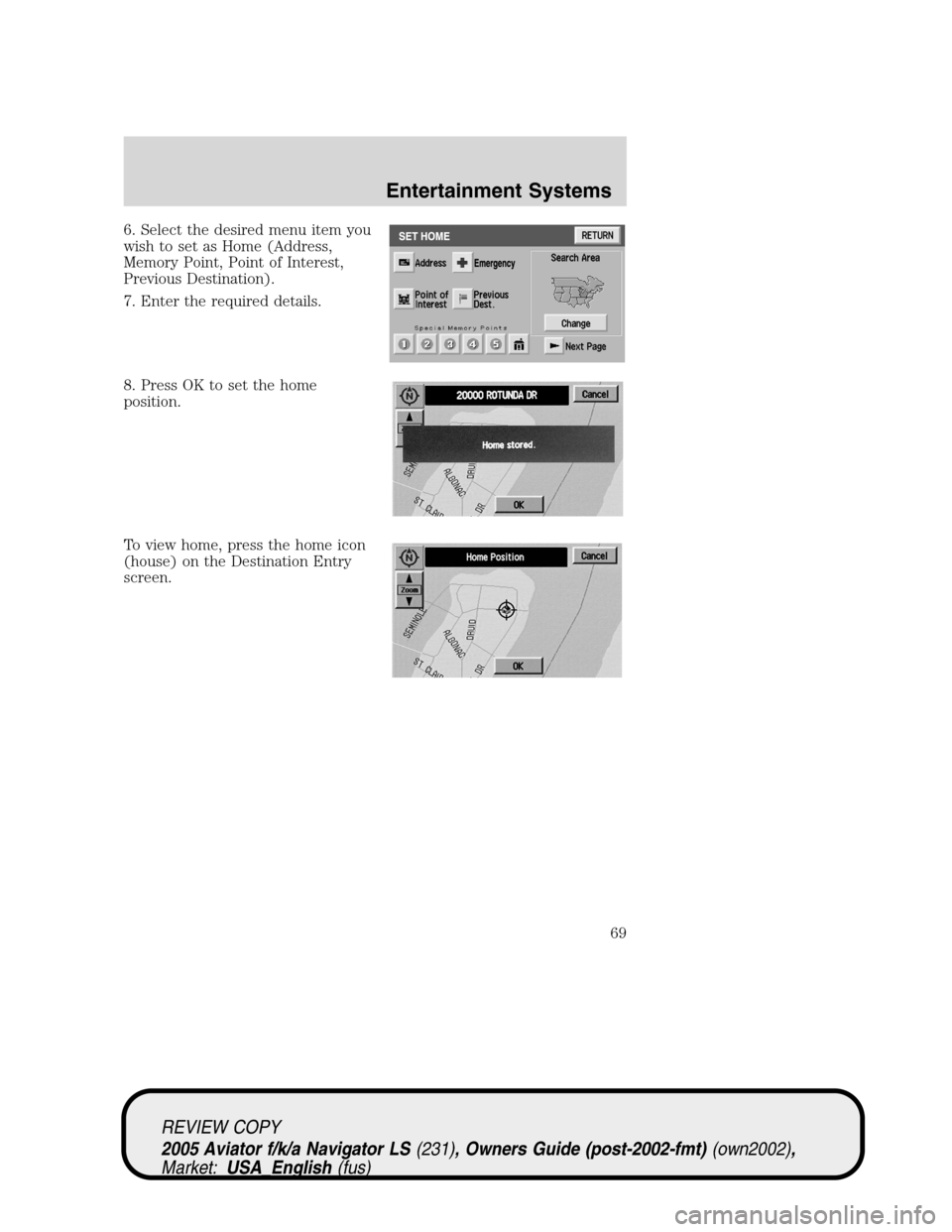
6. Select the desired menu item you
wish to set as Home (Address,
Memory Point, Point of Interest,
Previous Destination).
7. Enter the required details.
8. Press OK to set the home
position.
To view home, press the home icon
(house) on the Destination Entry
screen.
REVIEW COPY
2005 Aviator f/k/a Navigator LS(231), Owners Guide (post-2002-fmt)(own2002),
Market:USA_English(fus)
Entertainment Systems
69
Page 70 of 368
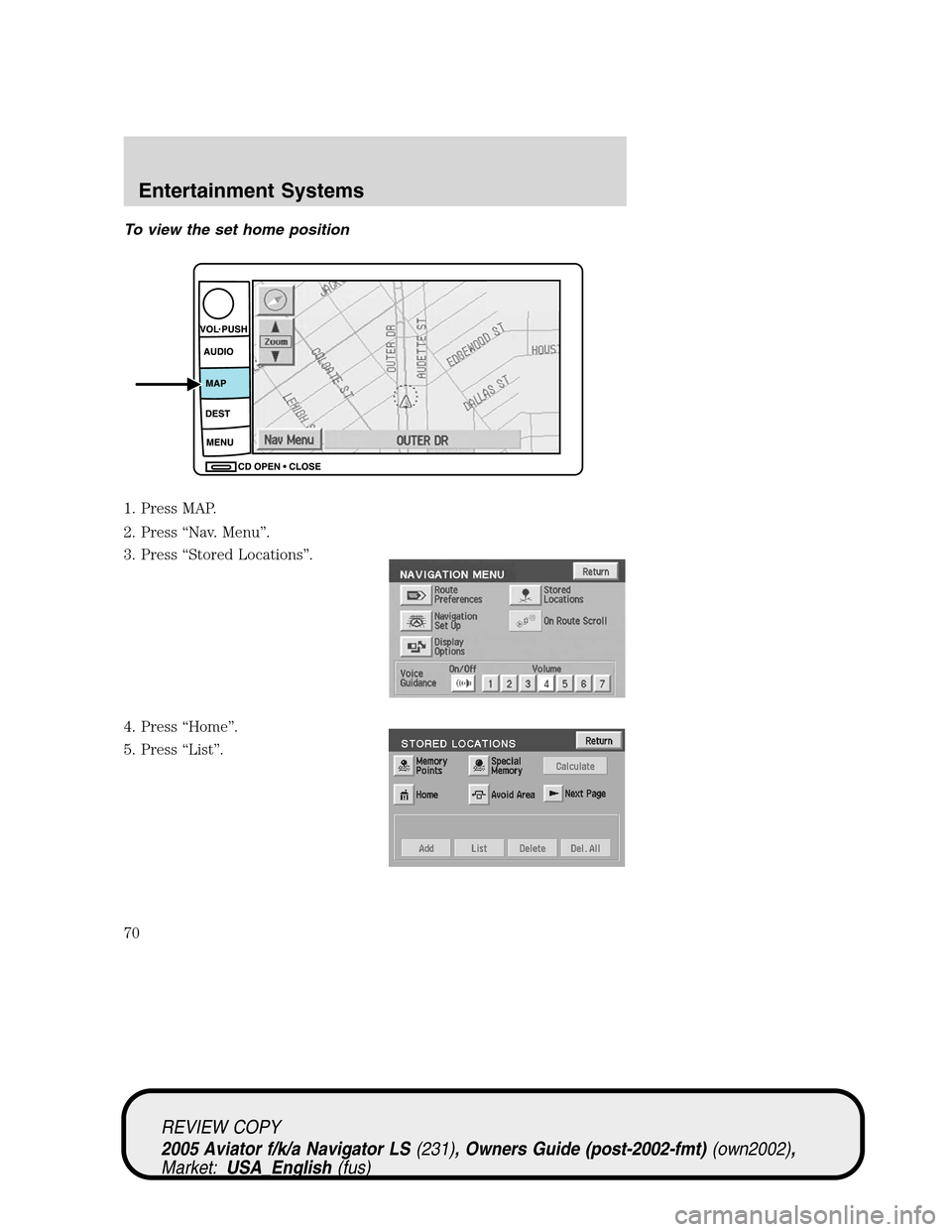
To view the set home position
1. Press MAP.
2. Press“Nav. Menu”.
3. Press“Stored Locations”.
4. Press“Home”.
5. Press“List”.
REVIEW COPY
2005 Aviator f/k/a Navigator LS(231), Owners Guide (post-2002-fmt)(own2002),
Market:USA_English(fus)
Entertainment Systems
70