2005 LINCOLN AVIATOR door
[x] Cancel search: doorPage 247 of 368

TIRE PRESSURE MONITORING SYSTEM (TPMS)
When the Tire Pressure Monitoring
System warning light is lit, one or
more of your tires is significantly
under-inflated. You should stop and
check your tires as soon as possible,
and inflate them to the proper pressure as indicated on the vehicle’s tire
information placard (label). Driving on a significantly under-inflated tire
causes the tire to overheat and can eventually lead to tire failure.
Under-inflation also reduces fuel efficiency and tire tread life, and may
affect the vehicle’s handling and stopping ability. Even if your vehicle is
equipped with a Tire Pressure Monitoring System, it is still important
that you manually check the inflation pressure of your tires regularly.
Each tire, including the spare, should be checked monthly when cold and
set to the recommended inflation pressure which can be found on either
the tire label or certification label which is located on the B-Pillar or the
edge of the driver’s door.
The Tire Pressure Monitoring System is NOT a substitute for
manually checking tire pressure. The tire pressure should be
checked periodically (at least monthly) using a tire gauge, see
Inspecting and inflating your tiresin this chapter. Failure to
properly maintain your tire pressure could increase the risk of tire
failure, loss of control, vehicle rollover and personal injury.
Changing tires with TPMS
It is recommended that you always
have your tires serviced by a dealer
or qualified technician.Each road
tire is equipped with a tire
pressure sensor mounted on the
wheel inside the tire connected
to the valve stem. The tire
pressure sensor must be
unbolted from the wheel prior to
tire removal. The sensor can be
removed by loosening the nut at the valve stem. Failure to
remove the sensor may damage it.The rubber grommet (washer)
between the wheel and the tire pressure sensor needs to be replaced
whenever the sensor is removed to minimize air leaks.
REVIEW COPY
2005 Aviator f/k/a Navigator LS(231), Owners Guide (post-2002-fmt)(own2002),
Market:USA_English(fus)
Tires, Wheels and Loading
247
Page 249 of 368
Low Tire Warning
LightCustomer Action Required
Solid Warning Light 1. Check your tire pressure to ensure they are
properly inflated, refer toInspecting and
inflating your tiresin this chapter. Ford
recommends the use of a digital or dial type
tire pressure gauge rather than a stick type
tire pressure gauge for increased accuracy.
2. After inflating your tires to the
manufacturer’s recommended air pressure as
shown on the Tire Label (located on the
driver’s door or the B-Pillar), the vehicle must
be driven for at least two minutes at 20 mph
(32 km/h) to guarantee that the light will turn
off.
3. If the light remains on even after these
steps have been taken, have the system
inspected by your servicing dealership
Flashing Warning Light
(flashes for 20 to 30
seconds either at
start-up or while
driving)1. Your spare tire is in use. Repair the
damaged road wheel and re-mount it on the
vehicle to restore system functionality. For a
description of how the system functions under
these conditions, refer to When You Have a
Flat Tire in this section.
2. If your tires are inflated to the
manufacturer’s recommended tire pressure,
and your spare tire is not in use, and a
flashing low time warning light is still present,
have the system inspected by your servicing
dealership.
REVIEW COPY
2005 Aviator f/k/a Navigator LS(231), Owners Guide (post-2002-fmt)(own2002),
Market:USA_English(fus)
Tires, Wheels and Loading
249
Page 252 of 368
•The suspension insulation and bumpers will help prevent vehicle
damage. Do not remove these components from your vehicle when
using snow tires and chains.
•Do not exceed 30 mph (48 km/h) with tire chains on your vehicle.
VEHICLE LOADING–WITH AND WITHOUT A TRAILER
This section will guide you in the proper loading of your vehicle and/or
trailer, to keep your loaded vehicle weight within its design rating
capability, with or without a trailer. Properly loading your vehicle will
provide maximum return of vehicle design performance. Before loading
your vehicle, familiarize yourself with the following terms for determining
your vehicle’s weight ratings, with or without a trailer, from the vehicle’s
Safety Certification Label and Tire Label:
Base Curb Weight–is the weight of the vehicle including a full tank of
fuel and all standard equipment. It does not include passengers, cargo, or
optional equipment.
Vehicle Curb Weight–is the weight of your new vehicle when you
picked it up from your dealer plus any aftermarket equipment.
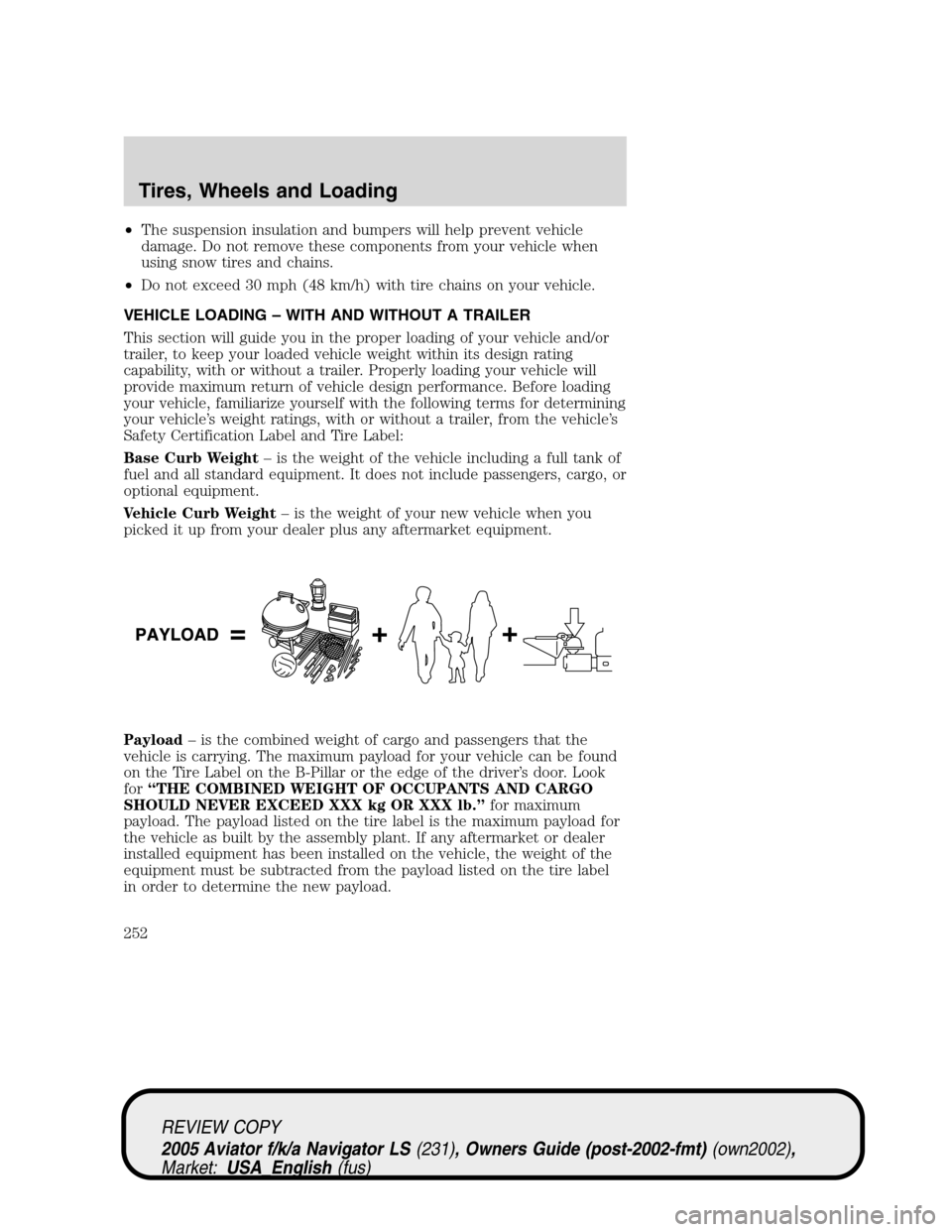
Payload–is the combined weight of cargo and passengers that the
vehicle is carrying. The maximum payload for your vehicle can be found
on the Tire Label on the B-Pillar or the edge of the driver’s door. Look
for“THE COMBINED WEIGHT OF OCCUPANTS AND CARGO
SHOULD NEVER EXCEED XXX kg OR XXX lb.”for maximum
payload. The payload listed on the tire label is the maximum payload for
the vehicle as built by the assembly plant. If any aftermarket or dealer
installed equipment has been installed on the vehicle, the weight of the
equipment must be subtracted from the payload listed on the tire label
in order to determine the new payload.
REVIEW COPY
2005 Aviator f/k/a Navigator LS(231), Owners Guide (post-2002-fmt)(own2002),
Market:USA_English(fus)
Tires, Wheels and Loading
252
Page 254 of 368
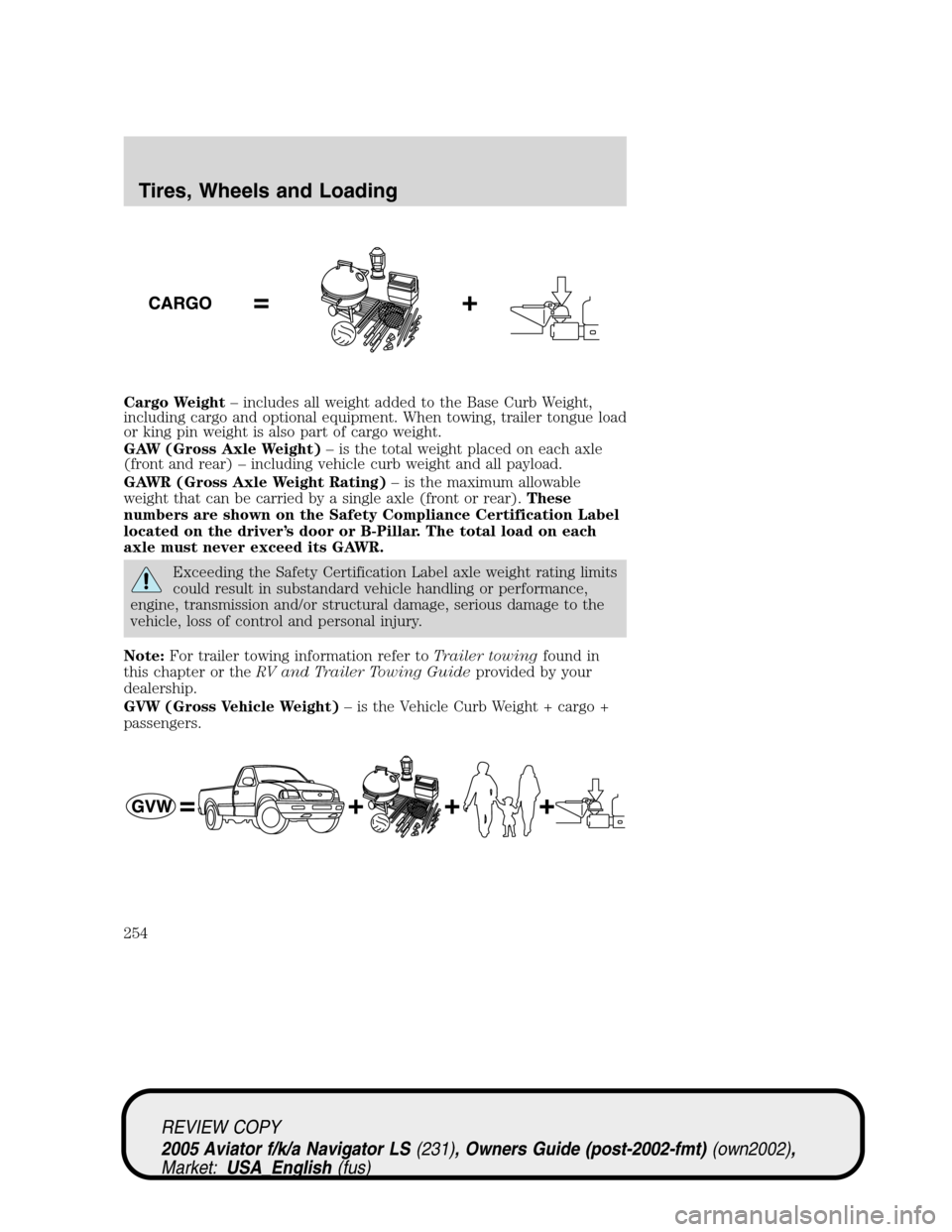
Cargo Weight–includes all weight added to the Base Curb Weight,
including cargo and optional equipment. When towing, trailer tongue load
or king pin weight is also part of cargo weight.
GAW (Gross Axle Weight)–is the total weight placed on each axle
(front and rear)–including vehicle curb weight and all payload.
GAWR (Gross Axle Weight Rating)–is the maximum allowable
weight that can be carried by a single axle (front or rear).These
numbers are shown on the Safety Compliance Certification Label
located on the driver’s door or B-Pillar. The total load on each
axle must never exceed its GAWR.
Exceeding the Safety Certification Label axle weight rating limits
could result in substandard vehicle handling or performance,
engine, transmission and/or structural damage, serious damage to the
vehicle, loss of control and personal injury.
Note:For trailer towing information refer toTrailer towingfound in
this chapter or theRV and Trailer Towing Guideprovided by your
dealership.
GVW (Gross Vehicle Weight)–is the Vehicle Curb Weight + cargo +
passengers.
REVIEW COPY
2005 Aviator f/k/a Navigator LS(231), Owners Guide (post-2002-fmt)(own2002),
Market:USA_English(fus)
Tires, Wheels and Loading
254
Page 255 of 368

GVWR (Gross Vehicle Weight
Rating)–is the maximum
allowable weight of the fully loaded
vehicle (including all options,
equipment, passengers and cargo).
The GVWR is shown on the
Safety Compliance Certification
Label located on the driver’s
door or B-Pillar. The GVW must
never exceed the GVWR.
Exceeding the Safety Certification Label vehicle weight rating
limits could result in substandard vehicle handling or
performance, engine, transmission and/or structural damage, serious
damage to the vehicle, loss of control and personal injury.
GCW (Gross Combined Weight)–is the weight of the loaded vehicle
(GVW) plus the weight of the fully loaded trailer.
GCWR (Gross Combined Weight Rating)–is the maximum allowable
weight of the vehicle and the loaded trailer–including all cargo and
passengers–that the vehicle can handle without risking damage.
(Important: The towing vehicle’s braking system is rated for operation at
GVWR, not at GCWR. Separate functional brakes should be used for safe
control of towed vehicles and for trailers where the GCW of the towing
vehicle plus the trailer exceed the GVWR of the towing vehicle.The
GCW must never exceed the GCWR.
REVIEW COPY
2005 Aviator f/k/a Navigator LS(231), Owners Guide (post-2002-fmt)(own2002),
Market:USA_English(fus)
Tires, Wheels and Loading
255
Page 257 of 368
5. Determine the combined weight of luggage and cargo being loaded on
the vehicle. That weight may not safely exceed the available cargo and
luggage load capacity calculated in Step 4.
6. If your vehicle will be towing a trailer, load from your trailer will be
transferred to your vehicle. Consult this manual to determine how this
reduces the available cargo and luggage load capacity of your vehicle.
The following gives you a few examples on how to calculate the available
amount of cargo and luggage load capacity:
•An example for your vehicle with 1400 lbs. (636 kg) of cargo and
luggage capacity. You decide to go golfing. You and your friends
average 220 lbs. (100 kg) each and the golf bags weigh approximately
30 lbs. (14 kg) each. Is there enough load capacity to carry you, 4 of
your friends and all the golf bags? The calculation would be: 1400–(5
x 220)–(5 x 30) = 1400–1100–150 = 150 lbs. Metric conversion;
636 kg–(5 x 100)–(5 x 14) = 636–570 = 66 kg. Yes, you have
enough load capacity in your vehicle to transport 4 of your friends and
golf bags.
•Another example for your vehicle with 1400 lbs. (636 kg) of cargo and
luggage capacity. You and one of your friends decide to pick up
cement from the local home improvement store to finish that patio
you have been planning for the past 2 years. Measuring the inside of
the vehicle with the rear seat folded down, you have room for 12-100
lbs. (45 kg) bags of cement. Do you have enough load capacity to
transport the cement to your home? If you and your friend each
weighed 220 lbs. (100 kg), the calculation would be: 1400–(2 x 220)
–(12 x 100) = 1400–440–1200 =–40 pounds. Metric conversion;
636 kg–(2 x 100)–(12 x 45) = 636–200–540 =–104 kg. No, you
do not have enough cargo capacity to carry that much weight. You will
need to reduce the load weight by at least 240 lbs. (104 kg). If you
remove 3-100 lbs. (45 kg) cement bags, then the load calculation
would be:
1400–(2 x 220)–(9 x 100) = 1400–440–900 = 60 lbs. Metric
conversion; 636 kg–(2 x 100)–(9 x 45) = 636–200–405 = 31 kg.
Now you have the load capacity to transport the cement and your friend
home.
The above calculations also assume that the loads are positioned in your
vehicle in a manner that does not overload the Front or the Rear Gross
Axle Weight Rating specified for your vehicle on the Certification label
found on the driver’s door.
REVIEW COPY
2005 Aviator f/k/a Navigator LS(231), Owners Guide (post-2002-fmt)(own2002),
Market:USA_English(fus)
Tires, Wheels and Loading
257
Page 265 of 368

STARTING
Positions of the ignition
1. OFF/LOCK, shuts off the engine
and all accessories/locks the steering
wheel, gearshift lever and allows key
removal.
2. ACC, allows the electrical
accessories such as the radio to
operate while the engine is not
running. This position also unlocks
the steering wheel.
3. ON, all electrical circuits
operational. Warning lights illuminated. Key position when driving.
4. START, cranks the engine. Release the key as soon as the engine
starts.
Preparing to start your vehicle
Engine starting is controlled by the powertrain control system. This
system meets all Canadian Interference-Causing Equipment standard
requirements regulating the impulse electrical field strength of radio
noise.
When starting a fuel-injected engine, avoid pressing the accelerator
before or during starting. Only use the accelerator when you have
difficulty starting the engine. For more information on starting the
vehicle, refer toStarting the enginein this chapter.
Extended idling at high engine speeds can produce very high
temperatures in the engine and exhaust system, creating the risk
of fire or other damage.
Do not park, idle, or drive your vehicle in dry grass or other dry
ground cover. The emission system heats up the engine
compartment and exhaust system, which can start a fire.
Do not start your vehicle in a closed garage or in other enclosed
areas. Exhaust fumes can be toxic. Always open the garage door
before you start the engine. SeeGuarding against exhaust fumesin
this chapter for more instructions.
REVIEW COPY
2005 Aviator f/k/a Navigator LS(231), Owners Guide (post-2002-fmt)(own2002),
Market:USA_English(fus)
Driving
Driving
265
Page 300 of 368

The high-current fuses are coded as follows:
Fuse/Relay
LocationFuse Amp
RatingPower Distribution Box
Description
* Mini Fuses ** Cartridge Fuses
1 60A** Power Junction Box (PJB)
2 30A** Door locks (BSM)
3 20A** Cigar lighter
4 40A** Heated backlight/mirrors
5 40A** Anti-lock Brake System
(ABS)/Roll Stability Control
(RSC) module (pump)
6 60A** Delayed accessory
7 20A** Daytime Running Lamps (DRL)
module
8 20A** Electric cooling fan
9 20A** Headlamp switch
10 30A** ABS/RSC module (valves)
11 40A** PTEC relay contacts
12 50A** Ignition/Starter relay
13 40A** Trailer tow relays
14 15A* Brake lamp feed
15 10A* Keep alive power
(PTEC/cluster/DEATC), Courtesy
lights
16 20A* Power point #3
17 20A* Rear wiper module
18 20A* 4x4 module
19 30A** Driver window motor
20 30A** Electric trailer brake module
21 30A** Memory seat module
22 20A** Main exterior lamps (low beam
headlamps, high beam headlamps,
fog lamps)
23 30A** Ignition switch
REVIEW COPY
2005 Aviator f/k/a Navigator LS(231), Owners Guide (post-2002-fmt)(own2002),
Market:USA_English(fus)
Roadside Emergencies
300