Page 30 of 354
319
Knowing your vehicle
1
2
3
4
5
6
7
8
9
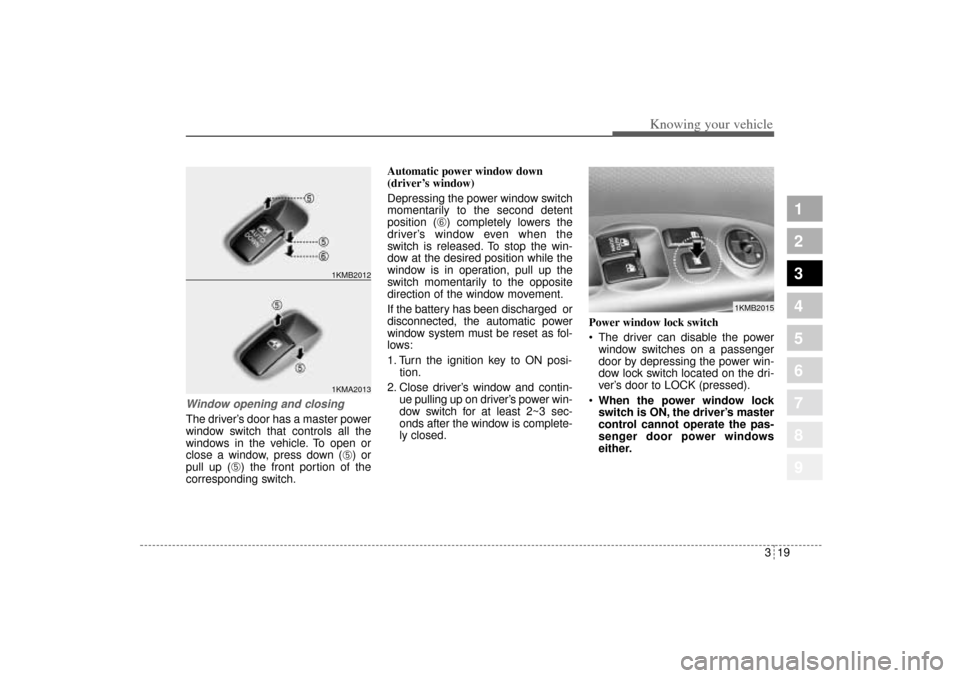
Window opening and closingThe driver’s door has a master power
window switch that controls all the
windows in the vehicle. To open or
close a window, press down (
➄) or
pull up (
➄) the front portion of the
corresponding switch.Automatic power window down
(driver’s window)
Depressing the power window switch
momentarily to the second detent
position (
➅) completely lowers the
driver’s window even when the
switch is released. To stop the win-
dow at the desired position while the
window is in operation, pull up the
switch momentarily to the opposite
direction of the window movement.
If the battery has been discharged or
disconnected, the automatic power
window system must be reset as fol-
lows:
1. Turn the ignition key to ON posi-
tion.
2. Close driver’s window and contin-
ue pulling up on driver’s power win-
dow switch for at least 2~3 sec-
onds after the window is complete-
ly closed.Power window lock switch
The driver can disable the power
window switches on a passenger
door by depressing the power win-
dow lock switch located on the dri-
ver’s door to LOCK (pressed).
When the power window lock
switch is ON, the driver’s master
control cannot operate the pas-
senger door power windows
either.
1KMA20131KMB2012
1KMB2015
KM CAN (ENG) 3 (~57).qxd 9/13/2004 4:49 PM Page 19
Page 112 of 354
3 101
1
2
3
4
5
6
7
8
9
Knowing your vehicle
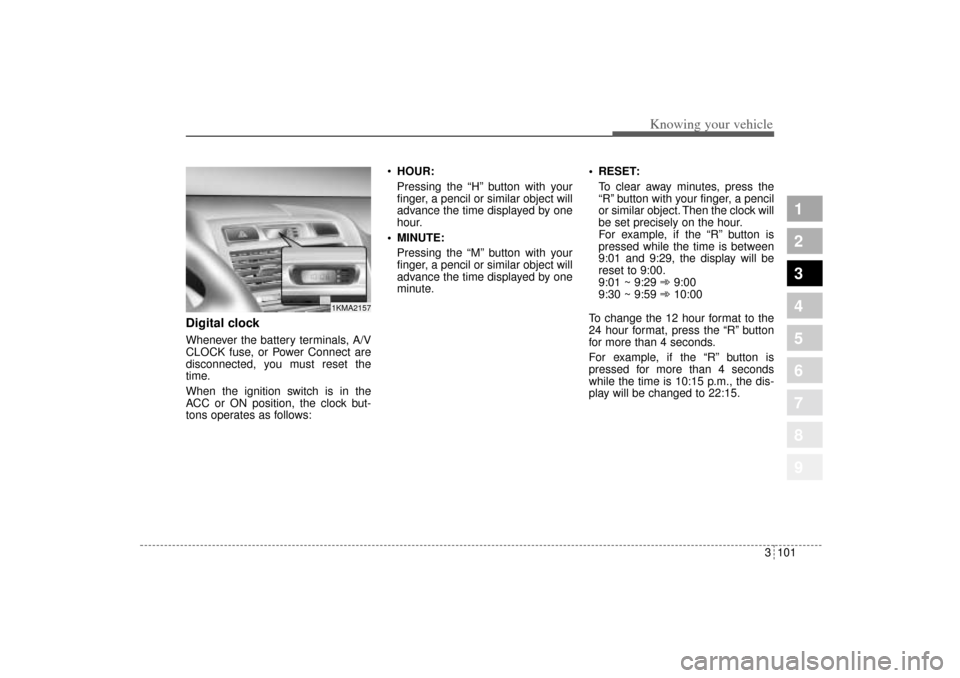
Digital clockWhenever the battery terminals, A/V
CLOCK fuse, or Power Connect are
disconnected, you must reset the
time.
When the ignition switch is in the
ACC or ON position, the clock but-
tons operates as follows:HOUR:
Pressing the “H” button with your
finger, a pencil or similar object will
advance the time displayed by one
hour.
MINUTE:
Pressing the “M” button with your
finger, a pencil or similar object will
advance the time displayed by one
minute. RESET:
To clear away minutes, press the
“R” button with your finger, a pencil
or similar object. Then the clock will
be set precisely on the hour.
For example, if the “R” button is
pressed while the time is between
9:01 and 9:29, the display will be
reset to 9:00.
9:01 ~ 9:29 ➾9:00
9:30 ~ 9:59 ➾10:00
To change the 12 hour format to the
24 hour format, press the “R” button
for more than 4 seconds.
For example, if the “R” button is
pressed for more than 4 seconds
while the time is 10:15 p.m., the dis-
play will be changed to 22:15.
1KMA2157
KM CAN (ENG) 3 (~112).qxd 9/13/2004 4:51 PM Page 101
Page 117 of 354
Knowing your vehicle106 3
1
2
3
4
5
6
7
8
9
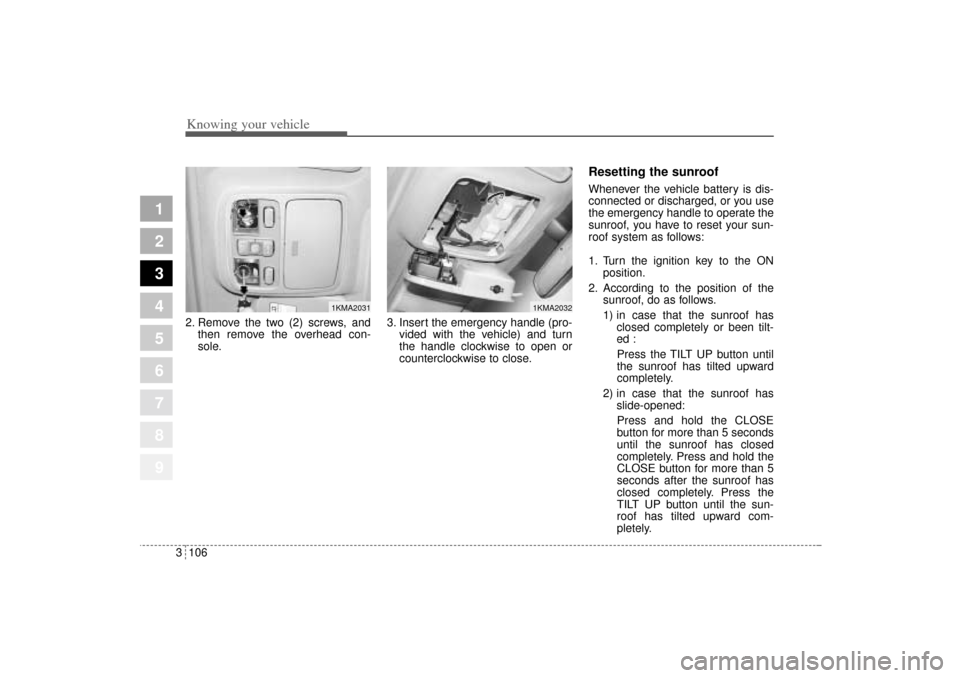
2. Remove the two (2) screws, and
then remove the overhead con-
sole.3. Insert the emergency handle (pro-
vided with the vehicle) and turn
the handle clockwise to open or
counterclockwise to close.
Resetting the sunroofWhenever the vehicle battery is dis-
connected or discharged, or you use
the emergency handle to operate the
sunroof, you have to reset your sun-
roof system as follows:
1. Turn the ignition key to the ON
position.
2. According to the position of the
sunroof, do as follows.
1) in case that the sunroof has
closed completely or been tilt-
ed :
Press the TILT UP button until
the sunroof has tilted upward
completely.
2) in case that the sunroof has
slide-opened:
Press and hold the CLOSE
button for more than 5 seconds
until the sunroof has closed
completely. Press and hold the
CLOSE button for more than 5
seconds after the sunroof has
closed completely. Press the
TILT UP button until the sun-
roof has tilted upward com-
pletely.
1KMA2031
1KMA2032
KM CAN (ENG) 3 (~112).qxd 9/13/2004 4:51 PM Page 106
Page 118 of 354
3 107
1
2
3
4
5
6
7
8
9
Knowing your vehicle
3. Release the TILT UP button.
4. Press and hold the TILT UP button
once again until the sunroof has
returned to the original position of
TILT UP after it is raised a little
higher than the maximum TILT UP
position.
When this is complete, the sunroof
system is reset.
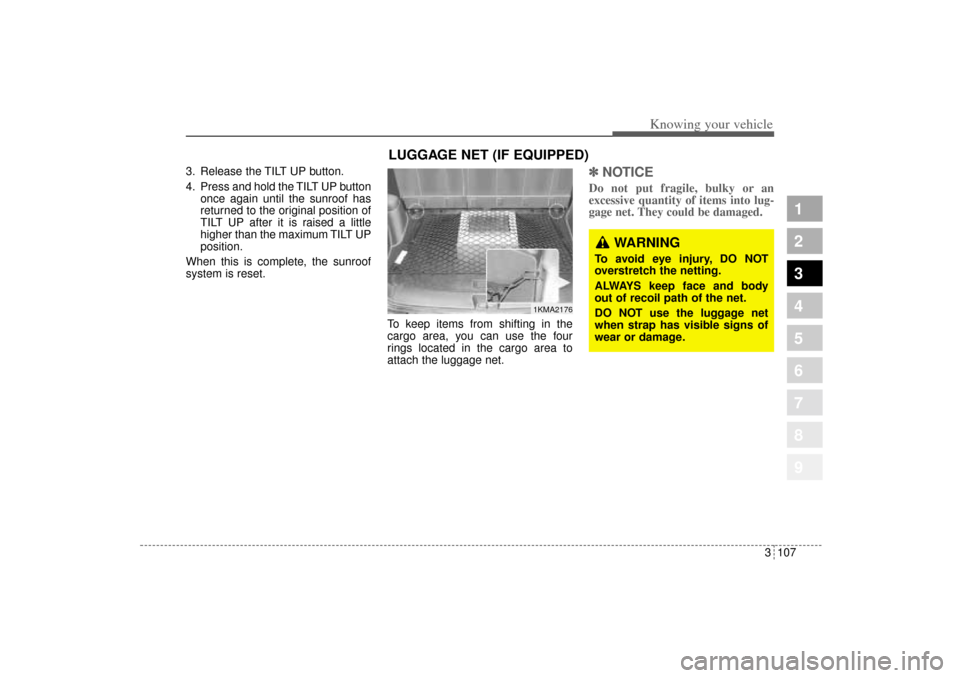
To keep items from shifting in the
cargo area, you can use the four
rings located in the cargo area to
attach the luggage net.
✽ ✽
NOTICEDo not put fragile, bulky or an
excessive quantity of items into lug-
gage net. They could be damaged.
1KMA2176
WARNING
To avoid eye injury, DO NOT
overstretch the netting.
ALWAYS keep face and body
out of recoil path of the net.
DO NOT use the luggage net
when strap has visible signs of
wear or damage.
LUGGAGE NET (IF EQUIPPED)
KM CAN (ENG) 3 (~112).qxd 9/13/2004 4:51 PM Page 107
Page 152 of 354
429
Driving your vehicle
1
2
3
4
5
6
7
8
9
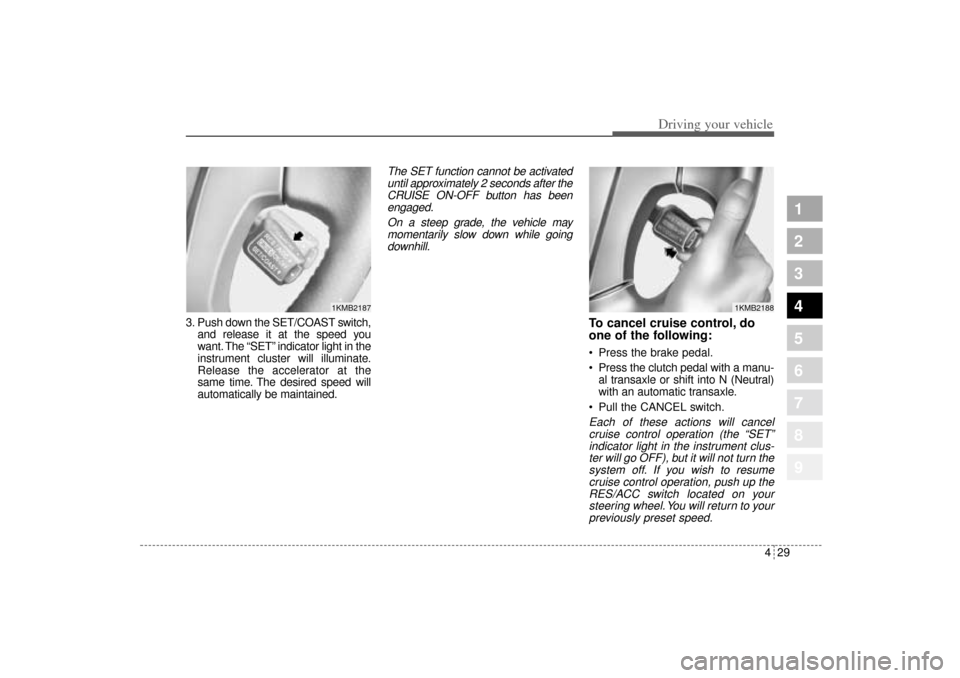
3. Push down the SET/COAST switch,
and release it at the speed you
want. The “SET” indicator light in the
instrument cluster will illuminate.
Release the accelerator at the
same time. The desired speed will
automatically be maintained.
The SET function cannot be activated
until approximately 2 seconds after the
CRUISE ON-OFF button has been
engaged.
On a steep grade, the vehicle may
momentarily slow down while going
downhill.
To cancel cruise control, do
one of the following: Press the brake pedal.
Press the clutch pedal with a manu-
al transaxle or shift into N (Neutral)
with an automatic transaxle.
Pull the CANCEL switch.Each of these actions will cancel
cruise control operation (the “SET”
indicator light in the instrument clus-
ter will go OFF), but it will not turn the
system off. If you wish to resume
cruise control operation, push up the
RES/ACC switch located on your
steering wheel. You will return to your
previously preset speed.
1KMB2187
1KMB2188
KM CAN (ENG) 4.qxd 9/13/2004 4:48 PM Page 29
Page 153 of 354
Driving your vehicle30 4
1
2
3
4
5
6
7
8
9
To turn cruise control off, do
one of the following: Push the CRUISE ON-OFF button
(the CRUISE indicator light in the
instrument cluster will go OFF).
Turn the ignition off.Both of these actions cancel cruise
control operation. If you want to
resume cruise control operation,
repeat the steps provided in “To Set
Cruise Control Speed” on the previ-
ous page.
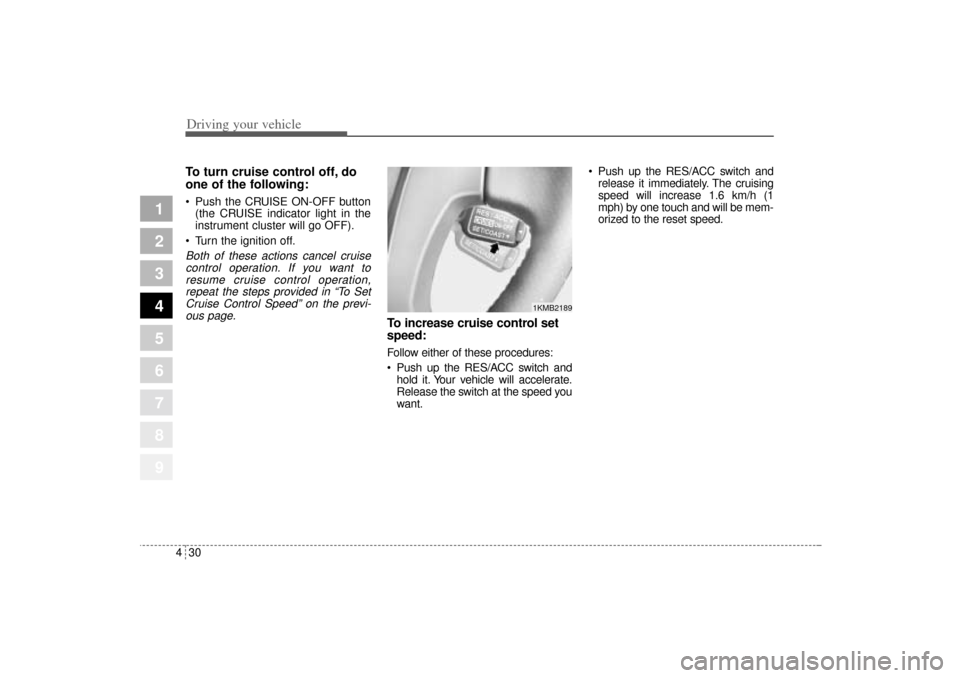
To increase cruise control set
speed:Follow either of these procedures:
Push up the RES/ACC switch and
hold it. Your vehicle will accelerate.
Release the switch at the speed you
want. Push up the RES/ACC switch and
release it immediately. The cruising
speed will increase 1.6 km/h (1
mph) by one touch and will be mem-
orized to the reset speed.
1KMB2189
KM CAN (ENG) 4.qxd 9/13/2004 4:48 PM Page 30
Page 154 of 354
431
Driving your vehicle
1
2
3
4
5
6
7
8
9
To temporarily accelerate with
the cruise control onIf you want to speed up temporarily
when the cruise control is on,
depress the accelerator pedal.
Increased speed will not interfere
with cruise control operation or
change the set speed.
To return to the set speed, take your
foot off the accelerator.
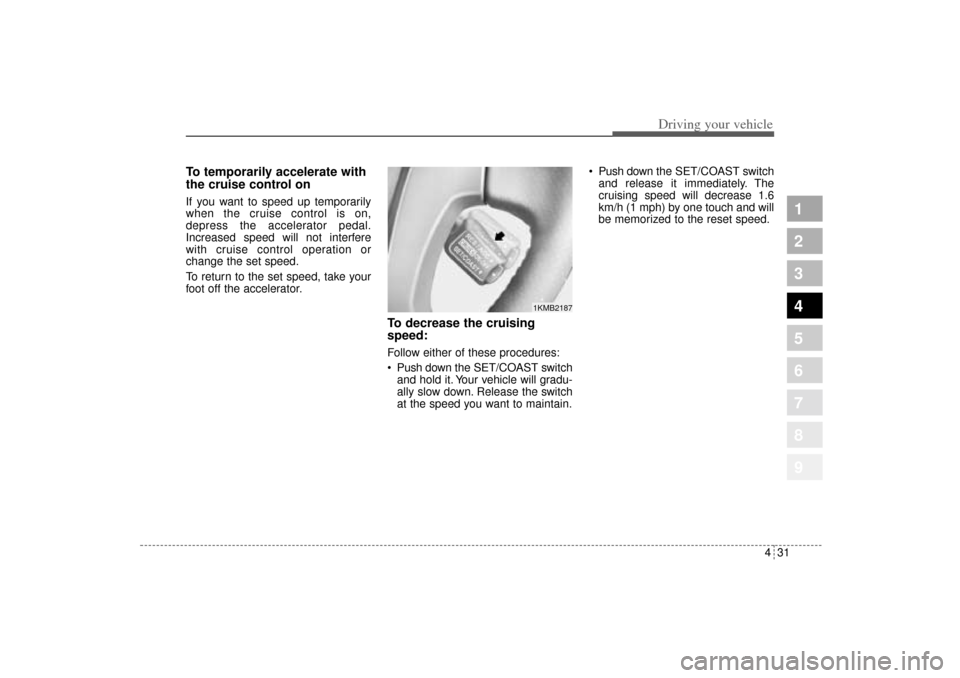
To decrease the cruising
speed:Follow either of these procedures:
Push downthe SET/COAST switch
and hold it. Your vehicle will gradu-
ally slow down. Release the switch
at the speed you want to maintain. Push downthe SET/COAST switch
and release it immediately. The
cruising speed will decrease 1.6
km/h (1 mph) by one touch and will
be memorized to the reset speed.
1KMB2187
KM CAN (ENG) 4.qxd 9/13/2004 4:48 PM Page 31
Page 165 of 354
Driving your vehicle42 4
1
2
3
4
5
6
7
8
9
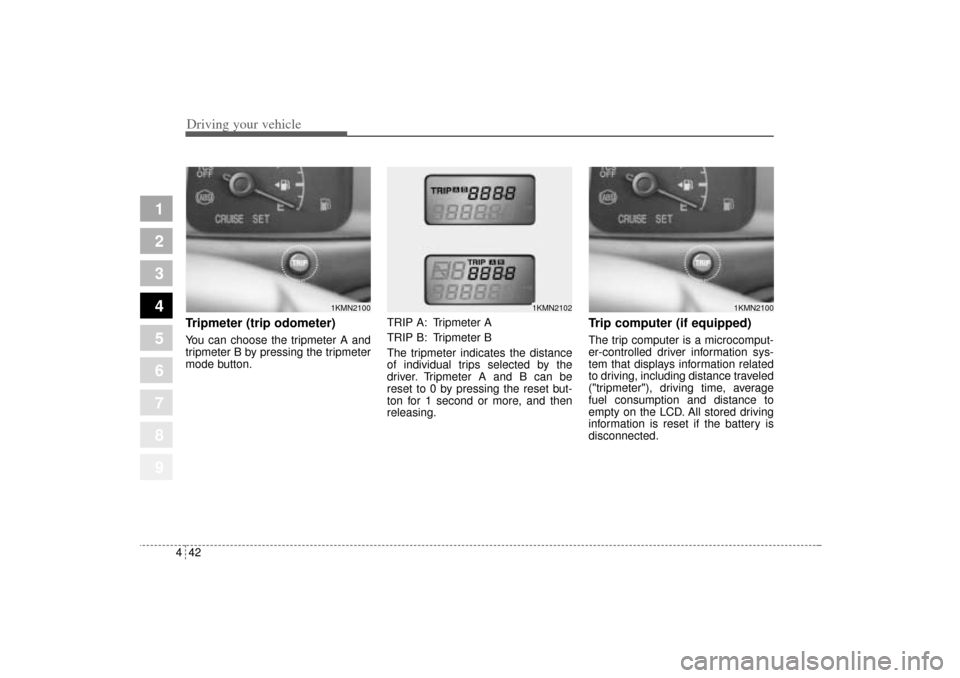
Tripmeter (trip odometer)You can choose the tripmeter A and
tripmeter B by pressing the tripmeter
mode button.TRIP A: Tripmeter A
TRIP B: Tripmeter B
The tripmeter indicates the distance
of individual trips selected by the
driver. Tripmeter A and B can be
reset to 0 by pressing the reset but-
ton for 1 second or more, and then
releasing.
Trip computer (if equipped)The trip computer is a microcomput-
er-controlled driver information sys-
tem that displays information related
to driving, including distance traveled
("tripmeter"), driving time, average
fuel consumption and distance to
empty on the LCD. All stored driving
information is reset if the battery is
disconnected.
1KMN2100
1KMN2102
1KMN2100
KM CAN (ENG) 4.qxd 9/13/2004 4:48 PM Page 42