2005 HYUNDAI TUCSON warning
[x] Cancel search: warningPage 80 of 273
1
FEATURES OF YOUR HYUNDAI
69
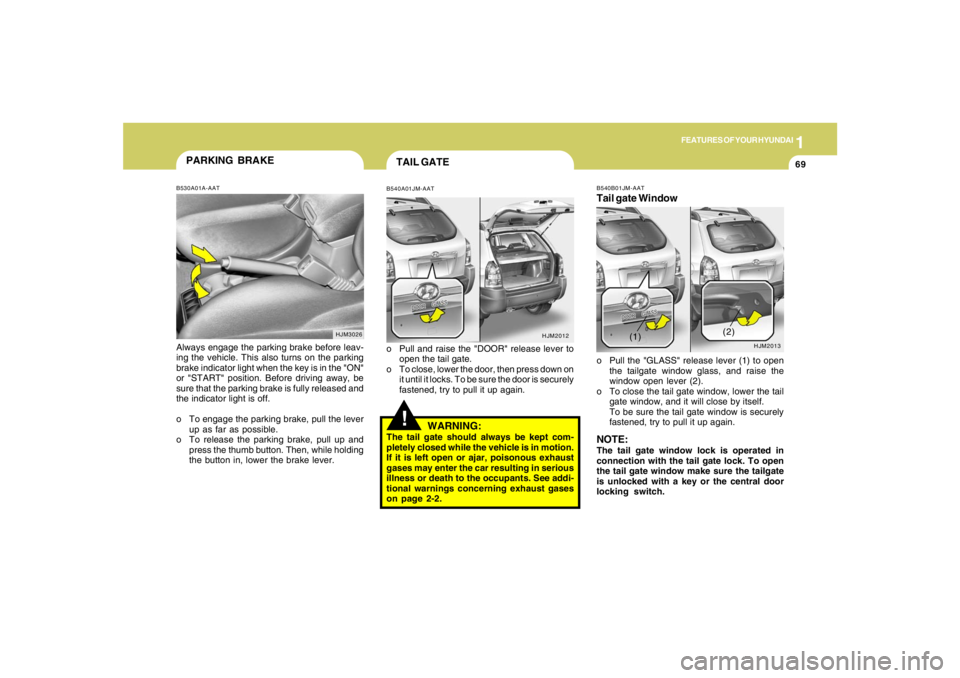
!TAIL GATEB540A01JM-AATo Pull and raise the "DOOR" release lever to
open the tail gate.
o To close, lower the door, then press down on
it until it locks. To be sure the door is securely
fastened, try to pull it up again.
HJM2012
HJM3026
PARKING BRAKEB530A01A-AATAlways engage the parking brake before leav-
ing the vehicle. This also turns on the parking
brake indicator light when the key is in the "ON"
or "START" position. Before driving away, be
sure that the parking brake is fully released and
the indicator light is off.
o To engage the parking brake, pull the lever
up as far as possible.
o To release the parking brake, pull up and
press the thumb button. Then, while holding
the button in, lower the brake lever.
WARNING:
The tail gate should always be kept com-
pletely closed while the vehicle is in motion.
If it is left open or ajar, poisonous exhaust
gases may enter the car resulting in serious
illness or death to the occupants. See addi-
tional warnings concerning exhaust gases
on page 2-2.
B540B01JM-AATTail gate Windowo Pull the "GLASS" release lever (1) to open
the tailgate window glass, and raise the
window open lever (2).
o To close the tail gate window, lower the tail
gate window, and it will close by itself.
To be sure the tail gate window is securely
fastened, try to pull it up again.NOTE:The tail gate window lock is operated in
connection with the tail gate lock. To open
the tail gate window make sure the tailgate
is unlocked with a key or the central door
locking switch.
HJM2013
(1)(2)
Page 85 of 273
1FEATURES OF YOUR HYUNDAI74
!
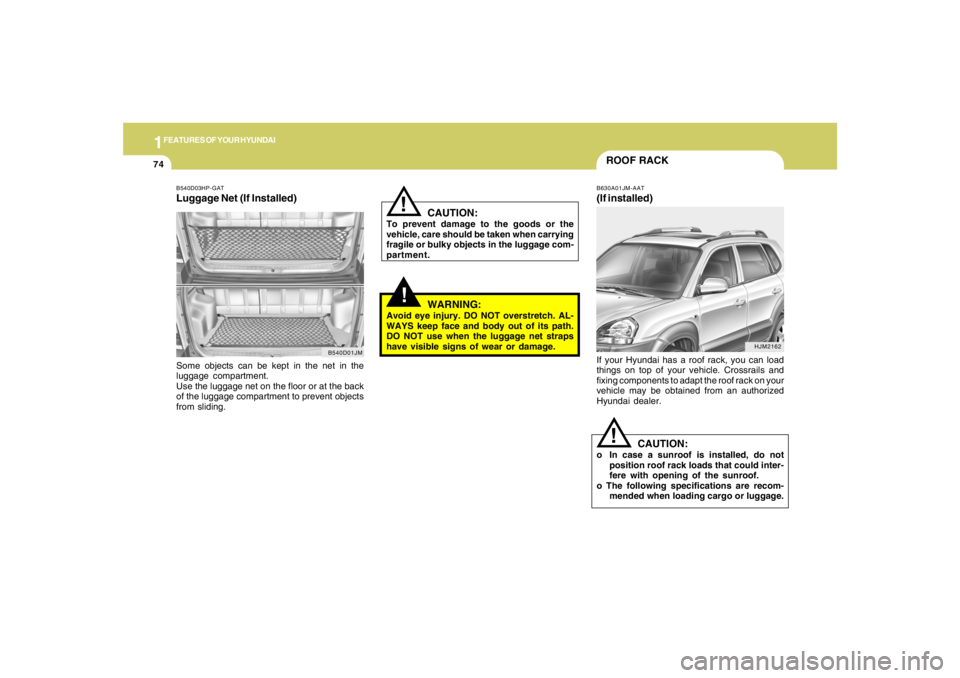
B540D03HP-GATLuggage Net (If Installed)Some objects can be kept in the net in the
luggage compartment.
Use the luggage net on the floor or at the back
of the luggage compartment to prevent objects
from sliding.
B540D01JM
!
CAUTION:
To prevent damage to the goods or the
vehicle, care should be taken when carrying
fragile or bulky objects in the luggage com-
partment.
WARNING:
Avoid eye injury. DO NOT overstretch. AL-
WAYS keep face and body out of its path.
DO NOT use when the luggage net straps
have visible signs of wear or damage.
ROOF RACKB630A01JM-AAT(If installed)If your Hyundai has a roof rack, you can load
things on top of your vehicle. Crossrails and
fixing components to adapt the roof rack on your
vehicle may be obtained from an authorized
Hyundai dealer.
CAUTION:
o In case a sunroof is installed, do not
position roof rack loads that could inter-
fere with opening of the sunroof.
o The following specifications are recom-
mended when loading cargo or luggage.
!
HJM2162
Page 87 of 273
1FEATURES OF YOUR HYUNDAI76
B560A01JM
!
WARNING:
o If you open the fuel filler cap during high
ambient temperatures, a slight "pres-
sure sound" may be heard. This is nor-
mal and not a cause for concern.
Whenever you open the fuel filler cap,
turn it slowly.
o Make sure the fuel filler cap is replaced
and securely seated after fueling. Failure
to replace or fully seat the fuel filler cap
will result in fuel vapors escaping into
the atmosphere and the check engine
"MIL" indicator illuminating.
o Do not "TOP-OFF" after the first nozzle
shut off when refueling.
o Automotive fuels are flammable/explo-
sive materials. When refueling, please
note the following guidelines carefully.
o Before touching the fuel nozzle or fuel
filler cap, have one's hands in contact
with metal parts away from the filler neck
to discharge static electricity.
o Do not get back in the vehicle while
refueling. Do not operate anything that
can produce static electricity. Static elec-
tricity discharge can ignite fuel vapors
resulting in explosion.
!
WARNING:
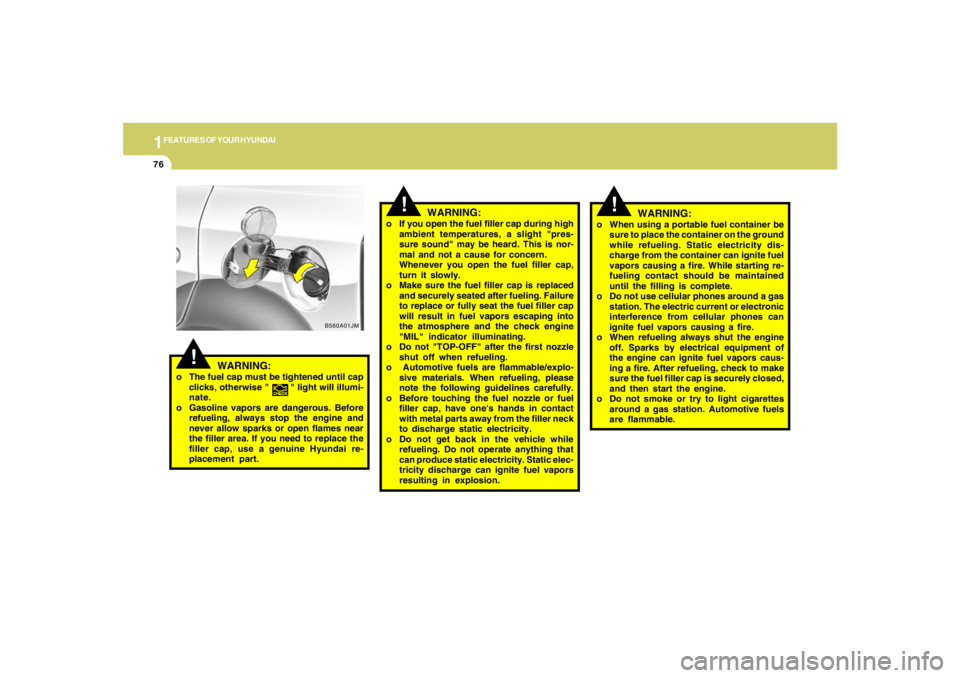
o The fuel cap must be tightened until cap
clicks, otherwise " " light will illumi-
nate.
o Gasoline vapors are dangerous. Before
refueling, always stop the engine and
never allow sparks or open flames near
the filler area. If you need to replace the
filler cap, use a genuine Hyundai re-
placement part.
!
o When using a portable fuel container be
sure to place the container on the ground
while refueling. Static electricity dis-
charge from the container can ignite fuel
vapors causing a fire. While starting re-
fueling contact should be maintained
until the filling is complete.
o Do not use cellular phones around a gas
station. The electric current or electronic
interference from cellular phones can
ignite fuel vapors causing a fire.
o When refueling always shut the engine
off. Sparks by electrical equipment of
the engine can ignite fuel vapors caus-
ing a fire. After refueling, check to make
sure the fuel filler cap is securely closed,
and then start the engine.
o Do not smoke or try to light cigarettes
around a gas station. Automotive fuels
are flammable.
WARNING:
Page 88 of 273
1
FEATURES OF YOUR HYUNDAI
77
!
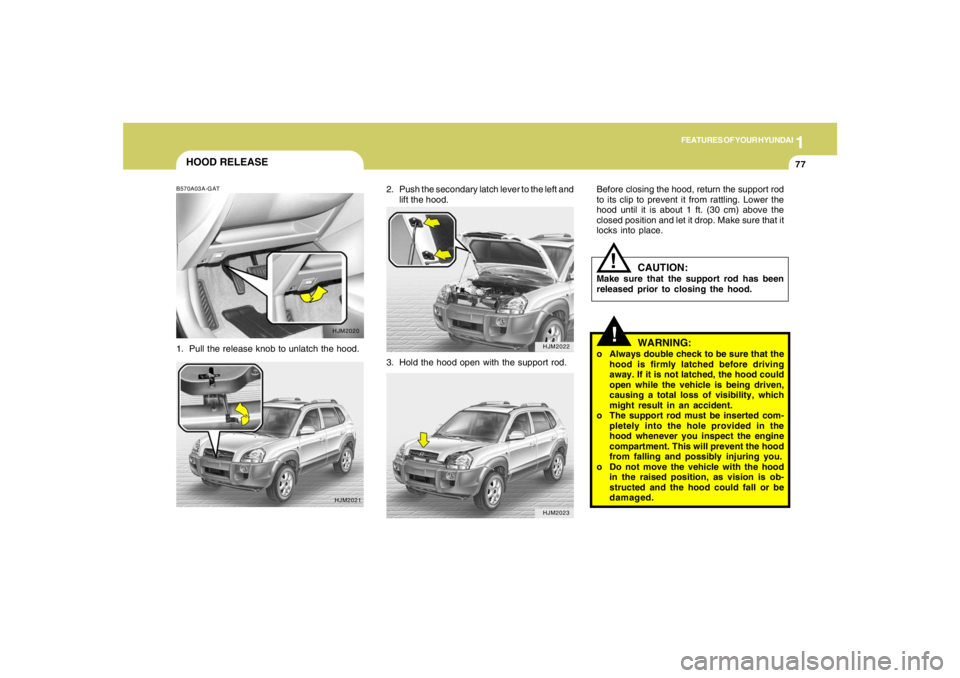
Before closing the hood, return the support rod
to its clip to prevent it from rattling. Lower the
hood until it is about 1 ft. (30 cm) above the
closed position and let it drop. Make sure that it
locks into place.
WARNING:
o Always double check to be sure that the
hood is firmly latched before driving
away. If it is not latched, the hood could
open while the vehicle is being driven,
causing a total loss of visibility, which
might result in an accident.
o The support rod must be inserted com-
pletely into the hole provided in the
hood whenever you inspect the engine
compartment. This will prevent the hood
from falling and possibly injuring you.
o Do not move the vehicle with the hood
in the raised position, as vision is ob-
structed and the hood could fall or be
damaged.
CAUTION:
Make sure that the support rod has been
released prior to closing the hood.
!
2. Push the secondary latch lever to the left and
lift the hood.
HJM2022HJM2023
HOOD RELEASEB570A03A-GAT1. Pull the release knob to unlatch the hood.
HJM2020
HJM2021
3. Hold the hood open with the support rod.
Page 89 of 273
1FEATURES OF YOUR HYUNDAI78
FLOOR MAT ANCHOR!
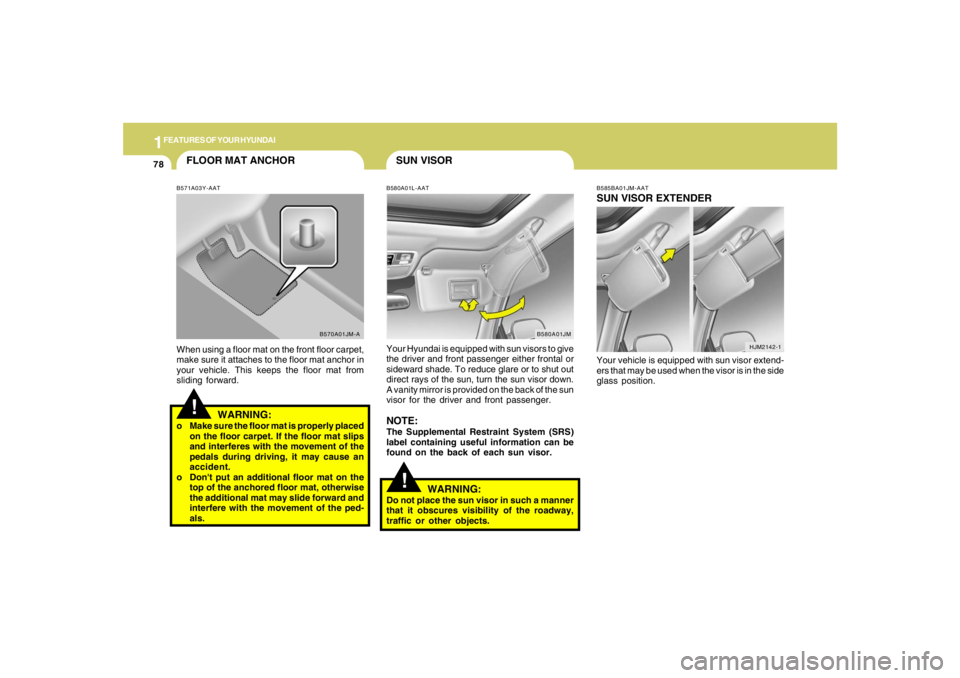
B571A03Y-AATWhen using a floor mat on the front floor carpet,
make sure it attaches to the floor mat anchor in
your vehicle. This keeps the floor mat from
sliding forward.
WARNING:
o Make sure the floor mat is properly placed
on the floor carpet. If the floor mat slips
and interferes with the movement of the
pedals during driving, it may cause an
accident.
o Don't put an additional floor mat on the
top of the anchored floor mat, otherwise
the additional mat may slide forward and
interfere with the movement of the ped-
als.
B570A01JM-A
SUN VISORB580A01L-AATYour Hyundai is equipped with sun visors to give
the driver and front passenger either frontal or
sideward shade. To reduce glare or to shut out
direct rays of the sun, turn the sun visor down.
A vanity mirror is provided on the back of the sun
visor for the driver and front passenger.NOTE:The Supplemental Restraint System (SRS)
label containing useful information can be
found on the back of each sun visor.
B580A01JM
!
WARNING:
Do not place the sun visor in such a manner
that it obscures visibility of the roadway,
traffic or other objects.
HJM2142-1 B585BA01JM-AAT
SUN VISOR EXTENDERYour vehicle is equipped with sun visor extend-
ers that may be used when the visor is in the side
glass position.
Page 90 of 273
1
FEATURES OF YOUR HYUNDAI
79
FRONT DOOR EDGE WARNING
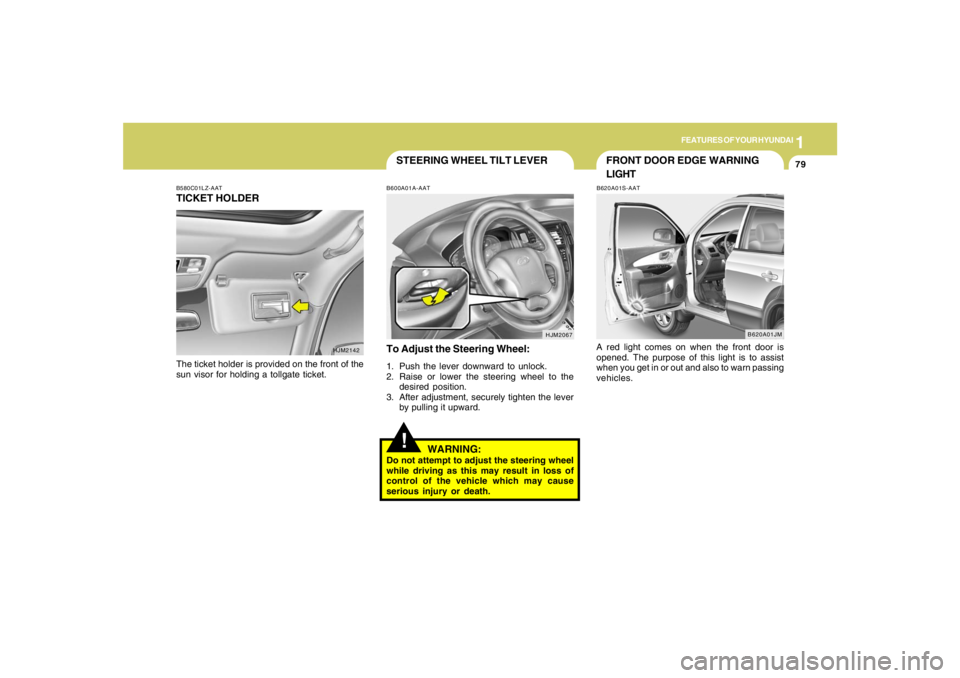
LIGHTB620A01S-AATA red light comes on when the front door is
opened. The purpose of this light is to assist
when you get in or out and also to warn passing
vehicles.
B620A01JM
HJM2067
STEERING WHEEL TILT LEVER!
To Adjust the Steering Wheel:1. Push the lever downward to unlock.
2. Raise or lower the steering wheel to the
desired position.
3. After adjustment, securely tighten the lever
by pulling it upward.
WARNING:
Do not attempt to adjust the steering wheel
while driving as this may result in loss of
control of the vehicle which may cause
serious injury or death.B600A01A-AAT
B580C01LZ-AATTICKET HOLDERThe ticket holder is provided on the front of the
sun visor for holding a tollgate ticket.
HJM2142
Page 92 of 273
1
FEATURES OF YOUR HYUNDAI
81
B660C01JM B660C04E-AAT
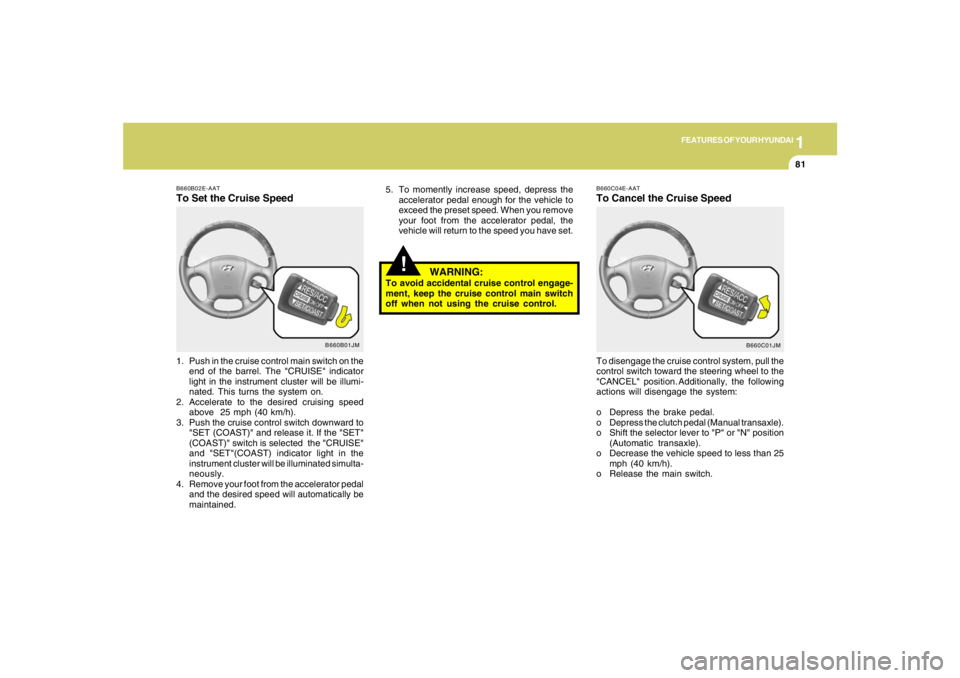
To Cancel the Cruise SpeedTo disengage the cruise control system, pull the
control switch toward the steering wheel to the
"CANCEL" position. Additionally, the following
actions will disengage the system:
o Depress the brake pedal.
o Depress the clutch pedal (Manual transaxle).
o Shift the selector lever to "P" or "N" position
(Automatic transaxle).
o Decrease the vehicle speed to less than 25
mph (40 km/h).
o Release the main switch.
!
5. To momently increase speed, depress the
accelerator pedal enough for the vehicle to
exceed the preset speed. When you remove
your foot from the accelerator pedal, the
vehicle will return to the speed you have set.
WARNING:
To avoid accidental cruise control engage-
ment, keep the cruise control main switch
off when not using the cruise control.
B660B01JM B660B02E-AAT
To Set the Cruise Speed1. Push in the cruise control main switch on the
end of the barrel. The "CRUISE" indicator
light in the instrument cluster will be illumi-
nated. This turns the system on.
2. Accelerate to the desired cruising speed
above 25 mph (40 km/h).
3. Push the cruise control switch downward to
"SET (COAST)" and release it. If the "SET"
(COAST)" switch is selected the "CRUISE"
and "SET"(COAST) indicator light in the
instrument cluster will be illuminated simulta-
neously.
4. Remove your foot from the accelerator pedal
and the desired speed will automatically be
maintained.
Page 93 of 273
1FEATURES OF YOUR HYUNDAI82
B660D01JM B660D01E-AAT
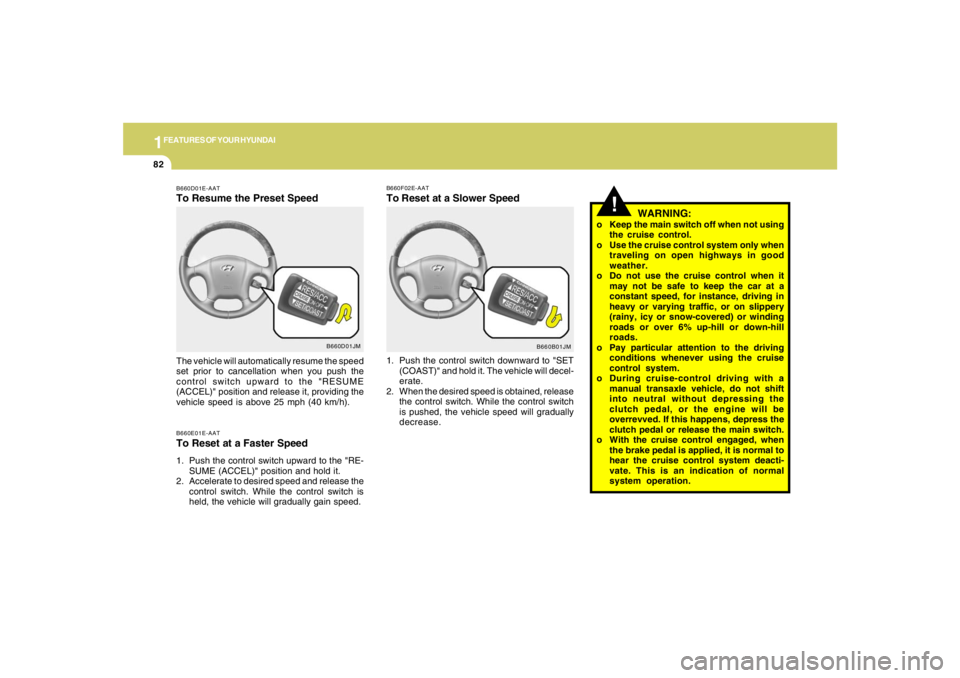
To Resume the Preset SpeedB660E01E-AATTo Reset at a Faster Speed1. Push the control switch upward to the "RE-
SUME (ACCEL)" position and hold it.
2. Accelerate to desired speed and release the
control switch. While the control switch is
held, the vehicle will gradually gain speed. The vehicle will automatically resume the speed
set prior to cancellation when you push the
control switch upward to the "RESUME
(ACCEL)" position and release it, providing the
vehicle speed is above 25 mph (40 km/h).
B660B01JM B660F02E-AAT
To Reset at a Slower Speed1. Push the control switch downward to "SET
(COAST)" and hold it. The vehicle will decel-
erate.
2. When the desired speed is obtained, release
the control switch. While the control switch
is pushed, the vehicle speed will gradually
decrease.
!
WARNING:
o Keep the main switch off when not using
the cruise control.
o Use the cruise control system only when
traveling on open highways in good
weather.
o Do not use the cruise control when it
may not be safe to keep the car at a
constant speed, for instance, driving in
heavy or varying traffic, or on slippery
(rainy, icy or snow-covered) or winding
roads or over 6% up-hill or down-hill
roads.
o Pay particular attention to the driving
conditions whenever using the cruise
control system.
o During cruise-control driving with a
manual transaxle vehicle, do not shift
into neutral without depressing the
clutch pedal, or the engine will be
overrevved. If this happens, depress the
clutch pedal or release the main switch.
o With the cruise control engaged, when
the brake pedal is applied, it is normal to
hear the cruise control system deacti-
vate. This is an indication of normal
system operation.